Week 3 - 2D meshing for Sheet metal
Aim : To remove the geometrical errors and to extract the mid surface and then mesh the midsurface with the given quality criteria for the given hood modle.
Procedure :
- To toggle the geometrical errors using check manager
- Errors can be removed by using Topo module>Faces>new>delete>cut Cons>paste>Release >project
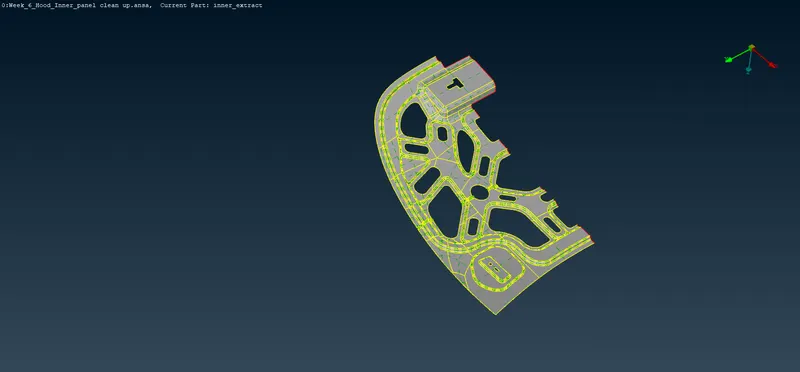
- Geometrical errror free modle is abovementioned
- To extract the midsurface using Faces>offest or faces>mid surface>skin
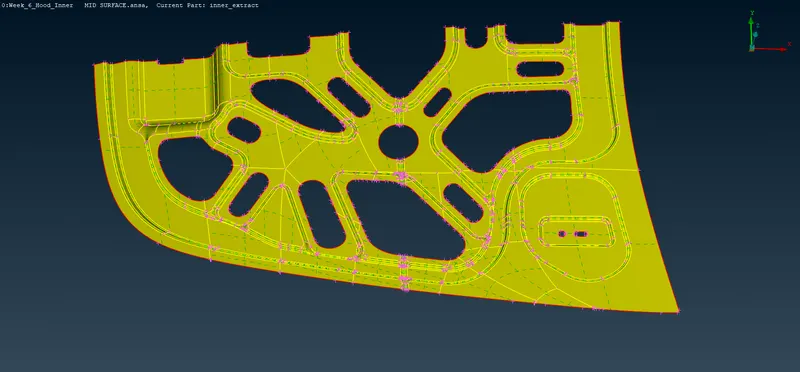
- Here mid surface extracted using Faces>Mid surface>skin option
The extracted mid surface is shown below
- Then SETPID for the extracted mid surface and mention its thicknes
Meshing:
- Fix the Target length, Mesh parameter, Quality criteria
- Cleaning the mesh surface
If any unwanted features lines and Hotpionts are there remove them using
Mesh module>Macros>cut
Hotpionts>Insert or Delete options
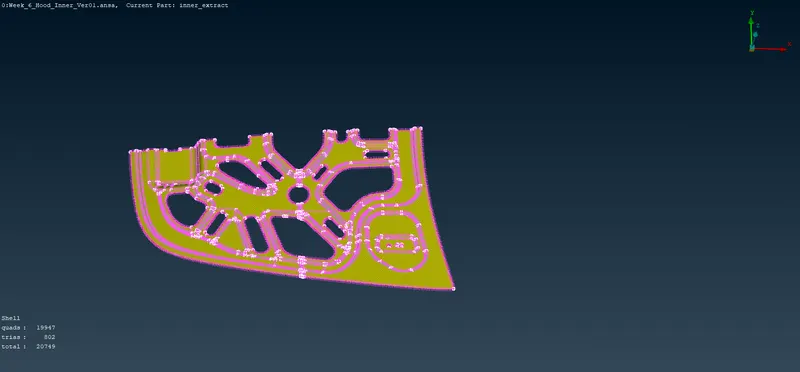
- Now by using Mesh Generation>Best ,mesh has been generated surface by surface on the given Hood modle as shown below
- If the mesh flow is not proper or if there is any quality issues use Mesh Generation>Reconstruction , Shell Mesh>Smooth options
- And in fillet region two rows of mesh should be maintained for the proper mesh flow
- If there are any backward trias or rotating trias can be removed by using Elements>Split
Mesh will be genrated as shown in the below modle
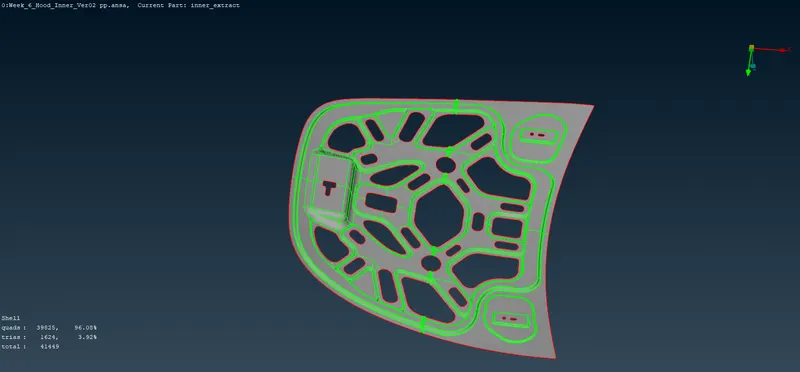
Conclusion : Hood modle as gone through mid surface extraction and element quality criteria