Week 3- Geometry cleanup and Mid-surfacing
AIM: At the tube joint sites, to extract the mid-surface for the tube model and offer a connection with sharing options.
Solution:
CASE 1:
Step 1: Open SpaceClaim and import the model.
Step 2: Create a Midsurface for the components
Prepare>Midsurface> Use Range - change to 10mm> Select all bodies>Ok
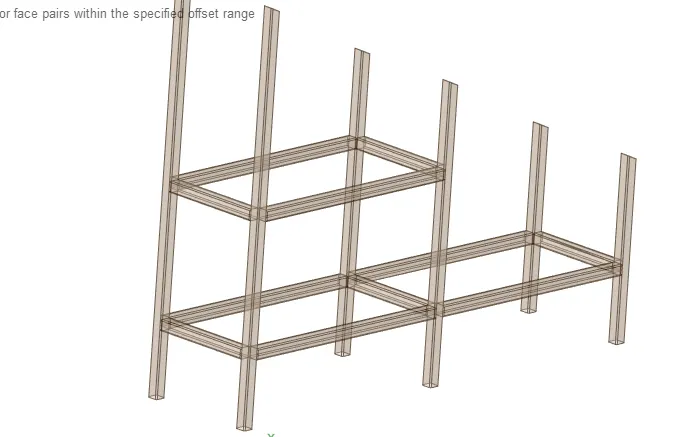
Step 3: Create share topology using Workbench -> Share
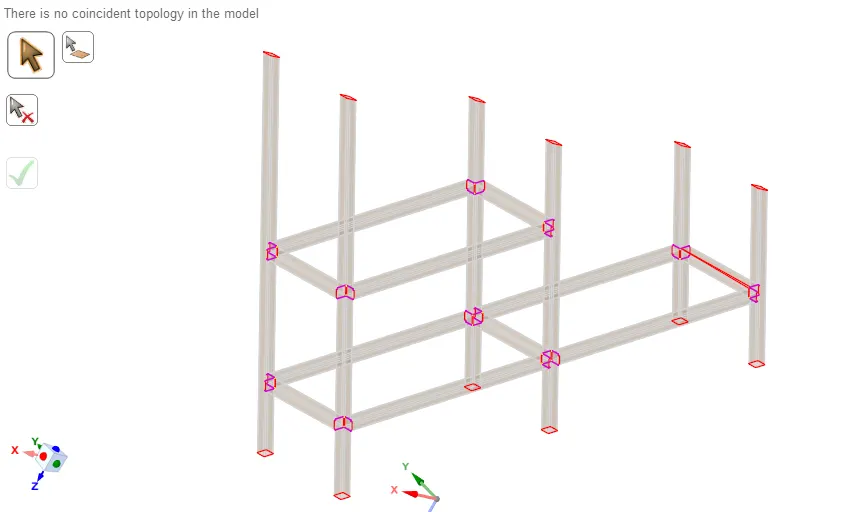
CASE 2:
Dimension of Top Block A: 20 x 20 x 5 mm
Dimension of Bottom Block B: 40 x 40 x 10 mm
Create a share topology amongst the two blocks using Workbench -> Share
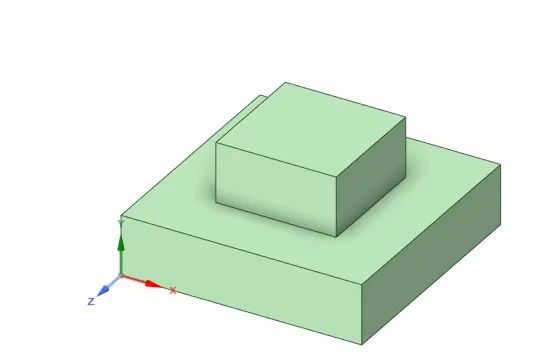
Boundary Condition for Modal Analysis is of adding a fixed support on the bottom face.
The simulation is executed after meshing the model to have 13020 elements and creating 14 modal variations.
The first modal deformation is found at mode 7 as seen below:
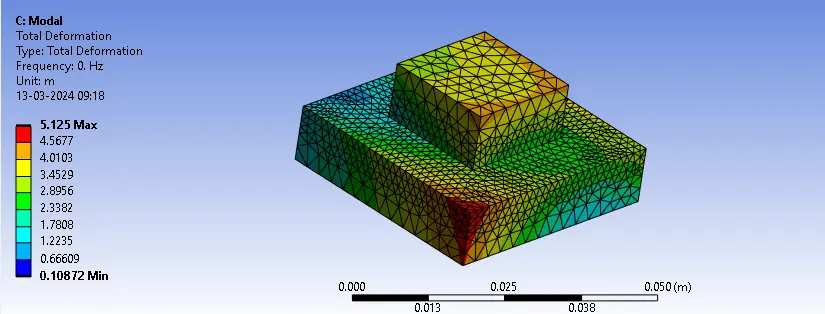
MODAL = 21460 Hz
CONCLUSION:
Connections are created and are verified from modal analysis results.