Week 3: Flow over a backward facing step
Aim: - To simulate flow over Backward facing step using Converge CFD.
Objective: -
- To setup case for flow over Backward facing step in Converge with three different mesh i.e.,
- dx = dy = dz = 2e-3 m
- dx = dy = dz = 1.5e-3 m
- dx = dy = dz = 1.0e-3 m
- To study Flow Separation and its significance in the flow.
- To plot Velocity and Pressure Contour along with Vector plots to Validate the simulation.
Theory: -
Flow separation –
Due to significant viscous forces between bounding surfaces, there is exist boundary layer (δ). It could be laminar and smooth or can be turbulent and have eddies.
The separation/detachment of boundary layer from surface into wake is called Boundary Layer separation or Flow separation.
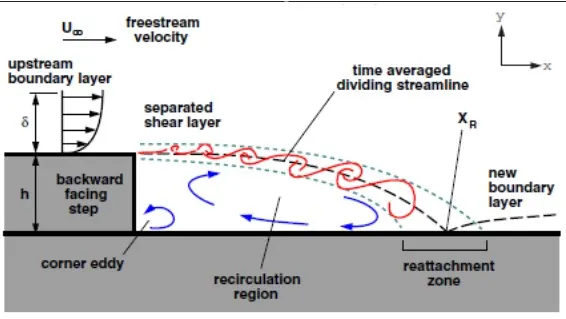
This is primarily caused by adverse pressure gradient imposed on the boundary layer i.e., `(dp)/(dx) >0`
The tendency of boundary layer to detach from surface is primary caused due to negative velocity gradient.
Case Setup: -
Geometry –
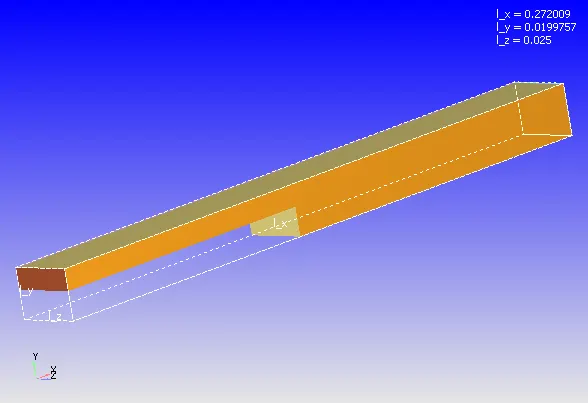
Backward Facing Step
Normal of the triangles should point toward the fluid region / region of interest. All the normal are pointing in appropriate direction, if not then transformed.
Setup –
- Time Based application type.
- Gas simulation with Air as predefined mixture
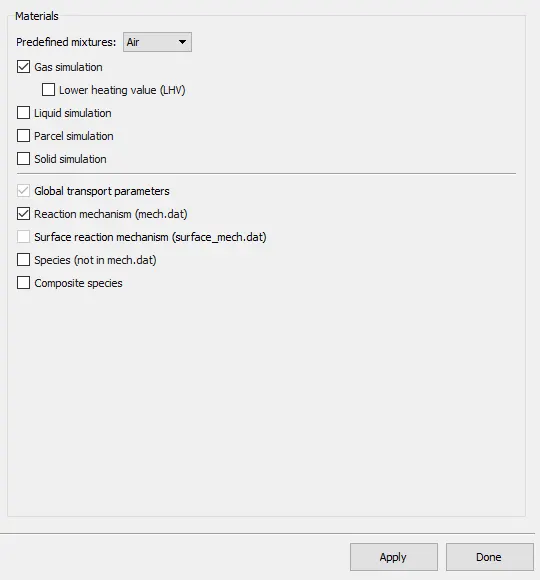
- Pressure Based Steady State Solver is used with Compressible Gas Flow solver and PISO Navier-Stokes’s solver scheme.
- Simulation run for 15000 cycle maximum with 1e-6 sec minimum and 2 sec maximum time step.
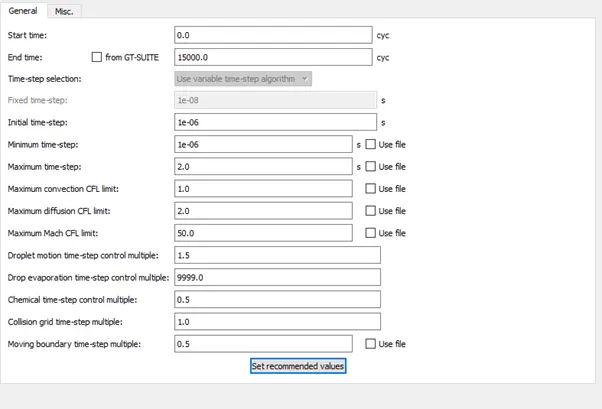
- Boundary Condition:
- Inlet - Type = Inflow, Pressure = 110325 Pa, Species = O2:0.23, N2: 0.77
- Top-Bottom - Type = wall, No slip Condition
- Front and Back – Type = 2D
- Outlet - Type = outflow, Pressure = 101325 Pa, Species = O2:0.23, N2: 0.77
- Volumetric Region is defined with air and region are assigned to all boundaries.
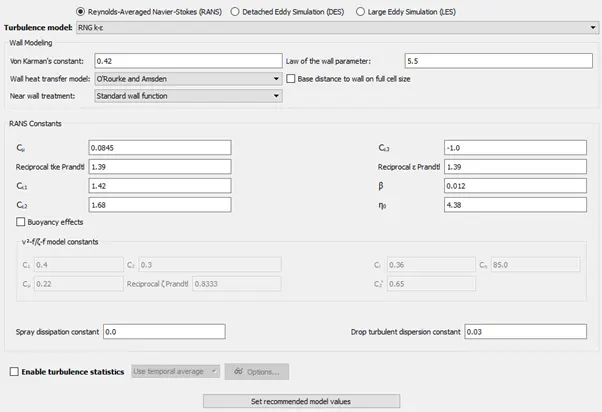
- RNG K-epsilon is used for turbulence modelling.
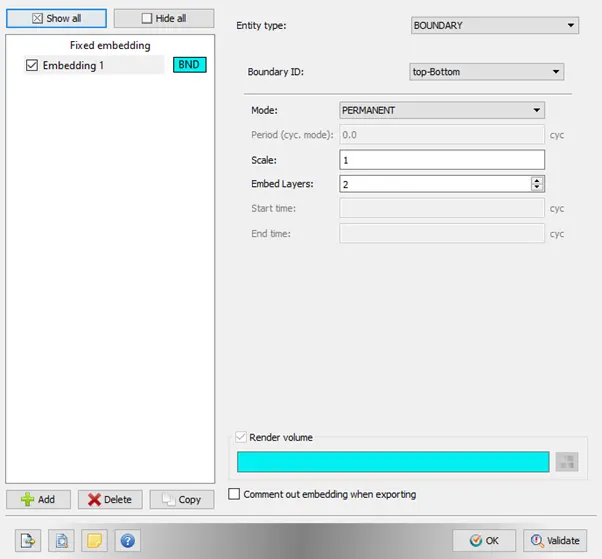
- Base grids are Generated on the given specifications. Fixed embedding is also added to top and Bottom wall to get better results.
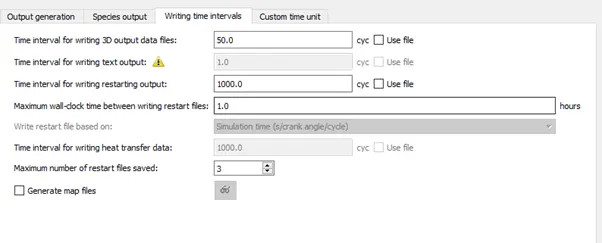
- 3D output data is written after every 50 cycles.
Solving using Cygwin –
All the input file are exported to the appropriate location and executable “mpiexec.exe” is placed in the exported folder. The Cygwin directory is navigated to the above saved folder and following code is entered to solve the problem.
mpiexec.exe -n 2 "C:\Program Files\Convergent_Science\CONVERGE\3.0.16\bin\intelmpi\converge.exe" restricted </dev/null> logfile.txt &
where address in quotes gives the path of folder containing input file exported earlier.
Post-Processing –
Post-Processing is done with the help of Converge CFD post processing tab and the output 3D data is converted in ‘*.vtm’ file and contours and animations are prepared though ParaView.
Results: -
case 1: Mesh size (dx = dy = dz = 2e-3 m)
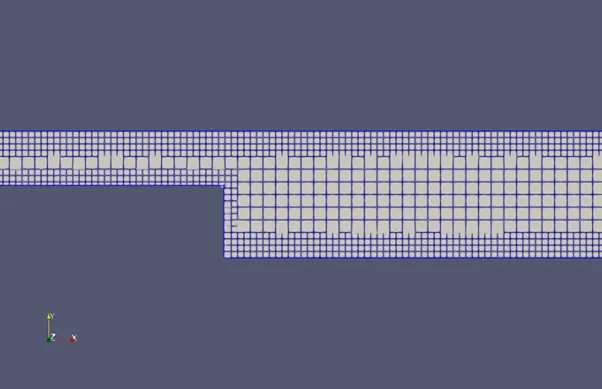
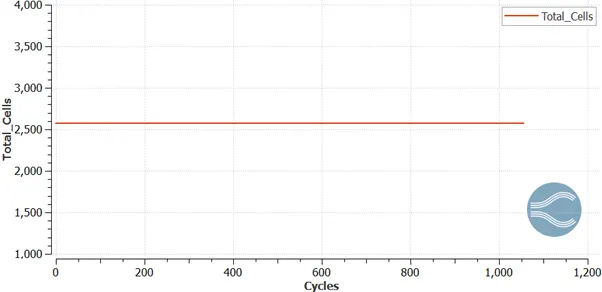
Total cell Count = 2573
Velocity Contour: Average Velocity:
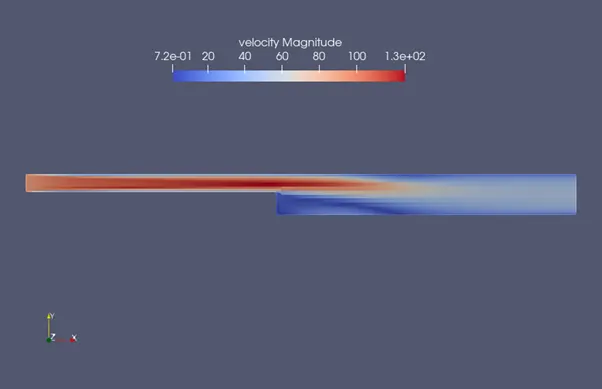
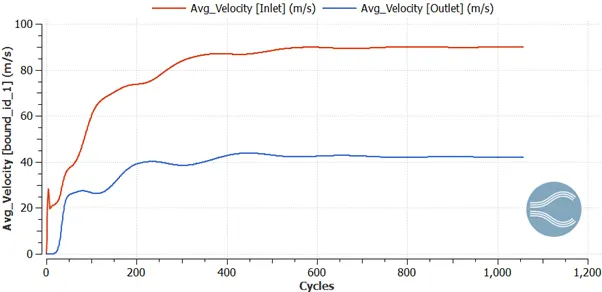
Pressure Contour: Mass Flow Rate:
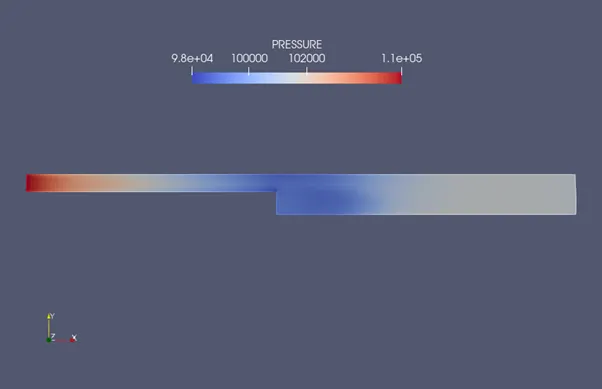
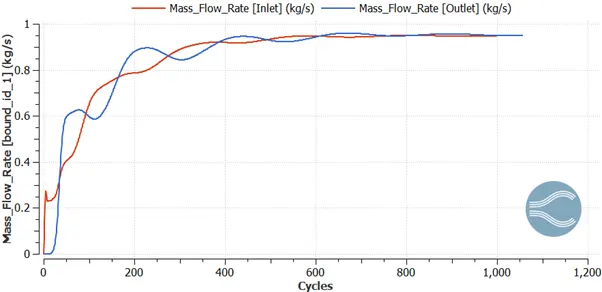
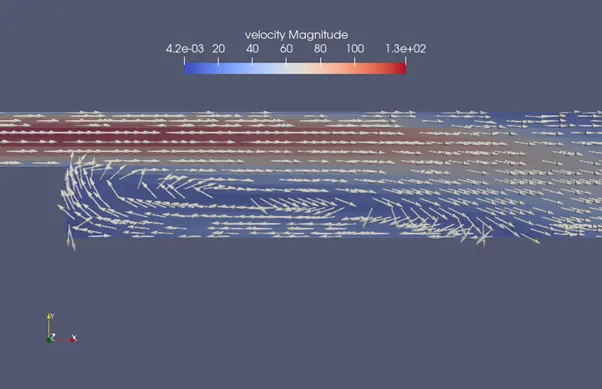
Vector Plot showing recirculation zones:
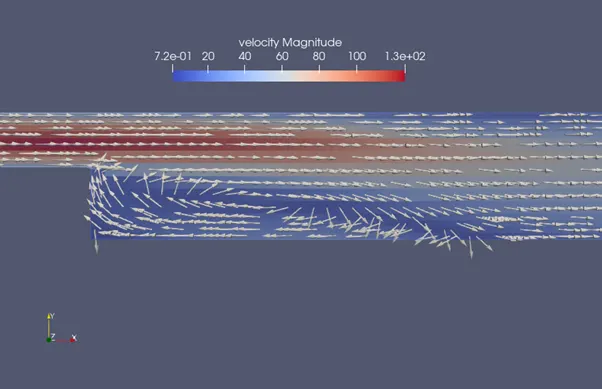
case 2: Mesh size (dx = dy = dz = 1.5e-3 m)
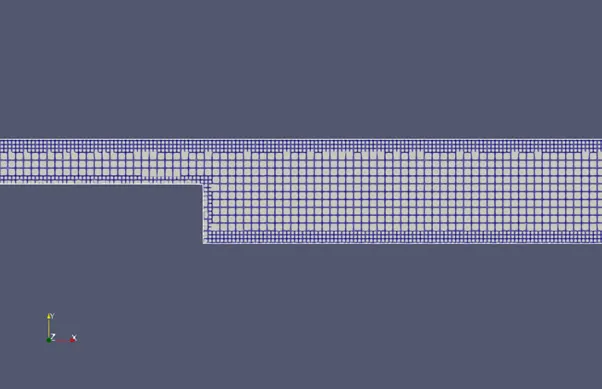
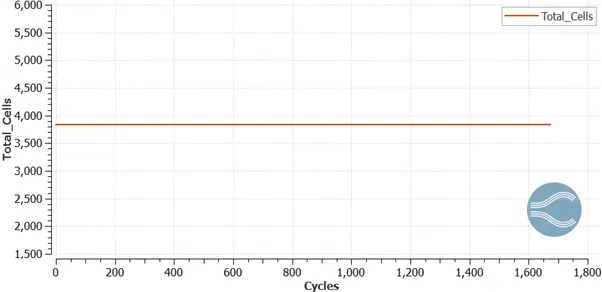
Total cell count = 3837
Velocity Contour: Average Velocity:
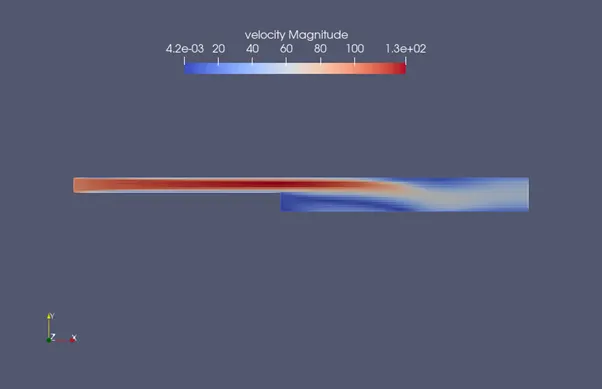
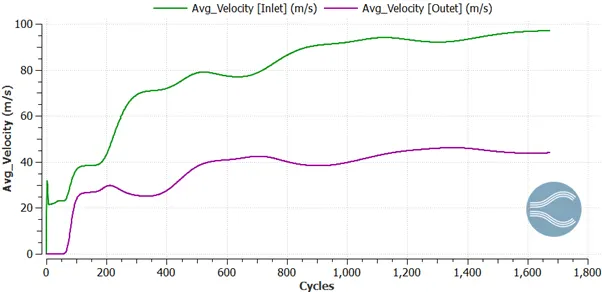
Pressure Contour: Mass Flow Rate:
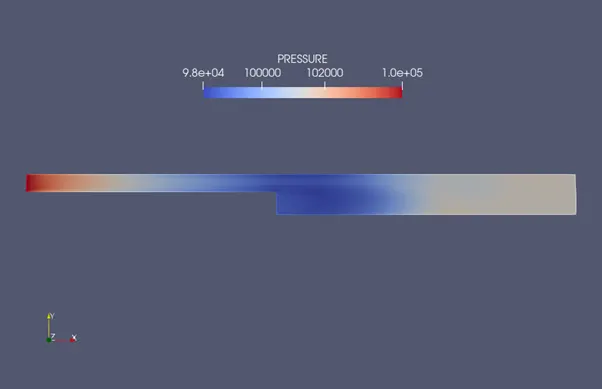
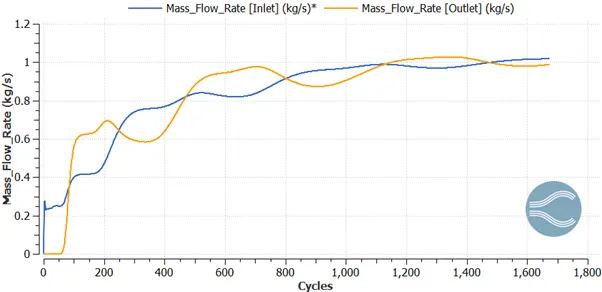
Vector Plot showing recirculation zones:
case 3: Mesh size (dx = dy = dz = 1e-3 m)
mesh
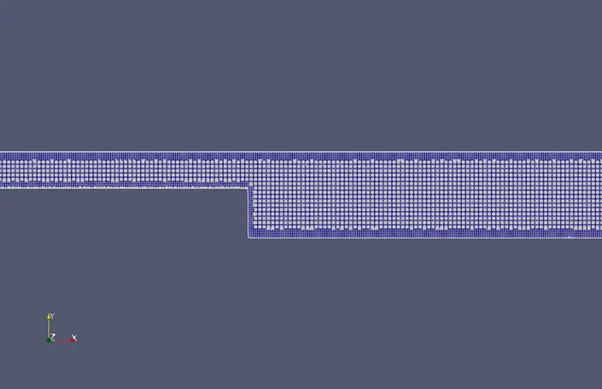
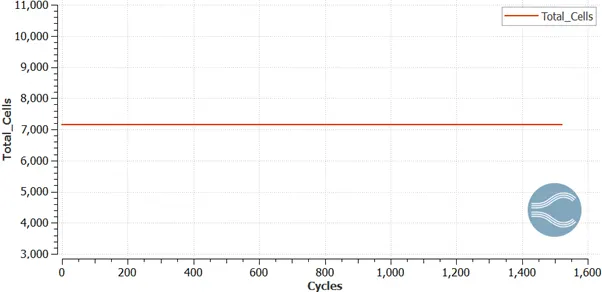
Total cell count = 7145
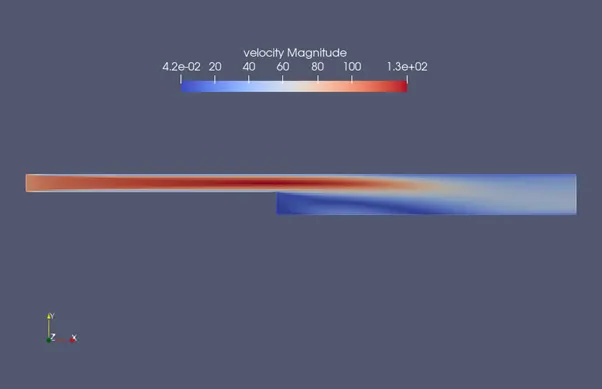
Velocity Contour: Average Velocity:
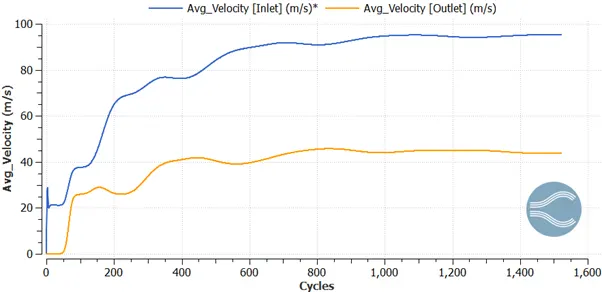
Pressure Contour: Mass Flow Rate:
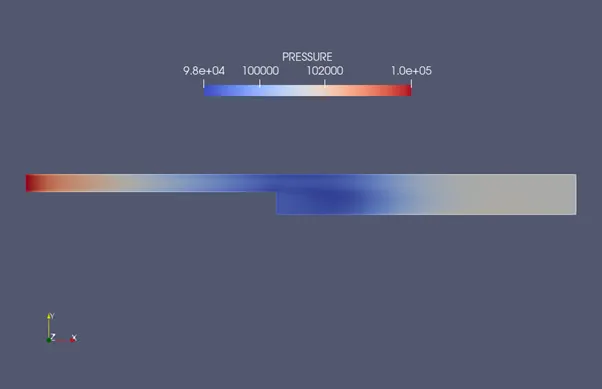
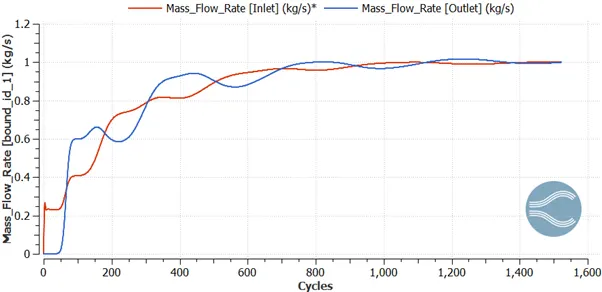
Vector Plot showing recirculation zones:
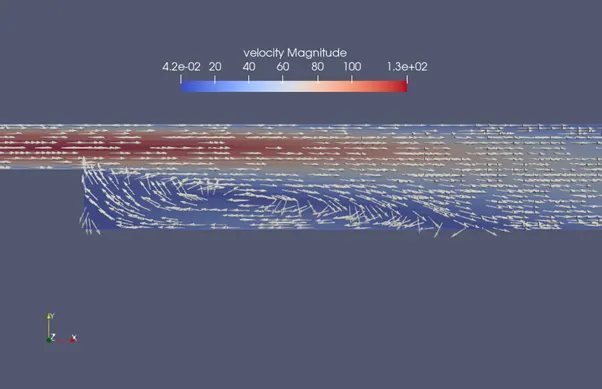
Conclusion:
- As the mesh becomes finer the result accuracy increases on expense of calculation time.
- At the step the pressure drops below the outlet pressure due to sudden expansion, Pressure then increases along the length on the expense of kinetic energy. Therefore, there is a drop in Average velocity of inlet and Outlet.
- After the step when pressure climbs Uphill moving towards outlet i.e. Pressure increases causes adverse pressure gradient hence Flow Separation happens.