Drop test Challenge
Aim:
To create a deck in LS-DYNA to simulate the drop test of a Phone.
Procedure:
1. Open LS PrePost and go to File - Open - LS-Dyna Keyword file and the given keyword file appears as follows.
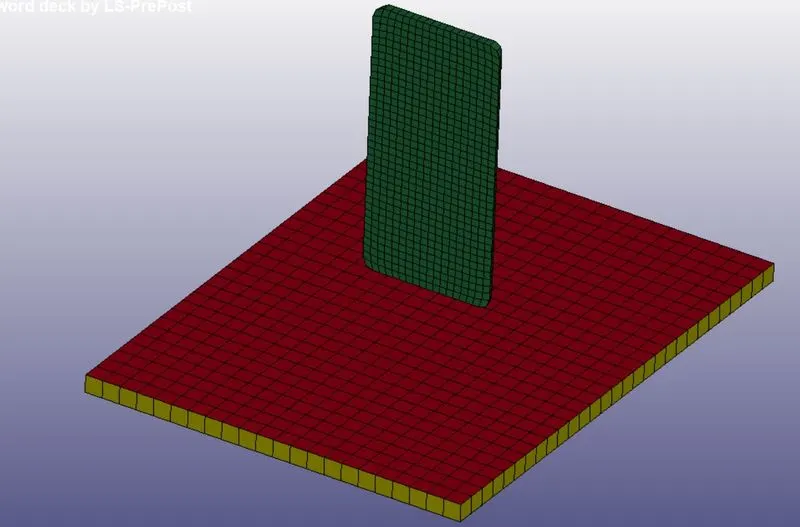
2. Check the Keyword Manager to check if the deck has all the required data for the simulation. The deck is incomplete and needs to be setup for analysis.
3. The deck has three parts namely phone(solid elements), floor (shell elements) the other solid elements part can be deleted to decrease the computation time. Keyword - Part - Delete - Done to delete the part.
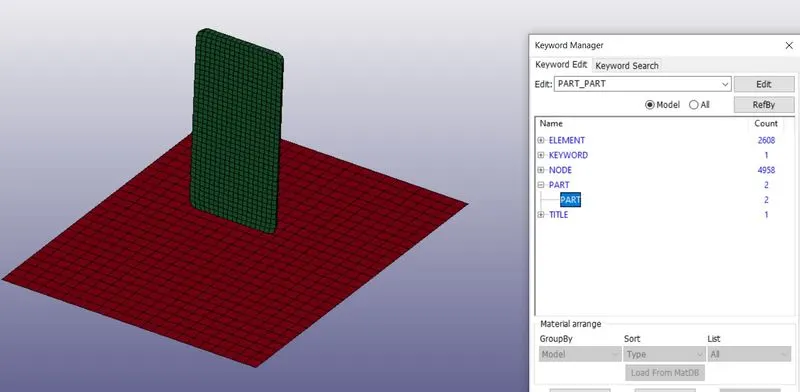
4. Material Card for Phone and floor:
The material for phone is given as aluminium and the Floor as rigid with its properties assigned as shown.
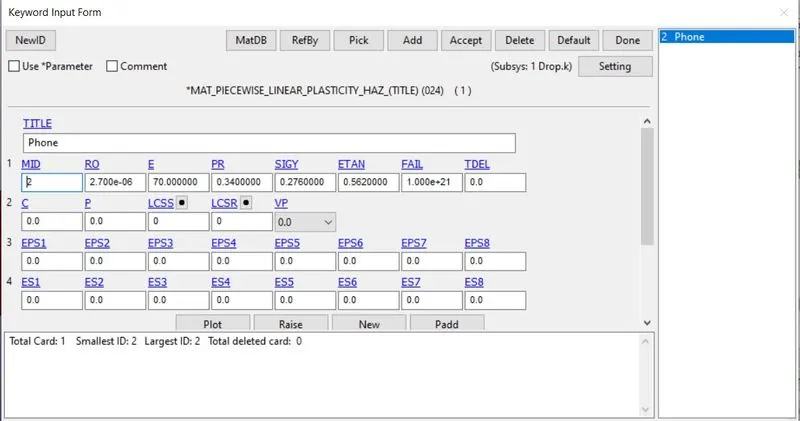
Phone
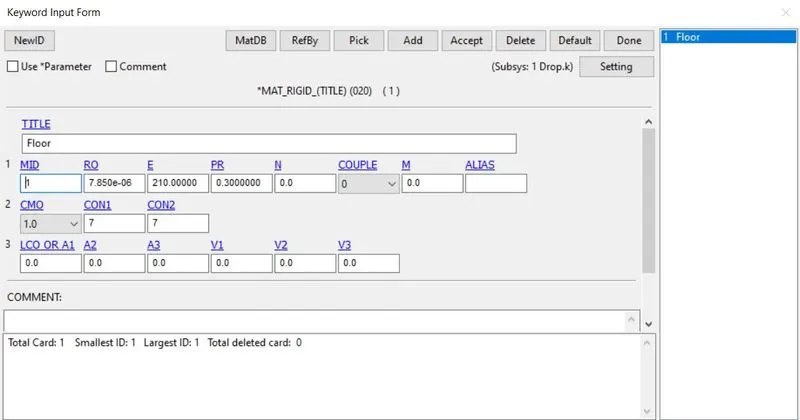
Floor
5. Section Card for Phone and Floor:
Section card for floor and Phone is set up by giving the ELFORM and Thickness as shown.
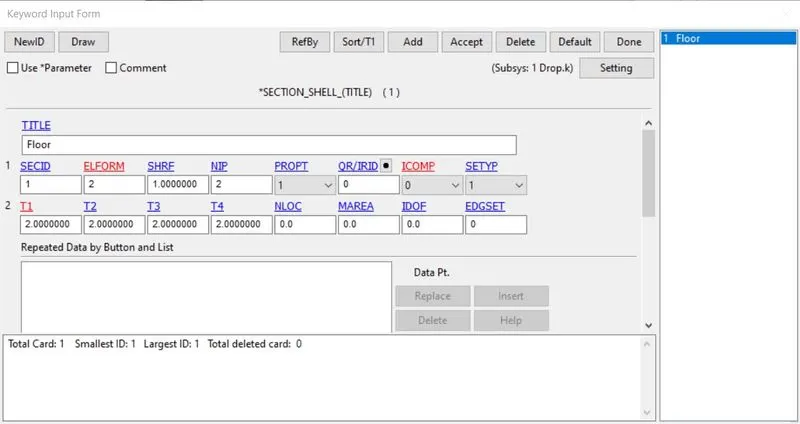
Floor
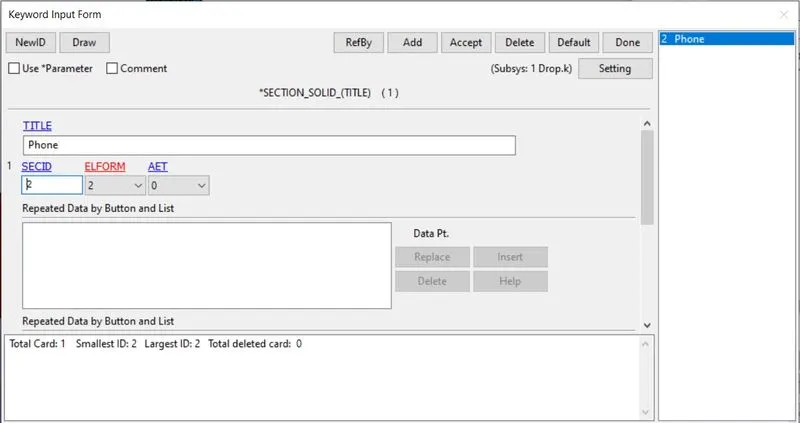
Phone
6. Create a Part Card for Phone and floor to link the material and section to the respective components as shown.
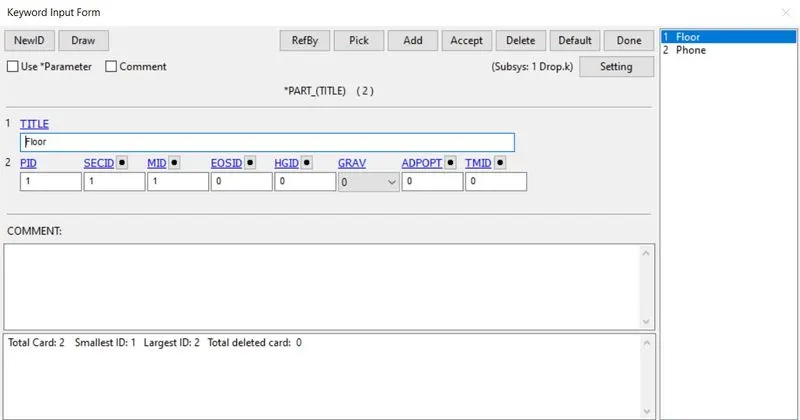
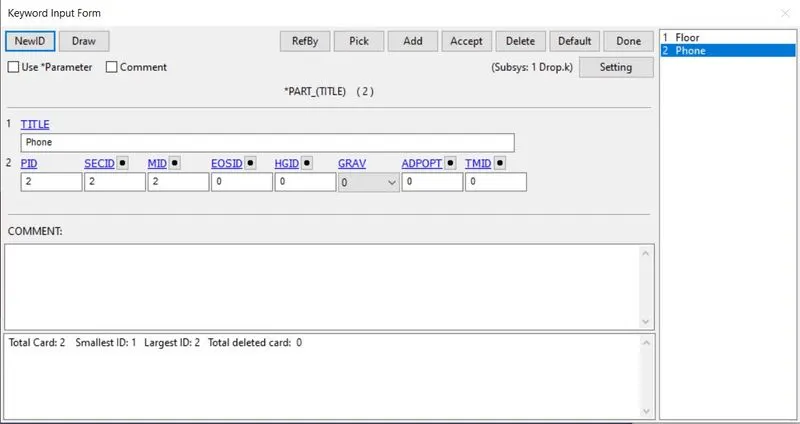
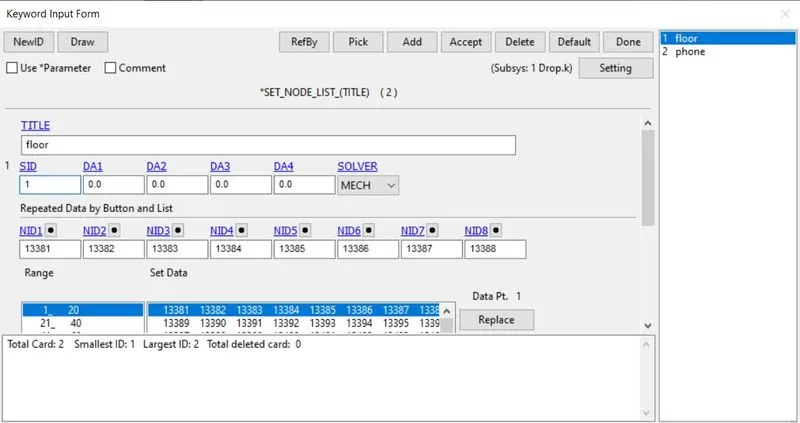
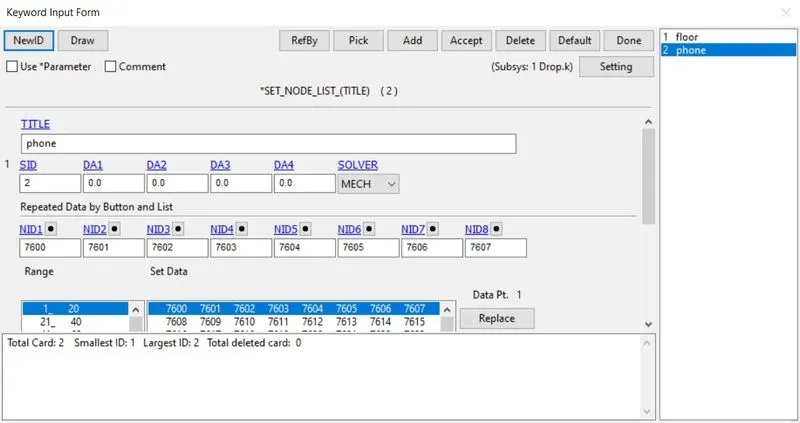
7. Create node sets for Phone and floor to define other cards.
8. Contact Card:
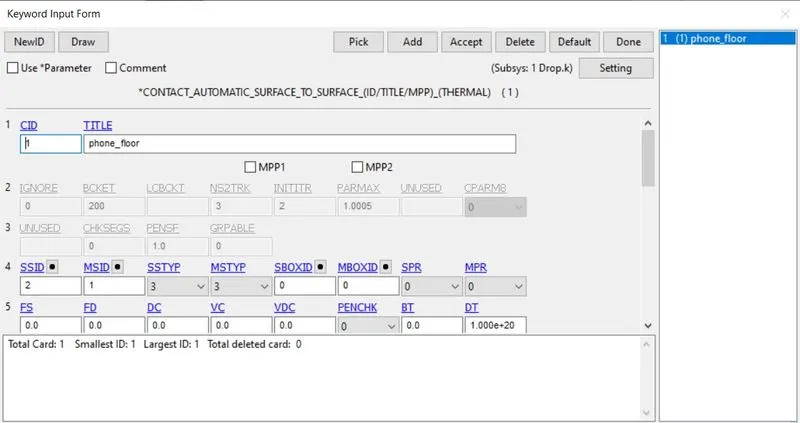
The contact card is set by selecting the phone as slave and the floor as master.
9. Initial Velocity Card:
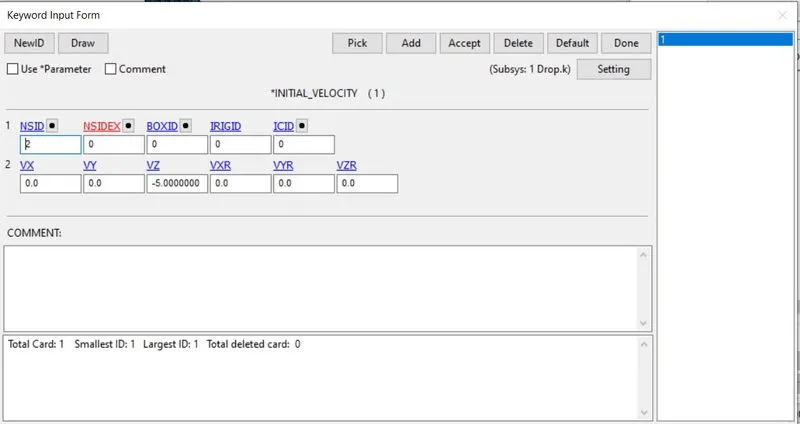
The initial velocity is defined for the phone in z direction as shown.
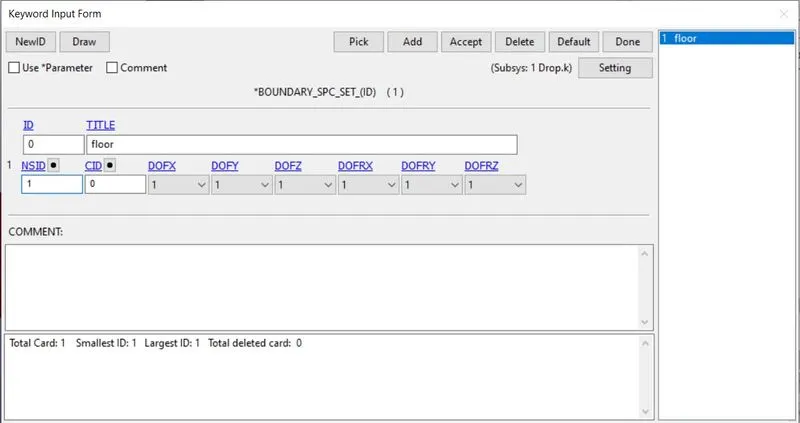
10. Boundry Condition Card:
The floor is constrained in all DOF as shown.
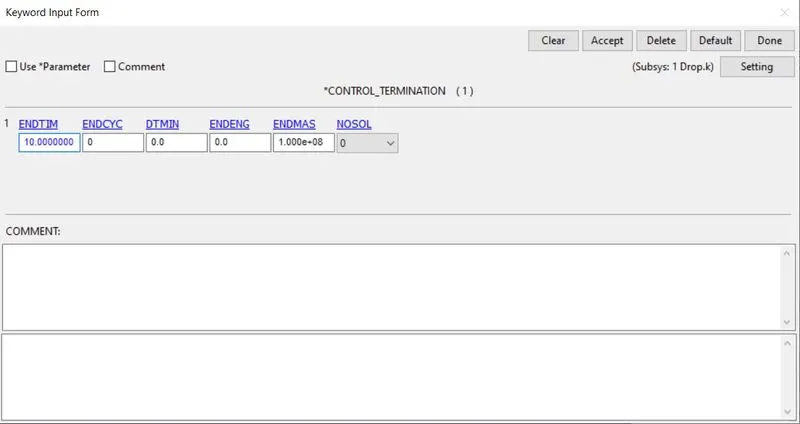
11. Control Termination Card:
The control termination is given as shown.
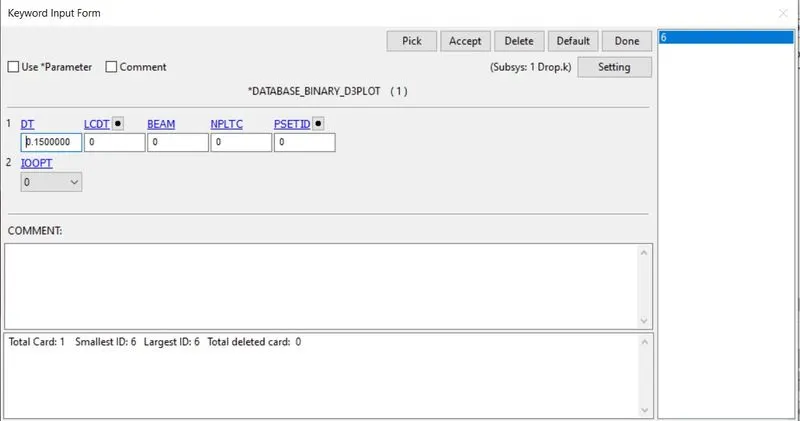
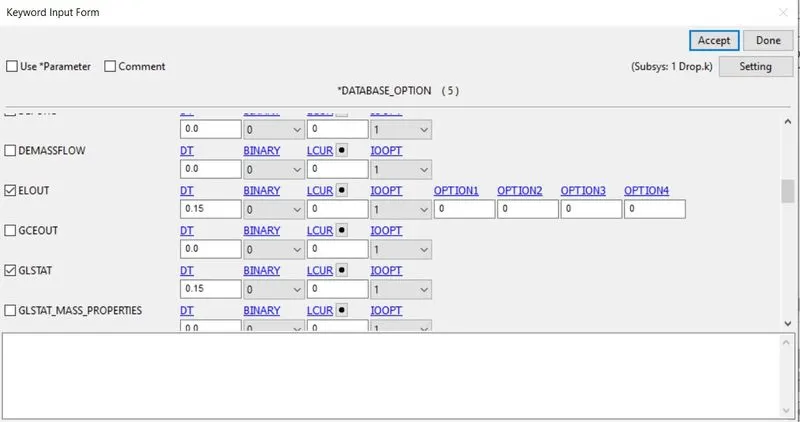
12. To view the results the Binary_D3PLOT for animation and ASCII_option cards are used as shown.
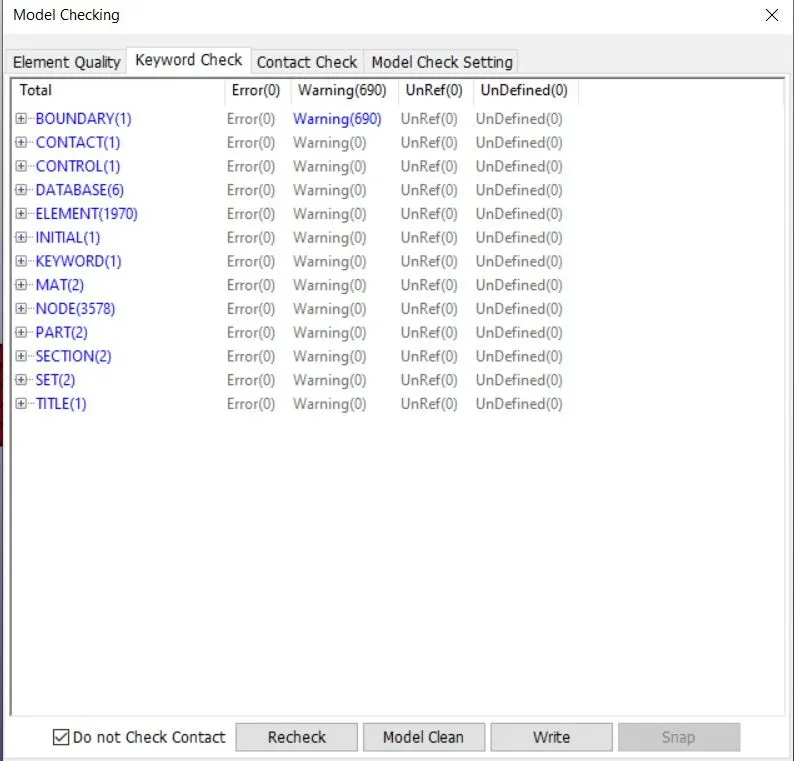
13. Check the model for errors as shown.
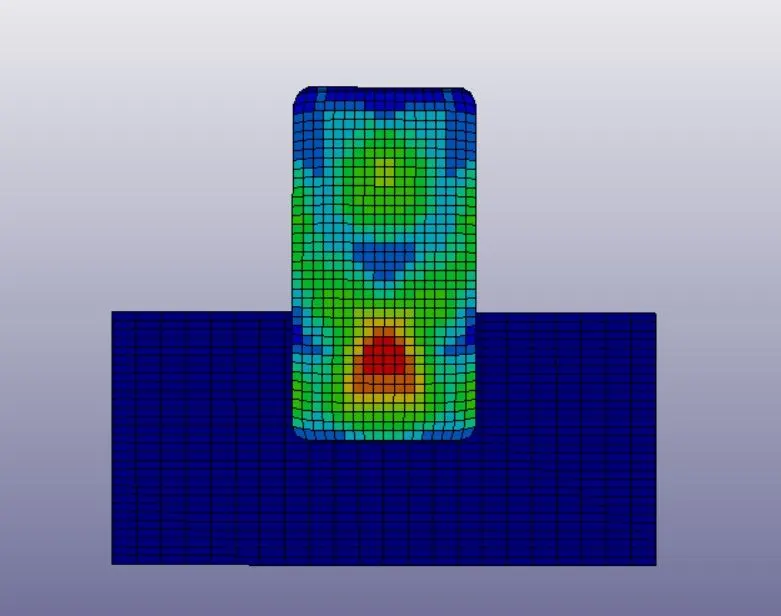
14. Run the Keyword file to get the results and view the animation and plots as shown.
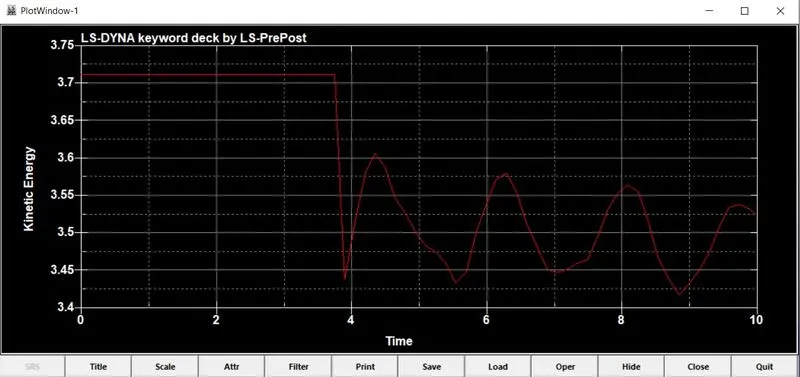
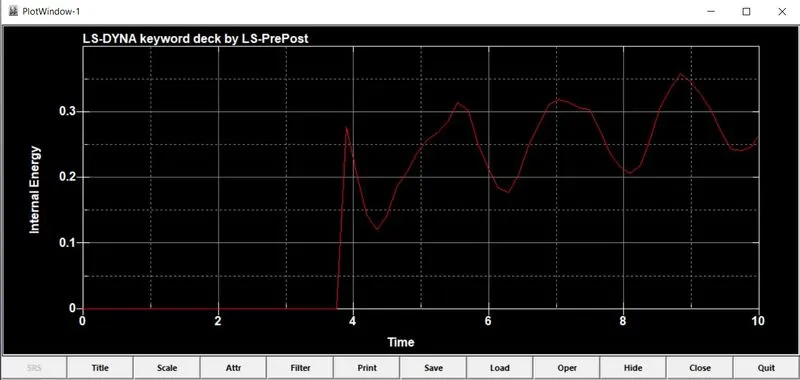
Plot:
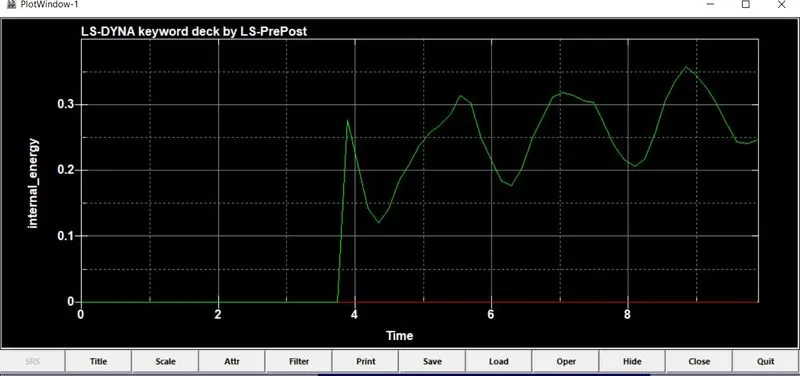
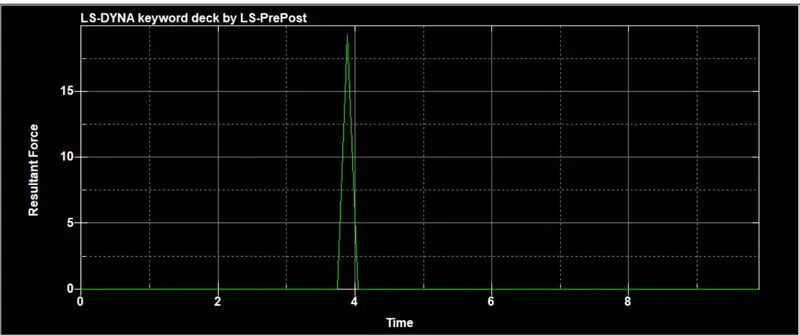
Result:
The required cards were assigned in order to complete the deck to be run by the solver and the corresponding outputs were obtained as shown above.