Week - 3 Drop test Challenge
Aim:
Drop test challenge using Ls-dyna, cellphone dropped to a plate under initial velocity.
To create:
To update the simulation file (input file ) from the given K format type of file and create the below properties.
- material card
- a section card
- assigns material and section card to the part.
- boundary conditions for plate.
- initial velocity to the phone.
- control termination card.
- a contact interface between cell phone and plate.
- output database as both binary D3 plot and ASCII.
SOFTWARE USED :
Solver tool - LS-Prepost 4.10 and LS-Run 1.0.100838 (Student)
Procedure
- Import the file
file>import>LS-Dyna>keyword file
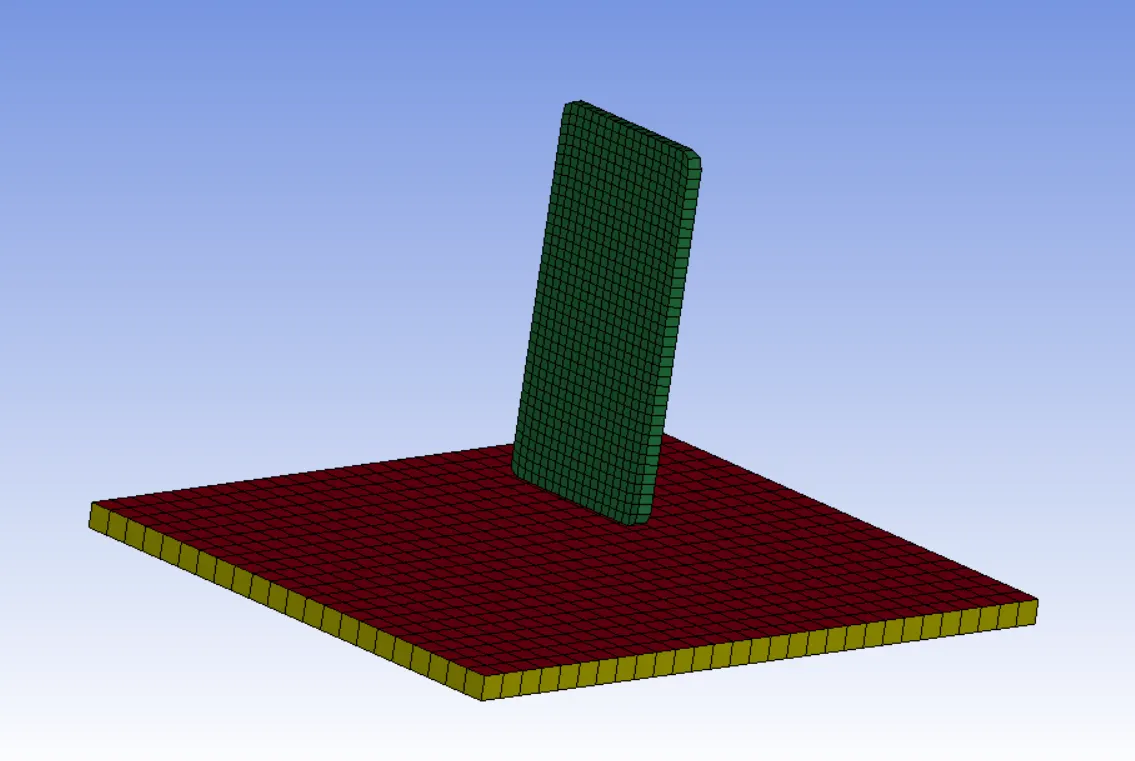
- Check keywords
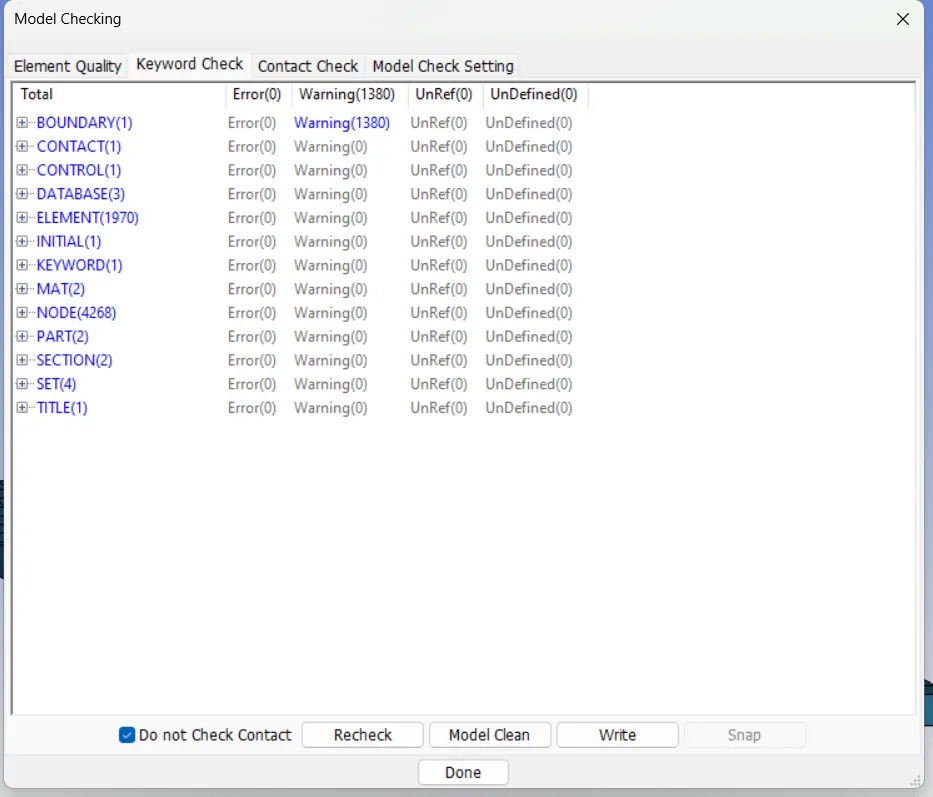
- Side bar>Model and part>keyword manager
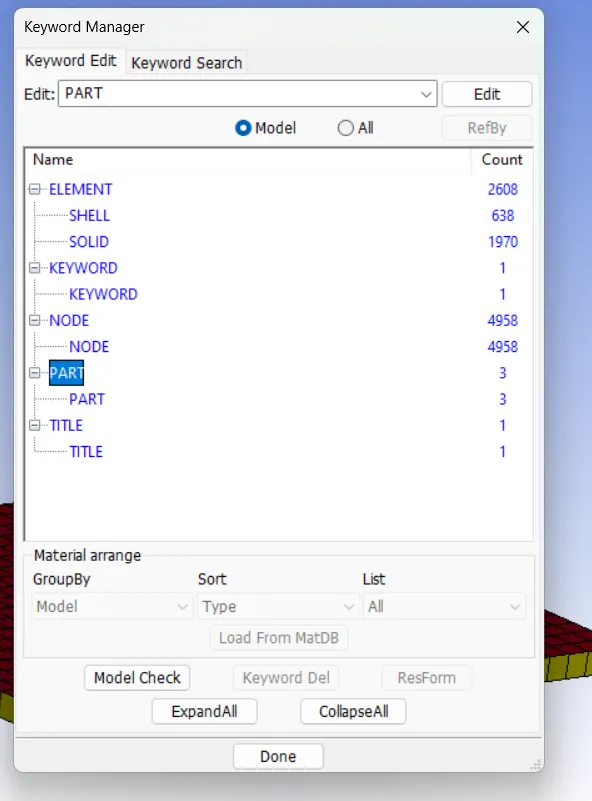
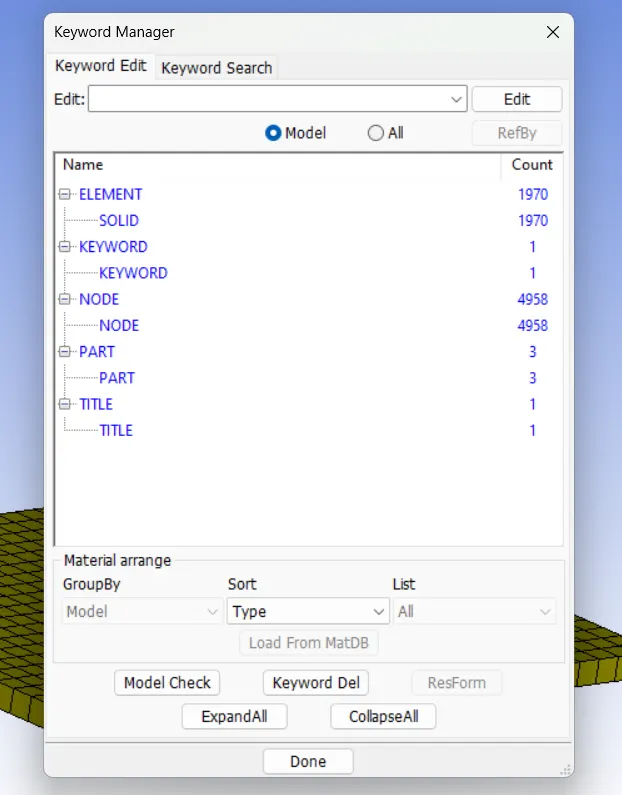
- Only solid elemetns is required for this analysis, delete the shell elements.
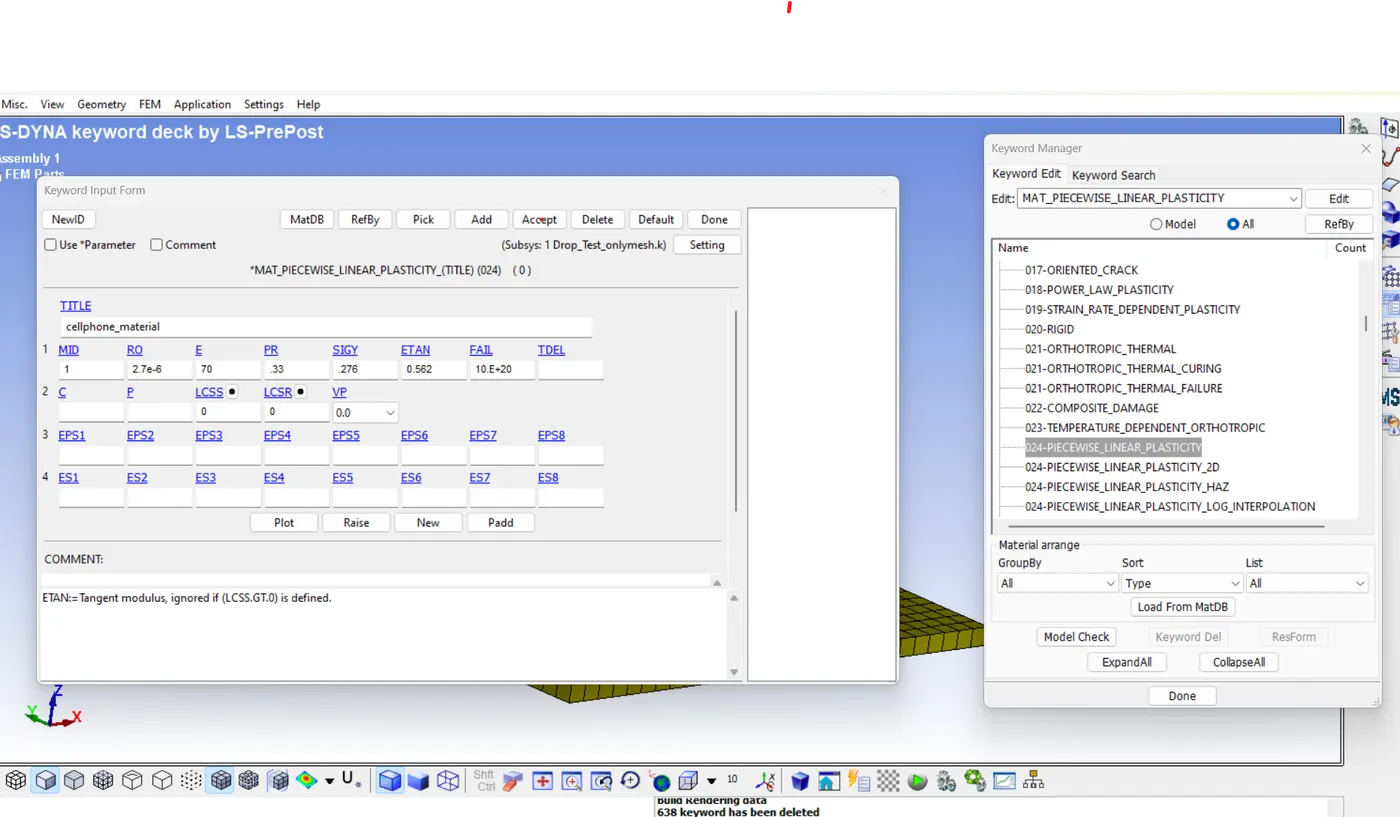
Material Creation
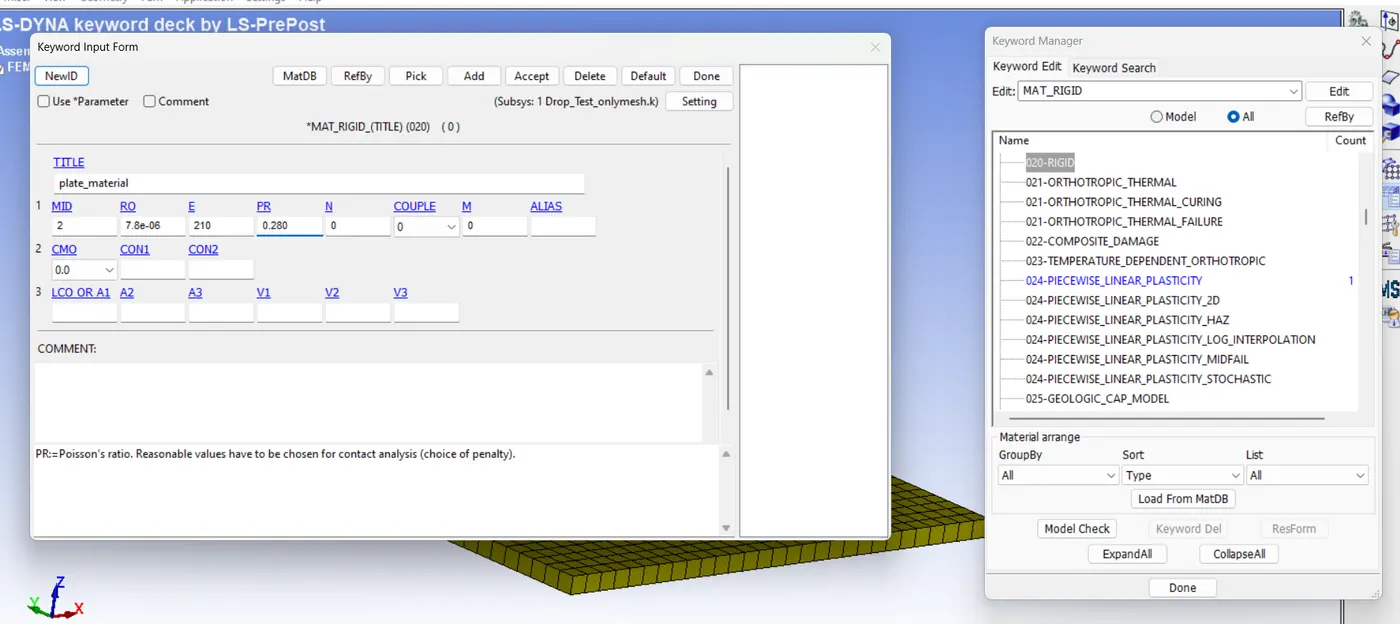
Creating material MAT
Side bar > model and part > keyword manager > MAT > all> select required the material for plate and phone
Plate-020 RIGID.
cell phone- 024 PIECEWISE_LINEAR_PLASTICITY
Following kg/mm/ms, where
- MID- material ID
- RO- Mass density
- E- young modulus
- SIGY- yield stress
- ETAN- Tangent modulus
- PR- Poissons ratio
Section card
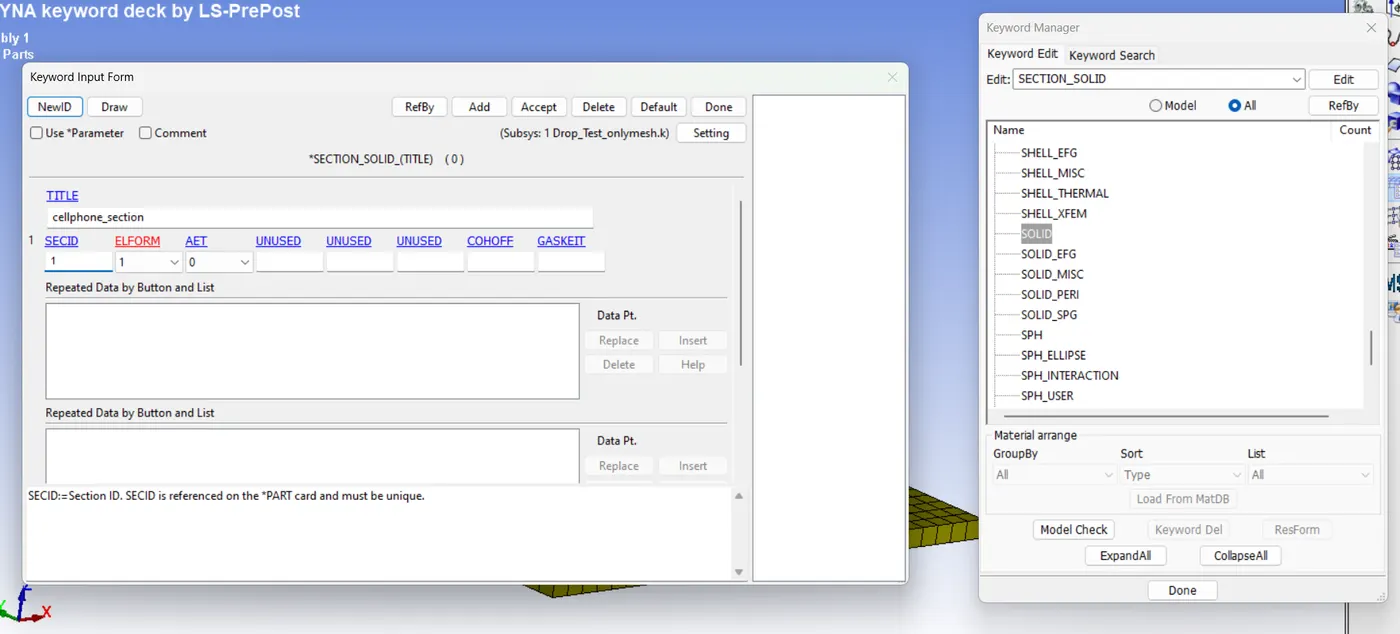
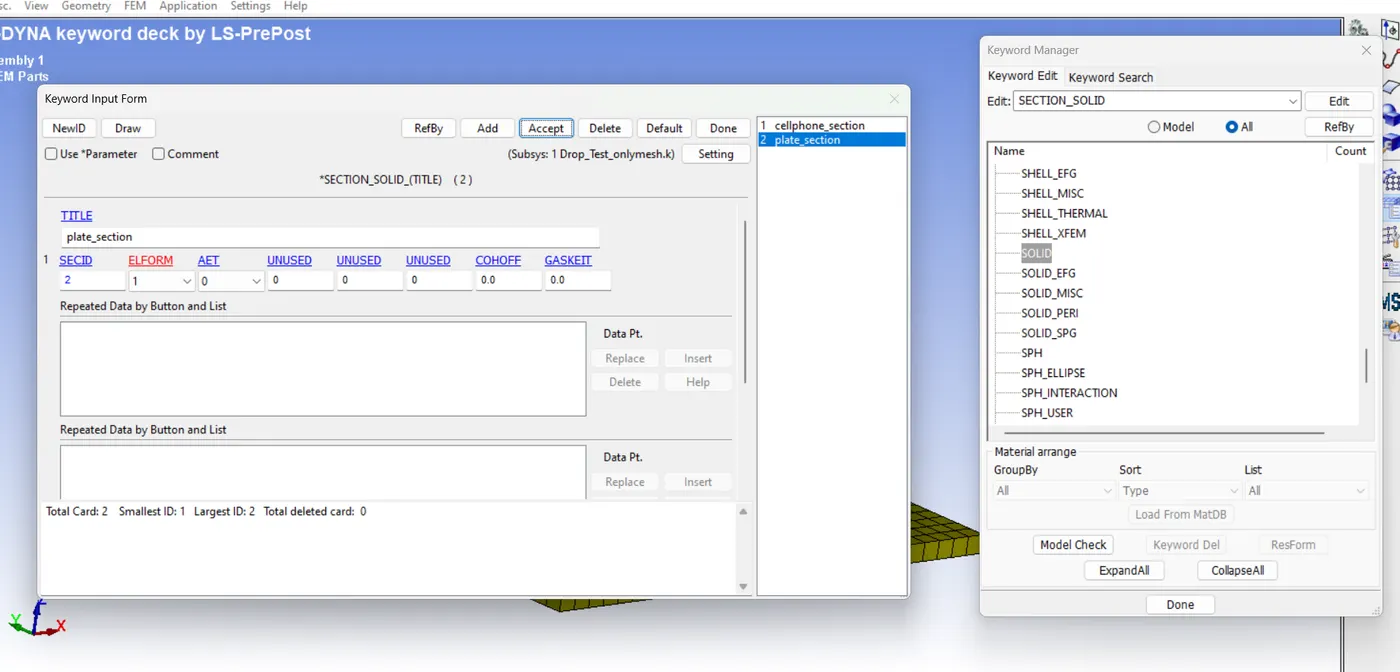
For analysing section solid we create section_solid
- Side bar > model and part > keyword manager >all > solid > created the new SECIDs for both parts.
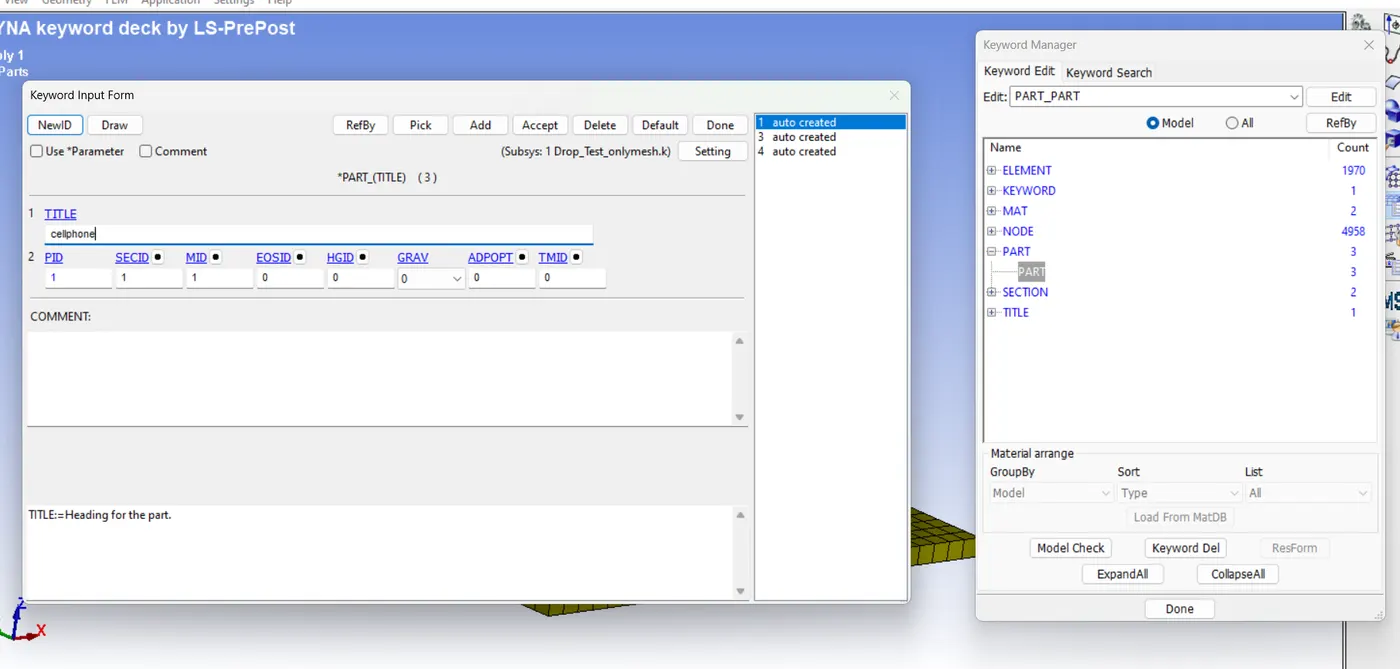
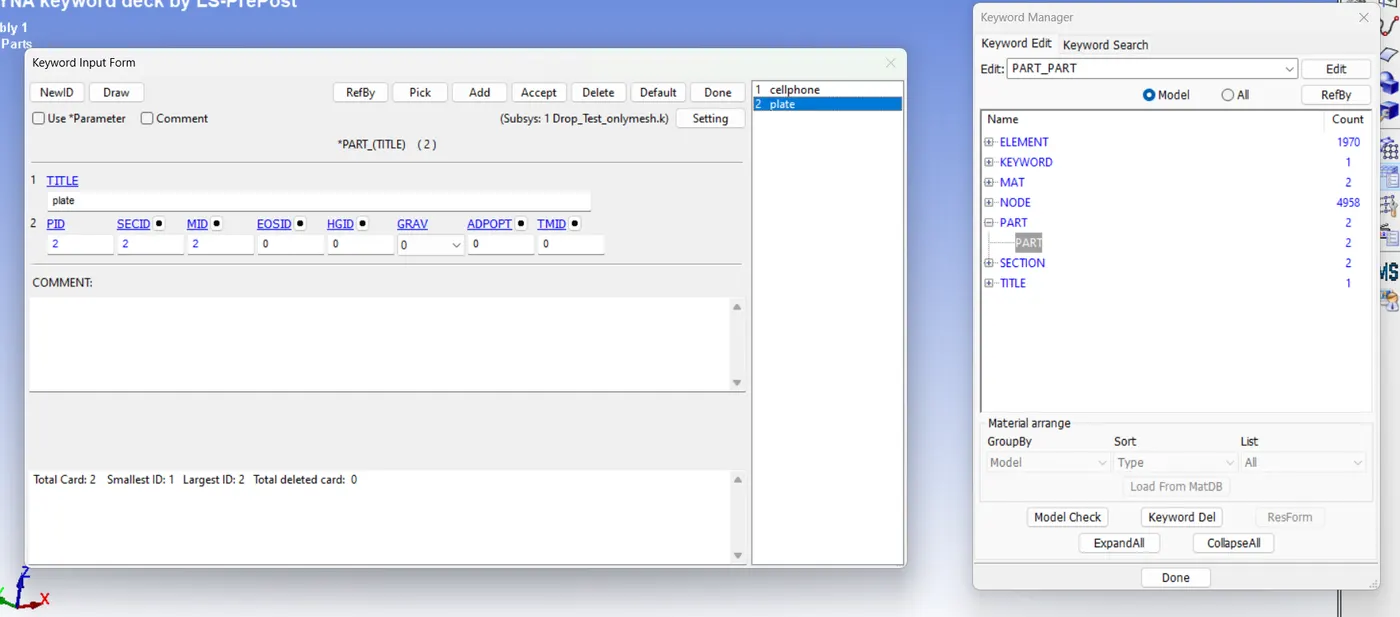
Assigning material cards and section cards to parts
- Side bar > model and part > keyword manager >model> parts
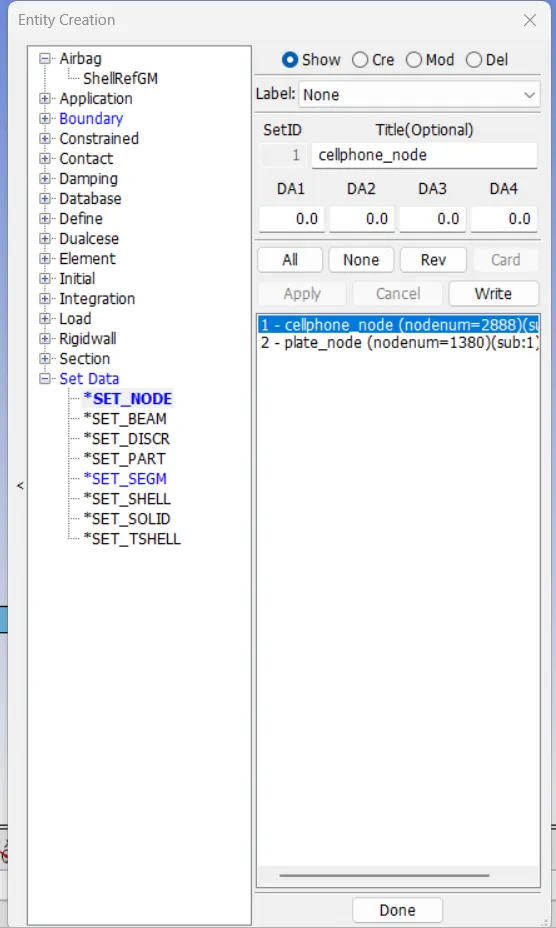
Creating nord set id
- Side bar > model and part >entity cretion> set data>cre> setID 1>cellphone_node
- Side bar > model and part >entity cretion> set data>cre> setID 2>plate_node
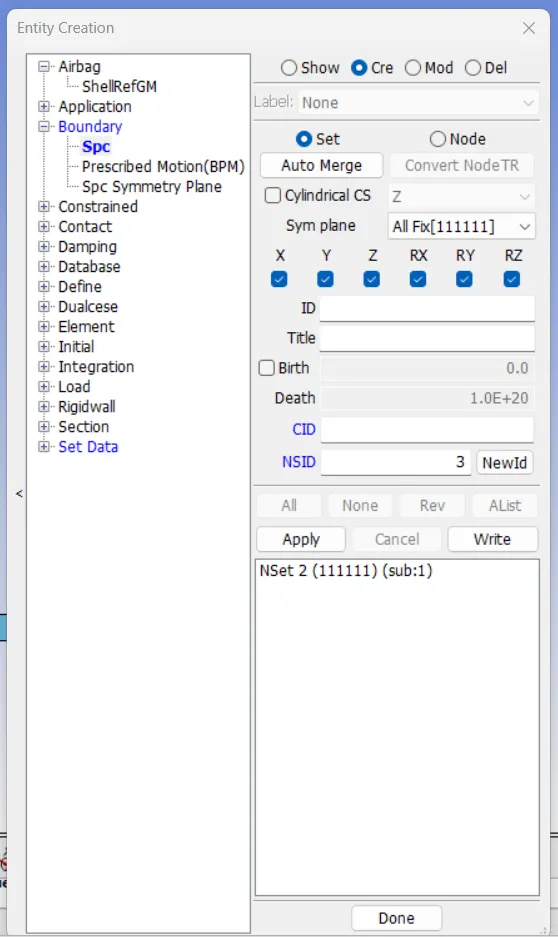
Creating boundary condition for plate
- Side bar > model and part >entity cretion>boundary>Spc>cre>set> alll fix[111111]
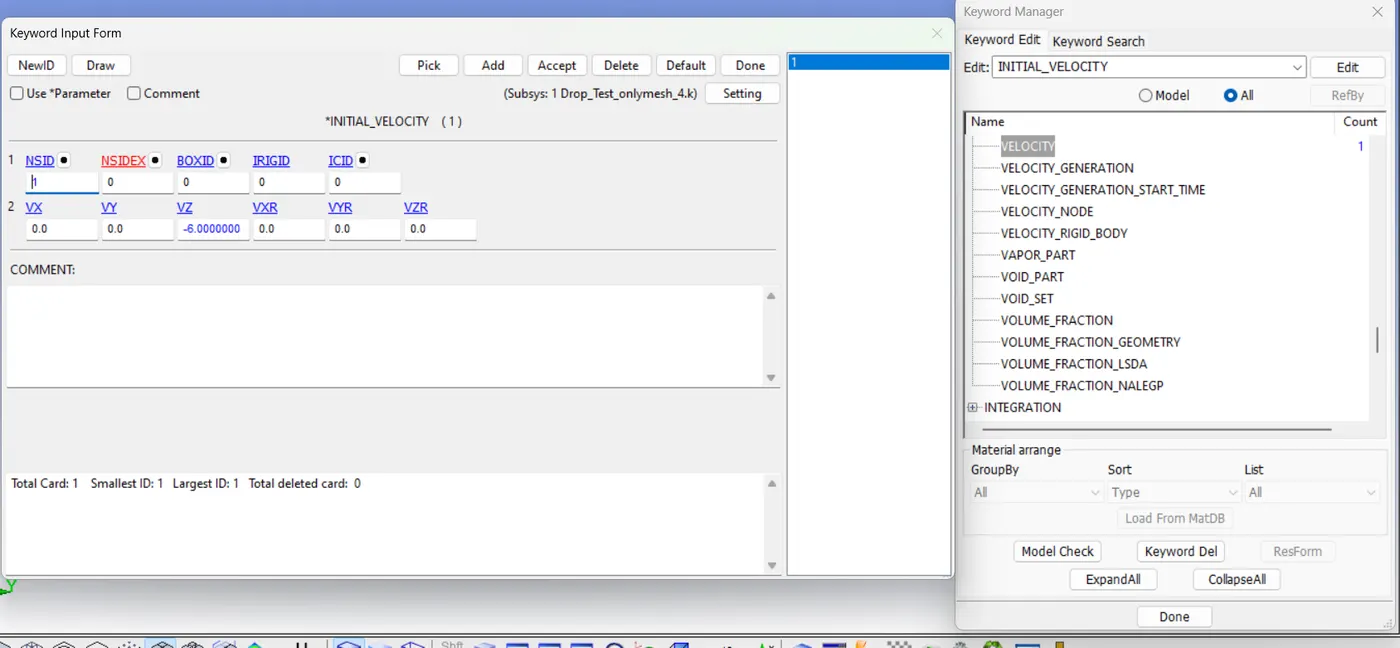
Initial Velocity
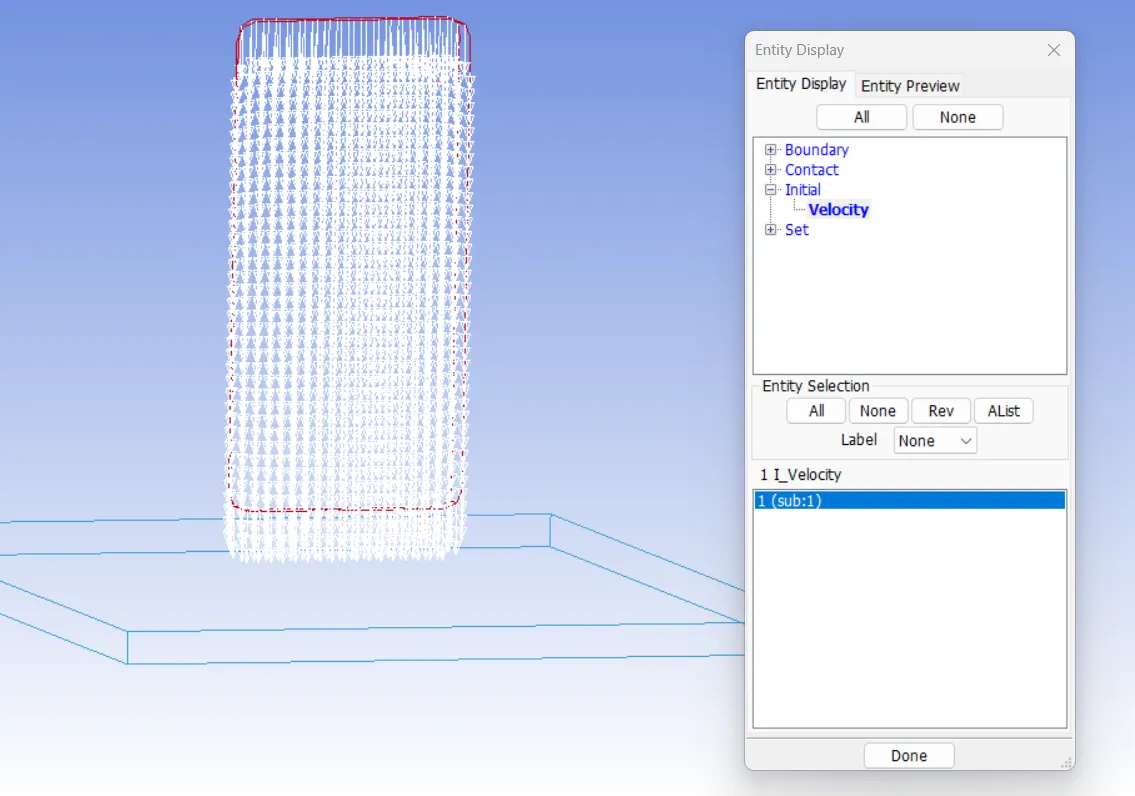
- Side bar > model and part > keyword manager >all > initial>velocity>NSID 1>VZ -6.000
Checking Diection of velocity
- Side bar > model and part > display entity> initial>velocity>NSID
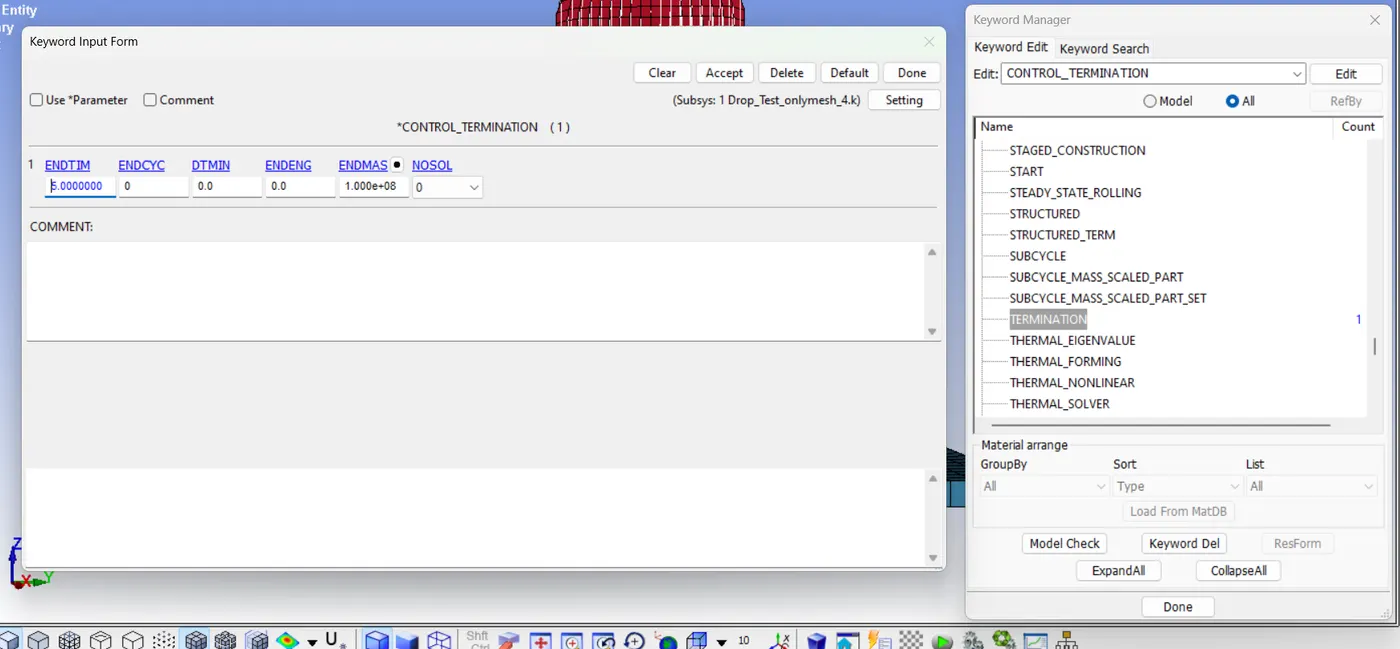
Assigning control termination
- Side bar > model and part > keyword manager >all >control>termination>endtrim 5
Create contact interface
- Side bar > model and part >entity cretion> set data>set_segm>select area plate
- Side bar > model and part >entity cretion> set data>set_segm>select area cellphone
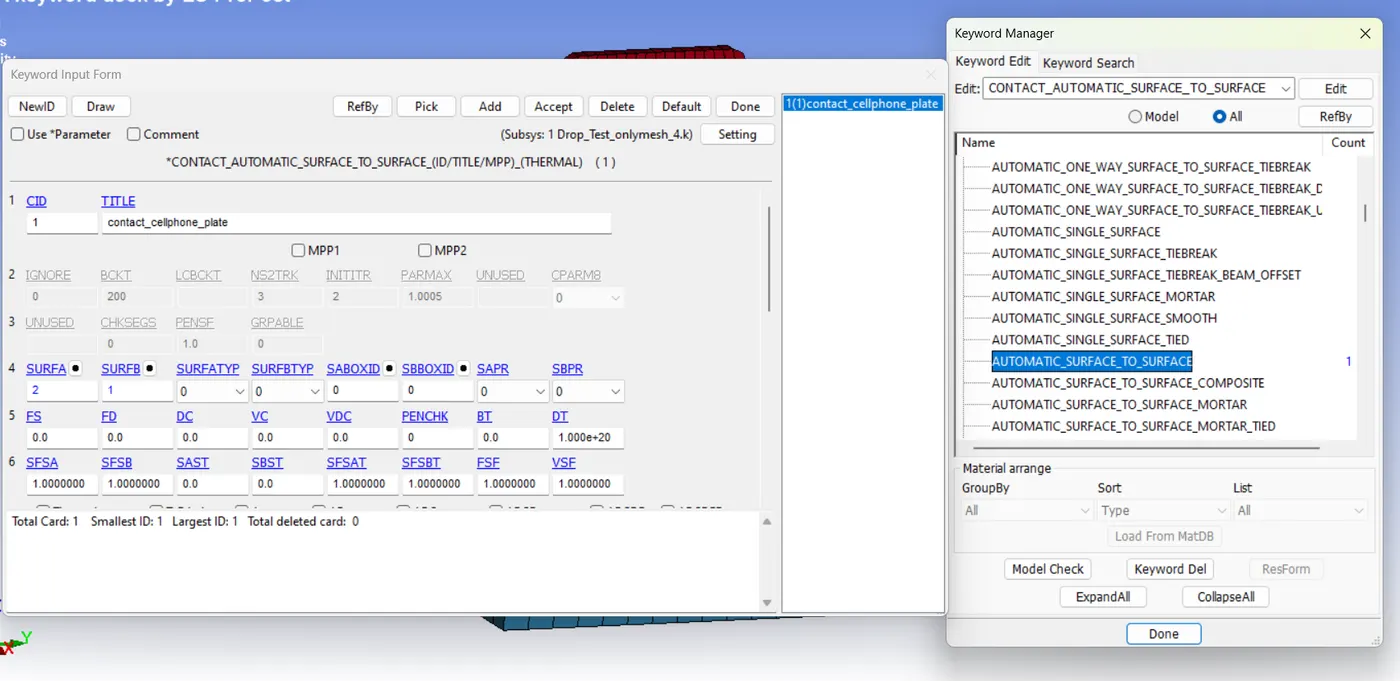
Creation contact between cellphone and plate
- sidebar> model and part>keyword manager> Contact>automated_surface_to_surface
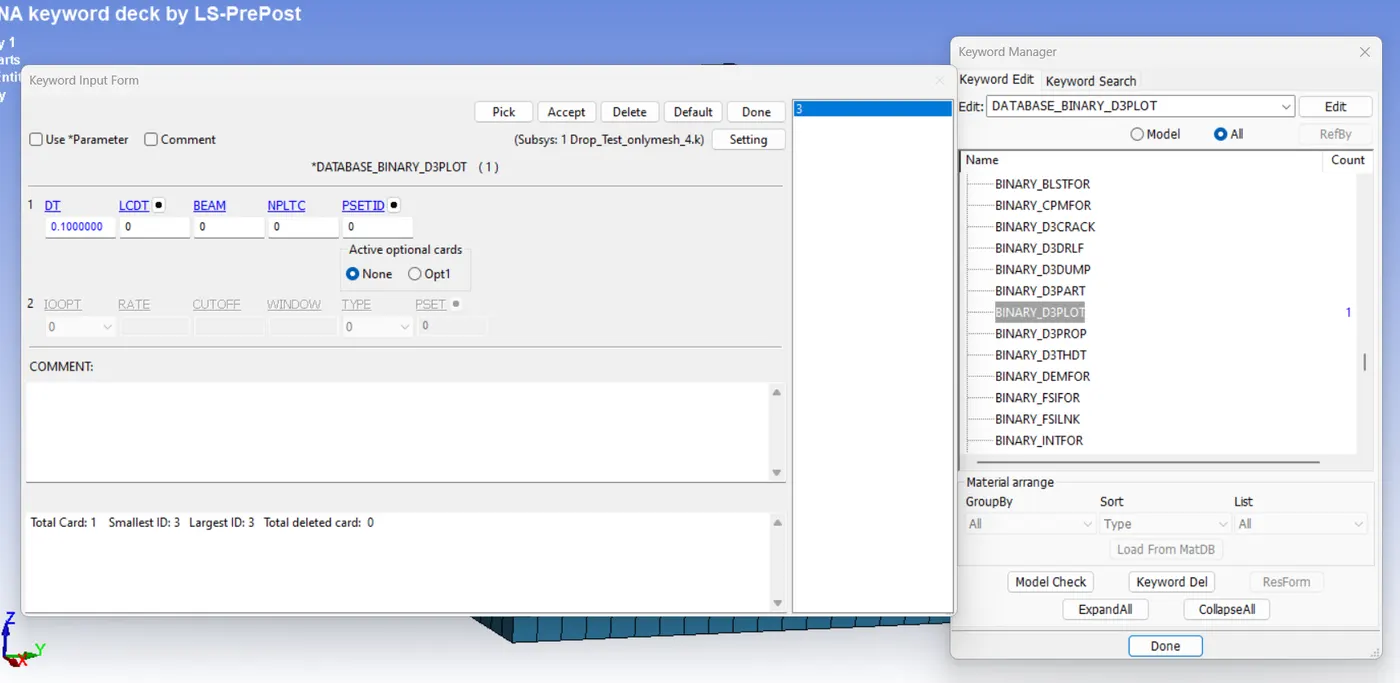
output database as both binary d3plot and ascii
- sidebar> model and part>keyword manager> data base>binary_d3plot
- sidebar> model and part>keyword manager> data base>ASCII_option> GLSAT (DT 0.1), MATSUM (DT 0.1)
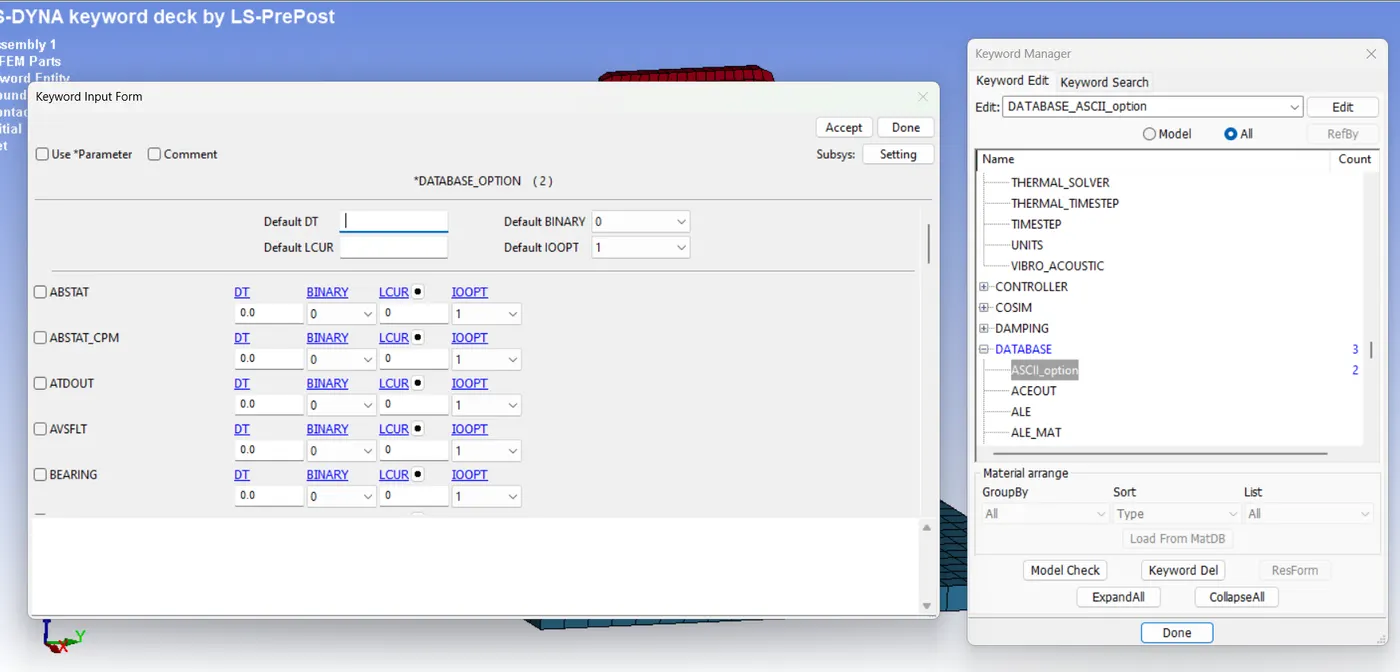
Model check up
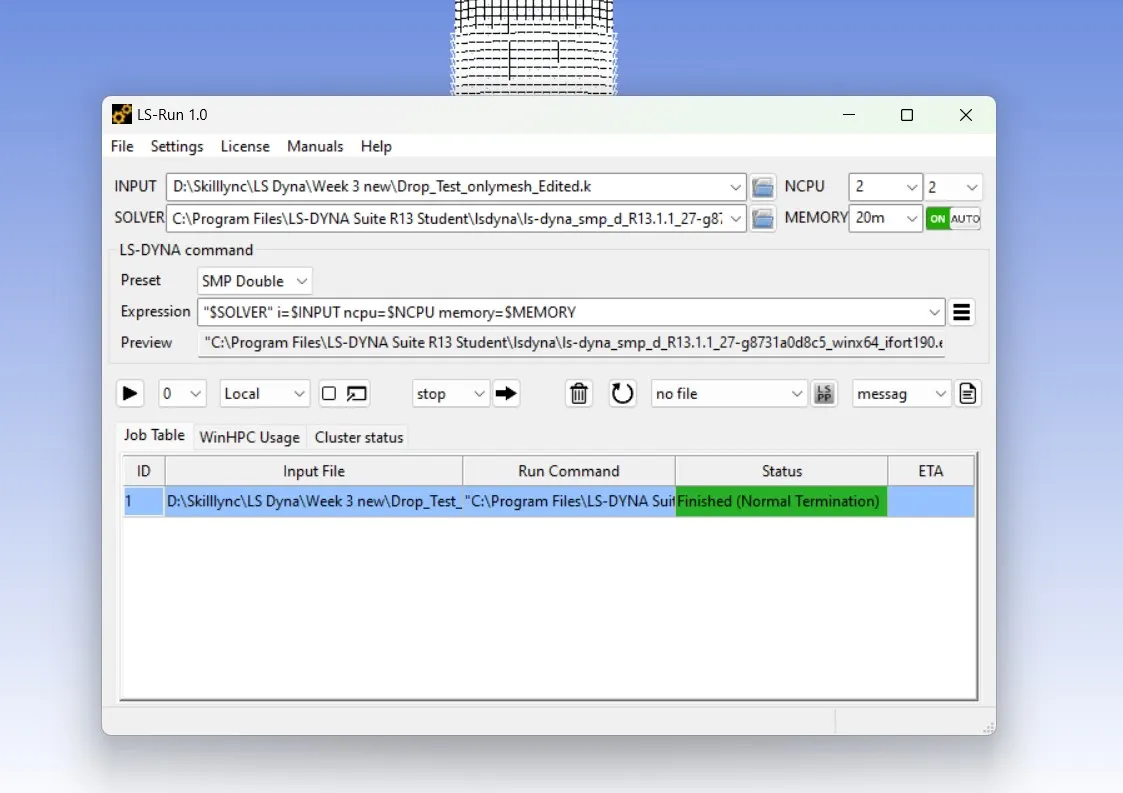
Run simulation
- File> Run LS-DYNA
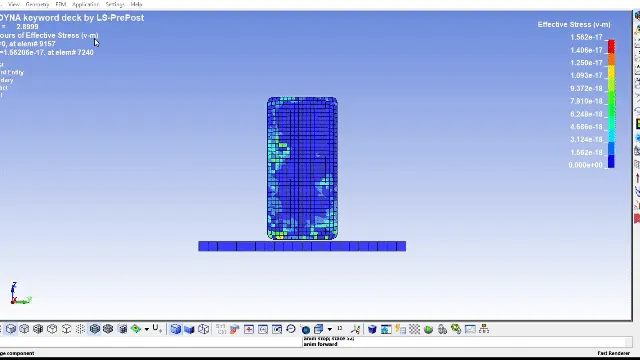
Post Processing
- contour plot of von misees stress
- Energy plot of drop test
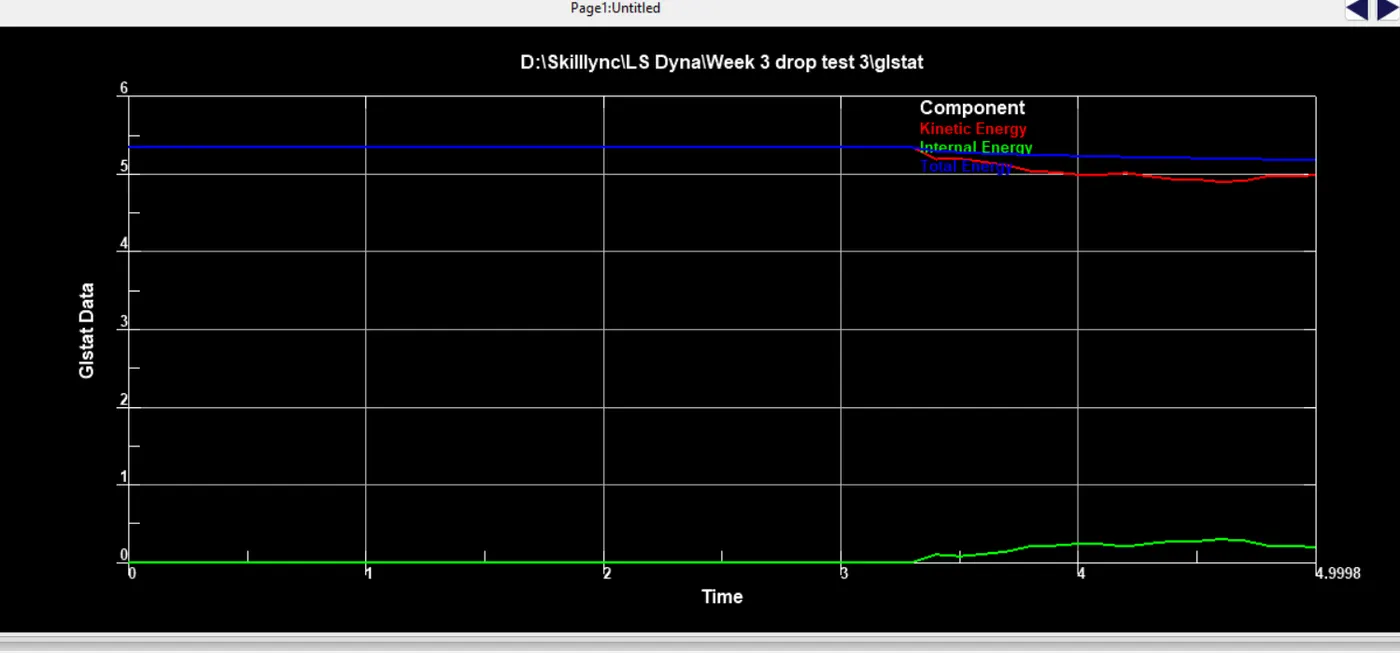
RESULT
Test is performed using LS Dyna solver and ploted the curves.;
Maximum=0.0255823MPa
Conclusion
I have learned to create following prperties.
- material card
- a section card
- assigns material and section card to the part.
- boundary conditions for plate.
- initial velocity to the phone.
- control termination card.
- a contact interface between cell phone and plate.
- output database as both binary D3 plot and ASCII.