Week - 3 Drop test Challenge
AIM:
To create a complete simulation file to perform a drop test from given basic .k file consisting of only nodes and elements. Essential keywords should be added to create a basic solver deck to simulate a drop test.
PROCEDURE:
- Open the LS-PrePost and open the given keyword file.
- The given input file consists of three different parts the bottom plate of shell elements, the mobile phone of solid elements and the bottom plate as solid elements. We can either model the test with a bottom plate as a shell or solid elements.
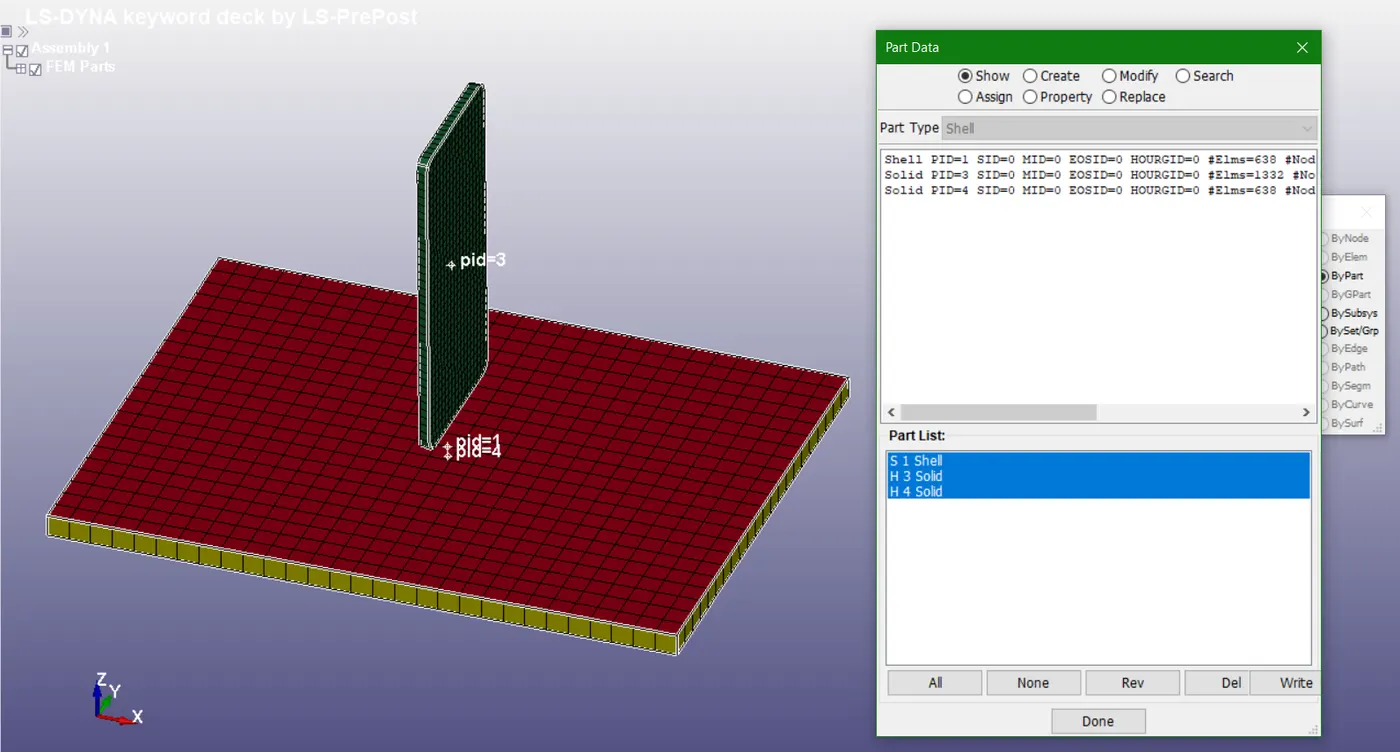
Fig 1.1: Three parts in the given input file with shell and solid elements
- For this analysis, I have considered the mobile phone and bottom plate with solid elements formulation and deleted the extra part ‘bottom plate’ which was modelled with shell elements.
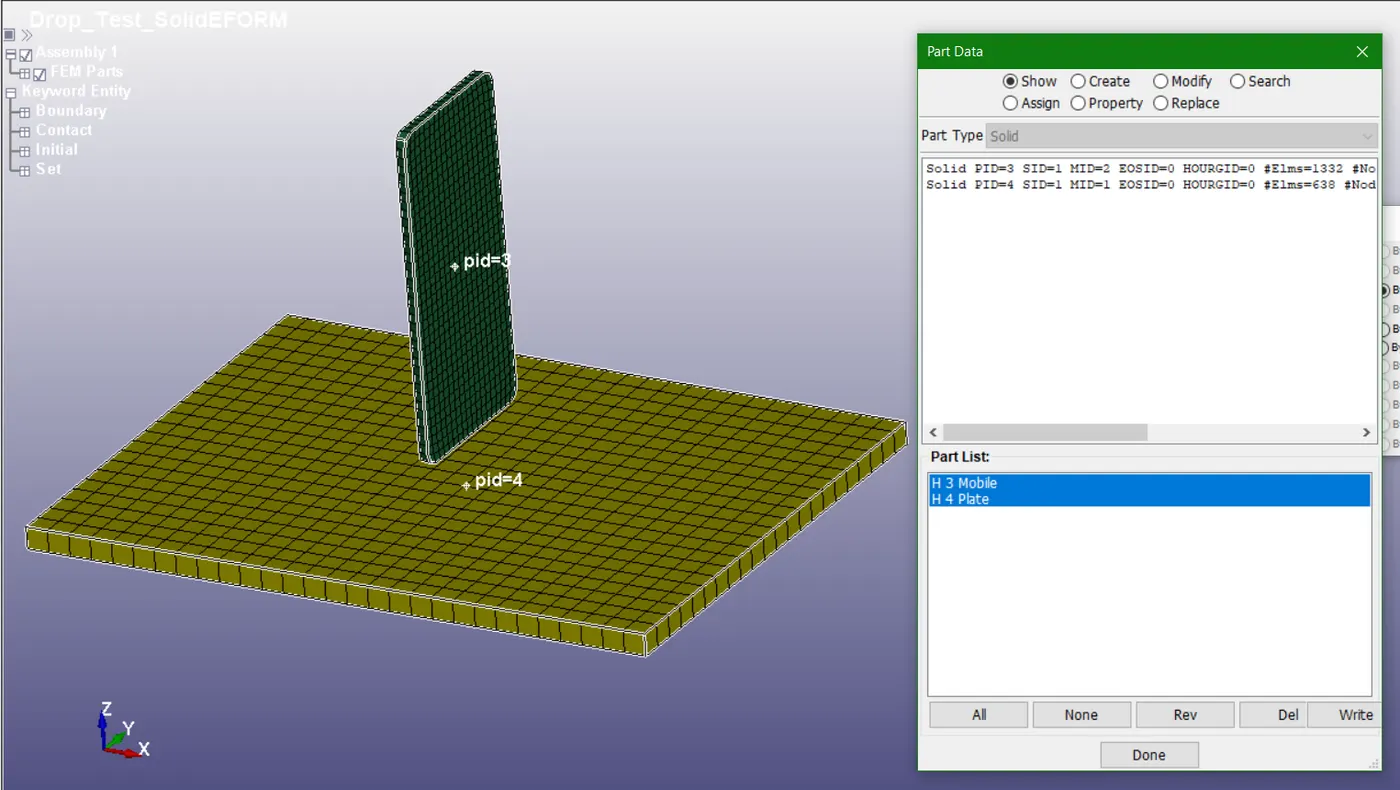
Fig 1.2: Setup with only two parts with solid elements
- Now, define the material for both parts. Select 020-MAT_RIGID material to define for the bottom plate. Select 024-PIECEWISE_LINEAR_PLASTICITY material card for defining the mobile phone.
- Define material properties like mass density, Young’s modulus, Poisson’s ration and other required quantities for both the material cards.
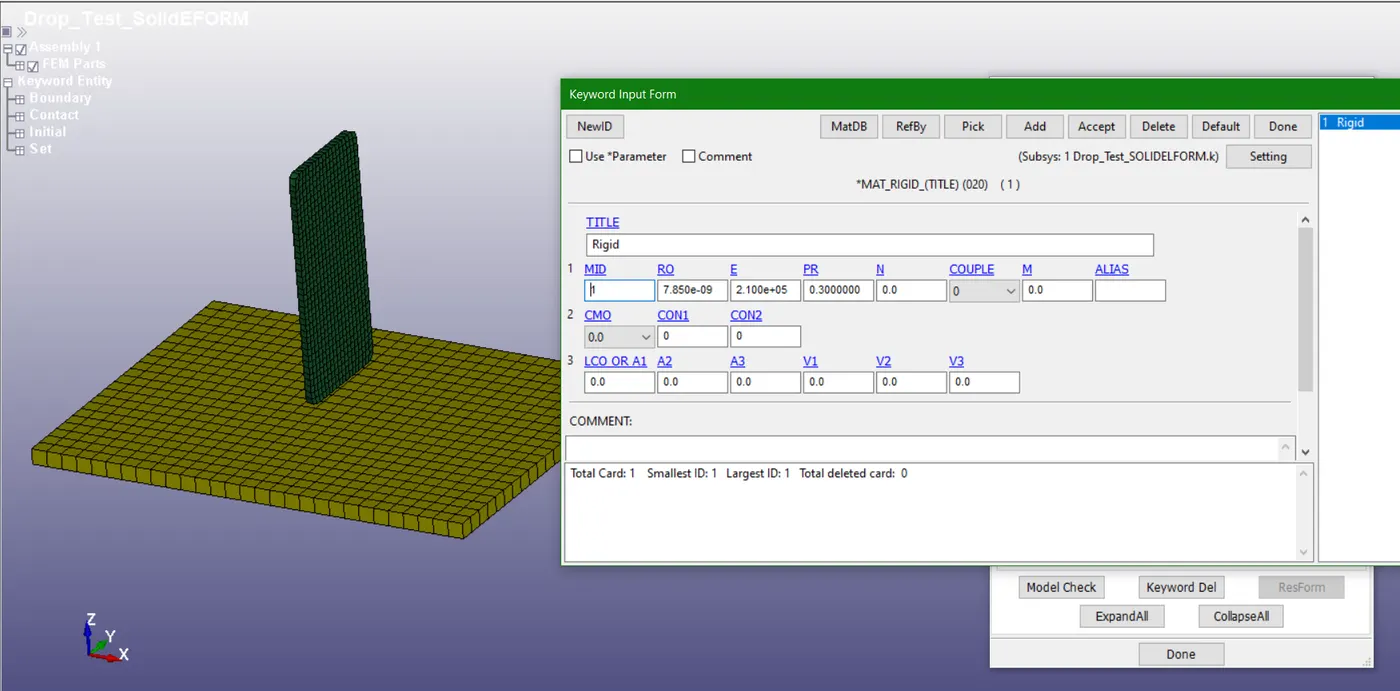
Fig 1.3: Material properties defined for *MAT_RIGID card
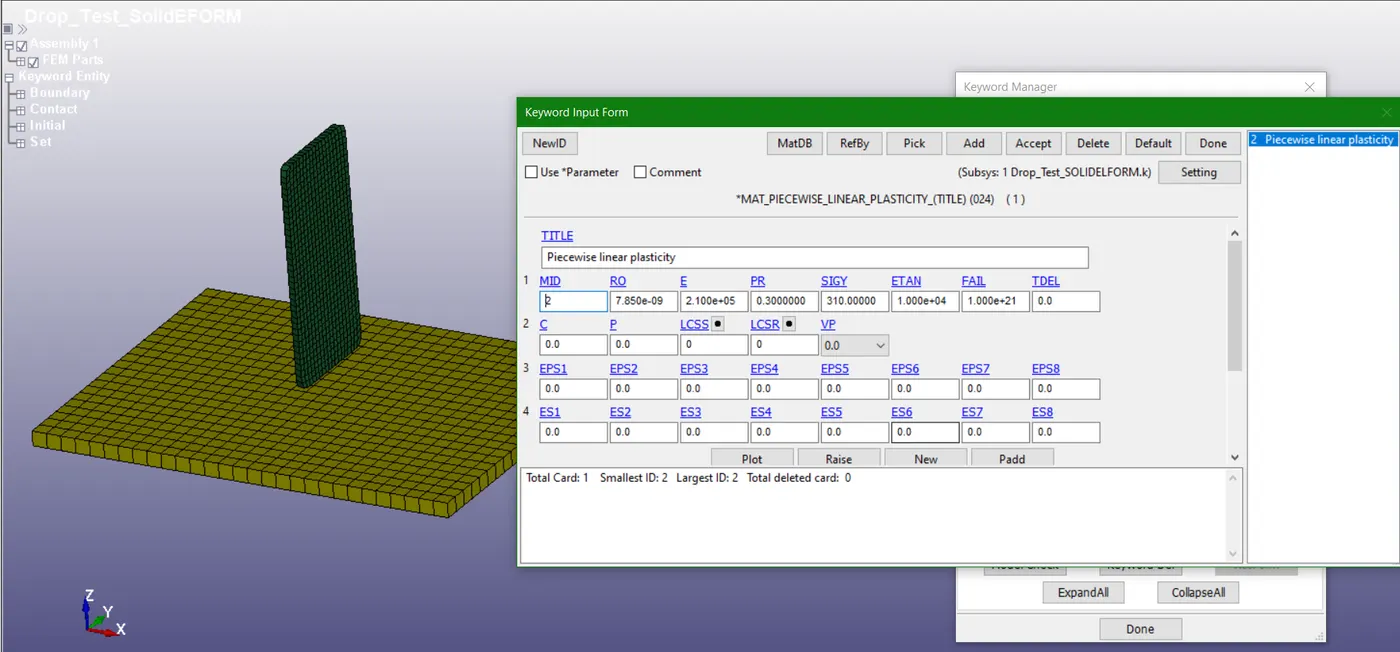
Fig 1.4: Material properties defined for *MAT_PIECEWISE_LINEAR_PLASTICITY card
- Similarly, define section card for assigning element type as solid. Select *SECTION_SOLID card and define required properties.
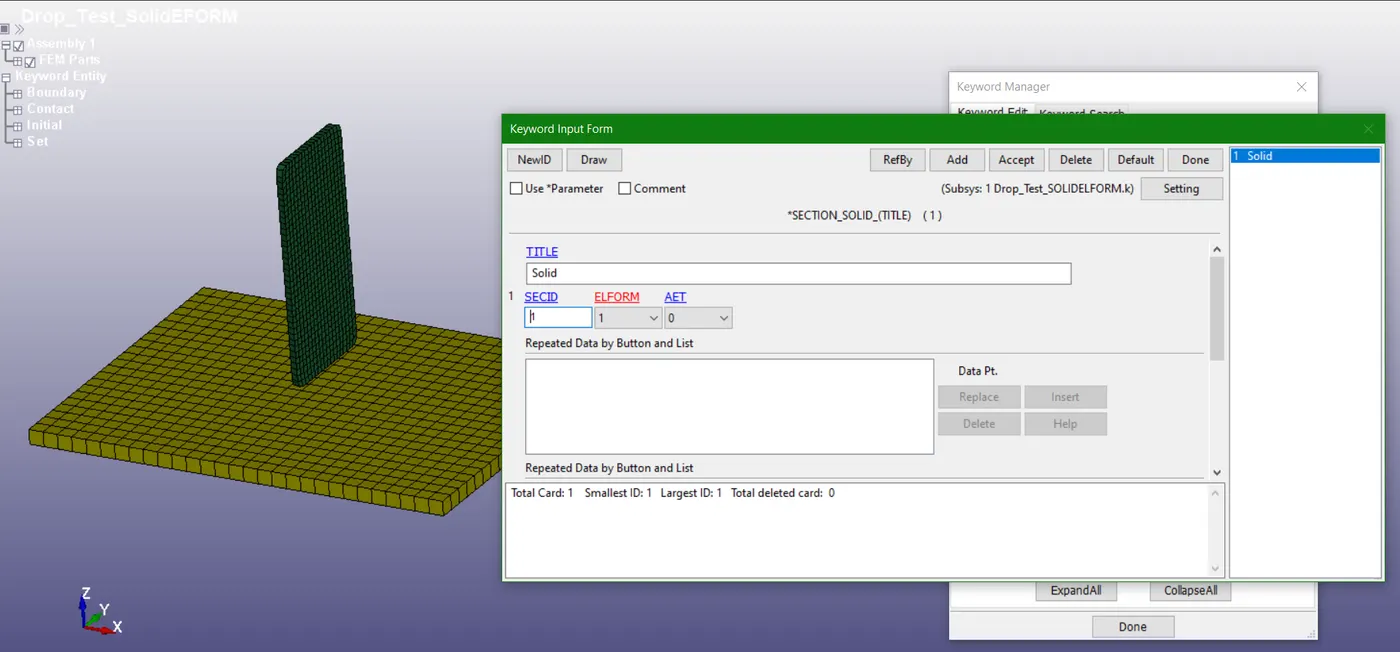
Fig 1.5: Defining *SECTION_SOLID card
- Now, assign proper boundary condition to the parts. This can be done by going through create an entity and selecting required boundary conditions.
- The bottom plate is fixed by constraining the boundary elements of the plate in all the degree of freedoms. The selection of nodes is done by area. Boundary>Spc(Single point constraint) option is utilized for defining this boundary condition.
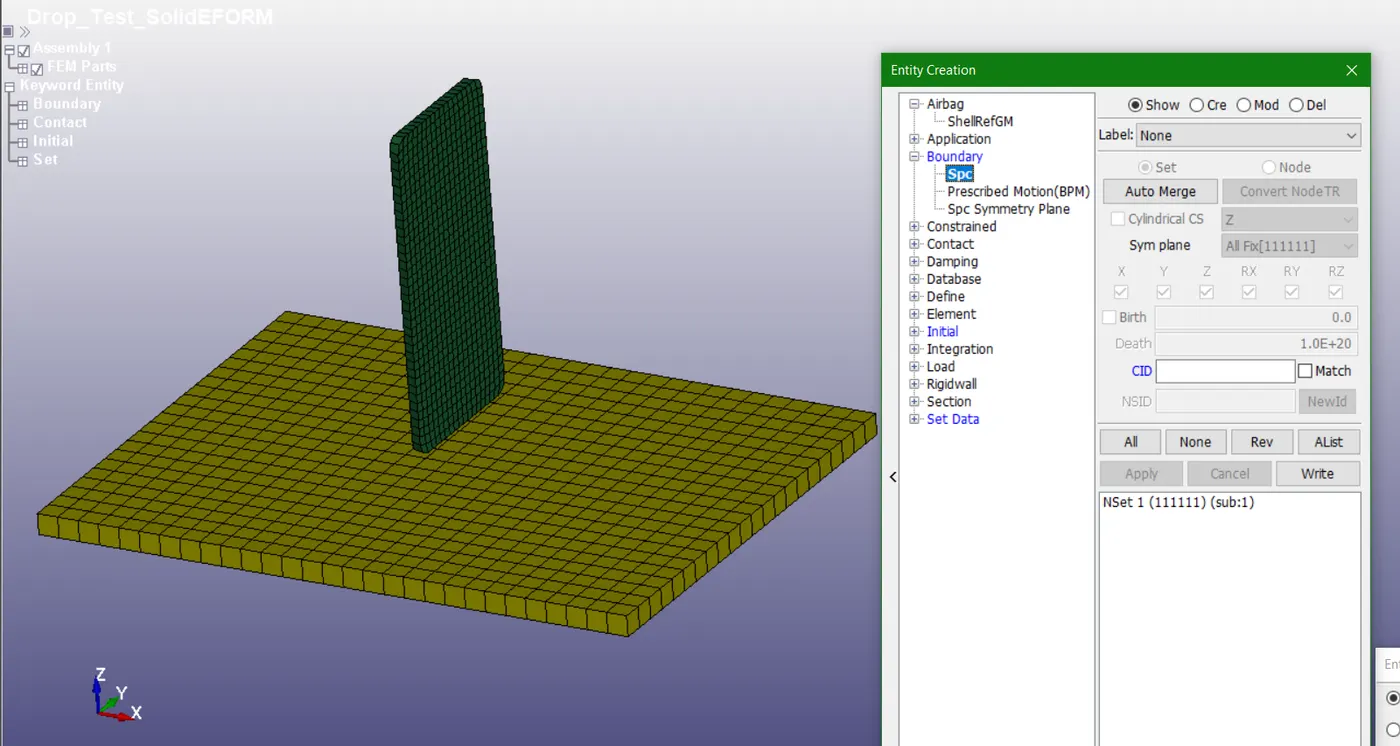
Fig 1.6: Fixed boundary condition for the bottom plate
- Similarly, the velocity of 10000mm/s is given through *INITIAL_VELOCITY card available in create entity toolbar. The mobile phone is selected by picking the part option.
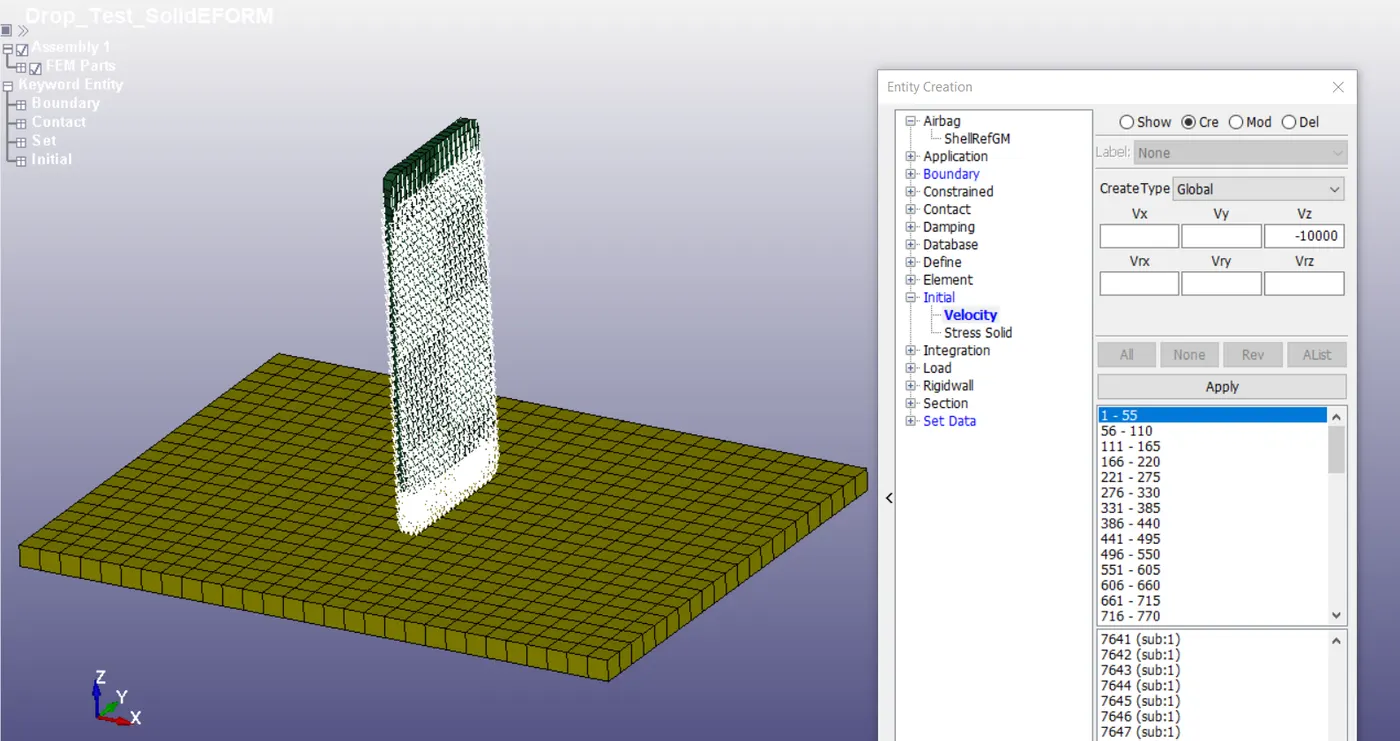
Fig 1.7: Velocity boundary condition assigned for mobile phone
- The contact between the two parts is an important parameter. This is defined by *CONTACT_AUTOMATIC_SURFACE_TO_SURFACE card. The slave segment(SSTYP) and master segment(MSTYP) set type is defined as part ID. Slave segment is defined as a mobile phone and master segment is defined as the bottom plate.
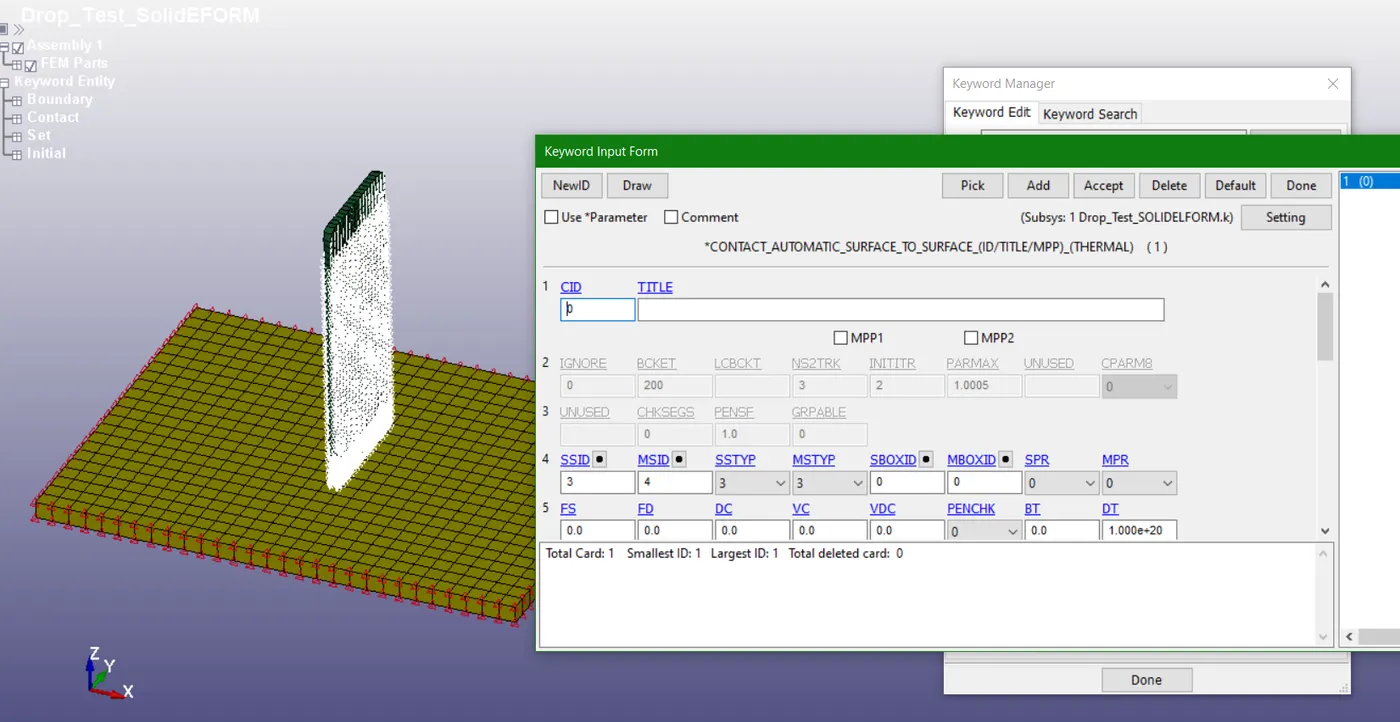
Fig 1.8: Contact definition by automatic surface to surface option
- The termination time for the problem is defined by *CONTROL_TERMINATION card. The distance between the mobile phone and the bottom plate is calculated and the approximate time taken to hit the bottom plate and some additional time after the impact is calculated. This cumulative time (0.003 s) is defined as termination time in the card.
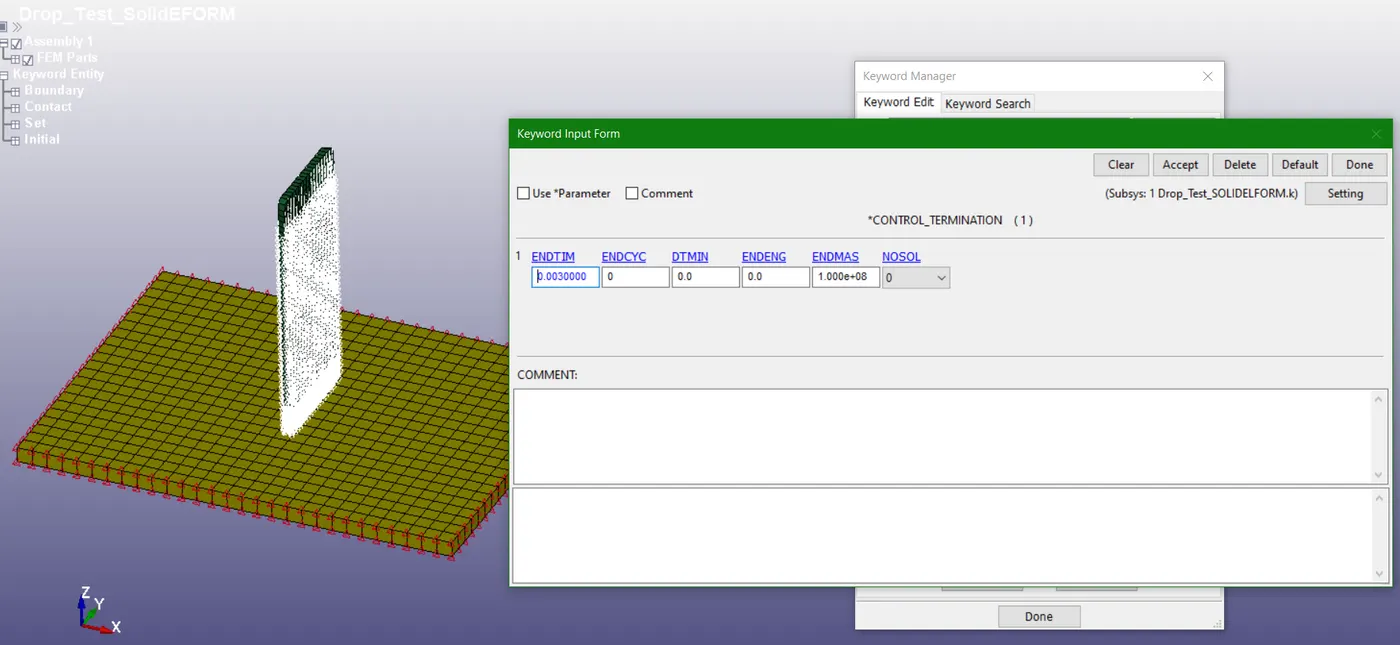
Fig 1.9: Termination time defined by *CONTROL_TERMINATION card
- Additional *CONTROL_ENERGY card is defined to get outputs like hourglass energy, sliding interface energy etc.
- *DATABASE_BINARY_D3PLOT is defined. This card gives animation and other post-processing data after the simulation. RCFORC card is enabled with 0.0001 as output time interval which gives interface forces between two parts mobile phone and bottom plate.
RESULTS:
- After defining all the input cards, save the keyword file in .k format. This file can be read by any text editor and can be edited directly if wanted.
- The path of this generated .k file is given in LS-DYNA manager and solved. The solver reads the file step by step and solves the problem.
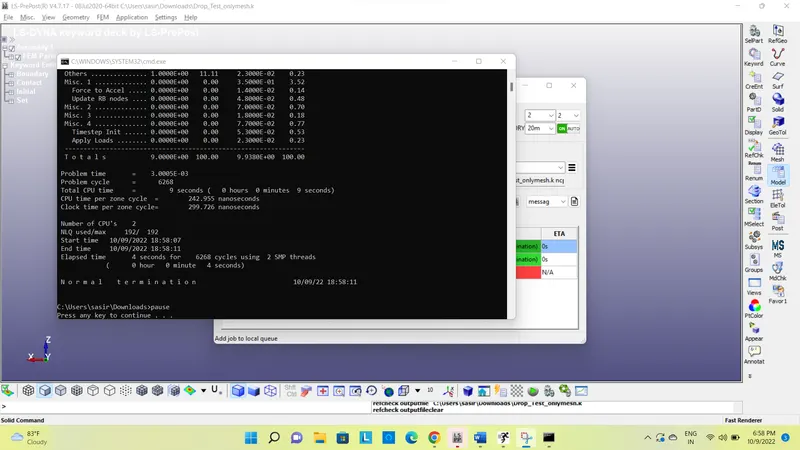
Fig 1.10: Output- time required, total CPU time and other details
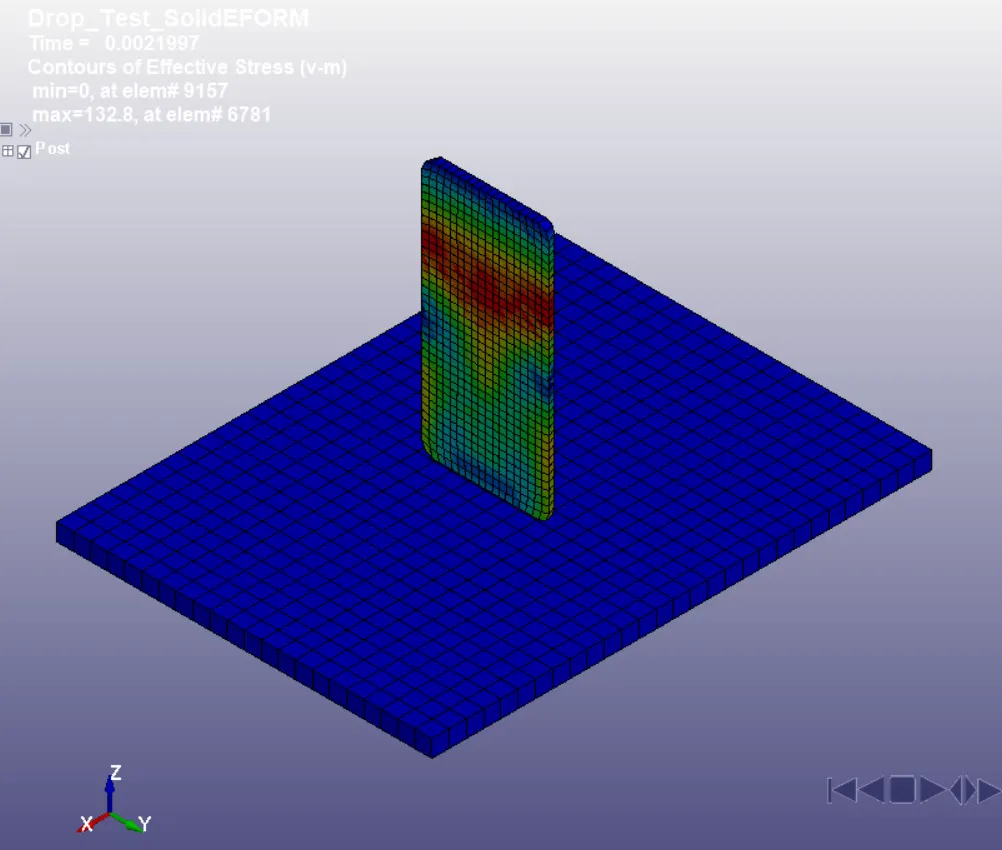
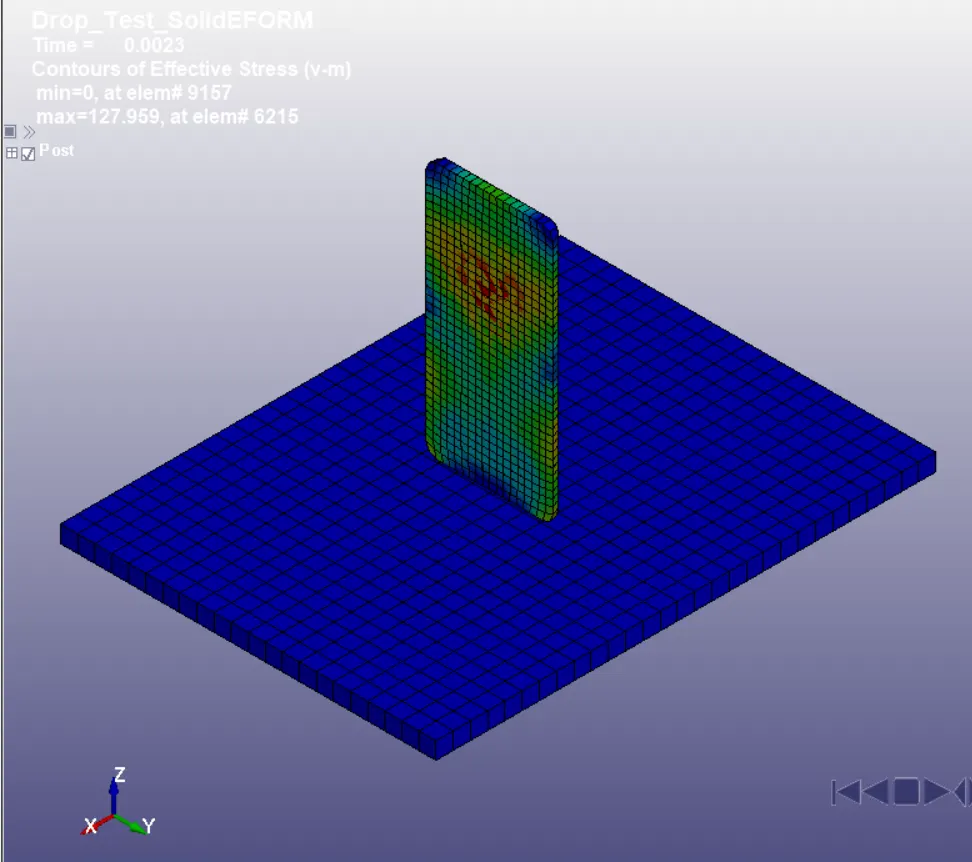
- The .d3plot is opened in LS-PrePost for further post-processing options. Following images depicts few post-processing images.
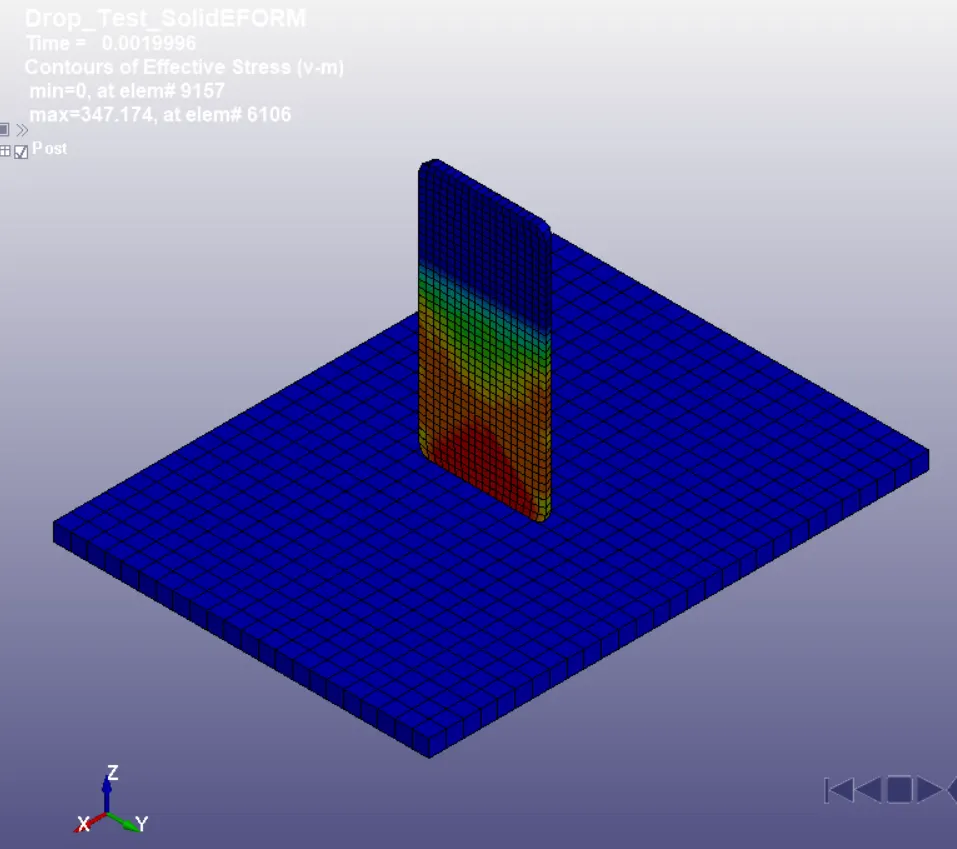
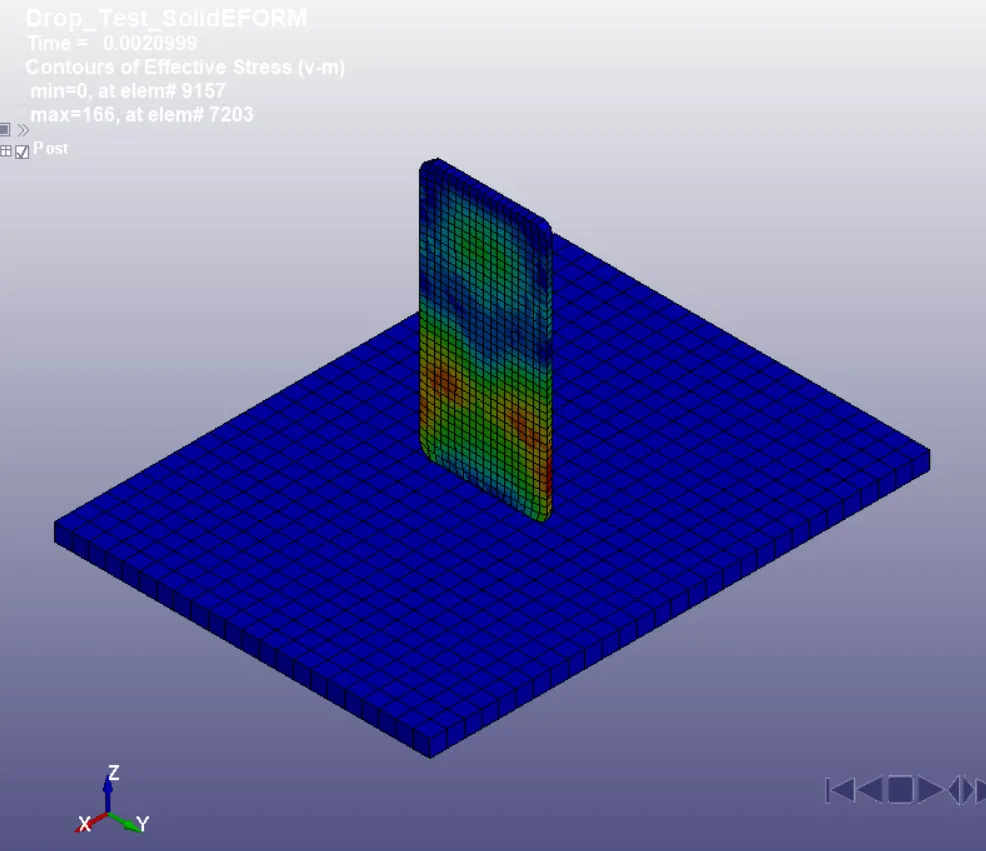
a) b)
c) d)
Fig 1.13: Von-Mises stress contours over a few time steps after the impact
CONCLUSION:
The complete simulation file (keyword file) has been generated from the given primary file. Solver deck has been created to perform the mobile phone drop test with post-processing data.