Week - 3 Drop test Challenge
Drop test Challenge
AIM:
In this assignment, we provide you with a file having just nodes and elements of two parts, a simplified cellphone and a plate mimicking ground.
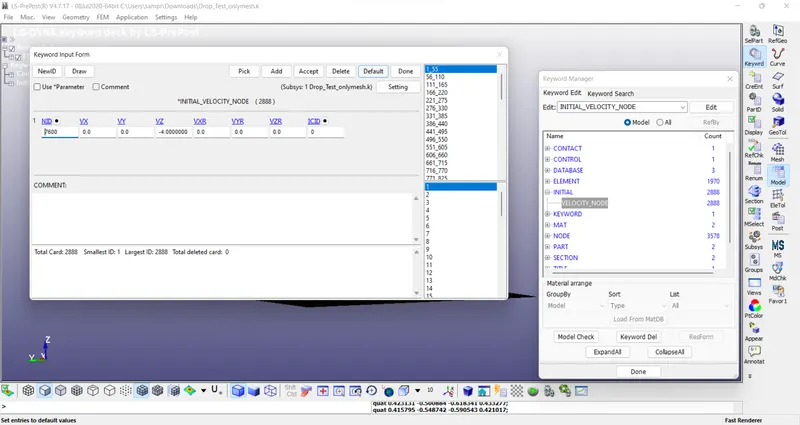
You need to create a complete simulation file from this to perform a drop test. *INITIAL_VELOCITY card is to be used to give velocity specifications for the cellphone.
We are not interested in how the phone travels from your hand to the plate, but only the period when the impact happens and a few milliseconds after that. Therefore, we will keep the two parts very close and provide an appropriate magnitude of velocity.
The orientation of the cellphone is also important and there are specific guidelines on how to orient the products but for this assignment, we will ignore that.
Based on what you have learned till now, use your judgment, manuals, and the previous simulations that are shown to create a complete input file for a drop test.
The objective of this assignment is not to get a correct simulation but to get a feel of creating an input deck from scratch
PROCESS:
- Download the model and open in LS-dyna pre post
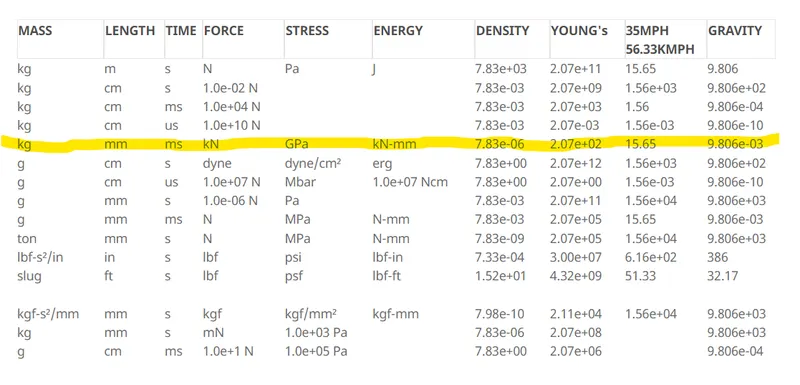
- Follow the unit system as per consistent units & we follow the highlighted as shown below.
- Select the proper PID for both & rename them
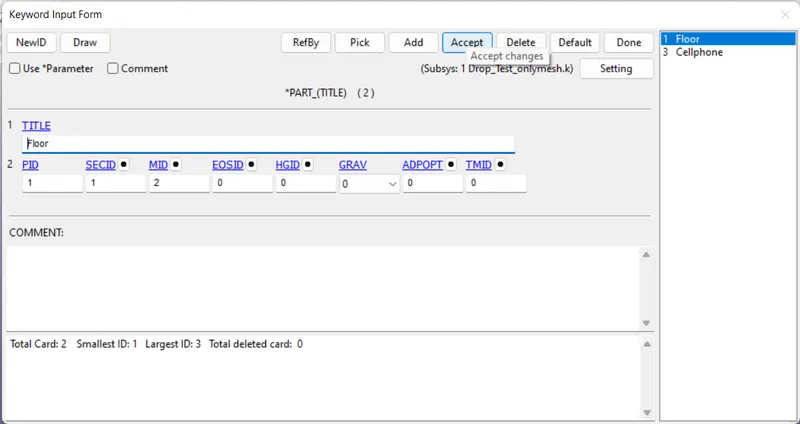
- Select the Material,
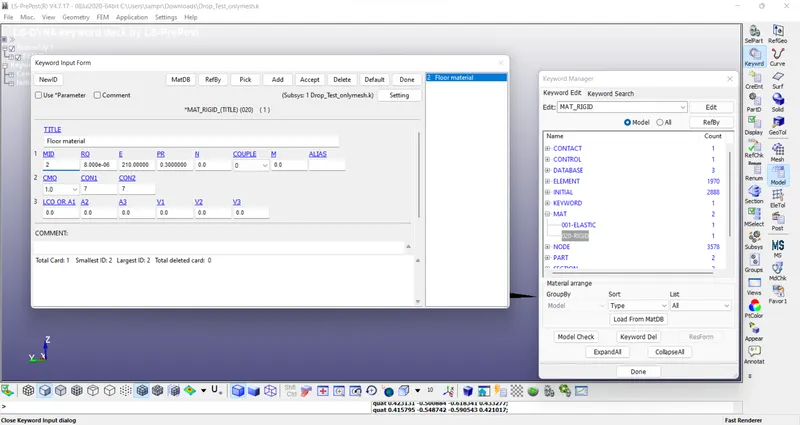
- Assigne Elastic for the Cellphone & Rigid for thr Floor.
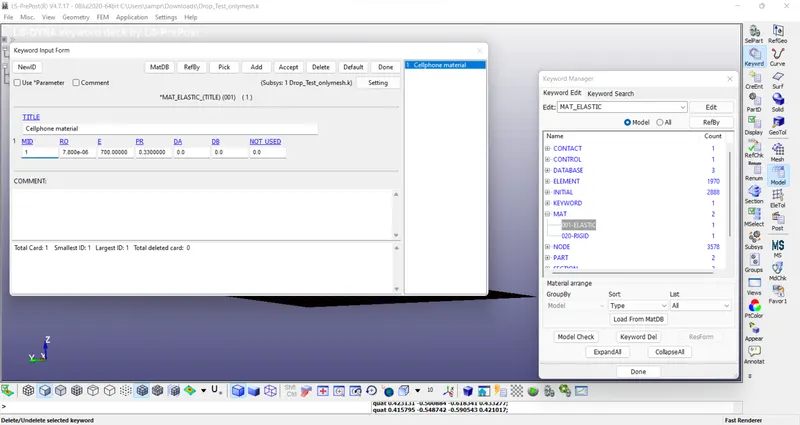
- For phone we took aluminium as the material & for floor we took as steel from the outsource data
- Assigne the section as Shell for the floor & Solid for the Phone
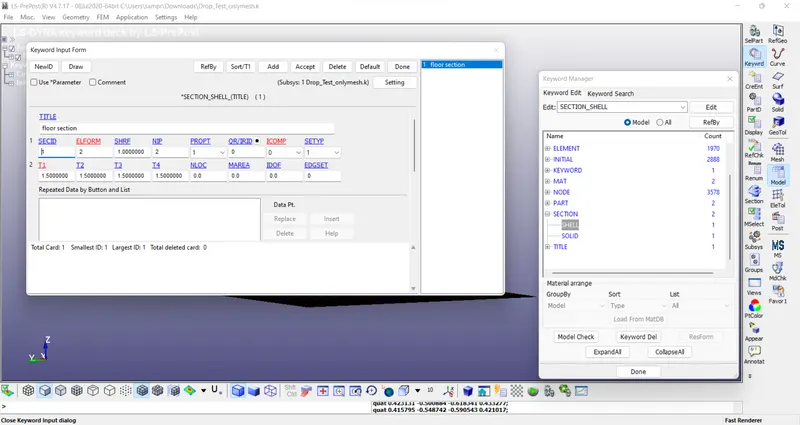
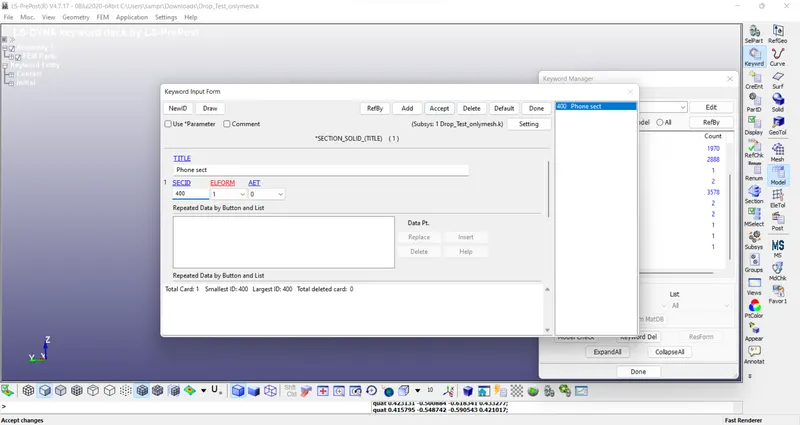
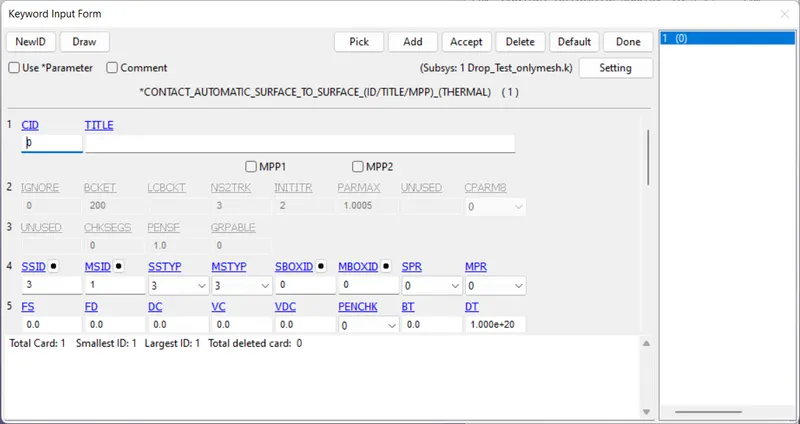
- Assigne the contact as surface to surface
- Give Inetial velocity for phone as 4mm/s in negative z-direction.
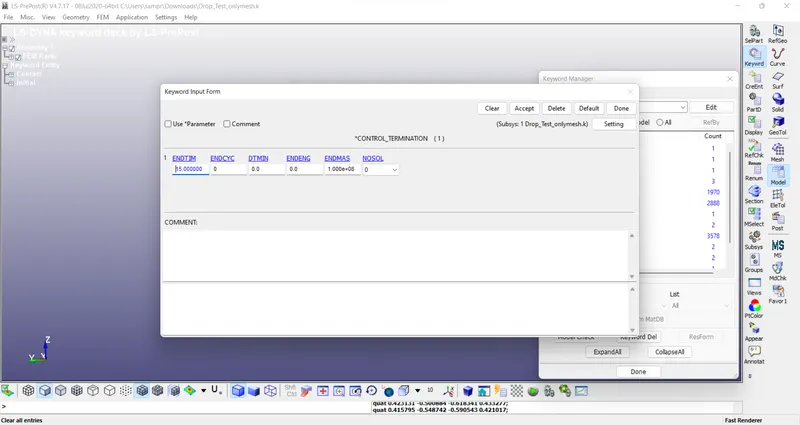
- Provid the End time as its Explicit
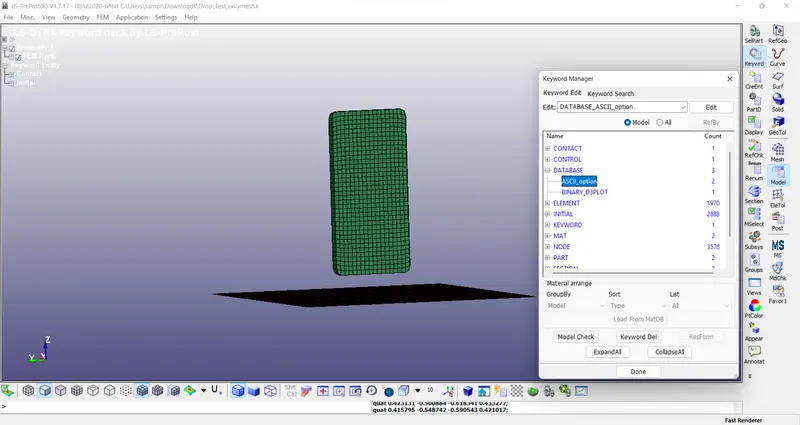
- Finally for result Add ASCII & Binary 3 plot in DATABASE option.
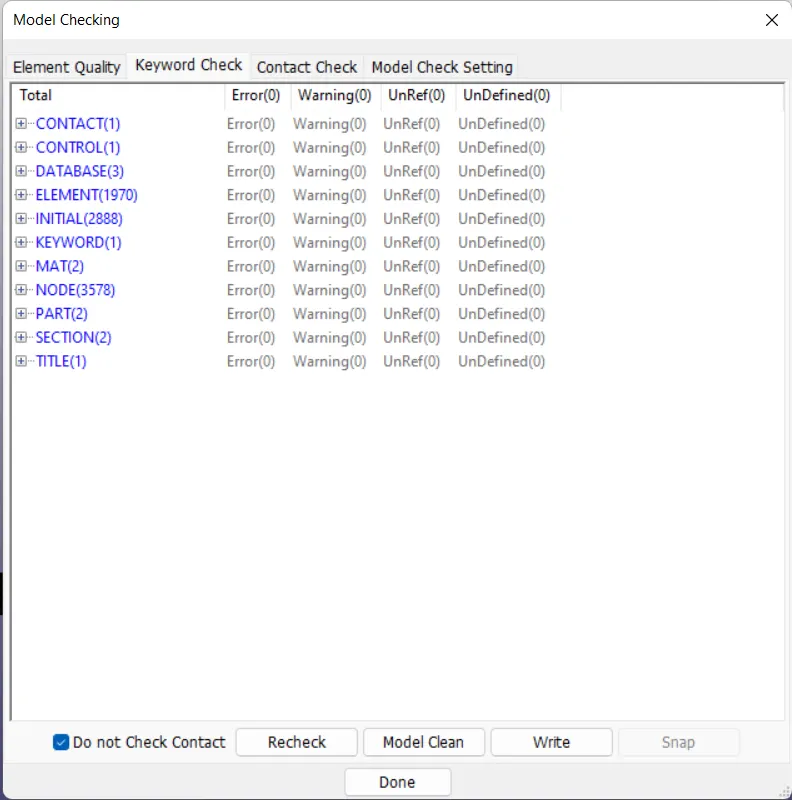
- Check for the errors
- Go for LS-Run
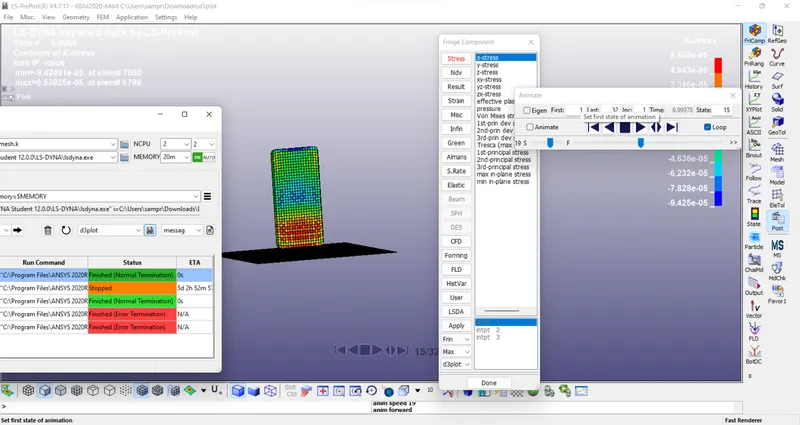
Finally the result is obtained after running successfully ,You can choose for the required value as mentioned in the above image.