Week 3 challenge Simulink
Task 1
Aim : Determine the work done as the cutting tool of a shaping machine varies over the length of cut as follows
Distance (mm) 0 20 40 60 80 100
Force (kN) 60 72 65 53 44 50
Objective : To determine the work done as the tool moves through a distance of 100 mm.
Theory :
The total am0ount of work can be calculated by the formula :
`int_(d1)^(d2) F.dx`
Where,
W = workdone by the tool,
F = Force acting on the tool,
d1 and d2 are the starting and the ending point of the tool
Simulink model :
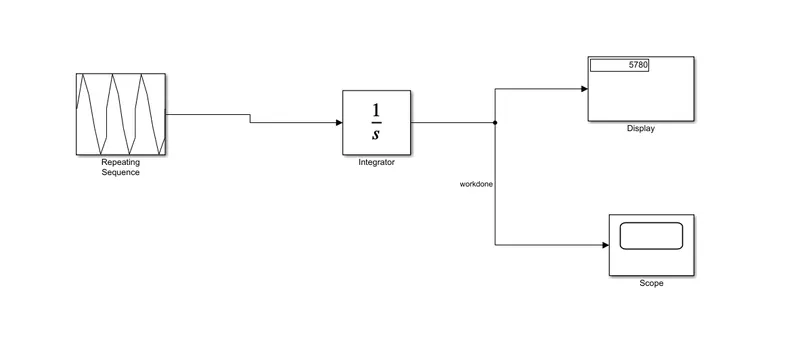
Explanation :
- Initailly the force on a cutting tool of a shaping machine varies over the length of cut is given to the repeating sequence block.
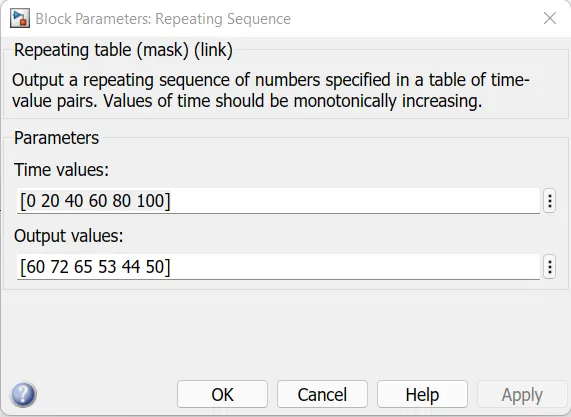
- This block outputs a repeating sequence of numbers specified in a table of time-value pairs. Values of time should be monotonically increasing.
- Then we use integrator block to integrate the values and then it is connected to the display block and to scope block to display the output.
Output :
The output is measured by the scope
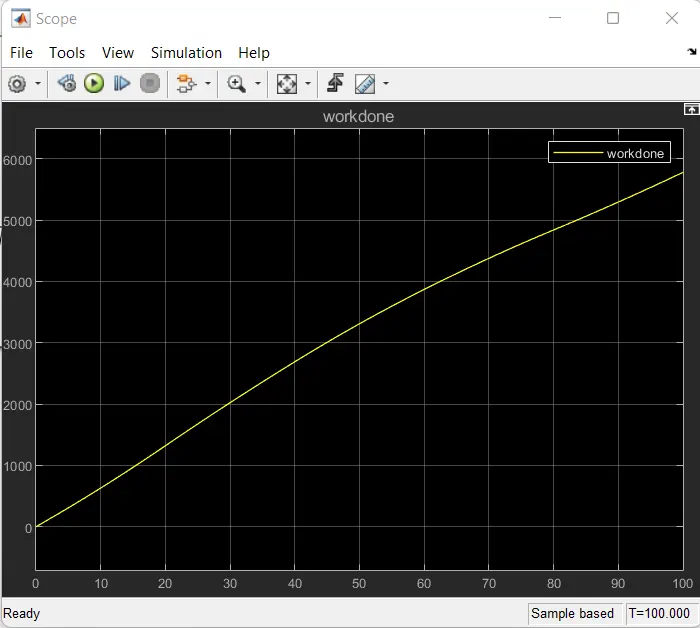
From the displaty, it is clear that the total workdone is 5780 kN-mm.
Conclusion :
The workdone has been calculated and the simulink model has been created successfully.
Taks 2
Aim : To create a Simulink model to implement equation z=3x2-5y+18.
Objective :
- To create two array data sets x = [22 3 55.6 9 12 10] and y = [5 31 95 56.3 77 61] from the command window.
- Create a Simulink model to implement equation z=3x2-5y+18.
- Store result values using To File block.
Explanation :
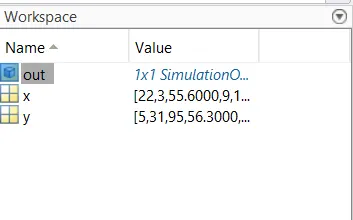
We define the variables x and y in the command window :
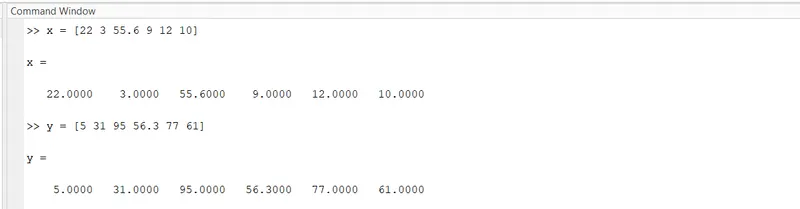
Variables x and y are created in the workspace :
Simulink model to implement the eqaution z=3x2-5y+18 :
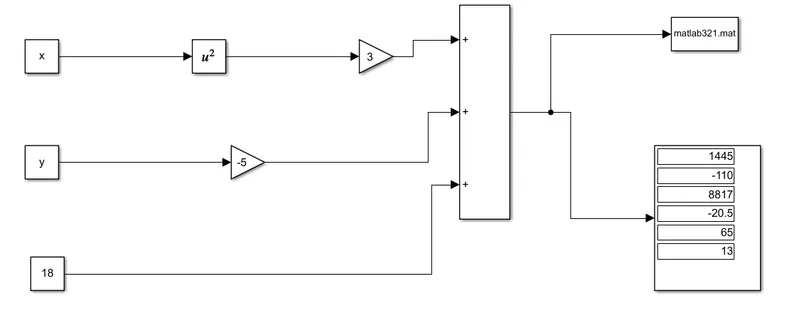
The equation z=3x2-5y+18 is created as simulink model as follows using the contant block and square blocks and they are multiplied using the gain block and the are added using the add block.
And finally they are connected to the display bock to show how the answer z varies to different values of x and y.
And they are also connected to To file block to save the model answers out of the matlab.

Conclusion :
Simulink model to implement equation z=3x2-5y+18 is created succesfully.
Task 3
Aim :
To go to Matlab Help and type the keyword ‘Mass-Spring-Damper' in Simulink and Simscape’. Open the model and solve the following questions.
Objectives :
- Derive the governing equation for the model
- Change the value of mass, damper, and spring for the Simscape model and plot the result. Change the value of Mass, displacement as x0=2 in the Simulink model, and plot the results.
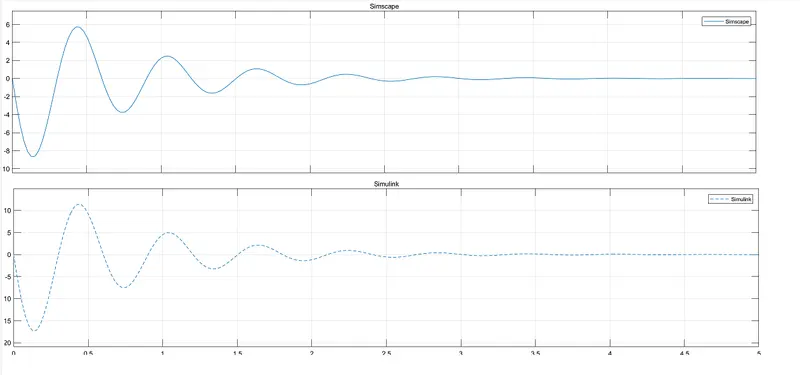
- Make the response from Simscape and Simulink as two separate displays.
Solution :
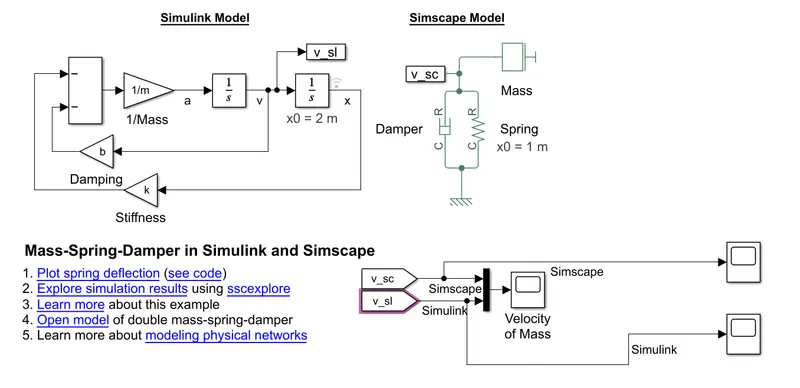
Mass-Spring-Damper in Simulink and Simscape model :
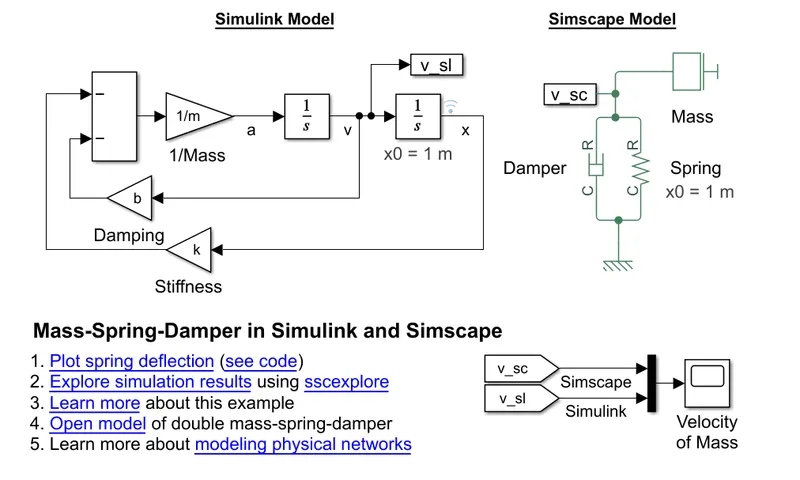
Derive the governing equation for the model:
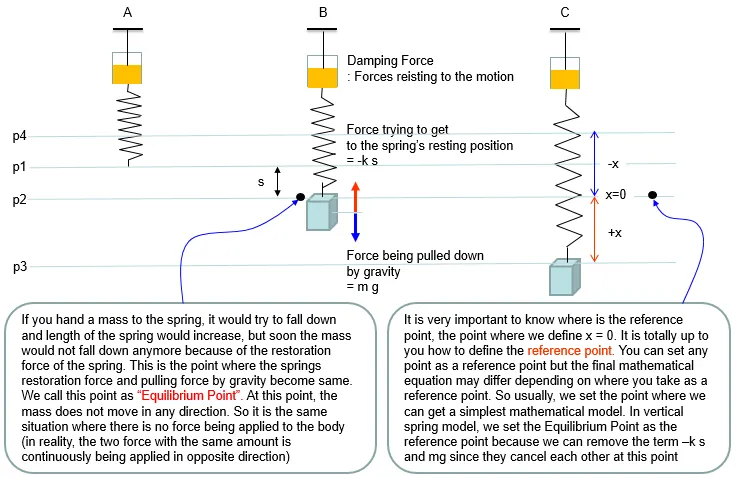
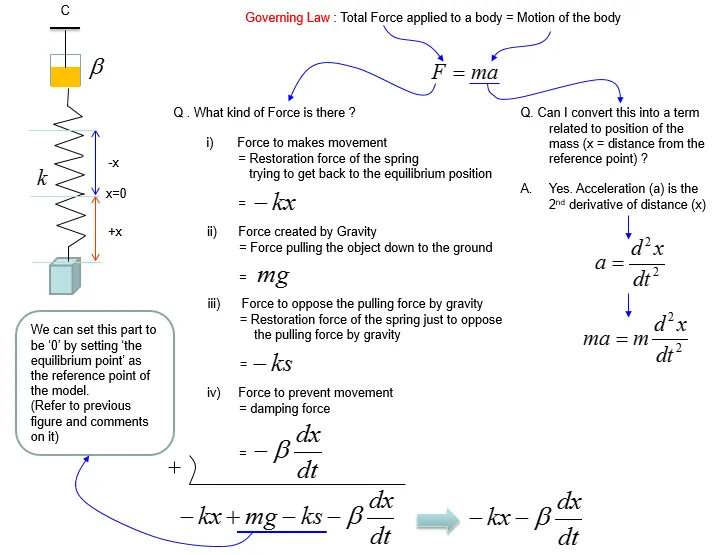
From Newtons second law of motion,
Eqn (1)
F = m . a
m = mass
a = accleration
a = `(d^2x)/dt^2`
Eqn 2
m . a = m . `(d^2x)/dt^2` -
Total forces acting on the system
F = F1 + F2
Restoring force F1 = -kx
k = spring constant
Damping force F2 = `-c(dx/dt)`
c = damping coefficient
Eqn (3)
F = `-kx -c(dx/dt)`
From eqn (1),(2) and (3)
`-kx -c(dx/dt)` = m . `(d^2x)/dt^2`
Eqn (4)
`m.(d^2x)/dt^2 + kx + c(dx/dt) =0`
by dividing eqn (4) by m we get,
`(d^2x)/dt^2+(c/m)(dx/dt)+(k/m)=0`
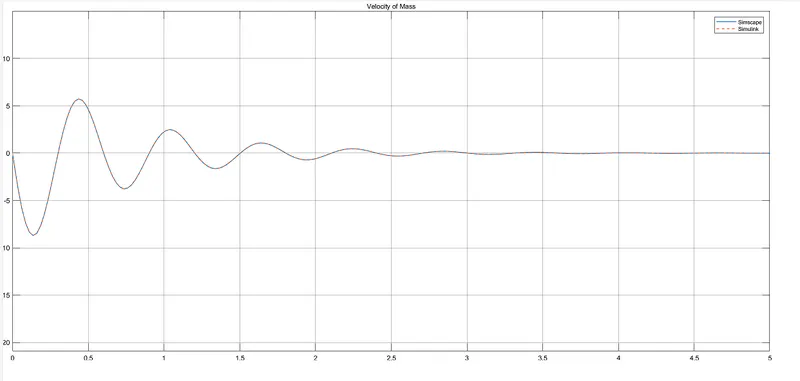
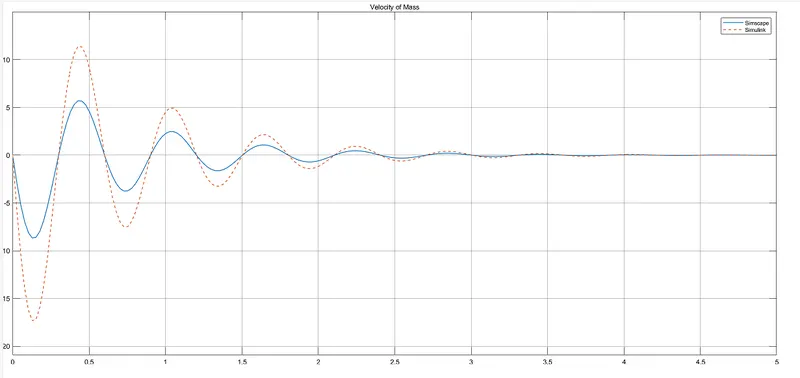
2. Change the value of mass, damper, and spring for the Simscape model and plot the result. Change the value of Mass, displacement as x0=2 in the Simulink model, and plot the results.
Output :
For x0 = 1,
For x0 = 2,
3. Make the response from Simscape and Simulink as two separate displays :
Conclusion :
The model Mass-Spring-Damper has been opened and all the questions has been solved sucessfully.