Week 3 Challenge : CFD meshing on Turbocharger
AIM
CFD suface meshing and volume meshing on turbocharger
PROCEDURE
Upload the model in ANSA Using Open and select the file
After uploaded select the shadow to get the solid model
Select the PID mode to identify the parts in the model
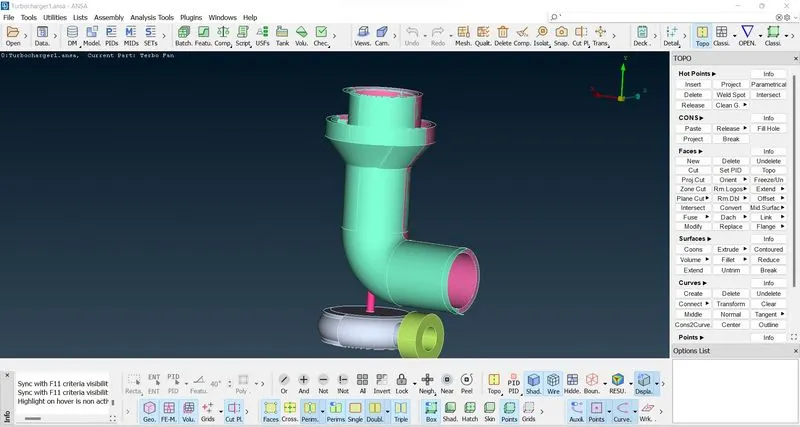
There is an overlaping surface in the compressor casing so by using the PID selection delete the unwanted parts in the model
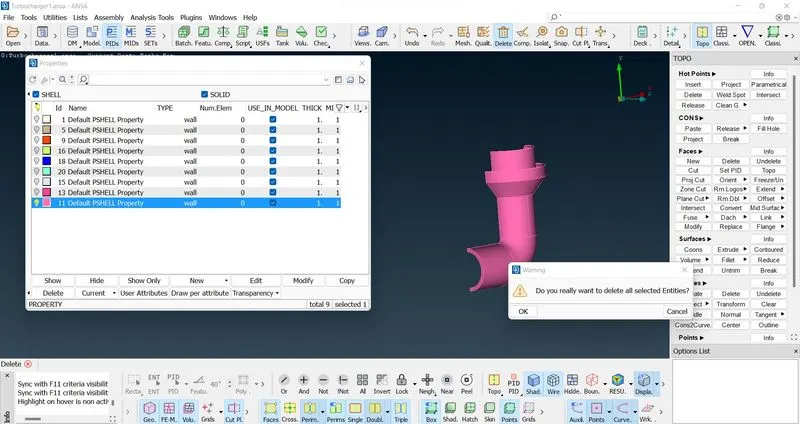
Then select the model and done the topo once for clear the unwanted cons
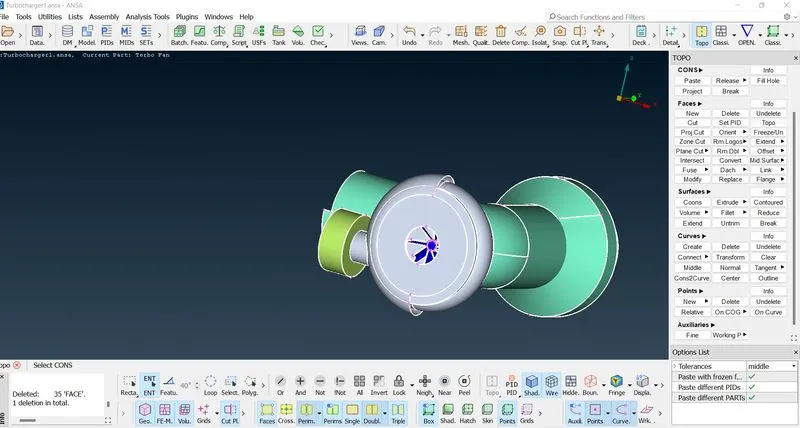
Open the check manager using check> check manager> Geometry check and excute that
Were there are lot of single cons error.
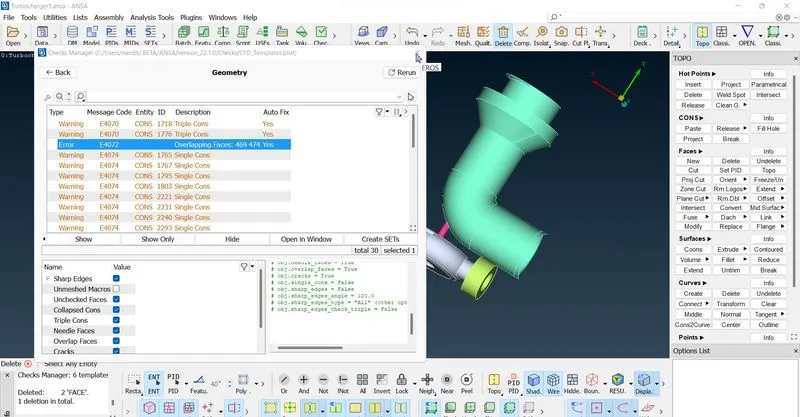
Clear the error by deleting the unwanted face or creating the missing face using face and file hole options.
for the select and delete the unwanted face in the compressor hosing by seperating the face using the project cut option
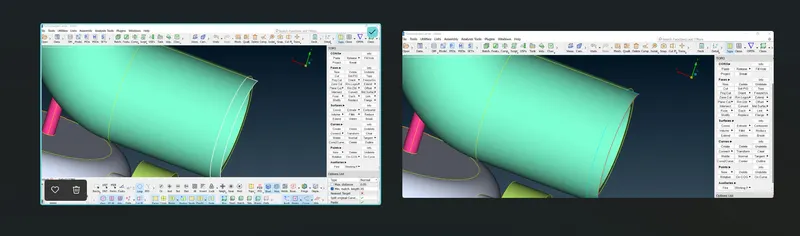
Then need to create a face which was missed in the turbine casing. So, for the first create an hot point in the centre of the surface cure using hot points> insert
Then open the transform option and select the entities and then select the hot points to create an symmetry
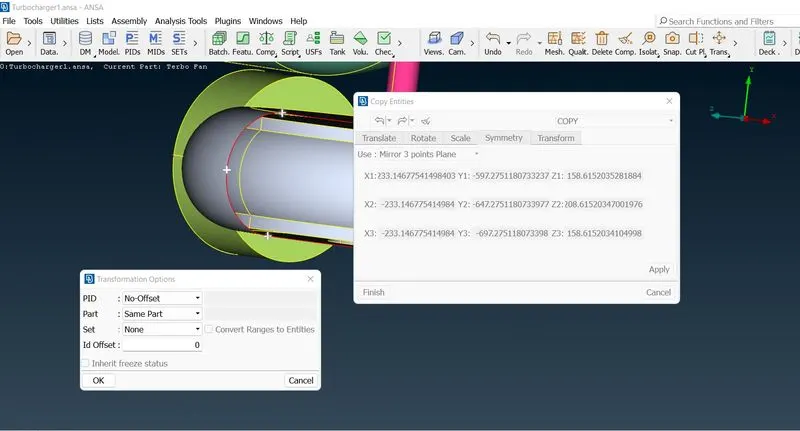
After fill the surface fill the remaining face using the hole fill option
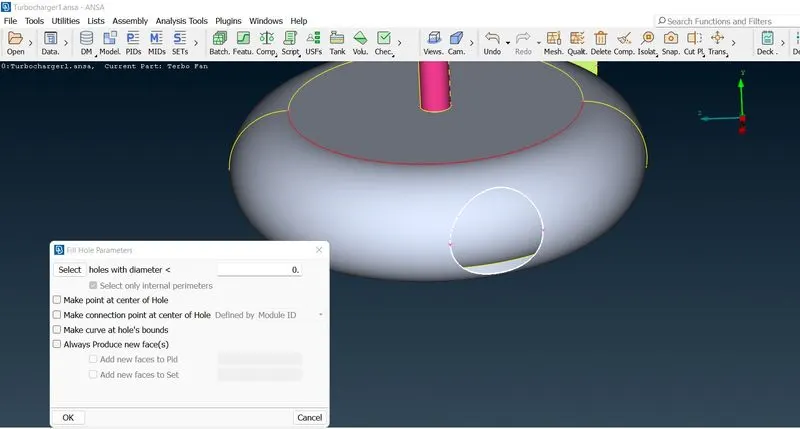
For creating the surface in the compressor hosing top need to create a line to seprate the section for creating face
create line using curve>create>curve and create the line by selecting cons then intersect the cons
using hot points>intersects
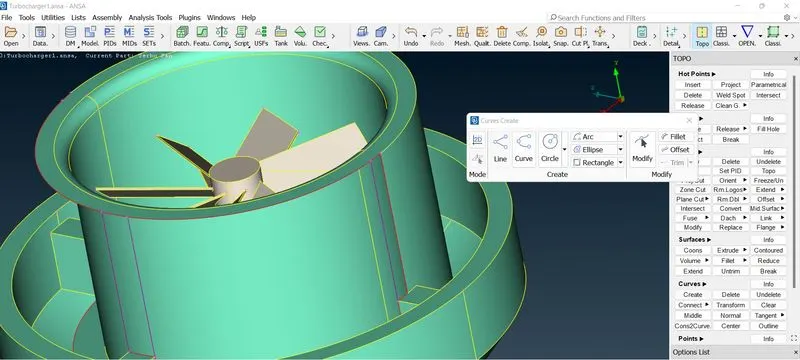
Then create the surface using coons option and create the unsurfaced area
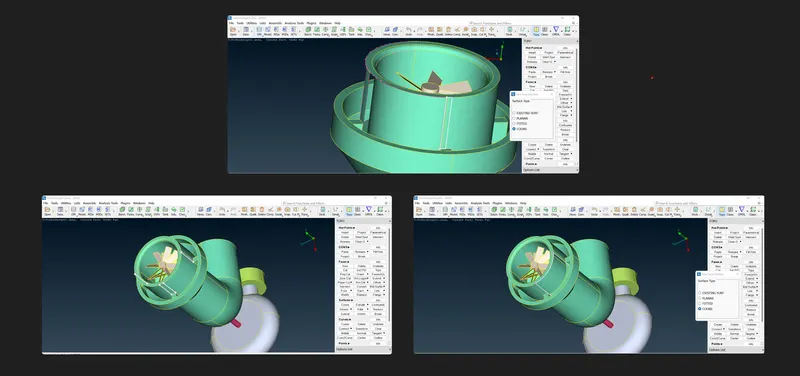
hide the outer parts by using the PID selection and select the internal parts which was blades, shafts and implers
Then select and delete the unwanted faces to avoid the triple cons and hide the surface using not option to access the triple con areas
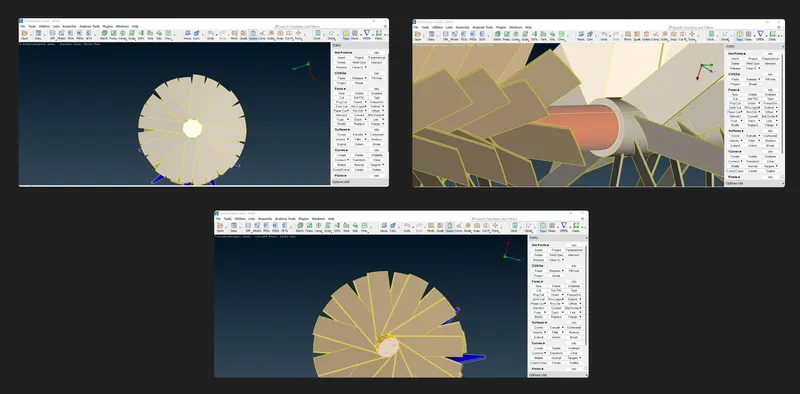
Then seperate the unwanted face using project option in cons>project
Deleted the unwanted surface by seperating the face
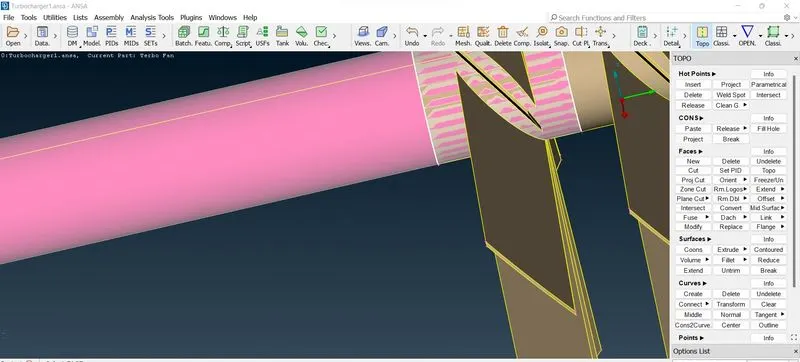
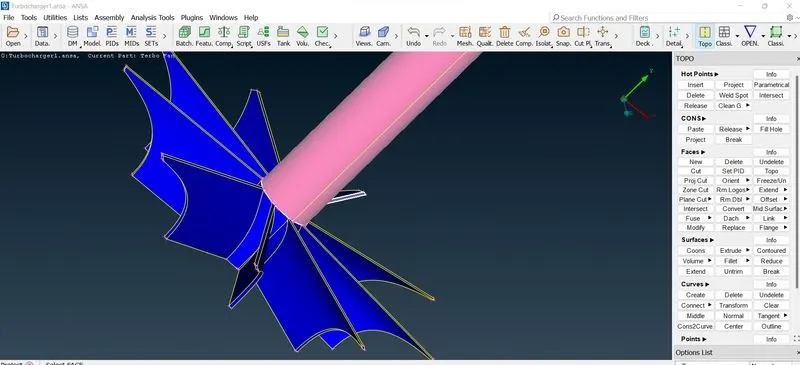
done the geomentry check again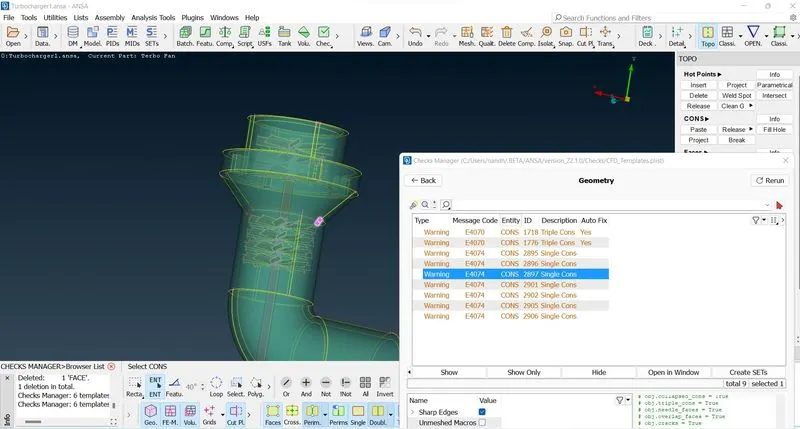
single cons is there in the compressor casing. deleted the unwated face and intersect the faces using face>intersect options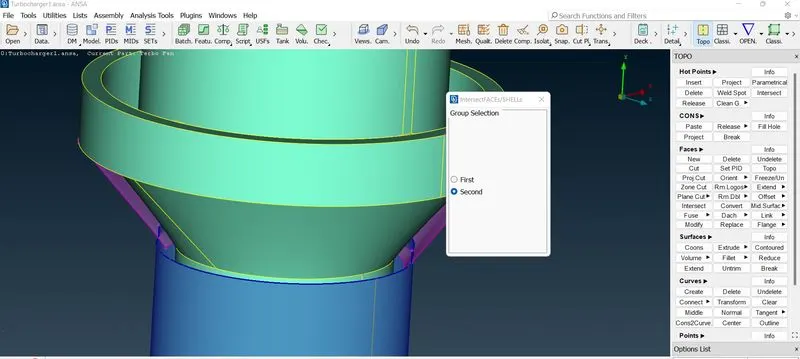
Then cut and delete the unwated shaft area to avoid intersection error by seperating the shaft area using cons> project options
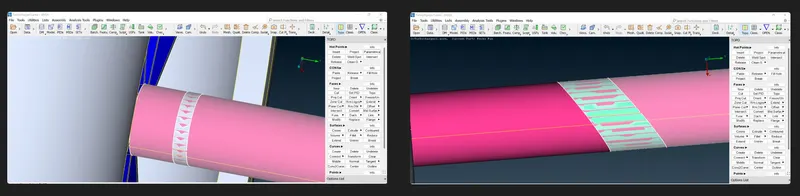
Then again check the geometry using check manager
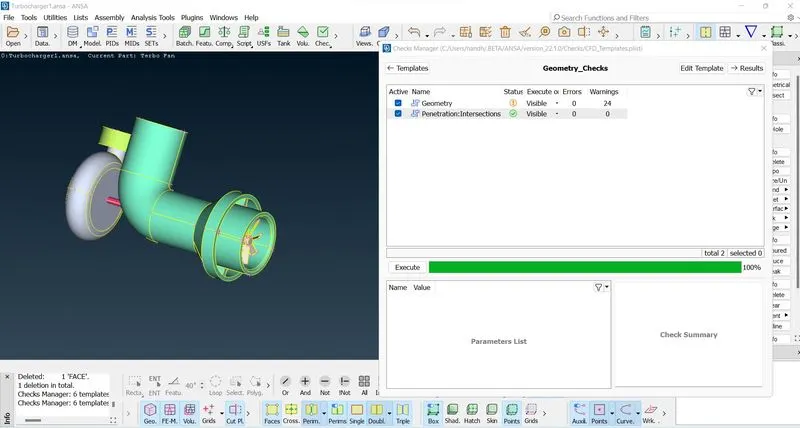
The warning are there do to triple cons, which are all negligible
After checks done rename the PID to identfy the component by using PID>EDIT> and rename the PIDs
Then as per given target lengths for different part do the mesh
where,
surface mesh with the given target lengths as per PIDs.
- Blade stage-1 = 1 mm
- Blade stage-2 = 1 mm
- Impeller = 2 mm
- Shaft rotor = 1 mm
- Turbo casing = 5 mm
- Compressor casing = 5 mm
- Inlet casing cover = 5 mm
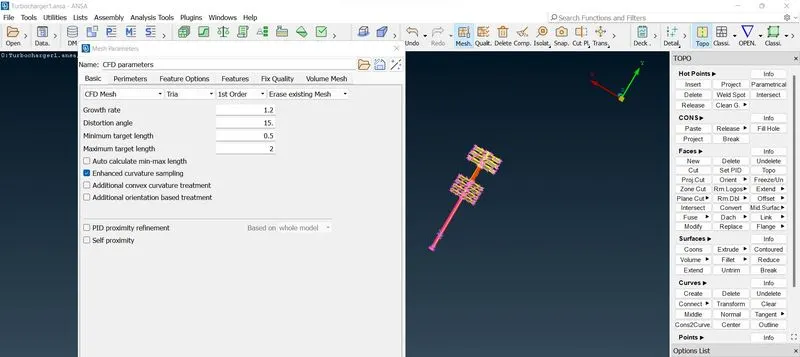
done the meshing enter the mim and max target length, Then select the Perimeters>Spacing>auto cfd for meshing and select the perimeters and marco for proper meshing
eneration>CFD>Visible for mesh was visible
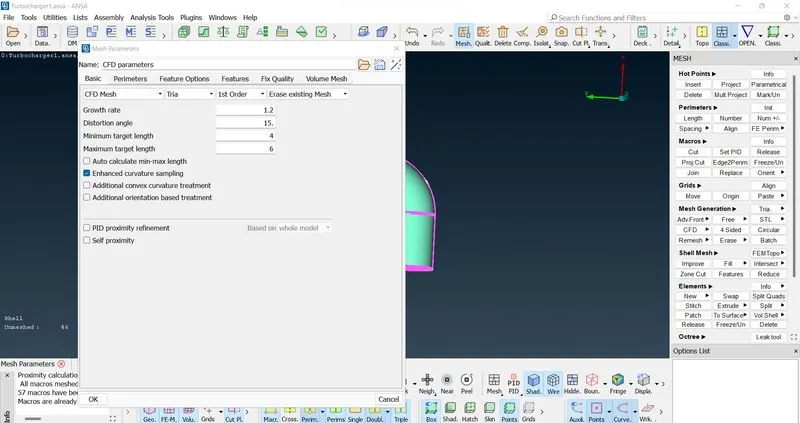
Repet the mesh process to all the componets by entering the different target length which was givened
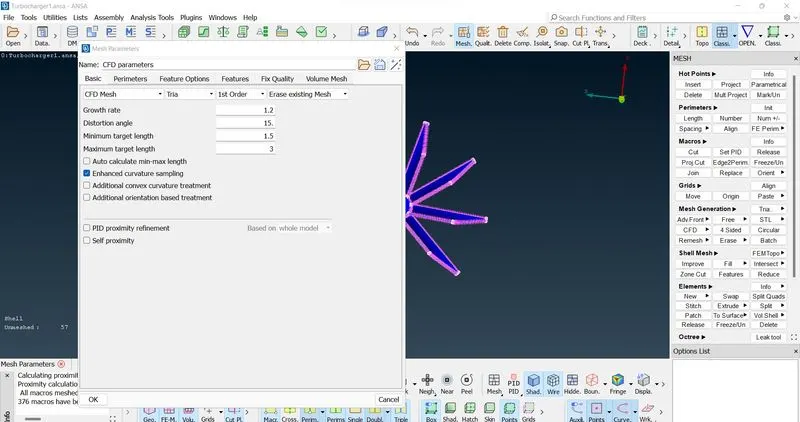
done the freeze option to avoid the unmesh area while selecting the all PIDs
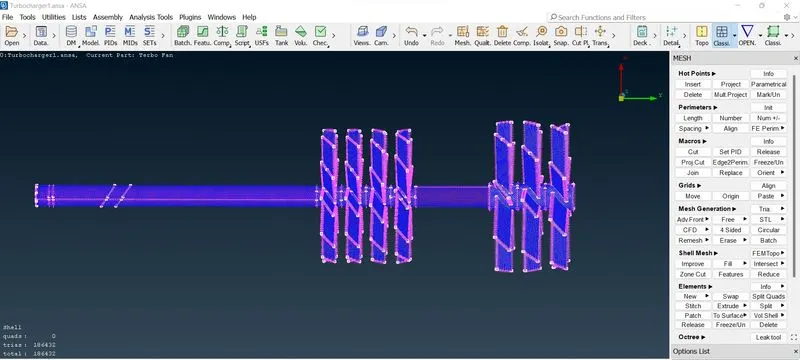
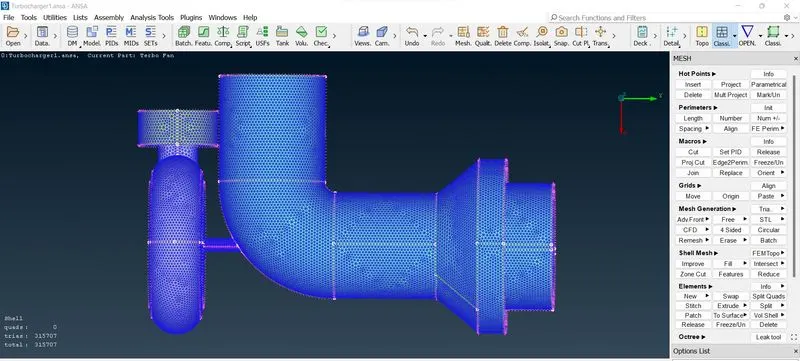
Finally select the geometry and unmesh it.
Then click v.mesh>define. Then select okay to define
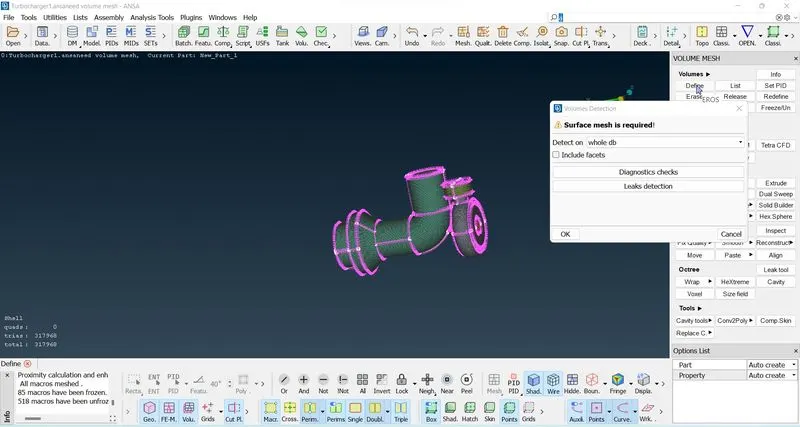
Delete the volume which is volume mesh not required. where here we check the internal flow analysis. So, select the internal volume to mesh
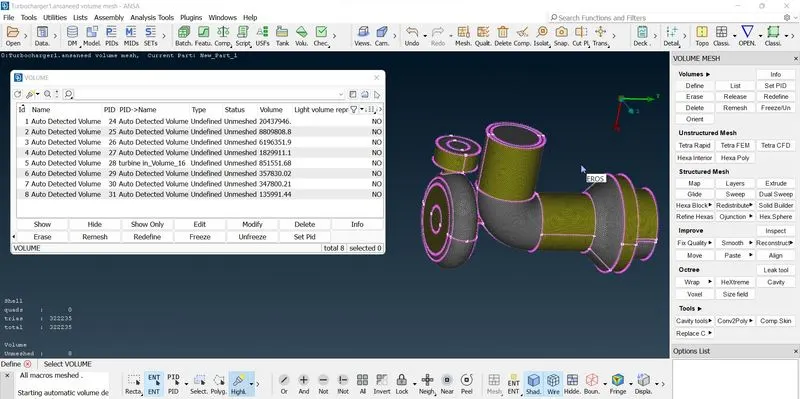
Select the volume and Right click>mesh
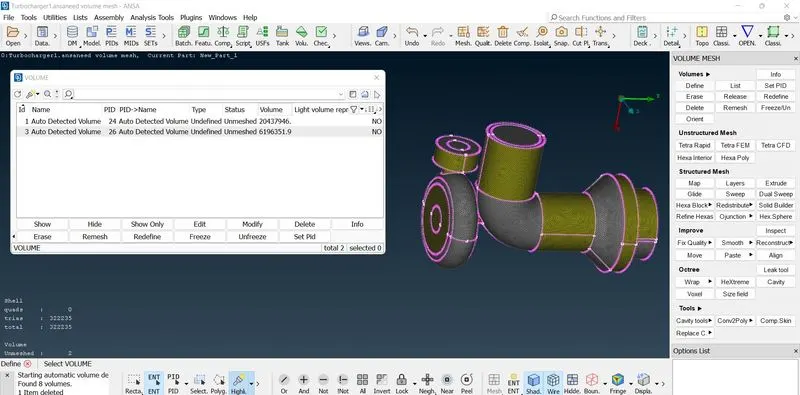
Volume mesh was done succesfuly now cut the plane and check the mesh area by using not option or plan cut selection
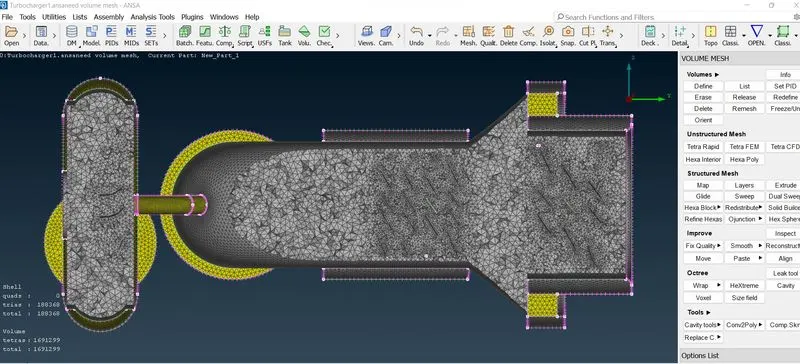
Conclusion:
Finally for the given model, checked the geometrical errors. Then, Create and assign PIDs.
And Perform surface mesh with the given target lengths as per PIDs.
- Blade stage-1 = 1 mm
- Blade stage-2 = 1 mm
- Impeller = 2 mm
- Shaft rotor = 1 mm
- Turbo casing = 5 mm
- Compressor casing = 5 mm
- Inlet casing cover = 5 mm
Then last Perform Volumetric mesh for the required volumes.
model link: https://drive.google.com/file/d/1j4QmG0taXP-hi6vbC8r6Udtsh3hwFUVr/view?usp=sharing