Week-3 Challenge: ADVISOR Tool
Answer-1.
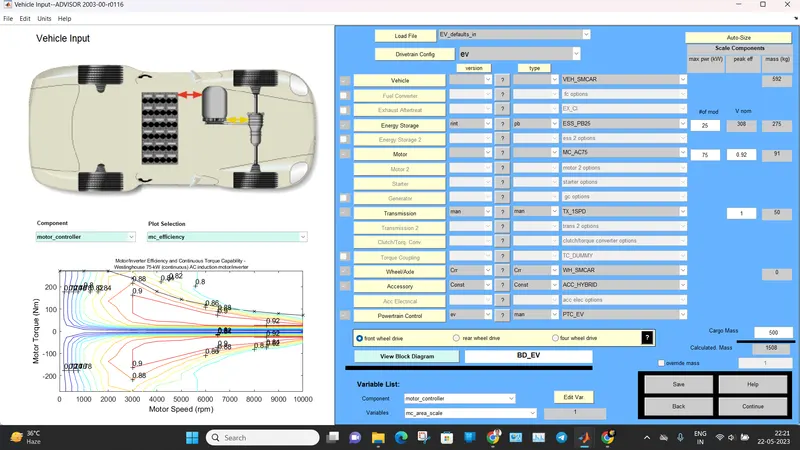
Advisor Tool BLock with EV_defaults_in file and 500kg Cargo mass.
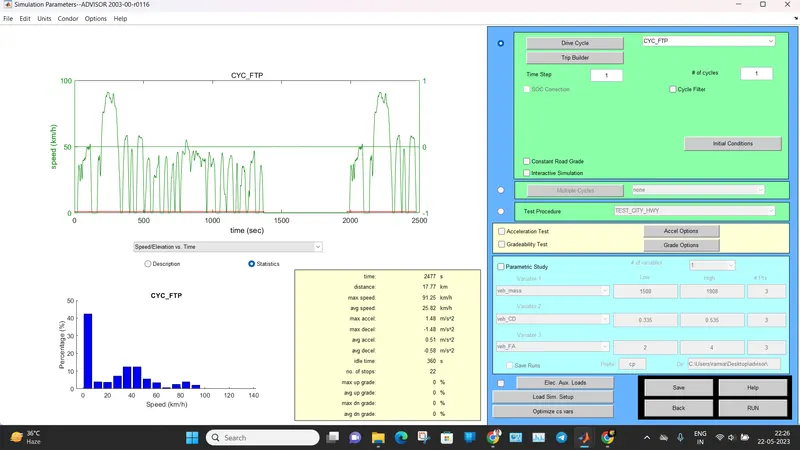
checking for the 1 cycle in FTP drive Cycle.
Results-
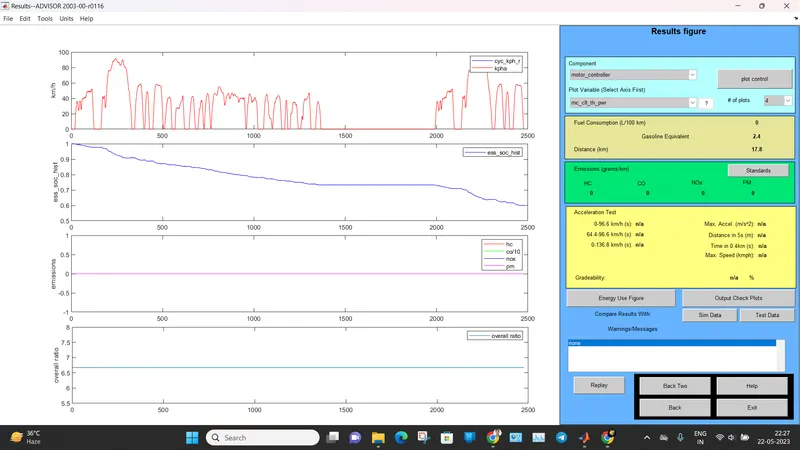
We can clearly see that vehicle run for 17.8 km distance and Battery SOC is still available.
Show our vehicle run for Next FTP Drive cycle (cycle-2)
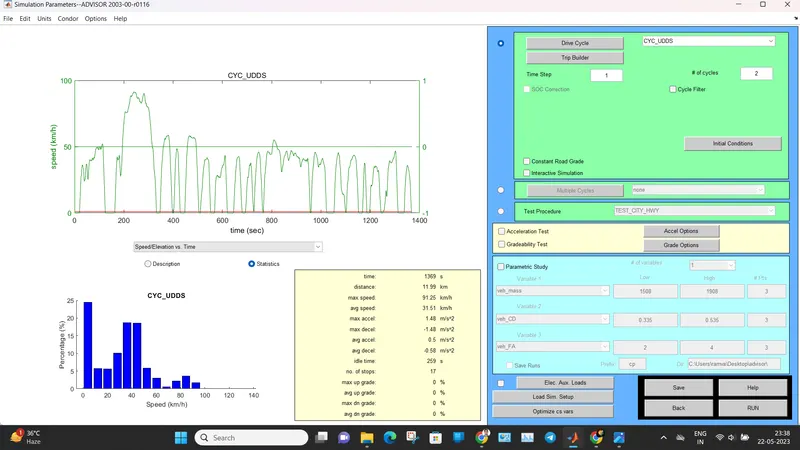
and the results are-
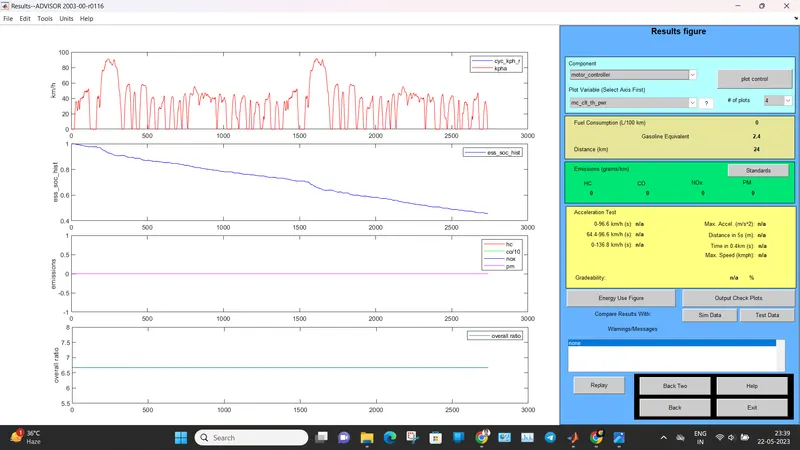
We can clearly see that distance covered by EV is 24 and battery SOC is still available so we check for cycle-3
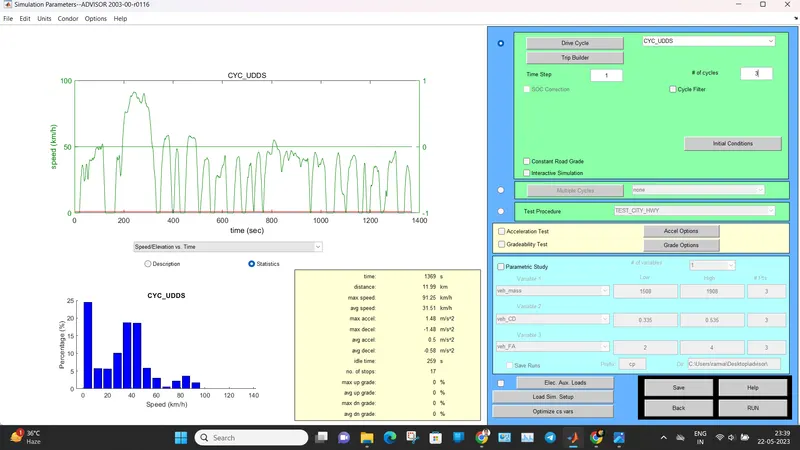
result of cycle-3
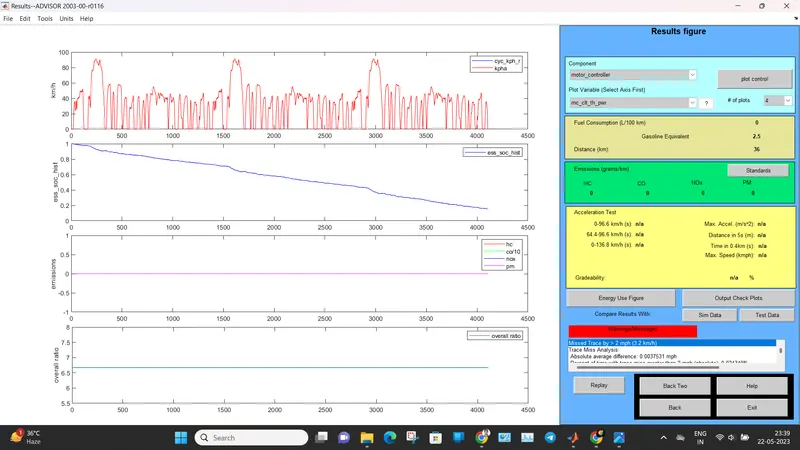
We can see here that vehicle covered 36 km distance and battery SOC is still available so we check for cycle-4
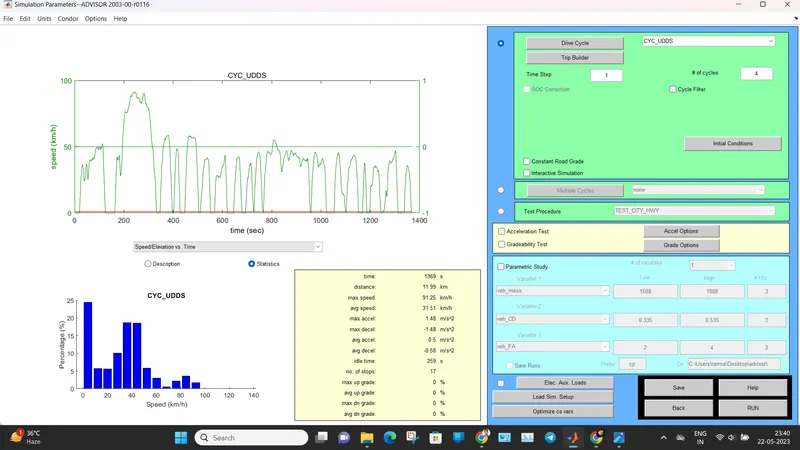
Result- Cycle 4
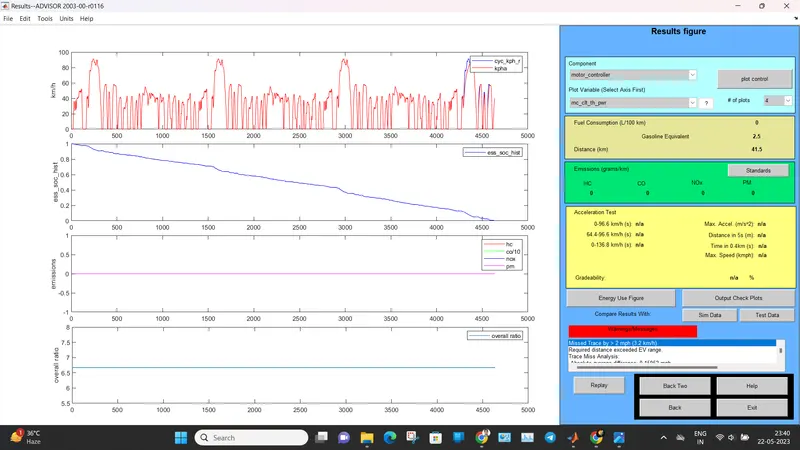
now our vehicle covered distance of 41.5 Km and battery SOC is not available. battery is discharged so with 500Kg Cargo mass our vehicle can not travel 45Km.
Answer 2.
Now with cycle-4 in FTP Drive cycle , we change batteries unit to 26-
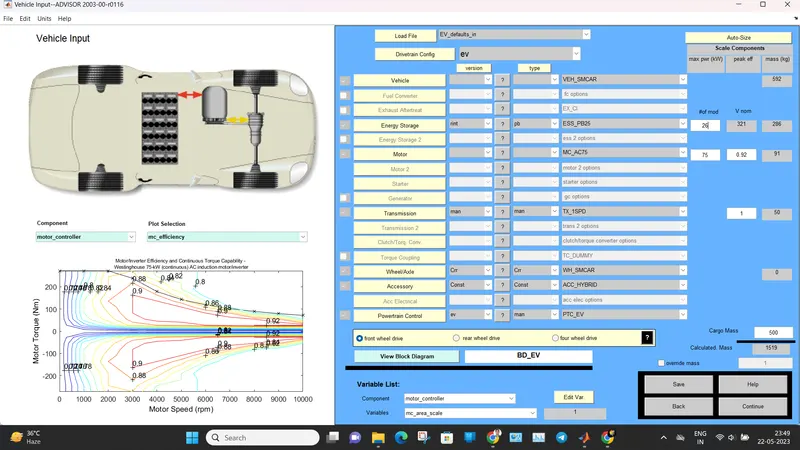
Result-
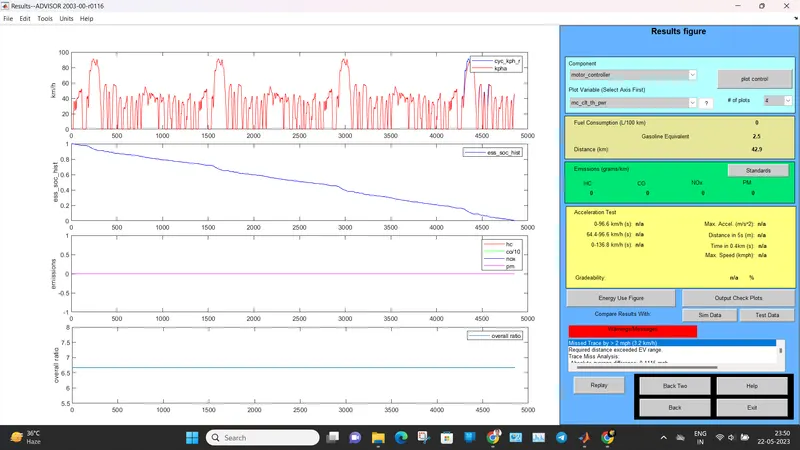
we can see our vehicle covered distance of 42.9 Km and Battery SOC is not available. so we increase battery unit by 1 to total 27 unit.
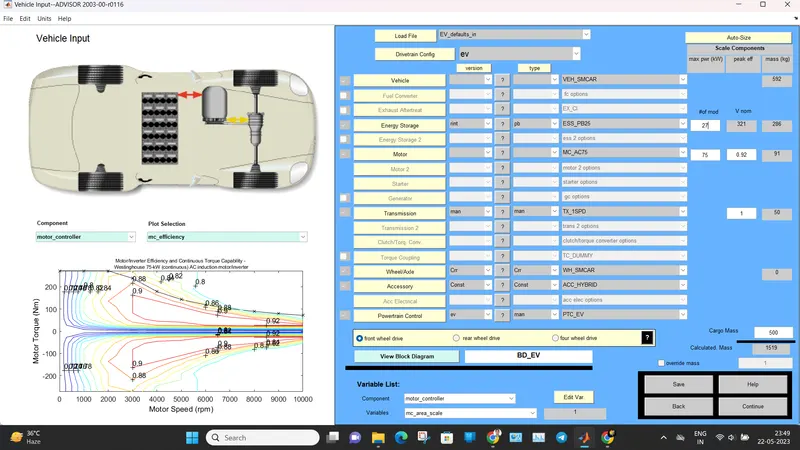
Result-
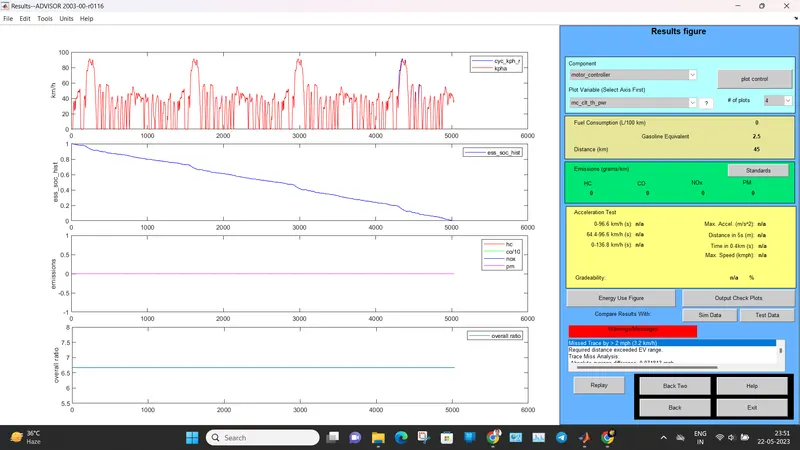
Now we can see our vehicle covered distance of 45 Km with 500 Kg Cargo Load.
Answer 3.
To Perform gradeability test with PRIUS_Jpn_defaults_in file
First we need to select 'Prius_JPN_default_in' file from the load file option to load the Prius model
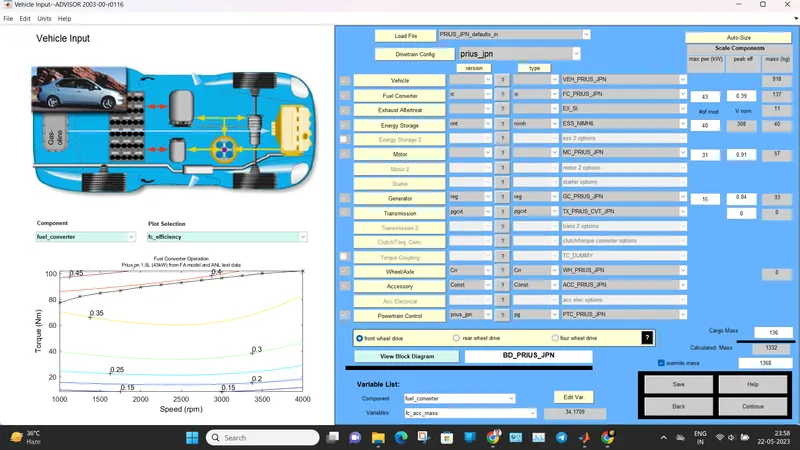
Now we will on continue option then in next tab we will click on Grade option which pop-up a new window in which we select of grading percentage
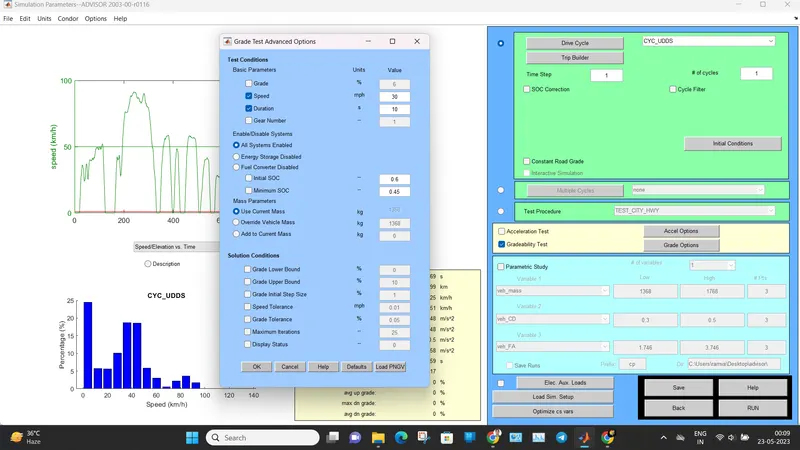
now we see results by Runing the program-
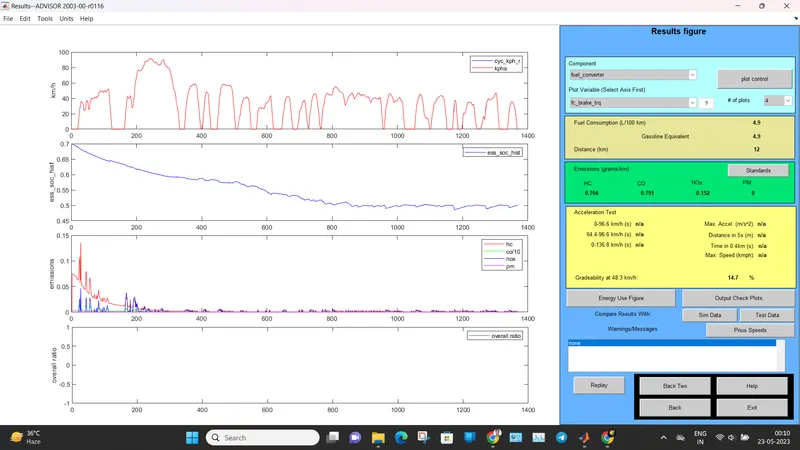
Now we can see our Battery SOC decreases with increase in Grading. The table is given below
| SPEED (MPH) | GRADEABILITY |
| 5 | 32.8 |
| 10 | 30.2 |
| 15 | 24.4 |
| 20 |
19.8 |
| 25 | 16.5 |
| 30 | 14.7 |
| 35 | 13 |
From the above table, we can see that the gradeability decreases with increase in speed the maximum gradeability during 5 mph and lowest during 35 mph