Week-3 Challenge: ADVISOR Tool
ADVISOR TOOL SIMULATION
- ADVISOR is a set of model, data, and script text files for use with MATLAB and Simulink.
- It is designed for rapid analysis of the performance and fuel economy of conventional, electric, and hybrid vehicles.
- It provides a backbone for the detailed simulation and analysis of user-defined drivetrain components.
- It verified vehicle data and algorithms from which to take full advantage of the modeling flexibility of Simulink and the analytic power of MATLAB.
1) EV_defaults_in file if cargo mass is 500 kg with all other default conditions.
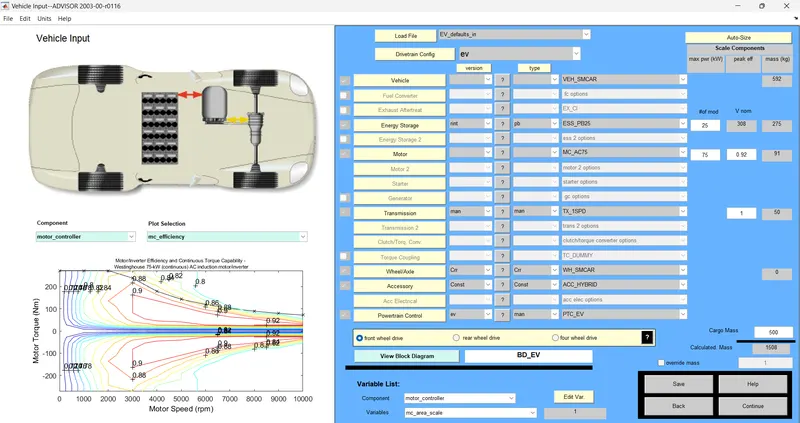
- In the ADVISOR vehicle tool select the load file as 'EV_defaults_in file.
- Next, change the cargo mass to 500 kg.
- Then select the continue button.
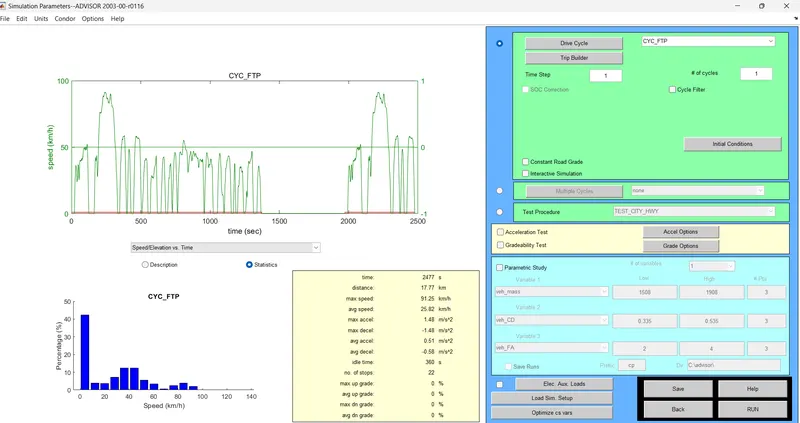
- Select the drive cycle 'CYC_FTP' driving cycle.
- Then keeping all the parameters as default, next click the run button.
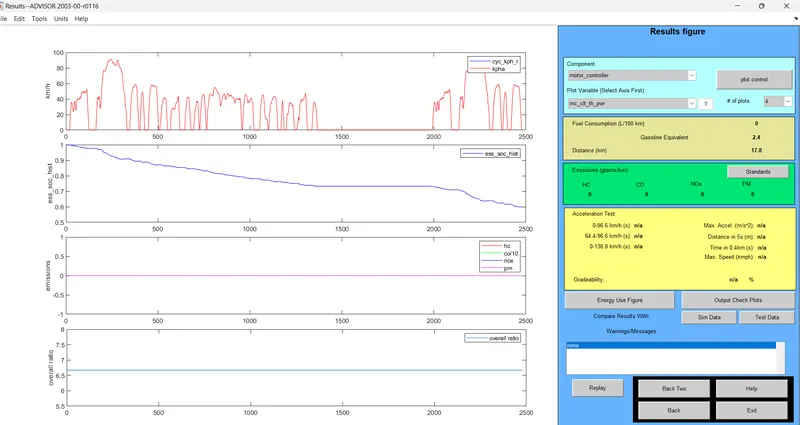
OBSERVATION
- The vehicle results can see that the distance (km) is 17.8 km.
- The SOC has fallen to zero after nearly 2500 seconds.
- So, the vehicle can't travel a distance of 45 km in a single recharge.
- So an increase in weight leads to a loss in power to travel a greater distance.
2) In the above case, try changing the battery capacity and repeat the simulation.
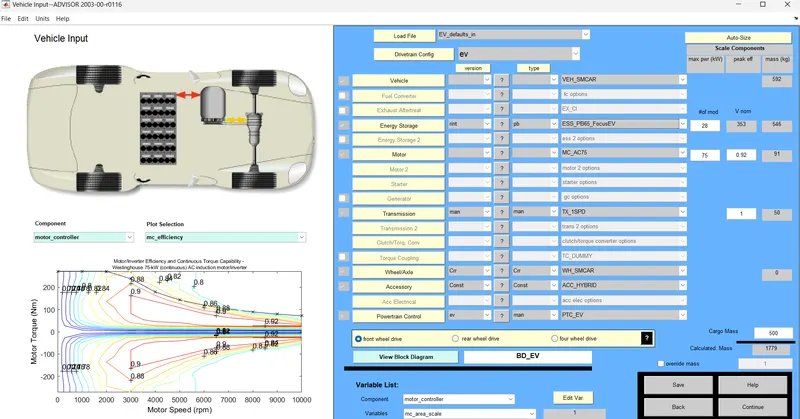
- First, change the energy storage to 'ESS_PB65_FocusEV' then keep all the parameters as default, and next select continue in the button.
- Then keep the driving cycle the same and RUN the simulation.
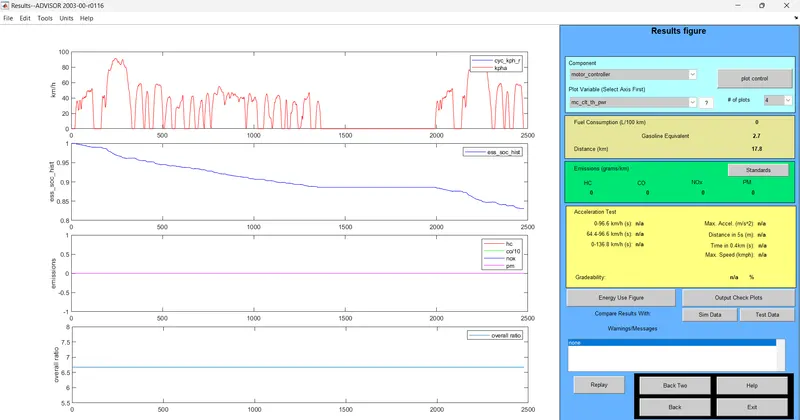
- From the results, the vehicle distance (km) is 17.8 km and the figure hasn't changed but, SOC % at end of 2500 seconds and not zero.
- So FTP cycle covered 17.8 km and the charge is still remaining in the battery.
To increase the number of drive cycles.
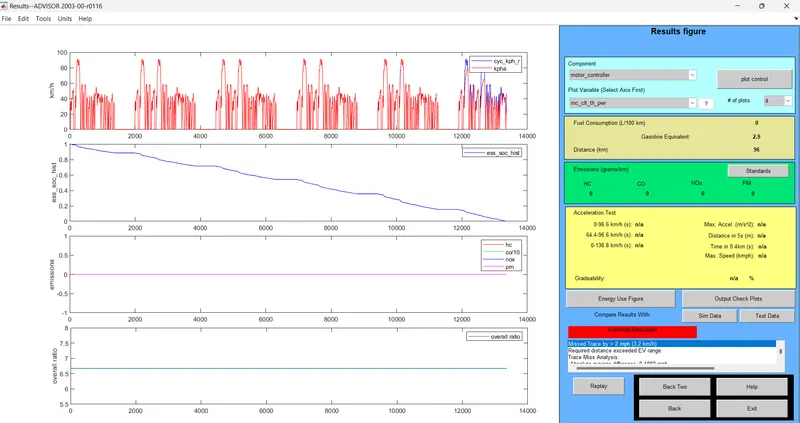
- The simulation performs the for 6 drive cycles.
- Then RUN the simulation.
OBSERVATION
- From the above results, the vehicle cover distance (km) is 96 km and also the SOC % as indicated by the second plot is nearly 13000 seconds.
- So in a single charge, the vehicle with this configuration can travel a distance of 96 km on a single charge.
3. Perform gradeability test with PRIUS_Jpn_defaults_in file
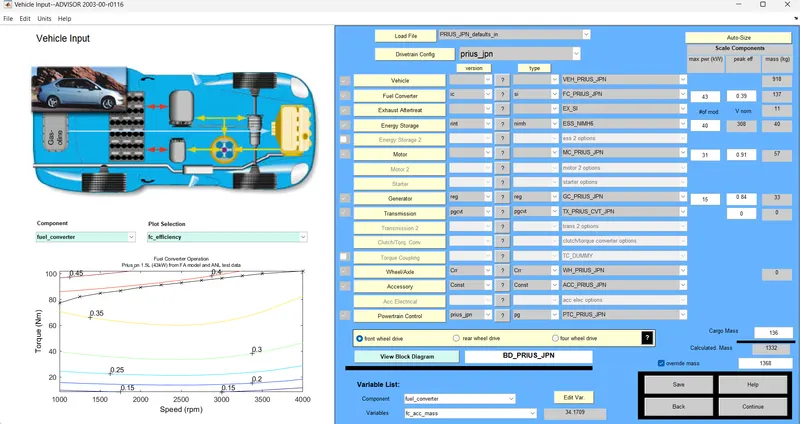
- In the load file, the drop-down menu selects 'PRIUS_Jpn_defaults_in', and all parameters are kept default.
- Then select continue on the button.
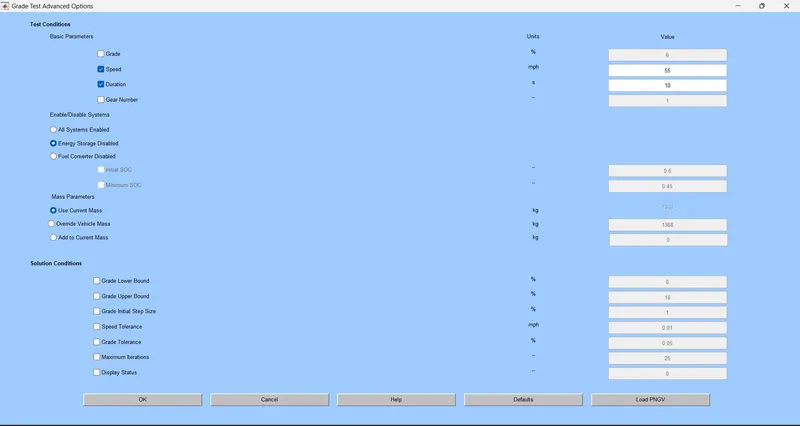
- Select the gradeability checkbox and then select grade options.
- Then RUN the simulation.
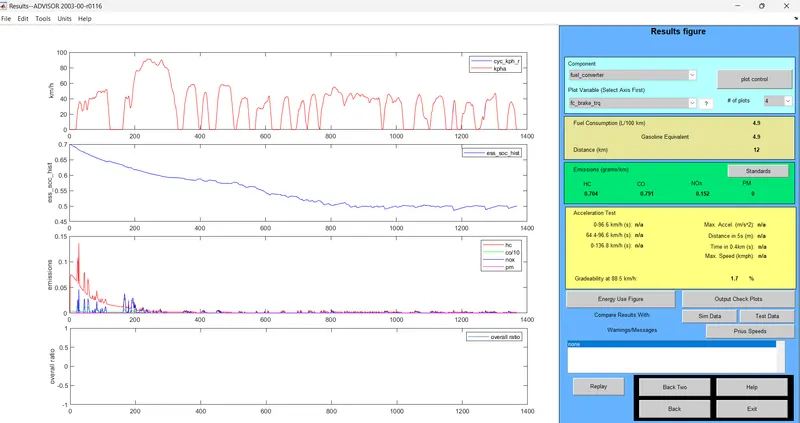
- The speed is kept at 55 mph.
- Then gradeability is 1.7%.
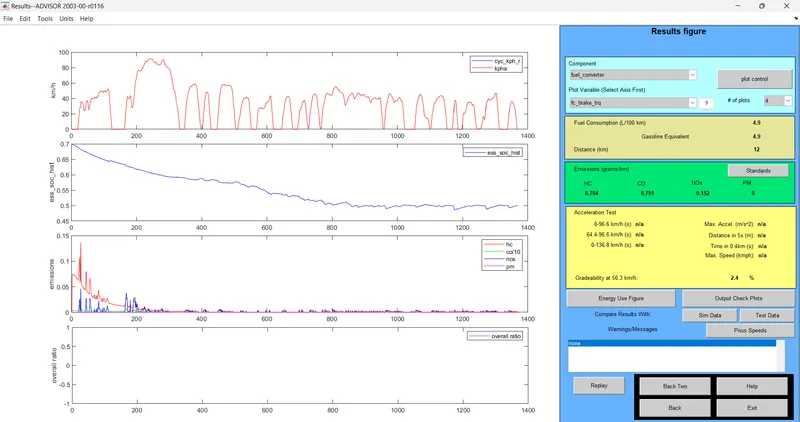
- The speed is kept at 35 mph.
- Then gradeability is 2.4 %.
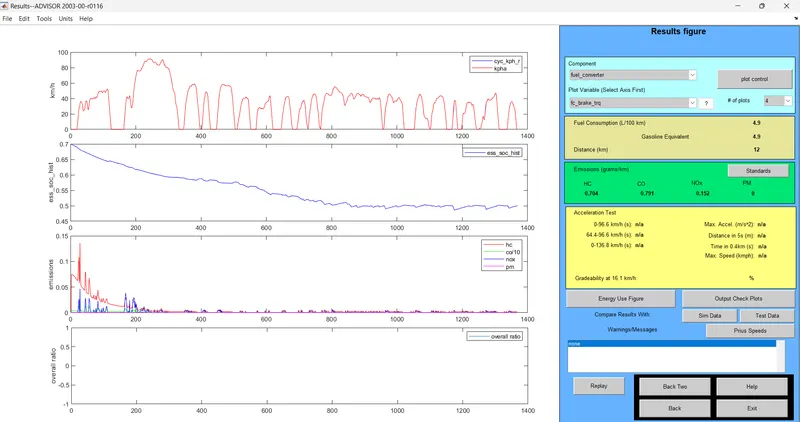
- The speed is kept at 10 mph.
- Then gradeability is 0 %.
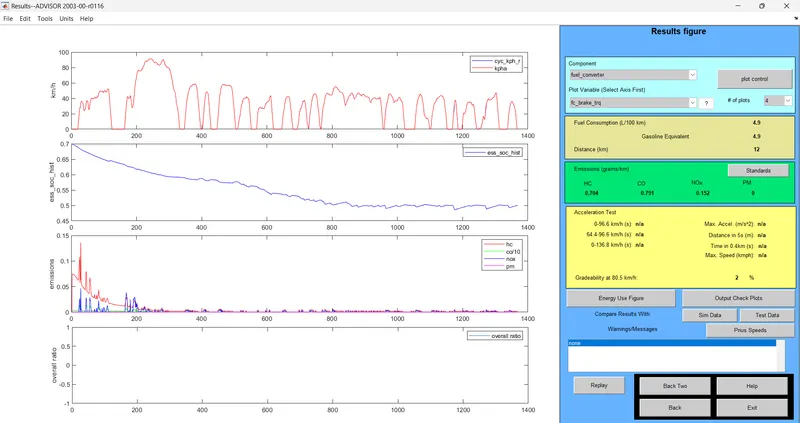
- The speed is kept at 50 mph.
- Then gradeability is 2 %.
Comparison Table
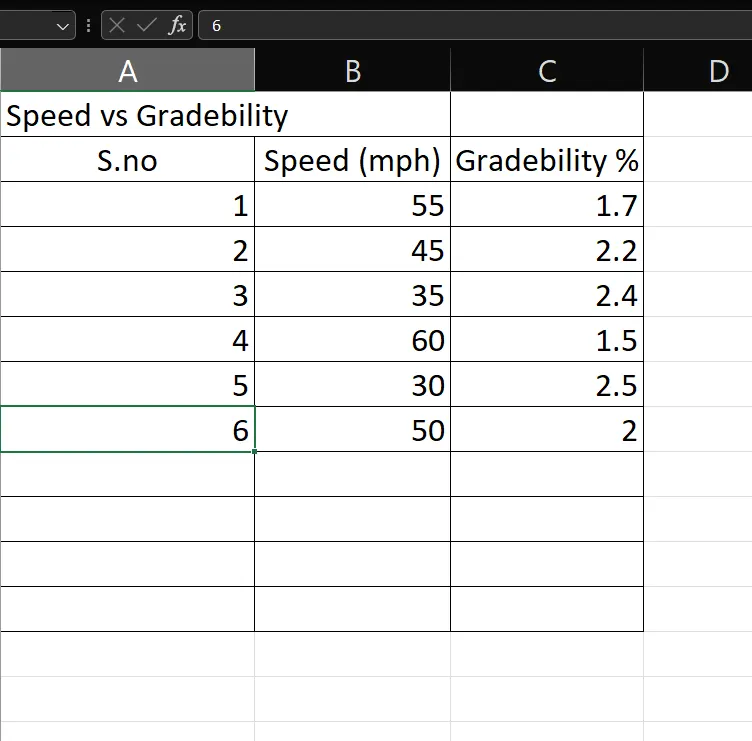
So we can conclude speed increases the gradeability decreases.