Week-3 Challenge: ADVISOR Tool
AIM:To use the ADVISOR Tool for simulation
OBJECTIVE:
1.Use EV_defaults_in file, if cargo mass is 500 kg with all other default conditions, can the vehicle travel for 45 km with FTP drive cycle? Conclude your observations.
2. In the above case, try changing the battery capacity and repeat the simulation.
3. Perform gradeability test with PRIUS_Jpn_defaults_in file and to Compare your results in table and conclude.
INTRODUCTION OF ADVISOR TOOL:
This ADVISOR tool is developed in the year of 1994 nov by the national renewable energy laboratort(NREL),it allows the users to simulate and analyze the conventional advanced light and heavy vehicle.the tool allows users to access the effect of changes in vehicle components.it is a set of models ,data,and script text files for the use with simulink and matlab.
The MERITS of using ADVISOR tool:
- we have to estimate the fuel economy of vehicle that have not yet been built.
- we need to learn about the how conventional hybrid or electric vehicles use energy throughout their drive train.
- we have to evaluate the energy management strategy for yout hybrid vehicles of fuel converter.
PROCESS TO START THE ADVISOR TOOL:
- Launch the MATLAB and first we have to set the default location to the ADVISOR.
- type "ADVISOR" in command window of MATLAB than click the enter
- A new window will open and then set a"matric"for unit and start "ADVISOR".
- it will be launch in a new window.
ADVISOR TOOL CONTAINS 3 WINDOWS:
- vehicle input window
- simulation parameter window
- results window
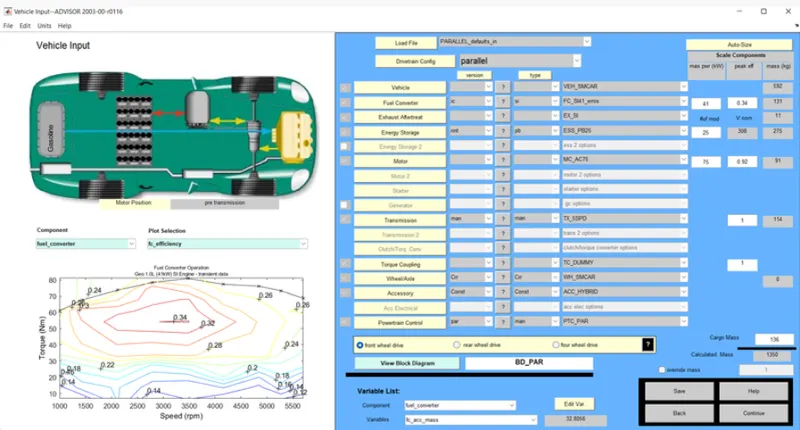
QUESTION 1:
1. For EV_defaults_in file, if cargo mass is 500 kg with all other default conditions, can the vehicle travel for 45 km with FTP drive cycle? Conclude your observations.
First we have to loading the EV_Default_in from drop down menu and change parallel_default_in to EV_default_in from the vehicle input window.
- now we can change the cargo mass to 500kg and we observe change in total mass of the vehicle
- click on continue buttton then after that a new window simulation parameter will pop on display
- Drive cycle changed to CYC_FTP in simulation parameter window and selecting the drop down menu
- in below that we will see the #of cycles from here we can set our drive cycle
- after click the RUN button the simulation will be start and it will show results in new window
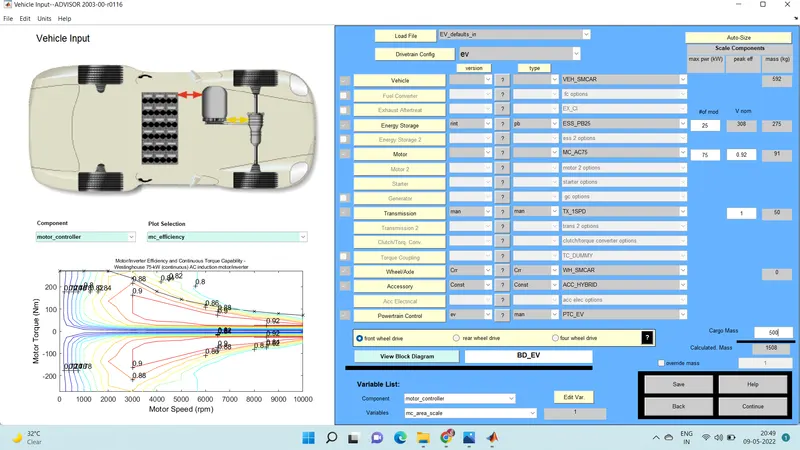
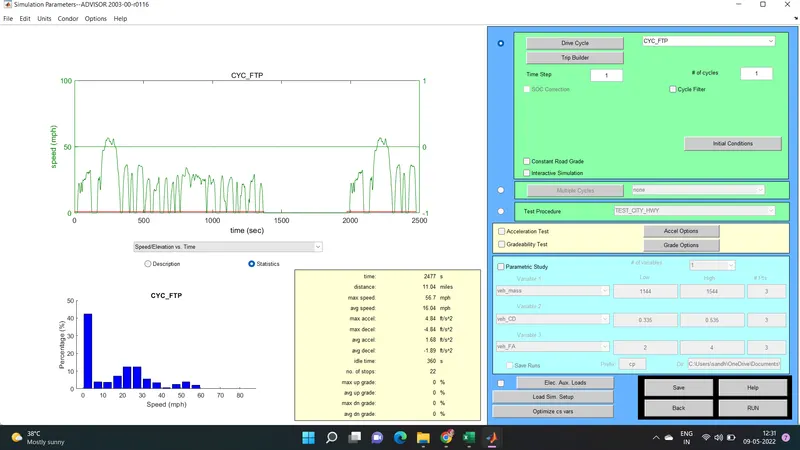
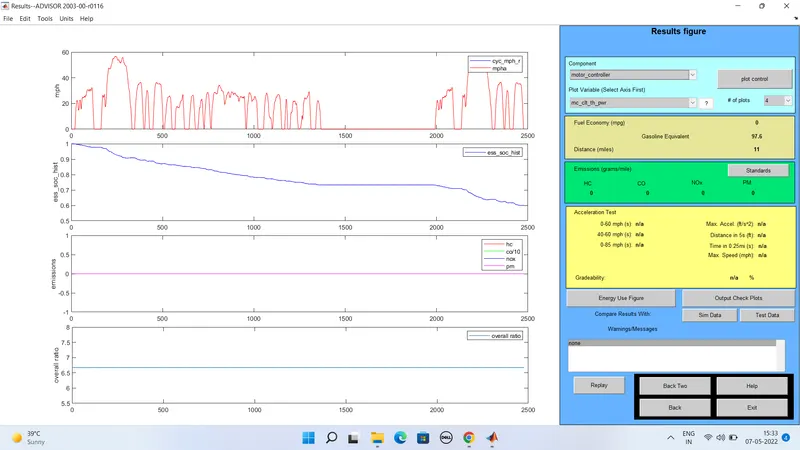
- press the run button ,the simulation will star and it will show the resuly in a window
- The vehicle travel distance in 1 drive is 11km.
INCRESING THE NO.OF DRIVE CYCLES TO 2:
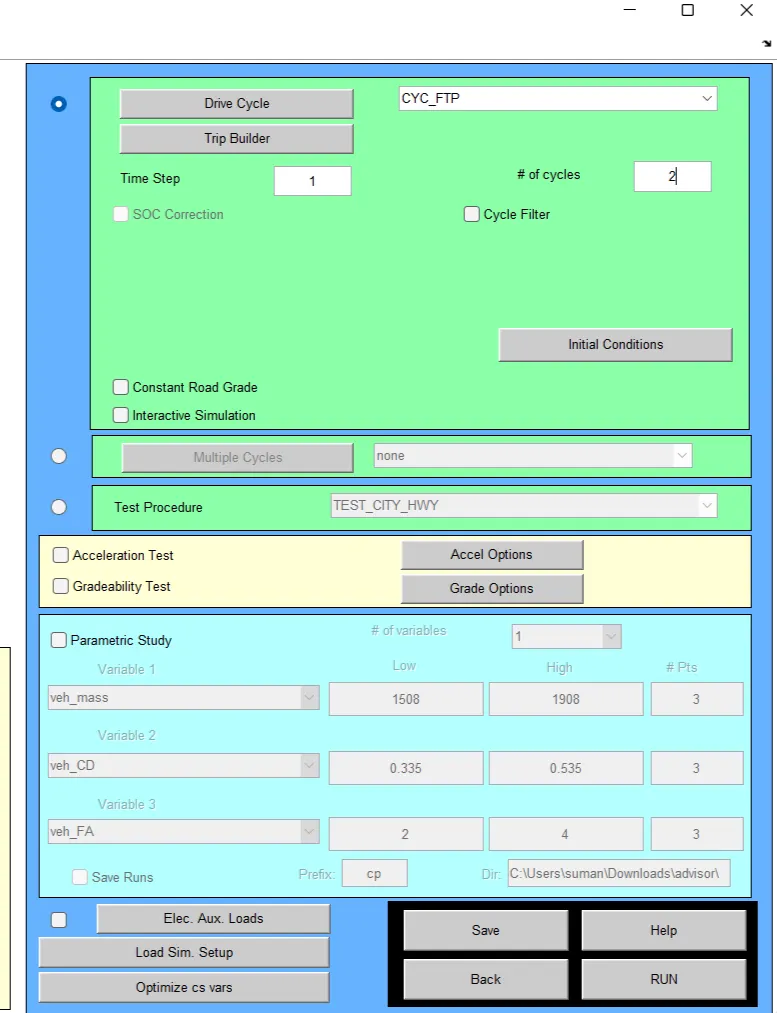
RESULT OF DRIVE CYCLE IS 2:
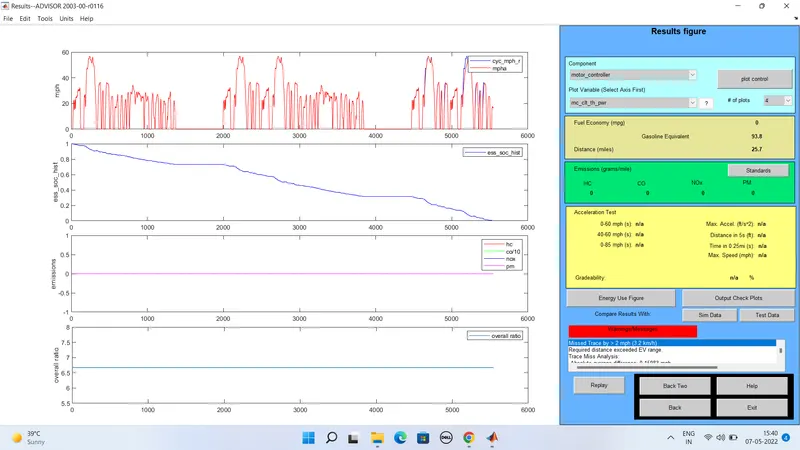
The vehicle travel the distance in with the drive cycle 2 is .25.7km
INCRESING THE NO.OF DRIVE CYCLES TO 3:
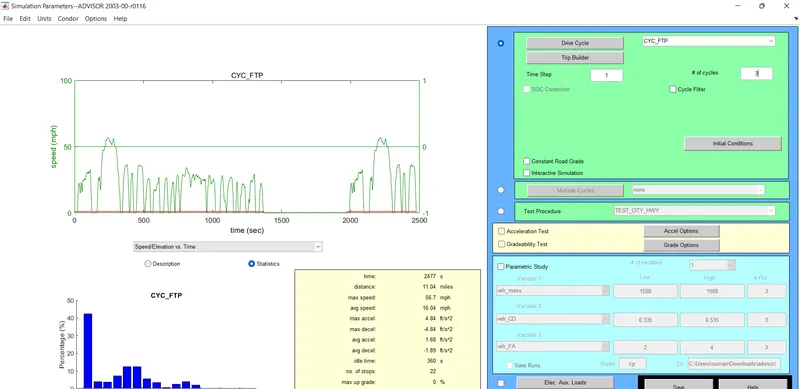
DRIVE CYCLE 3 RESULTS:
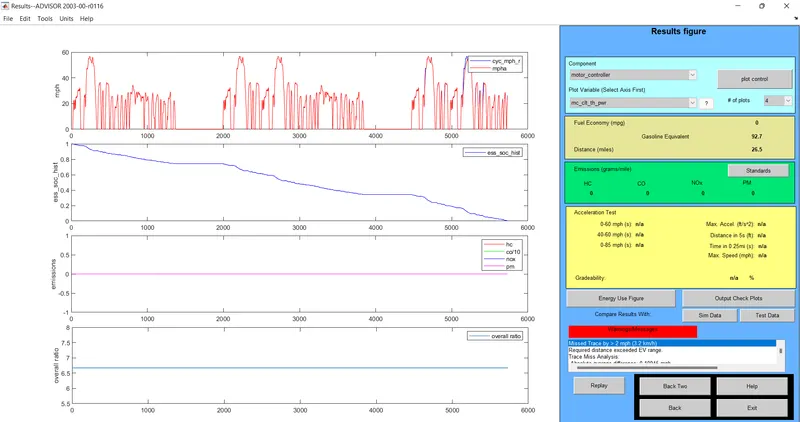
the distance is travelled by the vehicle in 3 drive cycle is 26.5 km of distance.
DRIVE CYCLES:
vehicle covered the distance in km
drive cycle 1=11km
drive cycle 2=25.7
drive cycle 3=26.7
The car traveled the minimum distance in km is 11km with the drive cycle of CYC_FTP is -1,the maximum distance travelled by a car is 26.7 km with the drive cycle of CYC_FTP is 3. its consumes the 100% of batery to run the 4 drive cycles.
The EV_default cannot be travel the distance of 45km due to the insufficient of SOC.
QUESTION2:
2. In the above case, try changing the battery capacity and repeat the simulation
- In the vehicle input window we have to change the capacity of battery from energy storage it will be open in first window "#of mod v nom" describes the battery capacity
- so we will change the module no.of batterys from the first box and we will see the voltage and weight of the battery.
- now click on continue for further proceszs
- a new simulation parameter window will open here we have to change the drive cycle 2-3 one at the time and run the simulation
- after compliting the simulation we will see the result in window where we observe the change in distance of vehicle travele
- we can repeate this simulation by changing the battery module and the drive cycle.
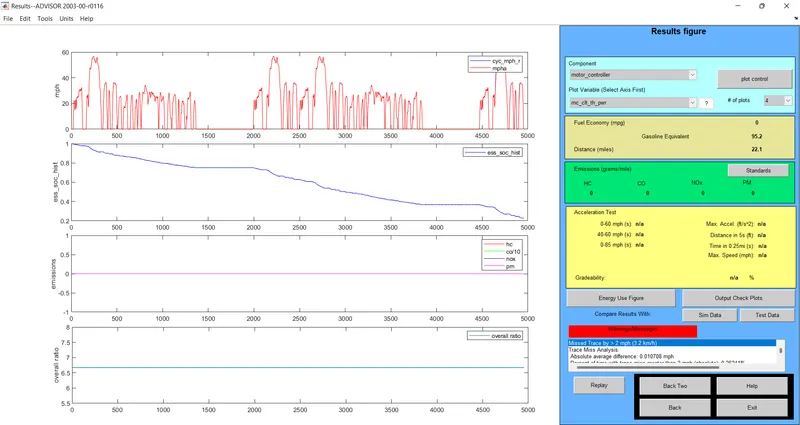
1)energy storage system with 27 module and 2 drive cycles:

Drive cycle 2 results with the energy storage is 26:
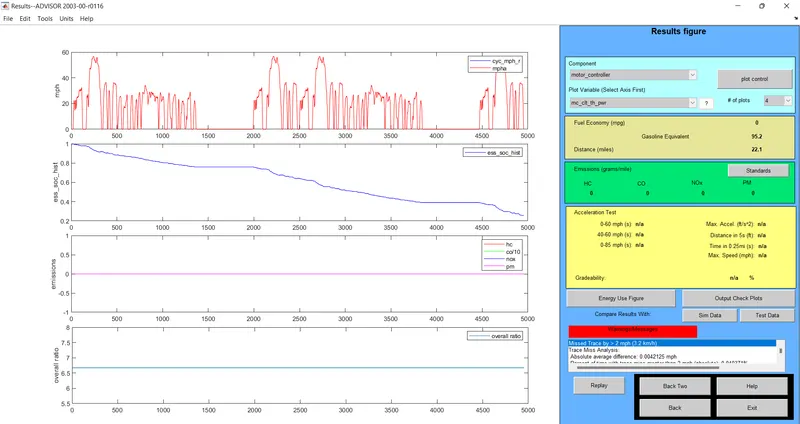
2)energy storage system is 27 with the drive cycle 2:

Result for the drive cycle 2 with the energy storage system is 27:
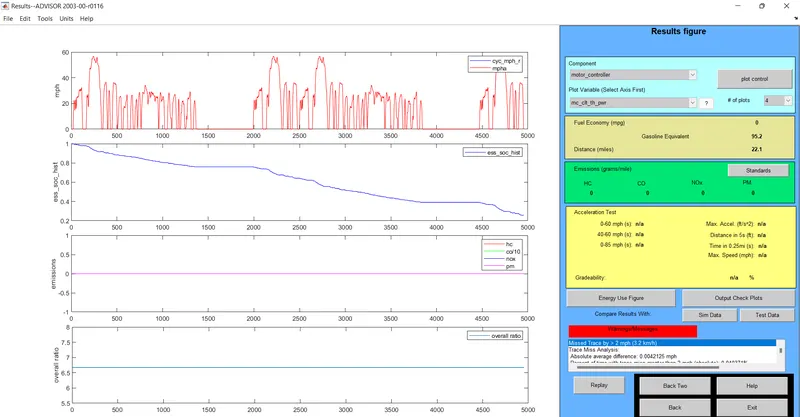
3)energy storage system 28 with the drive cycle is 2:

The drive cycle 2 results with the energy storage system is 28:
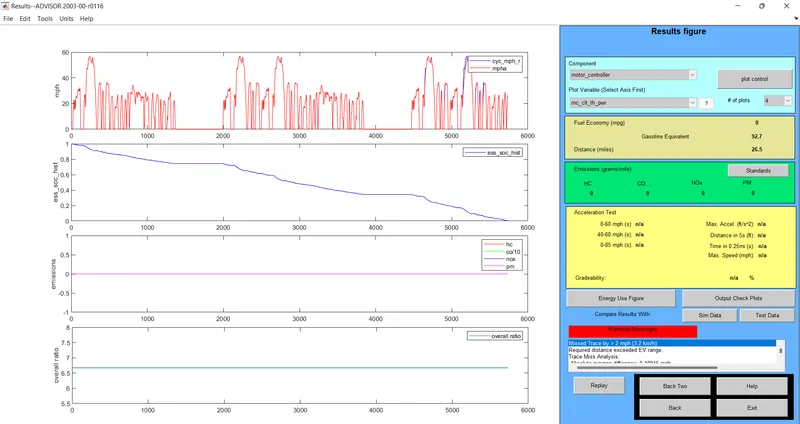
4)energy storage system is 26 with the drive cycle is 3 :
Drive cycle 2 results with energy storage system is 26:
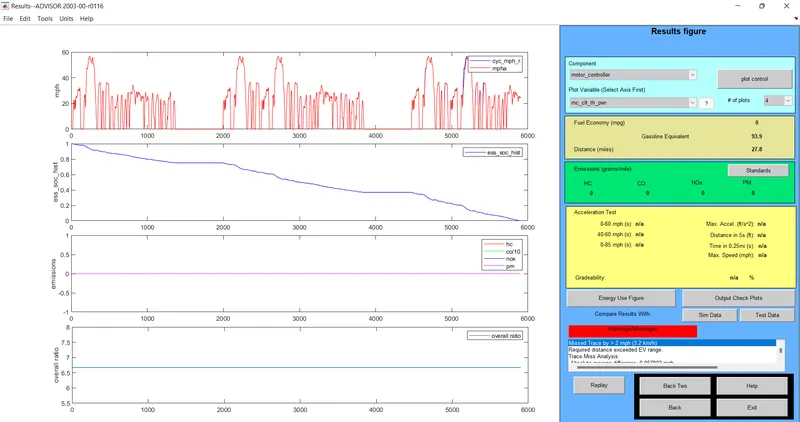
5) energy storge system 27 with the drive cycle is 3:
results for drive cycle 3 with energy storage system 27:
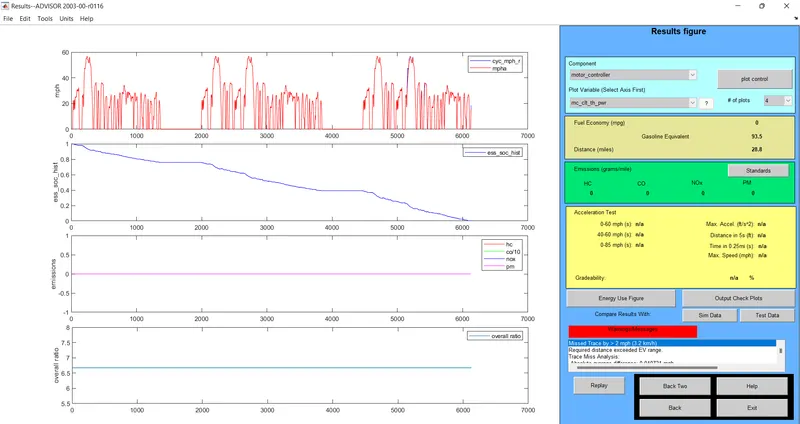
6) energy storage system is 28with the drive cycle is 3:
Drive cycle 2 results with energy storage system 28:
drive cycle 1
battery mod=26,27,28
voltage=321,333,345
km=22.1,22.1,22.1
battery weight=286,297,308
drive cycle =3
batter mod=26,27,28
voltage=321,333,345
km=26.5,27.8,28.8
battery weight=286,297,308
Battery modules 28 and with 3 drive cycle the distance travelled is 28.8 km
- while changing the battery module in drive cycle 2 we get the constant distance travel
- we get the changes in the distance travel by vehicle to change the battery module in drive cycle
QUESTION3:
3)Perform gradeability test with PRIUS_Jpn_defaults_in filE And to Compare your results in table and conclude.
- in the advisor tool the vehicle input of window is selected for the PRIUS_JPN_default model
- continue the next window
- simulation parameter window will be open.
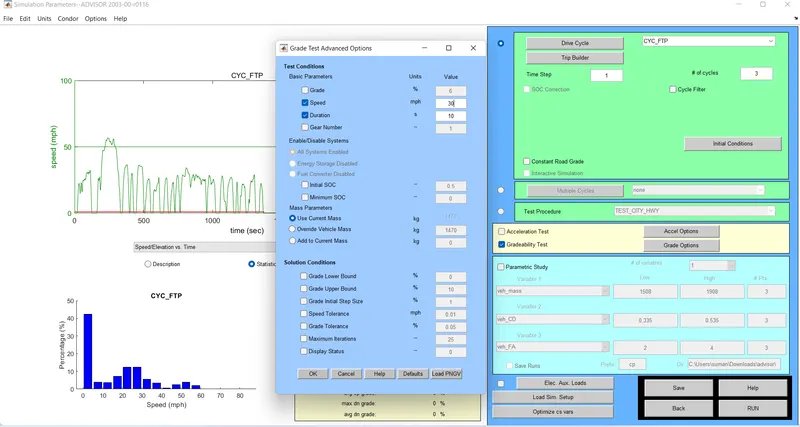
- then after select the gradebility value for the test and click on the grade option, a new dialogue will be opened.
- in the grade option box we can change the speed or duration with respect to our simulation.
- for this simulation,we need to change the speed one time and duration with another time.
- click on all system enabled
- also click on constant road grade
- click ok and run the simulation and a result window will opened and it showing the different results depended upon the input data.
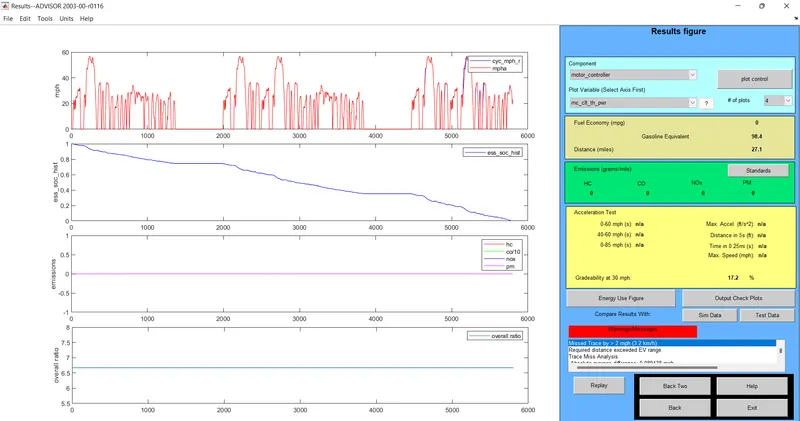
Result for the duration of 10 sec:
a)speed -20 miles/hrs or 30 kmph
Gradebility=17.2%
b)speed-25 miles/hr or 35 kmph
Gradebility=14.5%
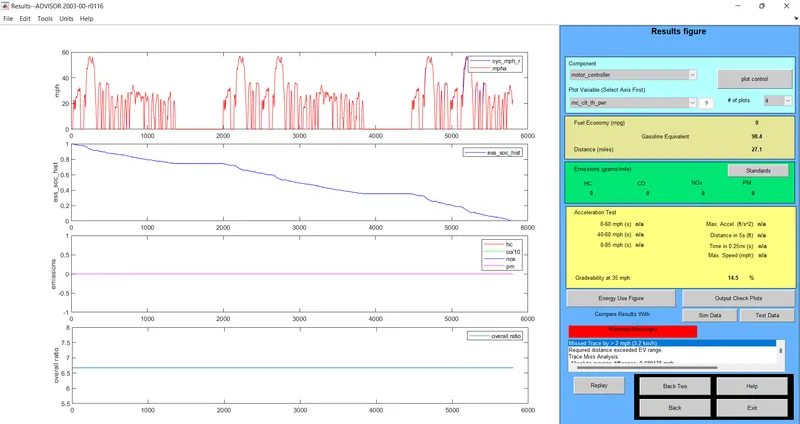
c)speed -30 miles/hr or 40 kmph
Gradebility=12.3%
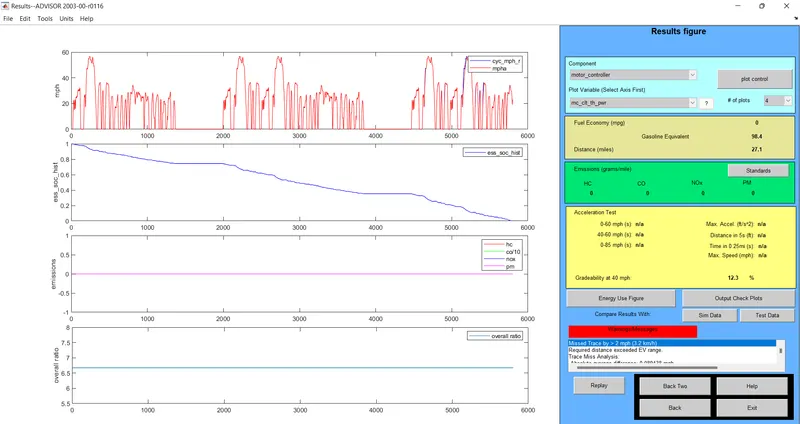
d)speed 35 miles/hr or 45kmph
Gradebility=10.5%
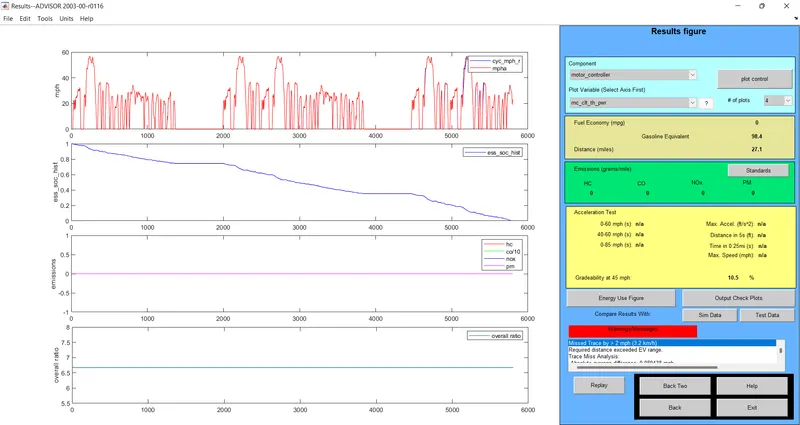
e)speed -40 miles/hr 0r 50 kmph
Gradebility=9
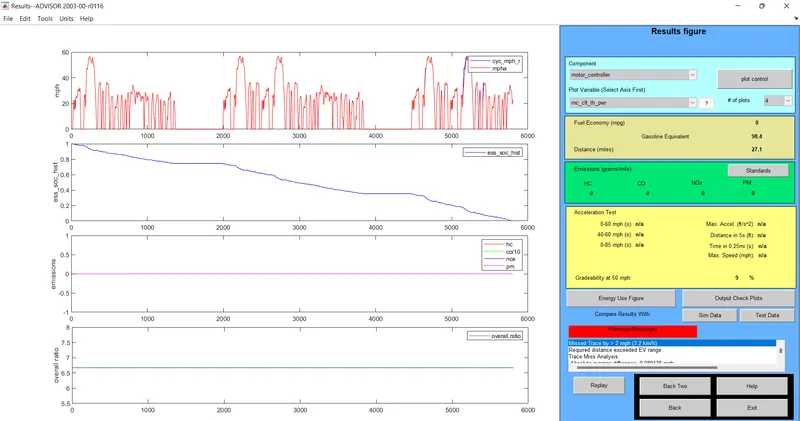
for the duration of 10 sec:
vehicle speed mph=20,25,30,45,50
vehicle speed kmph=30kmph,35kmph,40kmph,45kmph,50kmph
gradebility%=17.8,14.5,12.3,10.2,9
CONCLUSION:
we have successfully complete and verified the given tasks
1)DRIVE CYCLES:
vehicle covered the distance in km
drive cycle 1=11km
drive cycle 2=25.7
drive cycle 3=26.7
2)drive cycle 1
battery mod=26,27,28
voltage=321,333,345
km=22.1,22.1,22.1
battery weight=286,297,308
drive cycle =3
batter mod=26,27,28
voltage=321,333,345
km=26.5,27.8,28.8
battery weight=286,297,308
3)for the duration of 10 sec:
vehicle speed mph=20,25,30,45,50
vehicle speed kmph=30kmph,35kmph,40kmph,45kmph,50kmph
gradebility%=17.8,14.5,12.3,10.2,9
4)in this process i observe when the vehicle speed is increases there is decrease in gradeability for both 10sec and 20 sec duration of time