Week-3 Challenge: ADVISOR Tool
WEEK 3 CHALLENGE (HEV)
ADVISOR TOOL
Use ADVISOR tool and simulate the following
- For EV_defaults_in file, if cargo mass is 500 kg with all other default conditions, can the vehicle travel for 45 km with FTP drive cycle? Conclude your observations.
Answer:
What is ADVISOR & who might benefit from using it?
ADVISOR, NREL’s ADvanced VehIcle SimulatOR, is a set of model, data, and script text files for use with MATLAB and Simulink. It is designed for rapid analysis of the performance and fuel economy of conventional, electric, and hybrid vehicles. ADVISOR also provides a backbone for the detailed simulation and analysis of user defined drivetrain components, a starting point of verified vehicle data and algorithms from which to take full advantage of the modeling flexibility of Simulink and analytic power of MATLAB.
You may benefit from using ADVISOR if you want to:
- Learn how conventional, hybrid, or electric vehicles utilize (and lose) energy throughout their drivetrains in order to estimate the fuel efficiency of yet-to-be-built vehicles.
- Comparing the relative tailpipe emissions generated by various cycles
- Analyze a fuel converter energy management strategy for your hybrid vehicle.
- To reduce fuel consumption or increase performance, for example, optimize the gear ratios in your transmission.
The models in ADVISOR are:
largely empirical, relying on input/output relationships between drivetrain components that have been measured in the lab, and quasi-static, using information gathered during steady state tests (for instance, constant torque and speed) and accounting for transient effects like the rotational inertia of the drivetrain components.
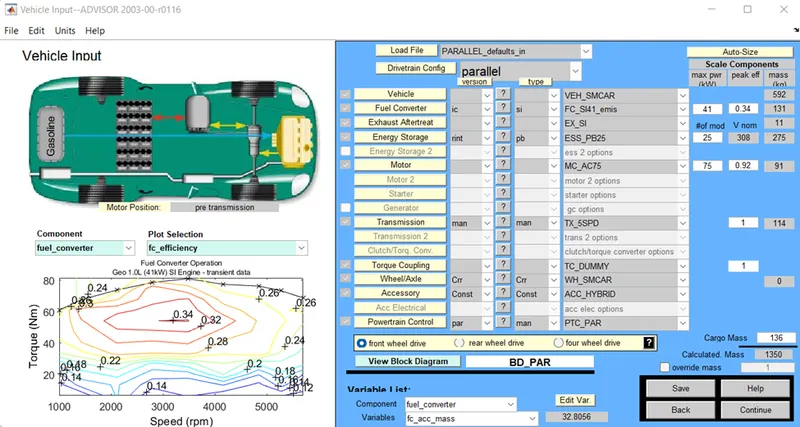
This is the Default loaded screen of the advisor tool the coding is loaded in the command window. In the Command window Type Advisor and press enter the Advisor tool is starts Loaded have to select the in the Metric type and click start.
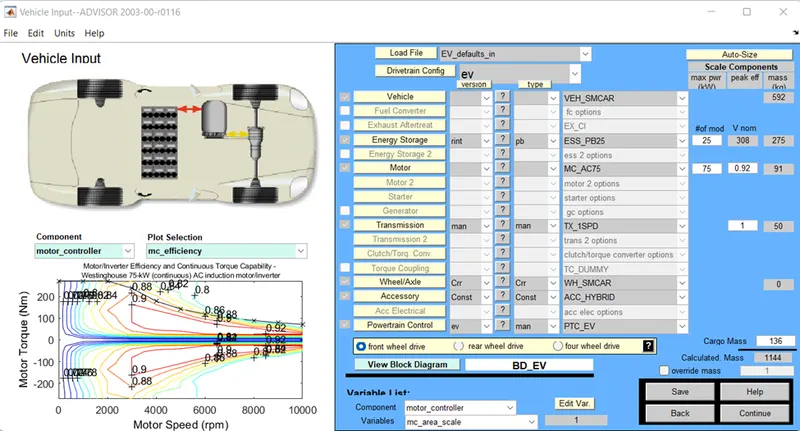
From the give question we have to select the (EV_defaults_in file) in the Load file, the all configurations are changed according to the vehicle defaults.
These Contains, Vehicle, fuel Converter, Exhaust afertreat, Energy storage, Motor, Transmission, Torque Coupling, Wheel Axle, Accessory, Power train Control.
Some of the values can be changed and the Modifications made results can be obtained.
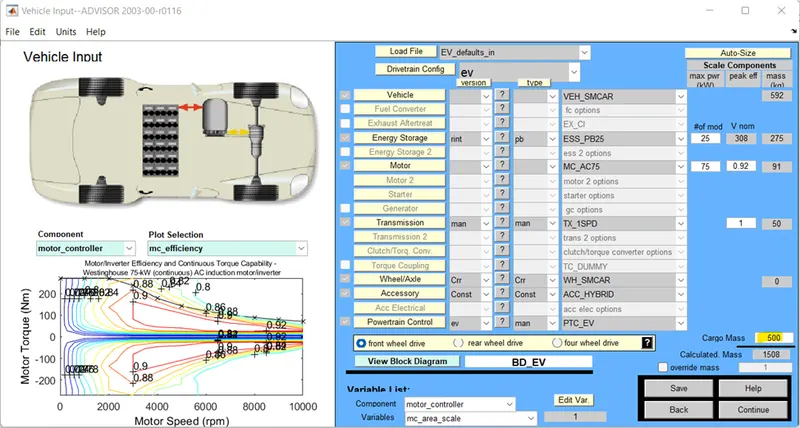
For the Cargo mass in Kg we have to change the input value to the 500 Kg. So, the Calculated Mass is 1508.
After changing the Cargo Mass the Click on the Continue.
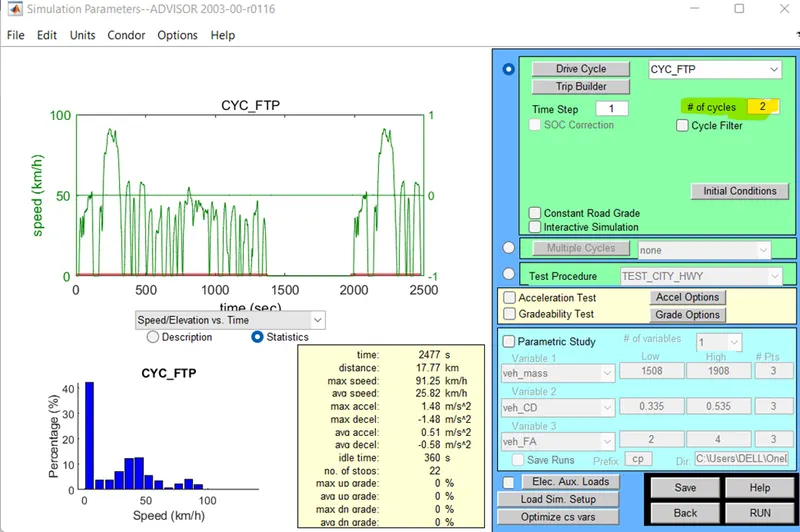
Next the given data from the question is have to change the drive cycle to (CYC_FTP). That is done in the Drive cycle box.
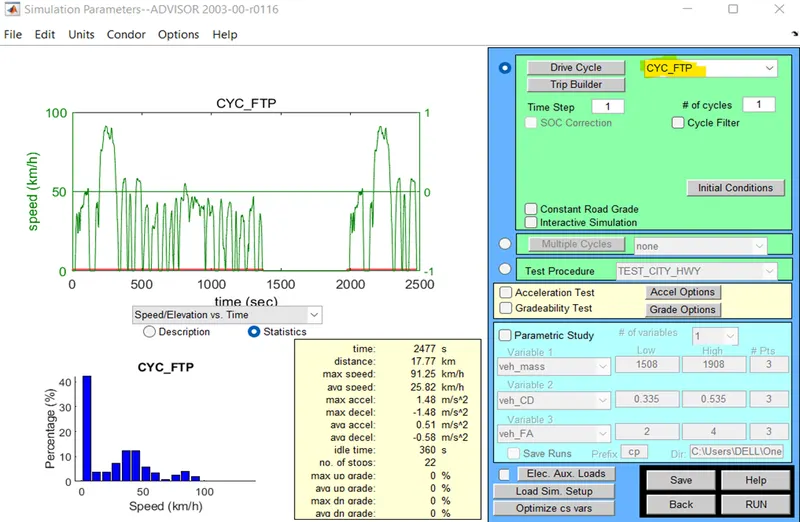
Step 1: (For the Number of # Cycle is set to 1) Click the Run button
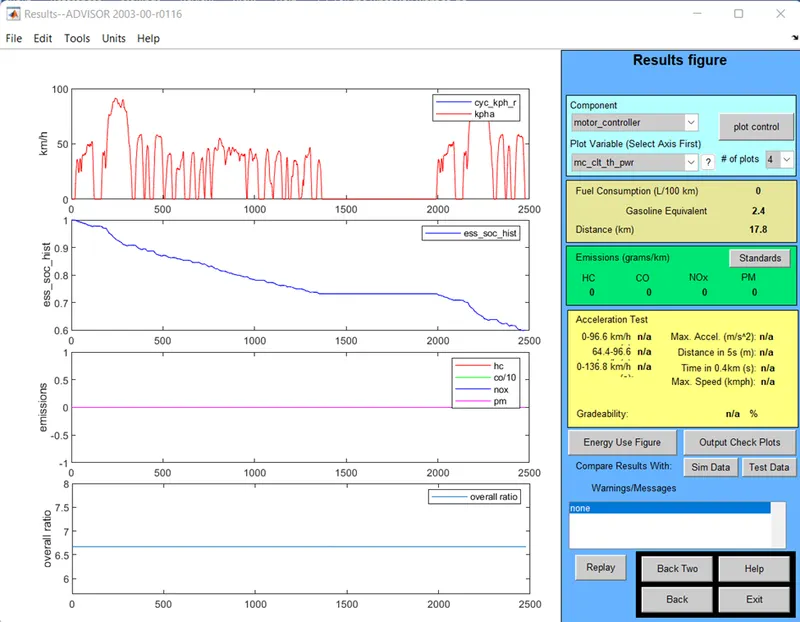
- Here the distance Traveled by the vehicle in 1 Cycle or Drive is 17.8 km
- For the 1 Drive Cycle SOC = 42% (USED)
Step 2: (For the Number of # Cycle is set to 2) Click the Run button
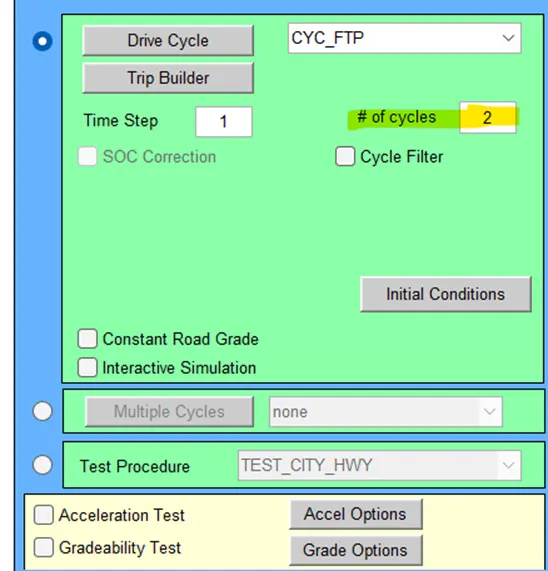
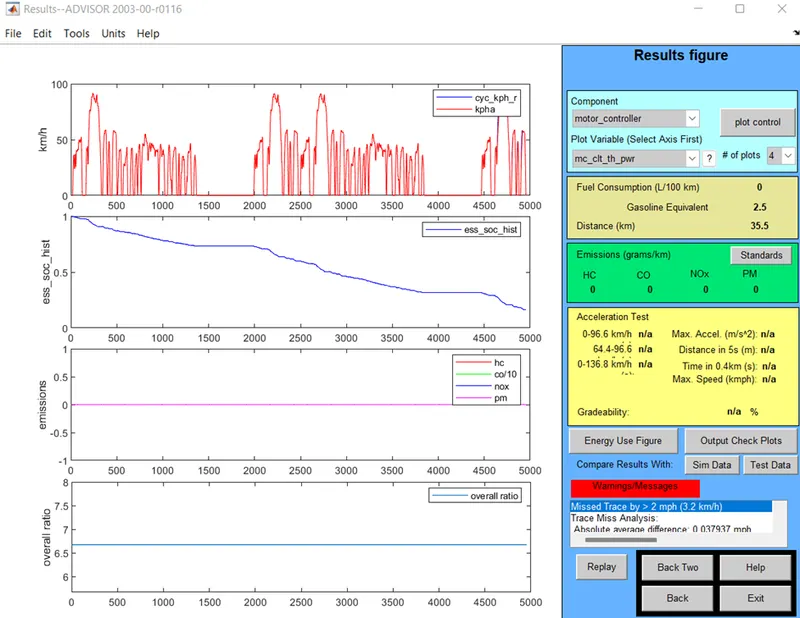
- Here the distance Traveled by the vehicle in 2 Cycle or Drive is 35.5 km
- For the 2 Drive Cycle SOC = 84% (USED)
Step 3: (For the Number of # Cycle is set to 3) Click the Run button
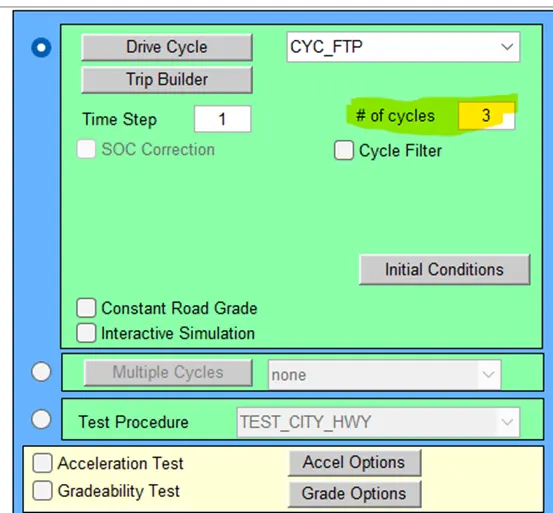
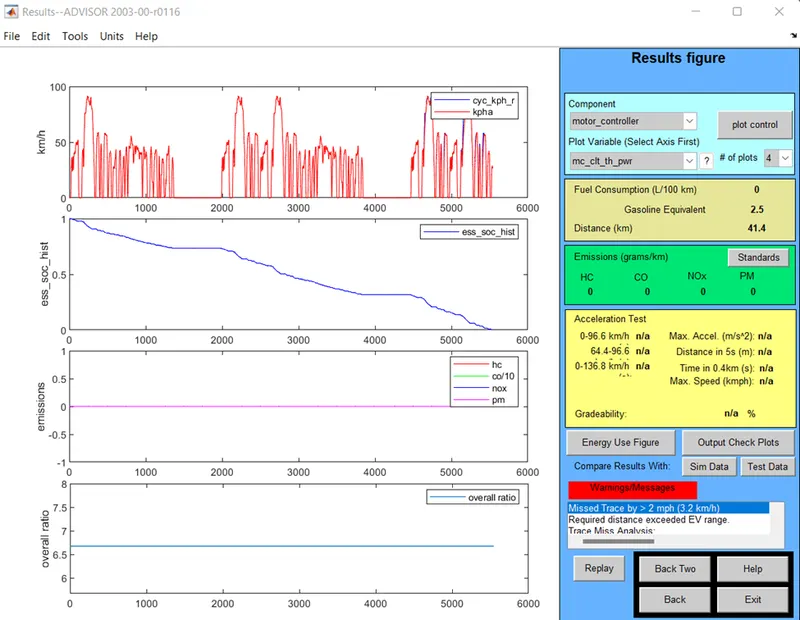
- Here the distance Traveled by the vehicle in 3 Cycle or Drive is 41.4 km
- For the 3 Drive Cycle SOC = 100 % (USED)
No of Cycles:
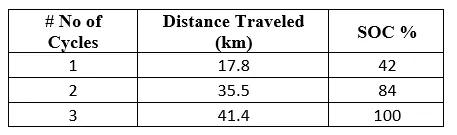
Hence EV_defaults_in cannot Travel over the Distance of 45 km because of insufficient of SOC, this Vehicle can Travel up to 41.4km
Note: If the cargo mass is reduced it can travel to the required km. if the Weight reduced the Distance covered also increased.
- In the above case, try changing the battery capacity and repeat the simulation.
Answer:
In the above case we had done repeat the same given data and the only thing we have to change is Battery Capacity.
From the same model we have to change the battery capacity.
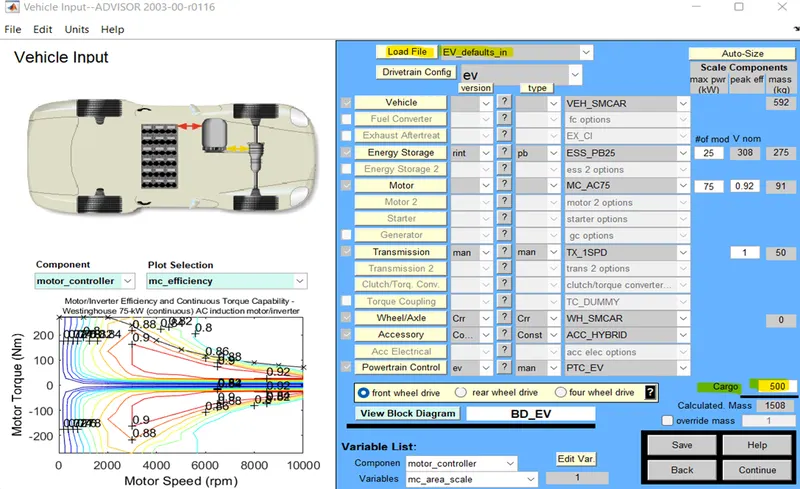
#of mod that box we have to change the battery capacity for the different number of cycles.

1) Energy Storage system mode = 26
No of Drive Cycle = 2

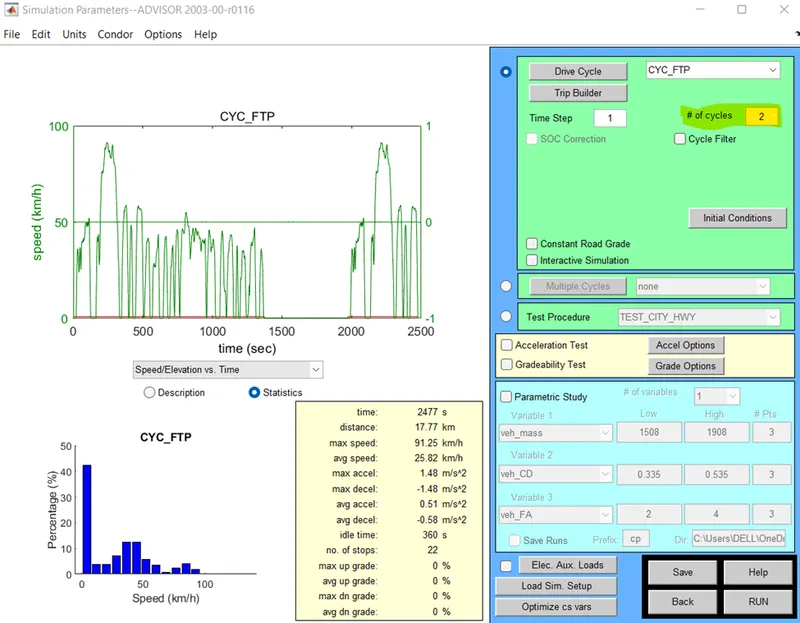
No of Drive Cycles is changed to 2.
Output:
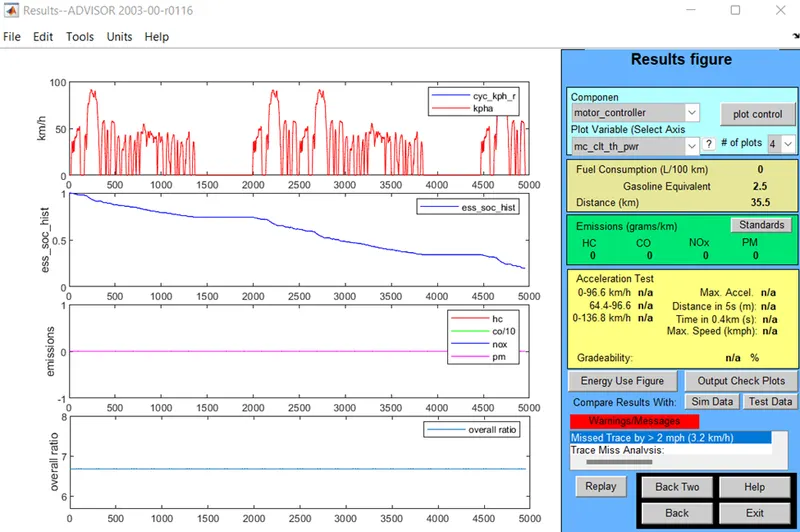
Here the Distance Traveled is 35.5 km.
2) Energy Storage system mode = 27
No of Drive Cycle = 2

Output:
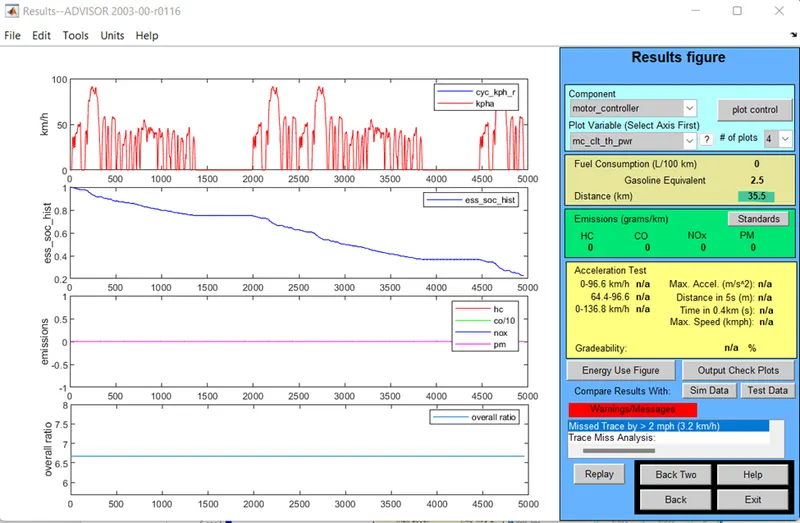
Here the Distance Traveled is 35.5 km.
Hence there are maintaining the same as the previous.
3) Energy Storage system mode = 28
No of Drive Cycle = 2

Output:
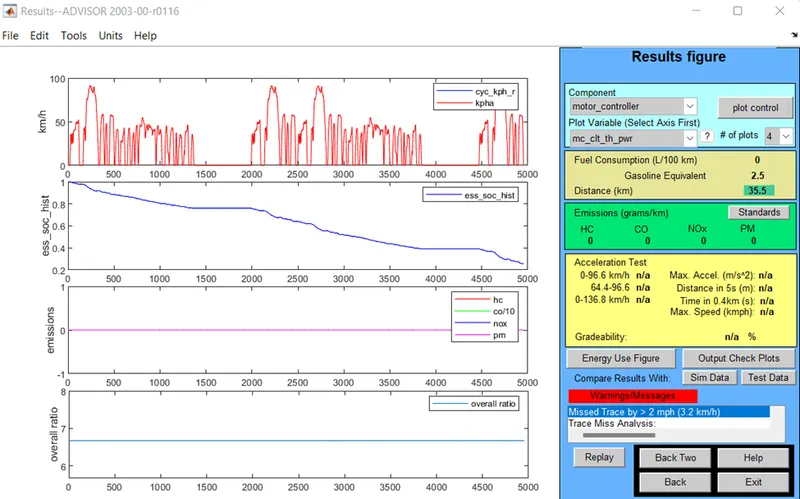
Here the Distance Traveled is 35.5 km.
Hence there are maintaining the same as the first and the Second.
1) Energy Storage system mode = 26
No of Drive Cycle = 3

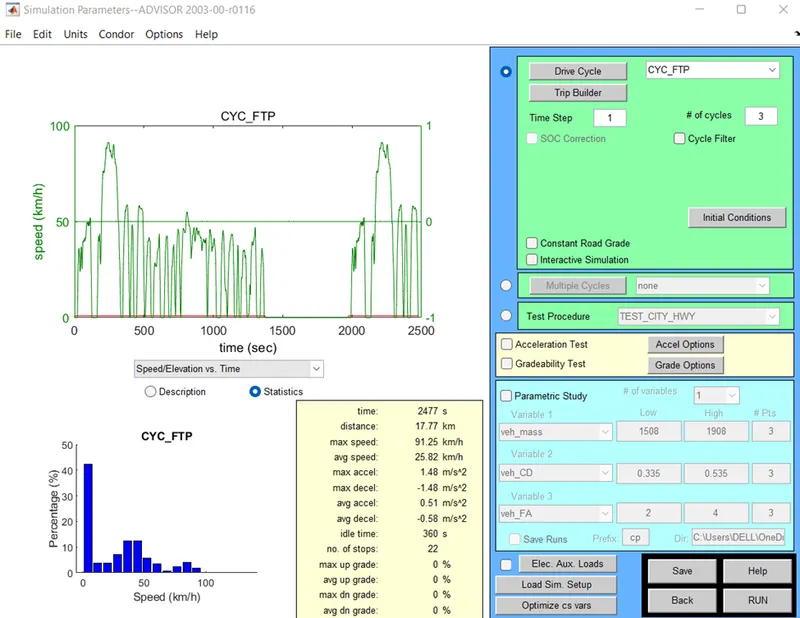
The No Drive Cycles is changed to the 3.
Output:
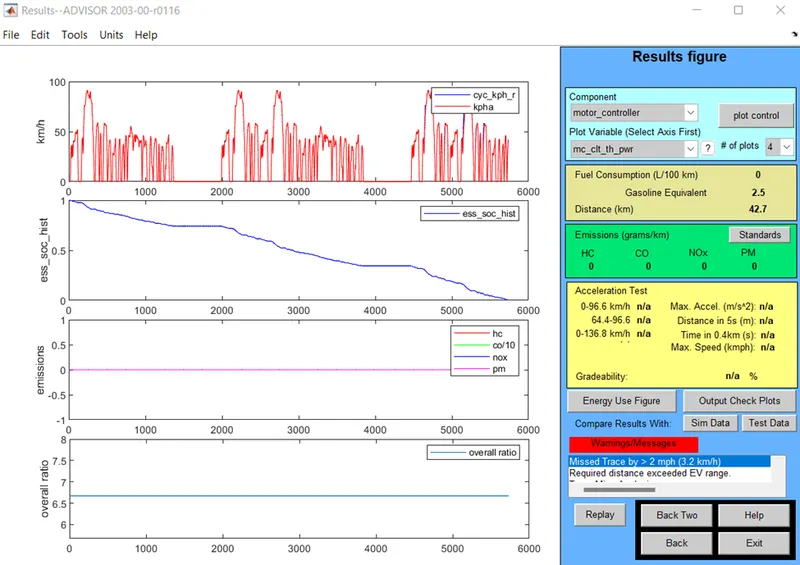
Here the distance Traveled is 42.7 km.
2) Energy Storage system mode = 27
No of Drive Cycle = 3

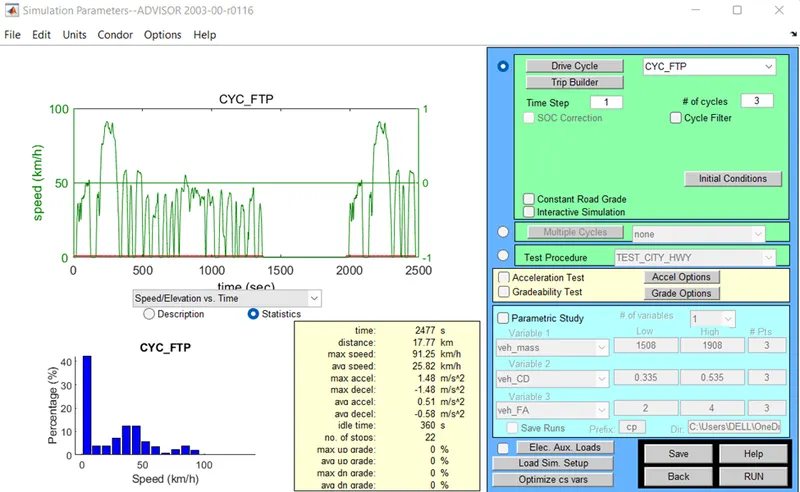
Output:
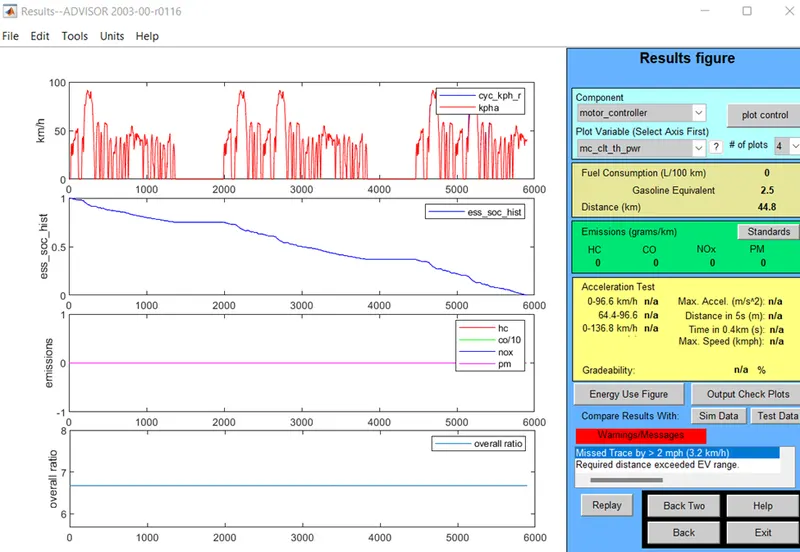
Here the distance Traveled is 44.8 km.
3) Energy Storage system mode = 28
No of Drive Cycle = 3

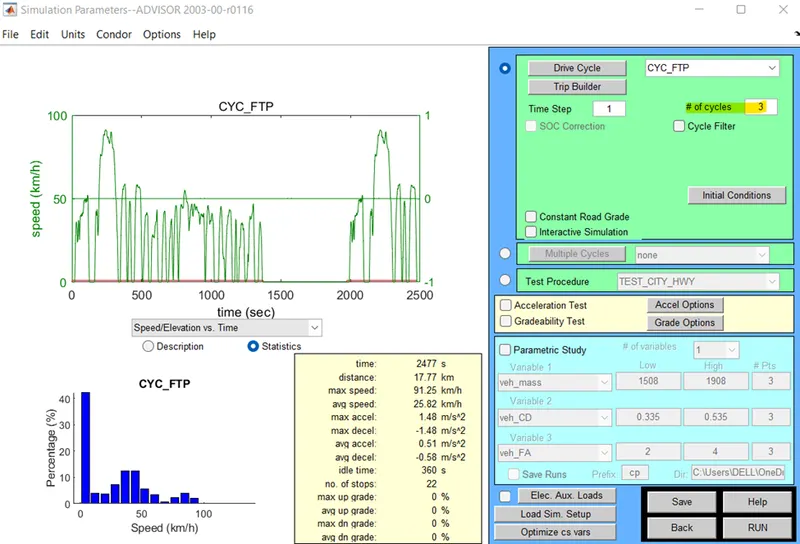
Output:
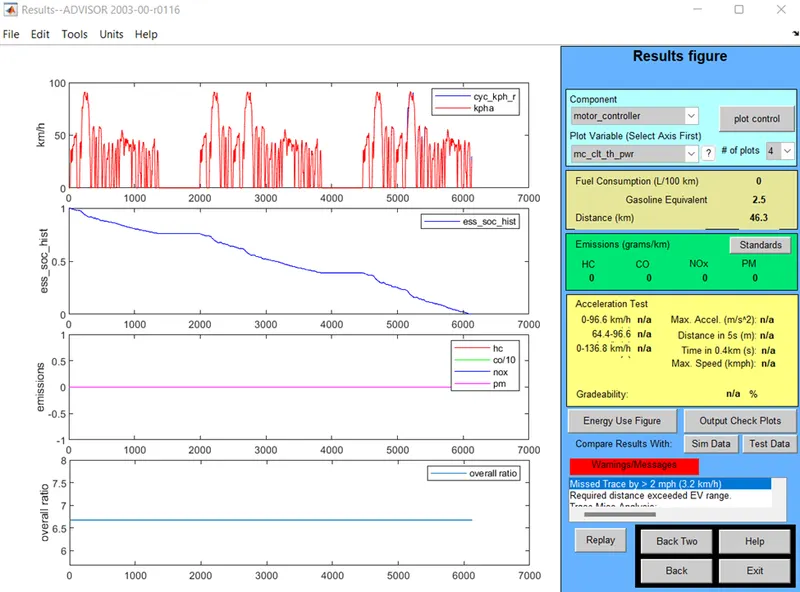
Here the distance Traveled is 46.3 km.
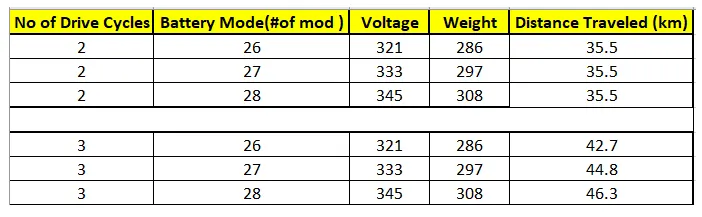
Comparison Table:
Observations:
- For the 45 km of the distance Traveled the 28-module battery package is required. (345 volt)
- On the drive cycle 2 we get the constant distance traveled.
- On the drive cycle 3 we get the different number of varying distances.
- Perform gradeability test with PRIUS_Jpn_defaults_in file
Compare your results in table and conclude.
Answer:.
Toyota Prius:
Toyota has introduced the redesigned Prius PHV in Japan that boasts an EV mode range of 68.2km, more than double that of its predecessor. New equipment has been added and charging convenience has been greatly improved, thus evolving the new Prius PHV into a prime vehicle.
Vehicle Model (ADVISOR)
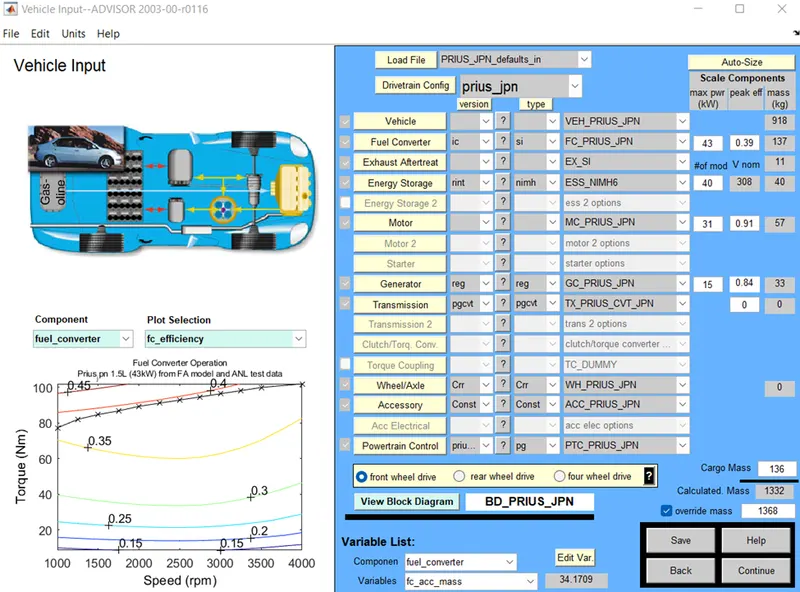
After click on the continue the Simulation Parameters Window will get open.
Here we change the Drive Cycle to the (CYC_FTP) to get the Different cycles.
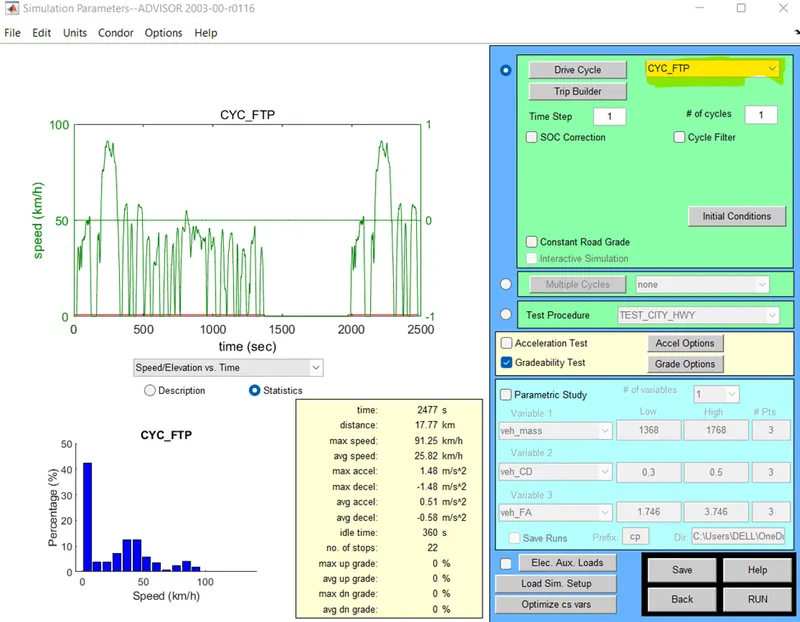
- After click on the Grade option

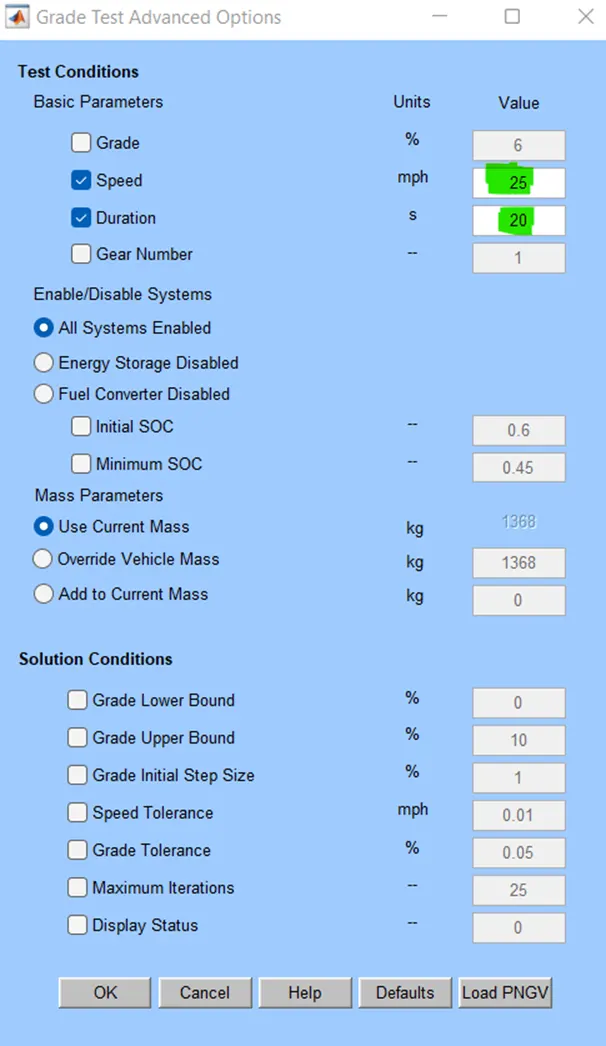
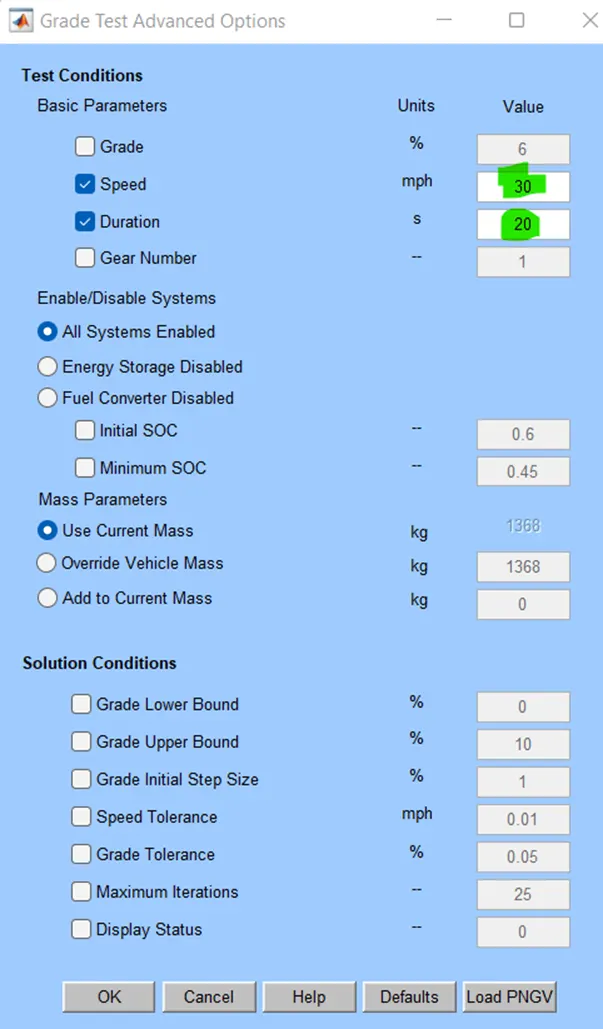
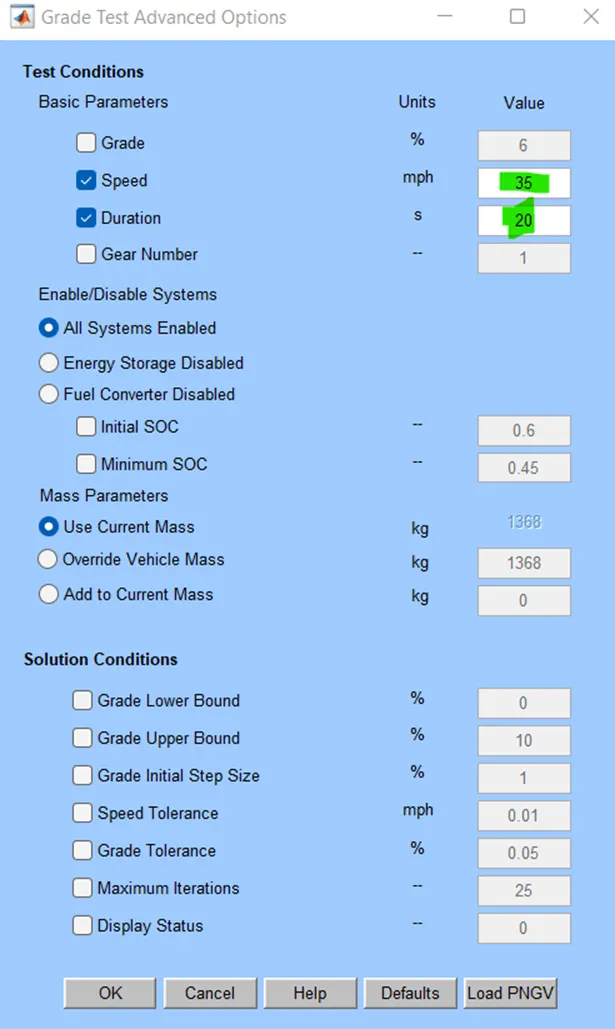
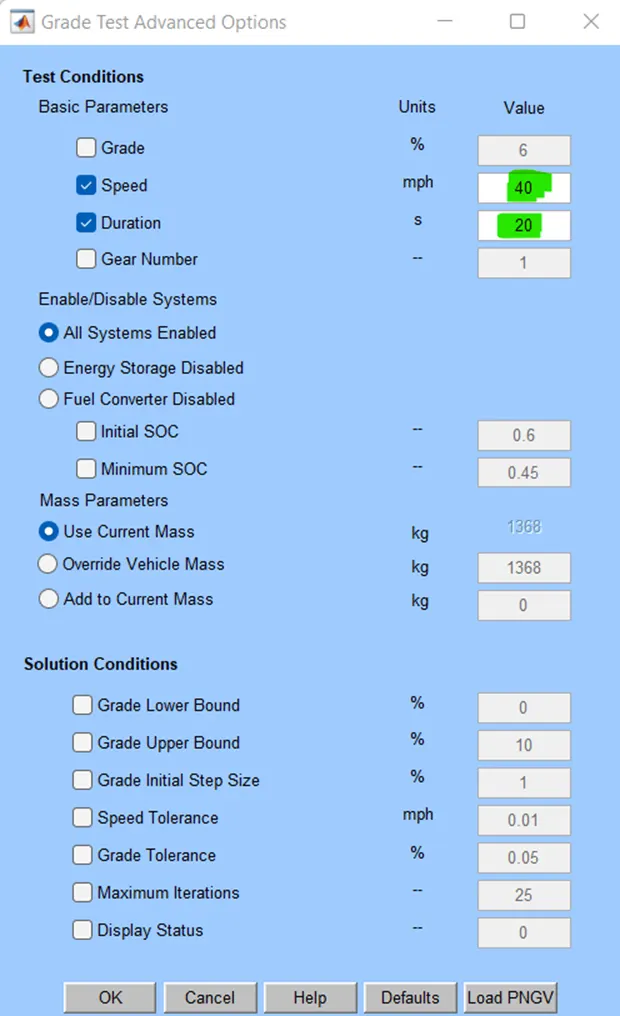
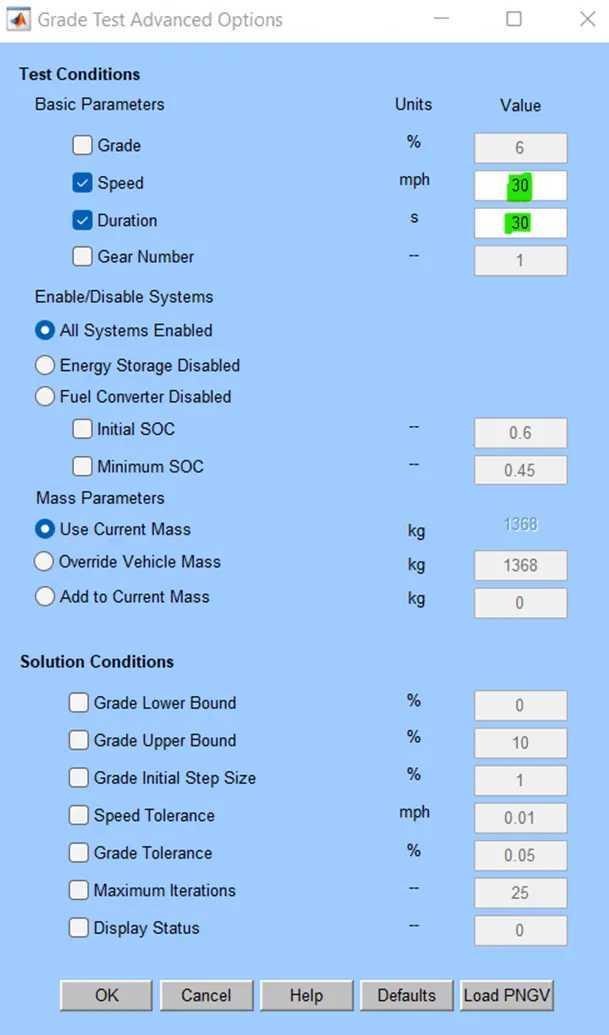
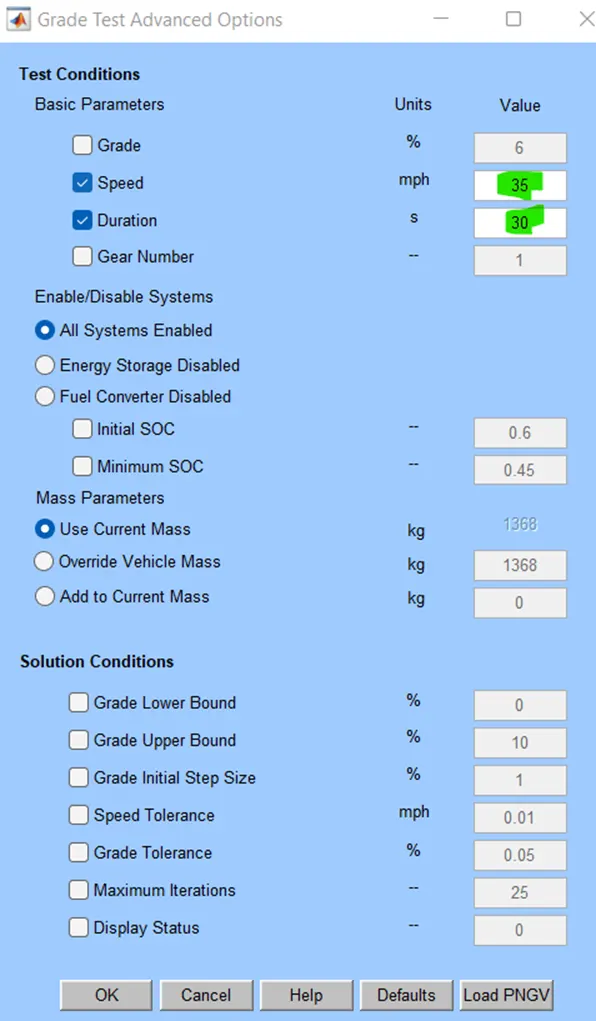
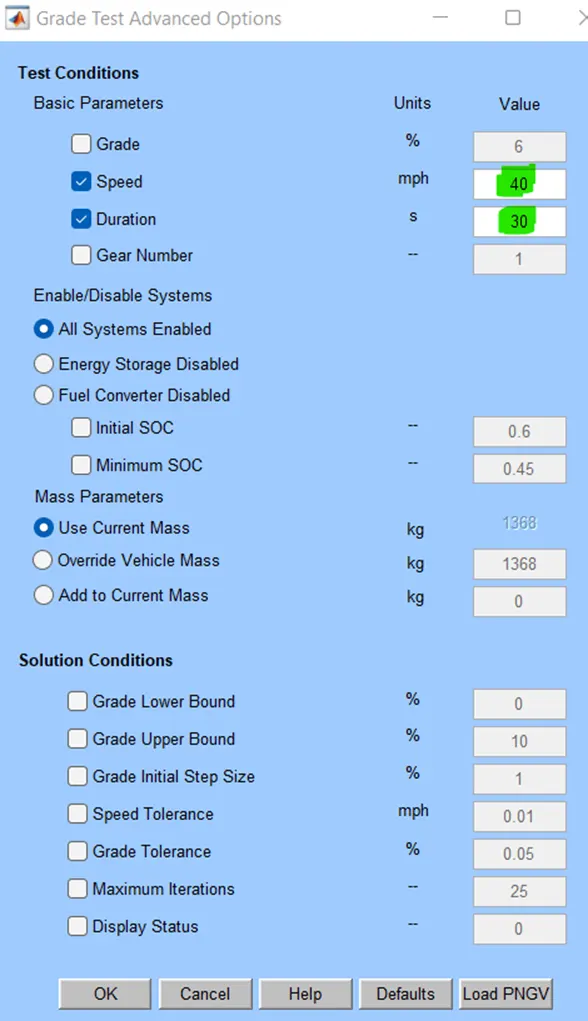
The Grade Test Advanced option window will open. In that we are going to change the Speed and Duration, as well as (All Systems Enabled) Radio button is changed.
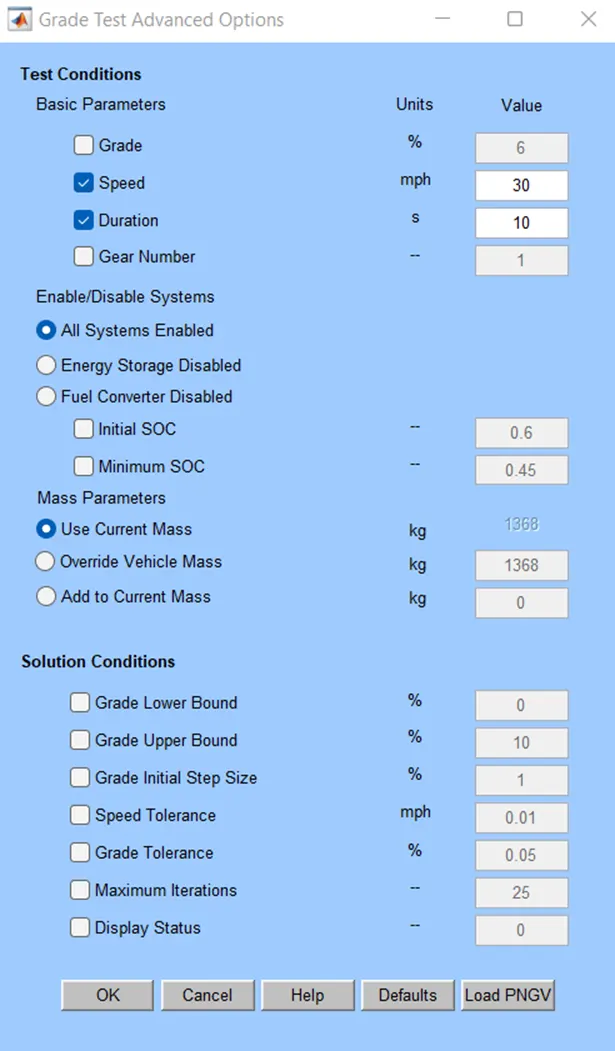
OUTPUT:
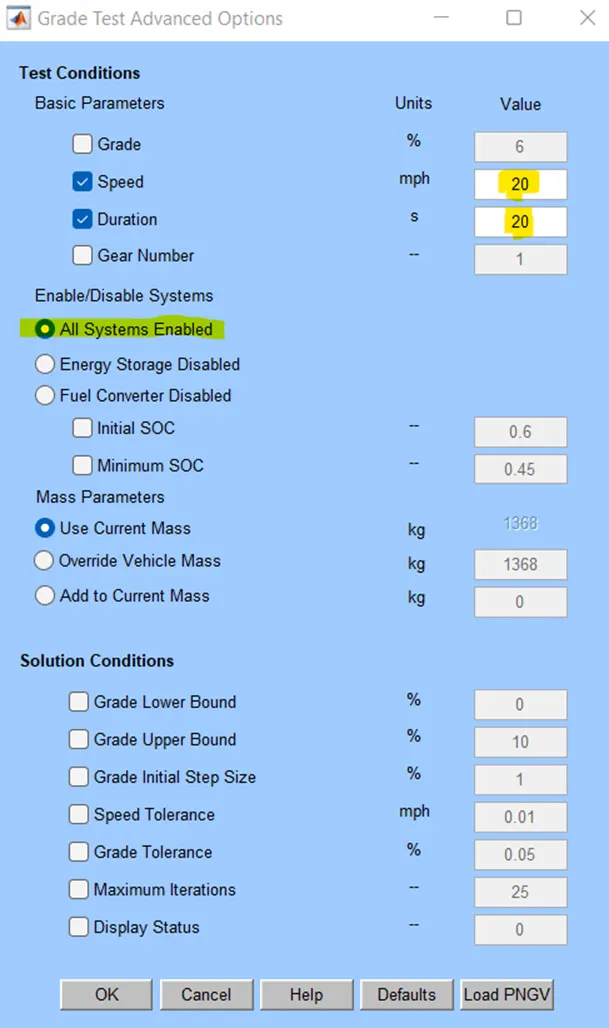
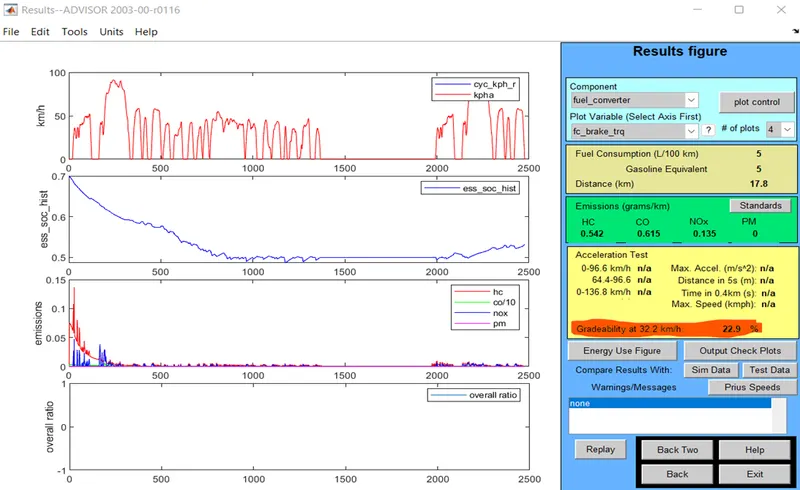
For the different speed have varied and the duration for 20 sec is obtained and shown below.
1. When,
Duration = 20 sec
Speed = 20 miles/hr (or) 32.2 kmph
GRADEABILITY = 22.9%
When,
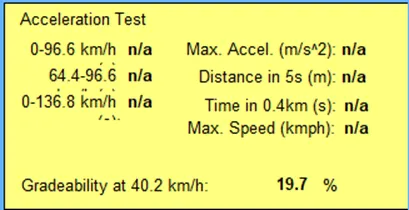
Duration = 20 sec
Speed = 25 miles/hr (or) 40.2kmph
GRADEABILITY = 19.7 %
When,
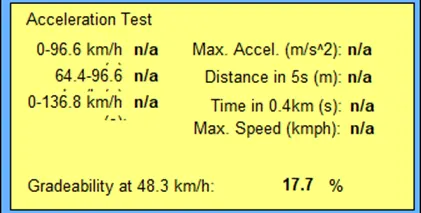
Duration = 20 sec
Speed = 30 miles/hr (or) 48.3kmph
GRADEABILITY = 17.7 %
When,
Duration = 20 sec
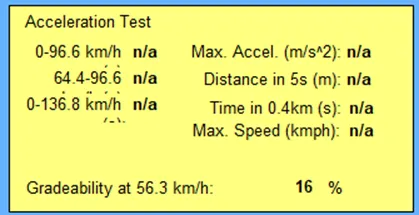
Speed = 35 miles/hr (or) 56.3kmph
GRADEABILITY = 16 %
When,
Duration = 20 sec
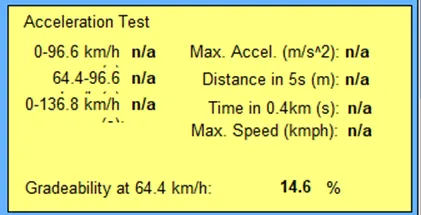
Speed = 40 miles/hr (or) 64.4 kmph
GRADEABILITY = 14.6 %
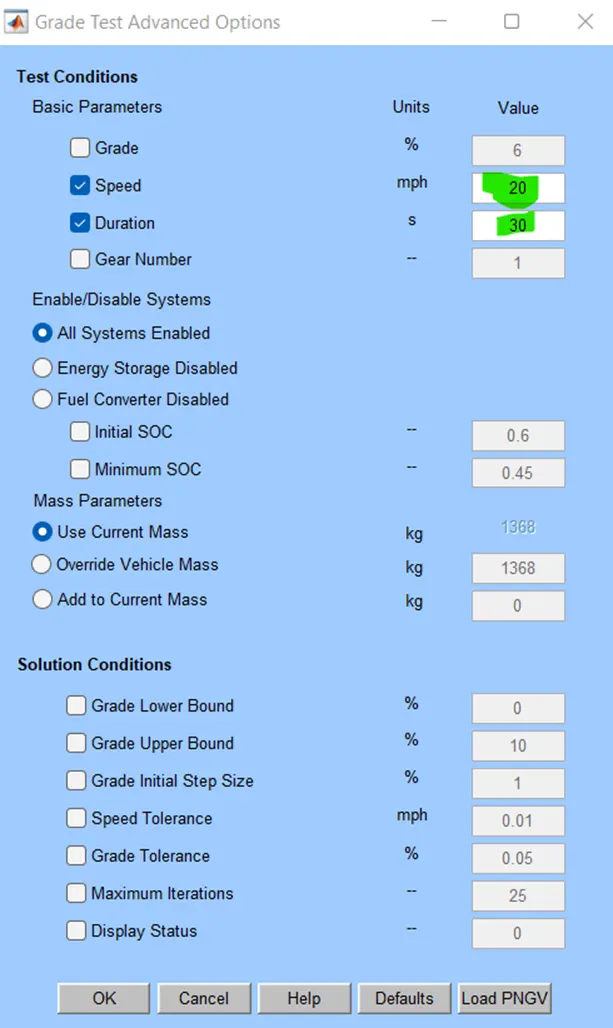
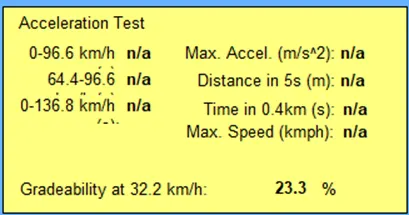
For the different speed have varied and the duration for 30 sec is obtained and shown below.
When,
Duration = 30 sec
Speed = 20 miles/hr (or) 32.2 kmph
GRADEABILITY = 23.3%
When,
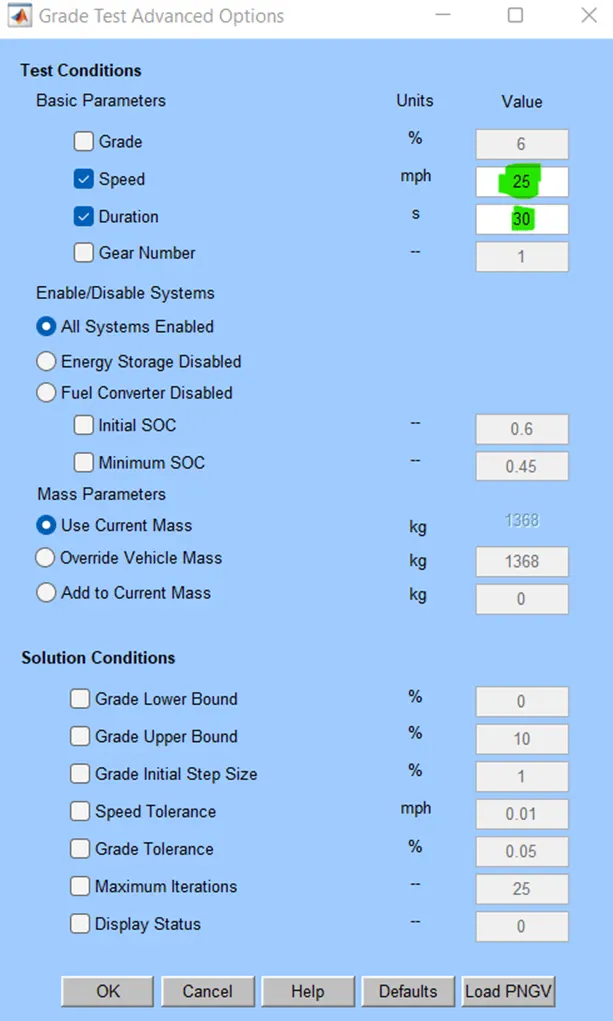
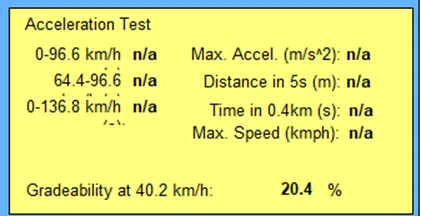
Duration = 30 sec
Speed = 25 miles/hr (or) 40.2kmph
GRADEABILITY = 20.4 %
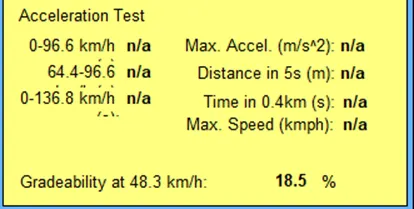
When,
Duration = 30 sec
Speed = 30 miles/hr (or) 48.3kmph
GRADEABILITY = 18.5 %
When,
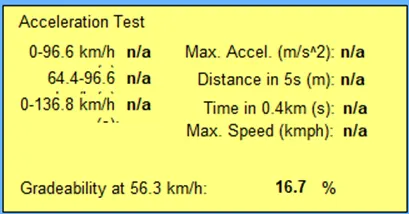
Duration = 30 sec
Speed = 35 miles/hr (or) 56.3kmph
GRADEABILITY = 16.7 %
When,
Duration = 30 sec
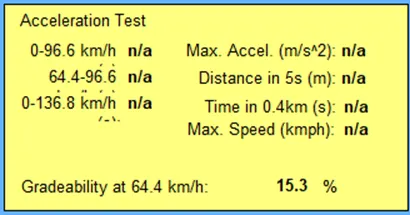
Speed = 40 miles/hr (or) 64.4 kmph
GRADEABILITY = 15.3 %
Observations made in the form of table:
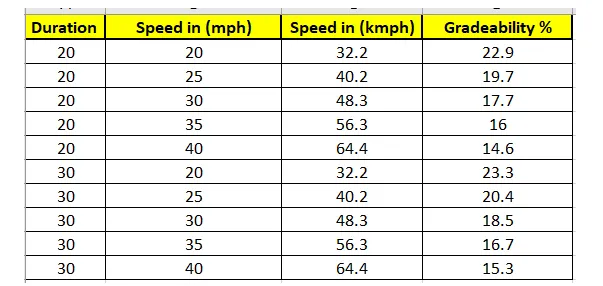
- When the speed is less the Gradeability is more & when the speed increases the Gradeability is less
Conclusion:
Thus the above questions are solved and implemented by the Advisor Tool Successfully.