Week-3 Challenge: ADVISOR Tool
TASK-1
EV_defaults_in Vehicle Observation using FTP drive cycle
AIM: To simulate the EV_defaults_in vehicle with FTP drive cycle by using ADVISOR Tool.
OBJECTIVE: To obtain the simulation results of the EV_defaults_in vehicle with FTP drive cycle by loading the EV_deafaults_in file in ADVISOR Tool.
DESCRIPTION:
Steps to do the simulation:
- Open the MATLAB.
- Type ADVISOR in the command window and press enter.
- ADVISOR Tool window will open on the screen
- Select the metric units and click on start.
- Vehicle input window will open.
- Then load the EV_deafaults_in file.
- As given change the cargo mass value to 500 kg and keep all other parameters are same.
- Click on continue then you will get simulation parameters window.
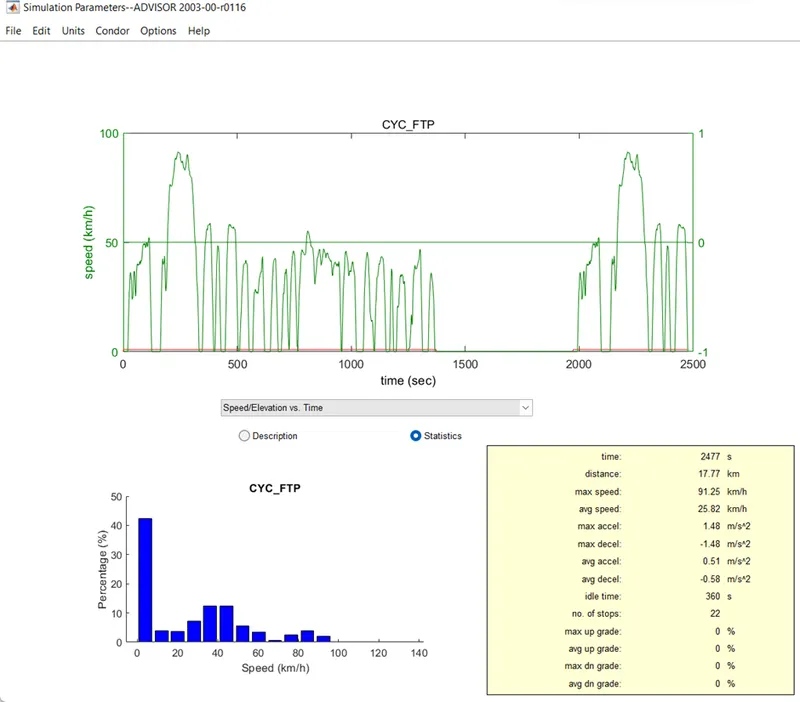
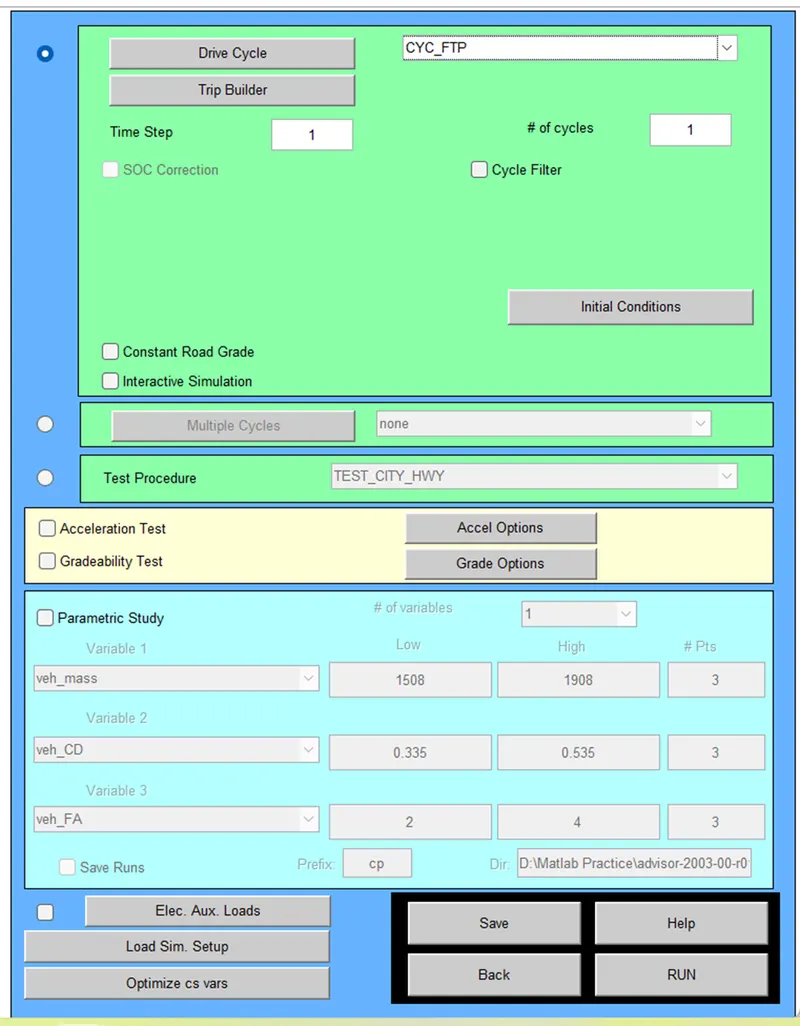
- Select the FTP drive cycle. We can observe the FTP drive cycle input at left side of window (drive cycle images provided below).
- Click on run.
- Results window will open.
FTP drive cycle input:
Results-1:
Observation-1:
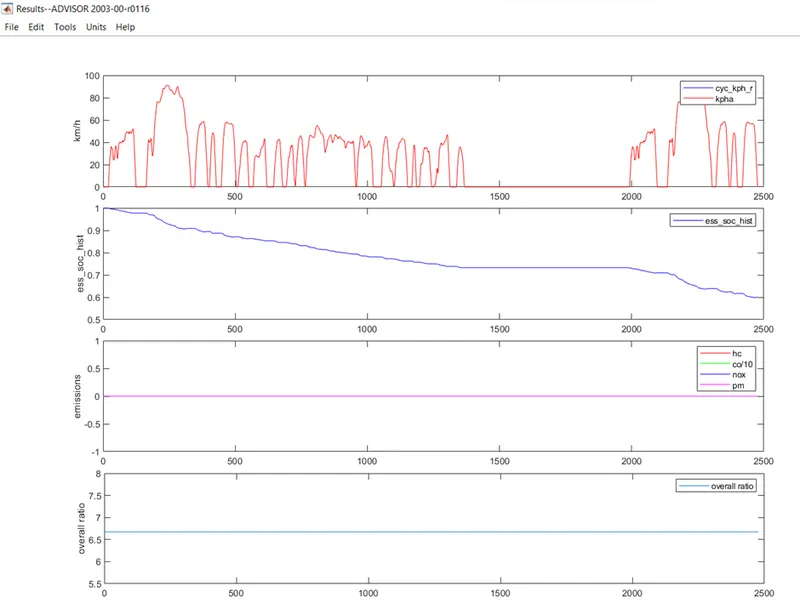
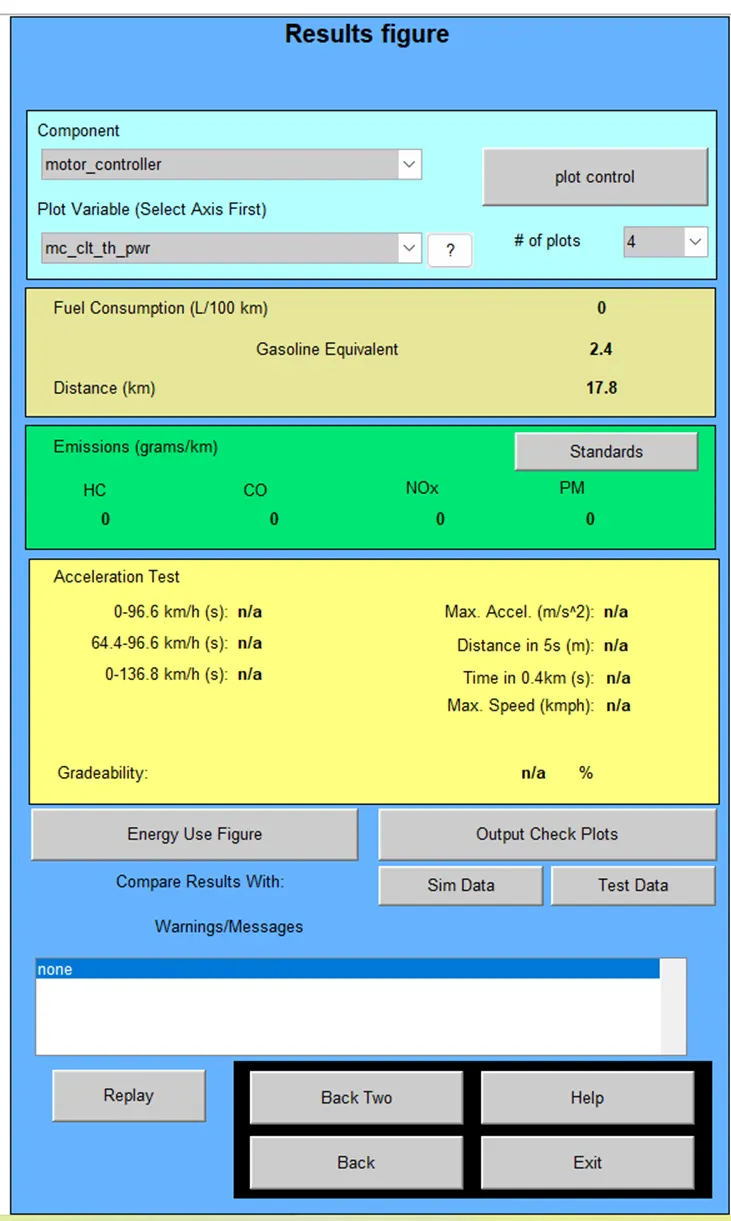
For given one number of FTP drive cycle input, we can observe that SOC of the battery is around 60%. So, to know the total distance travelled by the vehicle with FTP drive cycle, we need to drive the vehicle until gets the battery fully drained.
So, by selecting the number of drive cycles as 3, we can run the vehicle until battery gets drain.
Results-2:
Observation-2:
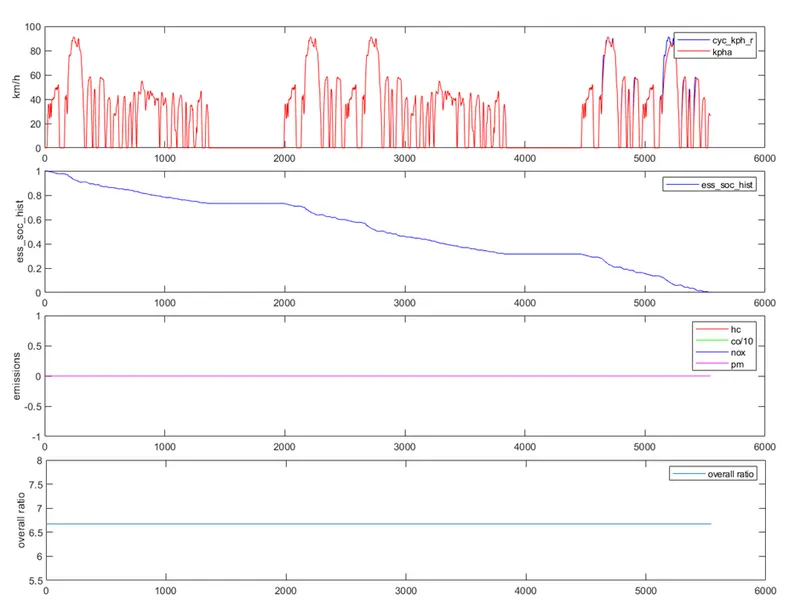
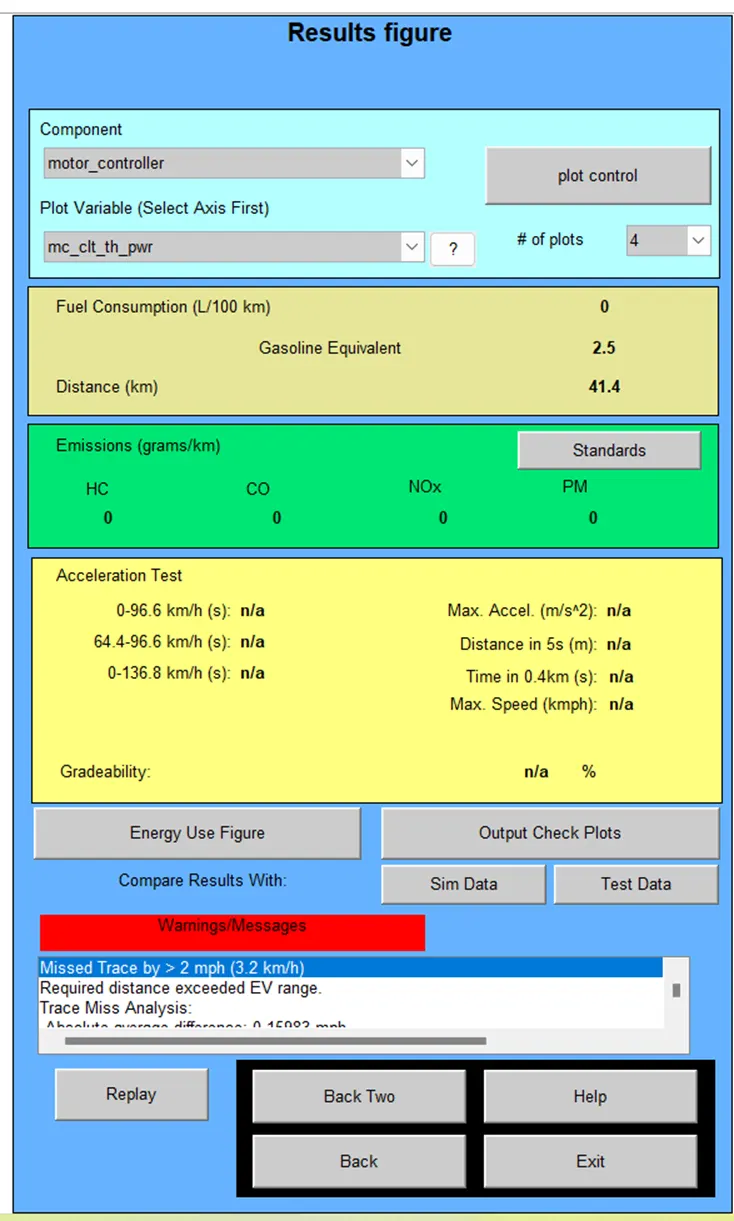
By increasing the number of FTP drive cycles to 3, we can observe that SOC of the battery is reached to 0% and also, we can observe that vehicle not able to travel 45 km distance with its fully charged battery, with FTP drive cycle. Which is also showing in warnings as “Required distance exceeded EV range” we can observe this in the above image.
Conclusion:
So, we concluded as vehicle can’t travel 45km distance with FTP drive cycle and also, we can observe that travel distance of vehicle is 41.4 km with its full charge in the results window.
TASK-2
EV_defaults_in Vehicle Observation by Changing Battery Capacity
AIM: To simulate the EV_defaults_in vehicle with FTP drive cycle by using ADVISOR Tool.
OBJECTIVE: To observe the simulation results of the EV_defaults_in vehicle by changing battery capacity and with FTP drive cycle by loading the EV_deafaults_in file in ADVISOR Tool.
DESCRIPTION:
In above case we changing the battery capacity and keeping all other parameters are same, repeat the steps from 1 to 11.
Case-1:
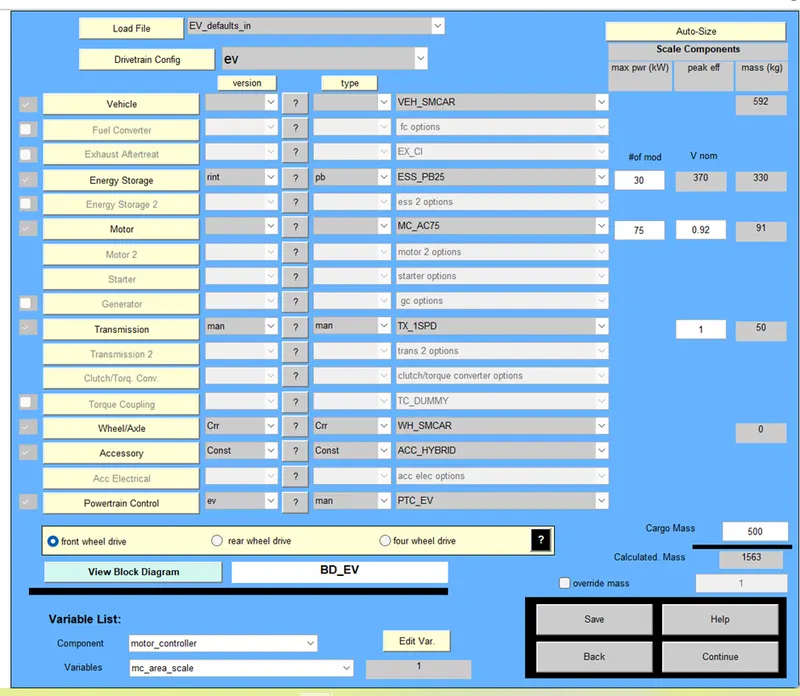
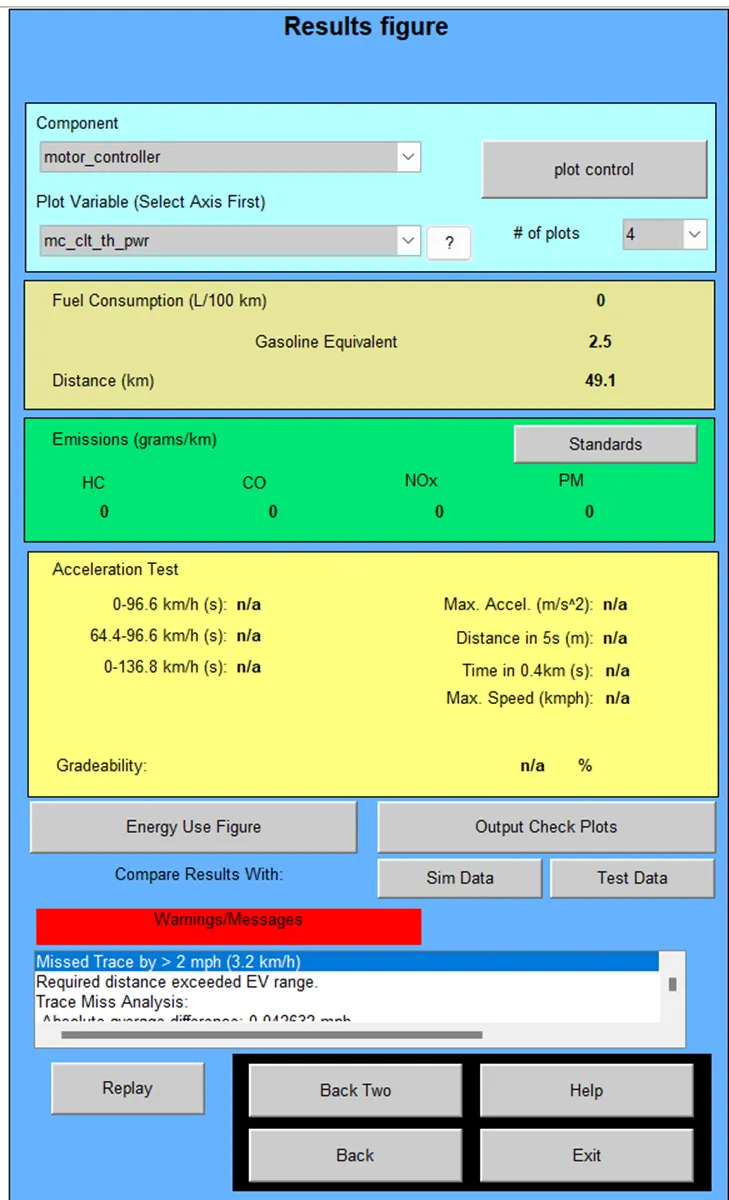
Battery capacity is increasing by changing number of battery modules from 25 to 30. We can observe that total voltage capacity of battery pack is increased to 370 V
Results:
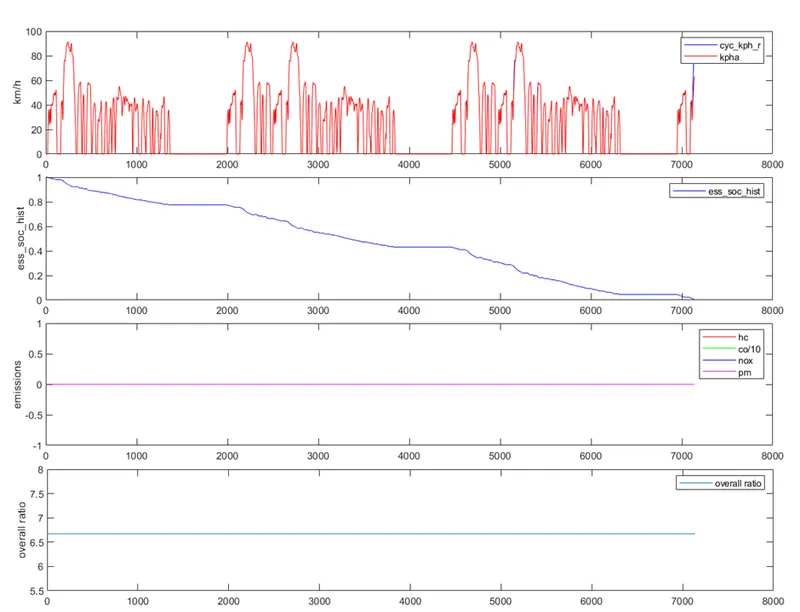
By changing the battery capacity from 25 modules to 30 modules EV vehicle can travel 49.1 km with its full charge for given 3 number of FTP drive cycles. But it’s not travelled total distance of FTP drive cycle input which is 53.2 km for 3 drive cycles.
Case-2:
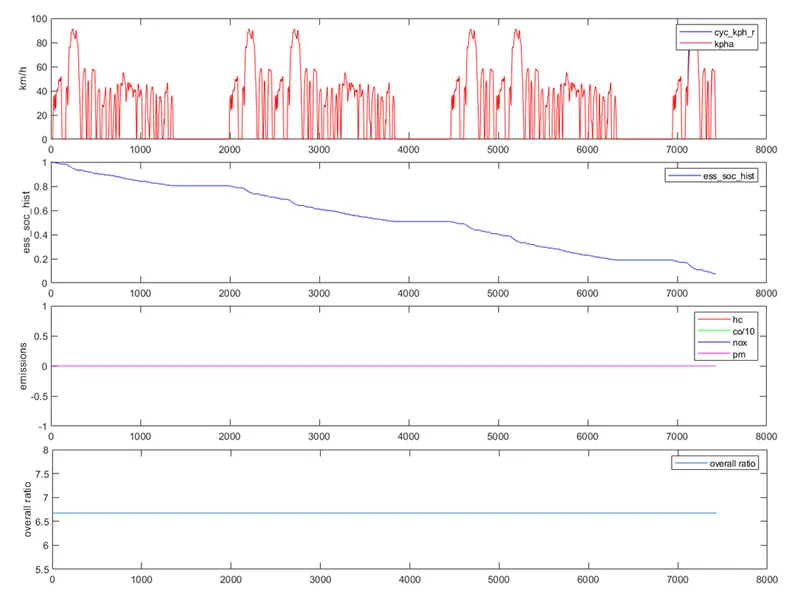
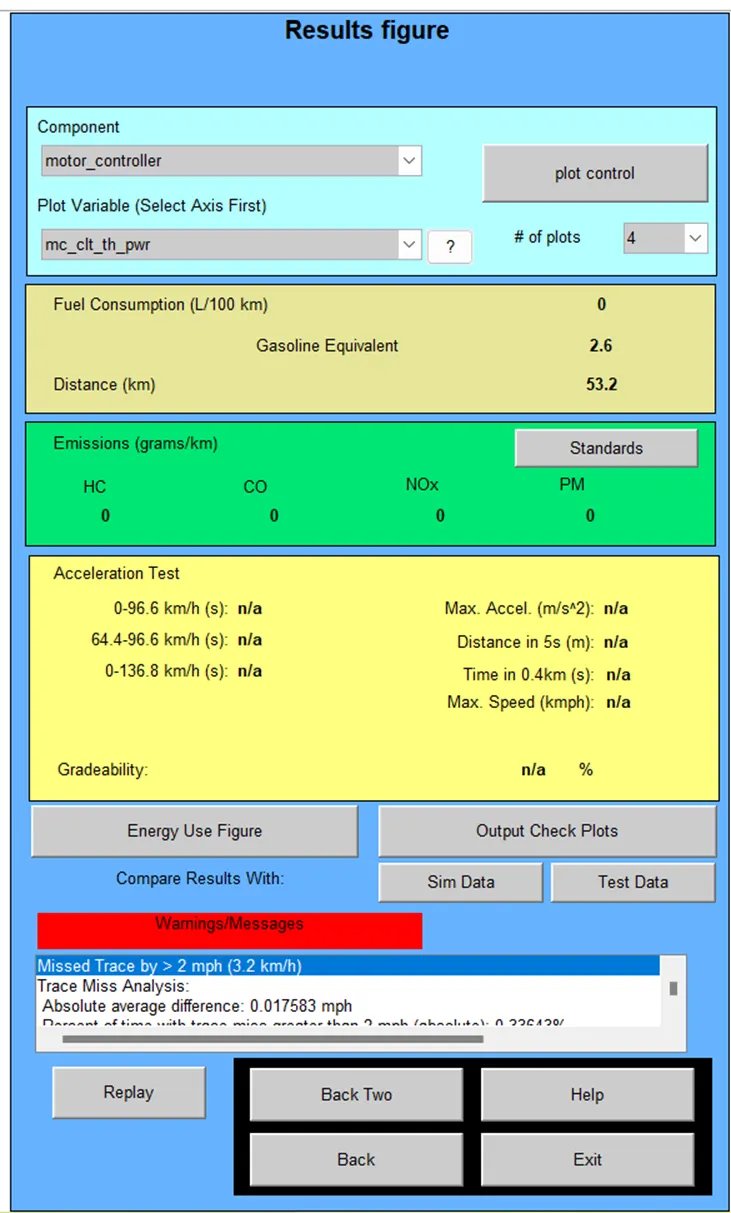
Battery capacity is increasing by changing number of battery modules from 30 to 35 then total voltage capacity of battery pack is increased to 432 V.
Results:
By changing the battery capacity from 30 modules to 35 modules EV vehicle can travel 53.2 km with its full charge for given 3 number of FTP drive cycles. So, it’s travelled total distance of FTP drive cycle input which is 53.2 km for 3 drive cycles.
TASK-3
GRADEABILITY TEST WITH PRIUS VEHICLE
AIM: To Perform the Gradeability test of PRIUS_jpn_defaults_in vehicle by using ADVISOR Tool.
OBJECTIVE: To obtain the simulation results of the PRIUS_jpn_defaults_in vehicle by performing the Gradeability test by loading the PRIUS_jpn_defaults_in file in ADVISOR Tool.
DESCRIPTION:
Steps to do the simulation:
- Open the MATLAB.
- Type ADVISOR in the command window and press enter.
- ADVISOR Tool window will open on the screen
- Select the metric units and click on start.
- Vehicle input window will open.
- Then load the PRIUS_jpn_defaults_in file.
- Click on continue then you will get simulation parameters window.
- Select the gradeability test option and change the gradeability parameters from grade options window.
- Enter the number of cycles.
- Click on run.
- Results window will open.
- Repeat the process for different gradeability parameters.
Drive cycle input:
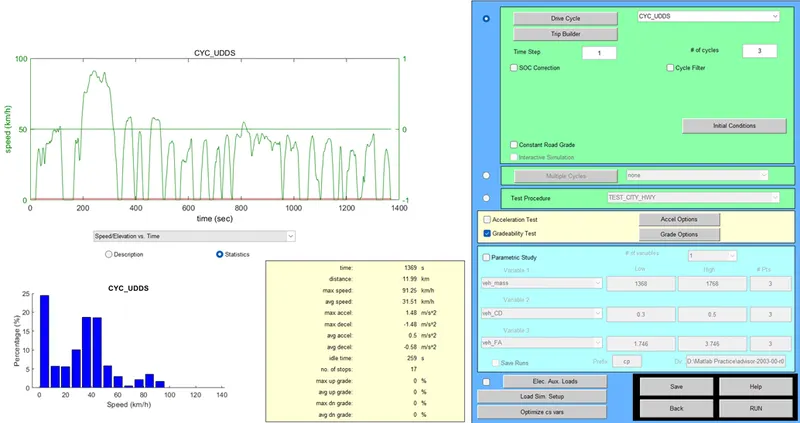
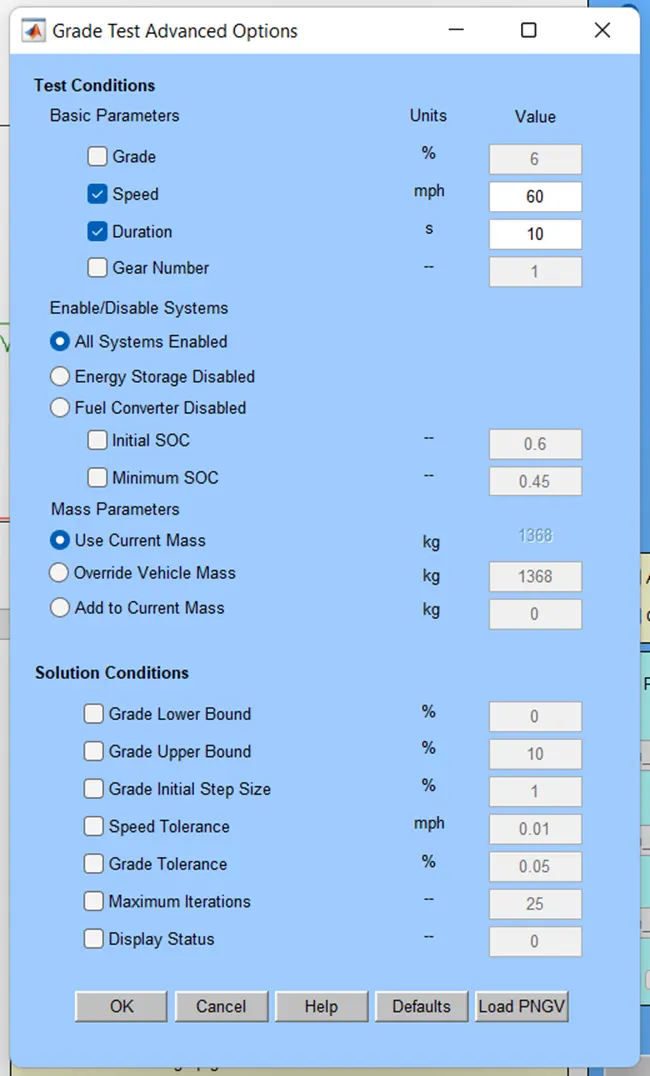
Perform the gradeability test for the change in speeds 20,25,30,35,45,55,60mph.
Results:
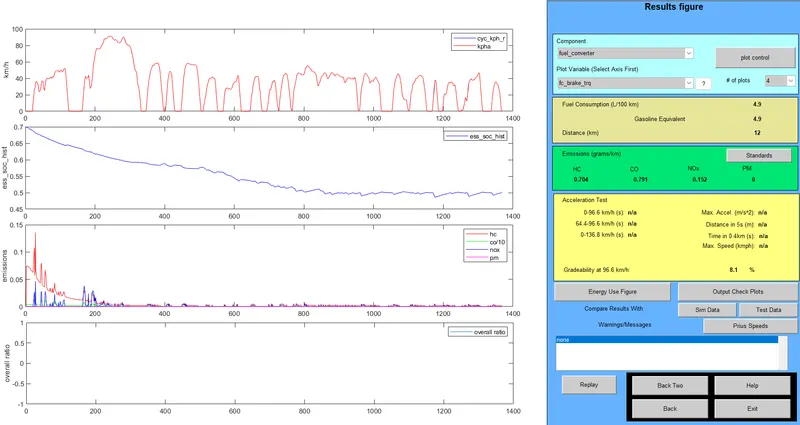
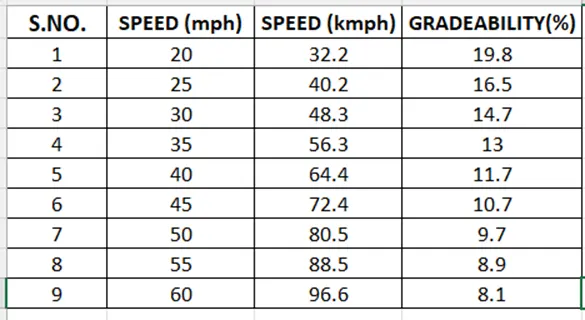
As the speed increases gradeability is decreasing. We can observe this in the results table.
Conclusion:
From the above gradeability test results we can conclude that vehicles which have higher gradeability are run at lower speeds and vehicle which are have lower gradeability can run at higher speeds.