Week-3 Challenge: ADVISOR Tool
WEEK-3
Q1. For EV defaults in file, if cargo mass is 500 kg with all other default conditions, can the vehicle travel for 45 km with FTP drive cycle? Conclude your observations.
ADVISOR TOOL:
- To open advisor tool download the advanced vehicle simulator.
- After downloading the advisor unzip the file copy the path.
- Now, open the MATLAB paste the path and right click on the folder, there we can see a command add to path click on it.
- Click on select folders and subfolders.
- Now, on the command window type ‘advisor’ and click enter.
- The advisor tool opens up change to metric and click start.
Solution:
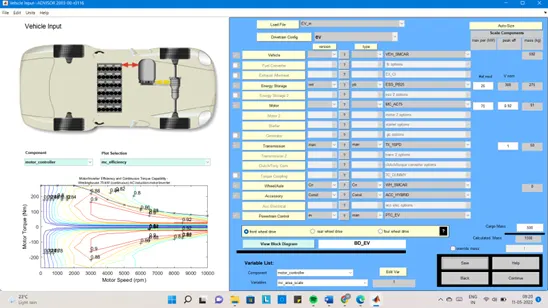
- Change the drivetrain configuration to Ev and in load file it changes to EV_defaults_in
- A full electric vehicle input will appear on the screen
- Now, change the cargo mass to 500 kg
- Change in the total mass of the vehicle can be seen
- Click on the continue button a new pop up opens up
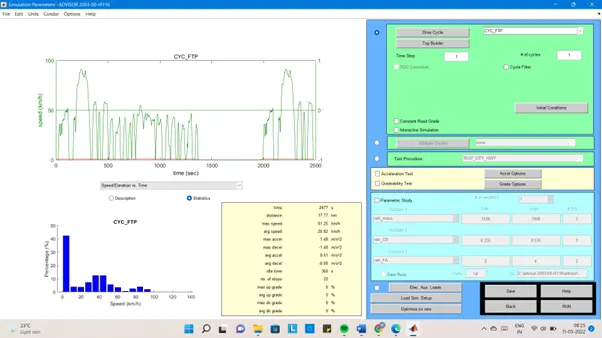
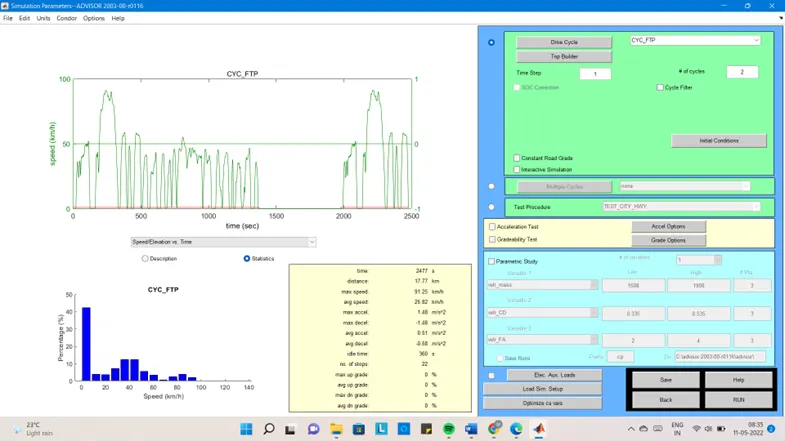
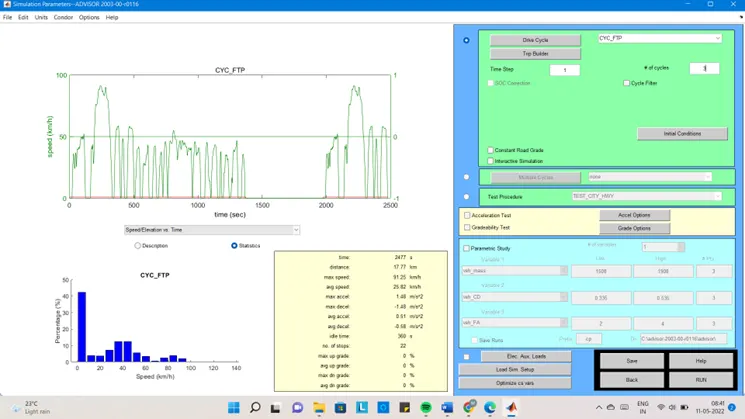
- In simulation parameter window change the drive cycle to CYC_FTP
- Below that one can see no of cycles click 1
Click on the RUN button
- After clicking on the RUN button, another pop up windows opens up.
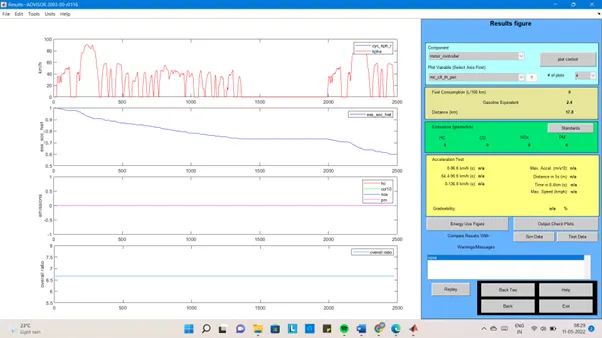
In this, we can see the total distance covered by the vehicle with 1 drive cycle is 17.8Km and the soc is 40%.
- Increase the no of drive cycles
No of drive cycles is 2:
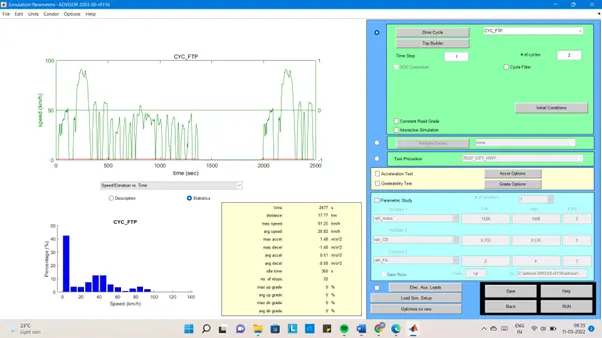
Result with 2 drive cycles:
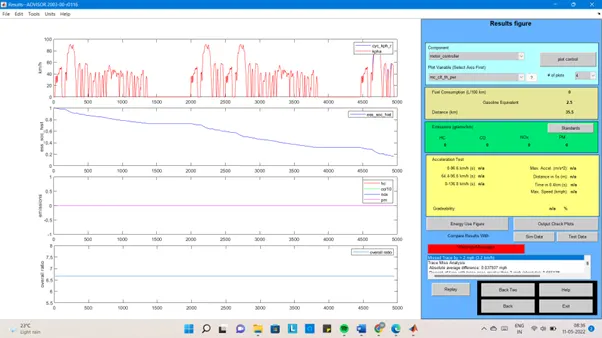
In this, we can see the total distance covered by the vehicle with 1 drive cycle is 35.5Km and the soc is 81%.
No of drive cycle is 3:
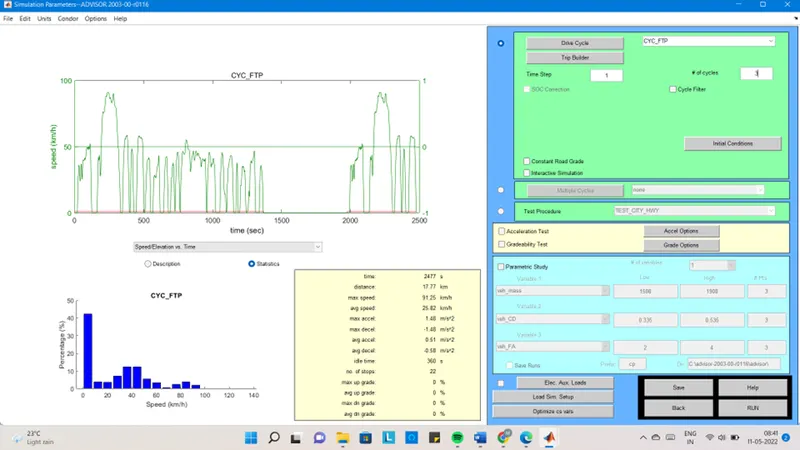
Result with 3 drive cycles:
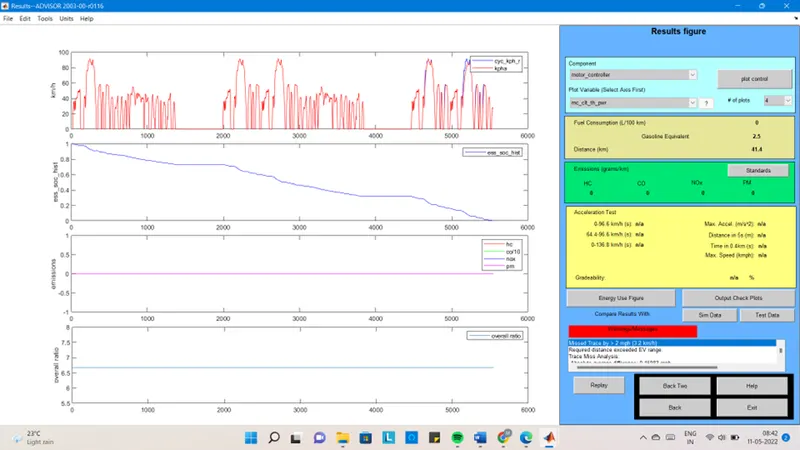
In this, we can see the total distance covered by the vehicle with 1 drive cycle is 41.4Km and the soc is 100%.
The minimum distance is 17.8km and the maximum distance coverage by the vehicle is 41.4km with 100% soc. Therefore, Ev_default_in cannot travel a distance of 45 km due to insufficient soc.
Q2. In the above case, try changing the battery capacity and repeat the simulation.
- In vehicle input window we will change the capacity of the battery form energy storage which will be open first.
- Change the no of mod in the # of mod v nom which describes the battery capacity.
- Now, change the mod will be change in voltage and battery weight.
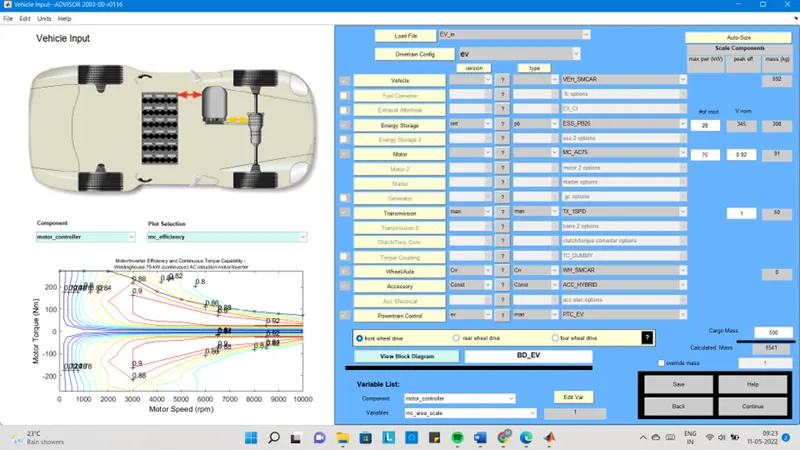
- Now, click on the continue button and a new pop-up window opens
- Change the no of drive cycle to 2
- Click on the RUN button
Energy storage with 28 module and 2-drive cycles:
Result:
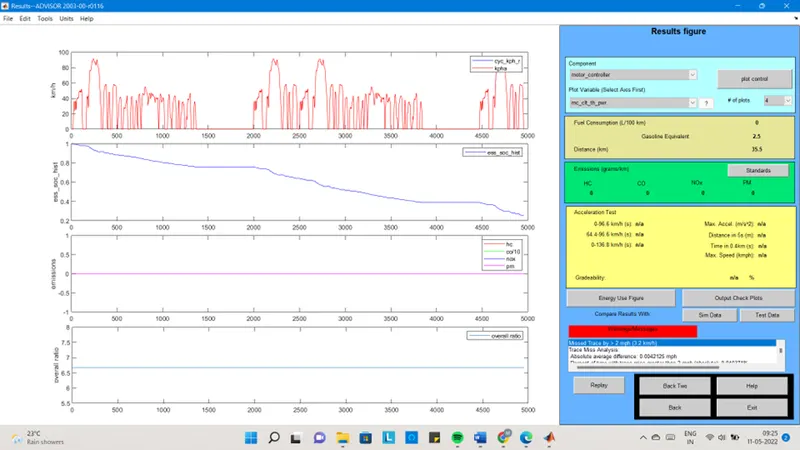
Distance travelled = 35.5km
Voltage = 345
Battery weight = 308
Energy storage with 29 module and 2-drive cycles:
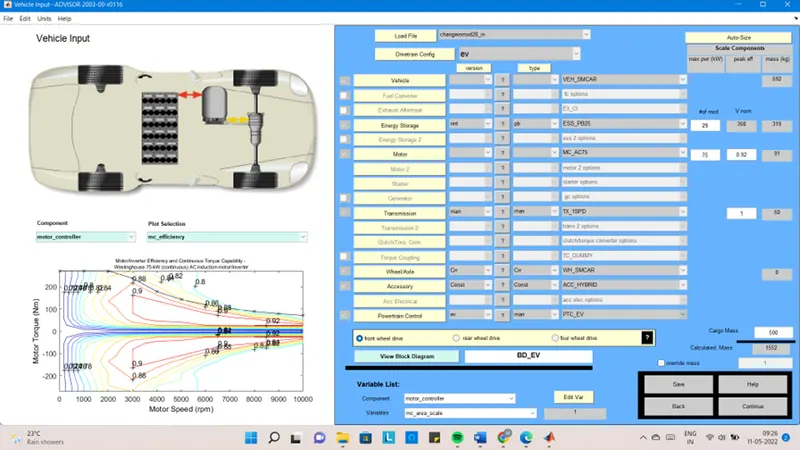
Result:
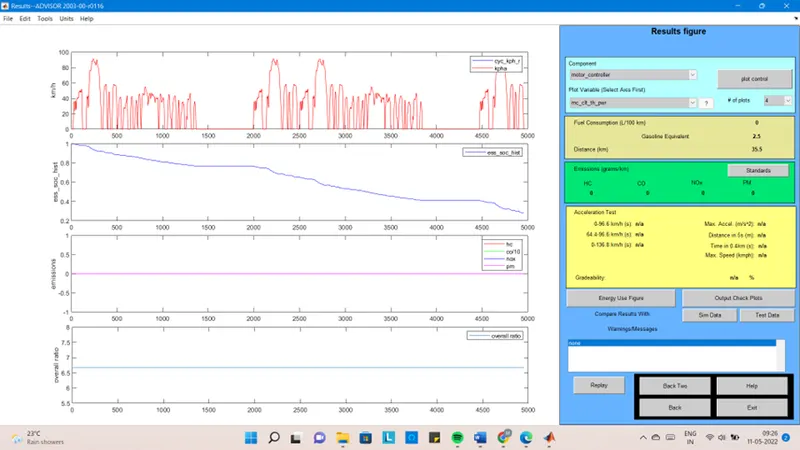
Distance travelled = 35.5km
Voltage = 358
Battery weight = 319
Energy storage with 30 module and 2-drive cycles:
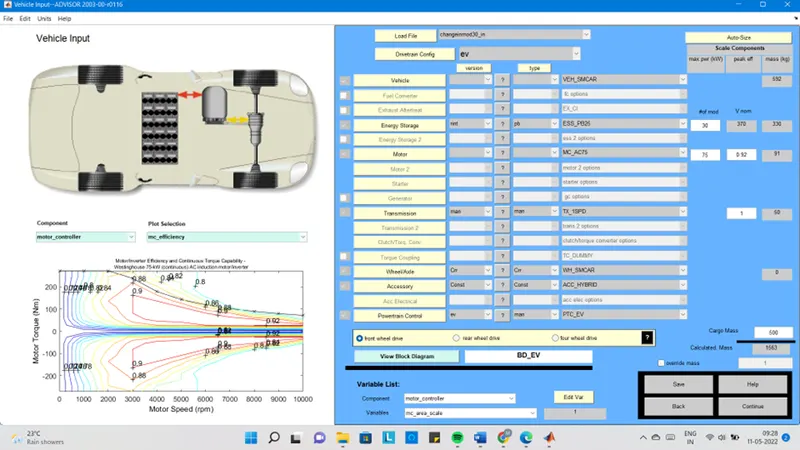
Result:
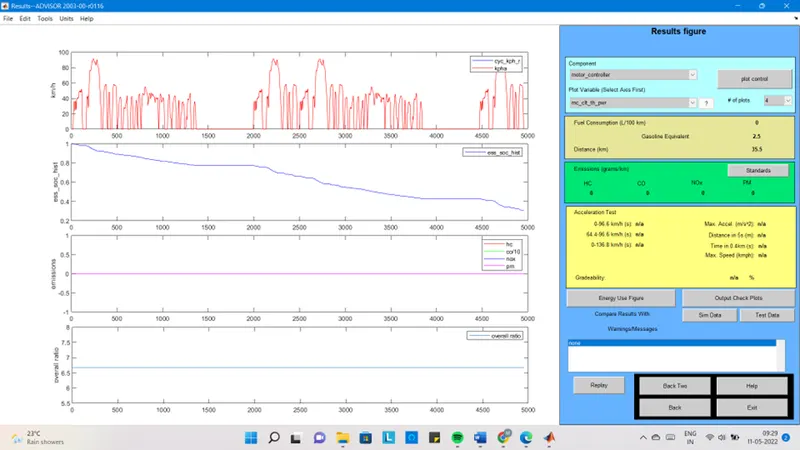
Distance travelled = 35.5km
Voltage = 370
Battery weight = 330
- Now, change the no of drive cycles to 3 and see the results.
Energy storage with 28 module and 3-drive cycles:
Result:
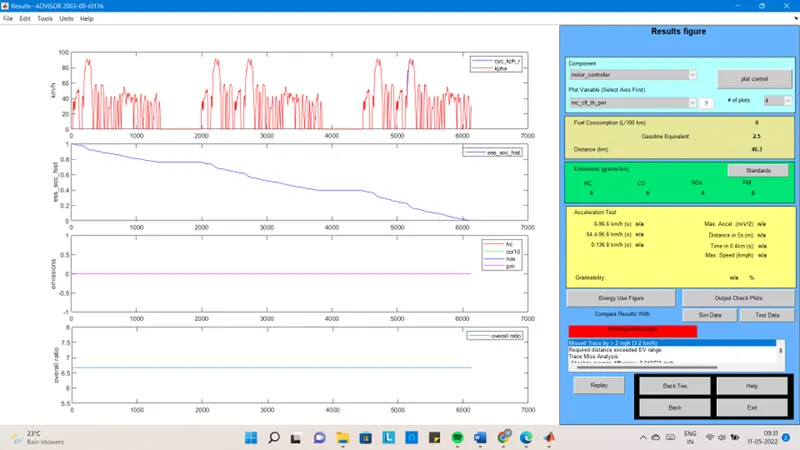
Distance travelled = 46.3km
Voltage = 345
Battery weight = 308
Energy storage with 29 module and 3-drive cycles:
Result:
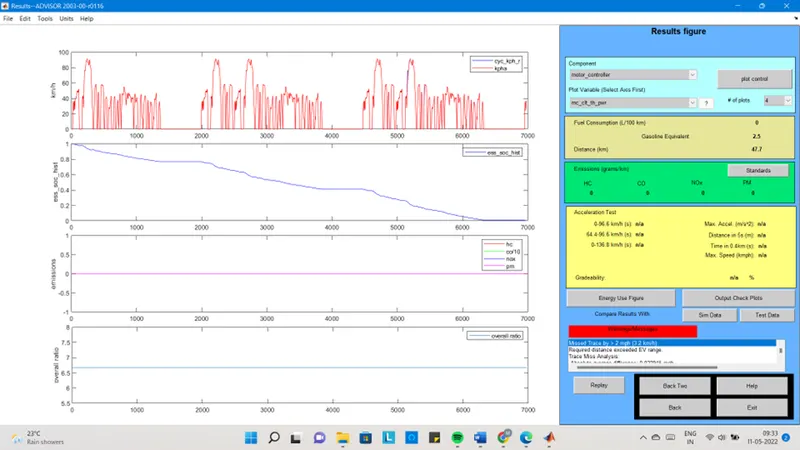
Distance travelled = 47.7km
Voltage = 358
Battery weight = 319
Energy storage with 30 module and 3-drive cycles:
Result:
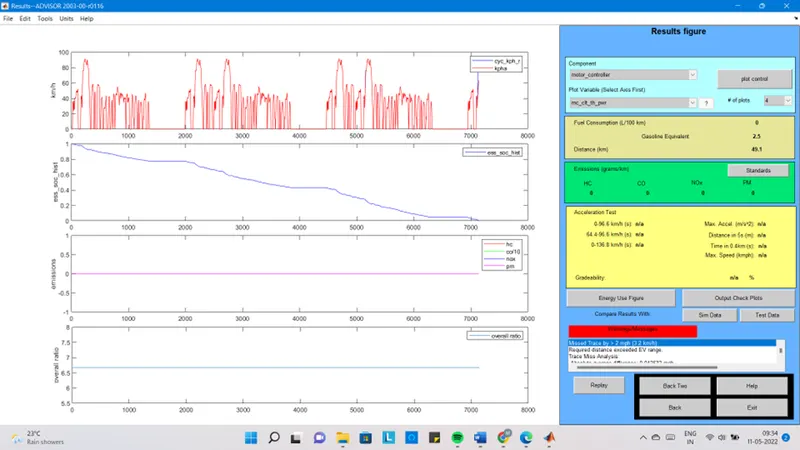
Distance travelled = 49.1km
Voltage = 370
Battery weight = 330
Where, change in module with 2 drive cycles we didn’t get any changes in distance travelled and it is constant 35.5km. but, changes in module with 3 drive cycles we get increased in distance travel.
- To get 45km we need 28 module with 3 drive cycle and the voltage should be 345 with battery weight 308.
Q3. Perform gradeability test with PRIUS_Jpn_defaults_in file Compare your results in table and conclude.
- In the advisor tool click on the load file change into PRIUS_Jpn_defaults_in file
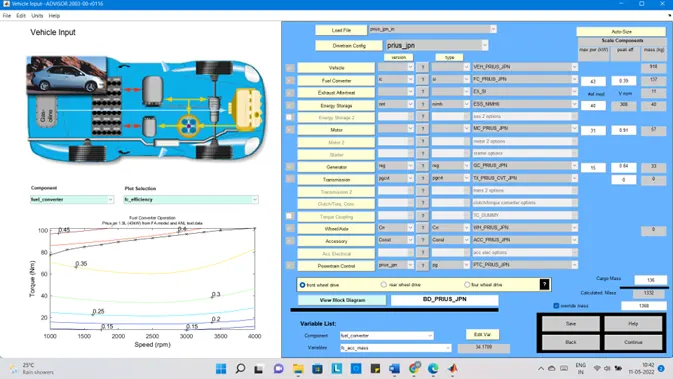
- Click continue to proceed on next window
- Simulation parameter window will open
- Select gradeability test and click on the grade option a pop-up opens
- Now, change the speed to 20 mph and duration to 10s
Click ok and click on the RUN button
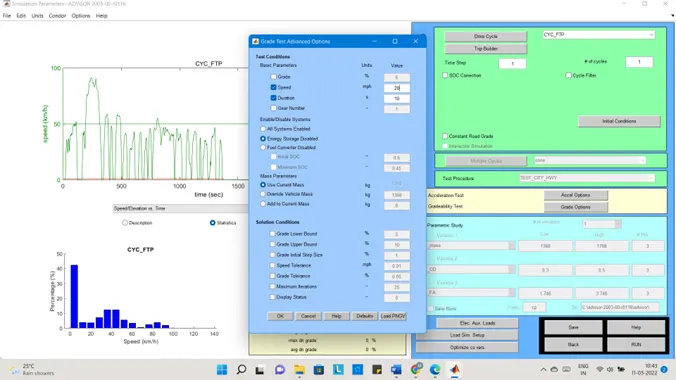
Case 1: speed 20mph with 10 s duration
Result:
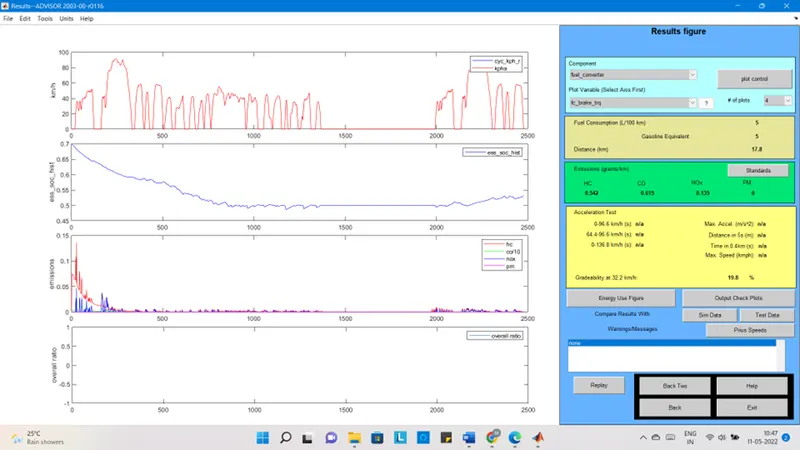
Gradeability = 19.8%
Case 2: speed 25 mph with 10 s duration
Result:
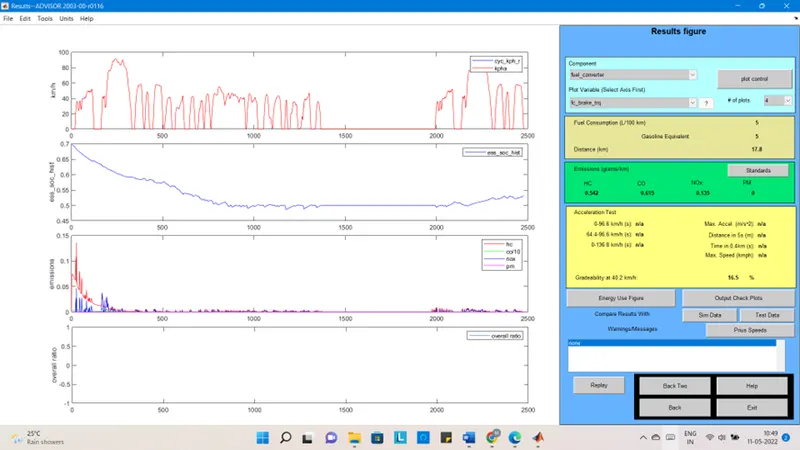
Gradeability = 16.5%
Case 3: speed 30 mph with 10 s duration
Result:
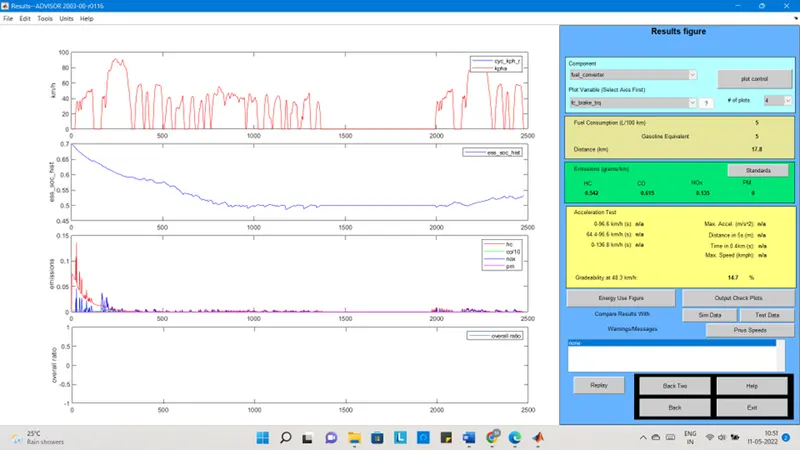
Gradeability = 14.7%
- Now, increase the duration and see the results.
Case 4: speed 20mph with 20 s duration
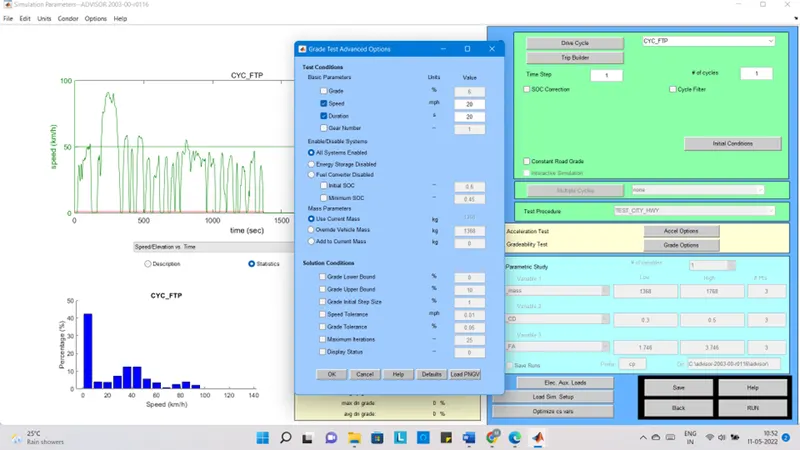
Result:
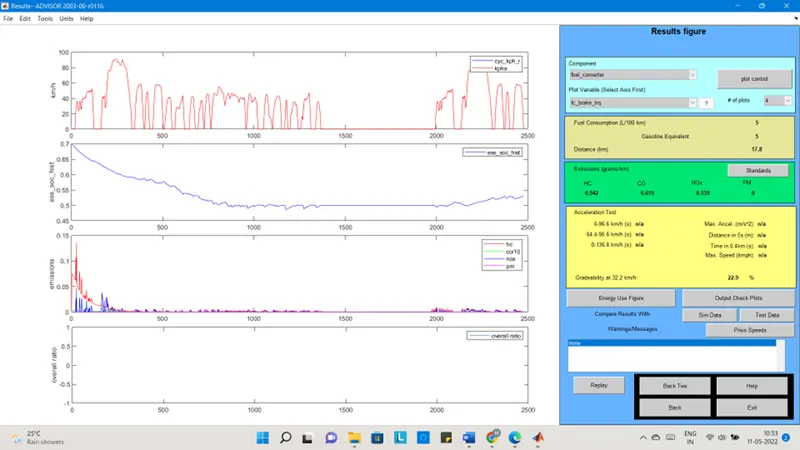
Gradeability = 22.9%
Case 5: speed 25 mph with 20s duration
Result:
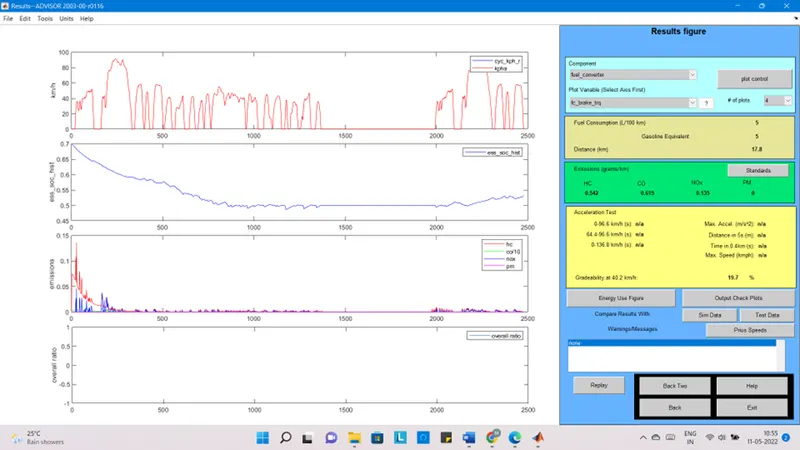
Gradeability = 19.7%
Case 6: speed 30 mph with 20s duration
Result:
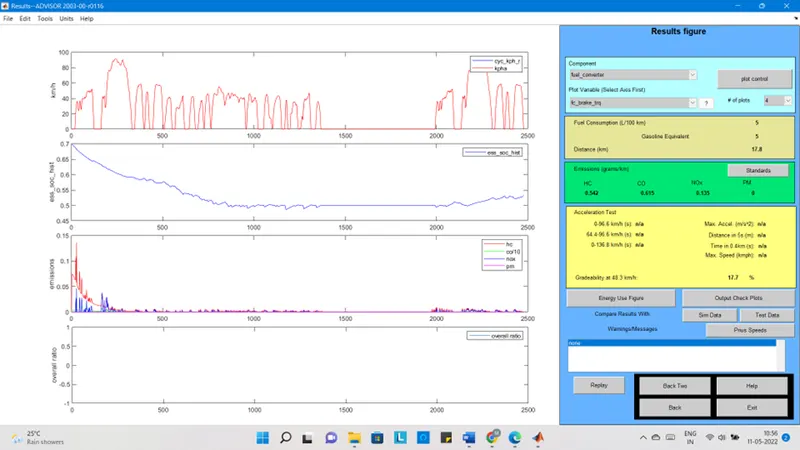
Gradeability = 17.7%
From case 1 to case 3 with 10s duration
Speed Gradeability
Case 1- 20mph 19.8%
Case 2- 25mph 16.5%
Case 3- 30mph 14.7%
From case 4 to case 6 with 20s duration
Speed Gradeability
Case 4- 20mph 22.9%
Case 5- 25mph 19.7%
Case 6- 30mph 17.7%
- From this we can understand that increase in speed decrease the gradeability.