Week-3 Challenge: ADVISOR Tool
1. For EV_defaults_in file, if cargo mass is 500 kg with all other default conditions, can the vehicle travel for 45 km with FTP drive cycle? Conclude your observations.
Solution:
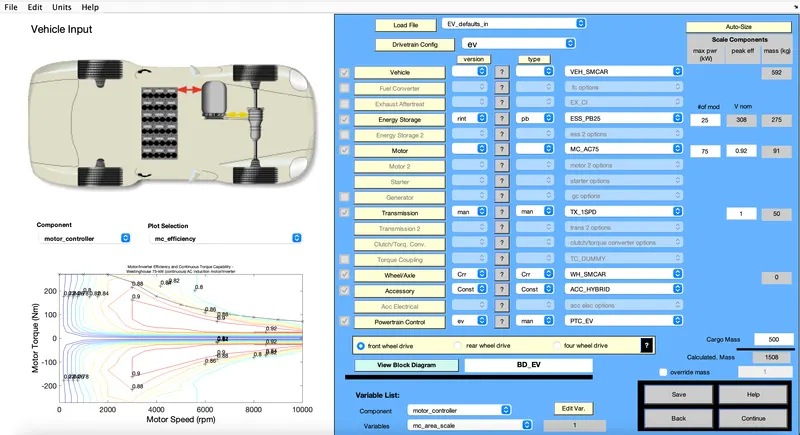
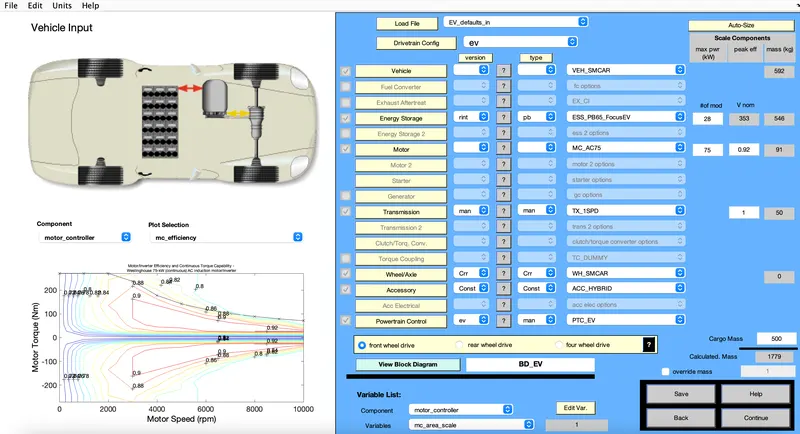
In the ADVISOR vehicle input GUI, EV_defaults_in file is selected from the drop down menu of Load file and Cargo mass is changed to 500 kg. Press Continue to go the next window.
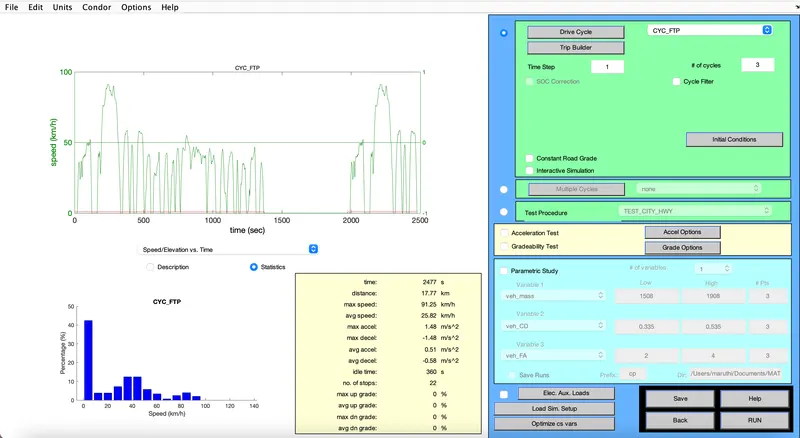
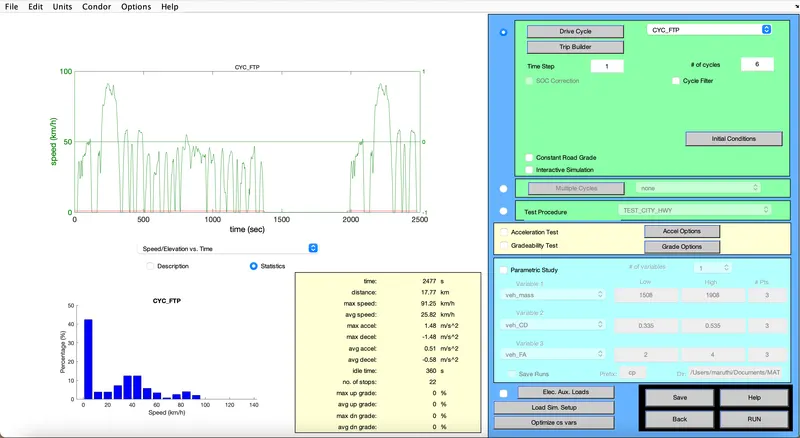
In the next window, Select the drive cycle CYC_FTP and increase the cycle to 3 as one cycle distance is 17.77 km (to check whether the vehicle can travel 45 km) and Press Run button to check the results.
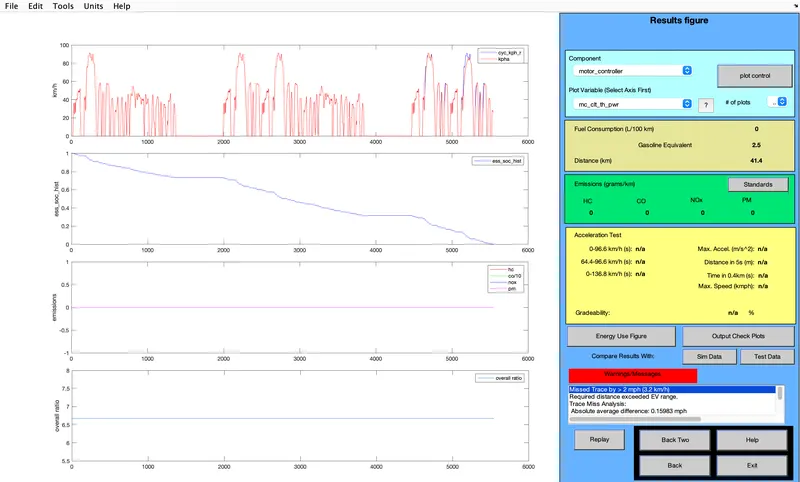
It is observed from the results that the vehicle travel for only 41.4 km only and the battery SOC became 0 before completing 3 cycles.
2. In the above case, try changing the battery capacity and repeat the simulation.
Solution:
From the Vehicle input page change the Energy Storage to ESS_PB65_FocusEV to change the capacity of the battery with same EV_defaults_in file and 500kg Cargo Mass and Press Continue.
Change the number of cycles with Drive cycle CYC_FTP selected and press the run the button for checking the results. It is observed that for 6 cycles the battery SOC is becoming 0.
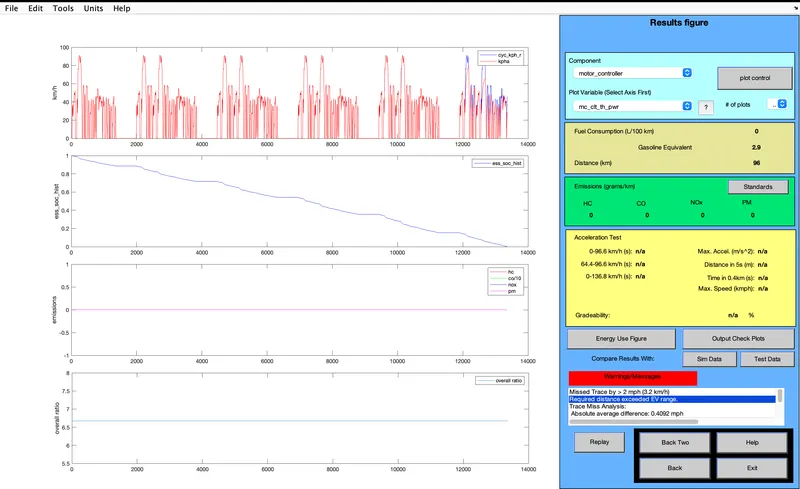
From the below results it can be observed that the vehicle can travel 96 km with this battery capacity.
3. Perform gradeability test with PRIUS_Jpn_defaults_in file
Compare your results in table and conclude.
Solution:
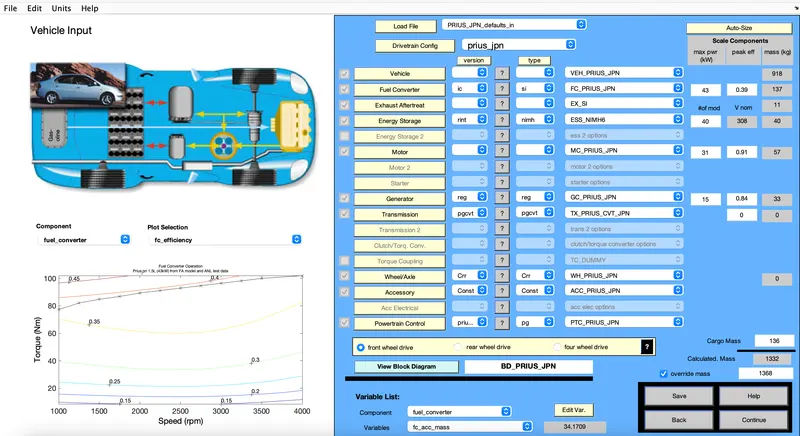
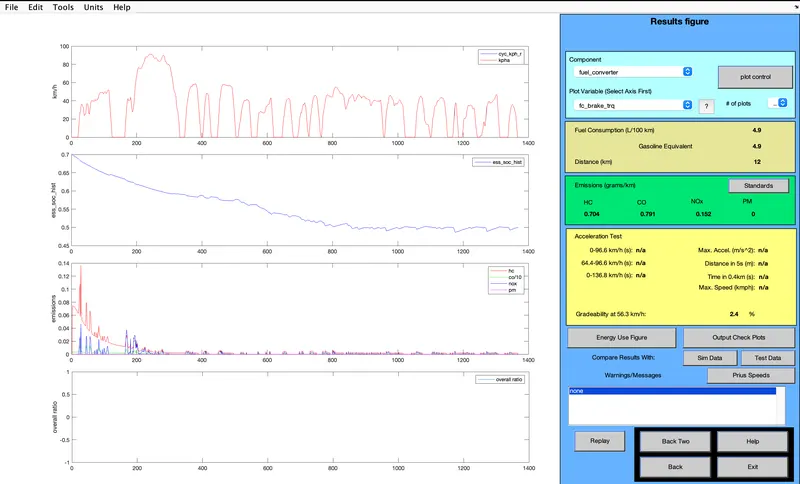
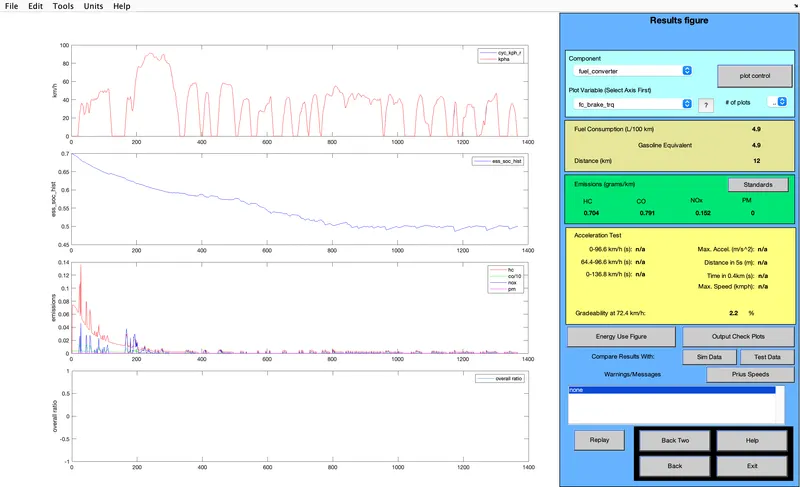
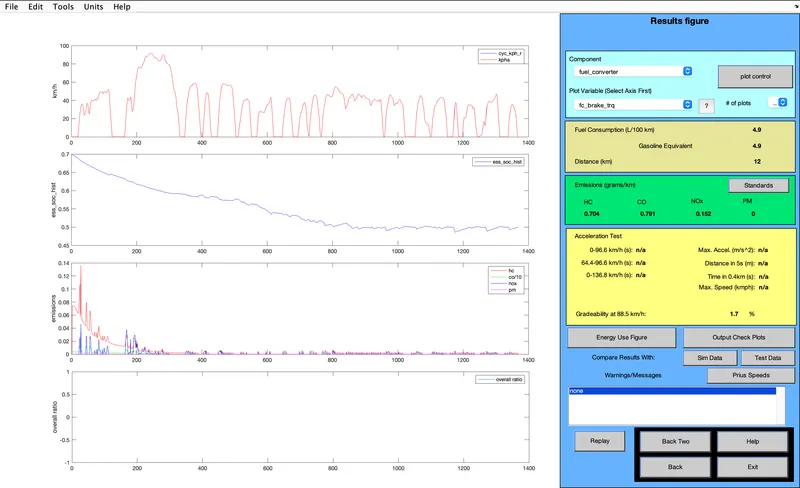
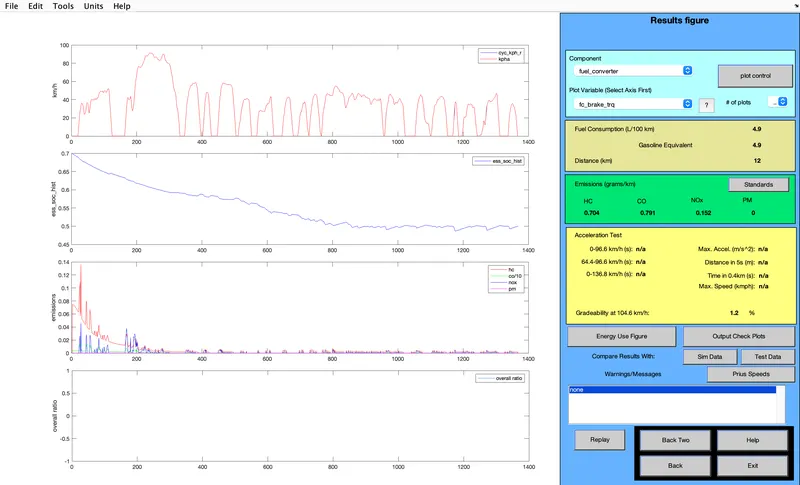
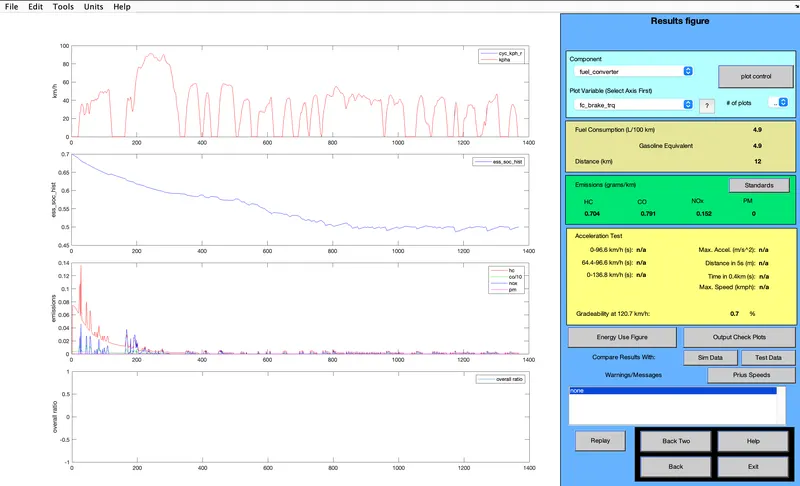
Gradeability test performed with PRIUS_Jpn_defaults_in file and the results at different speeds are tabulated as below.
|
Speed (miles/s, km/s) |
Gradeability (%) |
|
35, 56.3 |
2.4 |
|
45, 72.5 |
2.2 |
|
55, 88.5 |
1.7 |
|
65, 104.6 |
1.2 |
|
75, 120.7 |
0.7 |
It can be observed from the table that as the speed of the vehicle increases the gradeability decreased.