Week-3 Challenge: ADVISOR Tool
Week 3 Challange
Advisor tool : The term ADVISOR stands for Advanced Vehicle Simulator. It is developed by NERL and department of energy, USA. Development phase is from 1994 to 2004.
Key points
- It is completely data based tool, look-up table is used for data importing.
- Only simulink blocks are used, no physical or simscape blosck is used in advisor tool.
- It is a steady state model.
- All results are on formula based and use backward facing technique to solve the model.
- All data are experimental.
- It is a GUI based tool.
- It has three windows- 1- Vehicle input 2- Simulation parameters 3- Results
Steps for starting Advisor tool-
- Open matlab and select Advisor folder as current folder.
- Type 'advisor' in command window and click enter.
- A dialog box will open, select metric as unit and click on start.
- Choose the model which you want to analyse and apply your conditions and click on continue.
- After this select drive cycle and apply tests that you want to run in simualtion parameter window. Click on run button.
- Now result window will open.
Part 1- Study EV_default_in model by advisor tool under provided conditions-
Run advisor command in command window and select metric as unit and start the advisor tool. Now select the EV_default_in model-
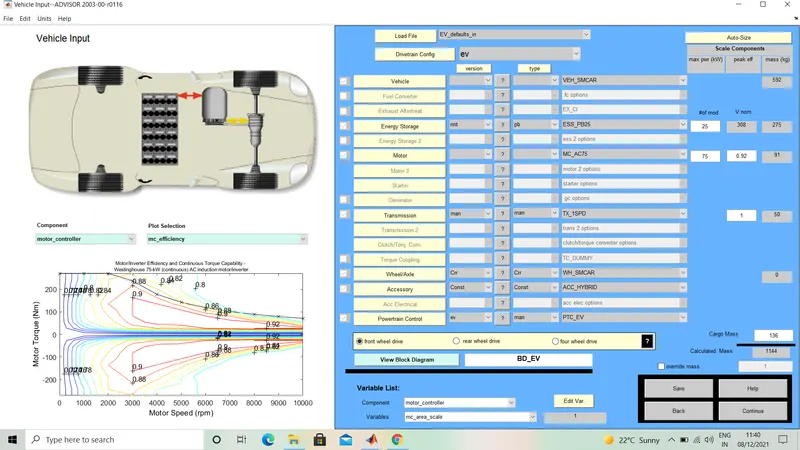
As we can see that cargo mass in model is 136 kg, change it to 500 kg and keeping all other conditions as it.
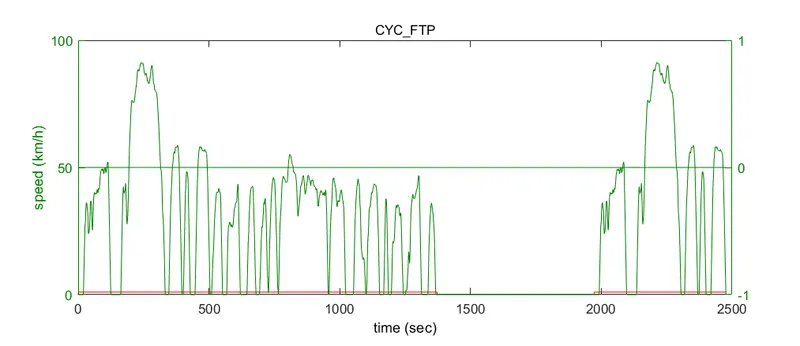
Select FTP drive cylcle as given in question,run the model for three such drive cycle to know that vehicle can ride for 45 km or not. Because single drive cylce is about 18 km. Let see after simualting-
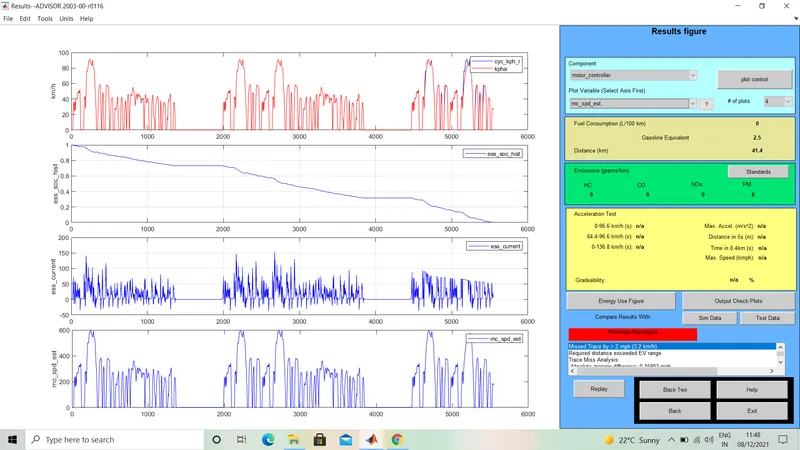
After simulation, results shows that battery of vehicle completely goes to zero percent SOC at a distance of 41.4 km when cargo mass is 500 kg.
Conclusion - At given energy storage power, when cargo mass is 500 kg the EV car can not run 45 km for FTP drive cycle. The state of charge of battery is completely zero after 41.4 km.
Part 2 - Changing battery power and run the simulation-
In above case, the battery power is 25 kW. Lets change the power of battery keeping cargo mass 500 kg and run the model-
Case -1 Battery power is 30 kW
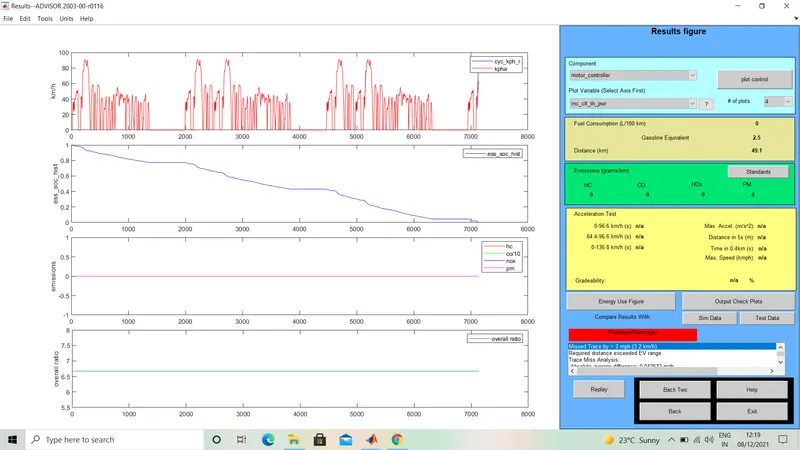
When battery power is 30 kW it can run 45 km easily, because for FTP drive cycle the battery is completely down after 49.1 km. In this case also the car can not completely ride for three cycle of FTP
drive cycle.
Case -2 Battery power is 45 kW -
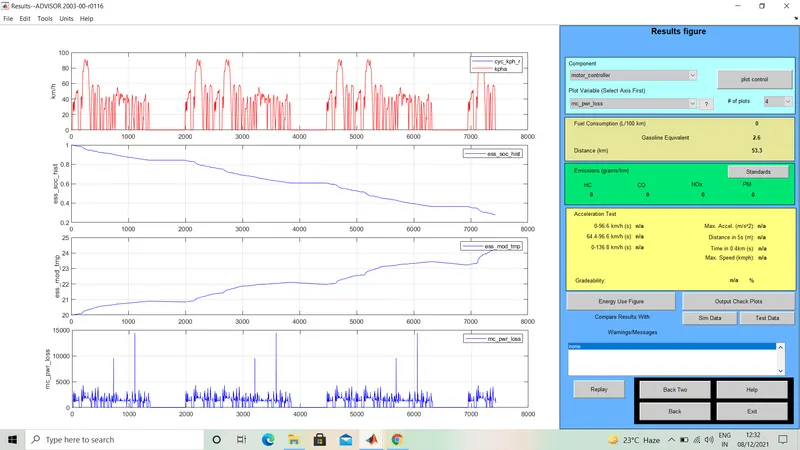
When battery power is 45 kW the car can completely run for three cycles of FTP drive cycle. Here the total distance covered is 53.3 km and after running 53.3 km the battery is still charge about 30 percent.
| Battery power | No. of FTP drive cycle | Distance covered | SOC after travelling |
| 30 kW | 3 | 49.1 km | 0% |
| 45 kW | 3 | 53.3 km | 30% |
Conclusion - By increasing battery power we can increase distance travelled by EV_default_in. When battery power is 30 kW, the vehicle can easily travel 45 km with 500 kg cargo mass for given drive cylce.
Part 3 Gradeability test with PRIUS_jpn_default_in model
Select PRIUS_JPN_default model in advisor tool-
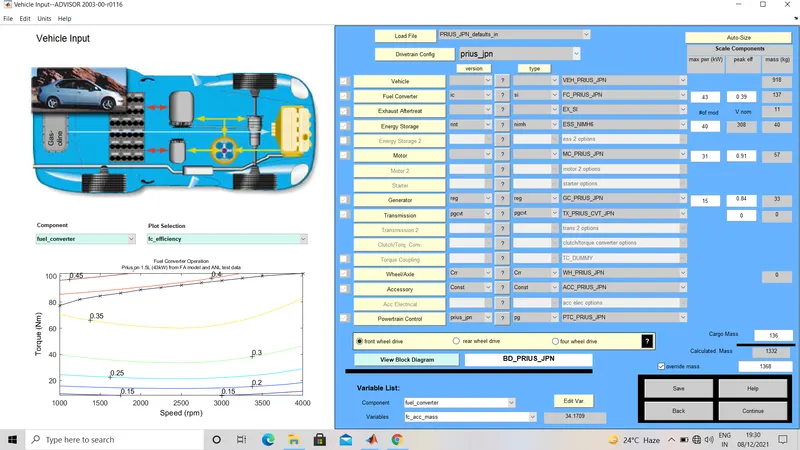
In above model we will not change any condition, keeping all parameters as it click on continue button-
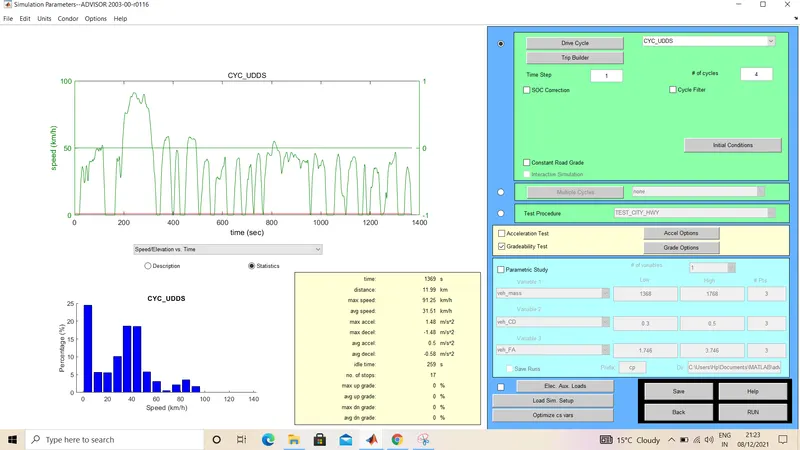
Here we will choose UDDS drive cycle for gradeability test. UDDS drive is approx 12 km long, we will select 4 cycle of it. Now click on grade options and configure the conditions and observe different cases.
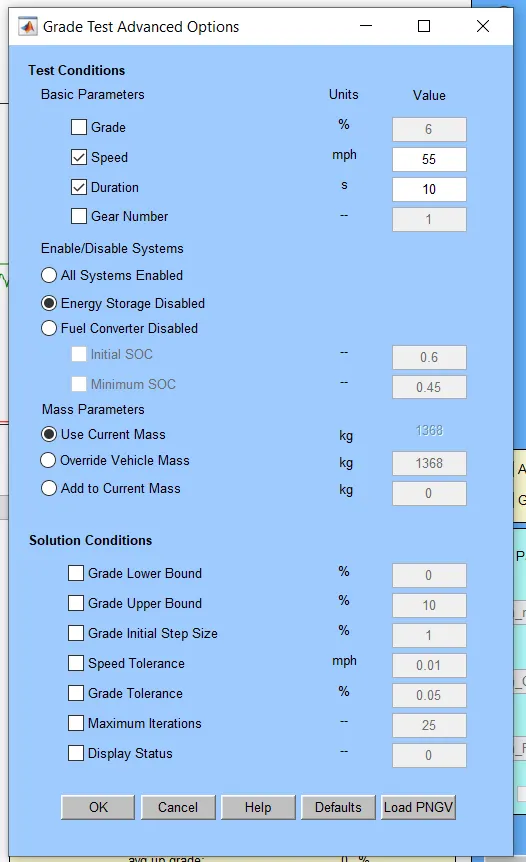
Let see different cases-
Case 1 - Speed = 55 mph, Grade = 6%, All system enabled(hybrid), Use current mass and duration =10 sec-
After running,the result is as follows-
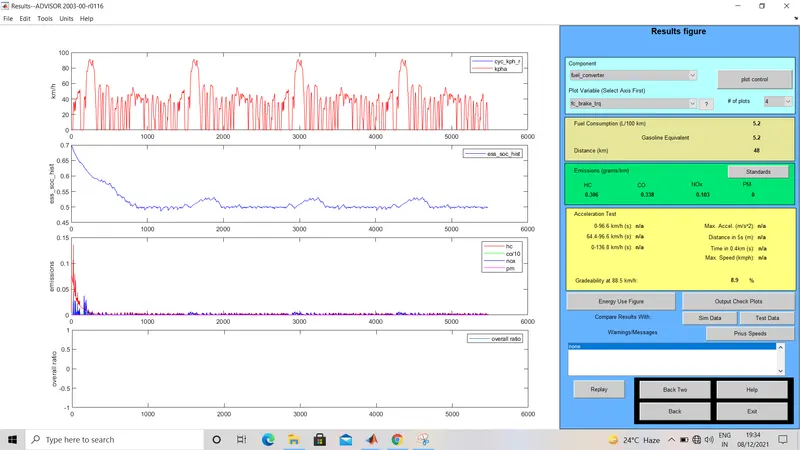
In this case the obtained gradeability is 8.9%
Case 2 - Speed = 55 mph, Fuel converter is disabled(fully electric), Use current mass and duration =10 sec-
After running, the result is follows-
In this case gradeability also 8.9%.
Case 3- Speed =55 mph, Energy storage is disabled(IC engine only), Use current mass and duration =10 sec-
After running, result is follows-
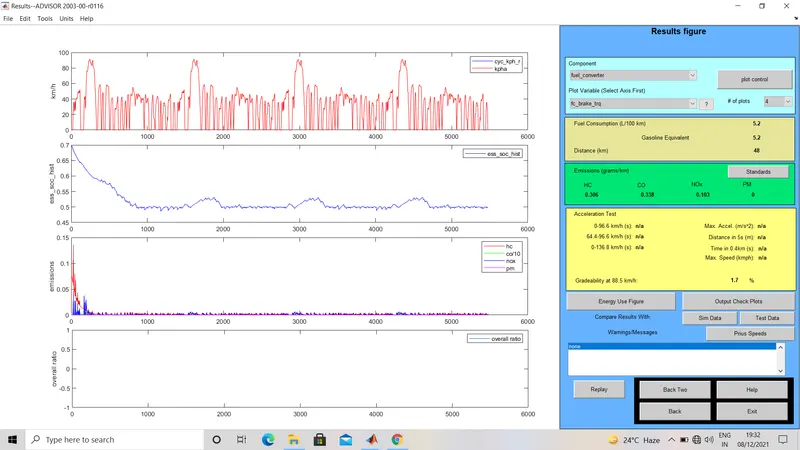
In this case the obtained gradeability is 1.7%.
Case 4- Speed =30 mph, All system enabled(hybrid), Use current mass and duration =10 sec-
After running, the result is follows-
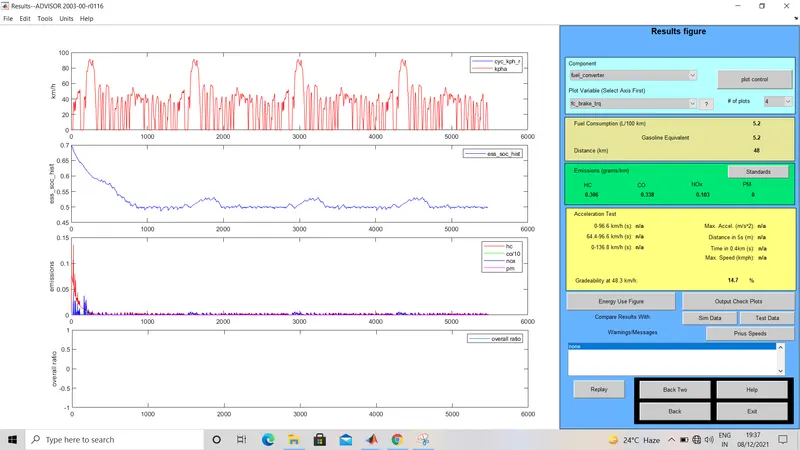
In this case the obtained gradeability is 14.7%.
Case 5- Speed = 30 mph, Fuel converter disabled(fully electric), Use current mass and duration =10 sec-
After running, the result is follows-
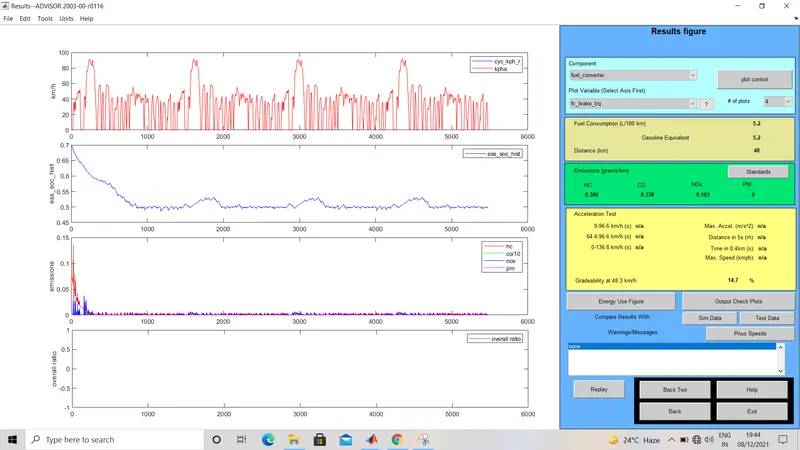
In this case aslo the obtained gradeability is 14.7%.
Case 6- Speed =30 mph, Energy storage disabled(IC engine only), Use current mass and duration =10 sec-
After running, the result is follows-
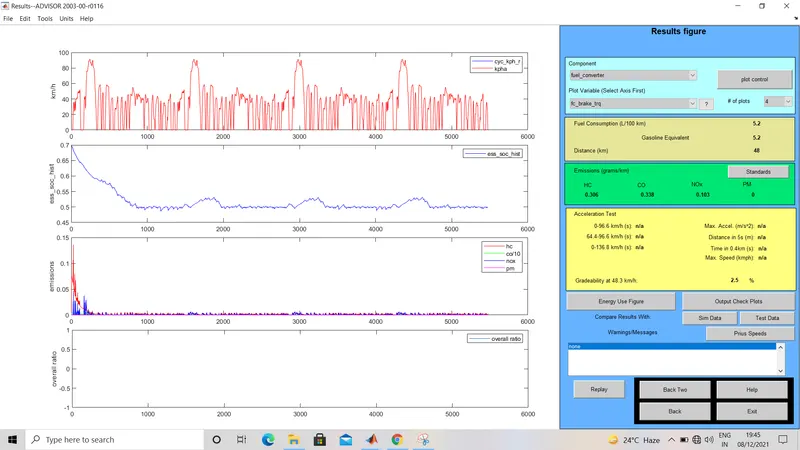
In this case the obtained gradeability is 2.5%.
Case 7- Speed =30 mph, All system enabled(hybrid), Add to current mass(40 kg), and duration =10 sec-
After running, the result is follows-
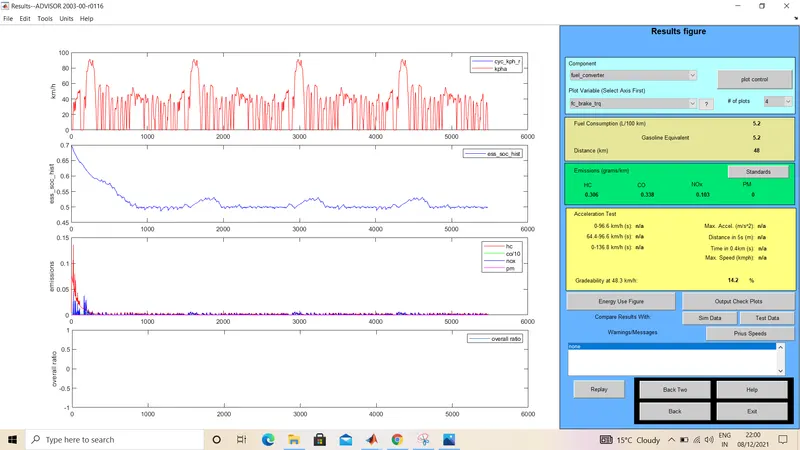
In this case the obtained gradebility is 14.2%.
Case -8 Speed =30 mph, All system enabled(hybrid), Use current mass and duration =25 sec-
After running, the result is follows-
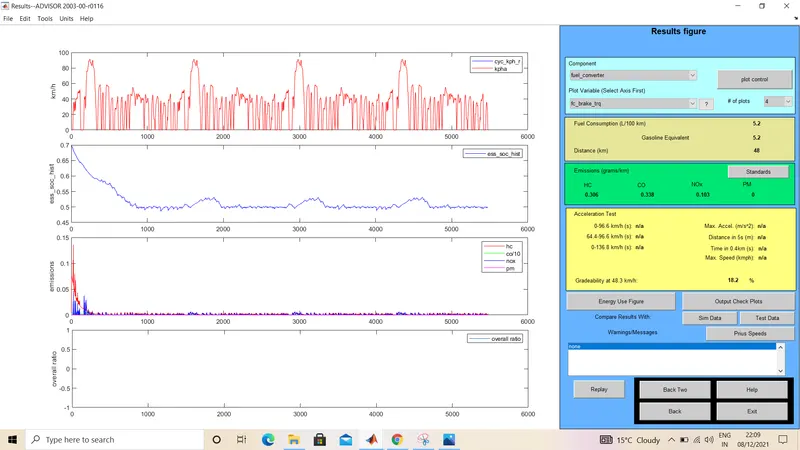
In this case the obtained gradeability is 18.2%.
Similarly we can run many cases and find the result for all cases. Here i have observe 8 cases let summarize it in a table.
|
Speed in mph |
Type of vehicle | Mass of vehicle(kg) | Duration(sec) | Obtained gradeability |
| 55 | Hybrid | 1368 | 10 | 8.9% |
| 55 | Fully electric | 1368 | 10 | 8.9% |
| 55 | IC engine only | 1368 | 10 | 1.7% |
| 30 | Hybrid | 1368 | 10 | 14.7% |
| 30 | Fully electric | 1368 | 10 | 14.7% |
| 30 | IC engine only | 1368 | 10 | 2.5% |
| 30 | Hybrid | 1368+40 | 10 | 14.2% |
| 30 | Hybrid | 1368 | 25 | 18.2% |
Conclusion -
- Gradeability is same for hybrid and fully electric, and less for IC engine.
- As speed decreases the gradeability increases.
- After adding extra 40 kg to vehicle the gradeability value become less.
- As the duration in grade options increases to 25 sec from 10 sec, the obtained gradeability decreases.