Week-3 Challenge: ADVISOR Tool
1) Advisor tool: It is a tool useful to simulate vehicles instantaneously by applying various drive cycles and obtain results like powertrain, motor control, battery state of charge etc.
Steps to open advisor tool:
1) Load the advisor file in matlab by selecting the floder which contains the advisor folder.
2) Type 'advisor' in command prompt
Select the Ev_defaults_in file from the Advisor GUI and change the cargo value to 500.
Below is the output obtained:
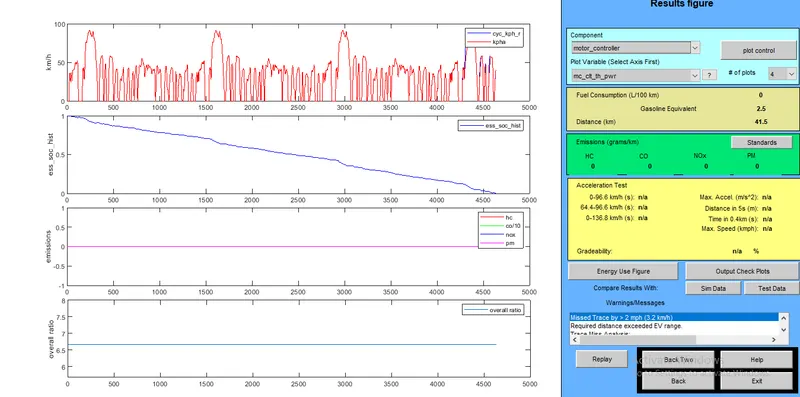
we can see from the above that the vehicle is unable to complete the distance of 47km and is short by 3.2 km as the battery State Of Charge has become 0.
2) The battery module was increased from 25 to 46 (ESSa_pb85) as shown below
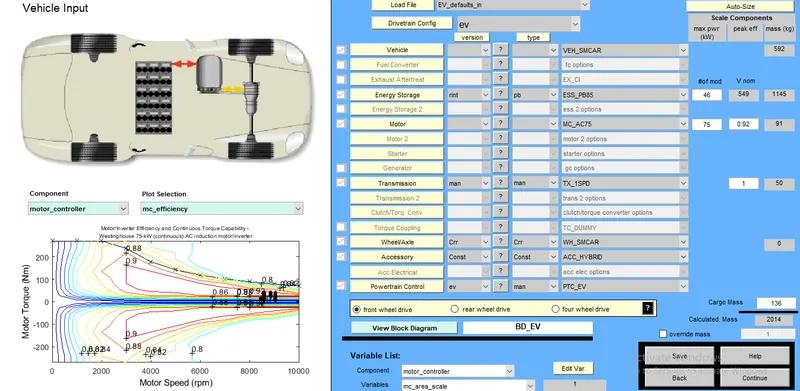
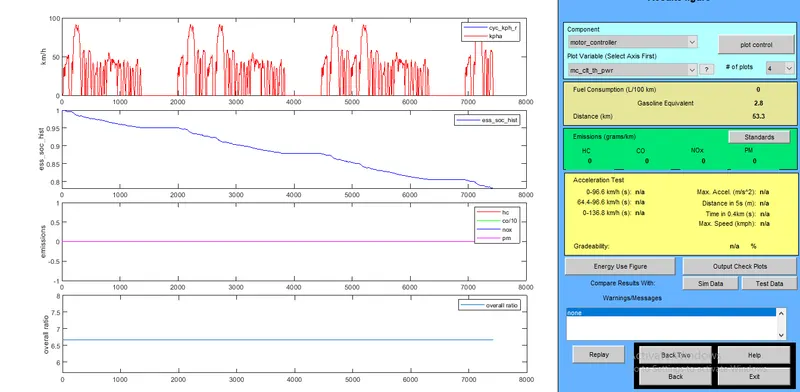
it can be seen that the vehicle could complete 53km of distance with the increase in battery modules and the state of charge of the battery after completing the distance is about 75%.
3) Gradeabilty: Abilty of the vehicle to climb the slope at a given speed.
Following is the gradebility test result obtained at different speeds for JPN PRIUS vehicle:
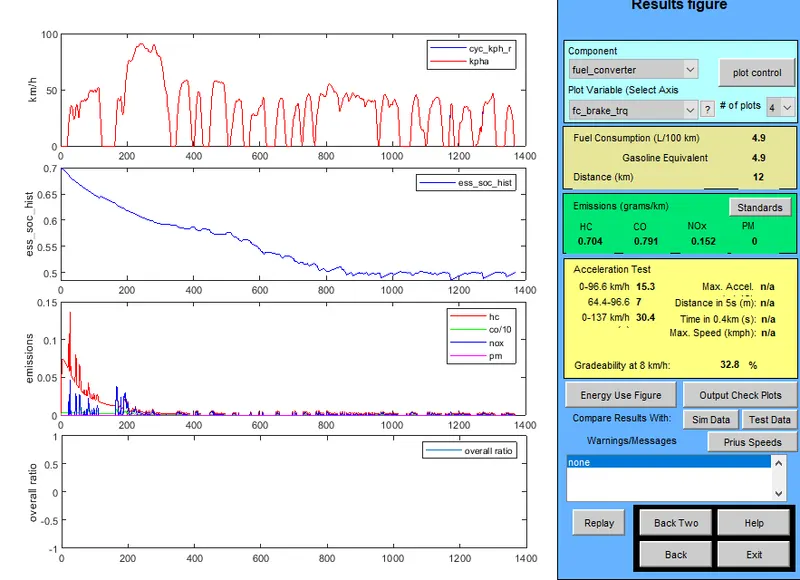
| Speed in MPH | Gradeability |
| 5 | 32.8 |
| 8 | 31.8 |
| 12 |
27.71 |
| 16 | 23.5 |
| 20 | 19.81 |
| 24 | 17.1 |
It can be seen that the car's gradebilty is high at low speed in comparison with higher speeds.