Week-3 Challenge: ADVISOR Tool
ADVISOR:
ADVISOR or ADvanced VehIcle Simulator is a set of model, data, and script text files for use with MATLAB and Simulink.
It is created by the National Laboratory of Renewable Energy (NREL) and the Department of Energy, USA.
It is designed for rapid analysis of the performance and fuel economy of conventional, electric, and hybrid vehicles.
ADVISOR also provides a backbone for the detailed simulation and analysis of user-defined drivetrain components, a starting point of verified vehicle data and algorithms from which to take full advantage of the modeling flexibility of Simulink and analytic power of MATLAB.
Advantages:
- estimate the fuel economy of vehicles that have not yet been built
- learn about how conventional, hybrid or electric vehicles use (and lose) energy throughout their drivetrains
- compare relative tailpipe emissions produced on several cycles
- evaluate an energy management strategy for your hybrid vehicle’s fuel converter
- optimize the gear ratios in your transmission to minimize fuel use or maximize performance, etc.
ADVISOR was preliminarily written and used in November 1994. Since then, it has been modified as necessary to help manage the US DOE Hybrid Vehicle Propulsion System subcontracts. Only in January 1998 was a concerted development effort was undertaken to clean up and document ADVISOR.
Since then, over 4500 individuals have downloaded one or more versions of ADVISOR, including all of the OEMs and major suppliers. About 2/3 of the users are from industry and 1/3 from universities. A shortlist of major ADVISOR users includes:
- DaimlerChrysler
- Ford Motor Company
- General Motors Corp.
- Delphi Automotive Systems
- Visteon, and hundreds of others
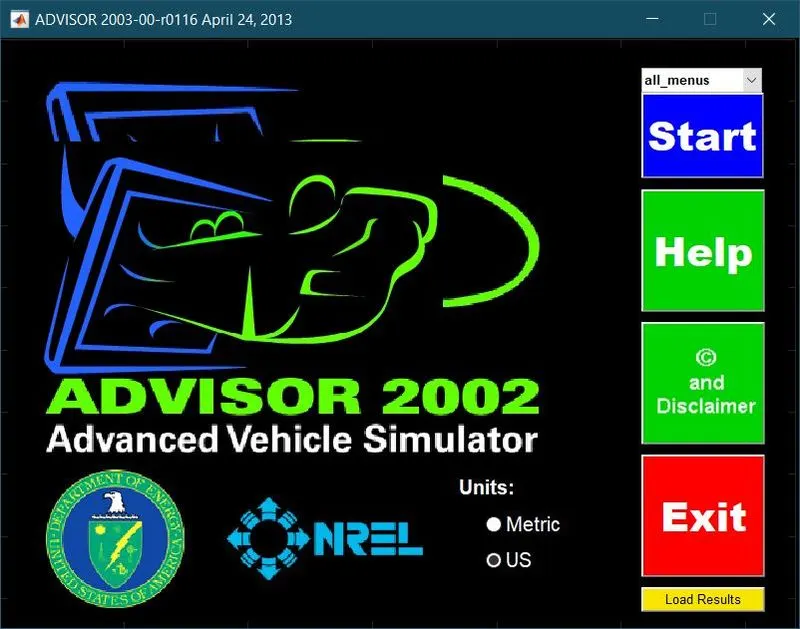
Startup window of ADVISOR on MATLAB:
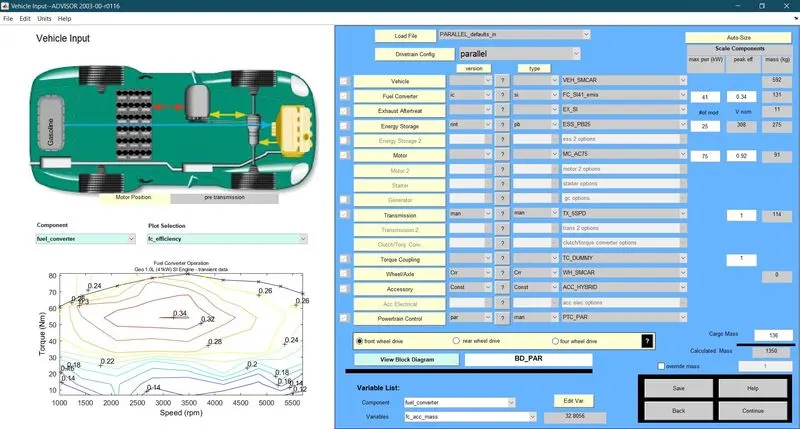
- For EV_defaults_in file, if cargo mass is 500 kg with all other default conditions, can the vehicle travel for 45 km with FTP drive cycle? Conclude your observations.
For default values of Load file, “EV_defaults_in “,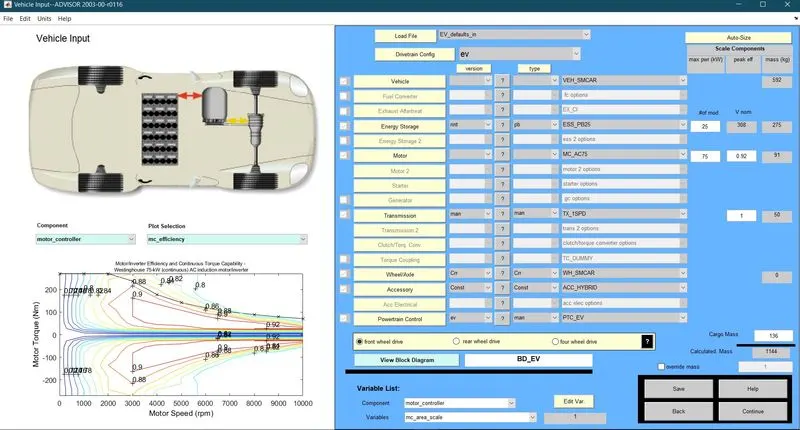
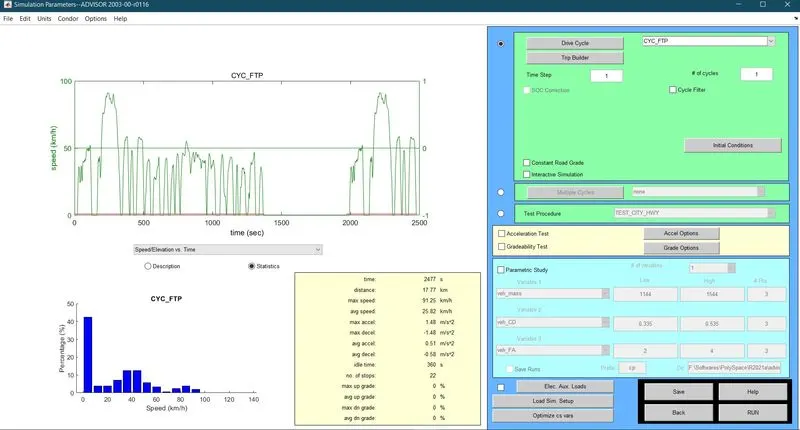
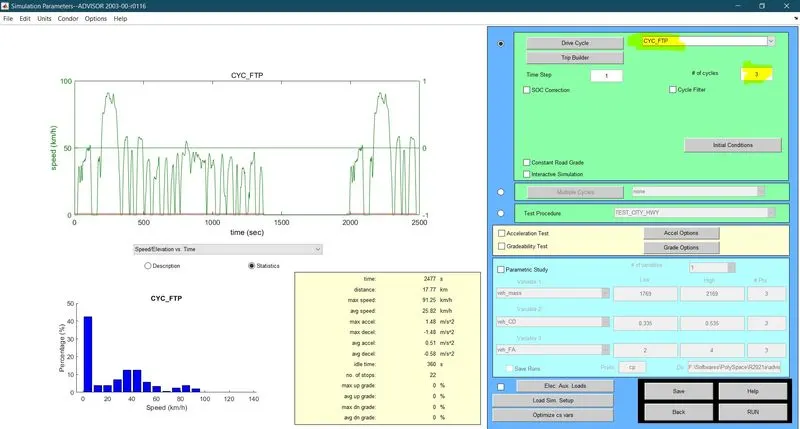
When the Drive Cycle is changed to CYC_FTP
Results:
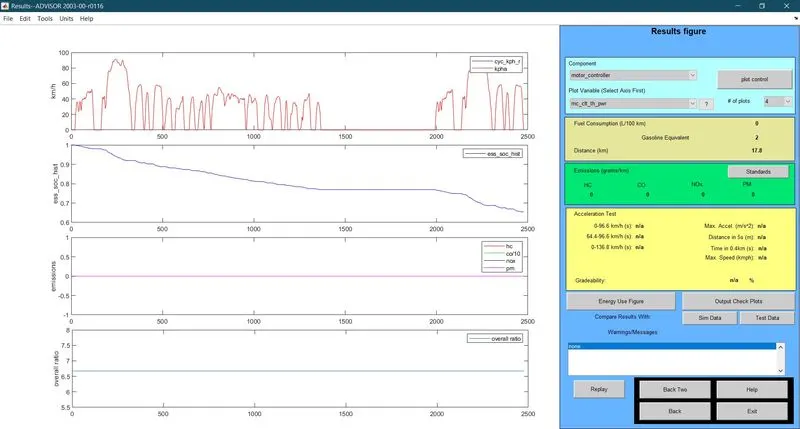
Here, during the simulation of “EV_defaults_in “with the Drive Cycle in CYC_FTP by keeping all the parameters in default conditions, it is evident that the Federal Test Procedure Drive cycle covers a total distance of 17.8 Kms with almost 65% Battery SOC.
Since our aim is to find if it is possible for the vehicle to travel for 45 km with FTP drive cycle, we need to run the simulation at least for 3 cycles or more, since 1 cycle could only complete 17.8 Kms.
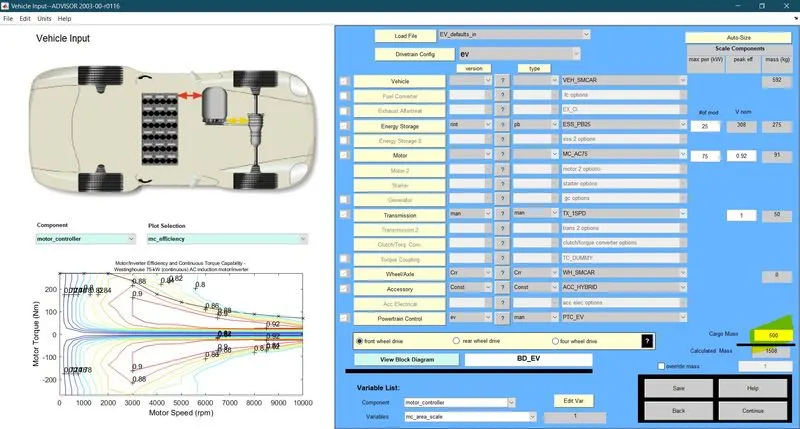
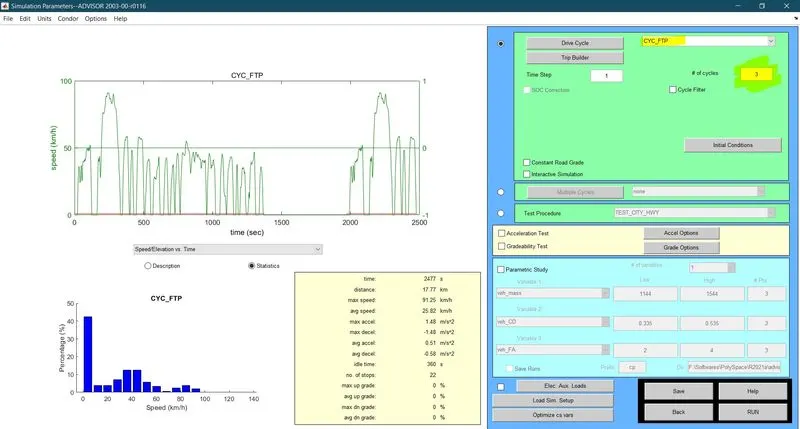
Let us simulate the same “EV_defaults_in “, with the Drive Cycle in CYC_FTP for 3 Drive Cycle by changing the only parameter, Cargo Mass, and keeping all other parameters in default conditions.
Here we consider,
Cargo mass = 500 Kg
FTP Drive Cycles =#3
Observation:
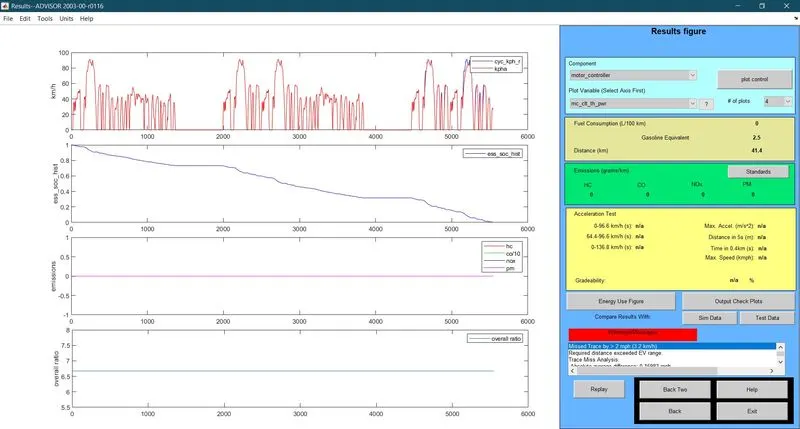
From the result, we can see that, after 3 Drive cycle consisting of a total distance = 53.3 Kms, the vehicle could only reach a total distance of 41.4 Kms consuming the total battery charge.
The SOC of battery at the beginning of simulation was at 100% and the battery energy is completely consumed after 5500 secs by attaining a total distance of 41.4 Kms.
Thus, we can conclude that the vehicle load file, “EV_defaults_in “with the Drive Cycle in CYC_FTP containing a Cargo Load of 500 Kg could only travel a total distance of 41.4 Kms and cannot attain 45 Kms with specified parameters.
In conclusion, increase in Gross Vehicle Weight can lead to drop in Vehicle total range.
- In the above case, try changing the battery capacity and repeat the simulation.
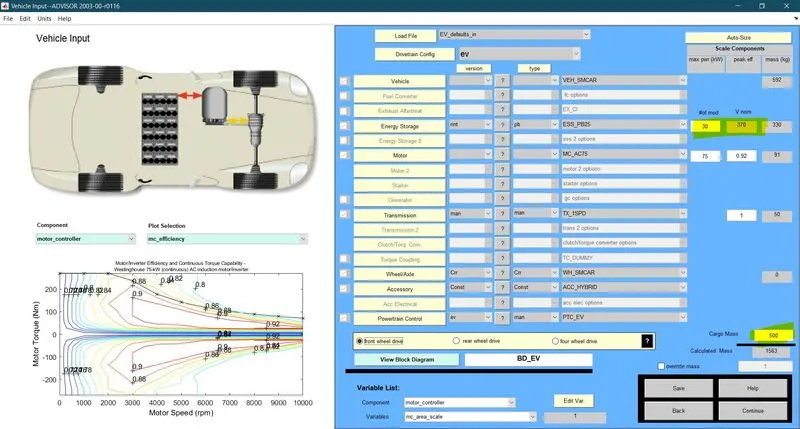
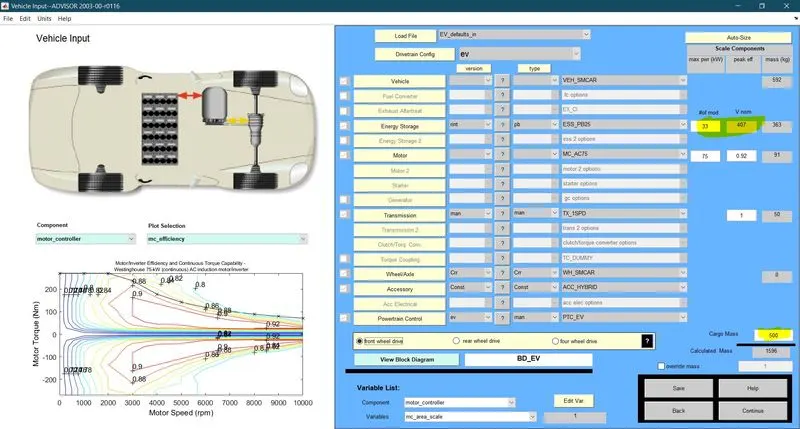
Here, to change the battery capacity , we will have to increase the no. of battery modules in the battery unit. The default no. of battery modules is #25 having a nominal voltage of 308 V
It means that, each battery module consists of 12.3 V. So, increasing one battery module will add around 12 V to the total nominal voltage.
CASE ILet’s assume a nominal voltage of 370 V by adding 5 more modules to the system and run the simulation for same system.
CASE II
Let’s assume a nominal voltage of 407 V by adding 8 more modules to the system and run the simulation for same system.
RESULTS:
CASE I: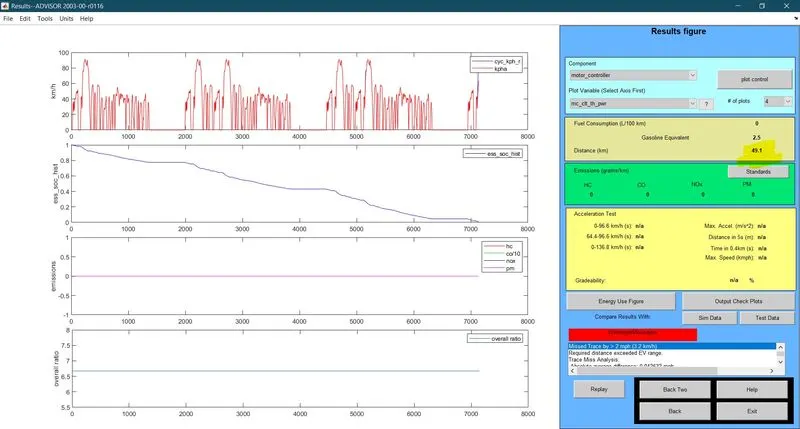
CASE II: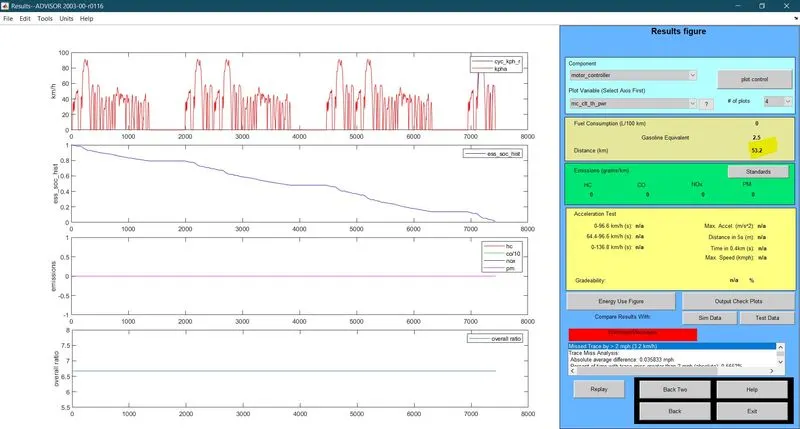
OBSERVATION:
- For the setup, In case I, when we added 5 more modules and run the simulation, we can observe that, for a Nominal voltage of 370 V, the vehicle now covers 1 Kms and satisfies the condition of travelling 45 Kms with a load of 500Kg.
- For Case I, The Battery SOC reaches 0% around 7100 seconds.
- For the same setup, In case II, when we added 8 more modules and run the simulation, we can observe that, for a Nominal voltage of 403 V, the vehicle now covers 2 Kms but couldn’t complete the 3rd Drive cycle by just 1 Km.
- It possible in Case II to complete the 3rd Drive cycle just by providing one more Module to the Battery Storage.
- For Case II, The Battery SOC reaches 0% around 7500 seconds.
- In general, the vehicle range can be improved either by reduced weight or by increasing battery capacity in the given case.
- Perform gradeability test with PRIUS_Jpn_defaults_in file. Compare your results in table and conclude
THEORY:
Gradeability: A car's gradeability is its ability to climb slopes. Gradeability is measured either in degrees or percentages. A 45 degrees gradient is equivalent to 100 percent. Gradeability is dependent on the engine or motor power, drivetrain type, gear ratio, weight, weight distribution, car's centre of gravity, and traction.
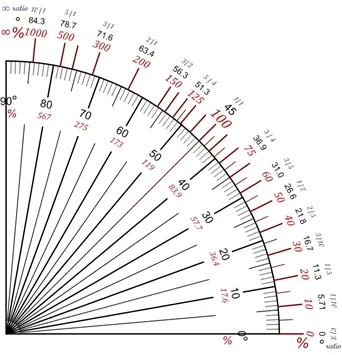
How to calculate gradeability?
Gradeability is widely calculated as a percentage rather than degrees. It can be confusing to convert between these two values and to visualise a percentage value in terms of an angle.
A 45° angle equates to 100% gradeability.

Formula to convert a percentage to degrees:
Degrees = Tan-1 (Slope Percent/100)
Occasionally access machinery specifications may show inclines expressed as degrees. This could be confusing if you are comparing between machines, and both are expressed in different values.
Formula to convert degrees to a percentage:
Percentage = [ Tan (Degrees)] x 100
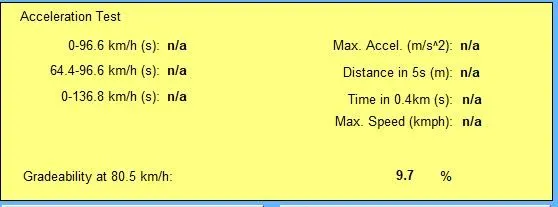
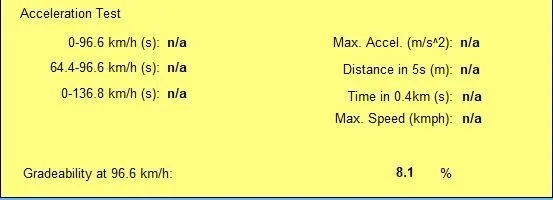
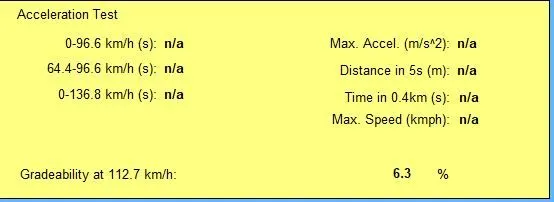
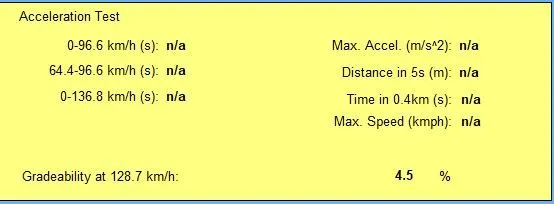
Let us run the simulation for default values of Load file, “PRIUS_JPN_defaults_in “, using Drive Cycle , CYC_UDDS
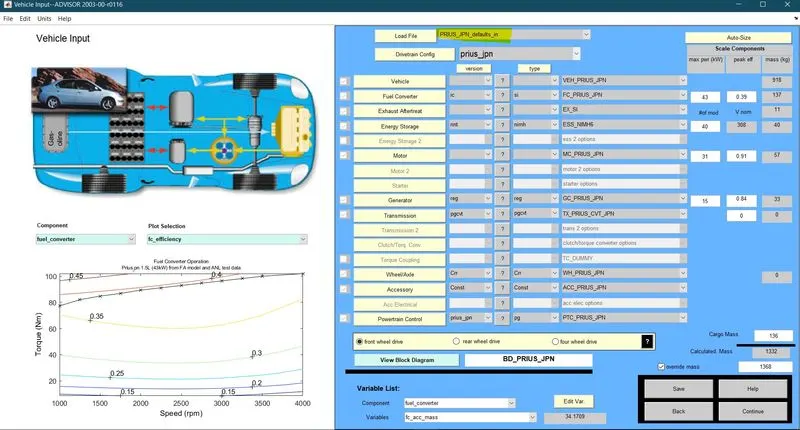
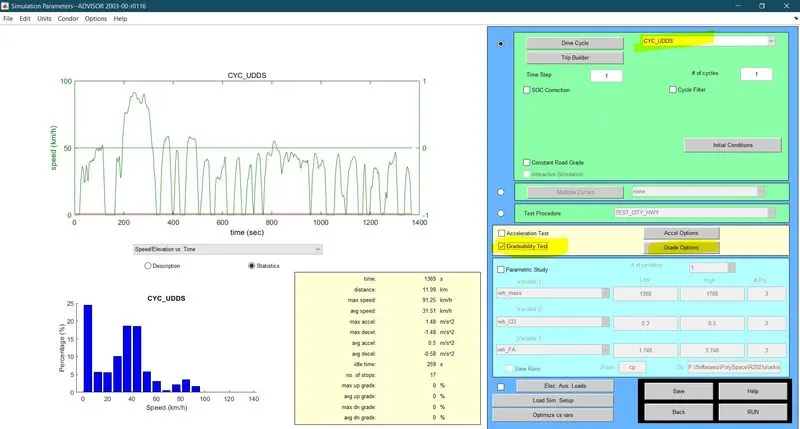
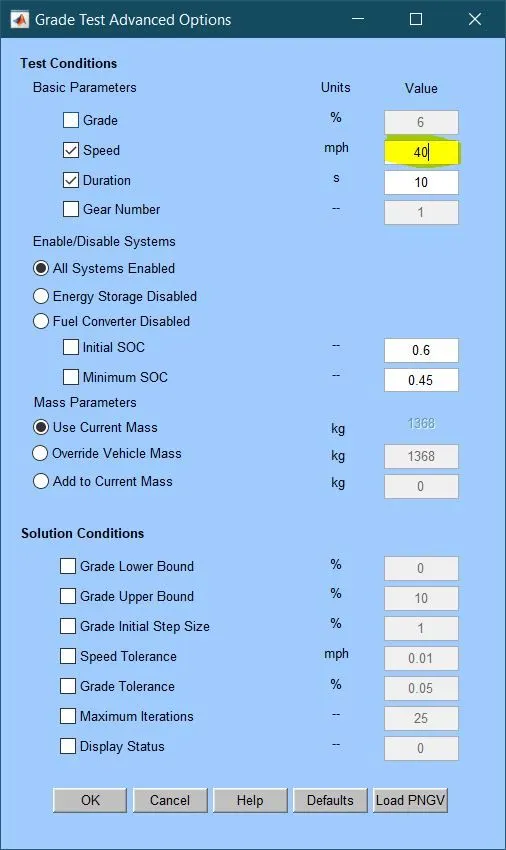
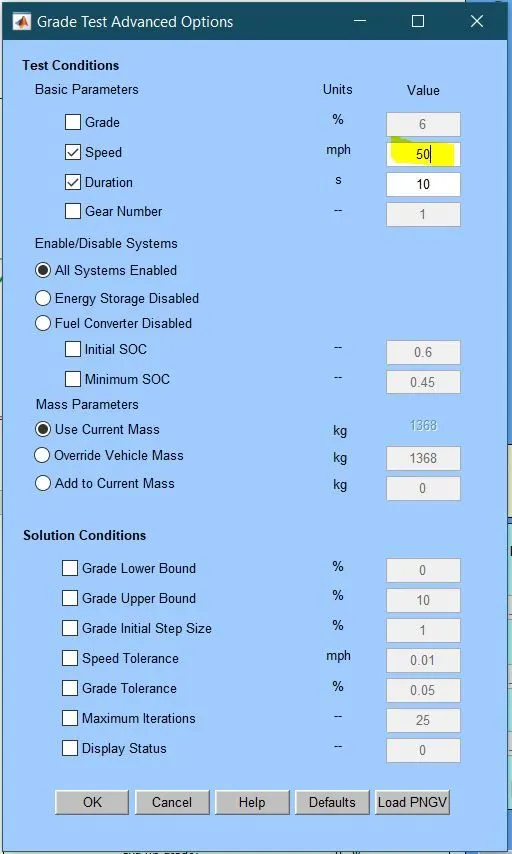
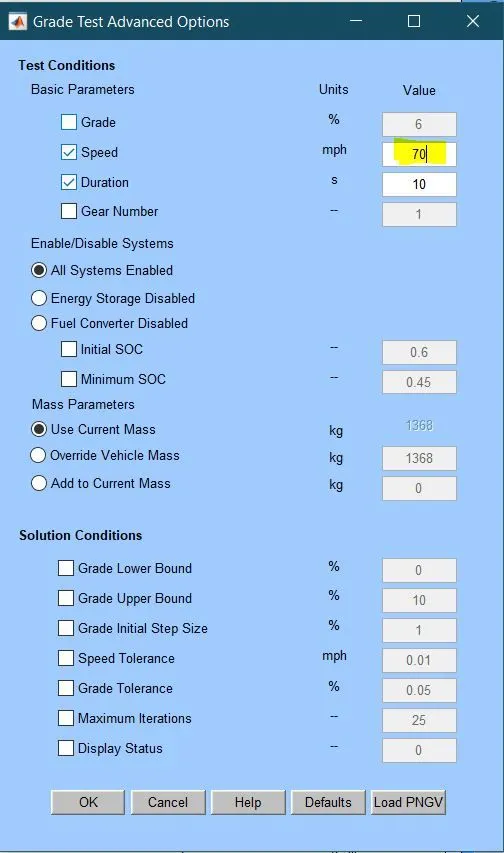
Let's assume that for the grade options, the settings like,
- Under Basic settings, Speed and Duration are enabled. Here, Speed is varied from 40- 100 mph while keeping the duration at 10 s
- Under Enable/Disable systems, All Systems are enabled are selected
- Under Mass parameters, Use Current Mass is selected
- and remaining are not considered.
the following cases are;
Case I
Case II
Case III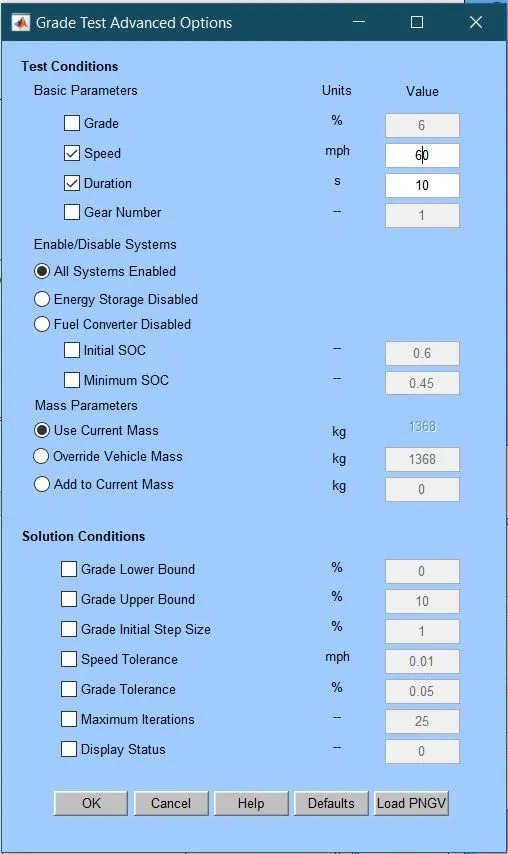
Case IV
Case V
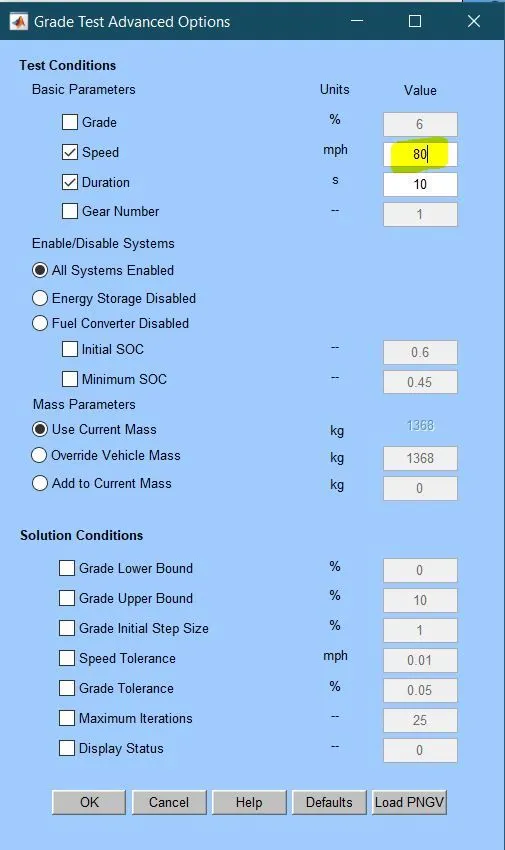
Case VI
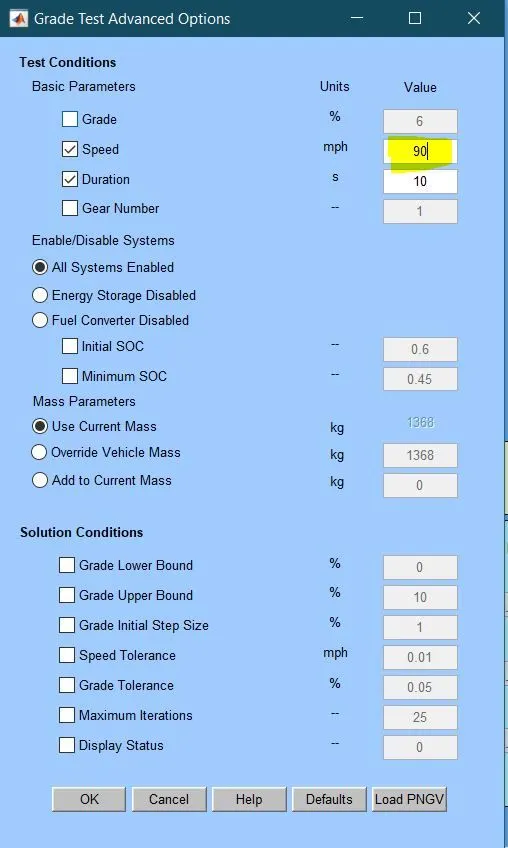
Case VII
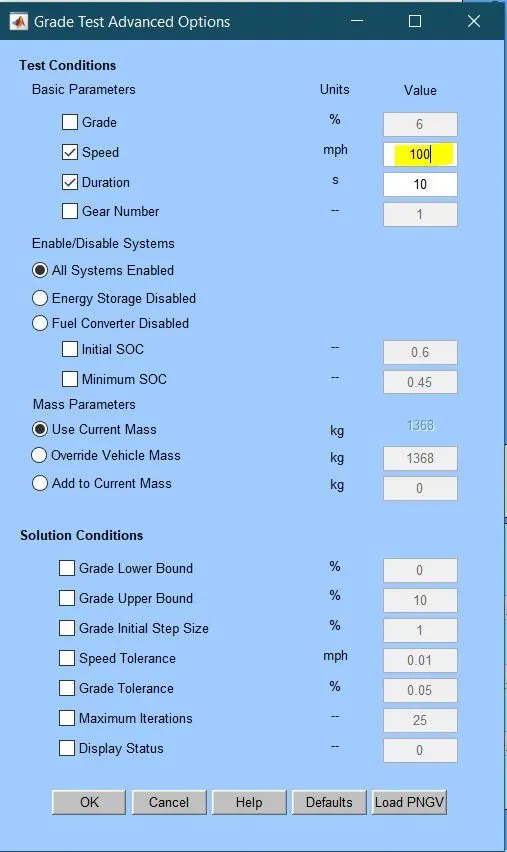
RESULTS:
Case I
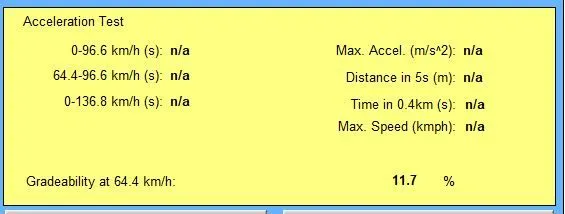
Case II
Case III
Case IV
Case V
Case VI
Case VII
OBSERVATIONS:
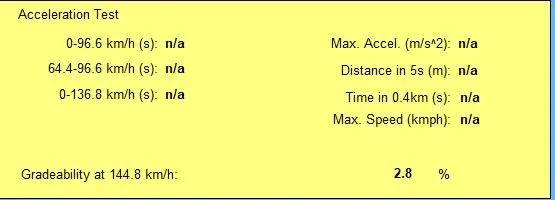
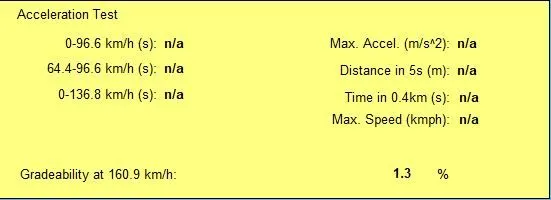
The Table shown below resembles the results of the gradeability test. In the test, we considered 7 cases, wherein each case, the speed of the vehicle is increased by 10 Mph. In this study, the following assumptions are considered.
- Under Basic settings, Speed and Duration are enabled. Here, Speed is varied from 40- 100 mph while keeping the duration at 10 s
- Under Enable/Disable systems, All Systems are enabled are selected
- Under Mass parameters, Use Current Mass is selected
- and remaining are not considered.
| Case | Vehicle Speed | Gradeability (%) | |
| Mph | Kmph | ||
| I | 40 | 64.4 | 11.7 |
| II | 50 | 80.5 | 9.7 |
| III | 60 | 96.6 | 8.1 |
| IV | 70 | 112.7 | 6.3 |
| V | 80 | 128.7 | 4.5 |
| VI | 90 | 144.8 | 2.8 |
| VII | 100 | 160.9 | 1.3 |
From the table, it is evident that as Speed increases, the Gradeability of the vehicle decreases.
Or in other words, we can say that Speed and Gradeability are inversely related.
Here, the maximum gradeability occurs at a lower speed, say 40 Mph.
And the least gradeability occurs at the highest speed, which is 100 Mph