Week-3 Challenge: ADVISOR Tool
1) Aim: To Verify whether the vehicle (EV_defaults.in file) travels 45 Km with FTP drive cycle with the carge mass of 500kg and conclude the observations.
Advisor Tool:
- Advisor (ADVANCED VEHICLE SIMULATOR) is created by National Laboratory for Renewable Energy (NERL) & Department of Energy, USA.
- Rapid analysis of performance and fuel economy of conventional, electric and hybrid vehicles.
- It provides a detailed simulation and analysis of user defined drivetrain components, a starting point of verified vehicle data and algorithms from which to take full advantage of the modeling flexibility of Simulink and analytic power of MATLAB.
Benefits:
- Estimate the fuel economy of vehicles that have not yet been built.
- Energy useage of conventional, hybrid, or electric vehicles throughout their drivetrains.
- Compare relative emissions produced on a number of cycles.
- Evaluate an energy management strategy for your hybrid vehicle’s fuel converter.
- optimize the gear ratios in your transmission to minimize fuel use or maximize performance, etc.
Limitations:
-
Only look up tables, no built in MATLAB models. Look up tables are comparative relation between parameters. It’s based on scripts and m files.
- Physical vibrations, electric field oscillations and other dynamics cannot be captured using ADVISOR, however recent linkages with other tools such as Saber allow a detailed study of these transients in those tools with the vehicle level impacts linked back into ADVISOR.
- It is a backward facing vehicle simulation which doesn"t represent the perfect real simulation since the vehicle speed can't be controlled in the drive cycle during the performance of fuel economy.
- Here we doesn't have a control strategy i.e., the detalis of how could we implement the control strategy in hardware in-the-loop(HIL).
Models in advisor tools:
- Mostly empirical, relying on drivetrain component input/output relationships measured in the laboratory
- Quasi-static, using data collected in steady state tests and correcting them for transient effects such as the peak torques of drivetrain components.
Opening the ADVISOR:
- First select the Advisor tool pathway in the MATLAB and then Type Advisor in the Command window. IT will open up a Advisor tool pop-up.
Its has three windows:
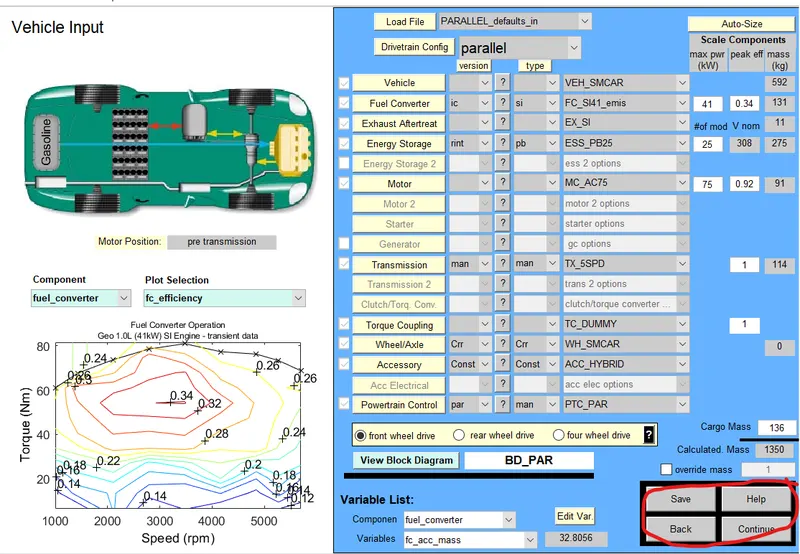
- Vehicle input window.
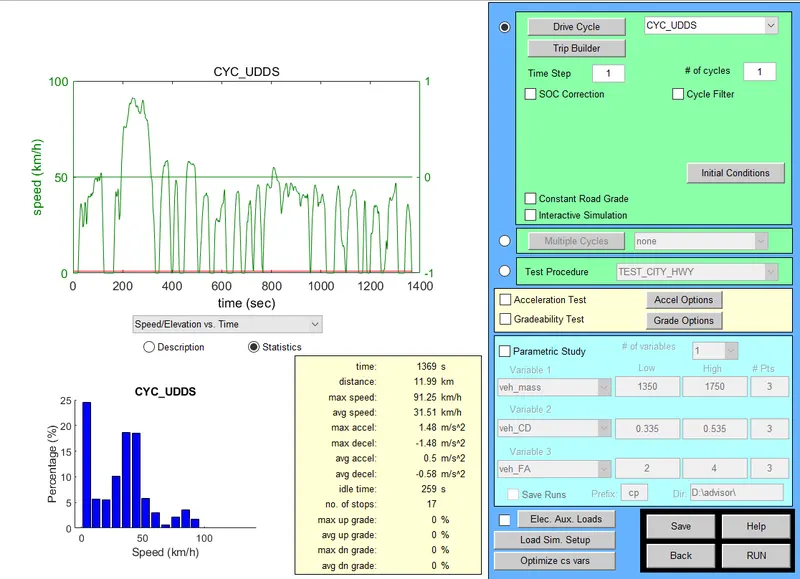
- Simulation parameter window.
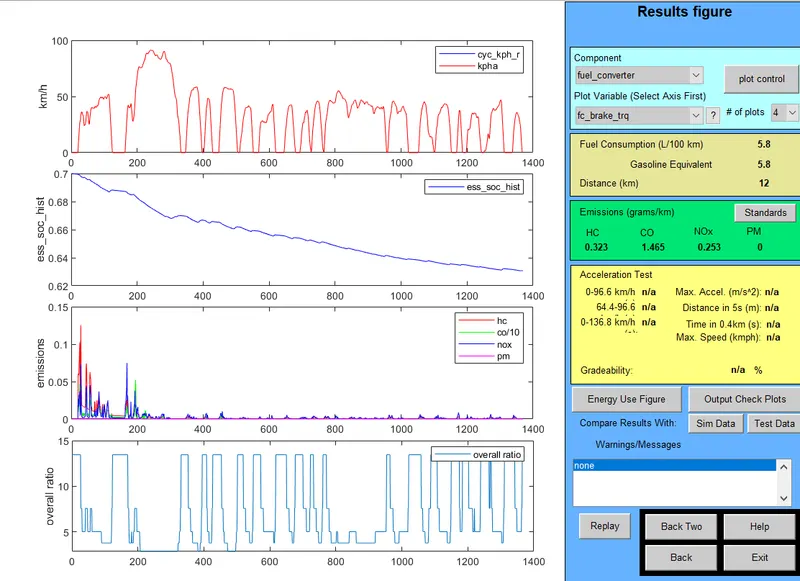
- Output window.
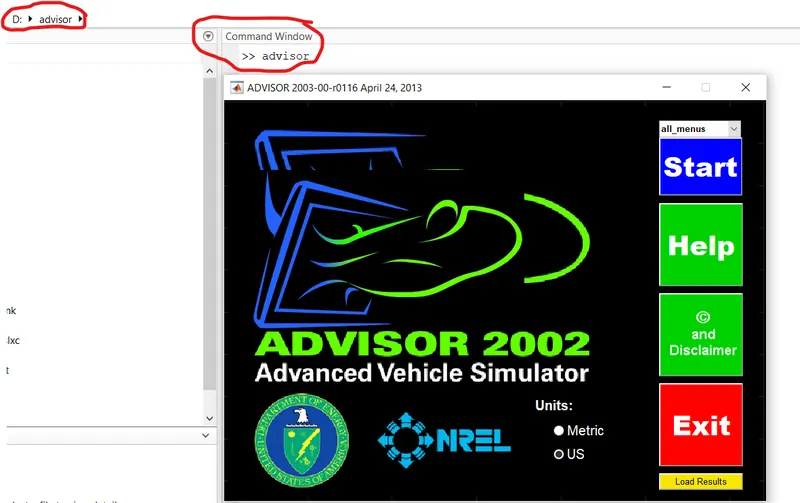
- Select the units as Metric and then click on start. It opens up the advisor and here we can see various parameters with their architechture, their plot section, etc., at the bottom we have Save, Help, Back, Continue.
- Click on continue another window opens up which as the drive cylce, trip bulider is creating the drive cycle of our own, acelelration test conditions, gradeability test conditions, and other parameters.
- When we click on RUN we can see the plots of different paramets, total distance travelled, SOC, and other parameters.
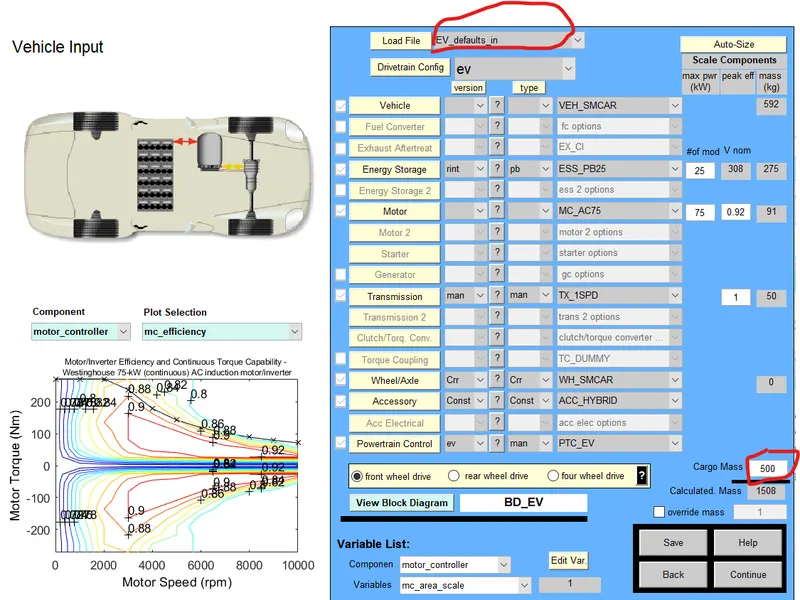
- In the question it is given then for EV.defaults.in vehicle i.e electric vehile input model with a cargo mass of 500kg and keeping other parameters same click continue.
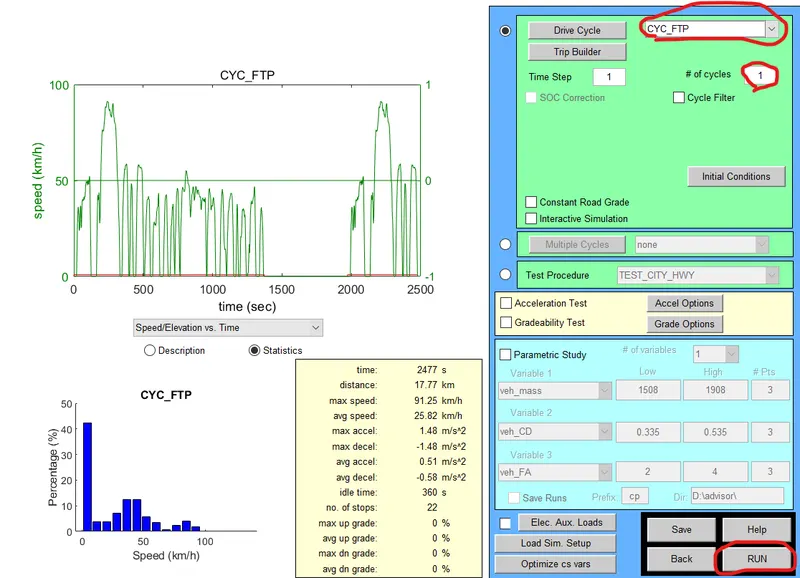
- Now select the drive cycle as CYC_FTP and check for only 1 no.of cycles and then clcik run.
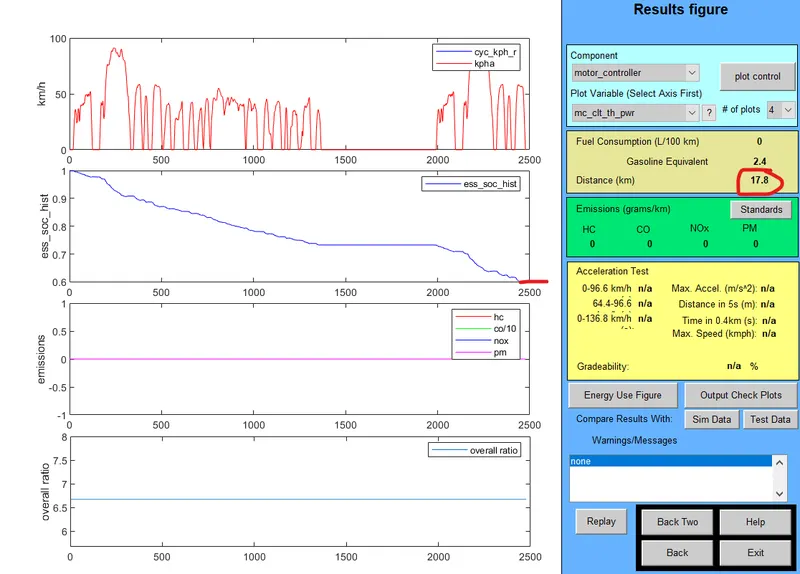
- Here for 1 drive cycle of FTP the distance travelled by the vehicle is 17.8km with the SOC of 0.6.
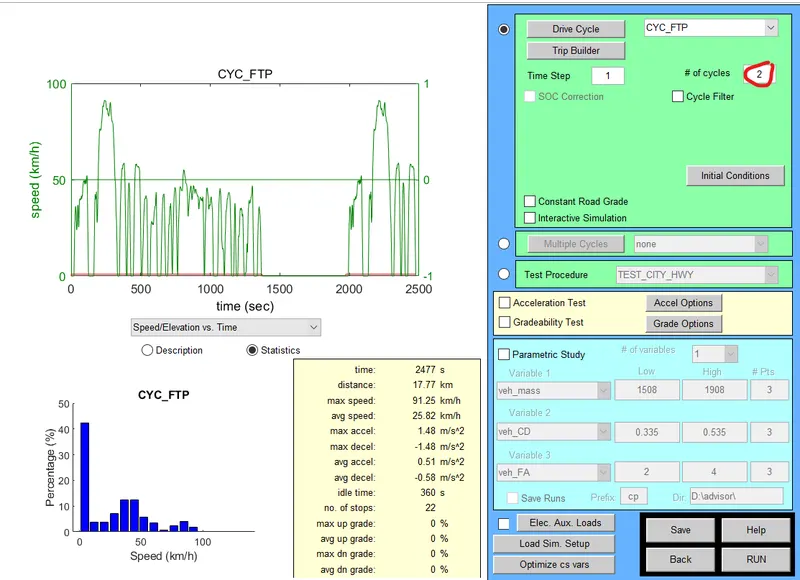
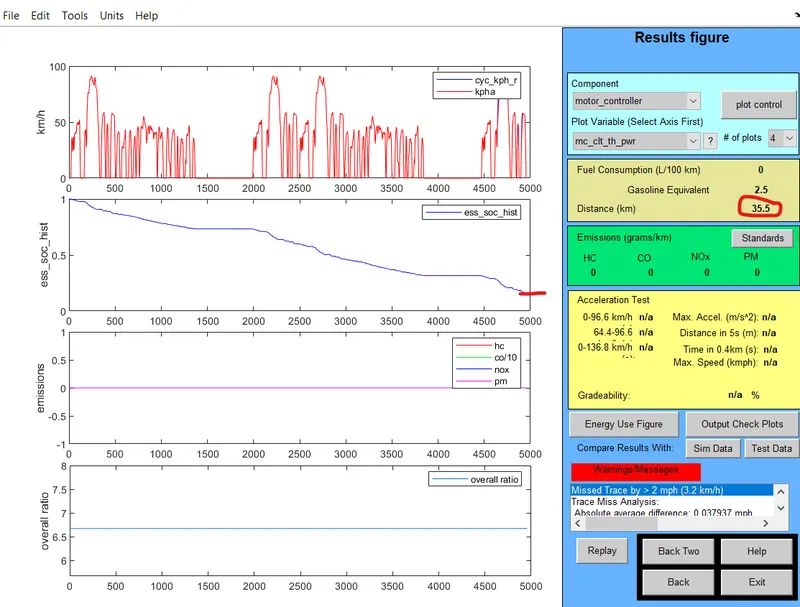
- Now consider 2 no.of cycles and check for total distance and SOC. The total distance travelled is 35.5km with SOC of 0.164.
- Now Check for 3 no.of drive cycles, total distance travelled and SOC. Distance travelled is 41.4 and SOC is 0 before the overall 3 cycle is completed.
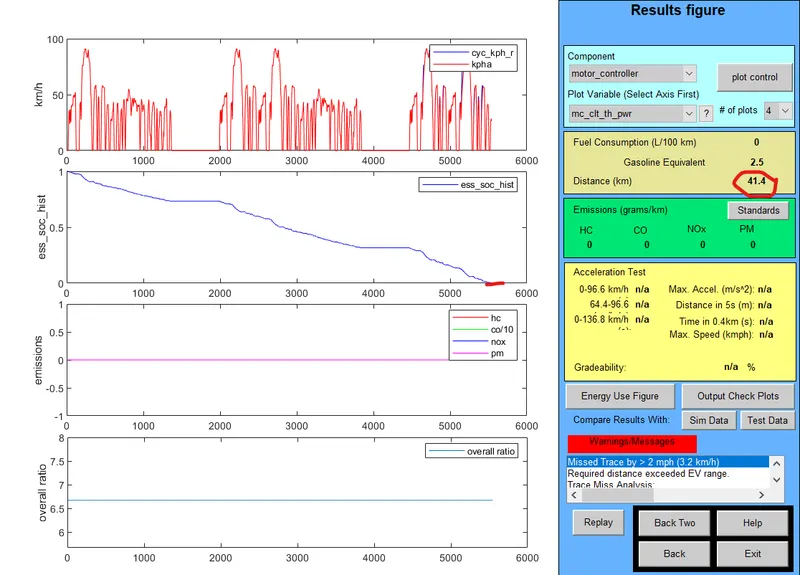
Coclusion: A typical EV.default.in type vehicle with FTP drive cycle can for 25 no of modeules can drive only upto 41.4km and hence it cannot travel 45km. It will complete it energy with in 41.4km if we increase the battery input we can drive upto 45km.
2) Aim: To change the battery capacity of the above model, view and compare the results.
- In vehicle Input window change the capacity of the battery from energy storage (#of mod) increase the number it will change the voltage and weight of the battery.
- Vehicle with 25 no.of modules with 2 drive cycles of FTP.
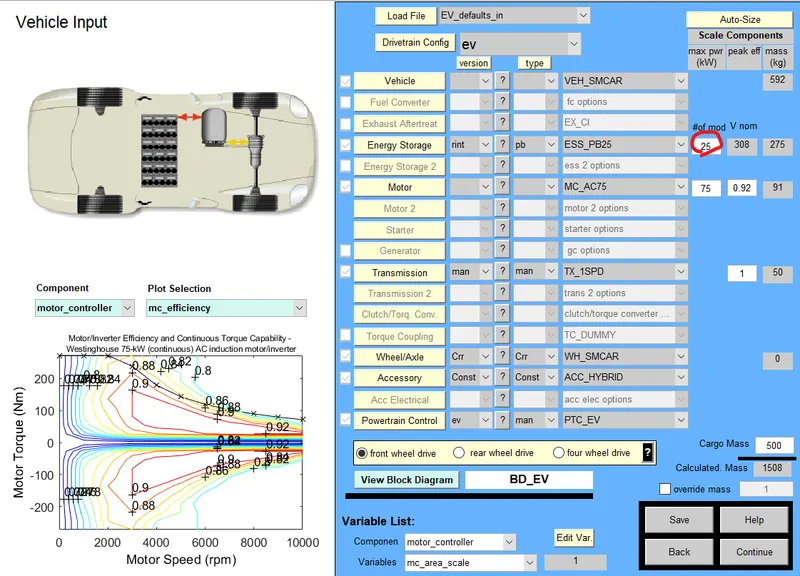
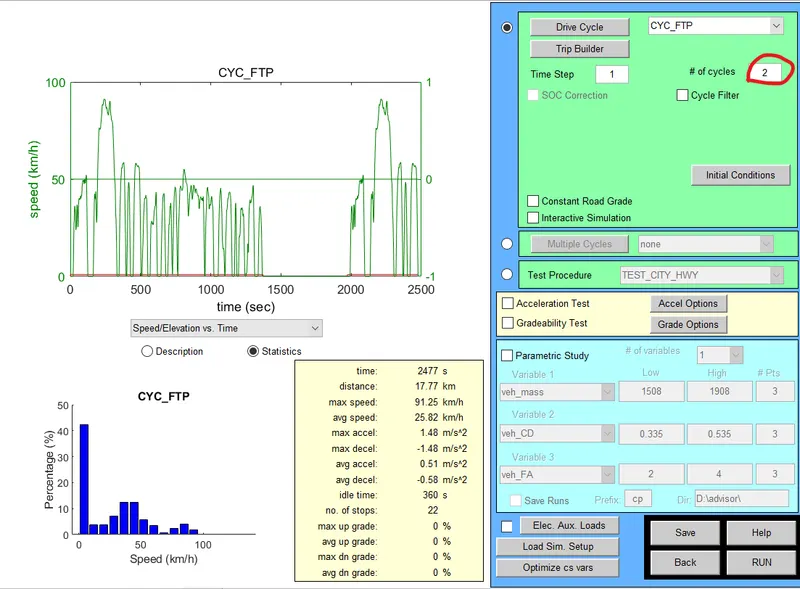
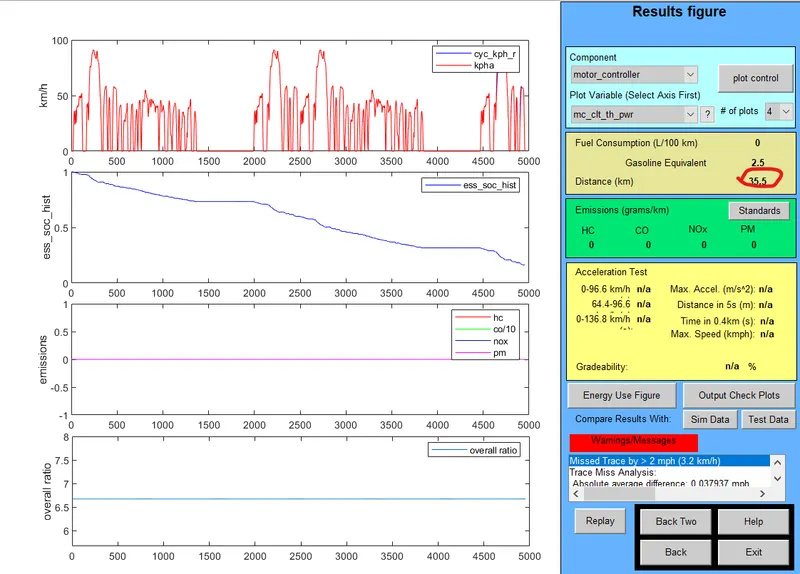 Distance travelled is 35.5km with SOC 0.164.
- Vehicle with 26 no.of modules with 2 drive cycles of FTP.
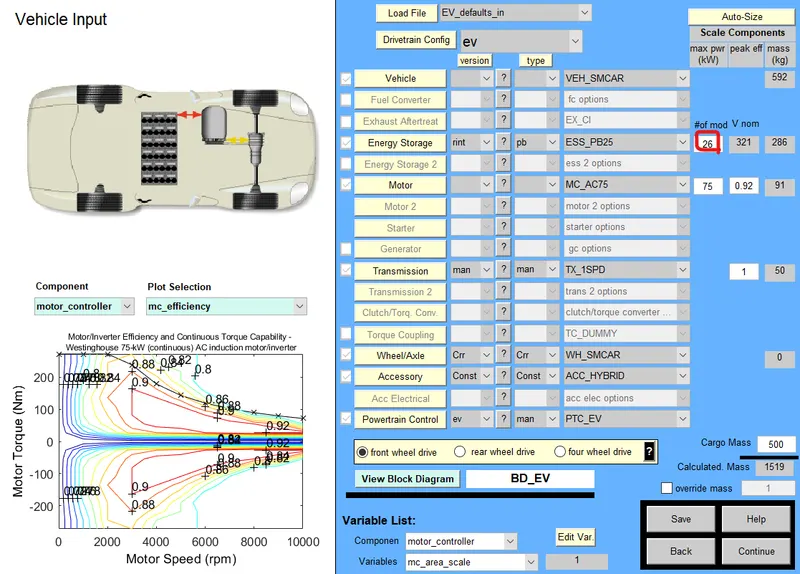
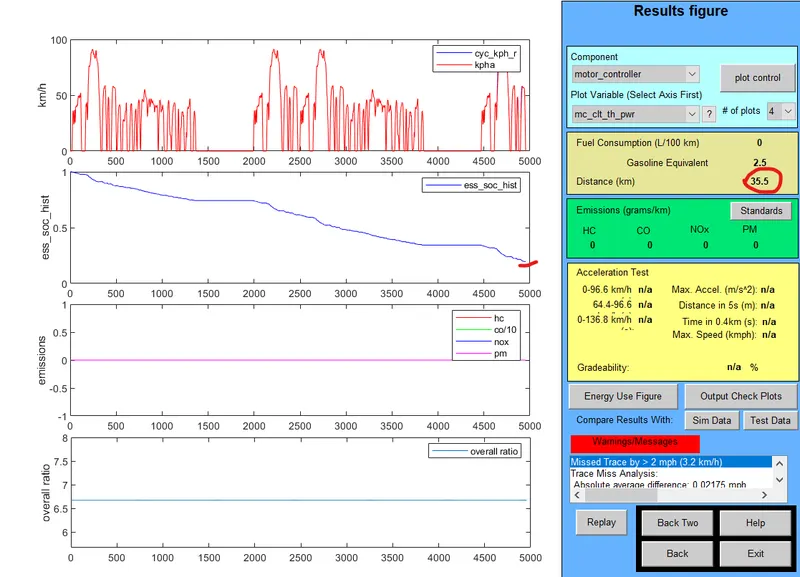 Distance travelled is 35.5km with SOC of 0.198.
- Vehicle with 27 no.of modules with 2 drive cycles of FTP.
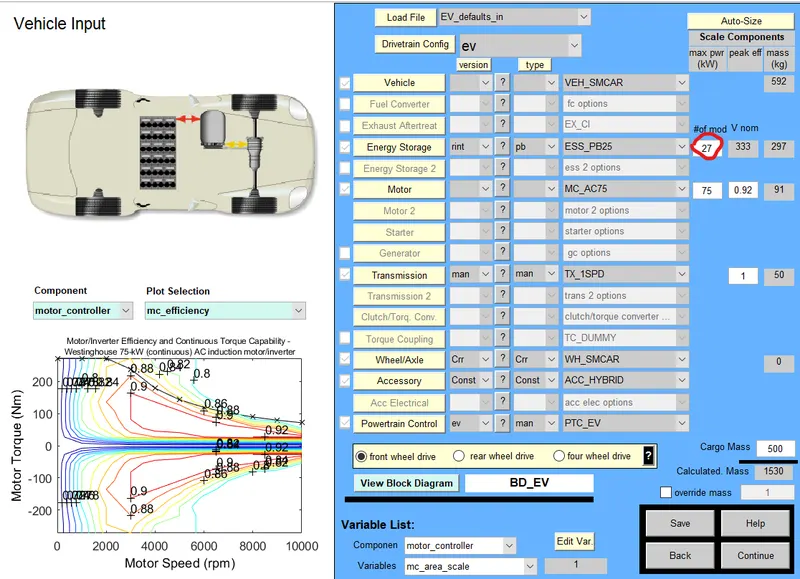
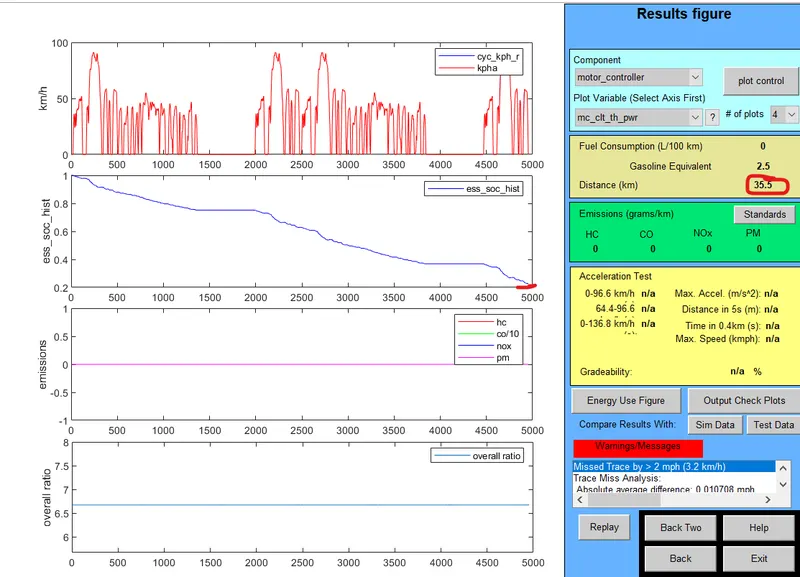 Distance travelled is 35.5km with SOC of 0.2291.
- Vehicle with 28 no.of modules with 2 drive cycles of FTP.
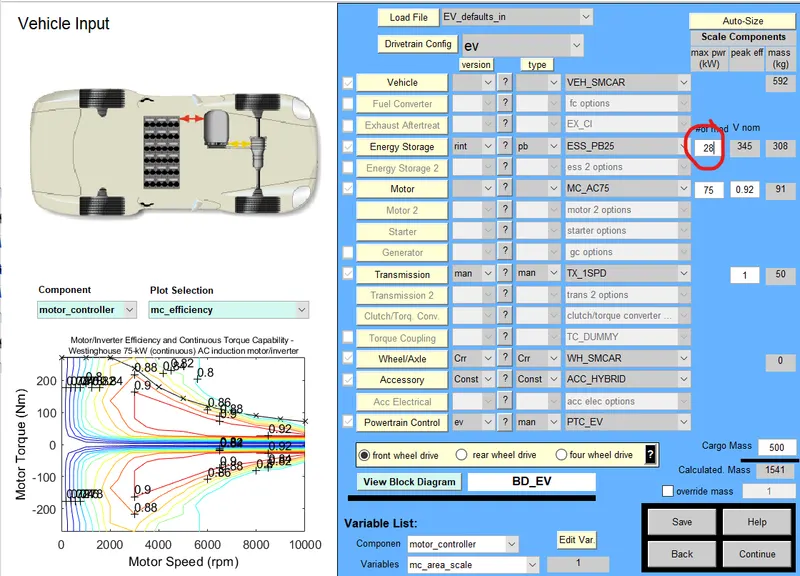
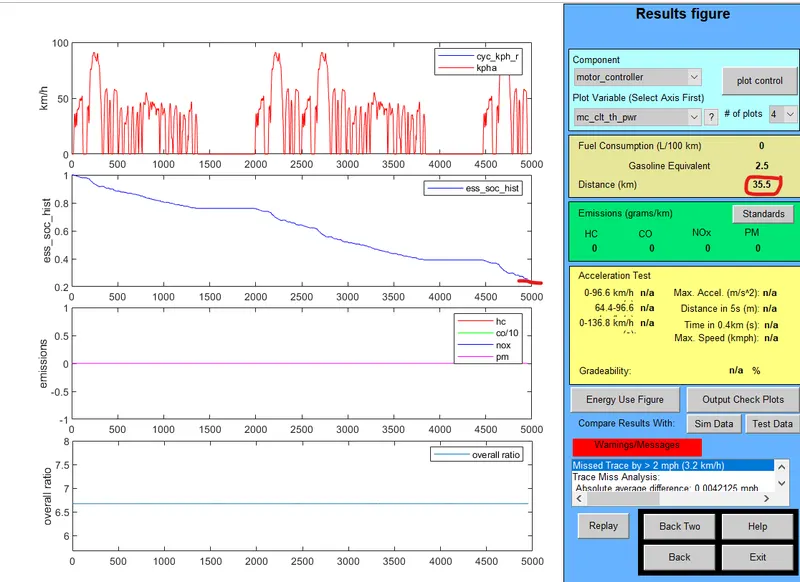 Distance travelled is 35.5km with SOC of 0.2577.
- Vehicle with 26 no.of modules with 3 drive cycles of FTP.
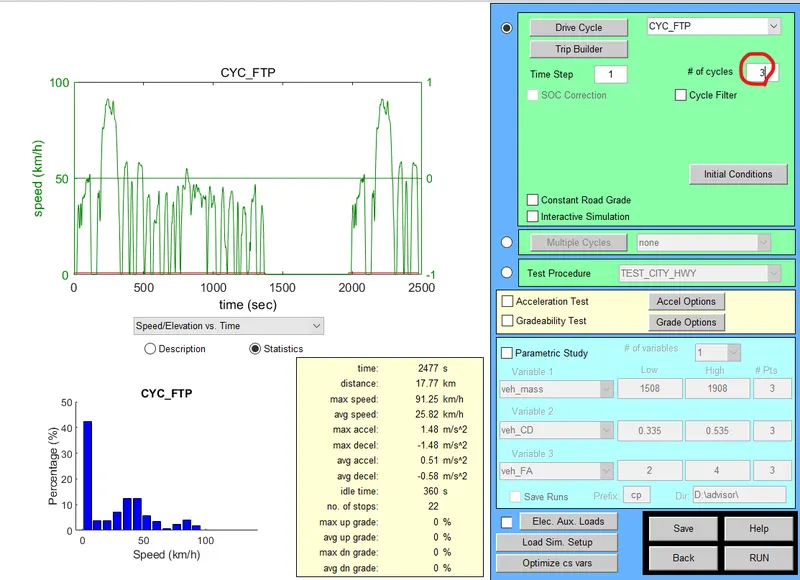
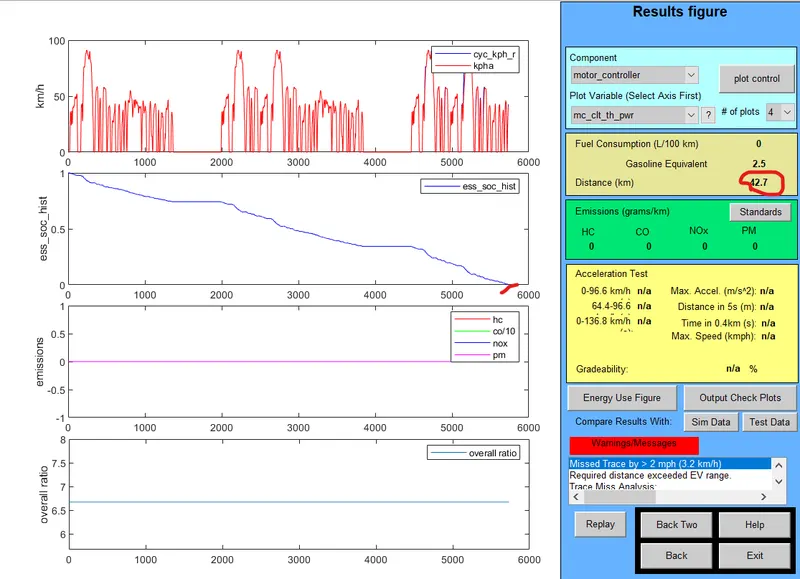 Distance travelled is 42.7km with SOC of 0(fully discharged).
- Vehicle with 27 no.of modules with 3 drive cycles of FTP.
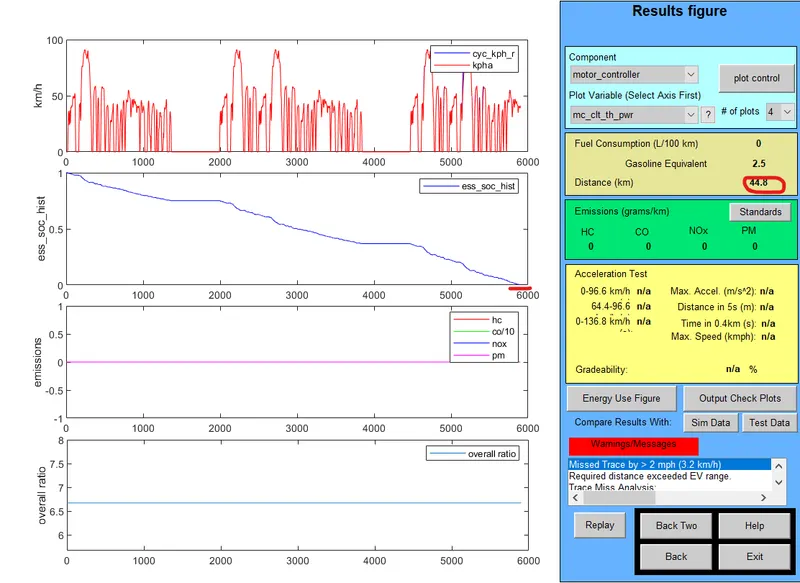 Distance travelled is 44.8km with SOC of 0.
- Vehicle with 28 no.of modules with 3 drive cycles of FTP.
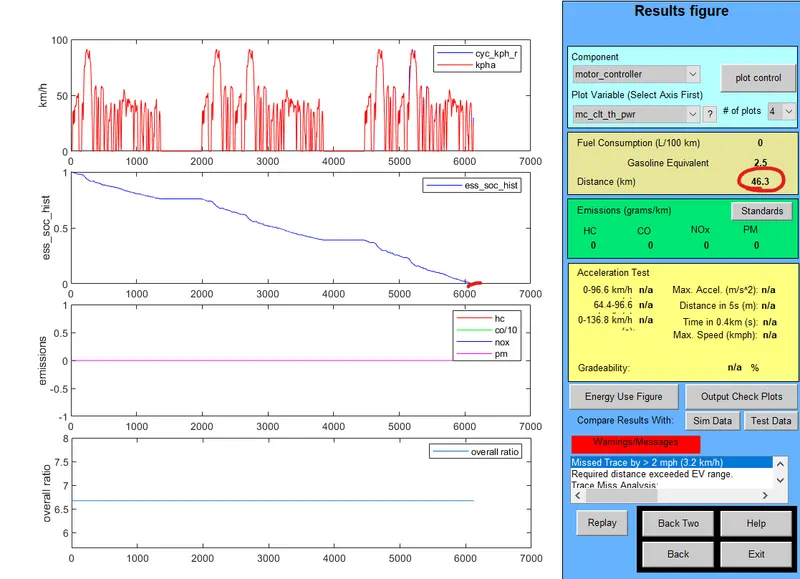 Distance travelled is 46.3km with SOC of 0. The 45km is completed in 5926 seconds (aprrox 99min) and the state of health after running 45km is 0.0317.
Conclusion:
| Drive cycle | Battery capacity(no.of modules) | Distance travelled(km) | SOC |
| 2 | 26 | 35.5 | 0.164 |
| 2 | 27 | 35.5 | 0.198 |
| 2 | 28 | 35.5 | 0.2291 |
| 3 | 26 | 42.7 | 0 |
| 3 | 27 | 44.8 | 0 |
| 3 | 28 | 46.3 | 0 |
- Hence we can drive 45km with FTP drive cycle with 28 modules capacity after exactly 45km of travel the SOC for it will be 0.0317.
3) Aim: To Perform the gradeability test with PRIUS_Jpn_defaults_in vehicle input and compare the results in tabular form.
- From the vehicle input window change the load file to PRIUS_Jpn_defaults_in and click on continue.
- Now a Simulation window will be appread in which select the drive cycle and click on the Gradeability test and grade option.
- A grade test window will open up in which you change the speed of vehicle, time duration and others parametrs as shown below figure.
- After making the changes according to the requirement click on OK.
- Here I adjusted the grade to 10%, Speed as 25mph i.e 40.233kmph and time duration of 10sec
- Enable the Enable all sysytem so that all the systems performance is viewed. Click OK so that changes made mare saved.
- Then click on RUN to viewn the results.
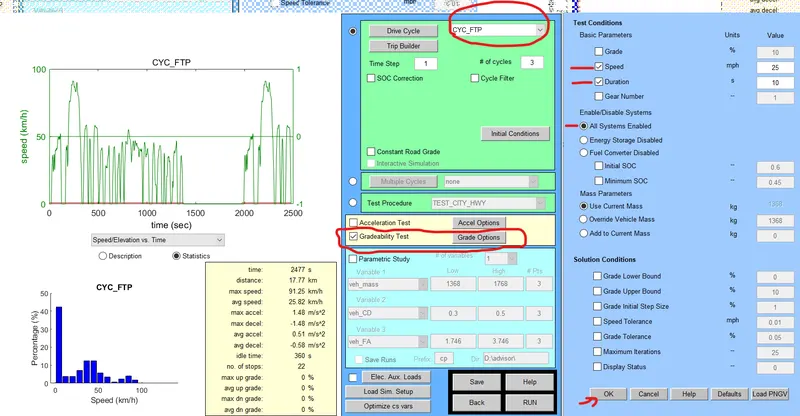
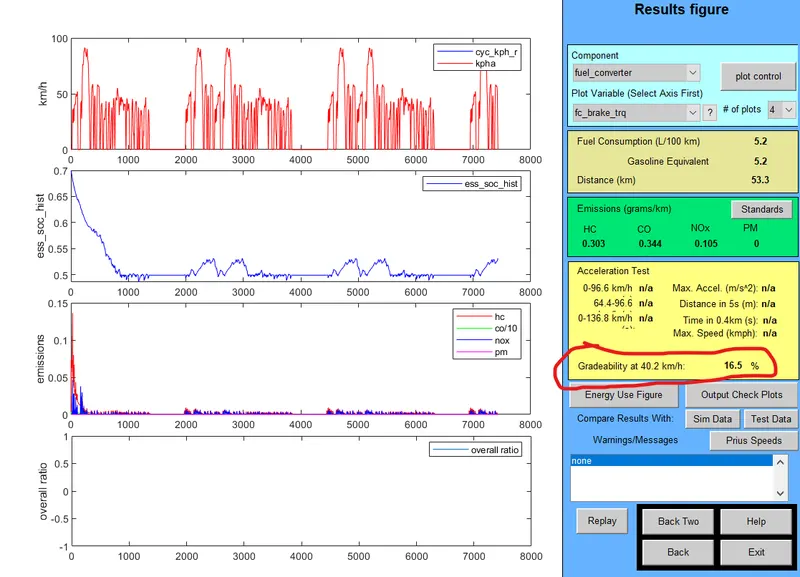
- Gradeability for 25mph i.e 40.2336kmph at 10s duration is 16.5%.
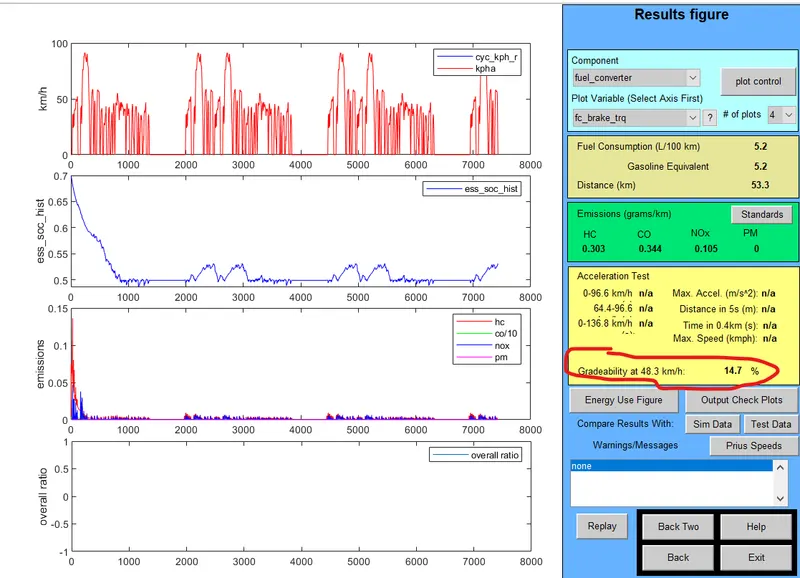
- Gradeability for 30mph i.e 48.28kmph at 10s duration is 14.7%.
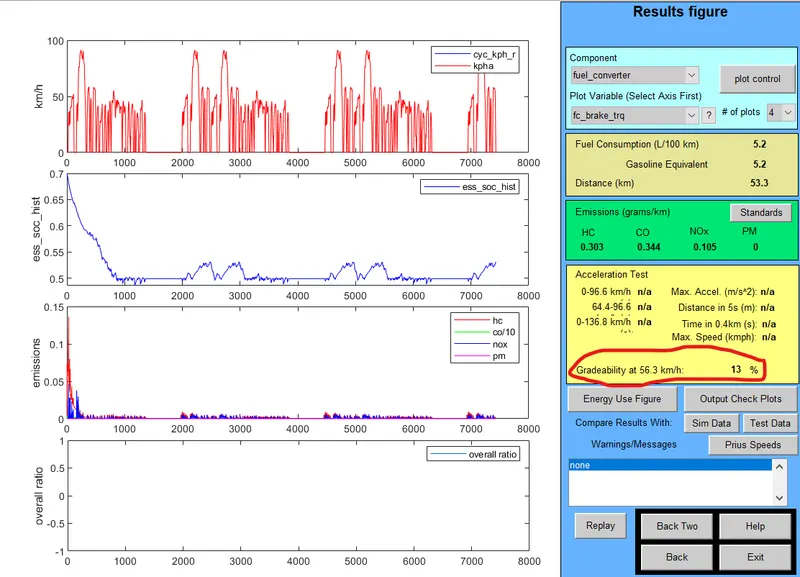
- Gradeability for 35mph i.e 56.327kmph at 10s duration is 13%.
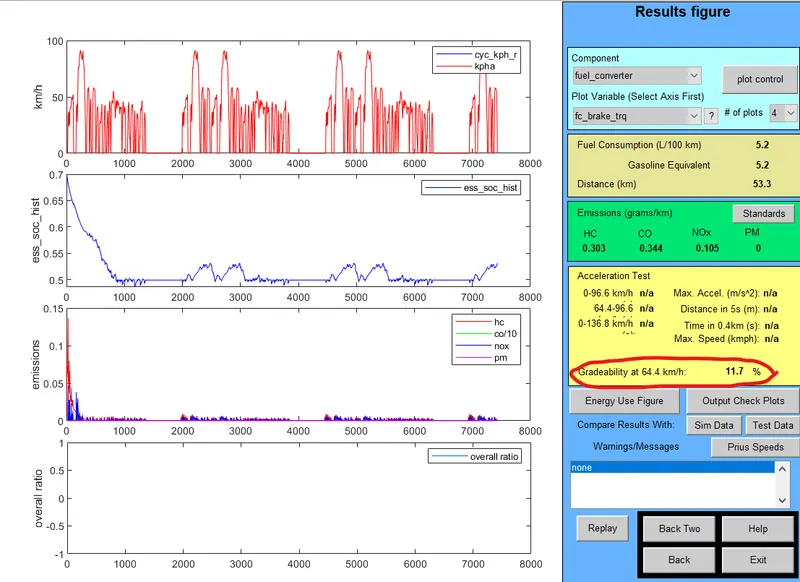
- Gradeability for 40mph i.e 64.3738kmph at 10s duration is 11.7%.
- Gradeability for 45mph i.e 72.42kmph at 10s duration is 10.7%.
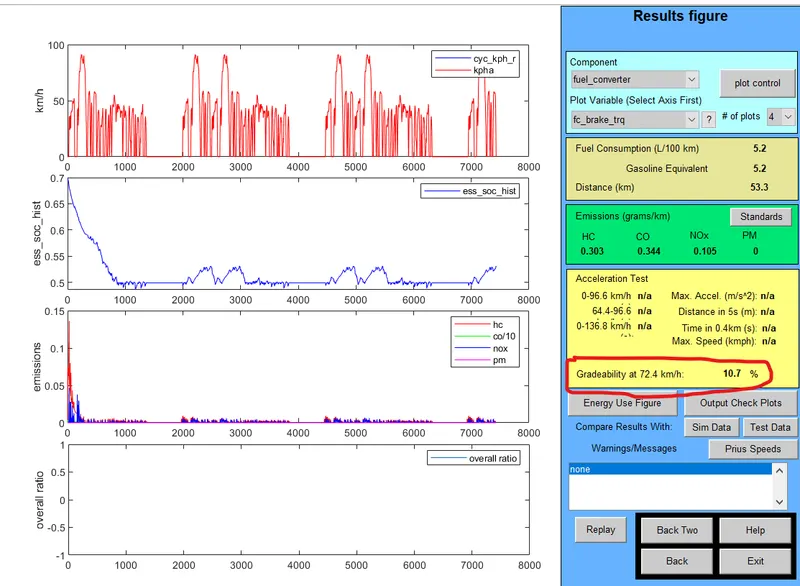
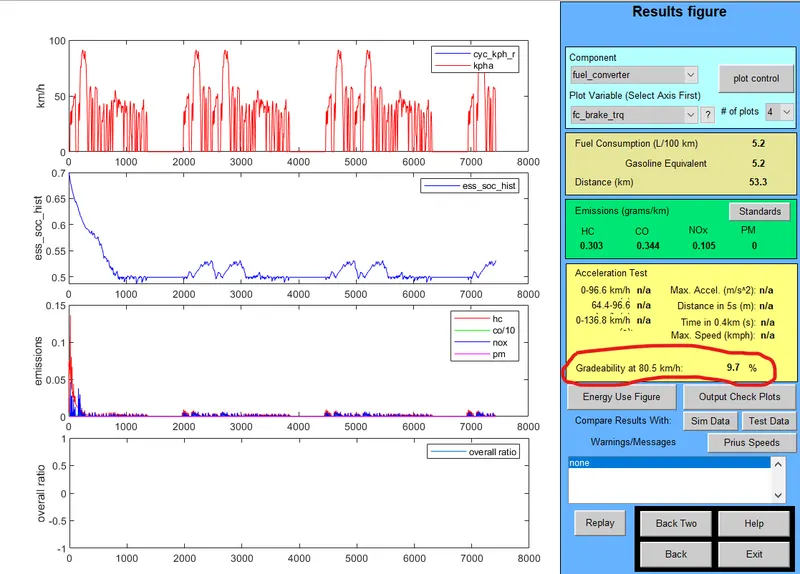
- Gradeability for 50mph i.e 80.4672kmph at 10s duration is 9.7%.
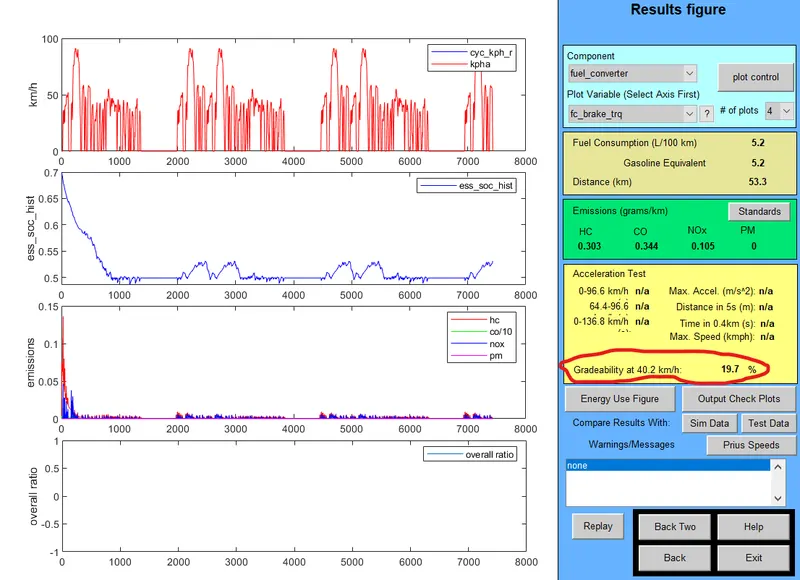
- Gradeability for 25mph i.e 40.2336kmph at 20s duration is 19.7%.
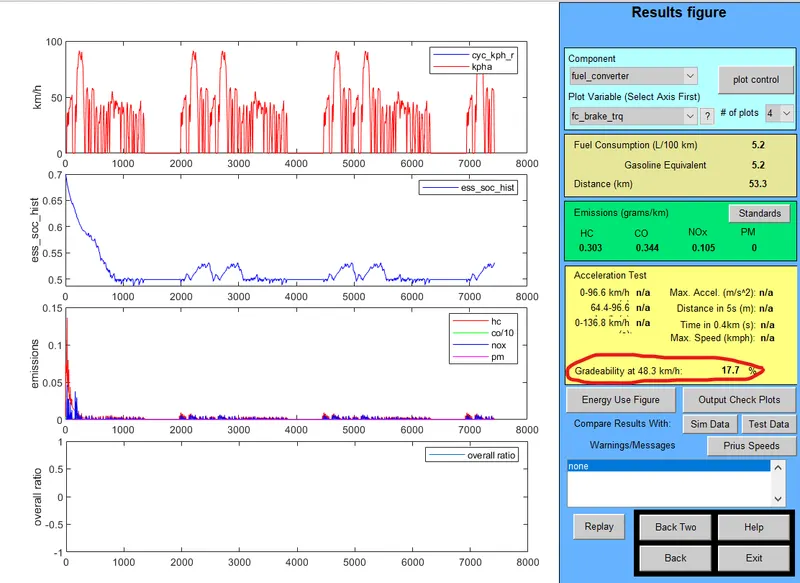
- Gradeability for 30mph i.e 48.28kmph at 20s duration is 17.7%.
- Gradeability for 35mph i.e 56.327kmph at 20s duration is 16%.
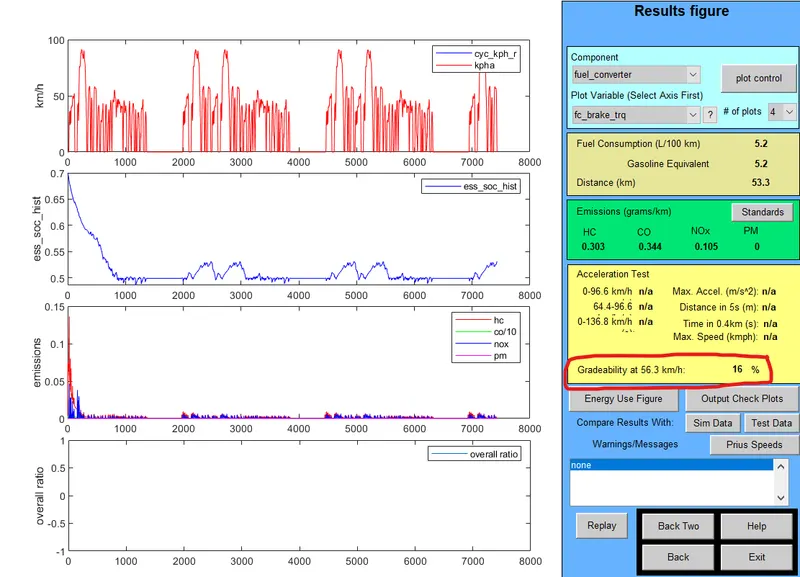
- Gradeability for 40mph i.e 64.3738kmph at 20s duration is 14.6%.
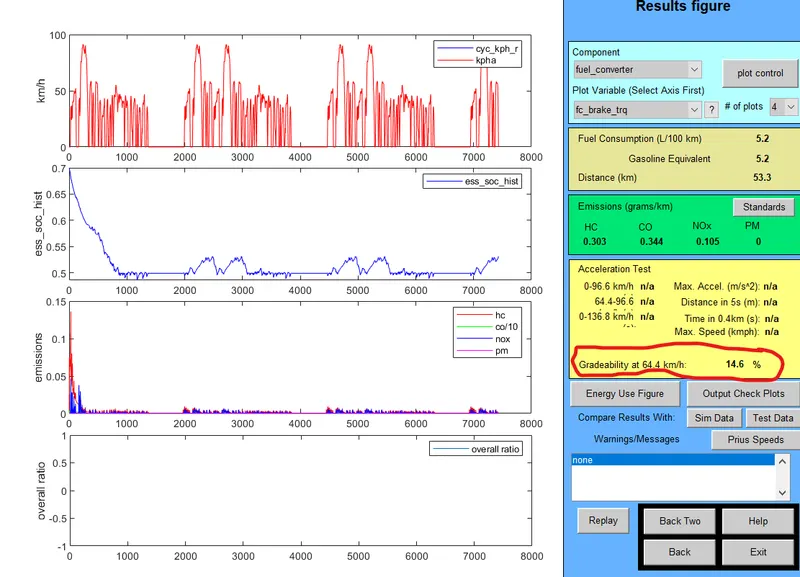
- Gradeability for 45mph i.e 72.42kmph at 20s duration is 13.4%
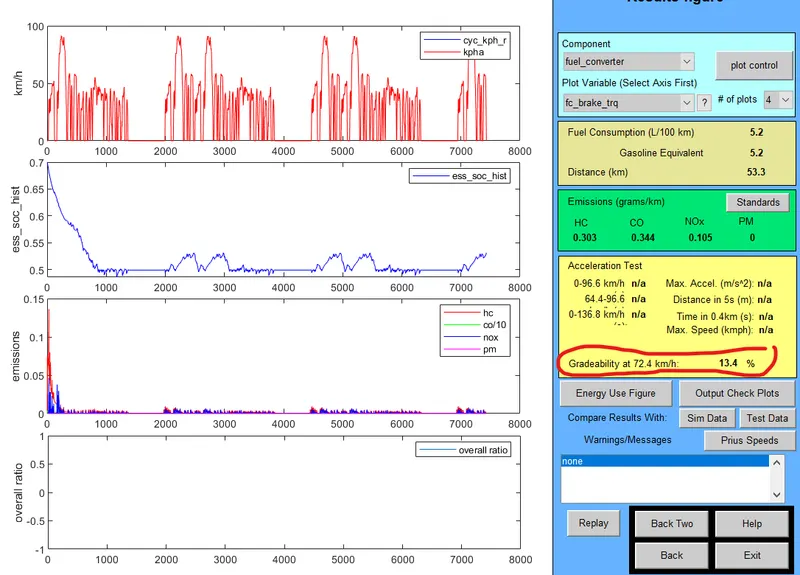
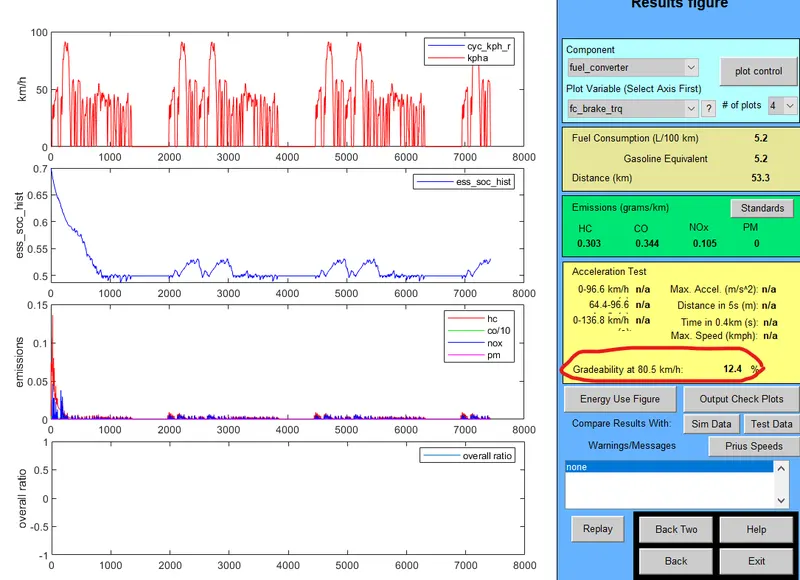
- Gradeability for 50mph i.e 80.4672kmph at 10s duration is 12.4%.
-
Comparision:
-
Speed(mph) Speed(kmph) Duration(sec) Gradeability(%) 25 40.2336 10 16.5 30 48.28 10 14.7 35 56.327 10 13.0 40 64.3738 10 11.7 45 72.42 10 10.7 50 80.4672 10 9.7 25 40.2336 20 19.7 30 48.28 20 17.7 35 56.327 20 16.0 40 64.3738 20 14.6 45 72.42 20 13.4 50 80.4672 20 12.4
Conclusion: Hence the variation of gradeabillity is shown by varing the speeds and time duation.
- It can be seen that whenever vehicle speed is increased there is a decrease in gradeability for the 10sec and 20 sec duration. So we can conclude that increaese in vehicle speed will decrease the gradeability.