Week-3 Challenge: ADVISOR Tool
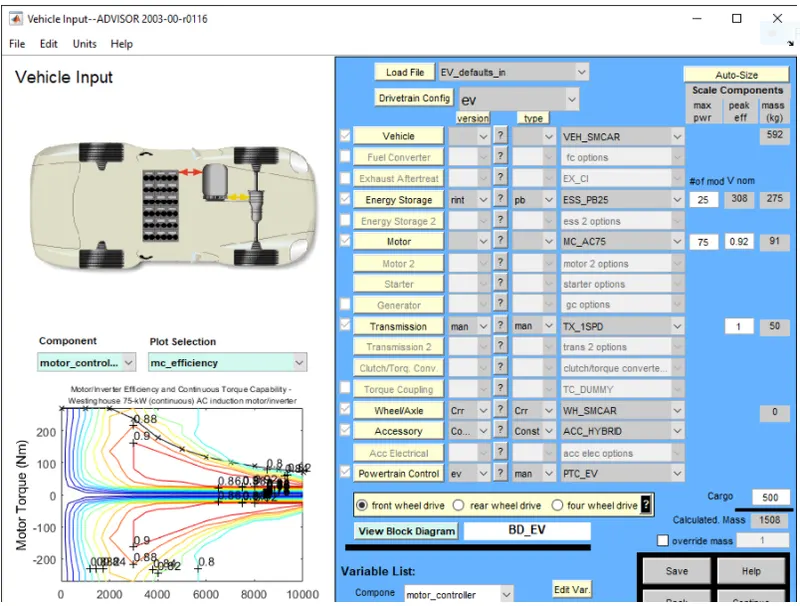
1>Ans: In this, we need to load the ADVISOR TOOL from the MatLab command window and then select the metric system, and load EV_default_in file and change the cargo weight to 500, and keeping the remaining variables same and hit continue to load the drive cycle page. The figure is shown below:
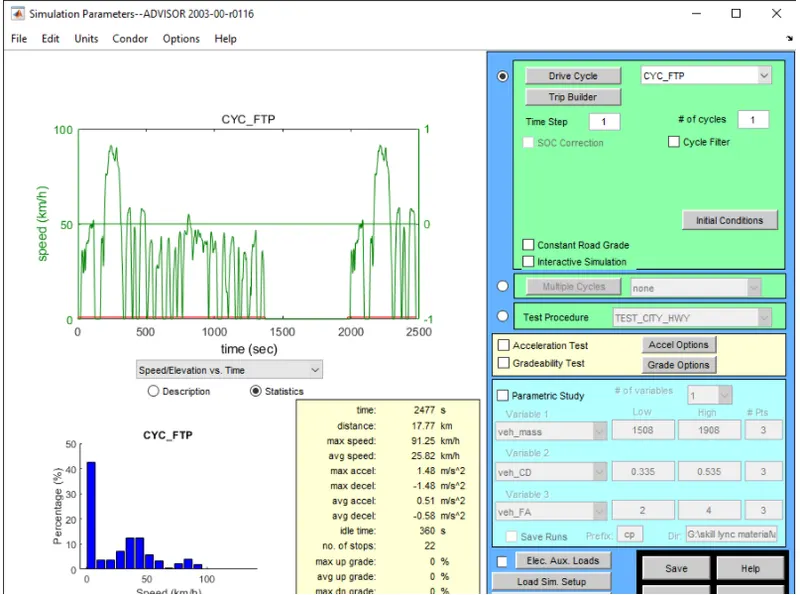
But for our requirement, we need to use FTP based cycle select the following, and hit run.
But here we can see an error occurs as the EV ran out of battery for this type of drive cycle
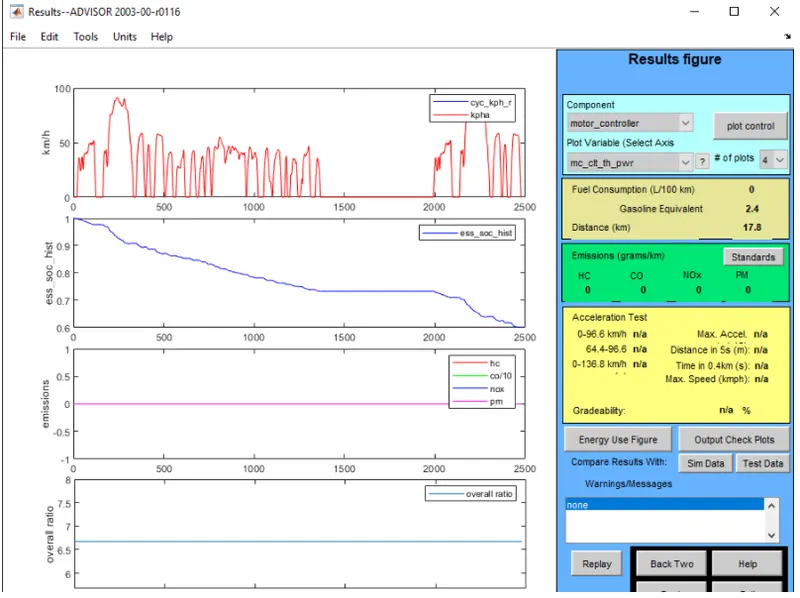
But we need the total distance covered to be 45kilometers and this drive cycle can only complete 17.8 so we need more than 1 drive cycle to complete more than 45kilometers. so we can use 3 drive cycles, which is as shown below,
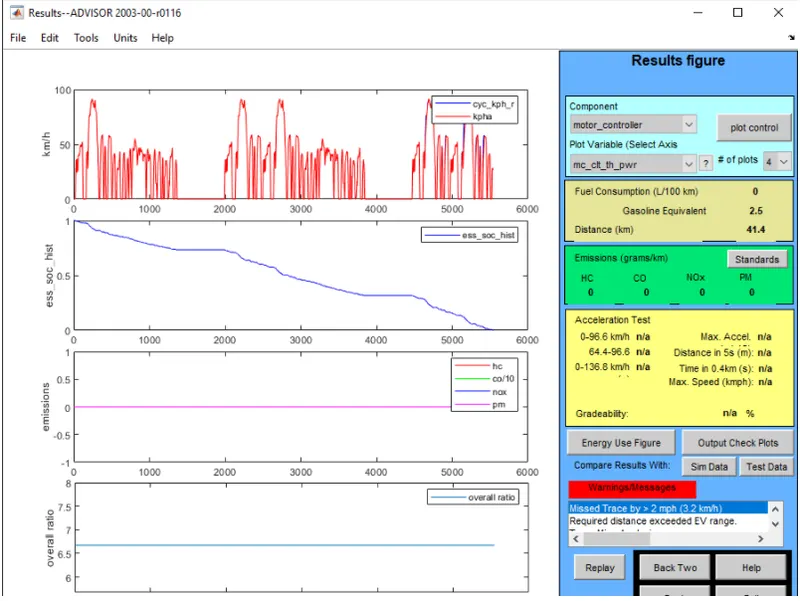
Thus in the above figure, we can see a warning sign pops up which means that the distance is more than the range of the current battery pack so the vehicle cannot travel 45 kilometers but will be short by 3.2 kilometers.
2>>Ans: In the above case, when we try changing the battery capacity and repeat the simulation, the current battery capacity is kept are 25 so we need to increase the battery pack capacity so that the vehicle can run more than 45kms. So for this, we will increase the battery capacity from 25 to 45.
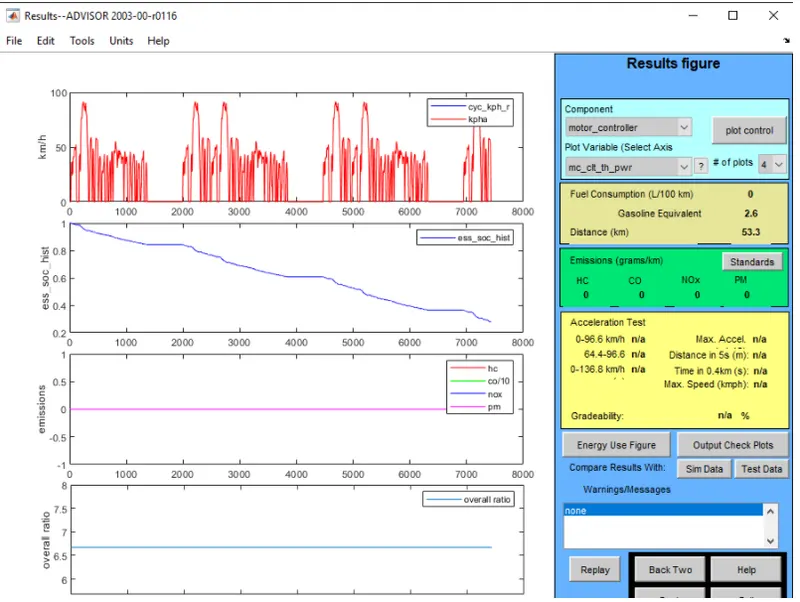
Thus from the above figure, we can conclude that by increasing the battery capacity we can see the range has been increased to 53.3km which is more than the required range we needed.
3>>Ans: Now to perform gradeability test with the PRIUS_Jpn_defaults_in file, now select the Prius_Jpn_default_in file from the load file option to load the Prius model.
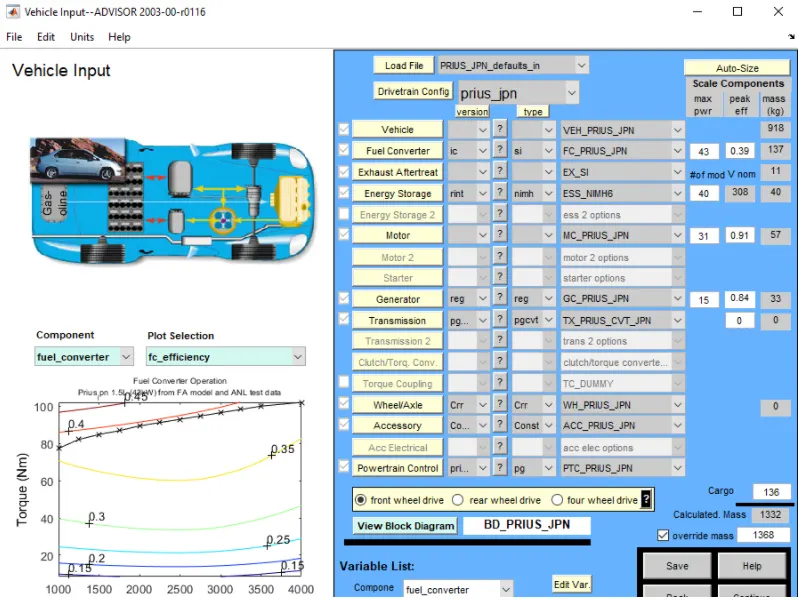
now when we hit continue and select the grade options to open the grade test option this we need to change the option which will include both fuel and energy storage systems. Hence we will select all systems to enable and in basic parameters, the speed of the vehicle can be controlled we need to change the speed from 5 to 35 mph with an increment of 5mph to check the gradability at different speeds.
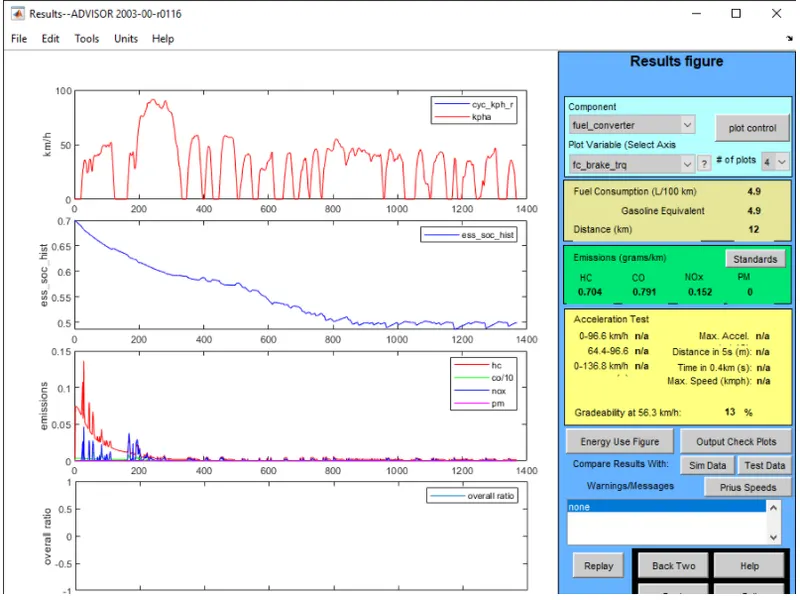
Now after running the Prius model with different speeds, we can check the gradeability percentage, we need to take the values at different speeds and tabulated the information is shown below:
| Speed (MPH) | Gradeability |
| 5 | 32.8 |
| 10 | 30.1 |
| 15 | 24.4 |
| 20 | 19.8 |
| 25 | 16.5 |
| 30 | 14.7 |
| 35 | 13.1 |
Thus, from the above table, we can see that the grade ability decreases with an increase in speed the maximum grade ability during 5 mph and lowest during 35mph