ADVISOR Tool (MATLAB)
AIM: To understand the ADVISOR(ADvanced VehIcle SimulatOR) tool on Matlab.
OBJECTIVE:
Use ADVISOR tool and simulate the following
- For EV_defaults_in file, if cargo mass is 500 kg with all other default conditions, can the vehicle travel for 45 km with FTP drive cycle? Conclude your observations.
- In the above case, try changing the battery capacity and repeat the simulation.
- Perform gradeability test with PRIUS_Jpn_defaults_in file Compare your results in table and conclude.
THEORY:
NREL's Advanced Vehicle Simulator, ADVISOR, was first developed in November 1994. It was designed as an analysis tool to assist the U.S. Department of Energy (DOE) in developing and understanding hybrid electric vehicles (HEVs) through the Hybrid Vehicle Propulsion System contracts with Ford, GM, and Chrysler. As the tool became more advanced and flexible, it has also been used by many other clients to understand the system-level interactions of hybrid and electric vehicle components.
In accordance with its design goals, ADVISOR approximates the continuous behavior of a vehicle as a series of discrete steps. During each step the components are assumed to be at steady state. This assumption allows the use of power-usage or efficiency maps for the components, which are derived from steady-state tests in the laboratory. This main assumption, however, does not allow investigation of detailed, short-duration drivetrain dynamics. For example, vibrations in the driveline and oscillations in electric fields are beyond ADVISOR's scope.
SIMULATION AND PLOTS:
The simulation is first run with the EV_defaults_in file being loaded as per the question. All other setting are kept to the default values. Hit the continue button to go onto the next step of the simulation.
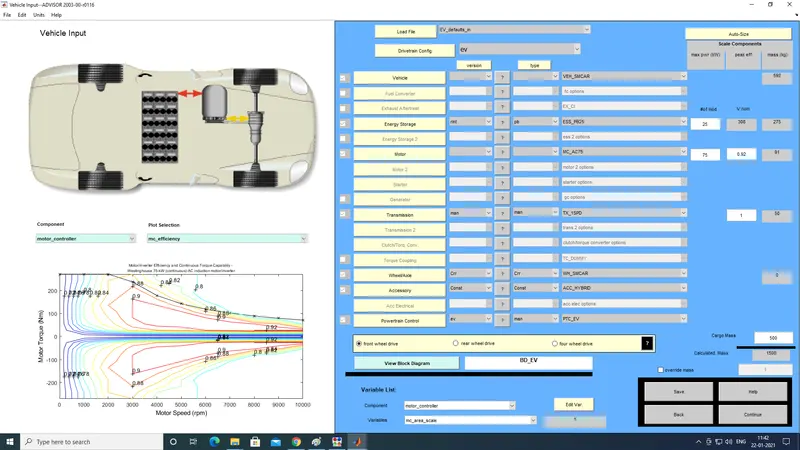
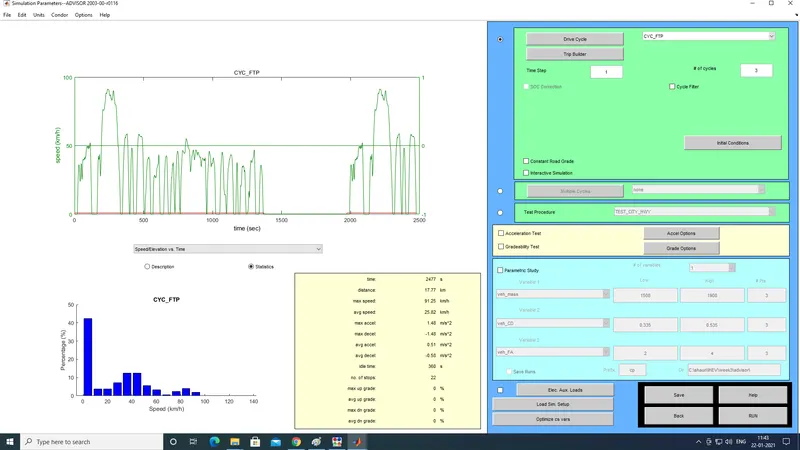
After this we need to select the drive cycle, which has been specified in this case as the FTP drive cycle. since the total distance covered in one drive cycle of FTP is 17.6 km we need to increase the number of simulation cycles to 3 (or above).
The graph on the top left side shows 1 drive cycle. Hit the RUN button to run the simulation.
The graph on the top left side shows 1 drive cycle. Hit the RUN button to run the simulation.
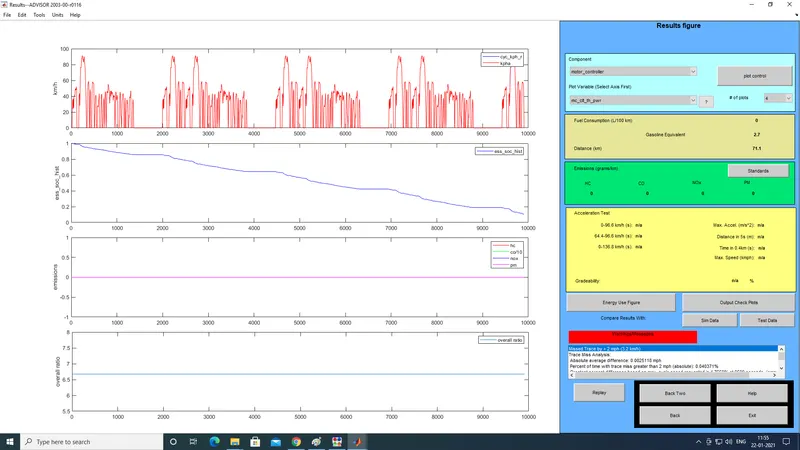
The output that is shown after the simulation is run is shown below, there are 4 plots shown these are the drive cycle, battery state of charge (soc),emissions and the overall ratio.
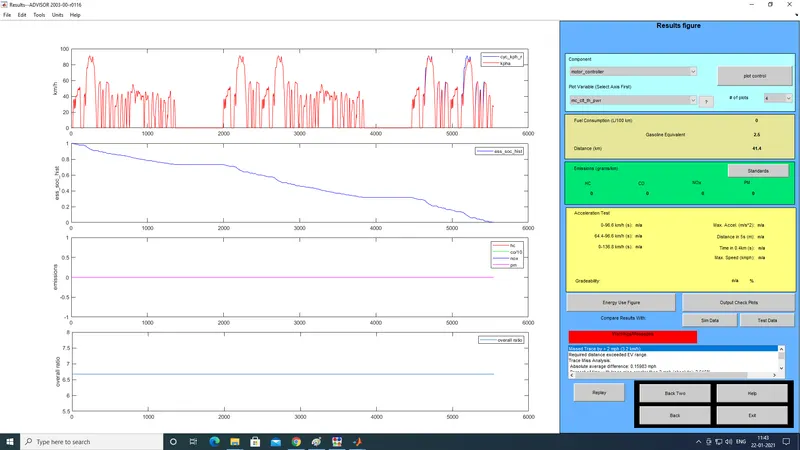
We can see from the above figure that the battery runs out of charge before the required 45km mark, it falls short by 3.6 km. next we will run the simulation by increasing the battery capacity.
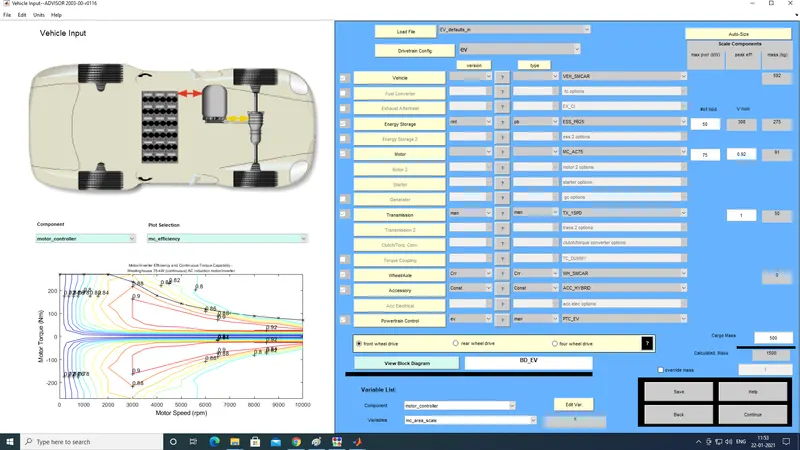
In the opening page of the advisor tool we will be changing the battery capacity from 25 to 50, and then re-run the simulation.The results are shown below
For the next simulation we will run a gradeability test on a prius,at different speeds
Select the drivetrain config as 'prius_jpn', as shoen below
Select the drivetrain config as 'prius_jpn', as shoen below
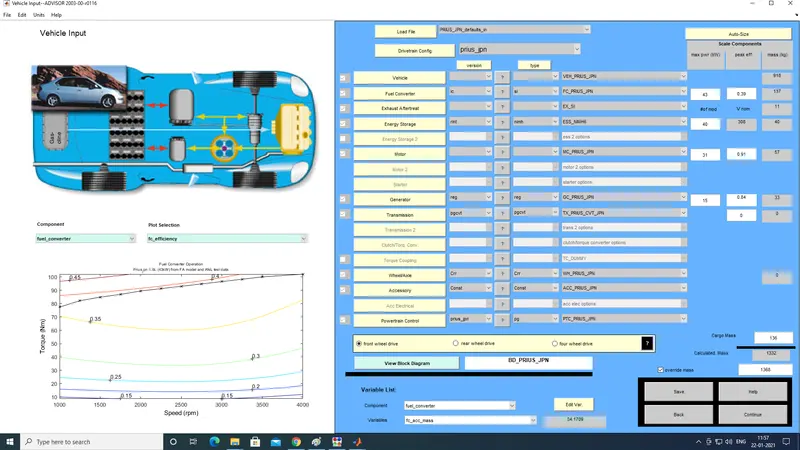
Click continue to go to the next page of the simulation.
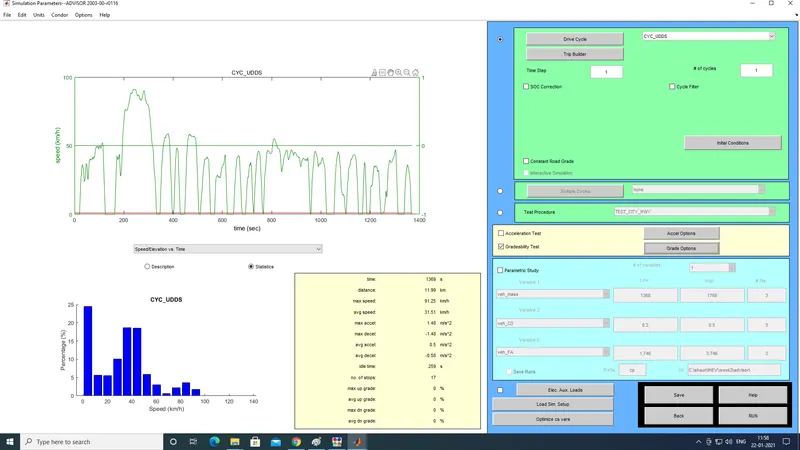
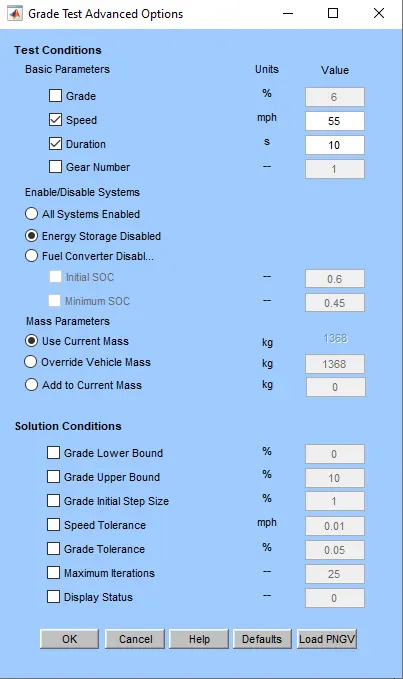
Here we need to set the gradability configuration, and the selected options are shown in the images below. The gradability speed will be changed and teh simulation run for various speeds
Here we need to set the gradability configuration, and the selected options are shown in the images below. The gradability speed will be changed and teh simulation run for various speeds
The output of the simulation appears as so
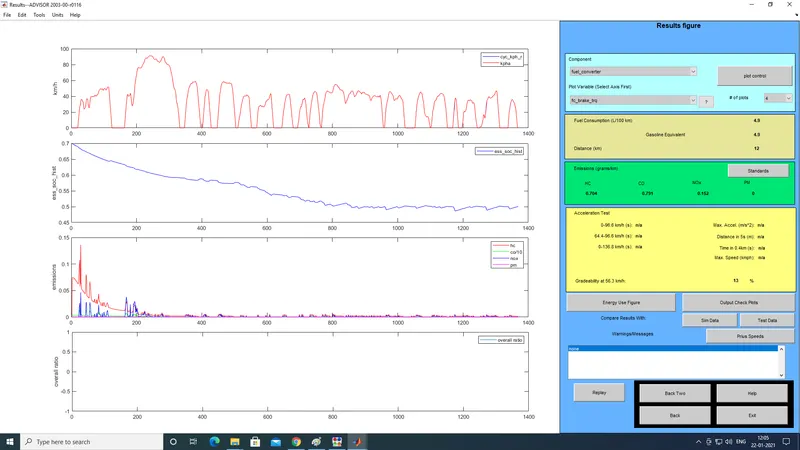
The table for the gradeability results at different speeds are shown below
| speed in kmph | gradeability percentage |
| 56.3 | 13 |
| 48.3 | 14.7 |
| 40.2 | 16.5 |
| 32.2 | 19.8 |
| 24.1 | 24.4 |
| 16 | 30.3 |
CONCLUSION:
- We can see that the default case with a cargo load of 500 kg has a max range of 41.4 km for the FTP drive cycle.
- We can see that by increasing the battery capacity there is an increase in the range capability.
- We can see from the gradability test that the gradability percentage increases with the decrease in speed.