Week 3
AIM:
To perform the meshing by extracting the Mid-Surface of the HOOD MODEL to convert 3D to 2D by using ANSA.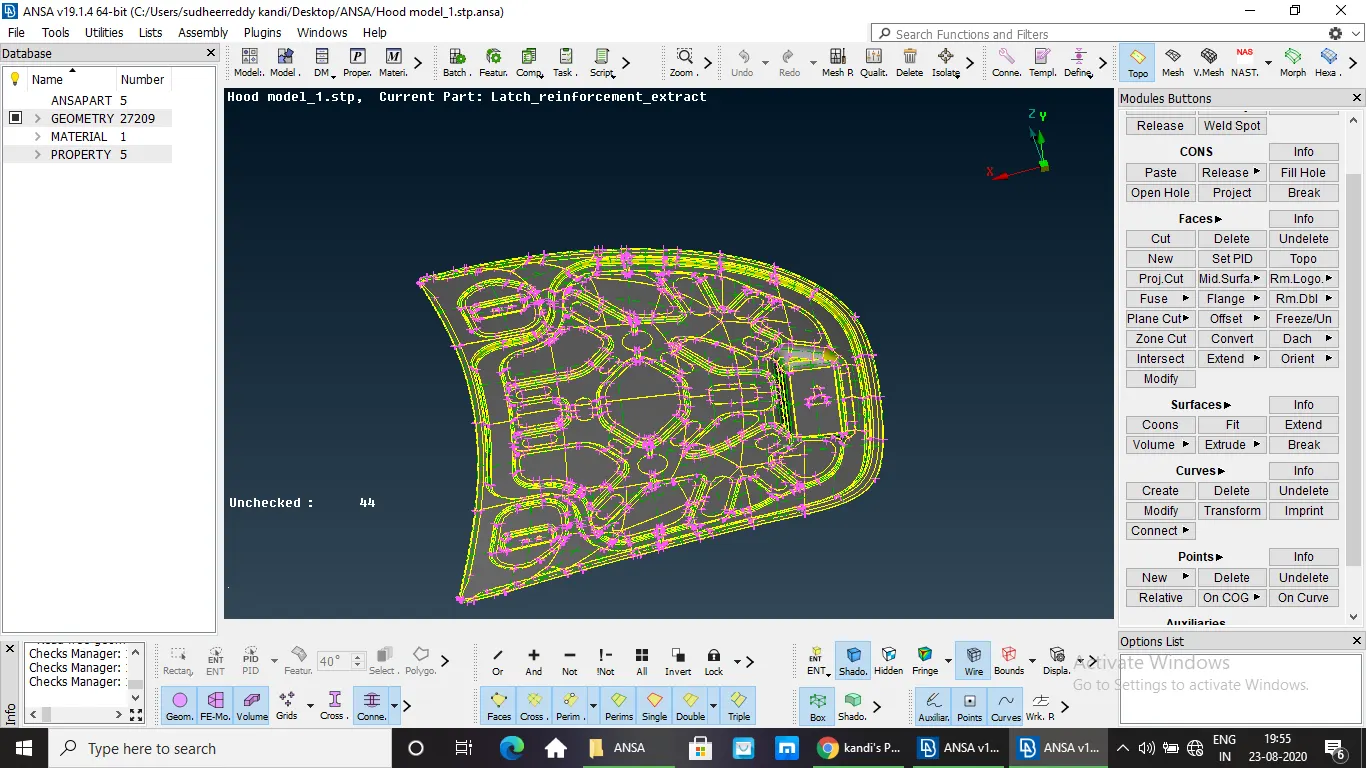
HOOD MODEL
METHODOLOGY:
- Importing the CAD geometry of hood model and Assigning Property ID (PID) for each part.
- Checking the errors.
- Taking the measurements of the Hood model before extracting the Mid-Surface.
- Extracting the Mid-Surface.
- Assigning Quality Criteria.
- Topological Cleanup.
- Meshing and improving the mesh quality and Assigning thickness.
PROCEDURE:
- IMPORTING THE CAD GEOMETRY MODEL OF THE HOOD IN ANSA AND ASSIGNING THE PROPERTY ID (PID):
- For each component in the model assign the property ID.
- It will be more helpful for further steps to differentiate the components.
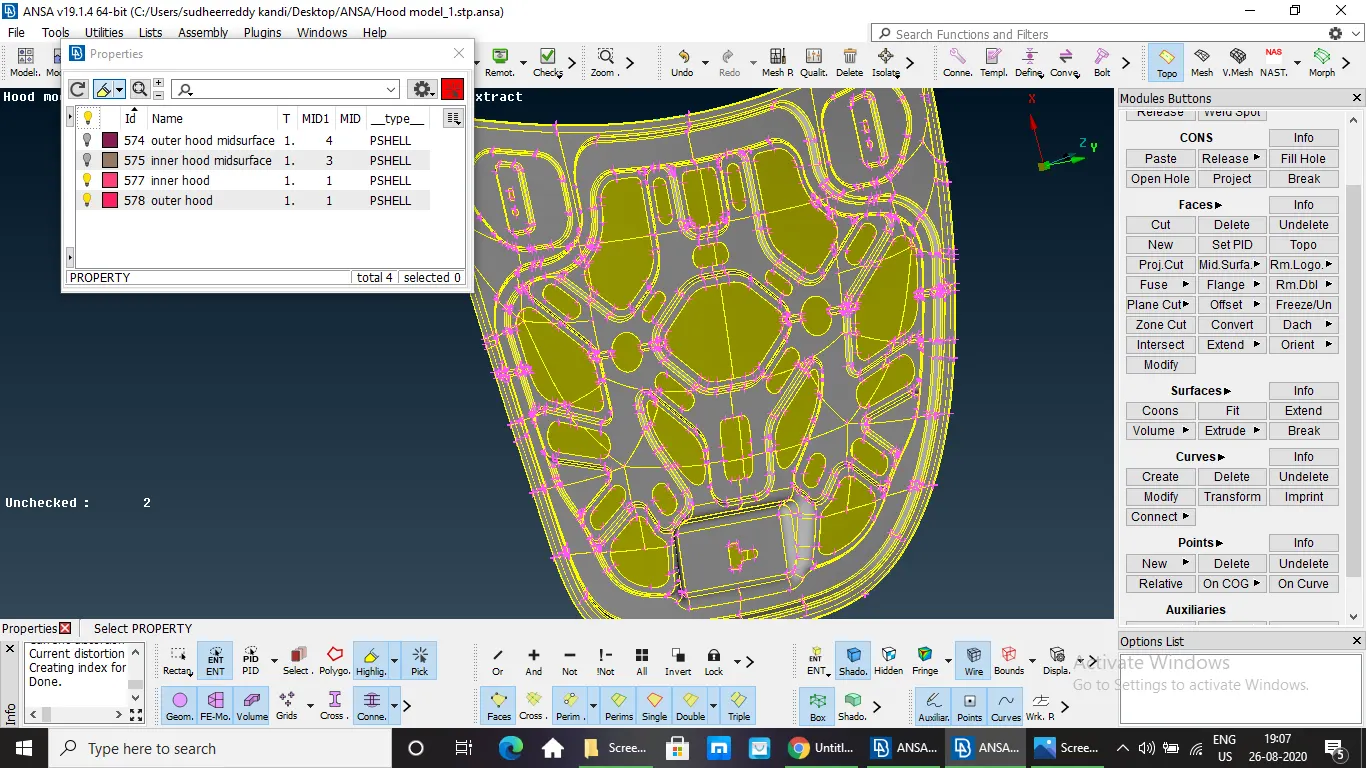
Assigning PID
2. GEOMETRY CHECKS:
- The Geometry checkup should be done for the Hood Model.
- The Geometry check involves Unchecked Faces, Needle Faces, Collapsed Cons,Triple Cons, Overlaps and Cracks.
- There will be some errors after the Geometry check and the errors can be solved by manually or by using the Auto Fix .
- Make sure that no errors present before extracting the Mid-Surface.
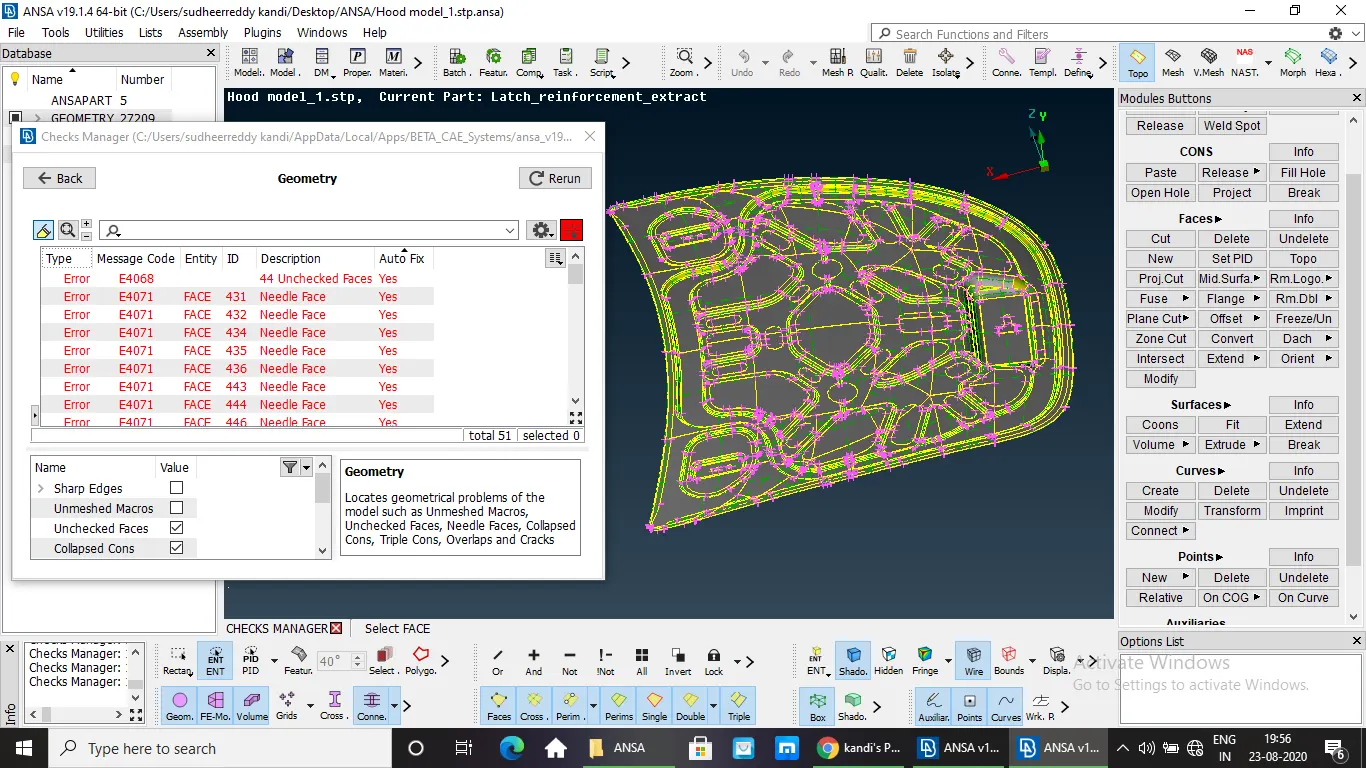
Geometry check
3.TAKING THE MEASUREMENTS OF THE HOOD:
The measurement should be taken to confirm the thickness of component is uniform.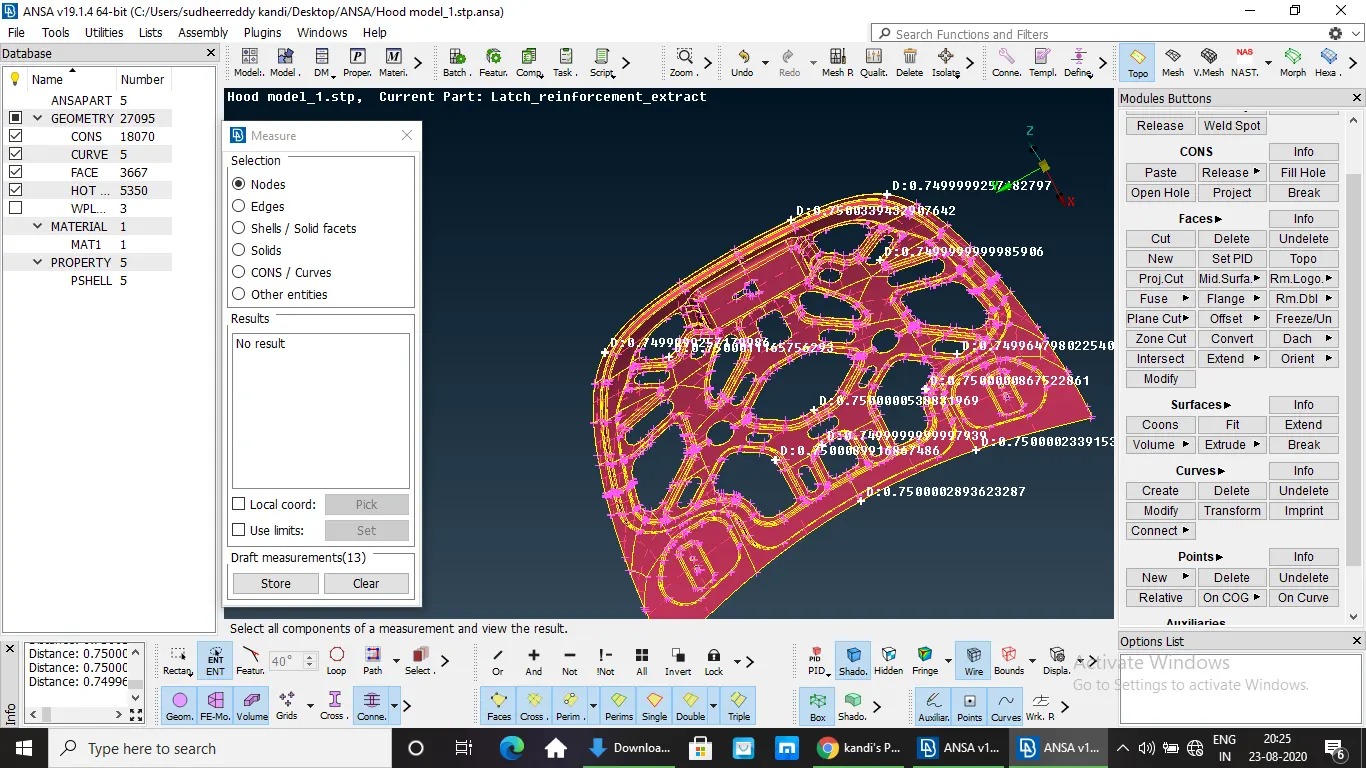
measuring the thickness
4.EXTRACTING THE MID-SURFACE:
- The Mid-Surface is extracted to convert the given 3D Hood Model to 2D.
- The Mid-Surface should be extracted for each and every component before proceeding for Meshing.
- The Mid-Surface extraction can be done by using different tools like Mid-Surf, Offset in TOPO module.
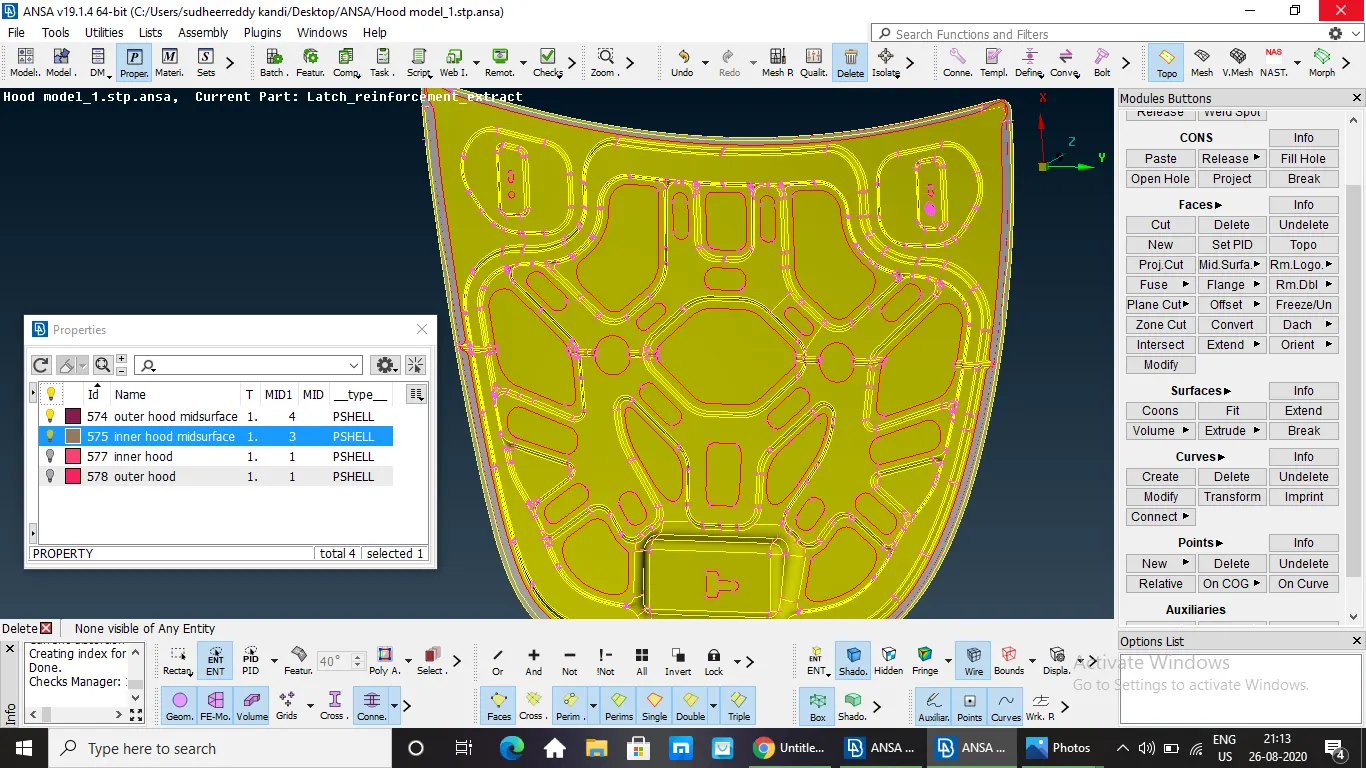
inner hood mid-surface
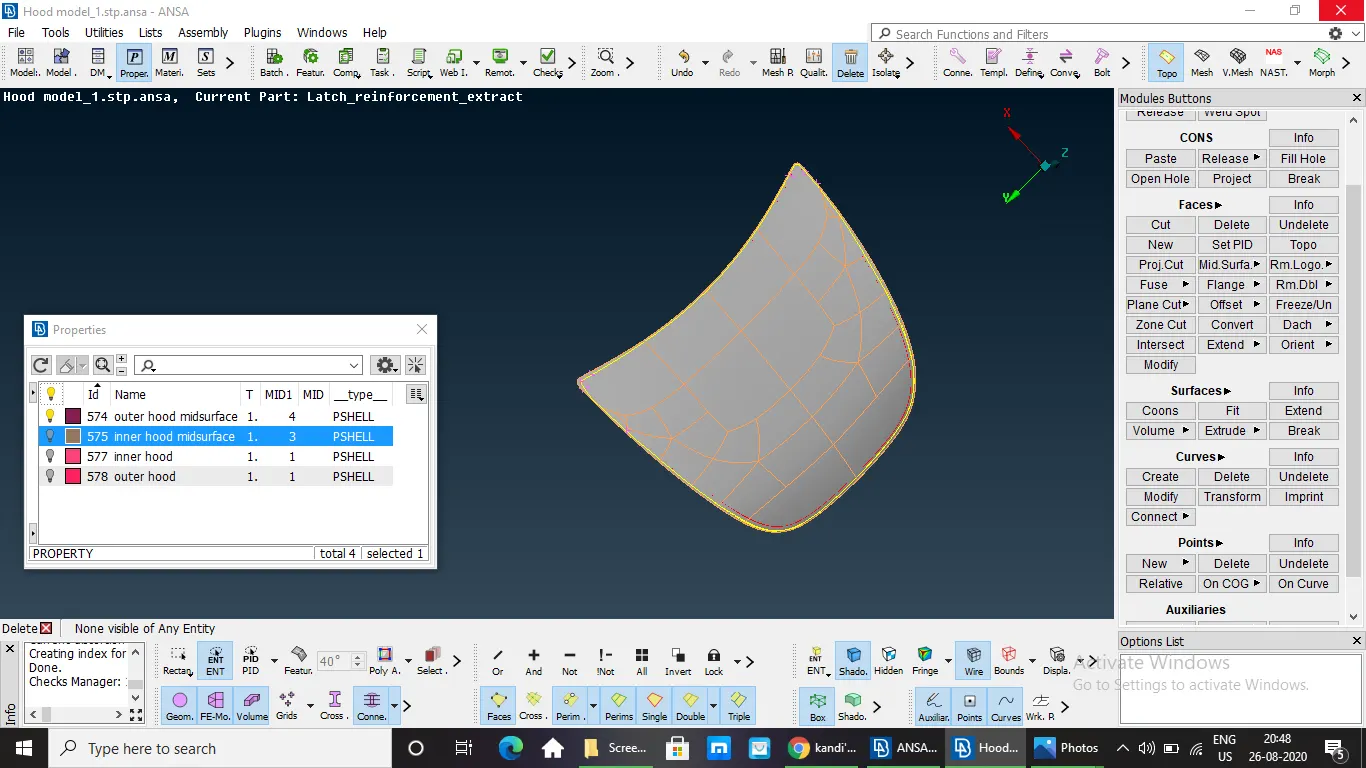
outer hood mid-surface
5.ASSIGNING QUALITY CRITERIA:
- Before proceeding for Meshing Quality Criteria should be assigned for extracted Mid-Surface.
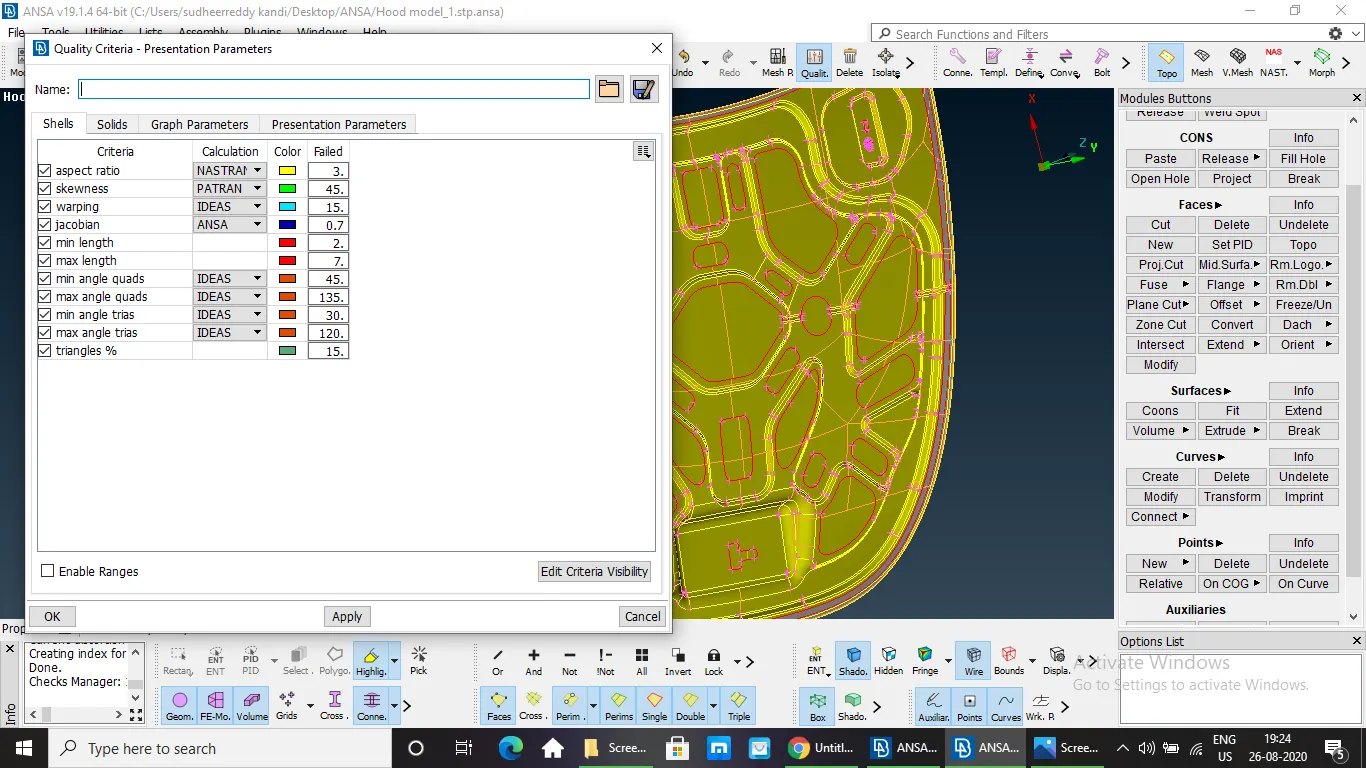
Quality Criteria setting
- TOPOLOGICAL CLEAN-UP:
- For a better mesh flow the Topology cleanup should be done to remove the unwanted cons and check the corners by using the required tools.
- MESHING AND IMPROVING THE MESH QUALITY AND ENABLING THE THICKNESS:
- The Mesh can be generated by using the different Mesh Generation tools.
- The good Mesh flow can be generated by dividing the component into parts and by using the BEST Meshing tool.
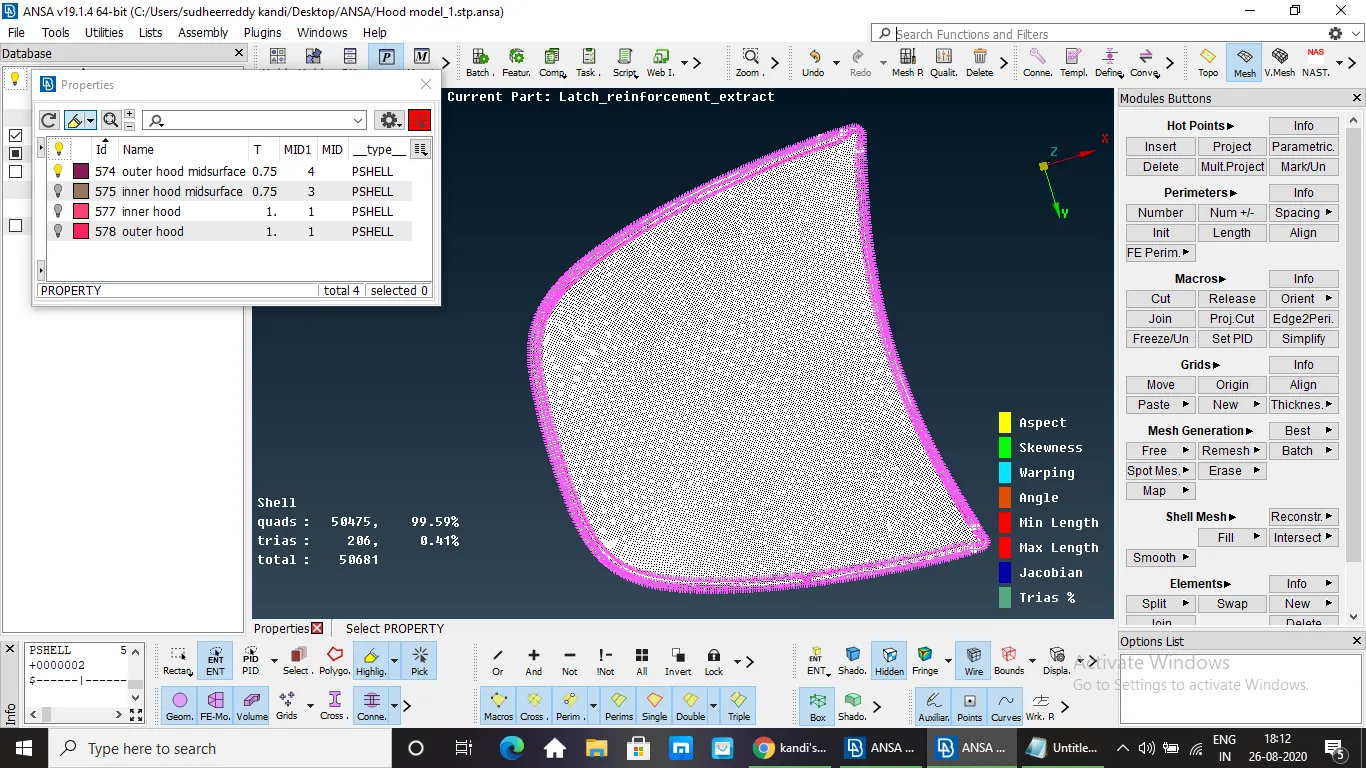
meshed outer hood
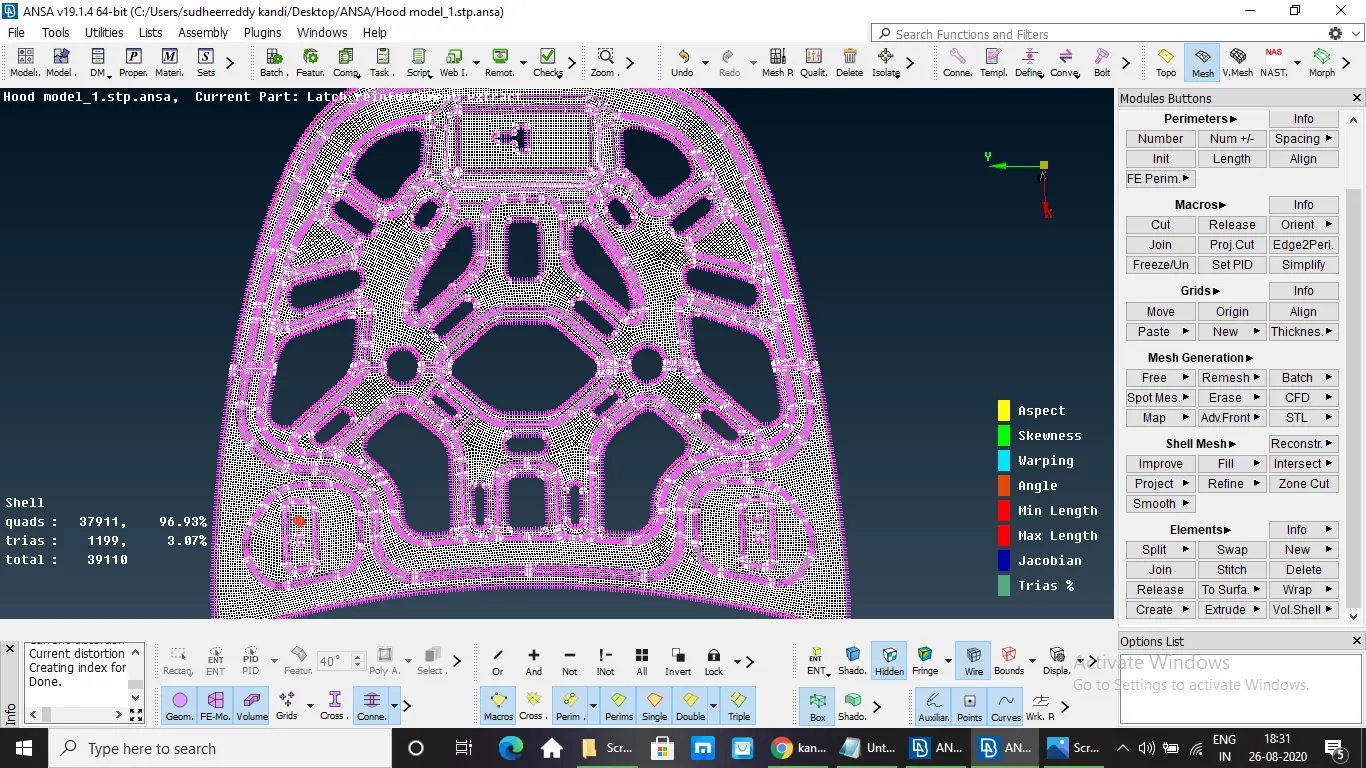
meshed inner hood
- IMPROVING THE MESH QUALITY.
- For improving the mesh flow SWAP, PASTE and SPLIT options can be used.
- No OFF elements should be present.
- No Tria elements on edge.
- FE MODEL WITH THICKNESS.
Thickness is assigned for the meshed midsurface.
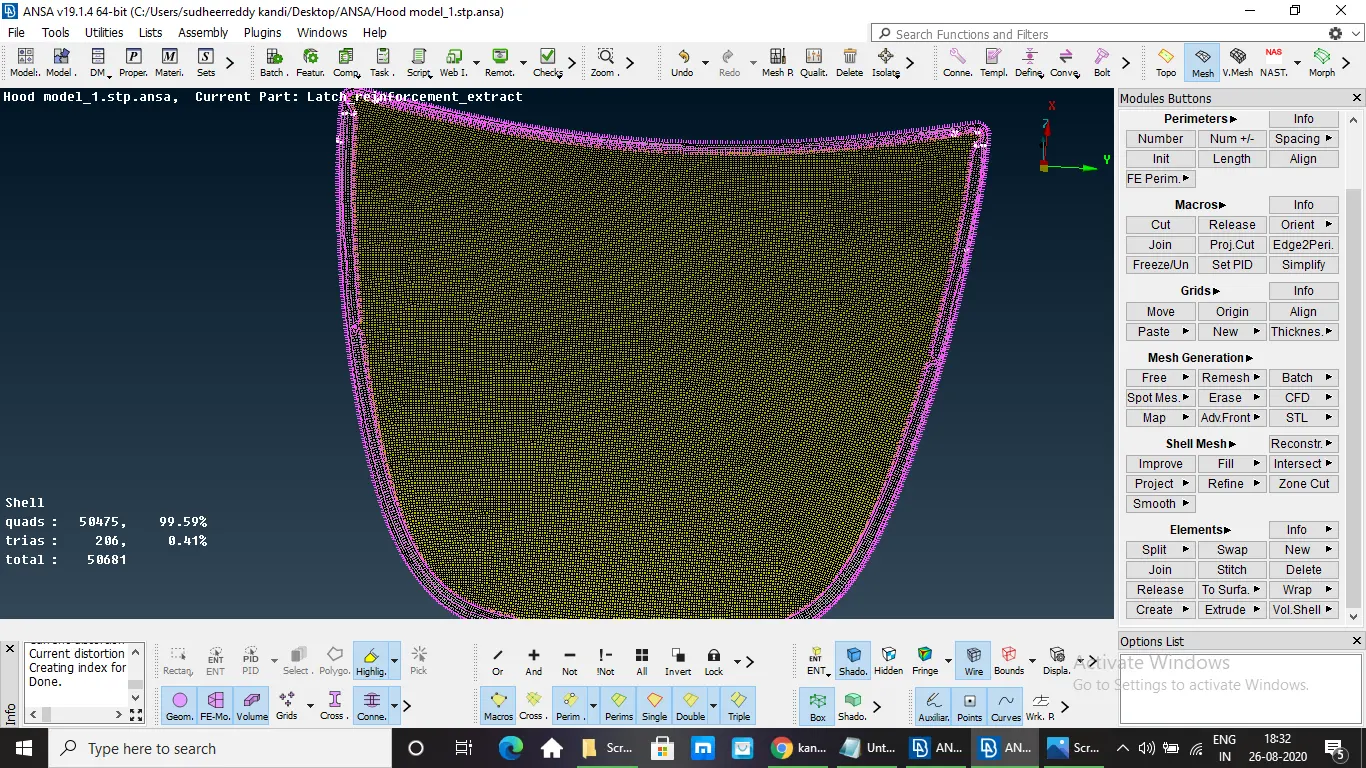
meshed outer hood with thickness
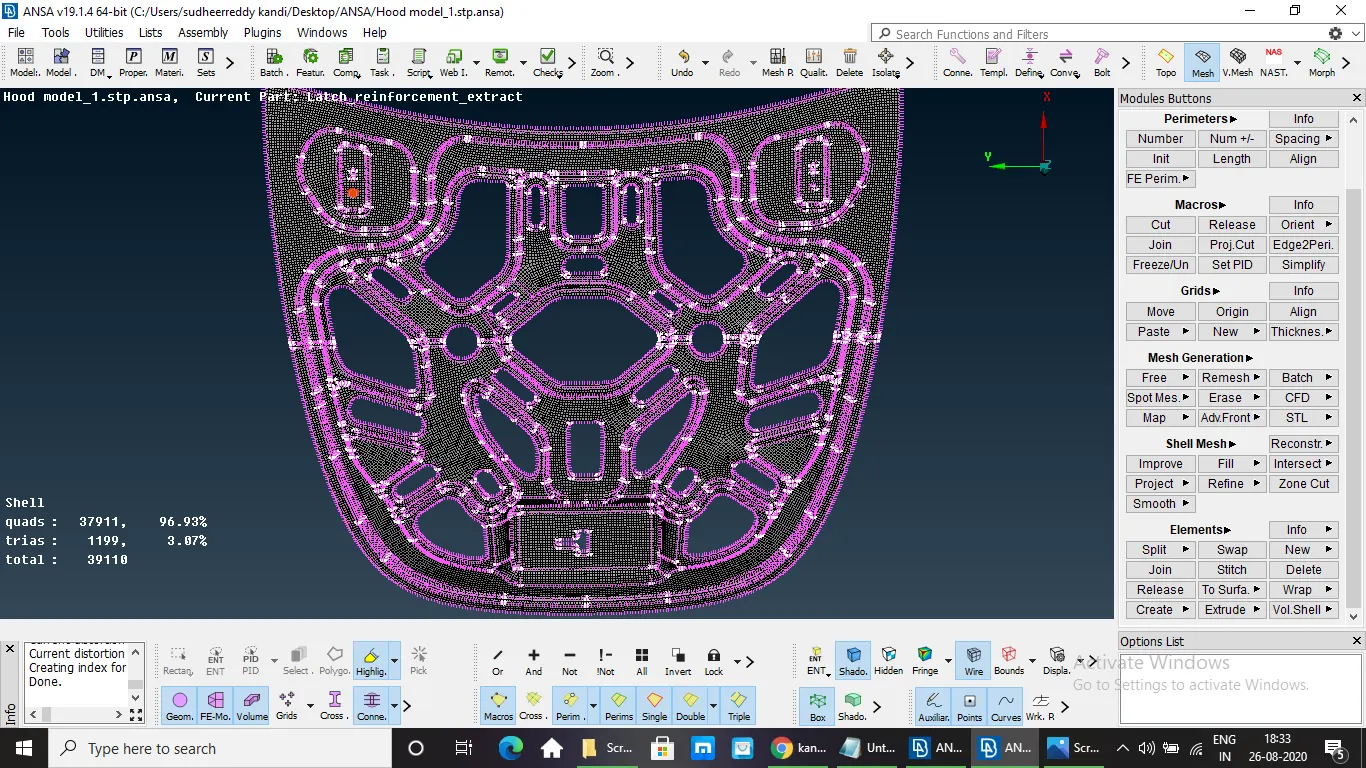
meshed inner hood with thickness
LEARNING OUTCOMES:
- Geometry cleanup manually and by using Auto Fix.
- Extracting Mid-Surface by using Mid-Surf, Offset and Feature Tools.
- Topological cleanup by using different tools.
- Quality Criteria setting.
- Generation of Mesh and Improving the Mesh flow Quality by avoiding Trias on edges.
- Solving the Mesh to get Zero OFF Elements.
RESULT:
- A 3D Hood Model is converted to 2D by generating the Mid-Surface and performing the Meshing by assigning the Quality Criteria.
- NO OFF Elements present and achieved mesh with good quality criteria.
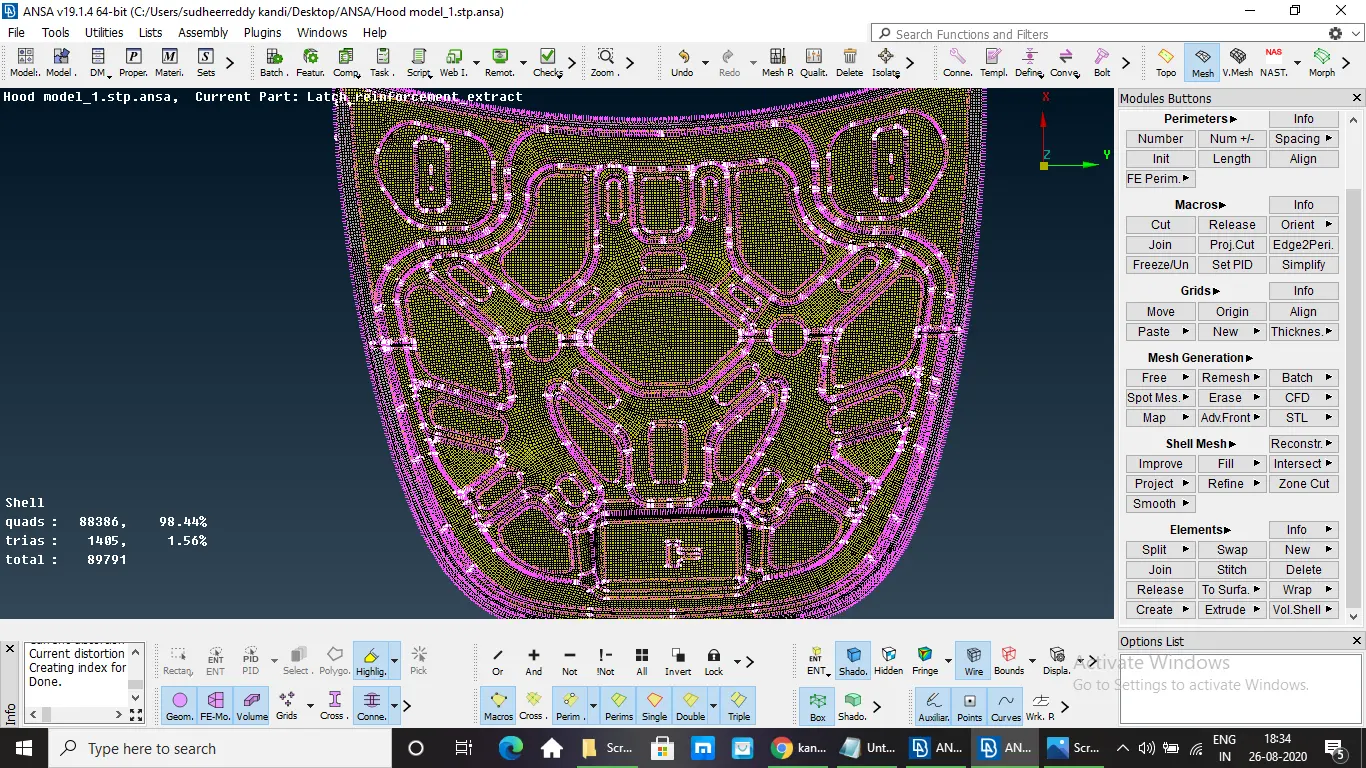
final hood with meshing and assigned thickness