Week 3 - 2D meshing for sheet metal
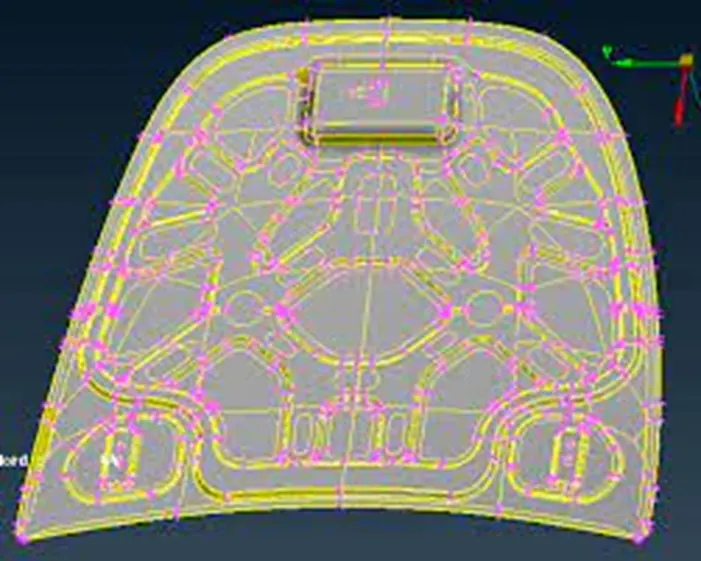
Week 3 - 2D meshing for sheet metal
Abhishek Anil Patil | 15/06/2022
Objective
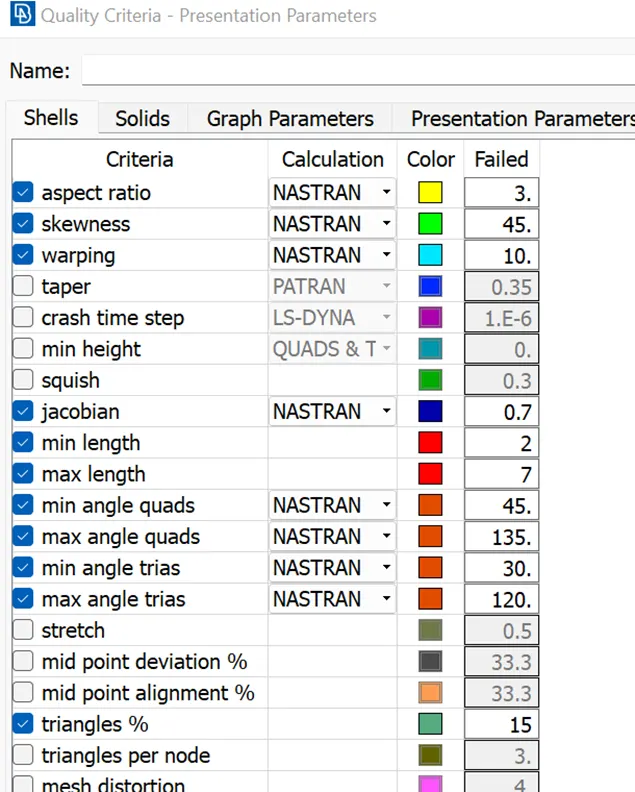
For the given Hood model, Take the mid surface for all the components after checking the geometrical errors and mesh the mid surface with the given element Quality criteria. (Refer the table Below for the Quality criteria)
|
S.No |
Quality Criteria |
Value |
|
1 |
Target/Average length |
5 |
|
2 |
Minimum Length |
2 |
|
3 |
Maximum Length |
7 |
|
4 |
Aspect |
3 |
|
5 |
Warpage |
15 |
|
6 |
Skewness |
45 |
|
7 |
Jacobian |
0.7 |
|
8 |
Minimum Quad Angle |
45 |
|
9 |
Maximum Quad Angle |
135 |
|
10 |
Minimum Tria Angle |
30 |
|
11 |
Maximum Tria Angle |
120 |
|
10 |
Tria Percentage |
15 |
Procedure
Components
- Inner panel
- Outer panel
- Hinge support 1
- Hinge support 2
- Latch support
- Import the model
- Geometry check and clean up
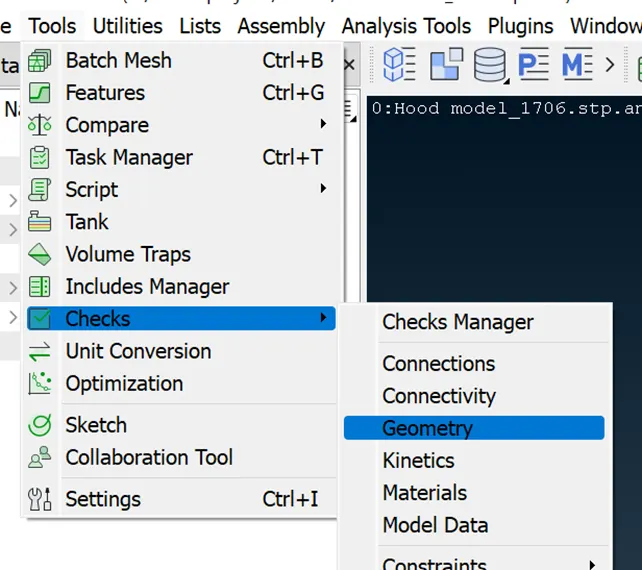
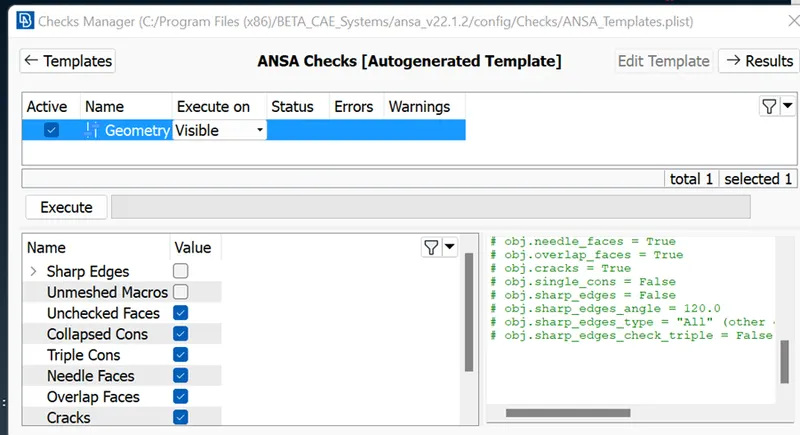
The errors are fixed using the auto fix tool in the geometry check or by manually using TOPO or delete faces
- Thickness
Measure thickness for each component
|
Name |
Component thickness |
Midsurface thickness |
|
Inner panel |
0.75 |
0.375 |
|
Outer panel |
0.75 |
0.375 |
|
Hinge support 1 |
1.2 |
0.6 |
|
Hinge support 2 |
1.2 |
0.6 |
|
Latch support |
1.2 |
0.6 |
Midsurface
There are two methods – manual (offset) & auto Midsurface skin
In this model both of these methods were used
Mesh Parameters
The mesh parameters are defined as below
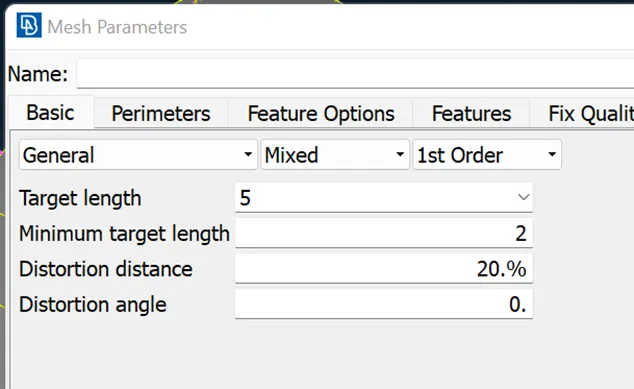
Quality criteria
The above mentioned criteria is defined below
Meshing
Divide the geometry into smaller area by cut and join to get smoother mesh
Use best mesh and improve commands to improve the quality of mesh
Use smooth command to smooth the mesh and remove quality issues
Output
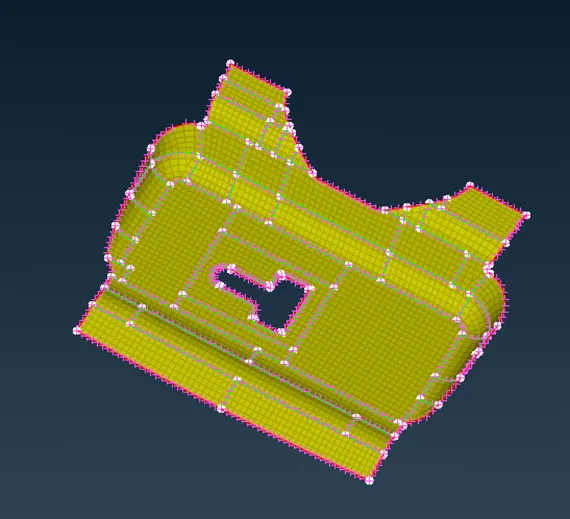
Latch support
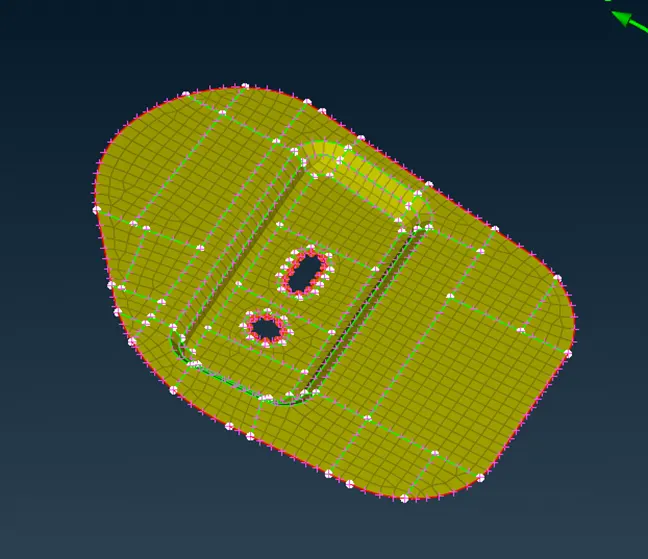
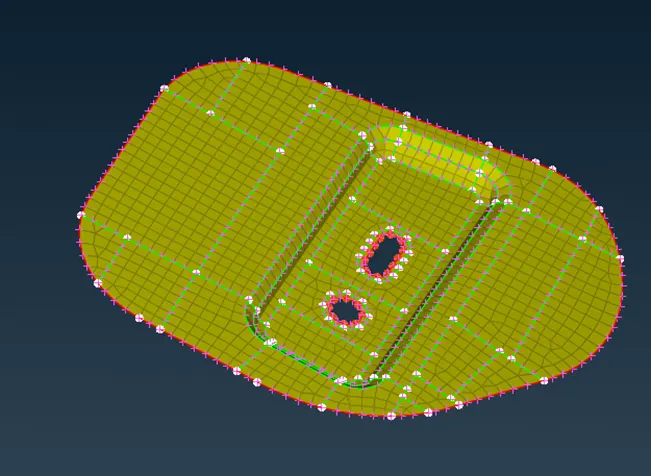
Hinge support
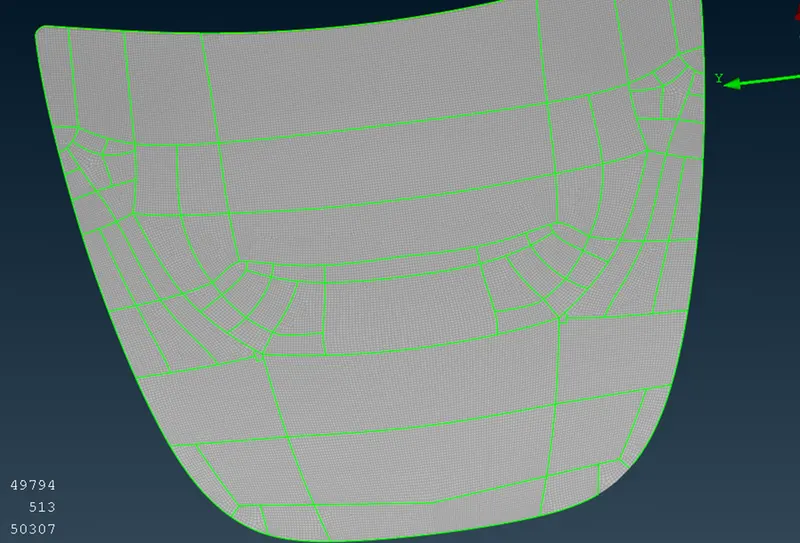
Outer panel
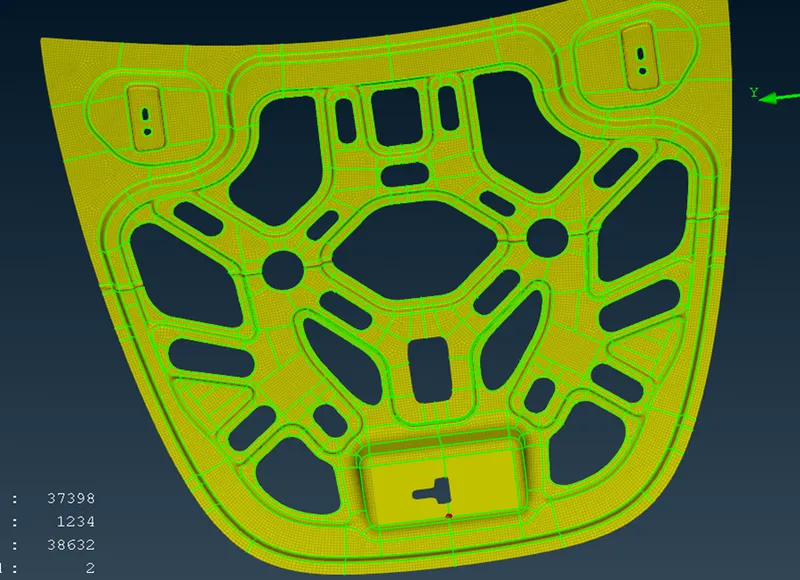
Inner panel
Result
The sheet metal part was meshed with ANSA
The Midsurface, assigning thickness and meshing was done without violating the quality criteria