Week 3.2 - 2R Robotic Arm Challenge
2R ROBOTIC ARM
AIM:- Write a program in matlab to simulate the forward kinematics of a 2R robotic arm.
EXPLANTION-
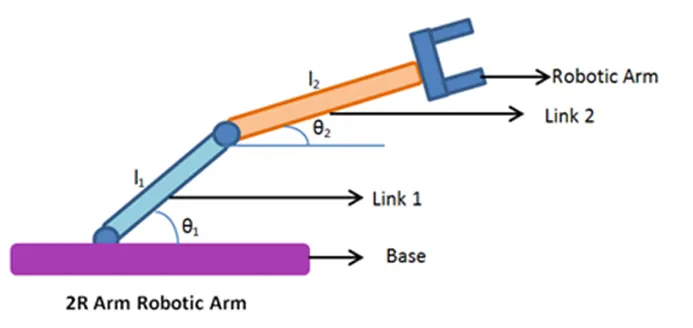
In this 2R robotic arm two links are there in the pic which I have taken from net to explain in this pic first link(link1) is connected with base and second link(link2) is connected with end point of link1 and robotic arm connected with end point with end point of link2. Theta1 created between link1 and base and Theta2 created between link2 and end point of link1.To create this arm I’ll have to use three coordinates first is for base (x0,y0) second for end point or starting point or link1 & link2(x1,y1)and last for arm manipulator(x2,y2).To find the arm position I have to use array for theta1 and theta2 because arm position will change with the value of theta and for loop also Second arm position will change at the value of theta2 so I’ll have to use another for loop for theta2.and put the value of coordinate for connect the link1,link2 and robotic arm together.
CODING SCREEN SHOT GIVEN BELOW-
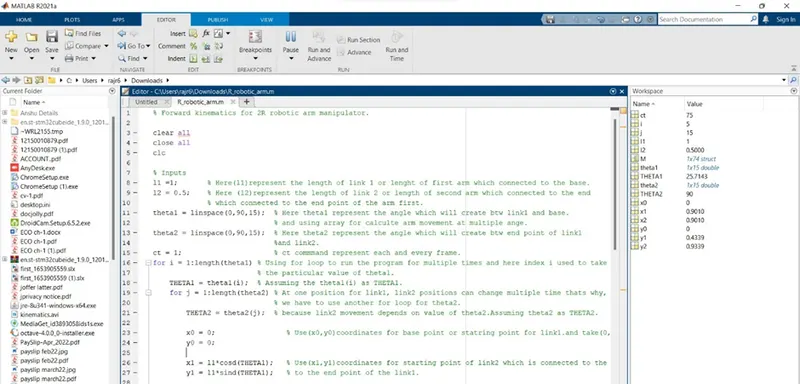
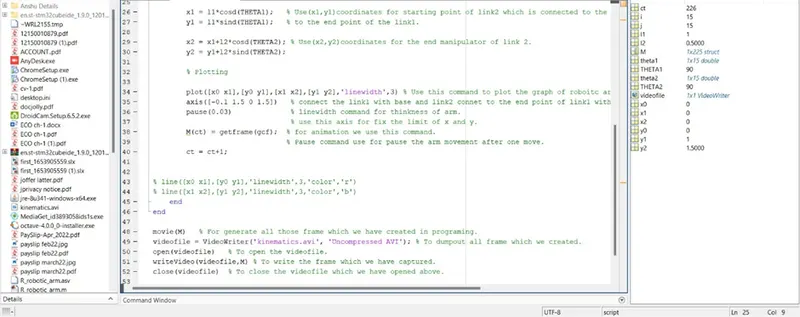
CODE:-
% Forward kinematics for 2R robotic arm manipulator.
clear all
close all
clc
% Inputs
l1 =1; % Here(l1)represent the length of link 1 or lenght of first arm which connected to the base.
l2 = 0.5; % Here (l2)represent the length of link 2 or length of second arm which connected to the end
% which connected to the end point of the arm first.
theta1 = linspace(0,90,30); % Here theta1 represent the angle which will create btw link1 and base.
% and using array for calculte arm movement at multiple ange.
theta2 = linspace(0,90,30); % Here theta2 represent the angle which will create btw end point of link1
%and link2.
ct = 1; % ct commmand represent each and every frame.
for i = 1:length(theta1) % Using for loop to run the program for multiple times and here index i used to take
% the particular value of theta1.
THETA1 = theta1(i); % Assuming the theta1(i) as THETA1.
for j = 1:length(theta2) % At one position for link1, link2 positions can change multiple time thats why,
% we have to use another for loop for theta2.
THETA2 = theta2(j); % because link2 movement depends on value of theta2.Assuming theta2 as THETA2.
x0 = 0; % Use(x0,y0)coordinates for base point or statring point for link1.and take(0,0)because its origion. y0 = 0;
y0 = 0;
x1 = l1*cosd(THETA1); % Use(x1,y1)coordinates for starting point of link2 which is connected to the
y1 = l1*sind(THETA1); % to the end point of the link1.
x2 = x1+l2*cosd(THETA2); % Use(x2,y2)coordinates for the end manipulator of link 2.
y2 = y1+l2*sind(THETA2);
% Plotting
plot([x0 x1],[y0 y1],[x1 x2],[y1 y2],'linewidth',3) % Use this command to plot the graph of roboitc arm and use coordinates to
axis([-0.1 1.5 0 1.5]) % connect the link1 with base and link2 connet to the end point of link1 with
pause(0.03) % linewidth command for thinkness of arm.
% use this axis for fix the limit of x and y.
M(ct) = getframe(gcf); % for animation we use this command.
% Pause command use for pause the arm movement after one move.
ct = ct+1;
% line([x0 x1],[y0 y1],'linewidth',3,'color','r')
% line([x1 x2],[y1 y2],'linewidth',3,'color','b')
end
end
movie(M) % For generate all those frame which we have created in programing.
videofile = VideoWriter('kinematics.avi', 'Uncompressed AVI'); % To dumpout all frame which we created.
open(videofile) % To open the videofile.
writeVideo(videofile,M) % To write the frame which we have captured.
close(videofile) % To close the videofile which we have opened above.
EXPLANATION OF CODE:-
- Clear all – clear all the data stored in the workspace.
- Close all – clear all the previous plot and figure.
- Clc – clear the command window.
- First I gave the input for length of link11and length of link2, which represent with l1 and l2 respectively.
- Also gave the input for tehta1 and theta2 using linspace command for equal gap with in the range.
- Then starting for loop for calculating the coordinates for x and y for l1&l2. Because theta1 and theta2 are arrays and contain multiple values of angles for x.so, we need another variable which store only one value at a time to get the set different x and y coordinates that’s why we define two variable THETA1 AND THETA2.
- Coordinates for origin is (0,0)
- Then the coordinates of endpoints of l1 or starting point of l2 are defined.
- Use cosd and sind to store the values are in degree.
- Now plot all the points using linewidth 3 units.
- Legend command used for determine the links with color.
- Xlabel and ylabel use for represent the axis.
- Pauses command used for pause the program for a certain time before processing a new set of values.
- For animation I have defined the counter variable ct before for loop. And M command use for capturing the frame every time when for command run.
- Ater all process I have ended the for loop command.
- For creatin a complete movie I have used movie command.
- For assigning the fine name and file format videowriter command used I used .avi.
- For opening the video file open command is used.
- For writing the video with plot frame writevideo command has been used.
- Then close the videofile. And run the program.
ERROR ITS SOLUTION-
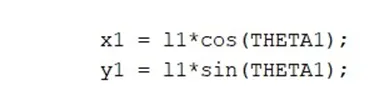
I have not used the cosd and sind that’s why arms move in negative direction also given below.
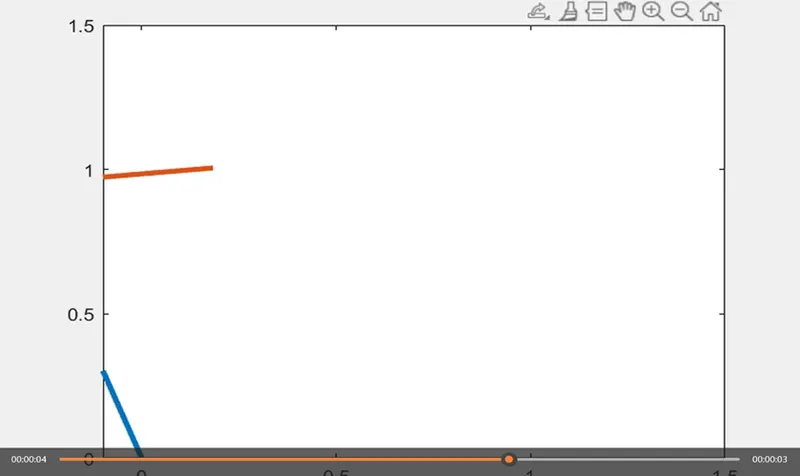
Solution-
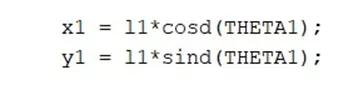
When I have used cosd and sind then arm have not moved in negative direction result is given below.
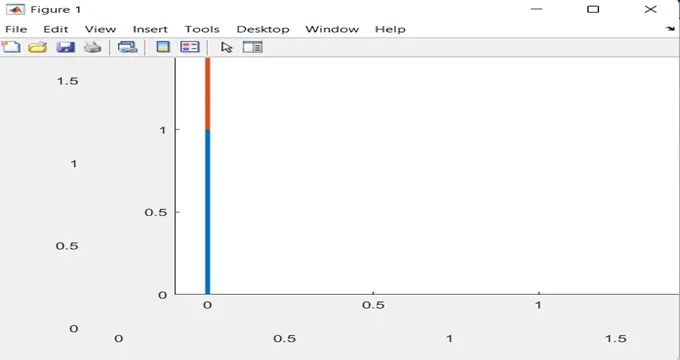
Error2
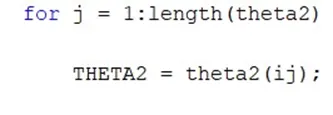
When I use theta2(ij)then I get error in command window which given below.

Solution-
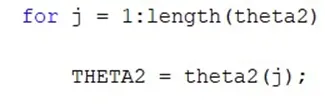
To fix that problem I just remove index i.
Error3
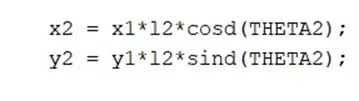
When I use this code I get the error in graph, which is given below.
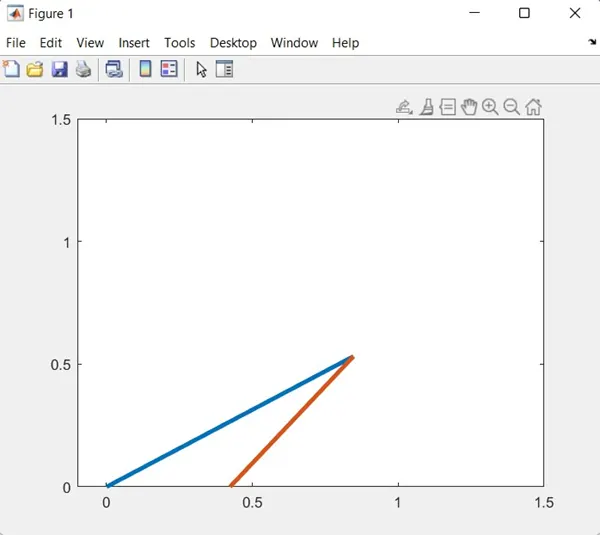
Solution-
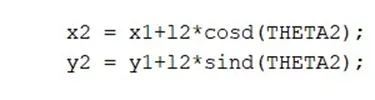
To fix that problem I use + at the place of *.
Error4
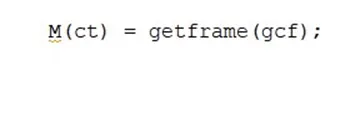
I use only this command and I get error in command window which is given below.

Solution-
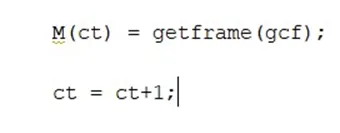
To fix that problem I used that ct=ct+1; code.
RESULT OF WORKSAPCE IS GIVEN BELOW-
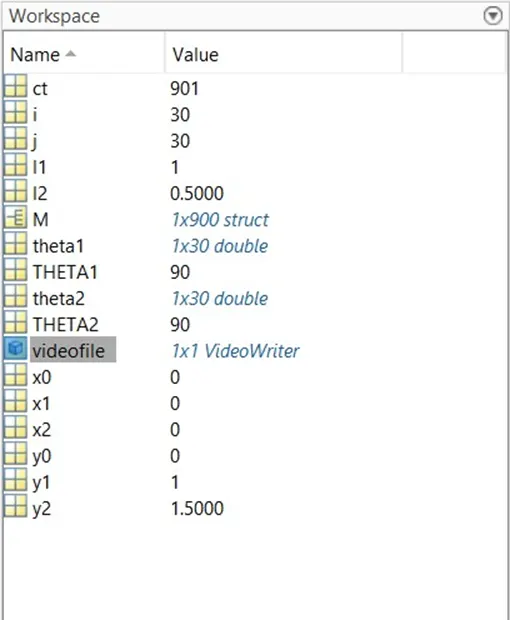
TO SEE THE ANIMATION I HAVE MENTIONED BELOW “YOU TUBE LINK AND GOOGLE DRIVE LINK”
YOU TUBE LINK-
https://youtu.be/mKRTtzUBGbA
GOOGLE DRIVE LINK-
https://drive.google.com/file/d/1vYJLH8Akdw8fkGXPBWeYcMvS3A2ltJDD/view?usp=sharing