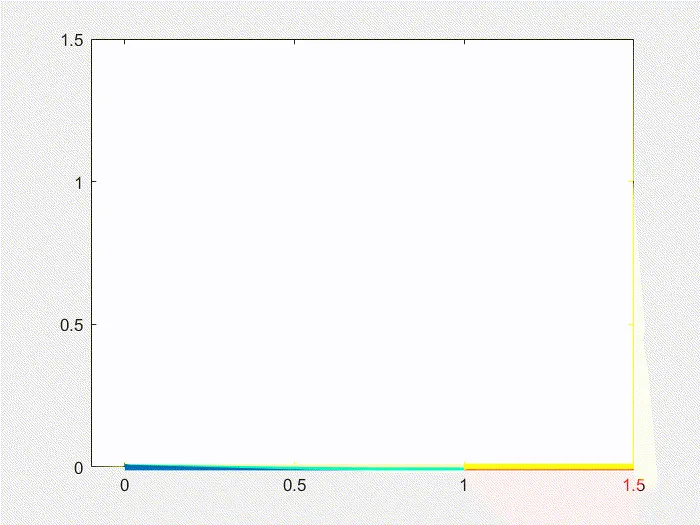
Week 3.2 - 2R Robotic Arm Challenge
Aim:
To write a program in Matlab to simulate the forward kinematics of a 2R Robotic Arm.
Theory:
Kinematics:
Kinematics is the study of the relationship between a robot's joint coordinates and its spatial layout and is a fundamental and classical topic in robotics. Kinematics can yield very accurate calculations in many problems, such as positioning a gripper at a place in space, designing a mechanism that can move a tool from point A to point B, or predicting whether a robot's motion would collide with obstacles.
A robot's kinematic structure is described by a set of links, which for most purposes are considered to be rigid bodies, and joints connecting them and constraining their relative movement, for example, rotational or translational joints.
A robot's layout, at some instant in time, can be described by one of two methods:
-
A list of coordinates for each joint (typically an angle or translation distance) expressed relative to some reference frame, aka zero position.
-
A spatial representation of its links in the 2D or 3D world in which it operates, e.g., matrices describing the frame of each link relative to some world coordinate system.
The list of joint coordinates is known as the configuration of the robot. The 2D or 3D world in which the robot lives is known as its workspace.
The importance of a configuration is that it is a non-redundant, minimal representation of the robot's layout. This stands in contrast to the representation of storing each link's frame (also known as maximal coordinates), but the constraints imposed by each joint might not be satisfied by a given maximal coordinate representation.
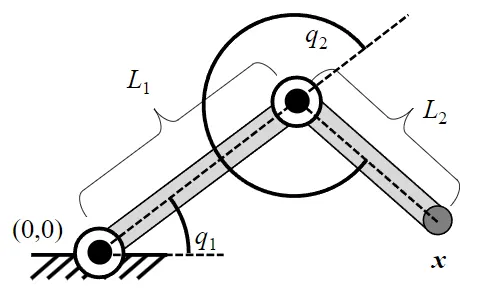
Matlab Program:
Correct Program
%% Program to plot 2D robot arm manipulator in forward Kinematics%%
close all % close all previously open files
clear all % clear workspace
clc % clear Command window
%Input variables
L1 = 1; %Length of first arm
L2 = 0.5; %Length of second arm
q1 = 0:10:90; %Angle of first arm
q2 = 0:10:90; %Angle of second arm
ct=1;
for i=1:length(q1);
Q1=q1(i);
for j=1:length(q2);
Q2=q2(j);
%coordinates first arm start
x0 = 0;
y0 = 0;
%coordinates first arm end & second arm start
x1 = L1*cosd(Q1);
y1 = L1*sind(Q1);
%coordinates second arm end
x2 = x1 + L2*cosd(Q2)
y2 = y1 + L2*sind(Q2)
%plot for [x0 y0], [x1 y1] & [x2 y2]
%figure(ct)
%line([x0 x1],[y0 y1], 'linewidth',4,'color', 'b')
%line([x1 x2],[y1 y2], 'linewidth',4,'color', 'y')
plot([x0 x1],[y0 y1],[x1 x2],[y1 y2],'linewidth',4)
axis([-0.1 1.5 0 1.5])
pause(0.05)
M(ct)=getframe(gcf);
ct=ct+1;
end
end
movie(M)
videofile = VideoWriter('Robot_animation.avi','Uncompressed AVI');
open(videofile)
writeVideo(videofile,M)
close(videofile)
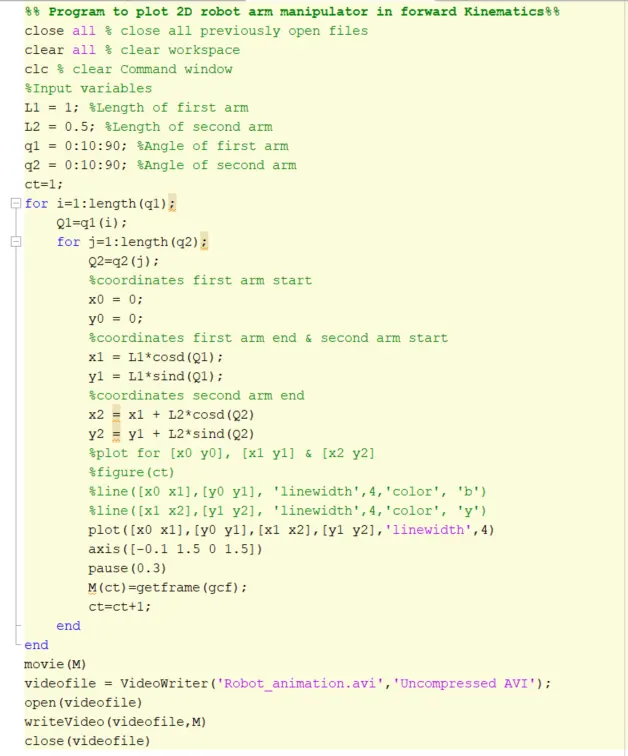
Program with errors
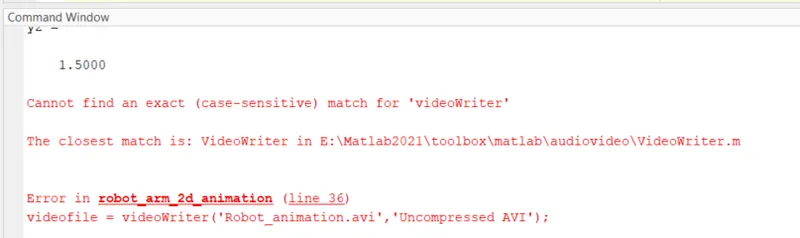
Videowriter is correct.
Result: