Week 2 Railwheel and Track
Aim : To perform a static structural analysis on the Railwheel and Track.
Software: Ansys 2021 R1
Summary
Objectives
Procedure for setup
Results
Comparison
Conclusion
Objectives:
- To erform a static structural analysis on the Railwheel and Track setup using 100000 N as bearing load
- To perform a static structural analysis on the Railwheel and Track setup using 500000 N as bearing load
- To compare the results
- To implement a User defined result and calculate the Total Deformation from this result and check if it is the same as that obtained by the inbuilt result by ANSYS for a load of 100000 N.
Procedure:
- Open ANSYS>>Drag and drop static structural model in the project schematic window.
- Go to the engineering data to choose the material if required(Here let's use the default material: Structural steel).
- Go to the model tab for the meshing and the case setup:
- For the meshing choose the values as follows:
Element size= 50mm
Element size (for face sizing)= 35mm
- Go to contacts>>Define the contacts as required: (following figure)
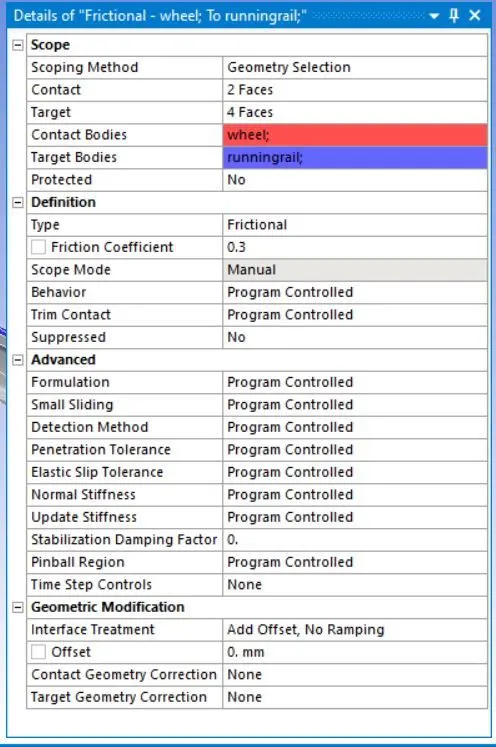
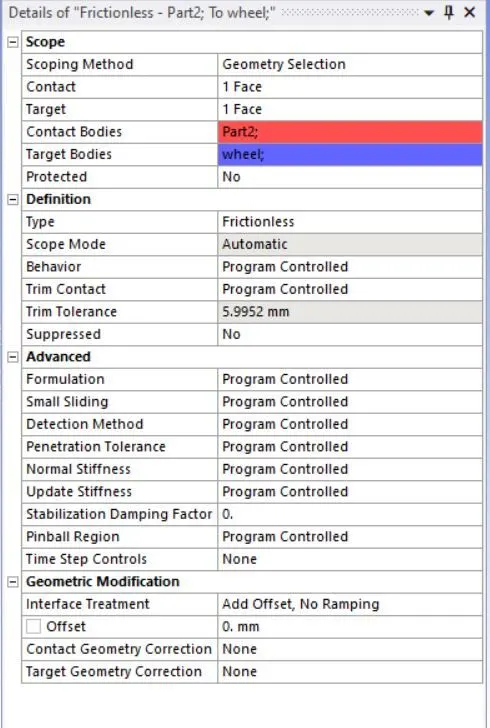
- The next step is about to define the joints. Go to joint and add fixed, translational, and planar joint as required:
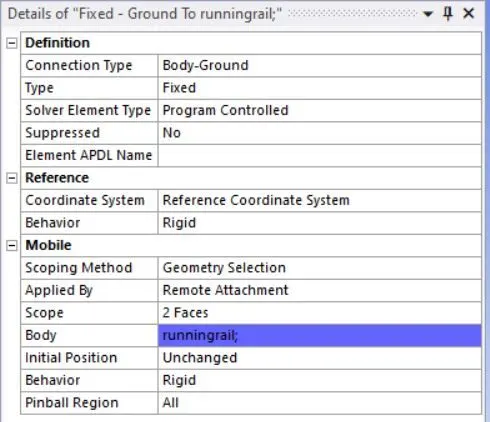
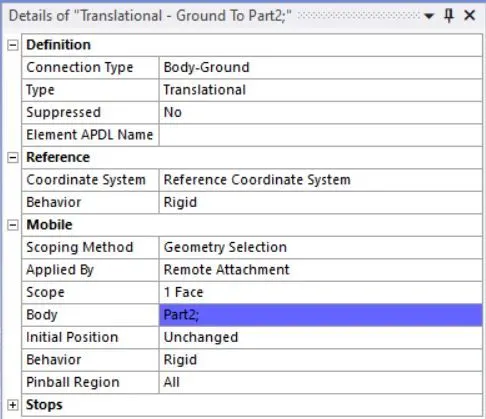
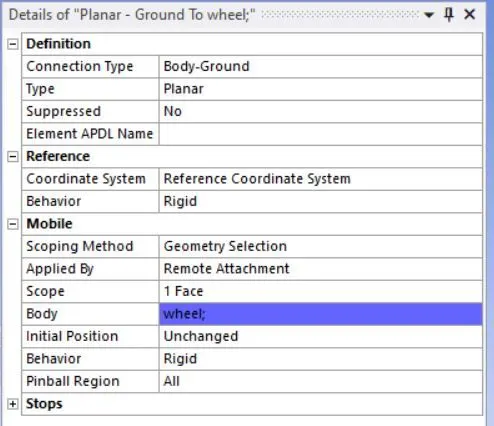
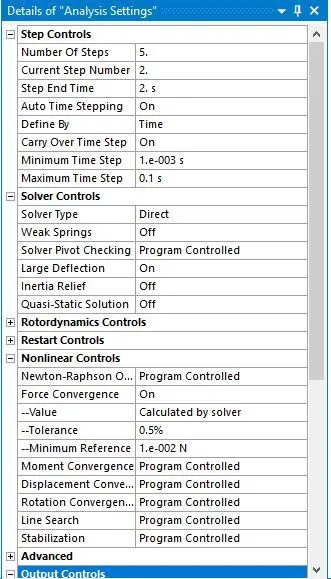
- The following analysis settings are defined for the simulation.
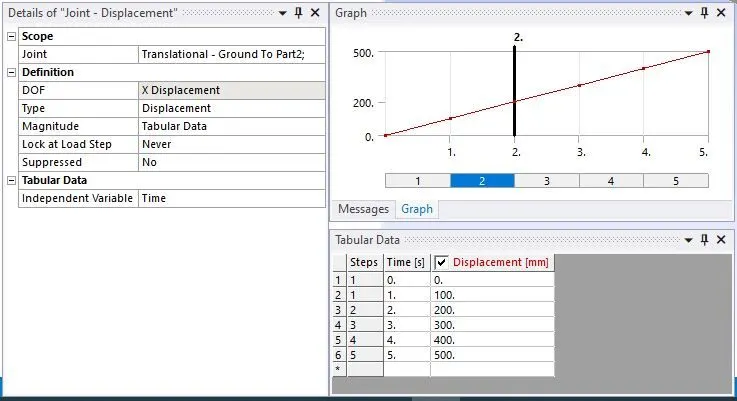
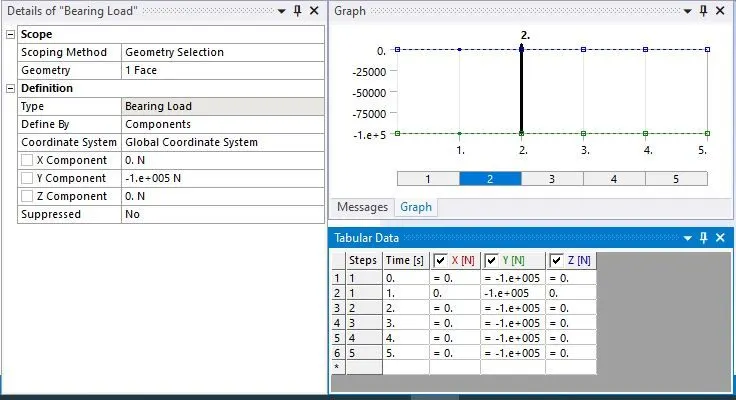
- Set the load as follows
For bearing load:
Results:
For case 1:
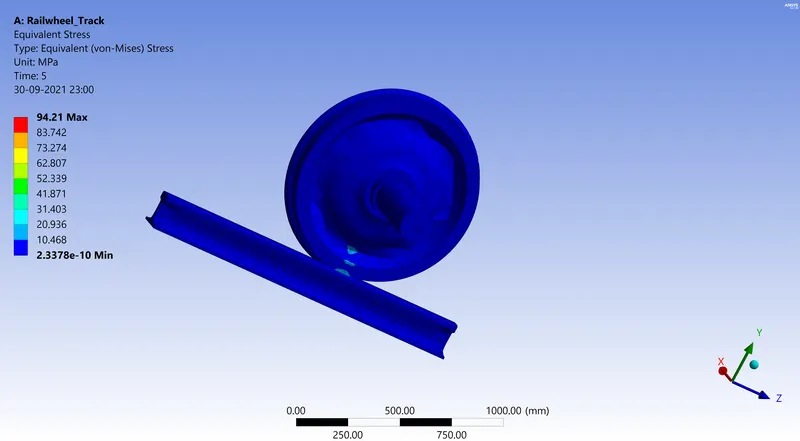
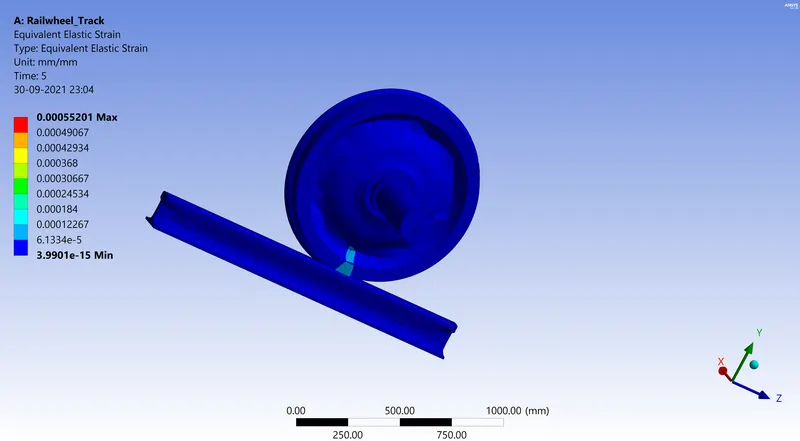
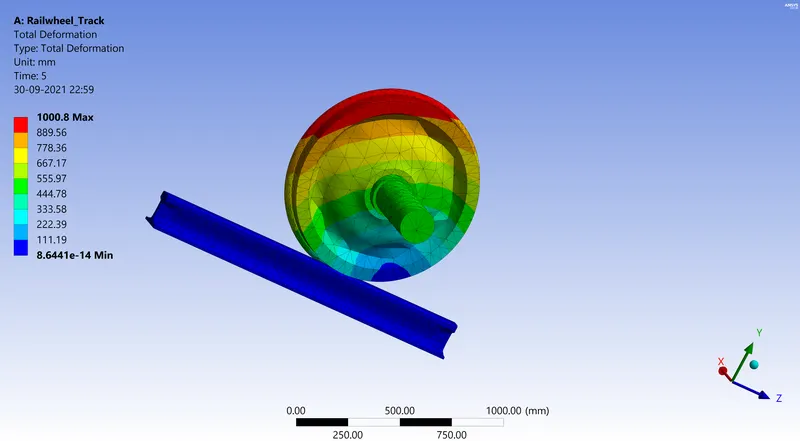
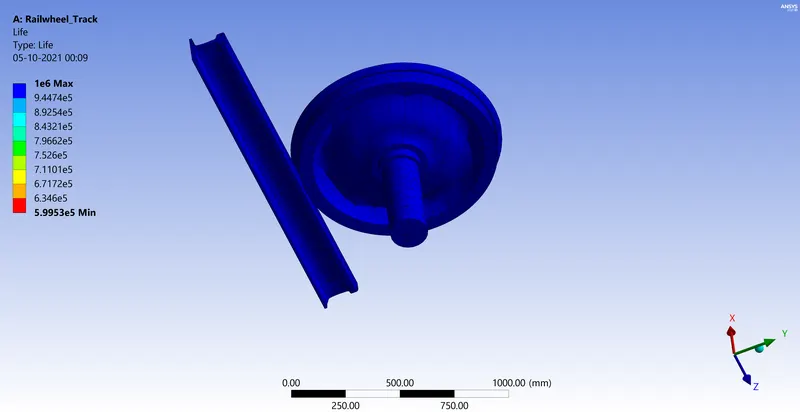
For bearing load=100000N:
Equivalent stress:
Equivalent Strain:
Total deformation:
Life:
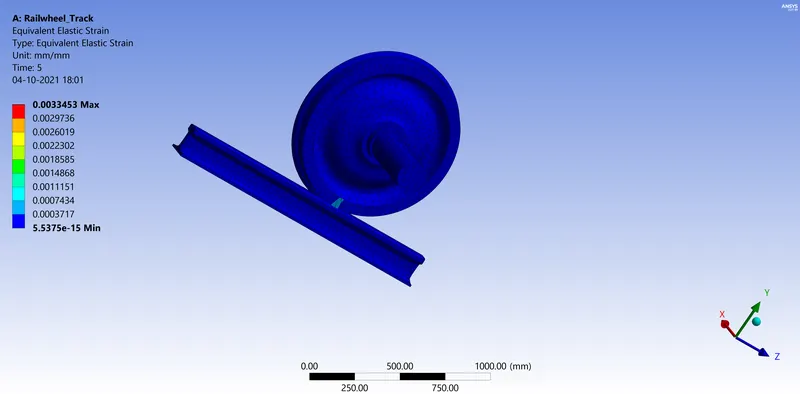
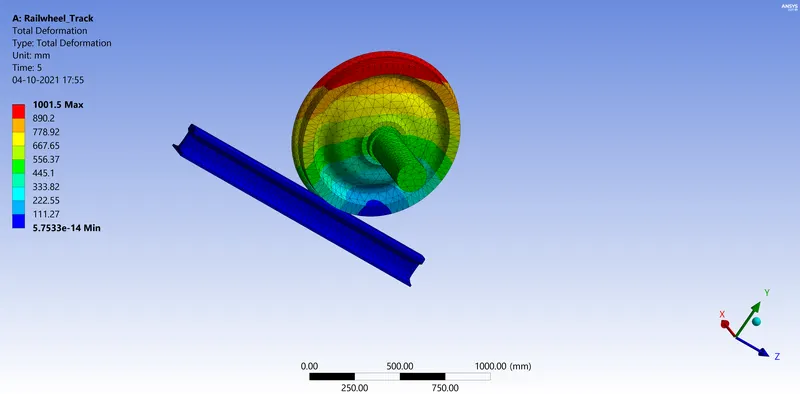
For bearing load=500000N:
Equivalent stress:
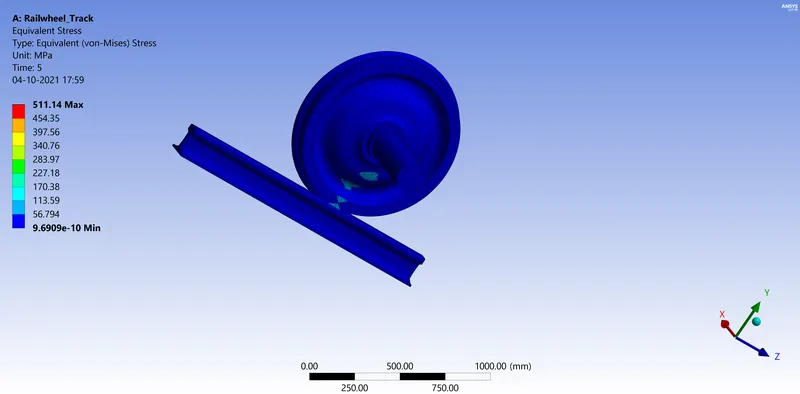
Equivalent Strain:
Total deformation:
Life:
Comparison table
|
Bearing Load (N) |
Equivalent Stress (MPa) |
Equivalent elastic strain (mm) |
Total Deformation (mm) |
The life Cycle |
|
100000 |
94.21 |
0.00055201 |
1000.8 |
1e6 |
|
500000 |
511.14 |
0.0033453 |
1001.5 |
1e6 |
Case 2: Implementation of a user defined result for Total deformation calculation
Formula used:
`Def =sqrt(Ux^2+Uy^2+Uz^2)`
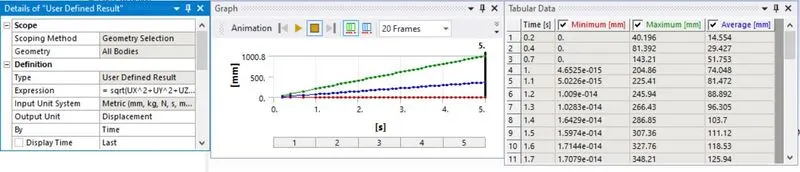
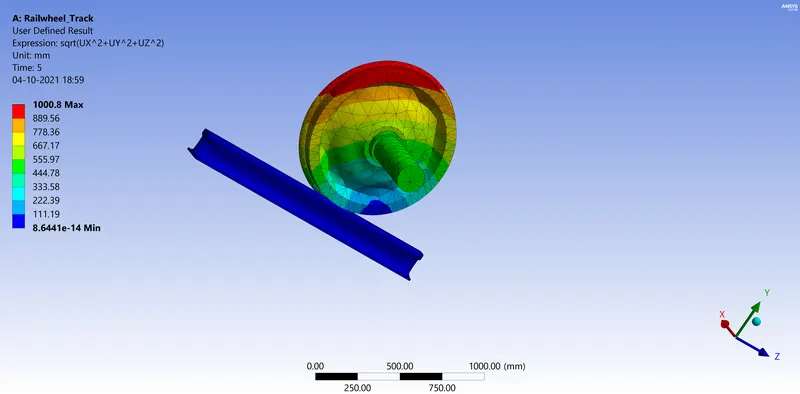
Summary table:
|
Bearing Load (N) |
Total Deformation (mm) |
UD Total Deformation (mm) |
|
100000 |
1000.8 |
1000.8 |
Remark: The total deformation obtained when implementing the user defined result is the same as that obtained by the inbuilt result by ANSYS.
Conclusion:
Trough this project we notice that on one hand, by multiplying the bearing load by five, the equivalent stress and elastic strain obtained are respectively multiplied by 5 and 6 and the total deformation get slightly increased. On the other hand, the total deformation obtained when implementing the user defined result is the same as that obtained by the inbuilt result by ANSYS.