Week 2 Challenge : Surface meshing on a Pressure valve
AIM:
To study the meshing process of the pressure valve using ANSA software. Initially check for geometrical errors and perform topology cleanup accordingly. Finally set three different target lengths as three different cases and mesh the model.
TOOLS:
- Under Topology option
- Fill hole
- Topo
- Faces(new)
- Curves(connect)
- Faces(Intersect)
- Under mesh tool
- Parameters(length)
- Mesh parameter
- Mesh generation(spot mesh)
- measure
PROCEDURE:
- Firstly we open the CAD model by browsing the location.
- Next step we should make sure the geometric errors and topology cleanup has to be done accordingly for the pressure value to mesh.
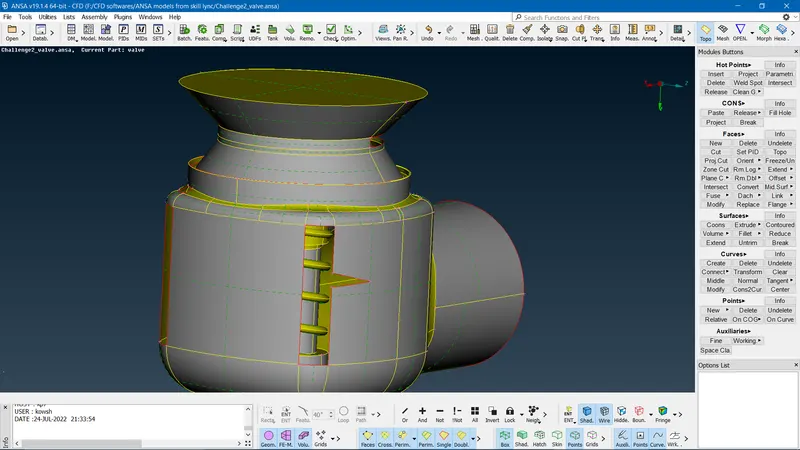
- Initially, we get the pressure valve as shown below.
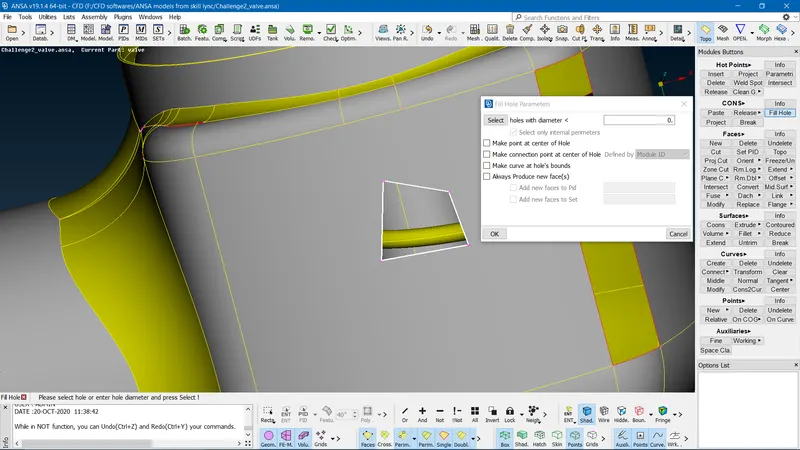
- The first step is to clear the single cons accordingly.
- By selecting CONS==>File hole option==>select the single cons to create the surface==>ok/middle mouse click.
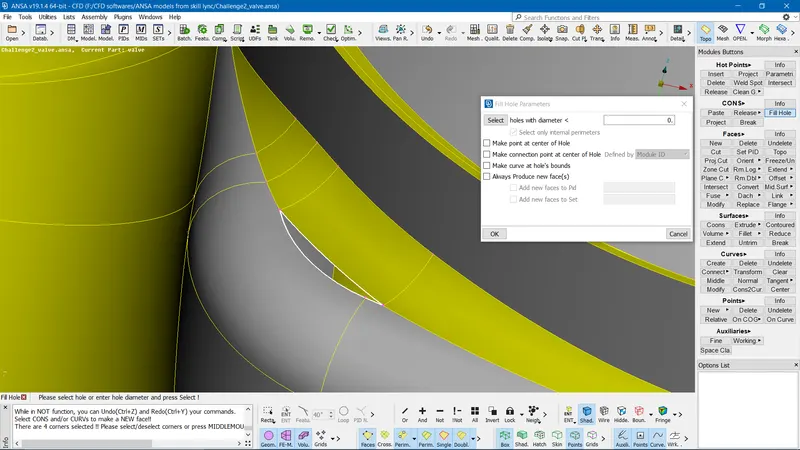
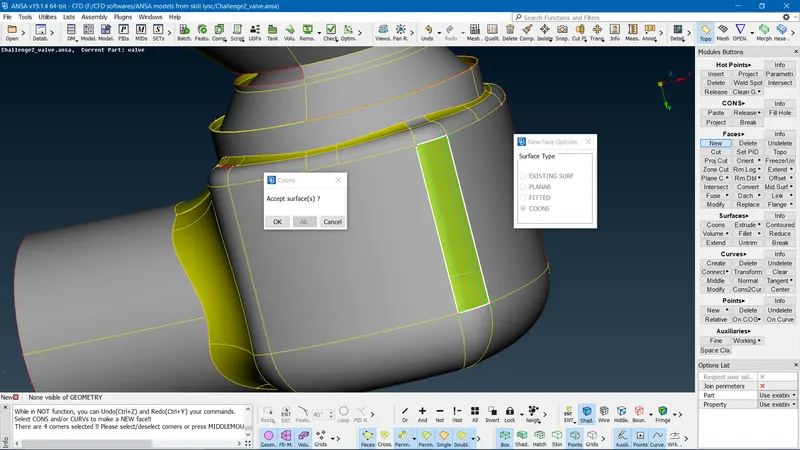
- Similarly, the single cons entity can be filled alternatively by using FACES==>select NEW option==>select COONS==>select the single cons==>ok/middle mouse click.
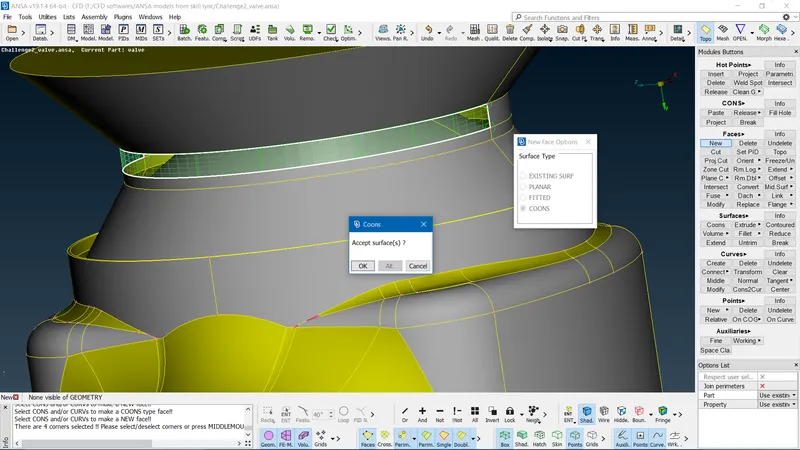
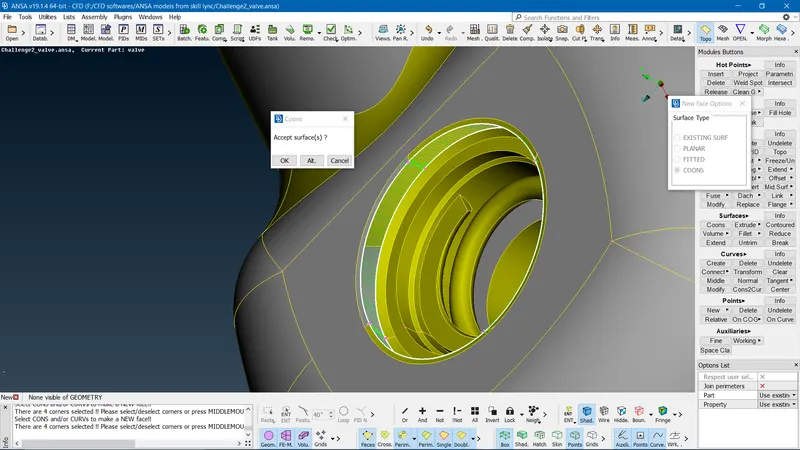
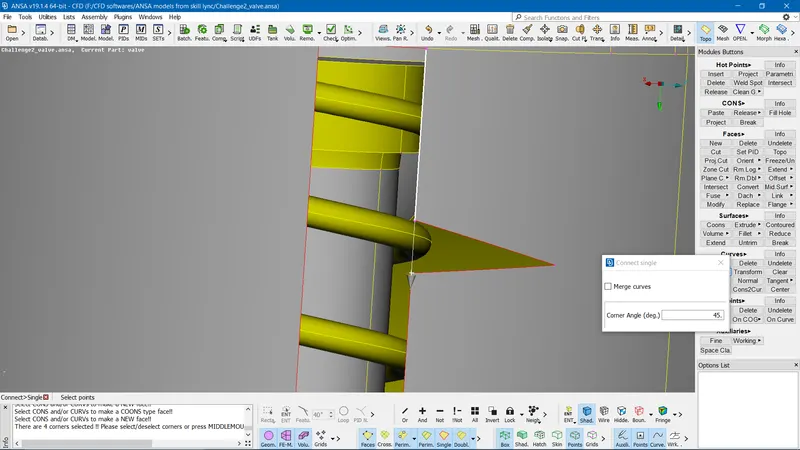
- In this step, we are drawing a curve between two hot points in order to overcome single cons and also to file the entities of the pressure valve. Under CURVES option==>select connect single option==>select the First and second hot point respectively==>ok/middle mouse click.
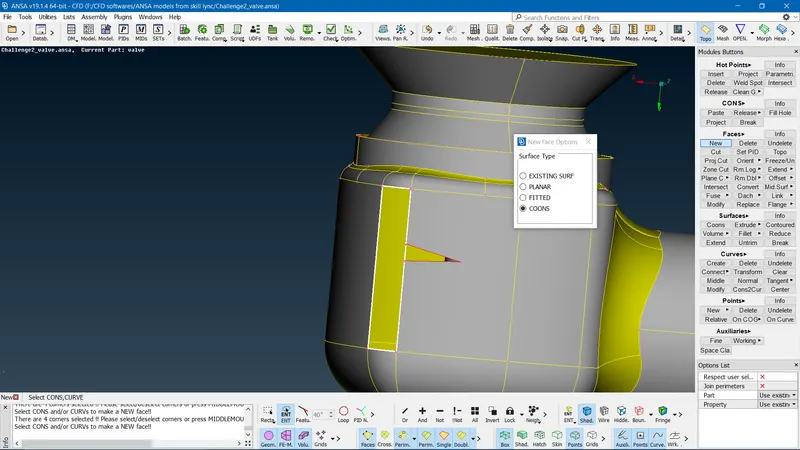
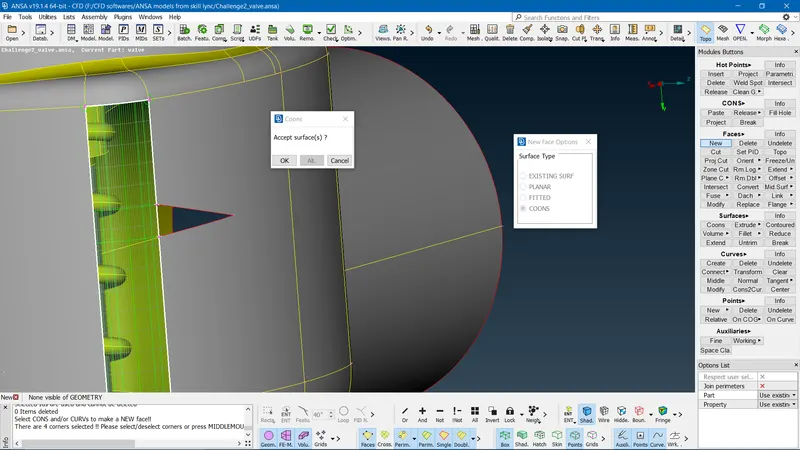
- The topo option is used to make sure two surfaces are not being overlapped(single cons to double cons).
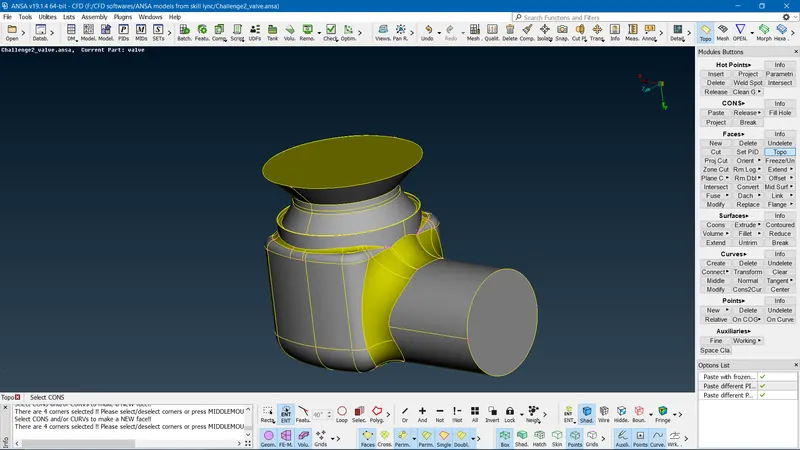
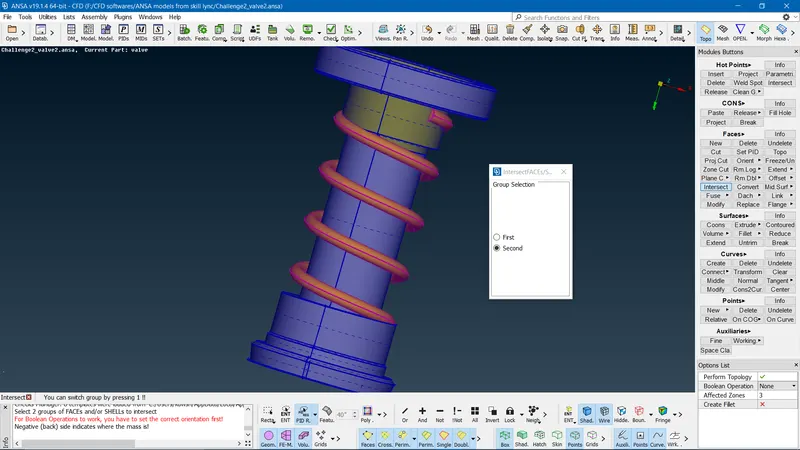
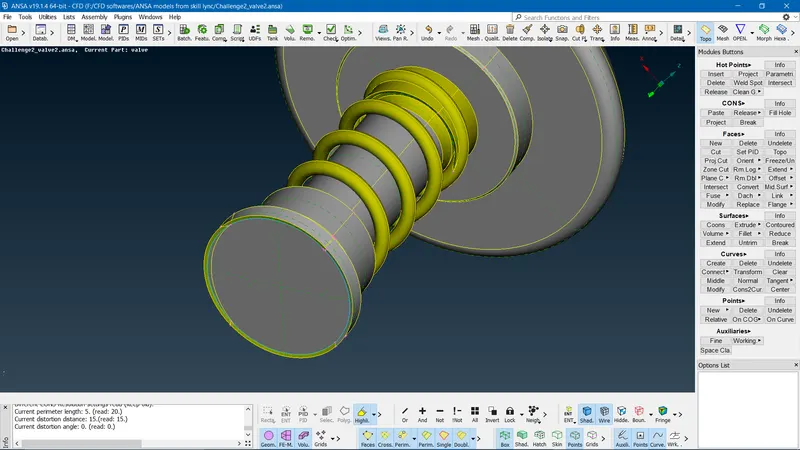
- Now the external geometry is taken care of the single cone error let's take care of the triple cons error now. Note that some triple cons are valid or not this has to be identified based on the surface of the geometry. We can notice that there are triple cons in the spring and spring column.
- Initially, we can take care of this problem by using by INTERSECT option. Select INTERSECT option==>we will get a first and second option(change ENT to PID region)==>select the first body simultaneously second body==>ok/middle mouse click.
- We are creating an air-tight geometry surface in order to perform internal fluid analysis. So I have created two surfaces PIDS (INLET, OUTLET) as shown below.
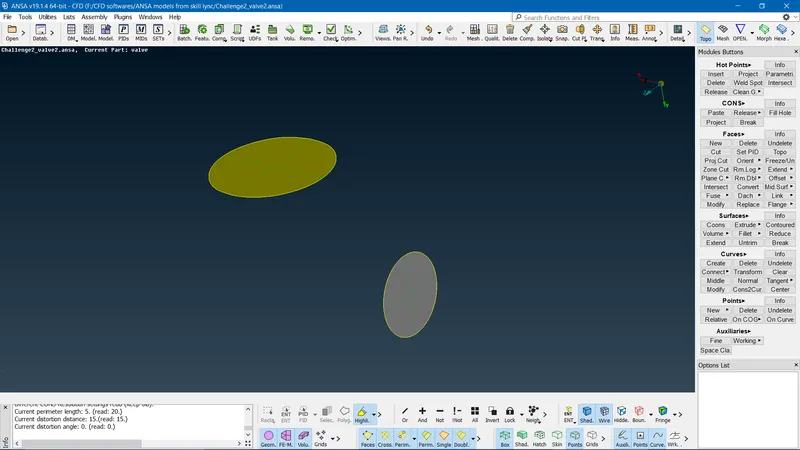
- A third air-tight geometry is created under the spring body column and this contains a valid triple con because there are three surfaces that meet up as shown below.
- Finally, when the geometry clean-up is done we move next step of the meshing process. For TOPO geometry creation manipulation we select the MESH surface and volume option.
- As per the challenge we need to mesh the pressure valve for three different target element sizes and element type TRIA.
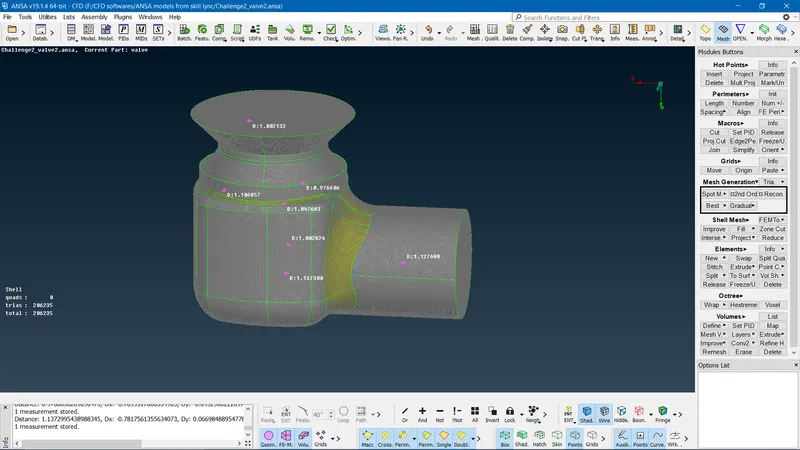
- First, we will take the target element of 1mm and element type TRIA.
- Under PERIMETER option==>select LENGTH==>we get selection windows (PERIMETER AND MACROS)==>first select PERIMETER select entire pressure value or individual PIDS select ok/middle mouse click==>In next window give target length as 1mm==>ok/middle mouse click.
- Similarly select MACROS select entire pressure value or individual PIDS select ok/middle mouse click==>In next window give target length as 1mm==>ok/middle mouse click.
- Under MESH PARAMETERS give the target length as 1mm and element type as TRIA.
- Lastly under the MESH GENERATION option==> select SPOT MESH option==> select entire pressure value or individual PIDS. Finally, we get the meshed pressure valve(the MEASURE option is used to check the distance between two node points on the meshed pressure valve surface) as shown below.
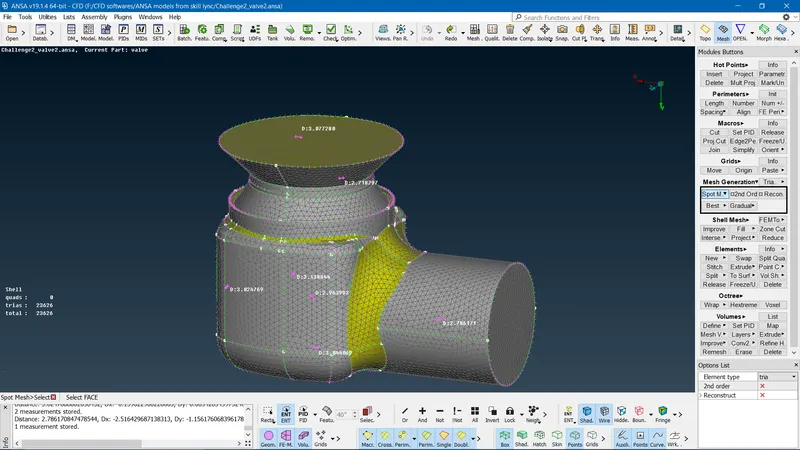
- we will take the target element of 3mm and element type TRIA.
- Under PERIMETER option==>select LENGTH==>we get selection windows (PERIMETER AND MACROS)==>first select PERIMETER select entire pressure value or individual PIDS select ok/middle mouse click==>In next window give target length as 3mm==>ok/middle mouse click.
- Similarly select MACROS select entire pressure value or individual PIDS select ok/middle mouse click==>In next window give target length as 3mm==>ok/middle mouse click.
- Under MESH PARAMETERS give the target length as 3mm and element type as TRIA.
- Lastly under the MESH GENERATION option==> select SPOT MESH option==> select entire pressure value or individual PIDS. Finally, we get the meshed pressure valve(the MEASURE option is used to check the distance between two node points on the meshed pressure valve surface) as shown below.
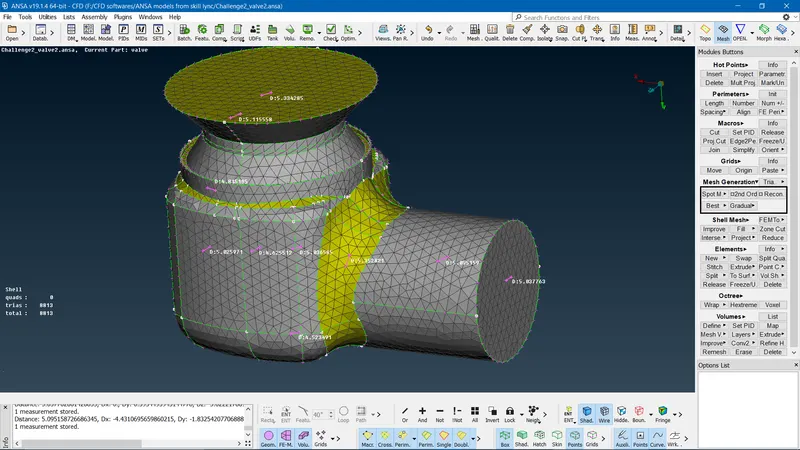
- we will take the target element of 5mm and element type TRIA.
- Under PERIMETER option==>select LENGTH==>we get selection windows (PERIMETER AND MACROS)==>first select PERIMETER select entire pressure value or individual PIDS select ok/middle mouse click==>In next window give target length as 5mm==>ok/middle mouse click.
- Similarly select MACROS select entire pressure value or individual PIDS select ok/middle mouse click==>In next window give target length as 5mm==>ok/middle mouse click.
- Under MESH PARAMETERS give the target length as 5mm and element type as TRIA.
- Lastly under the MESH GENERATION option==> select SPOT MESH option==> select entire pressure value or individual PIDS. Finally, we get the meshed pressure valve(the MEASURE option is used to check the distance between two node points on the meshed pressure valve surface) as shown below.
LINKS FOR MESHED PRESSURE VALVE USING ANSA SOFTWARE
- target element of 1mm and element type TRIA
https://drive.google.com/file/d/1mElSehcSaE-RmiMSWZU24Dlr-JyRTd2A/view?usp=sharing
- target element of 3mm and element type TRIA
https://drive.google.com/file/d/1KHYQIepLwHpjI0J_Ubq5wQhPgHQbbryx/view?usp=sharing
- target element of 5mm and element type TRIA
https://drive.google.com/file/d/1p4iCOwxoSd8DA7a-8swBikp0GX6R8hro/view?usp=sharing
CONCLUSION:
we have meshed the pressure valve for different target lengths and for element type tria. We notice that for target lengths 1mm and 3mm we get refined and smooth mesh compared to 5mm mesh for the pressure valve. As the target length increases target element size increases this might affect the end results for performing fluid analysis on the geometry(we might end up getting the wrong result). Hence we try keeping the target length to a minimum constrained valve.