Week 2 Challenge : Surface meshing on a Pressure valve
Aim: To generate a mesh(tria element type) for the given valve geometry with a cell size of 1mm, 3mm, and 5mm, respectively.
Procedure:
- Topology Cleanup
- Select the single cons that are visible in the model and use the "New" option under the "Faces" menu.
- Choose the appropriate option to obtain the best-fitting surface that results in a clean geometry, without any gaps, holes, or any single cons.
- Choose "Geometry" under the "Check" menu to perform a geometry check and verify if the geometry is completely cleaned.
- PID Creation
- Click on the "Property" option, and create the required PIDs. Give the PIDs the correct names.
- Assign the components to the named PIDs
- Delete the PIDs with no component assigned to them using the "Compress" option.
- Mesh Generation
- Select the "length" option from the "meshing" section, and select the "Perimeter" option.
- Select all the cons and give the length as 3 mm.
- Repeat steps 6 and 7 by selecting the "Macros" option.
- Select the "Quality" option and determine the minimum and maximum cell size.
- Select the "Spot Mesh" option in the "Mesh Generation" section, and select all the faces of the geometry, to generate a mesh with a cell size of 3mm and the cell type as tria.
Results:
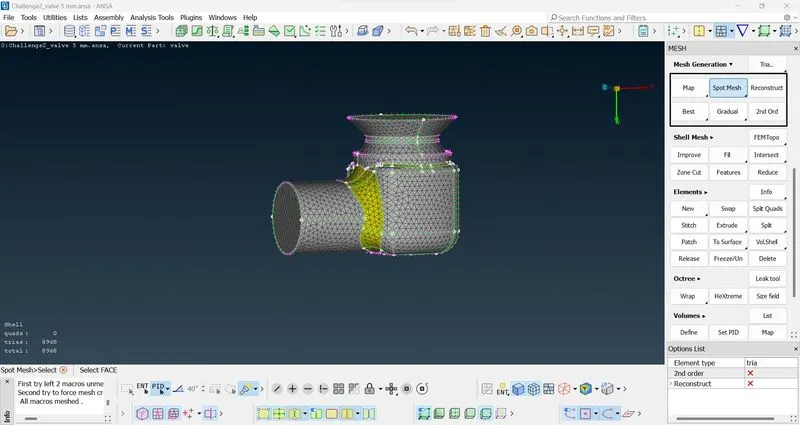
5 mm
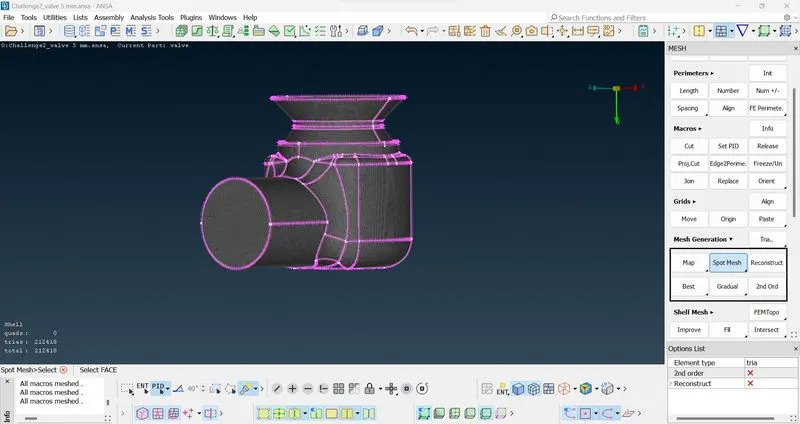
1 mm
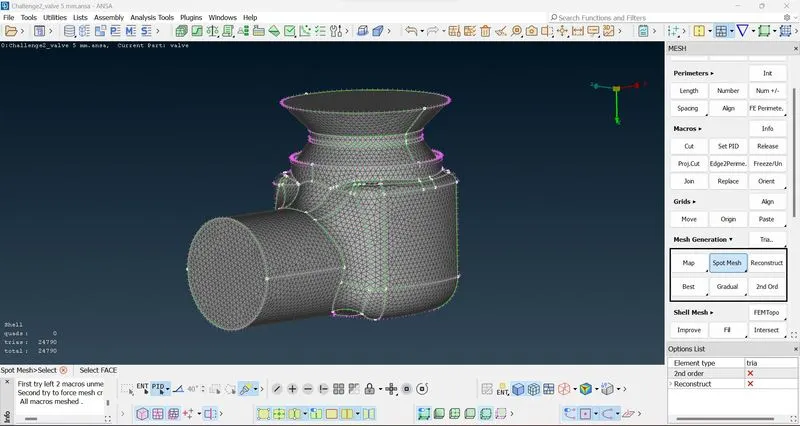
3 mm