Week 2 Challenge : Surface meshing on a Pressure valve
Aim: To perform geometry check, topology cleanup and mesh a given model.
Objective: To perform geometry check, topology cleanup and mesh a given model with 3 different mesh length and identify the mesh length which gives the best results.
Procedure: Imported the given model using the file import option.
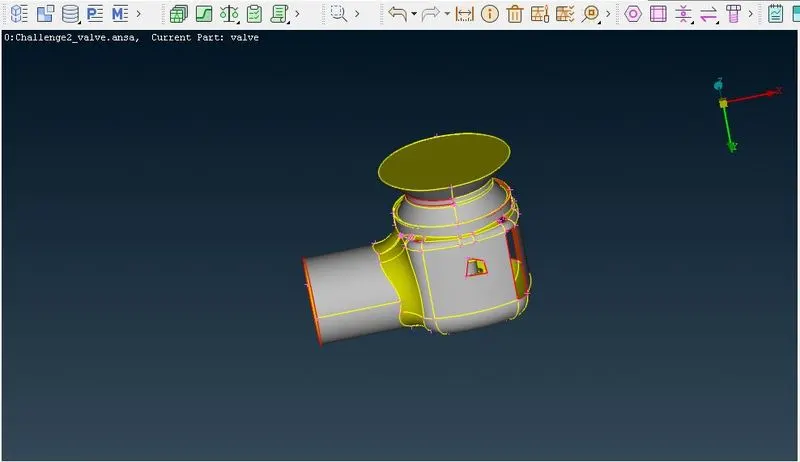
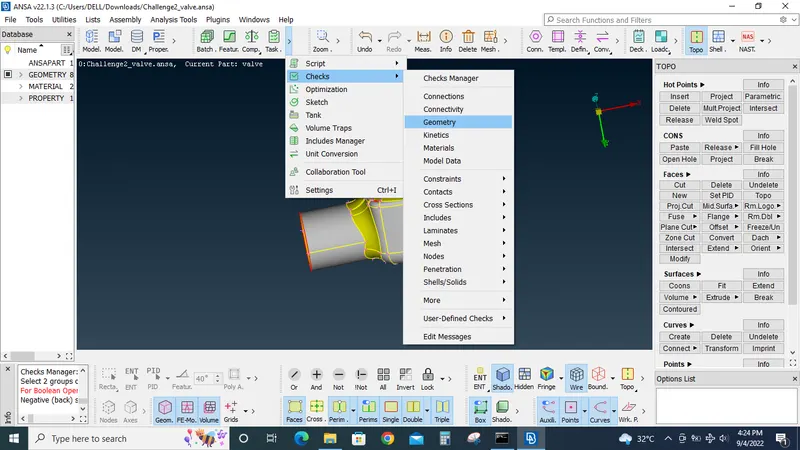
Using the Geometry check tool under checks tabs performed geometry analysis and identified the error like single cons and open faces.
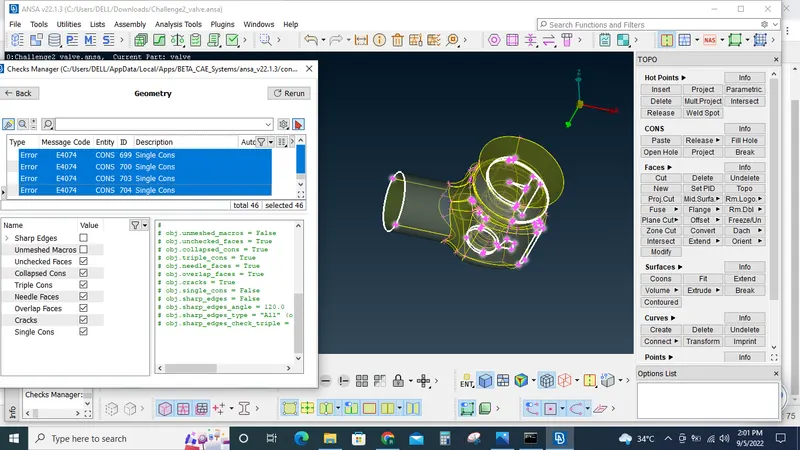
Once the geometrical errors are identified it is corrected using the new option under face tab and fill hole option under cons tab.
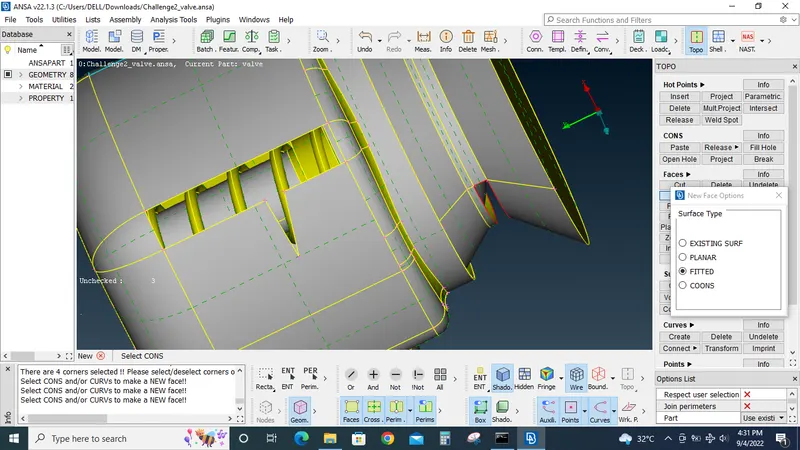
After correcting the all the errors geometry check is again done, this time we end up with only triple cons which are essential for this model.
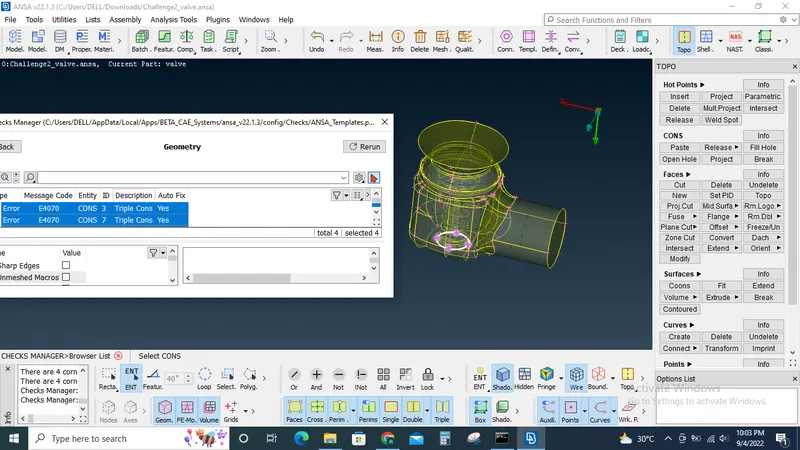
Now the small surface are deleted using the cut option underface tab, because whenever a surface's area/length is smaller than the mesh length it can cause errors which is not desirable.
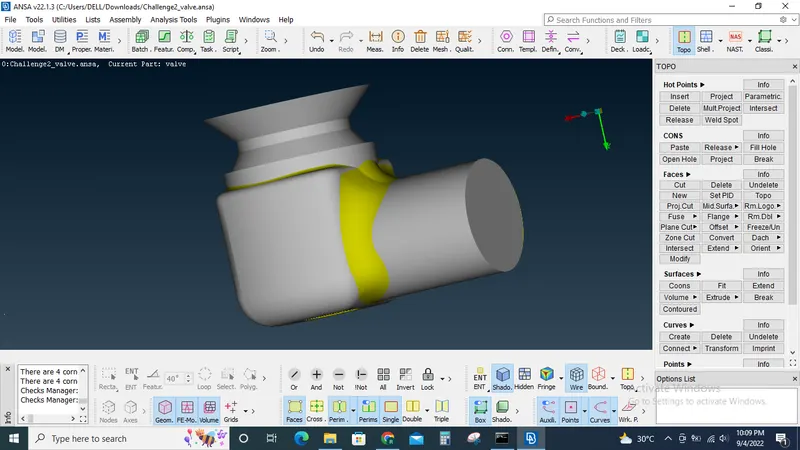
After deleting the small unwanted surfaces one final check is done this time to make sure there are no errors. This time it is done with the help of tools in the view tabs. Toggeling between single con, triple cons buttons in the view tab we can find that there are no errors .
Now PID's are assigned to the model using PID property manager and PID regoin selections option.
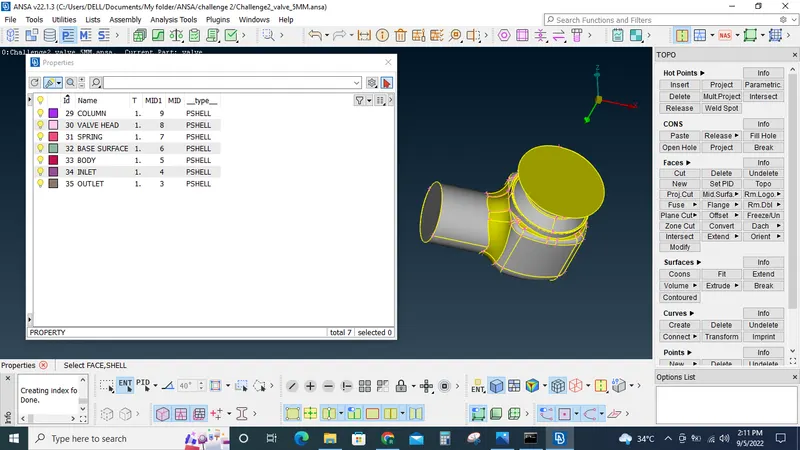
The system default PID is deleted using the Undelete and topo buttons under the Face tab. Only the PID's that are essential are kept within the model.
Now the model is ready for meshing.
Mesh is generated by PID regoin wise with the following settings using the spot msh button:
(Length button under perimeters tab)Perimeter=5MM, Macros=5MM, Target length= 5MM & Mesh type= Tria (Mesh properties tool), Min length=3MM & Max length = 7MM(Mesh quality tool)
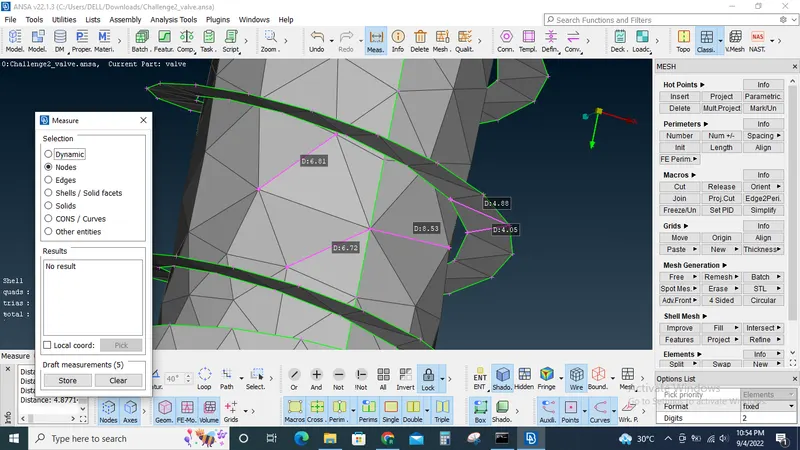
Upon analysing the generated mesh, the mesh created on the valve head and spring is not good. This is caused because the mesh length is larger than the feature's area or length.
So the 5MM mesh is deleted using the erase option under the mesh generation tab.
The obove steps are repeated to create a mesh with the following settings:
(Length button under perimeters tab)Perimeter=3MM, Macros=3MM, Target length= 3MM & Mesh type= Tria (Mesh properties tool), Min length=1MM & Max length = 5MM(Mesh quality tool).
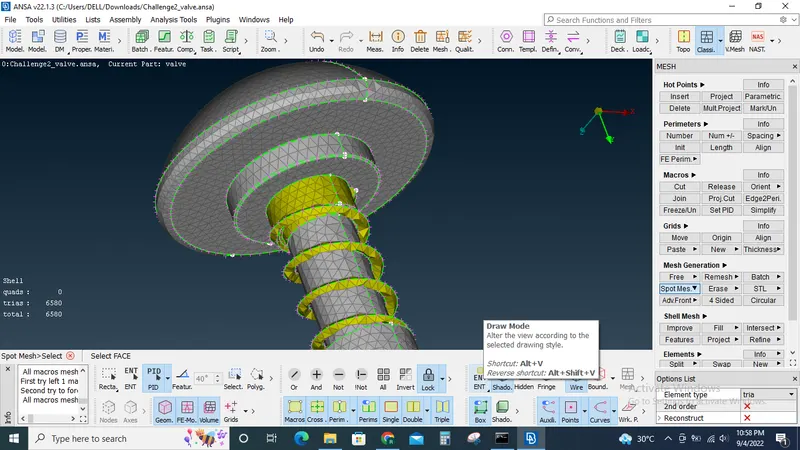
Upon analysing the created mesh the results are better than the 5MM mesh but it is not satisfactory. Still the features of spring and valve head are not captured properly.
So the 3MM mesh is deleted using the erase option under the mesh generation tab.
The obove steps are repeated to create a mesh with the following settings:
(Length button under perimeters tab)Perimeter=1MM, Macros=1MM, Target length= 1MM & Mesh type= Tria (Mesh properties tool), Min length=0.25MM & Max length = 2MM(Mesh quality tool).
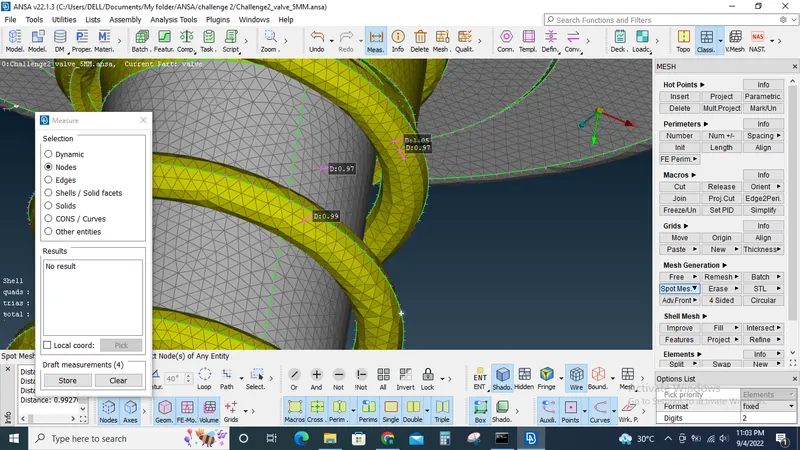
The 1MM mesh generated found to be satisfactory and produces best result of all 3 mesh lengths.
Learning outcomes: How to use geometry check tool to identify errors, how to clean topology, how to assign PID's, how to mesh with different mesh length, how to retrieve deleted surfaces.
Tools used: Geometry checks, New, Cut, undelete, topo under Face tab, PID selections and PID property manager, erase, spot mesh under Mesh generation tab, measure, Mesh quality criteria.
Conclusion: The given model is checked for errors , topology cleaned and meshed with 3 different mesh length. It is found that 1MM mesh length is the best mesh length for the given pressure valve model.