Week 2 Challenge
- 1. How will you assign Circular section to column?
Ans- After creating of the nodes and column i.e. geometry, in the properties tab, click on the define button then a pop up box will open where the section property is available. Now click on the circular section and insert the diameter as per required data and define the property by clicking on add button.
Now click on the created circular property and select the column, then tick assign to select object and assign it.
2. How will you assign Unit system to a .std model file?
Ans- there are way in which the unit can be assigned the model in staad pro,
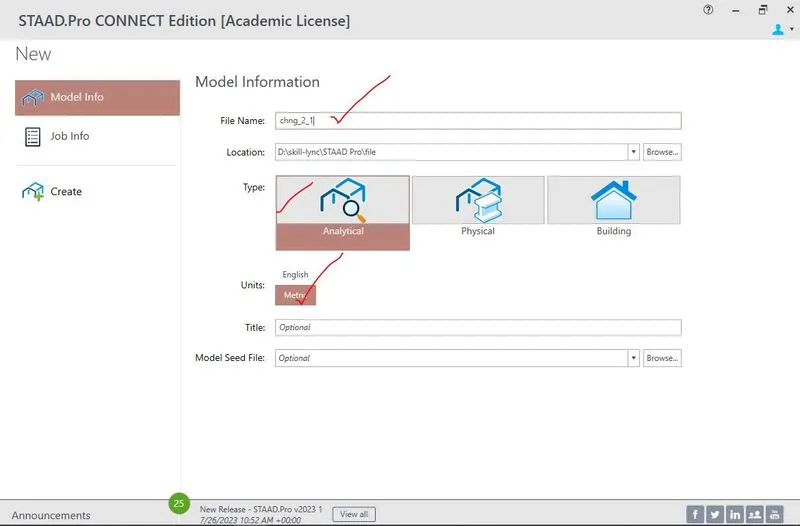
First one, in the model info as per requirement unit can be assigned as English or metric, secondly by right click, the display option has been chosen to change the unit of force, structural and section unit.
3.What are the parameters to be specified while using “Bay Frame” option?
Parameters to be specified in using the bay frame structure
- Length
- Height
- Width
- of bays along the length
- of bays along the Height
- of bays along the Width
4.Name few codal standards incorporated in STAAD Pro software.
Ans- some of codal standard incorporated in STAAD pro has been given below,
- IS 465
- IS 800
- IS 800 2000 LSD
- API
- SP 16 13330 2011
- SP 16 13330 2017
- BS 807
- IS 13920 1993
- IS 13920 2016
- AS 3600
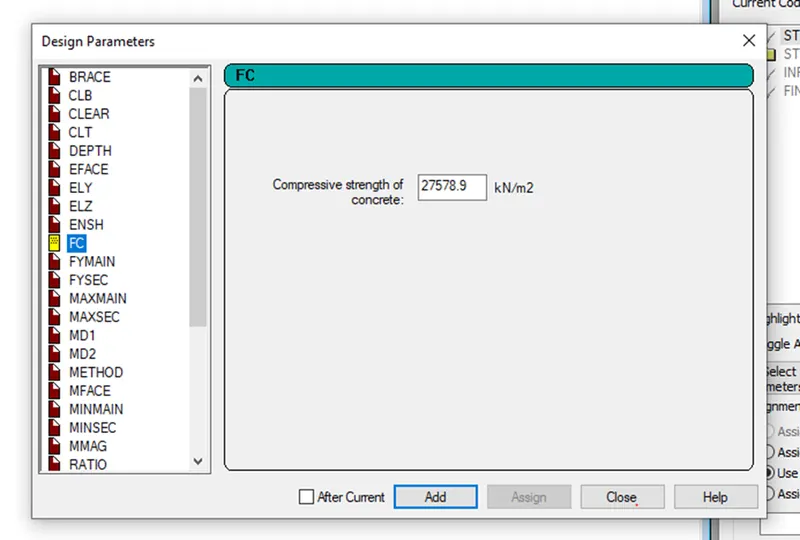
5.How will you specify the design compressive strength for a RCC section?
Ans- After the analysis of the model, in the design part, choose the type of material, for RCC section choose concrete then select the IS code 456 and the define the parameter for the RCC section, after clicking of the define parameter, a pop up box has been opened where go to the FC where the design compressive strength for RCC section can be specify.
2.1. State the “Input” steps involved in RCC design.
Ans- Input step involved in RCC design
- Input geometry
- Input properties
- Input space/constants/ support
- Input load and load cases
- Input design standard
- Specify analysis type
2.Explain the difference between Fixed and Enforced support condition in STAADPro.
ANS- Fixed support- in this type of the support, the support has been restrained against translational and rotational displacement without and sinking of support and any small displacement.
Enforcement support- in this type of support, the support has been restrained against translation and rotation same as fixed support, but here a small displacement or sinking of support has been allowed which can be specified on the enforced condtion.
3.1.Explain the steps involved in analysis of a model using STAAD Pro sequentially.
- Read/ study drawing (plan/ elevation/ section)
In this step, the architectural drawing like plan, elevation and section drawings is analysed and data related to location of the all nodes has been extracted.
- Input geometry
After extracting the data related the location of nodes and story height, the model is created.
- Input properties
Properties related to the size and space of the members and material properties like concrete, steel and timber.
- Input space/constants/ support
In this step, the support condition is specified as per the requirement.
- Input load and load cases
After creation of the model, the type of loads and load cases is assigned to the model.
- Input design standard
Design standard like all the design parameters for the different material is created and assigned according their requirement.
- Specify analysis type
In this step, method of analysis is specified as per the model and outputs data.
- Run analysis
Here, after creation, application of load, assigning of design parameter, the model is analysed to find the displacement, shear force, bending moment etc.
- Verify results
After the analysis, the output data like displacement, shear force, bending moment etc. is verified as per IS code.
- Design
After verification of the model, the model is designed to find the area of steel is required to design the members in the model and steel is detailed.
- Represent design as documents and drawing
After finding the steel, the drawing like detailing of reinforcements and the report is created.
2.Explain the two ways in which a structural framework/model can be created in STAAD Pro software.
Ans- The two ways in which a structural framework can be created in staad pro is given below,
- Nodal method
- Structural wizard
Nodal method- in this method the model can be created by using the location of the node and using translational repeat, circular repeat and copy paste the node as per the requirement.
Structural wizard- in this method, the structural model can be created by inserting the data that is require to create model from the structural wizard tab where the standard model has been created which can be used to model by putting input data.
3.Elaborate the different support conditions in STAAD Pro.
Ans- Different type of support
- Fixed support
- Pinned support
- Fixed but support
- Enforced
- Enforced but
- Multilinear spring
- Foundation
- Inclined
- Tension/ compression only spring
Fixed support- where the support has been restrained against translational and rotational displacement.
Pinned support- where the support is restrained against translational displacement only.
Fixed but support- where the support is restrained against translational as well rotational but it can be modified.
Enforced- where the support is restrained in translational and rotational, but here in this type of support some relaxation can be provided as displacement that the support can be displaced up to a extend.
Enforced but -where the support is restrained in translational and rotational, but here in this type of support some relaxation can be provided as displacement that the support can be displaced up to a extend and the support condition can be changed.
Multilinear spring- in this type of support when the spring is used, multilinear support is used where displacement and stiffness value is to specified.
Foundation- for foundation purpose, it is used where size and dimension and condition of the footing is to be provided.
Inclined- for bracing when the inclined members are used.
Tension/ compression only spring- for truss members where the a small displacement relaxation has been used, this condition is used.
4.How will you extract the stress distribution for a staircase slab?
Ans- after the analysis and design the staircase, as the staircase is slab, the stress distribution of the slab can be viewed on the plate results for every load and load cases and stress type.
5.Explain the different ways to view SFD & BMD in STAAD Pro.
- After the analysis of the model, SFD and BMD can be views on beam reports tab
- By right clicking on the beam
- By using the graph.
-----------------------------------------------------------------------------------
1.Practical
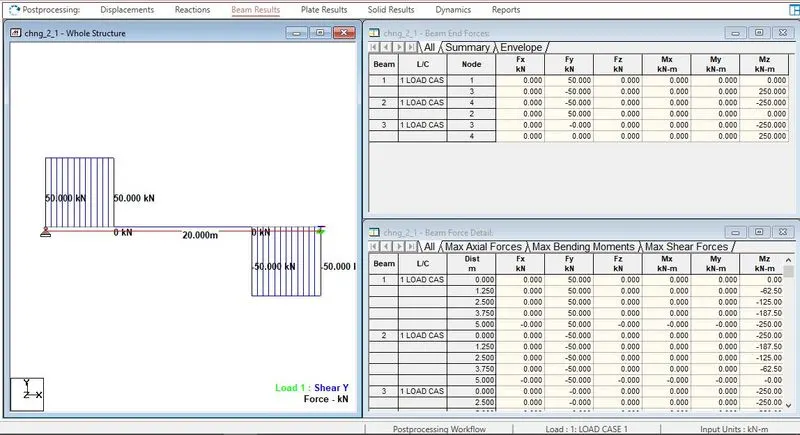
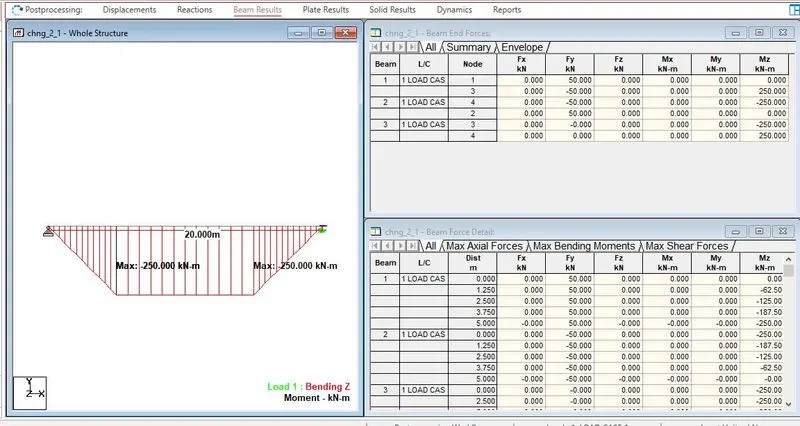
Given data,
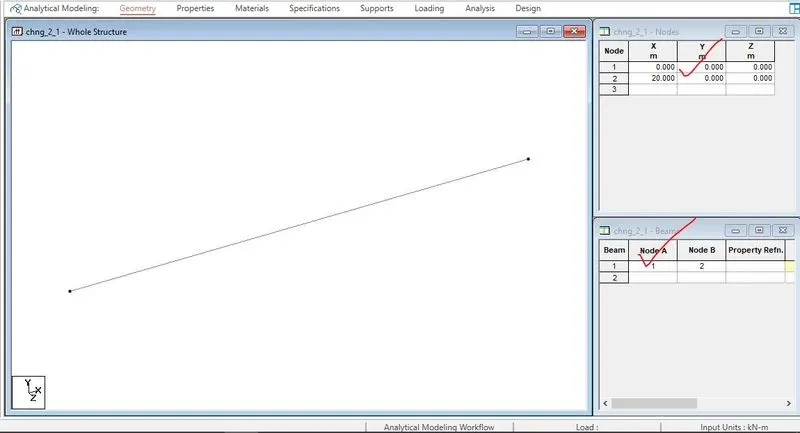
Simply Supported Beam
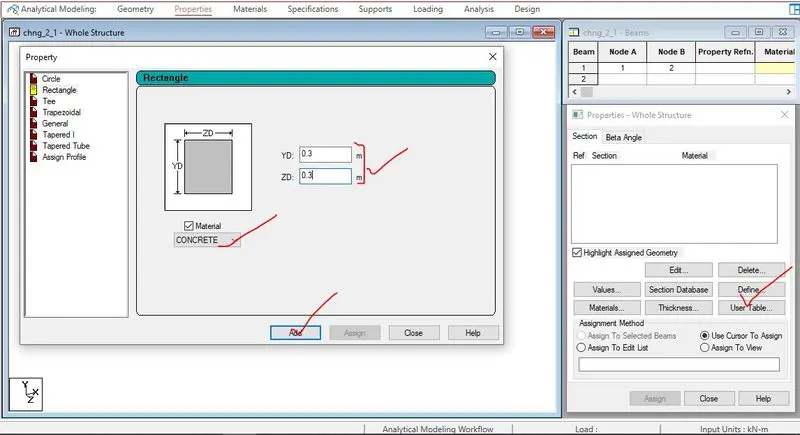
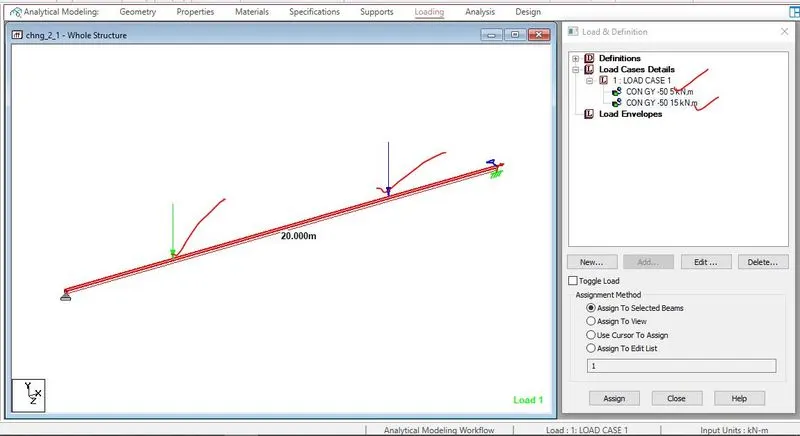
A Simply supported beam with two point loads symmetrically placed
Span L = 20m
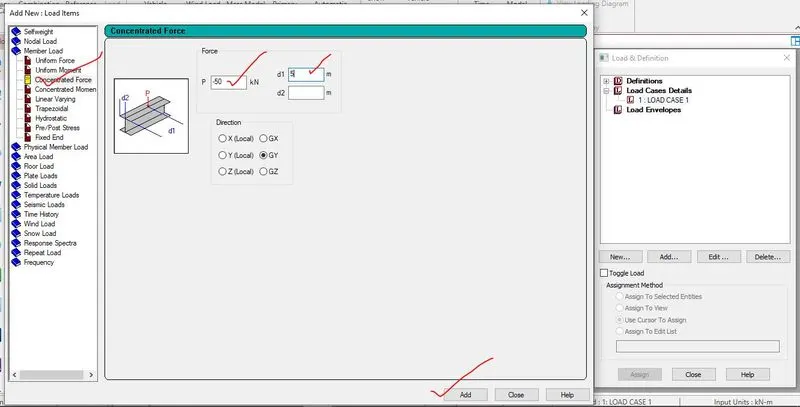
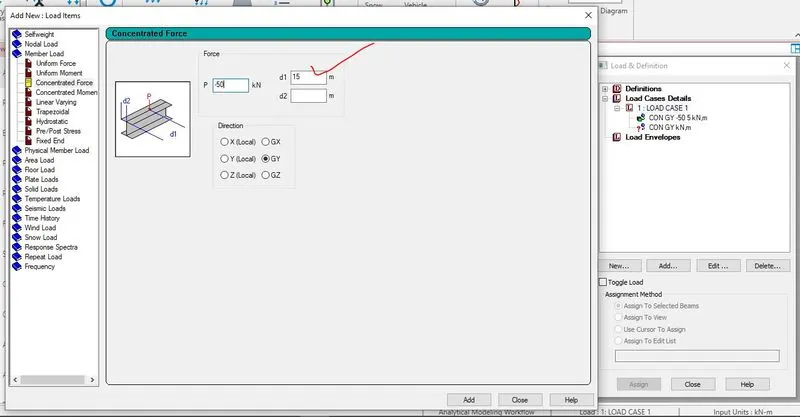
Load P = 50kN each
Both P located at 5m from each support
Procedure
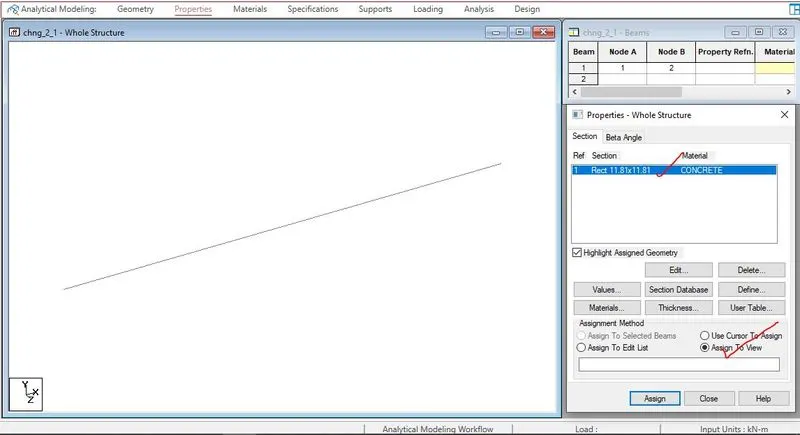
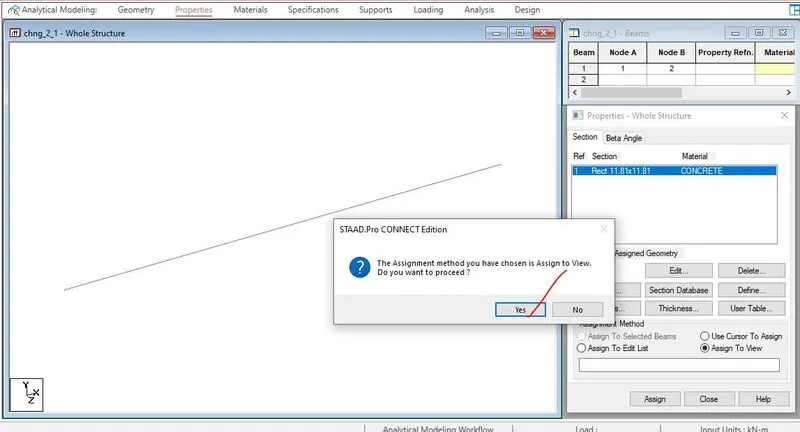
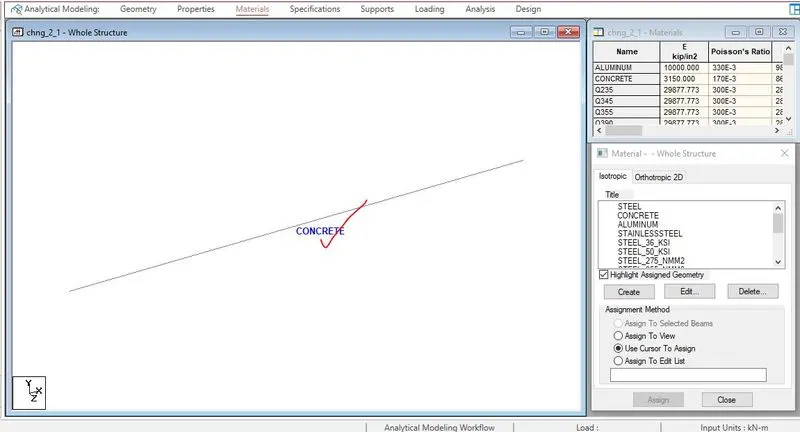
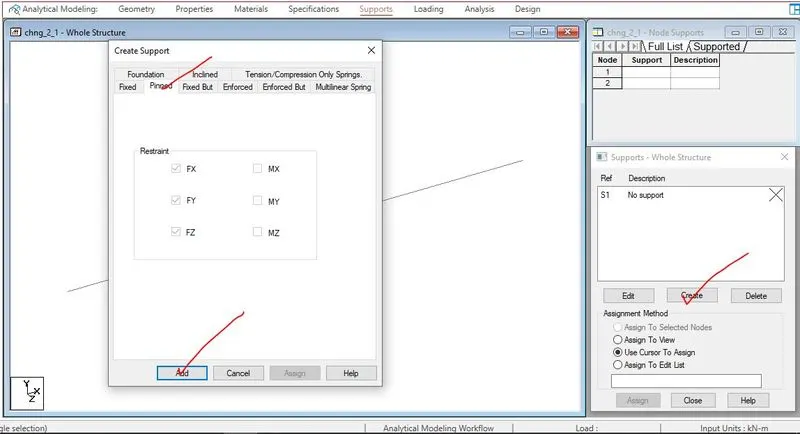
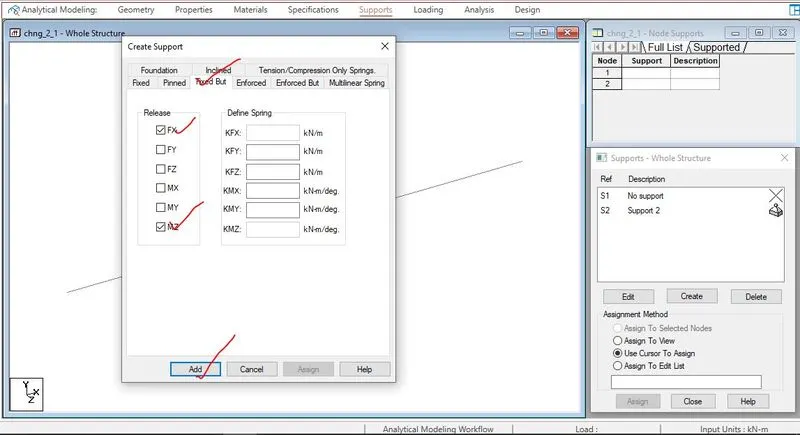
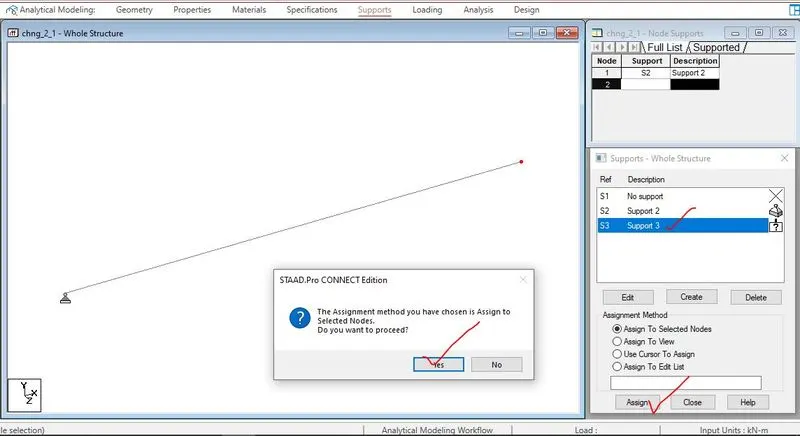
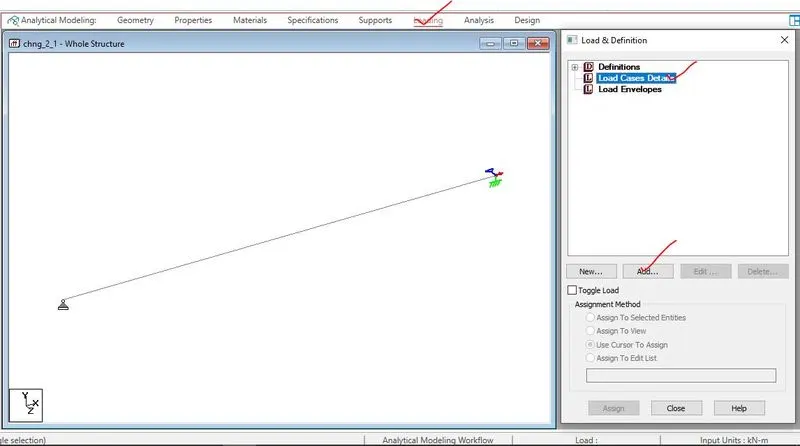
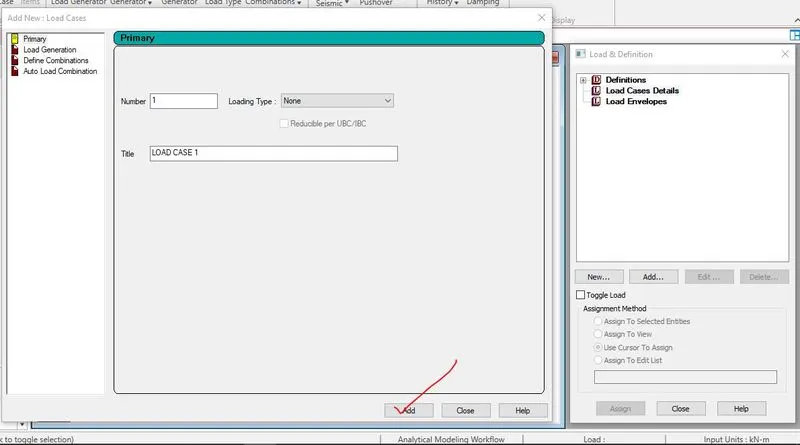
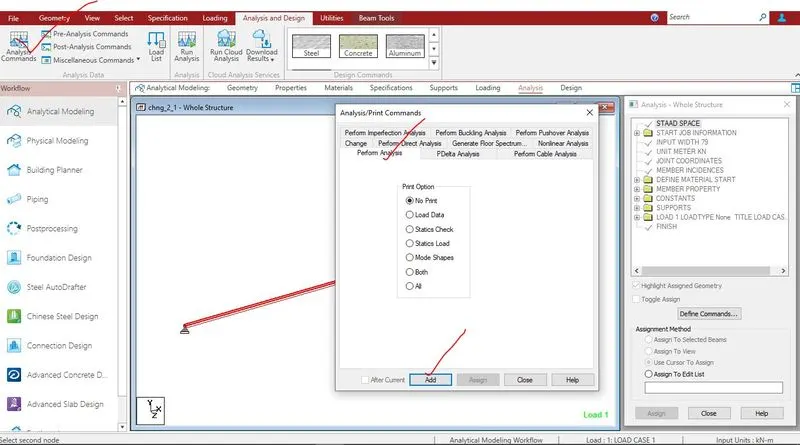
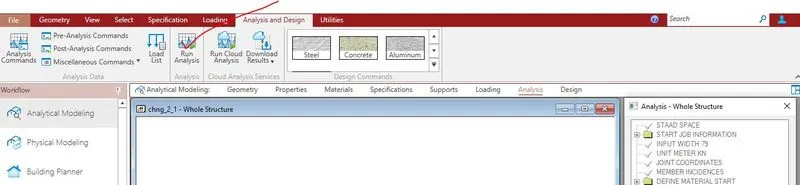
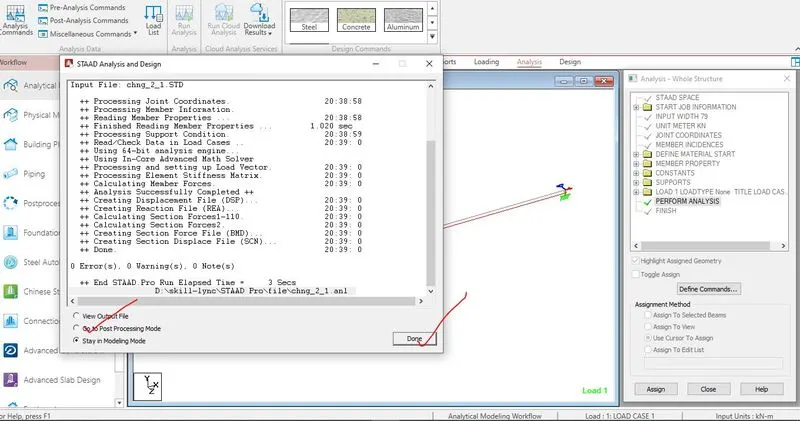
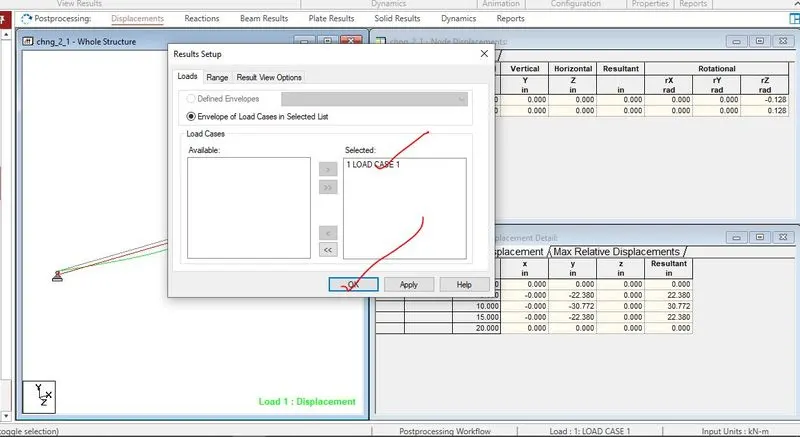
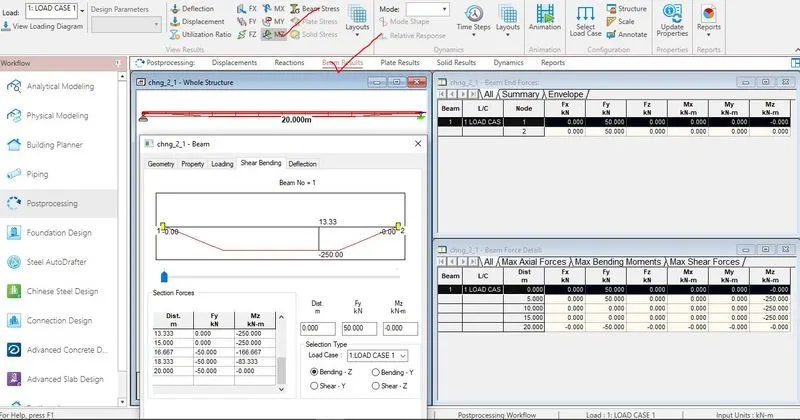
All the step wise screeen shots in analysis the SS beam
Results
2.Practical
Given data,
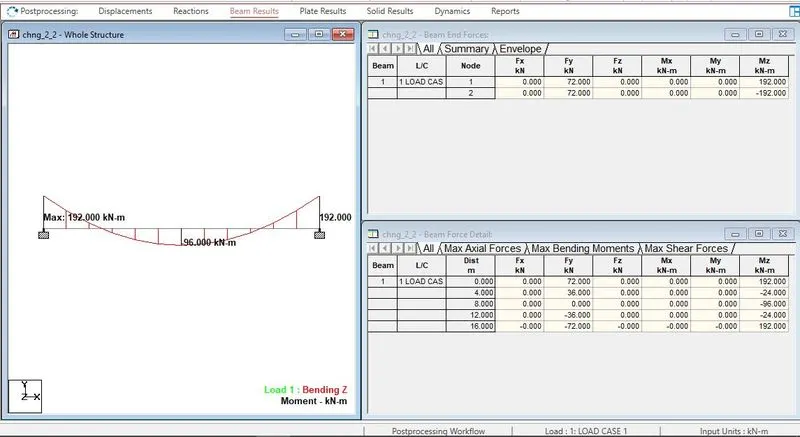
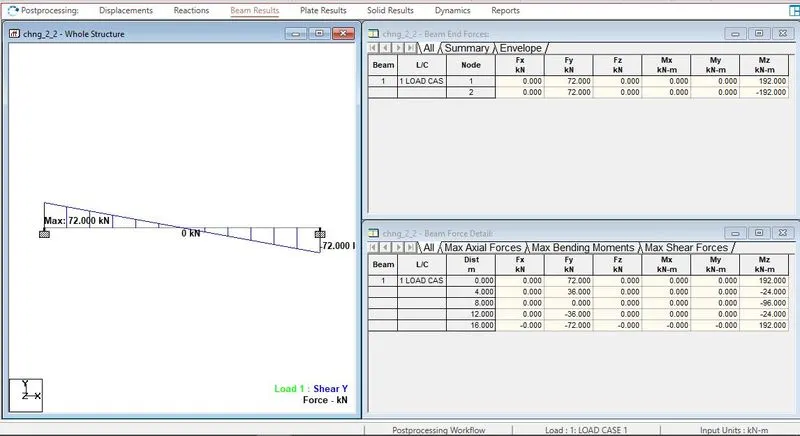
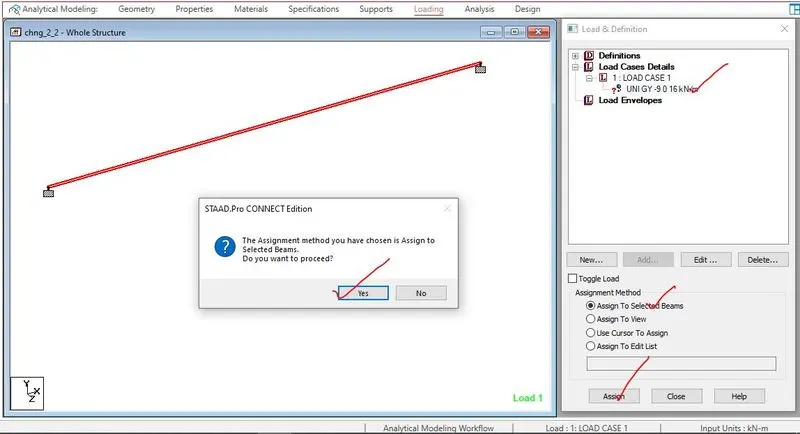
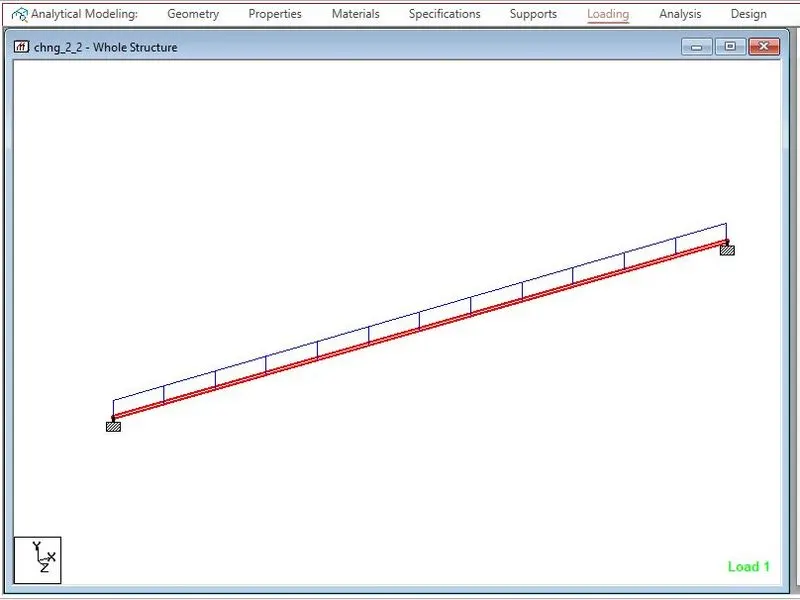
Fixed Beam
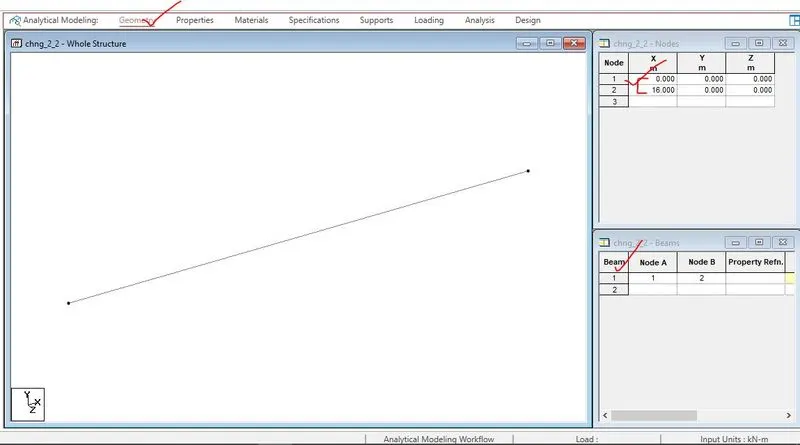
Span L = 16m
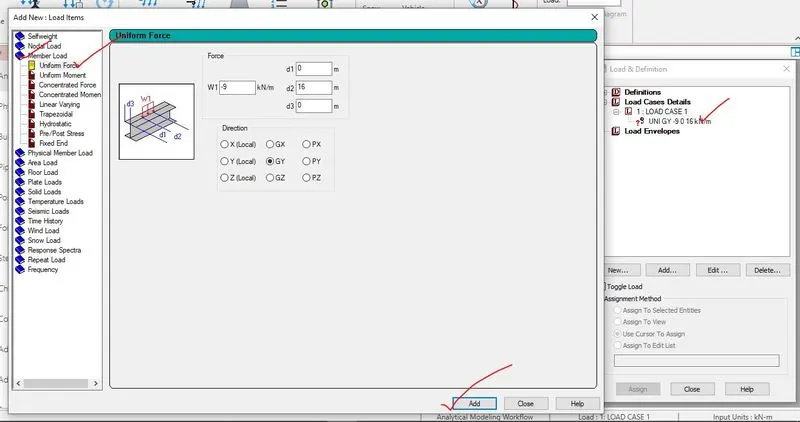
Uniformly Distributed Load w=9kN/m
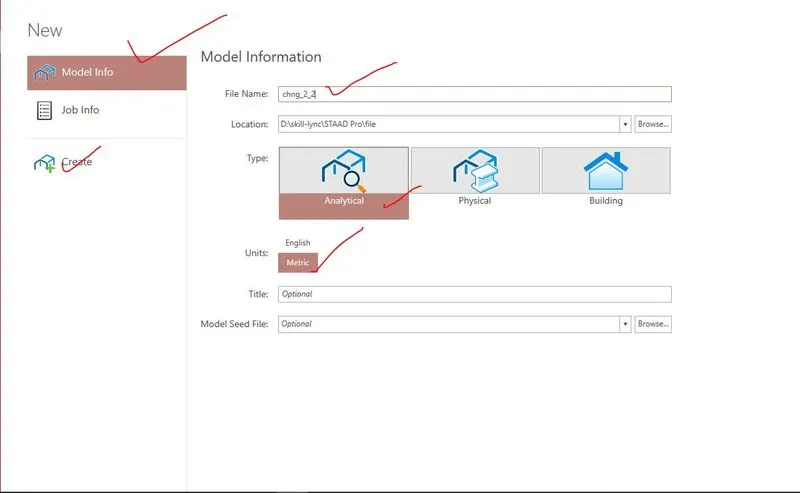
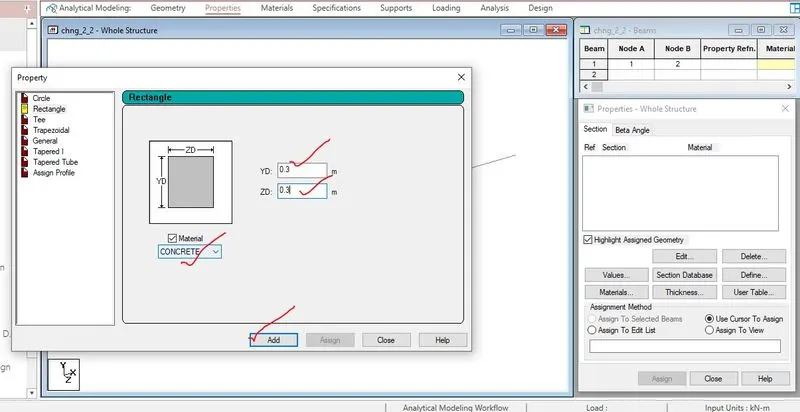
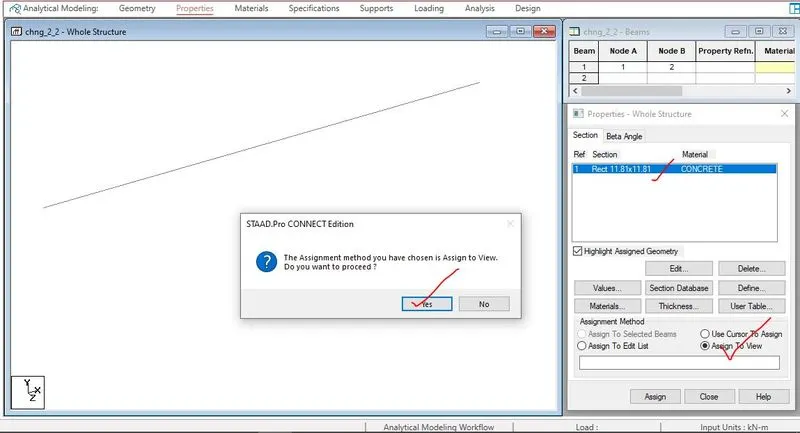
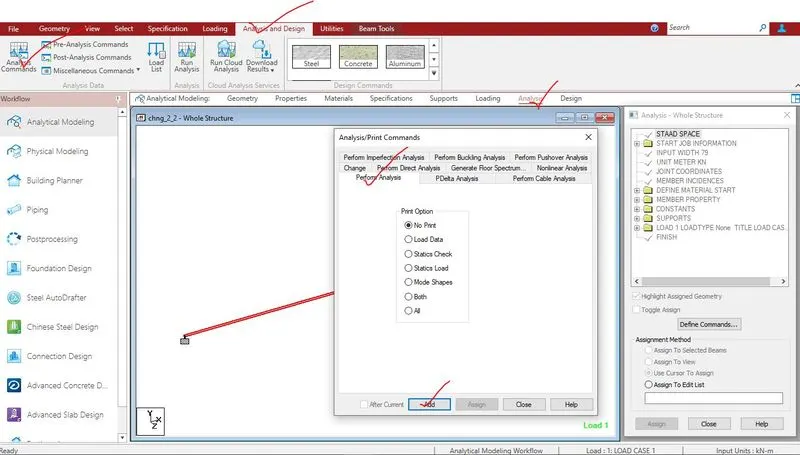
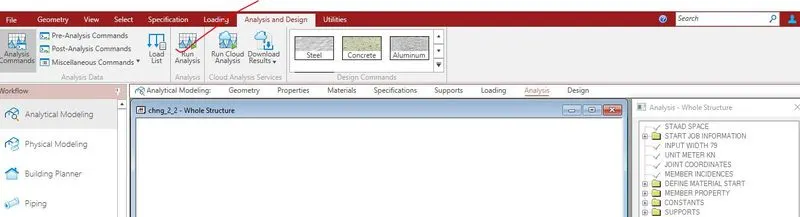
Procedure
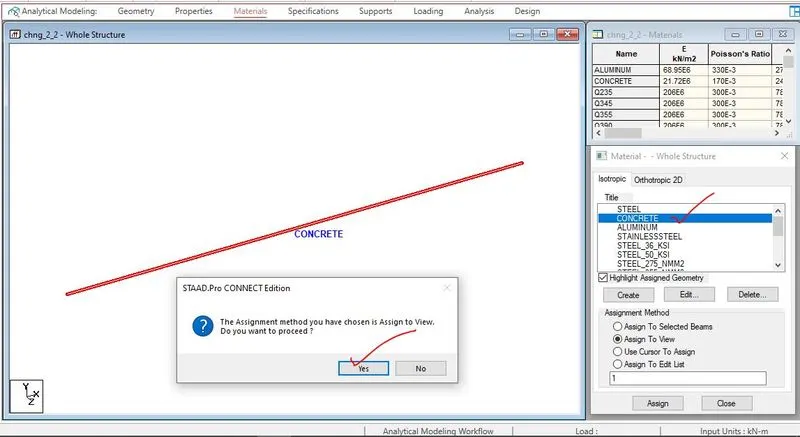
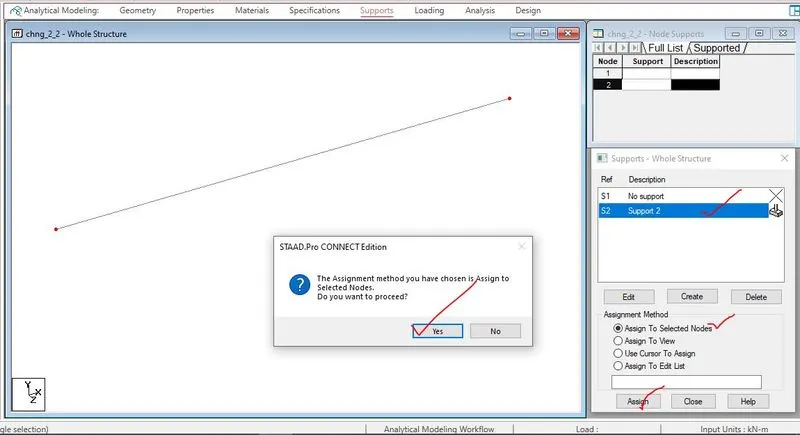
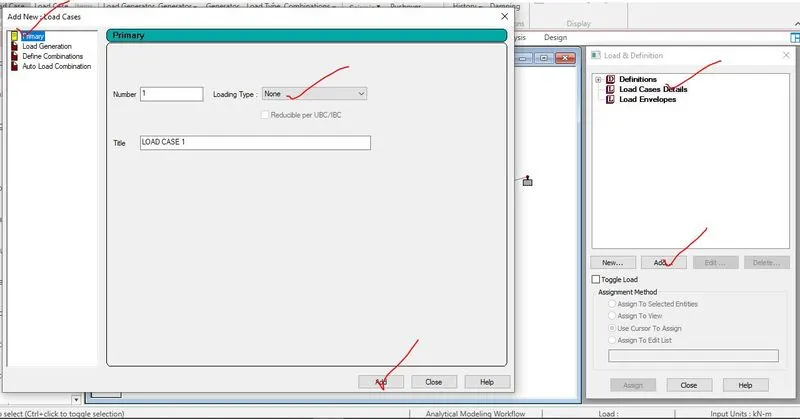
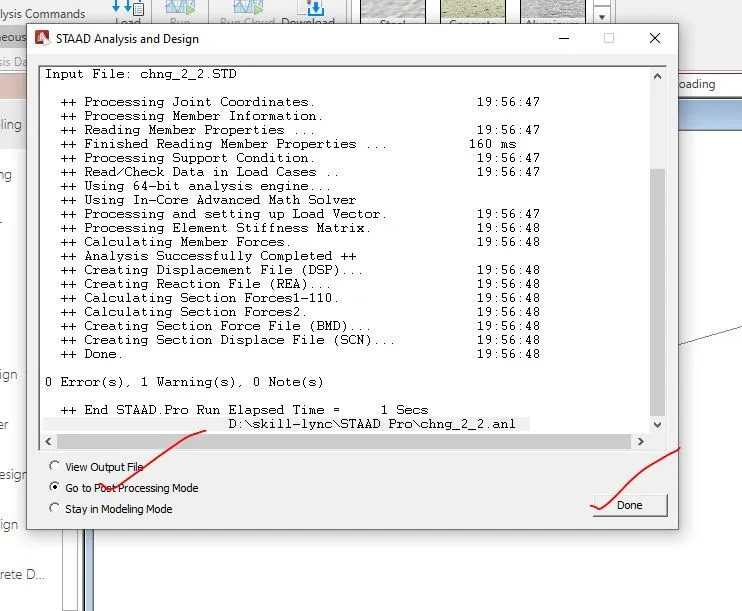
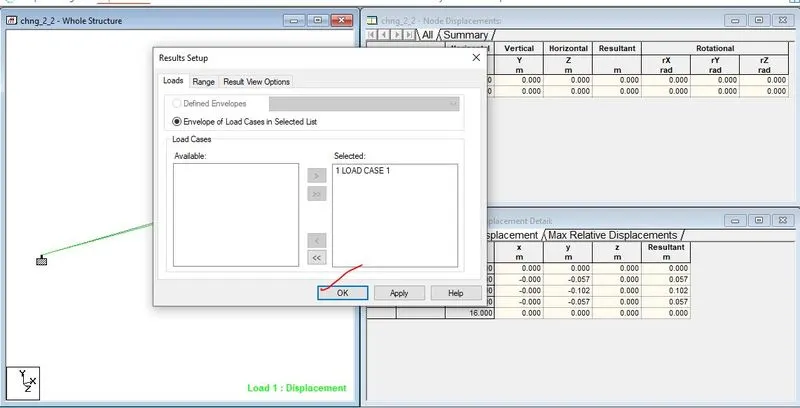
All the step wise screeen shots in analysis the fixed beam
Results