Week 2 Challenge
AIM OF THE EXPERIMENT:-
To apply IRC Loads in a given section and perform analysis in STAAD Pro.
SOFTWARE REQUIRED:-
STAAD Pro. V8i
Theories:-
IRC- The Indian Roads Congress (IRC) is the Apex Body of Highway Engineers in the country. The IRC was set up in December, 1934 on the recommendations of the Indian Road Development Committee best known as Jayakar Committee set up by the Govt. of India with the objective of Road Development in India.
TYPES OF IRC LOADINGS:-
- IRC CLASS A LOADINGS
- IRC CLASS B LOADINGS
- IRC 70R LOADINGS
- FOOTWAY LOADING
DATA GIVEN:-
Type of Girder- I Section
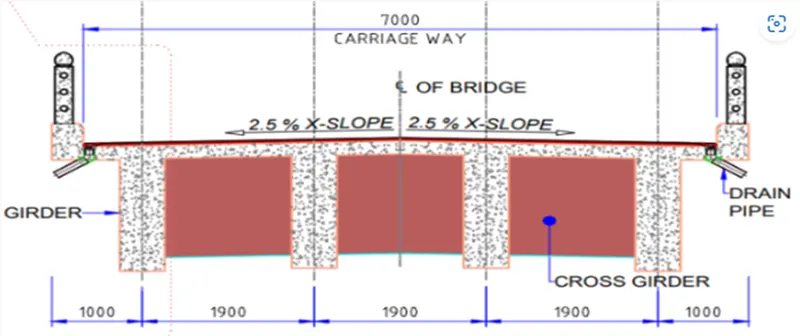
Width of the bridge deck is 7m ,
Span of the bridge is 24m,
Pier size is 2 m diameter,
The seismic zone is Zone III,
Wind speed is 42 km/hr,
Unit weight of soil is 18 kN/m^3
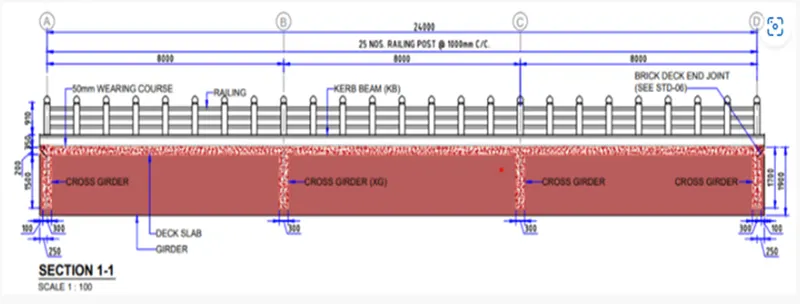
Procedures:-
As per IRC-6:2017 Pg-16-As we can see, the carriageway width is 7m, so it lies between 5.3m and 9.6m, so the number of lanes =2
Either one lane of Class 70R of two lanes for Class A loadings
I go for two lanes for class A loadings
Procedures for STAAD Pro.
STEP -1:-
Calculating the dimension of the Bridge i.e. 7.7m X 24m
Along Z dir. The carriageway length
(1000mm x 1900mm x 1900mm x 1900mm x 1000mm)
Along X dir. The span length
(8000mm x 8000mm x 8000mm)
Model it in Staad
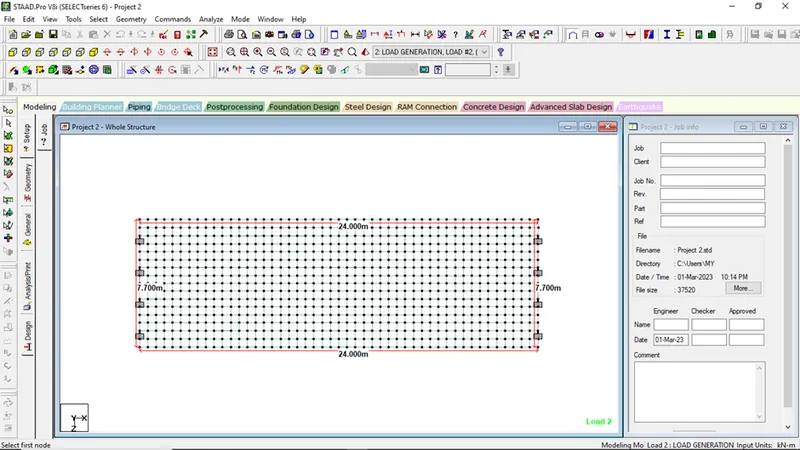
Step 2:-
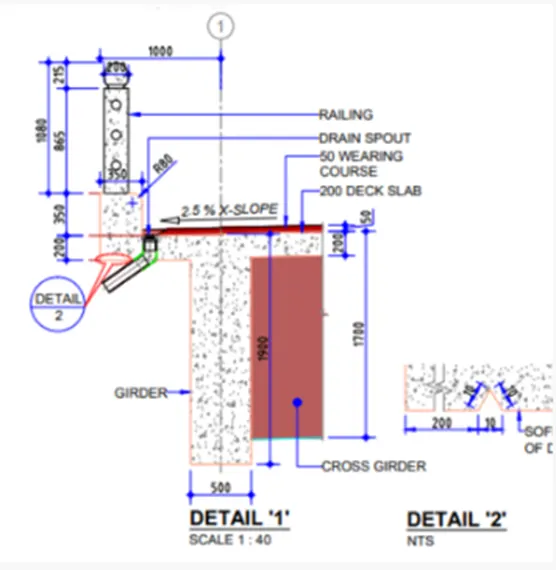
Arrangement of Girder and Cross Girder was done as per the question
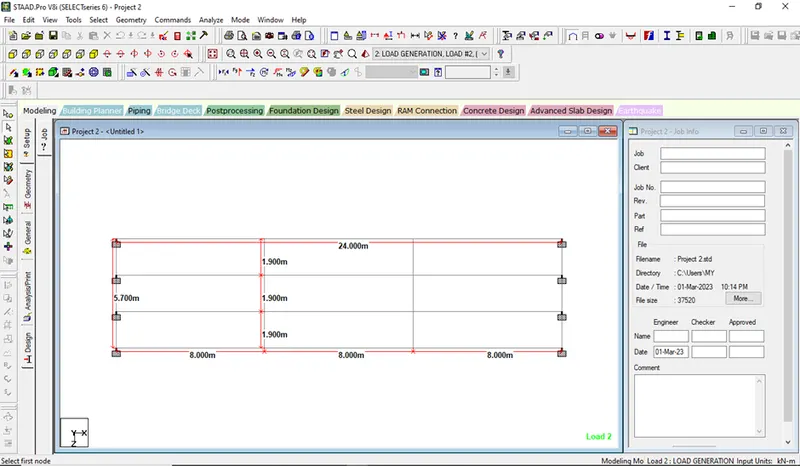
STEP 3:-
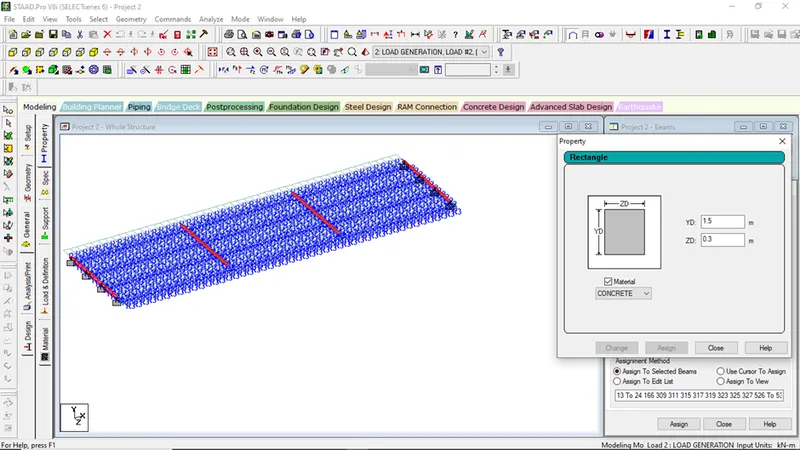
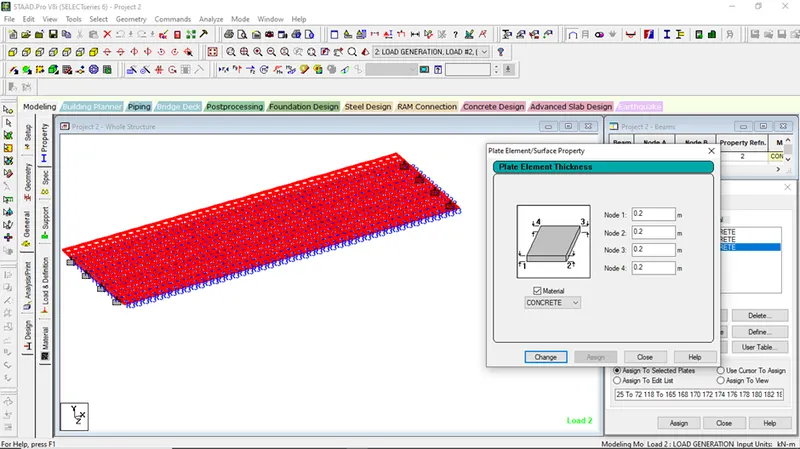
Assigning of Property
For Main Girder-((1900-200)x500)mm
200mm is reduced because, we want the clear dimension of beam,
Similarly,
For Cross-Girder, ((1700-200)x300)mm
Slab of Uniform Thickness of 200mm or 0.2m
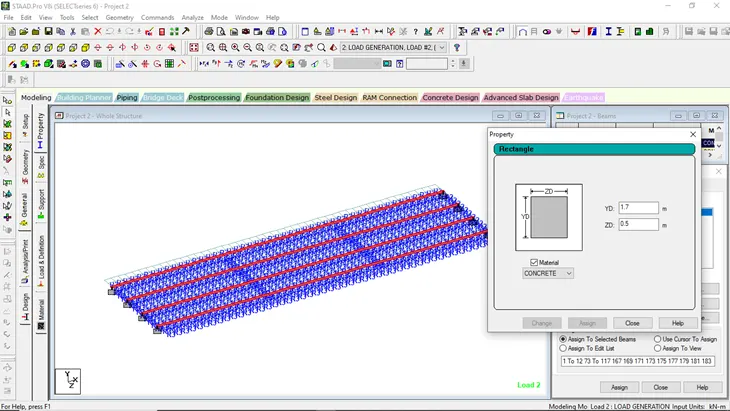
Step 4:-
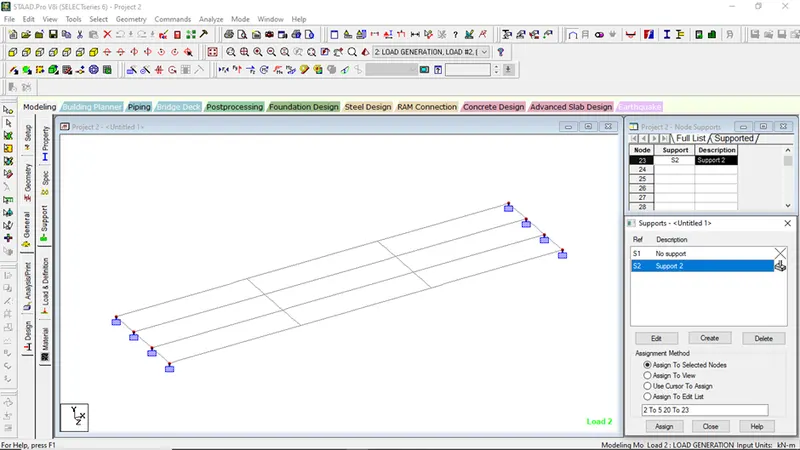
Giving the Supports at bottom of main girder
Step 5:-
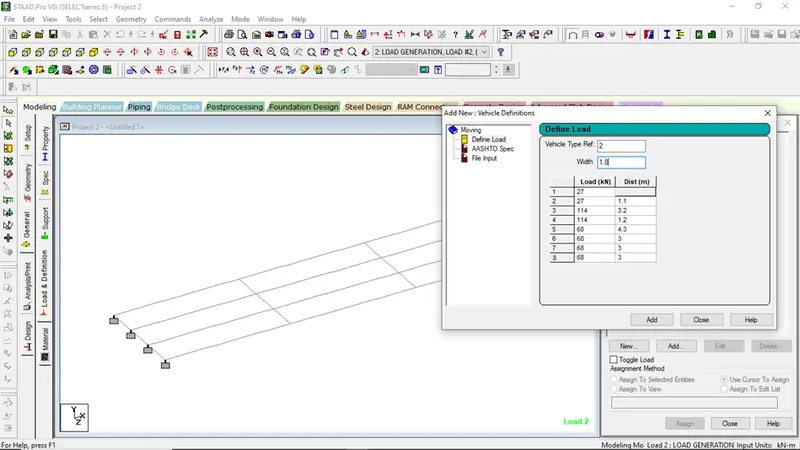
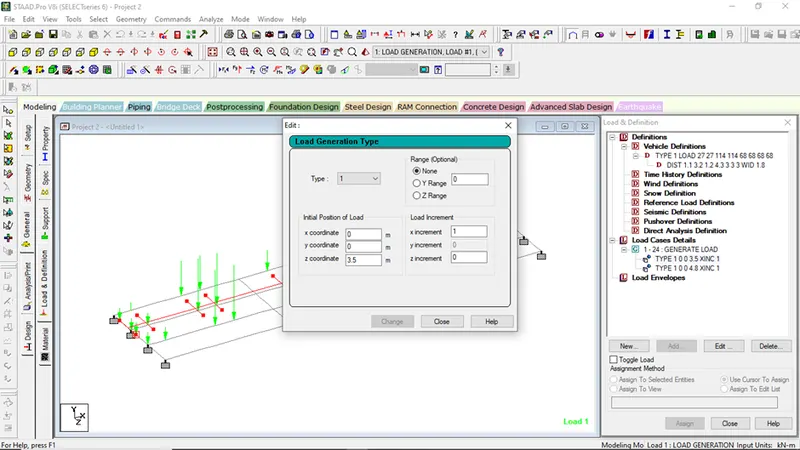
Giving Live Loads to the bridge as per the question
- General
- Loads and Defination
- Click on definition
- Click on vehicle definations
- Click on Add
- Select Vehicle type Ref
- Select width=1.8m (Class-A)
- Put the value of Loads in KN and Distance in m as per code
| LOAD IN KN | DISTANCE IN M |
| 27 | - |
| 27 | 1.1 |
| 114 | 3.2 |
| 114 | 1.2 |
| 68 | 4.3 |
| 68 | 3 |
| 68 | 3 |
| 68 | 3 |
- Click on add
- Go to Load Case Details
- Select Load Generation
- Click on No. of Loads to be Generate
Step 6:-
- Go to Command Menu
- Perform Analysis
- Select all
- Go to Analysis,
- Run Analysis
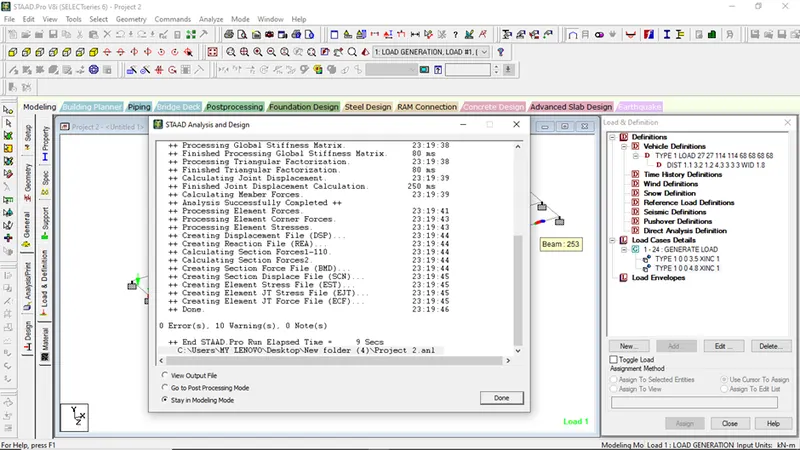
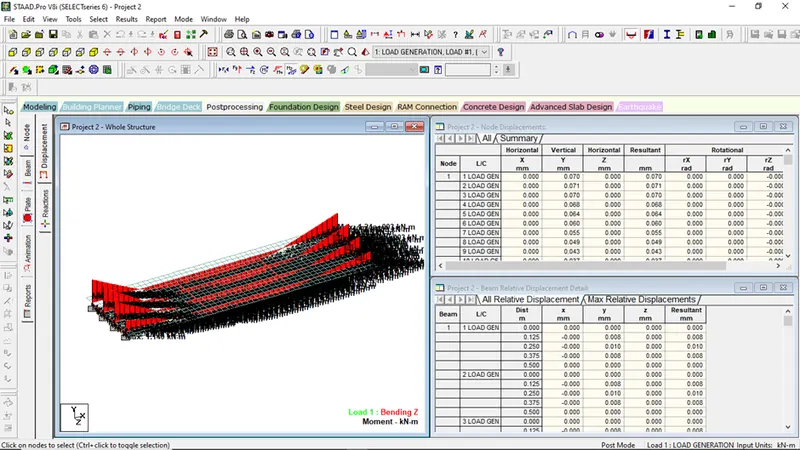
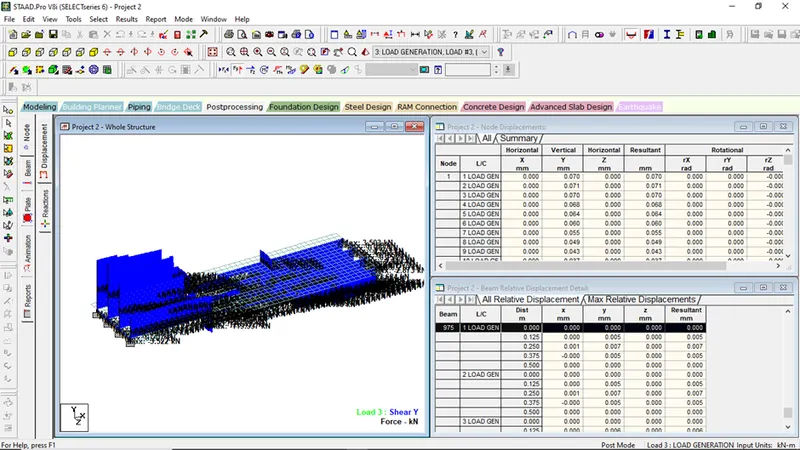
- Now go to Post Processing mode for getting maximum bending moment and shear Force