Week 2 Challenge
Q1).
1.How will you assign Circular section to column?
2. How will you assign Unit system to a .std model file?
3. What are the parameters to be specified while using “Bay Frame” option?
4. Name few codal standards incorporated in STAAD Pro software.
5. How will you specify the design compressive strength for a RCC section?
Answers:
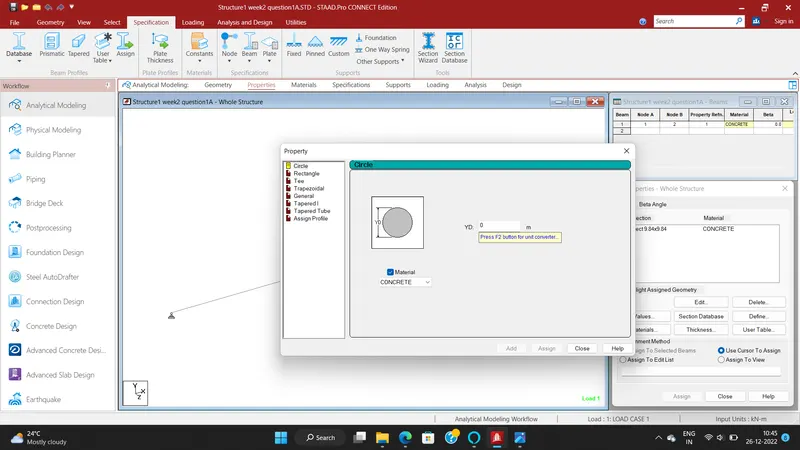
1.How will you assign Circular section to column?
- Create the model in the staad pro that can be a column
- Go to properties in that Define paramters
- Assign the circular shape of the column
- The radious of the circular is given
2. How will you assign Unit system to a .std model file?
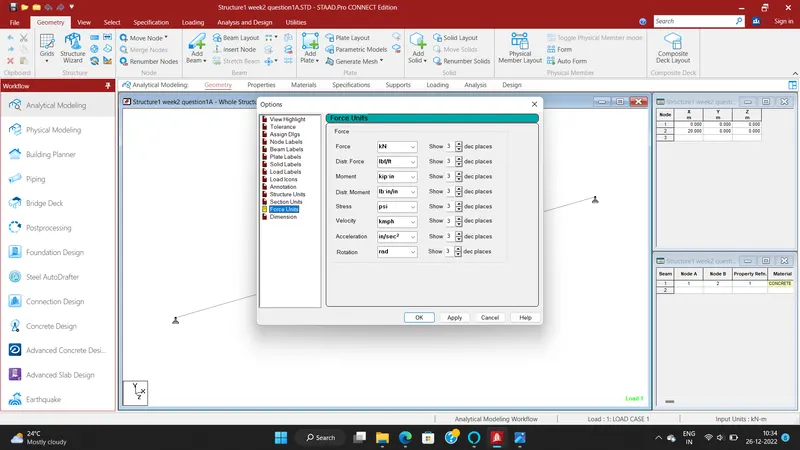
- To Assignt unit system in the staad pro
- Go to file menu and then settings
- open the structural settings
- Change the dimesions as the required units
3. What are the parameters to be specified while using “Bay Frame” option?
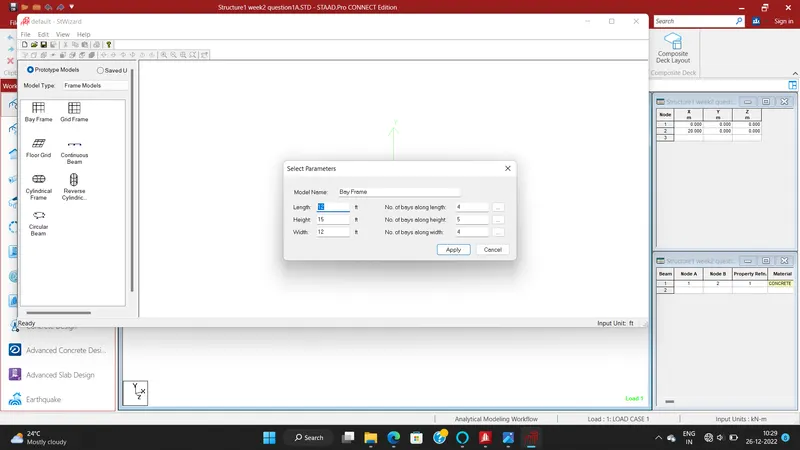
- To create the parameter of the design by Bay frame
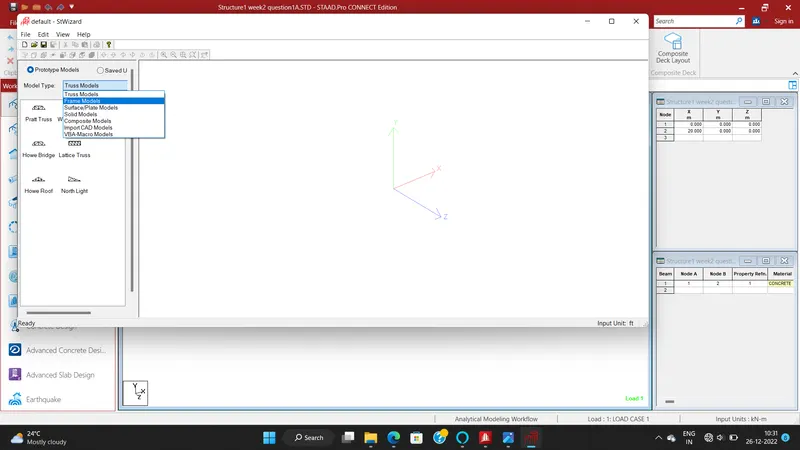
- By clicking on the Structural wizard option
- Click on the frame model option
- click on the Bay frame option
- Enter the parameters like the length , width , height and the bay frame along the length , width and height
4. Name few codal standards incorporated in STAAD Pro software.
- in Staad pro the Codal standard are incorported for the Steel , Concrerte , Aluminium.
- For the Steel the codal provision are IS 800 , IS 800 : 2007 , IS 800:2007 WSD , IS 801
- For the concrete the Codal provision are the IS 456 and IS 13920 for the Seismic Design
5. How will you specify the design compressive strength for a RCC section?
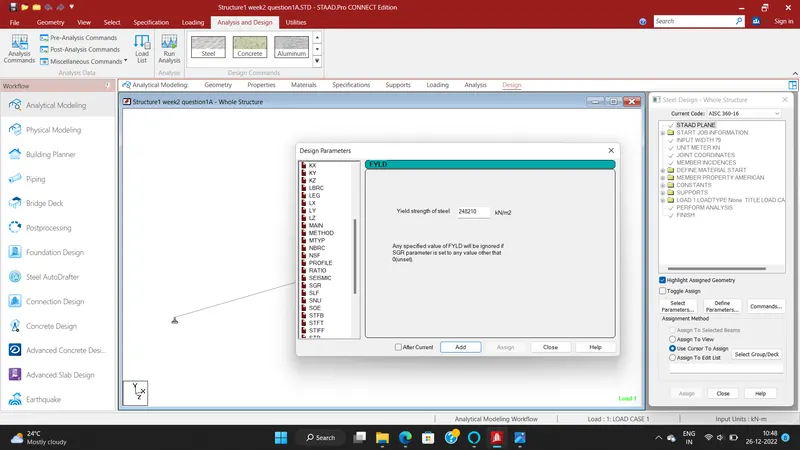
- Go to the Design option
- Click on the define parameter
- In the design Parameter the Fck Compressive strength of RCC section
Q2).
1. State the “Input” steps involved in RCC design.
2. Explain the difference between Fixed and Enforced support condition in STAADPro.
Answers:
1. State the “Input” steps involved in RCC design.
Steps Involved in RCC design are
- Geometry : The Node loaction and the node spacing are given
- Properties : Specify the Sectional properties of the section
- materials : Specify the properties of the material.
- Specifications : The pecifictions are given
- Support : The end support are to be given
- Loading : Need to provide the loading pattern and the loading combination
- Analysis : Need to Analysis the modal and all the Input Specification are Given
- Design : Finally the Design are to be done
2. Explain the difference between Fixed and Enforced support condition in STAADPro.
- In STAAD, support displacement loads cannot be applied to such models when the FIXED type of support is specified.
- For the ENFORCED BUT type, there is no provision to specify a spring constant.
- The only choices, which are built into the program, are - zero stiffness
Q3).
1. Explain the steps involved in analysis of a model using STAAD Pro sequentially.
2. Explain the two ways in which a structural framework/model can be created in STAAD Pro software.
3. Elaborate the different support conditions in STAAD Pro.
4. How will you extract the stress distribution for a staircase slab?
5. Explain the different ways to view SFD & BMD in STAAD Pro.
Answer:
1. Explain the steps involved in analysis of a model using STAAD Pro sequentially.
The steps involved in analysis of a model are
- Before Analysis the model the load pattern and the load combination are to be provided to the model
- Then go to Analysis option
- Define Command
- Select the data for the analysis of the model by perform analysis , P delta analyis ,Nonlinear analysis
- It deponds upon the support conditions
2. Explain the two ways in which a structural framework/model can be created in STAAD Pro software.
The two ways to model the a structural framework is
- Creating model by Node by Node
- Creating model by Bay frame by
3. Elaborate the different support conditions in STAAD Pro.
- Fixed
- Pinned
- Fixed But
- Enforced
- Enforced But
- Multilinear spring
- Foundation
- Inclined
- Tension/Compression only springs
4. How will you extract the stress distribution for a staircase slab?
- The Design of Staircase slab is done by Node placement
- The creation of plate is used in stair case
- BY using Generate mesh
- The stress distribution for the staircase slab is done by viewing colour in the slab of the design
5. Explain the different ways to view SFD & BMD in STAAD Pro.
- After complation of the Design the staad pro will automatically provide the BMD & SFD
- By Entering to the Post procesing process click on ok
- By clickin the beam results Deflection command
- Reaction click the beam deflection
Practical
Q1). Analyze the following structural elements and validate the results
A. Simply Supported Beam
a. A Simply supported beam with two point loads symmetrically placed
b. Span L = 20m
c. Load P = 50kN each
d. Both P located at 5m from each support
B.Fixed Beam
a. Span L = 16m
b. Uniformly Distributed Load w=9kN/m
AIM:
Analyze the following structural elements and validate the results
A. Simply Supported Beam
a. A Simply supported beam with two point loads symmetrically placed
b. Span L = 20m
c. Load P = 50kN each
d. Both P located at 5m from each support
B.Fixed Beam
a. Span L = 16m
b. Uniformly Distributed Load w=9kN/m
INTRODUCTION:
- Staad abbrivation is Structural Analysis and Design.
- Staad pro is one of the popular software for analysing and designing structures like buildings towers,bridges etc.
- Staad pro is software which is widely popular with civil engineers.
- It is compactable with steel concrete and timber design codes.
- Staad pro developed in 1997 in california and later bentley systems.
- It is used for 3D model generation, analysis and multi -material design .
- The STAAD .Pro supports several steel , concrete and timber material in a seprate member and this seprate member will cordinate and the formed in to a structure
- There are Three ways by which can we create a model
- Analitical model
- Physical model
- Building model
PROCEDURE:
- To open the staad pro software.
- To create new file.
- To take analytical type and metric units.
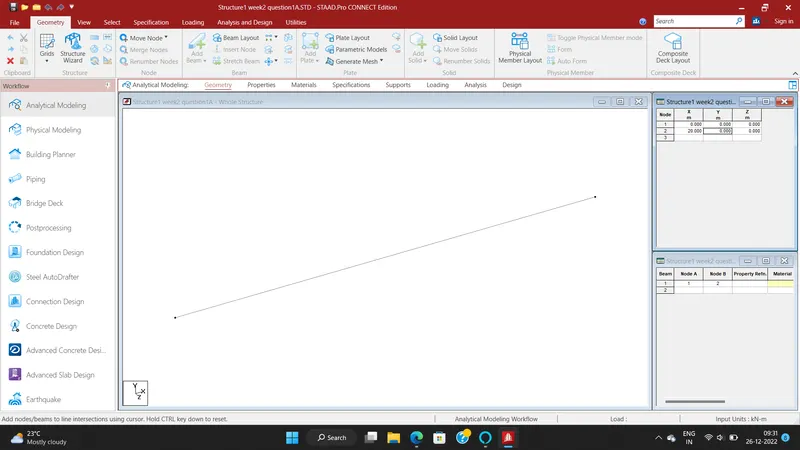
- Go to beam tab and enter and to take 20m beam.
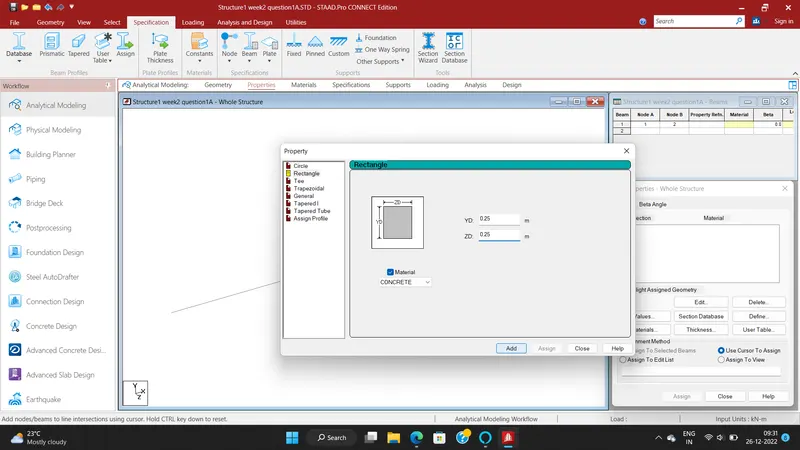
- To add the properties to enter define option and to take rectangular beam of size 0.25 X 0.25m.
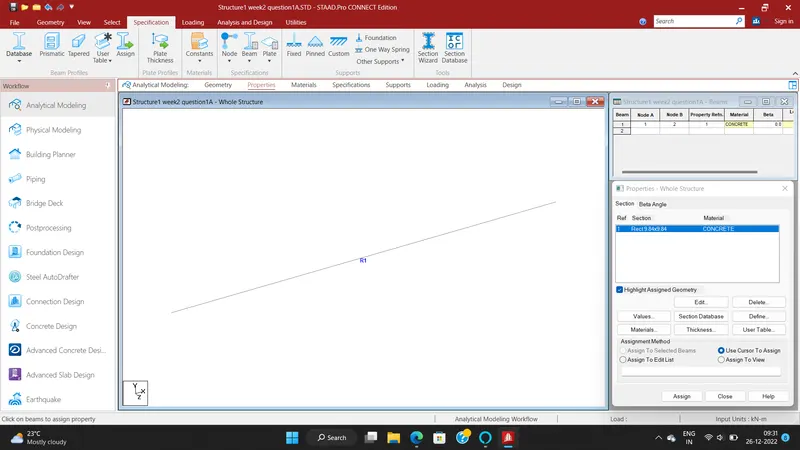
- Assign the properties.
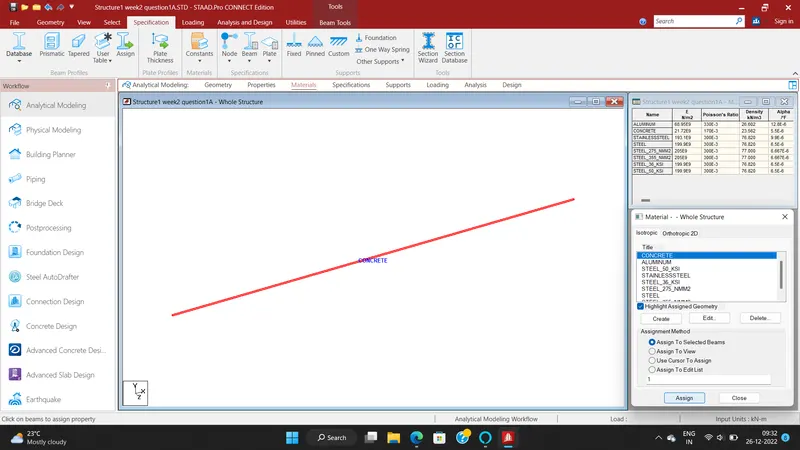
- To apply material is concrete.
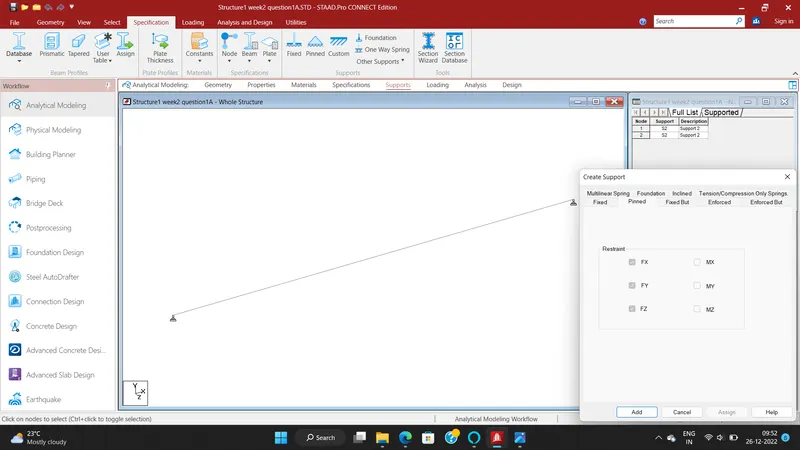
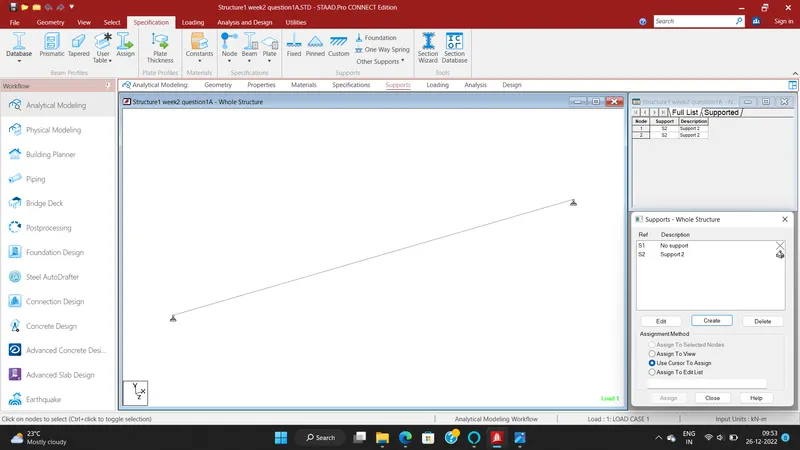
- To apply the supports for the simply supported beams.
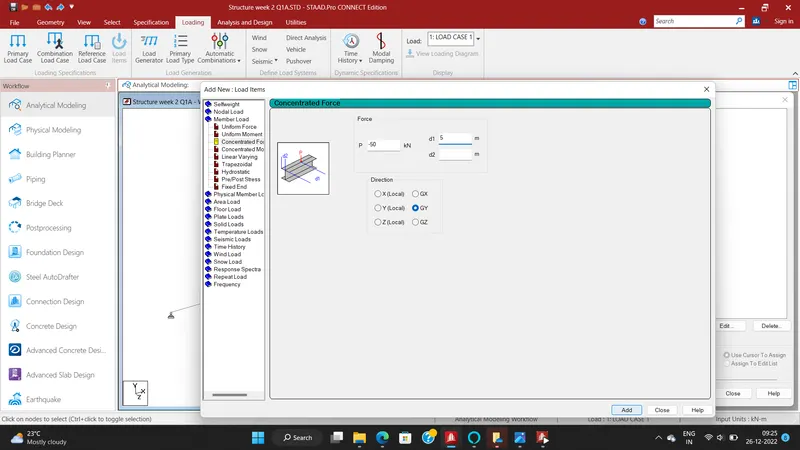
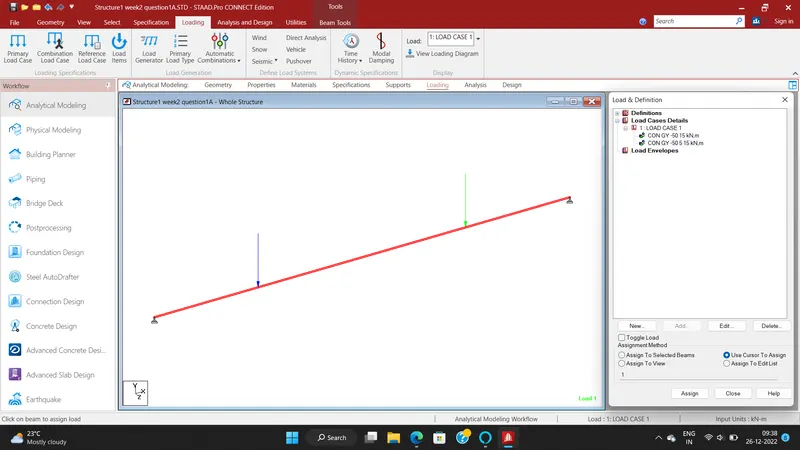
- To apply the load cases in to the beam like point load of 50k from the both located at 5m from each support.
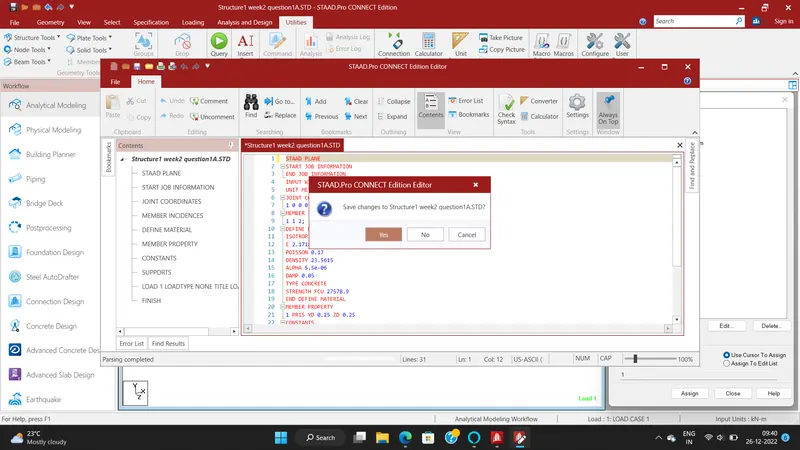
- Go to command file and to change the STAAD plate.
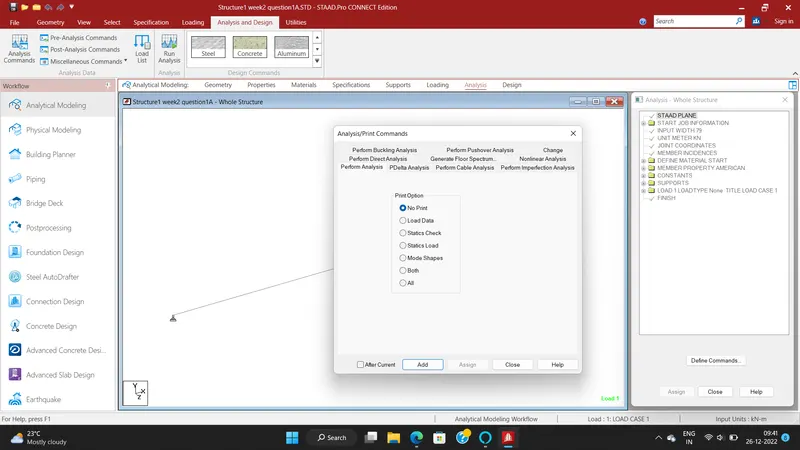
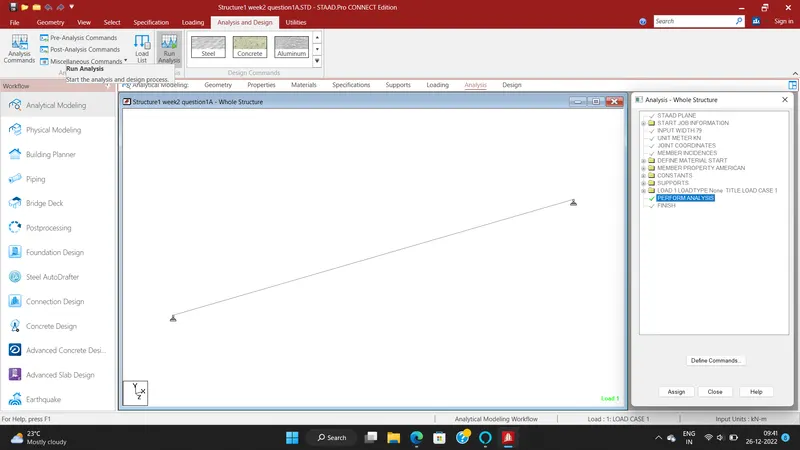
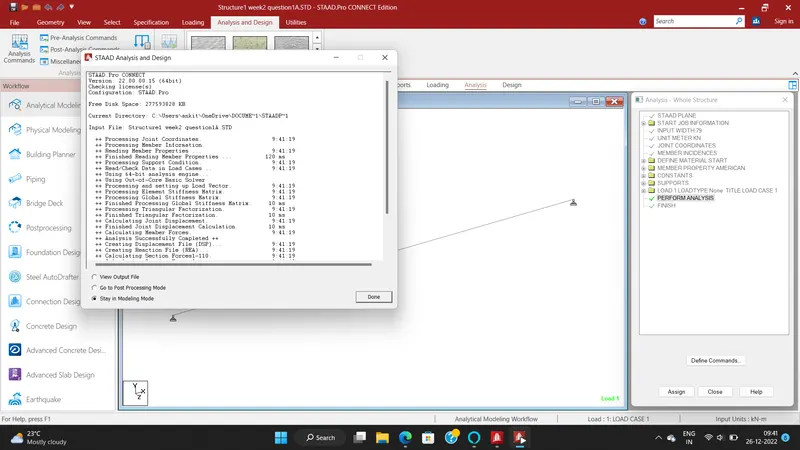
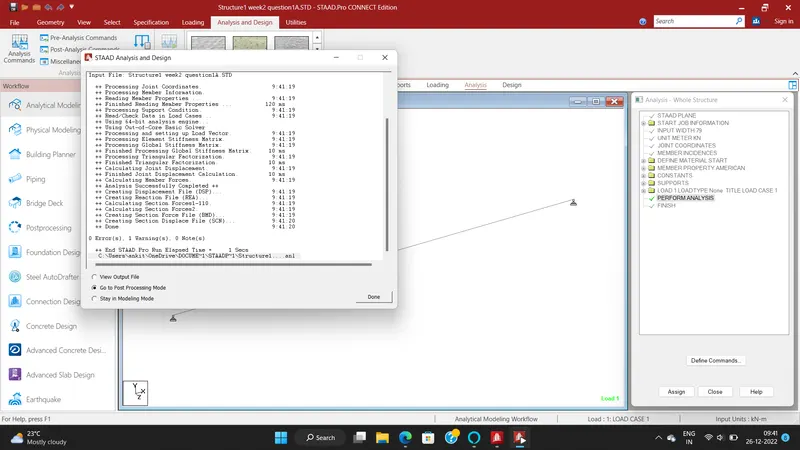
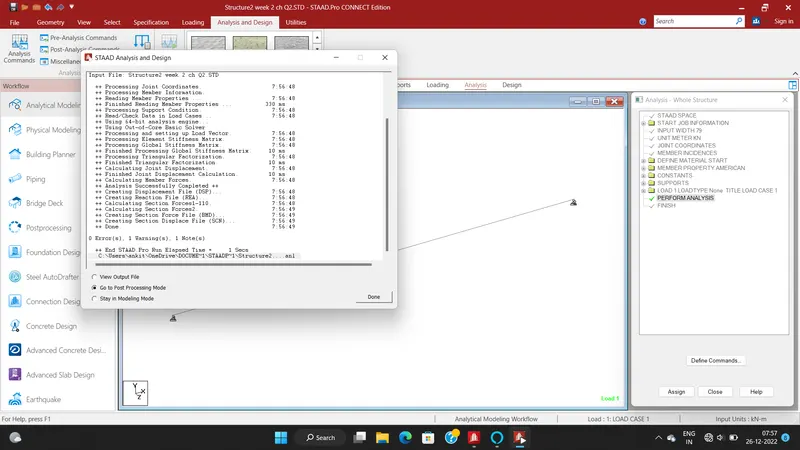
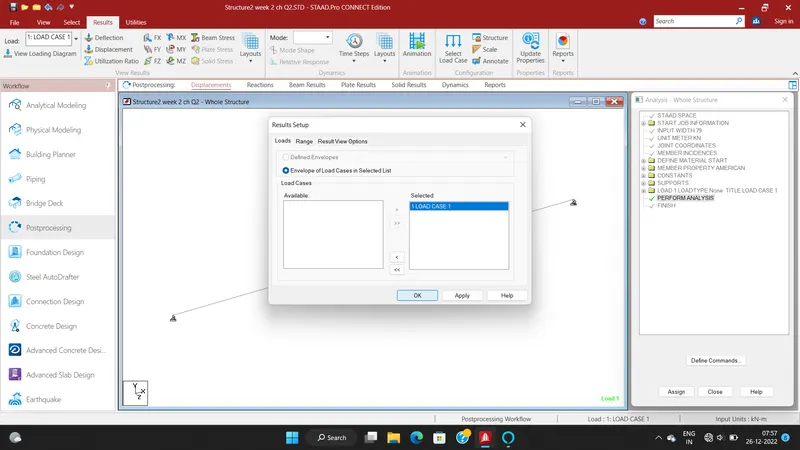
- Go to analysis tab and run the analysis.
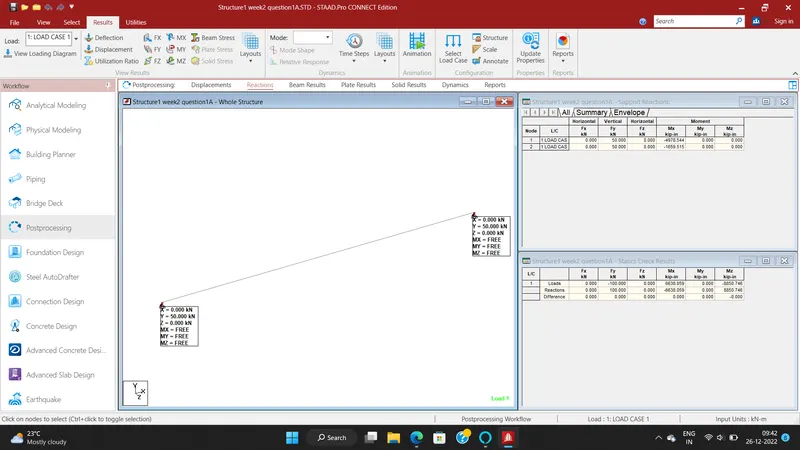
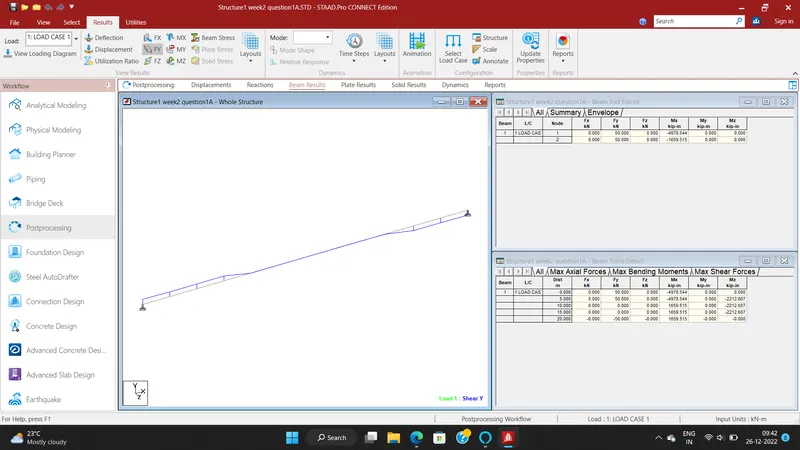
- To show the below images to unterstand clearly.
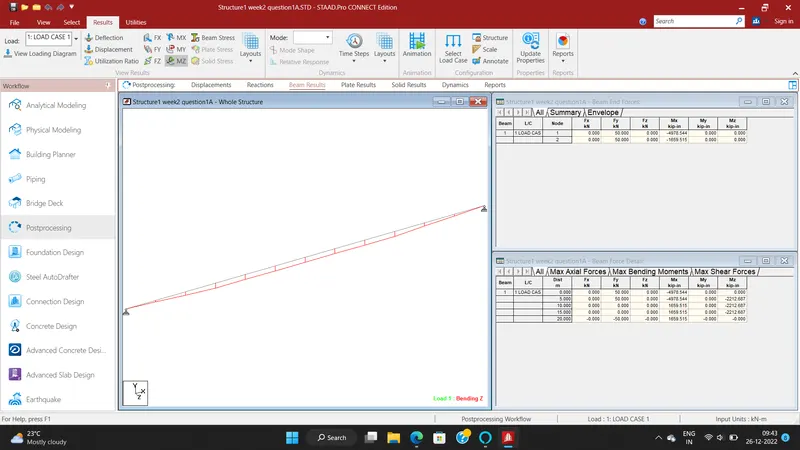
RESULT:
To Analyze the structural elements and validate results for Simply Supported Beam are successfully completed by using STAAD PRO software.
B.Fixed Beam
a. Span L = 16m
b. Uniformly Distributed Load w=9kN/m
AIM:
Analyze the following structural elements and validate the results Fixed Beam of Span L = 16m and Uniformly Distributed Load w=9kN/m
INTRODUCTION:
- Staad abbrivation is Structural Analysis and Design.
- Staad pro is one of the popular software for analysing and designing structures like buildings towers,bridges etc.
- Staad pro is software which is widely popular with civil engineers.
- It is compactable with steel concrete and timber design codes.
- Staad pro developed in 1997 in california and later bentley systems.
- It is used for 3D model generation, analysis and multi -material design .
- The STAAD .Pro supports several steel , concrete and timber material in a seprate member and this seprate member will cordinate and the formed in to a structure
- There are Three ways by which can we create a model
PROCEDURE:
- To open the staad pro software.
- To create new file.
- To take analytical type and metric units.
- Go to beam tab and enter and to take 16m beam.
- To add the properties to enter define option and to take rectangular beam of size 0.25 X 0.25m.
- Assign the properties.
- To apply material is concrete.
- To apply the supports for the fixed beams.
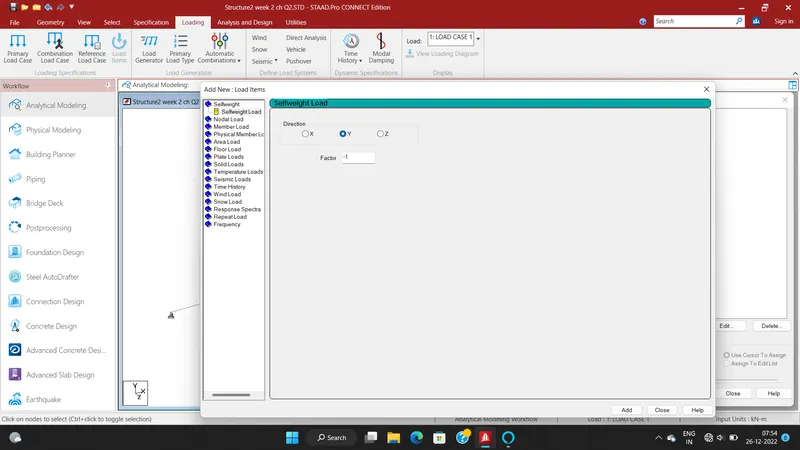
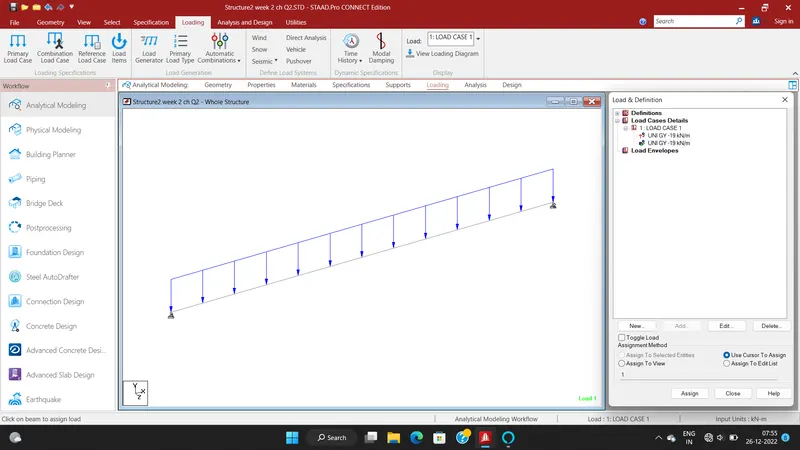
- To apply the load cases in to the beam like uniformly distibuted load of 19 kn/m.
- Go to command file and to change the STAAD plate.
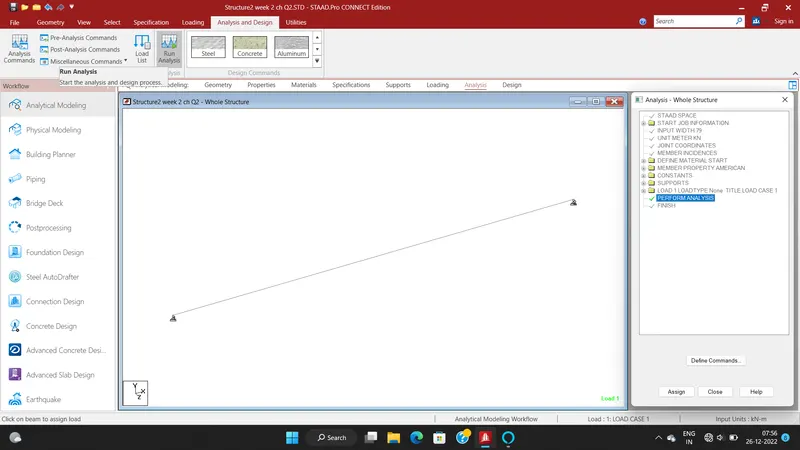
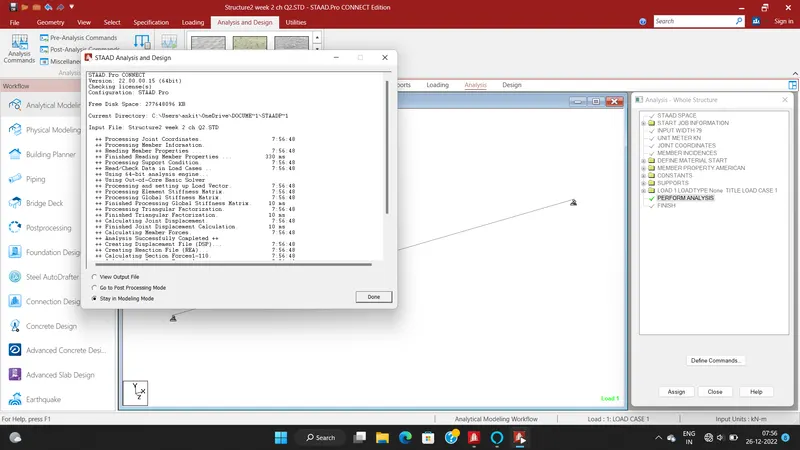
- Go to analysis tab and run the analysis.
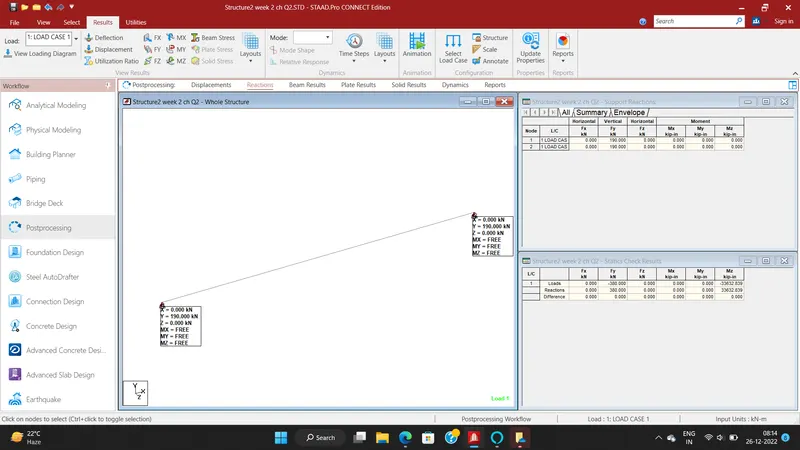
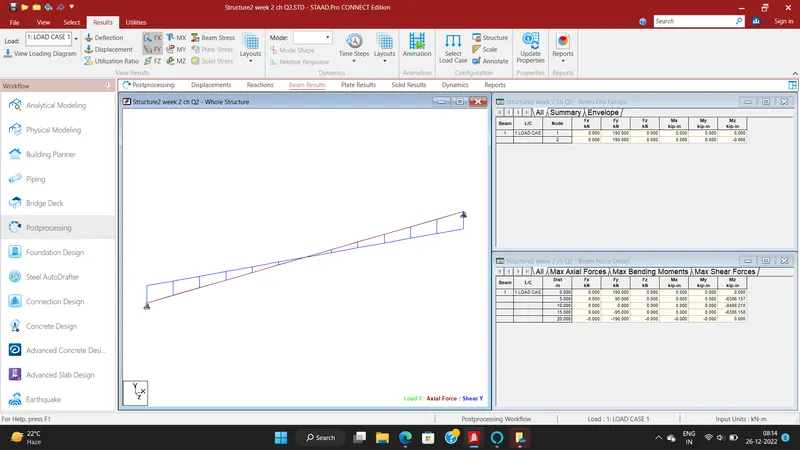
- To show the below images to unterstand clearly.
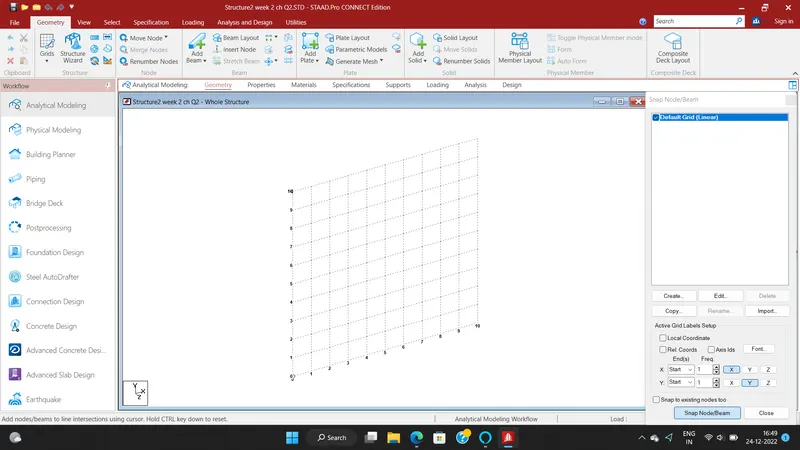
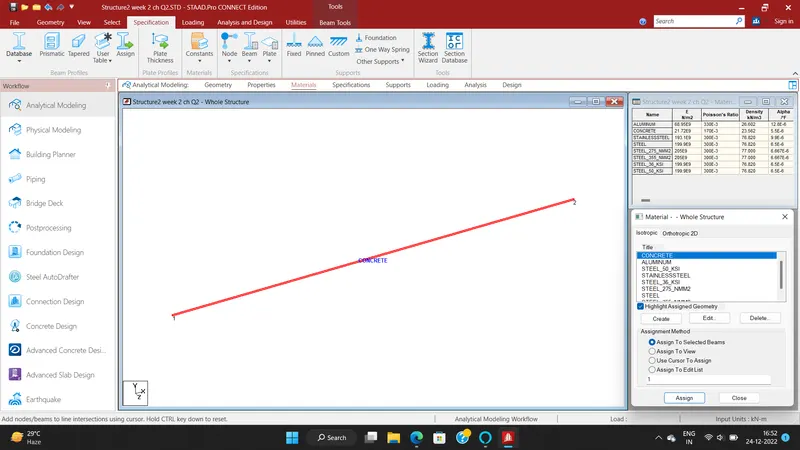
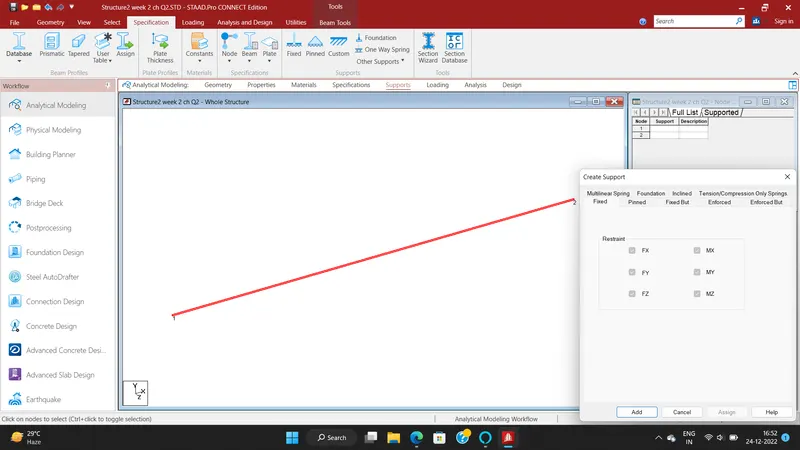
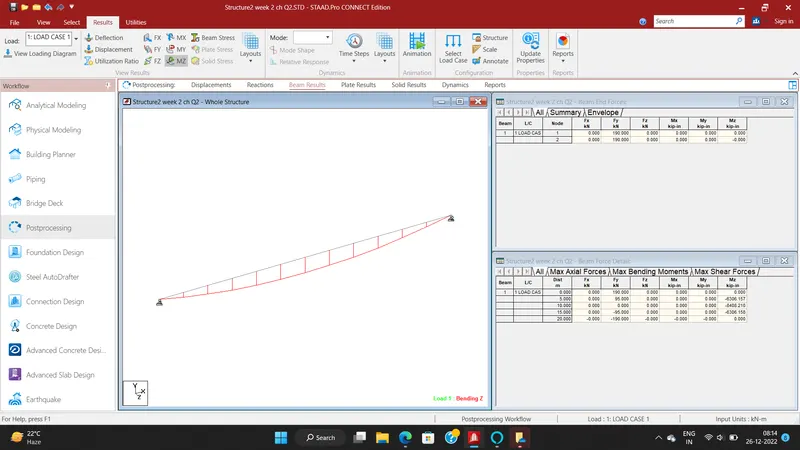
RESULT:
To Analyze the structural elements and validate results for Fixed Beam are successfully completed by using STAAD PRO software.