Week 2 Challenge
1.1
Answer:
To assign circular sessions to columns the following procedure has to be done
- Crete the model in Staad pro
- Select the Define parameter and select the properties
- Now assign the circular shape and radius of the column
1.2
Answer :
To assign Unit system to a .std model file, the following procedure has to be followed:
- Go to the File menu and select Setting
- Now go to the structural setting and change the parameter as required
1.3
Answer:
The parameters to be specified while using “Bay Frame” option are length, height , width and the number of bays along length, height and width.
1.4
Answer:
Few codal standards incorporated in STAAD Pro software are :
- For Steel :- IS 800, IS 800:2007, IS 800:2007 WSD, IS 801
- For Concrete :- IS 456
- For seismic design :- IS 13920
1.5
Answer:
To specify the design compressive strength for a RCC section, the following steps has to be followed:-
- Go to the Design menu, and click on the Define parameter
- Now in the design paramter the compressive strength will be already mentioned, which can be changed
2.1
Answer:
The “Input” steps involved in RCC design are:-
- First of all, the imported step Geometry, in which we assign the node location and node spacing.
- Next we have to specify the Properties of the section
- Then we have to specify the Material
- Then the Specification
- Then, the Support
- After the Support, we have to provide the Load pattern and the Load combination
- Now we have to do the analysis and finally the design has to be done.
2.2
Answer:
The difference between Fixed and Enforced support condition in STAAD Pro is that, the support displacement loads cannot be applied to those models which has Fixed support condition: But for Enforced support condition, there is no provision to specify a spring constant value, it is already in the software.
3.1
Answer:
The steps involved in analysis of a model using STAAD Pro sequentially are as following:-
- Assign the Load pattern and load combination to the model
- Now go to Analysis Option and define command
- Now select the data for analysis (which depends on the support condition) by perform analysis, P delta analysis, Non-linear analysis.
3.2
Answer:
The two ways in which a structural framework/model can be created in STAAD Pro software are :-
- Creating model by Node by Node
- Creating model by Bay frame
3.3
Answer:
The different support conditions in STAAD Pro are:-
- Fx
- Fy
- Fz
- Mx
- My
- Mz
3.4
Answer:
To extract the stress distribution for a staircase slab, the following are done:
- Using the node placement, we can design the staircase slab and the plates used in stair case
- Now by using the Green mesh, we can check the stress distribution for the staircase slab
3.5
Answer:
The different ways to view SFD & BMD in STAAD Pro. are:-
- The STAAD will automatically provide the SFD and BMD after the Design
- By entering to post processing process,
- By checking the Results
- By clicking the Beam result deflection
Practicals
1.A
Aim: To draw and analyse a Simply supported beam with given data
Procedure:
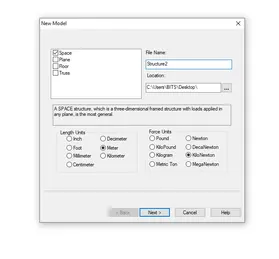
- Open STAAD Pro software and define the units
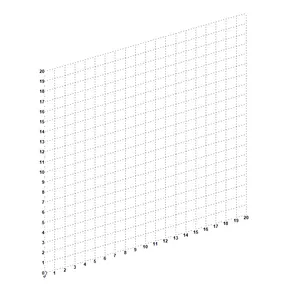
- Now we have to add the beams and now the graph will be seen in the window
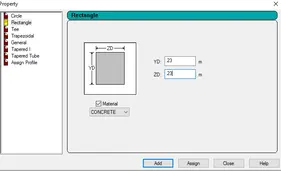
- Now we have draw a 20m length line with node and assign the material concrete 0.23*0.23
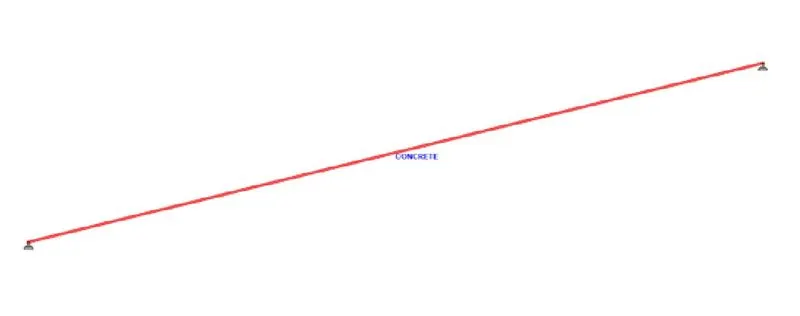
- Now we have to provide the supports at the ends , which is the simply supported
- Now we have to add load(P=50 KN ) and we want to locate point P, which is 5m from each support
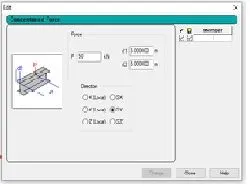
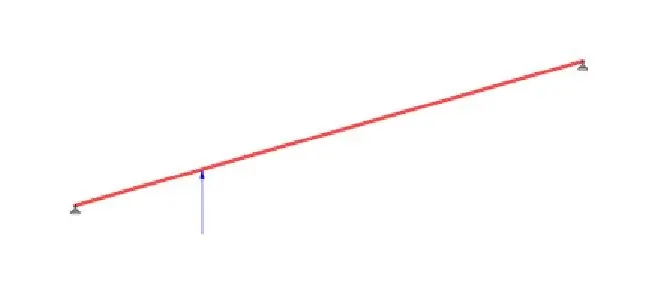
- Now we have select the load definition and we need to add the load cases
- And then we have to do the Run analysis and check if there is any error in file.
- Now we have to check the Load Case displacement
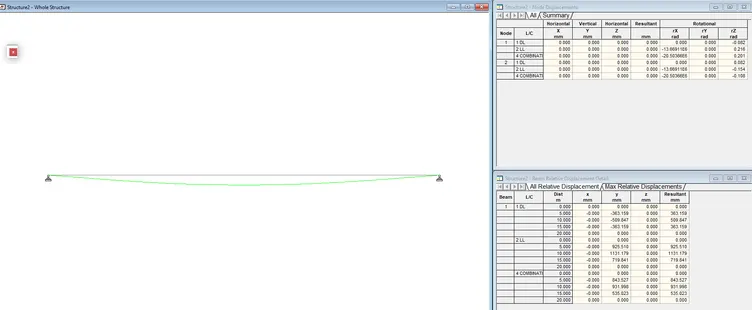
1.B
Aim: To draw and analyse a Fixed beam with given data
Procedure:
- Open STAAD Pro software and define the units
- Now we have to add the beams and now the graph will be seen in the window
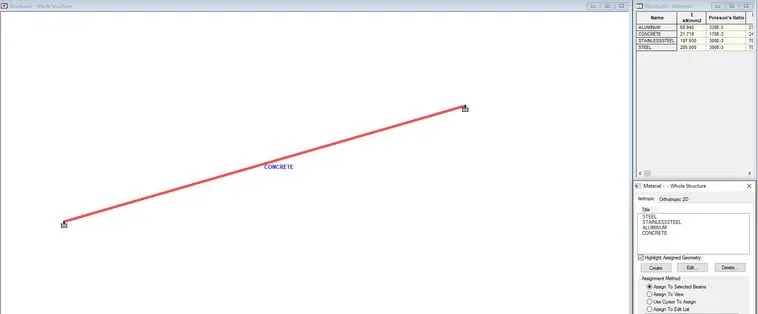
- Now we have draw a 16 m length line with node and assign the material concrete 0.23*0.23
- Now we have to provide the supports at the ends , which is the fixed support
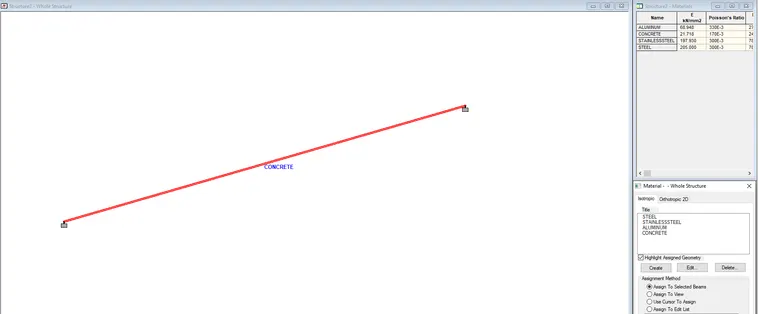 Now we have to add lthe uniformly distributed load (W=9KN/m)
 -
- Now we have select the load definition and we need to add the load cases
- And then we have to do the Run analysis and check if there is any error in file.
- Now we have to check the Load Case displacements
- And we can see the reactions as well