REVIT_Creation of Basic Drawing_Week 2
1. What is BIM? Summarize the features of BIM and benefits of using BIM over 2D CAD tools
Ans:- BIM is a new process and methodology by which a team of architects, engineers and contractors work collaboratively to design and build a commercial building utilizing the same database and computer model. This allows the team to analyze and visualize design decisions long before a project even breaks ground, at its core, BIM offers a digital representation of the real facility, including function systems (HVAC, electrical) and aesthetics (walls, roof, windows). It does so while being a shared resource from start to finish across multiple disciplines participating in the design and build
Benefits of using BIM over 2D CAD tools are:-
- Early detection of a collision
- Faster design and construction
- More precise planning
- Visualization at an early stage of the project
- Higher quality of performed work
- Better communication in the project
- Reducing delays and errors
- Increasing efficiency and productivity
- Competitiveness
- Easy access to information
- Improvement of OSH
- Project life cycle
Advantage of BIM
There are several BIM advantages, including the following:
- BIM offers a more complete representation of a building’s design. It takes more than the building’s core components into account. For example, BIM allows you to design electrical and HVAC systems, as well as the building itself. This means the project team can take full advantage of the space and resources available.
- BIM pulls your documents into a single database. Several people can work on the same model and save it to the cloud. This allows for instant updates, so you won’t waste time searching for documents when you need to make changes.
- A BIM model will allow you to prefabricate important components ahead of time. You won’t have to adjust them based on the building design. Instead, such components are part of the initial design.
- You can provide much more to your clients using BIM than you could with CAD. The models you give to your clients update constantly as you work on your project. Your client can check in any time, which leads to quicker approval for milestones and more efficient project development.
- Resource tracking is a key component of BIM models. You’ll be able to figure out how much
2. Understand the concept of Categories, Families, Elements, Instances in Revit. Go to Insert Tab, choose a category. Pick a family and element. Understand the instances and insert it to Revit model
Ans:- The concept of families , elements etc are the objects under the specific family eg in furniture family beds, chairs , tables etc are mentioned . All the families will be available under the insert tab load families and the popup window will be populated and from there we can select the families to insert in the drawing as required.
3) Setting up a Project – Open a project file with architectural template. Save the file with appropriate name. Set up the project units to Imperial / Metric based on your convenience of modelling. Complete the project information under Manage tab. Set up the maximum backups for project file to 3
Ans:-
- Open revit
- click file new enter
- Select the architectural template and press enter
- In the file menu click save ans save the file with the appropiate name
- Select the manage tool and click on project units and specify the units we want
- Click the project information and then give the details of the project
- Clcik on the save as option and then option there specify the maximum backups as 3 for maximum backups
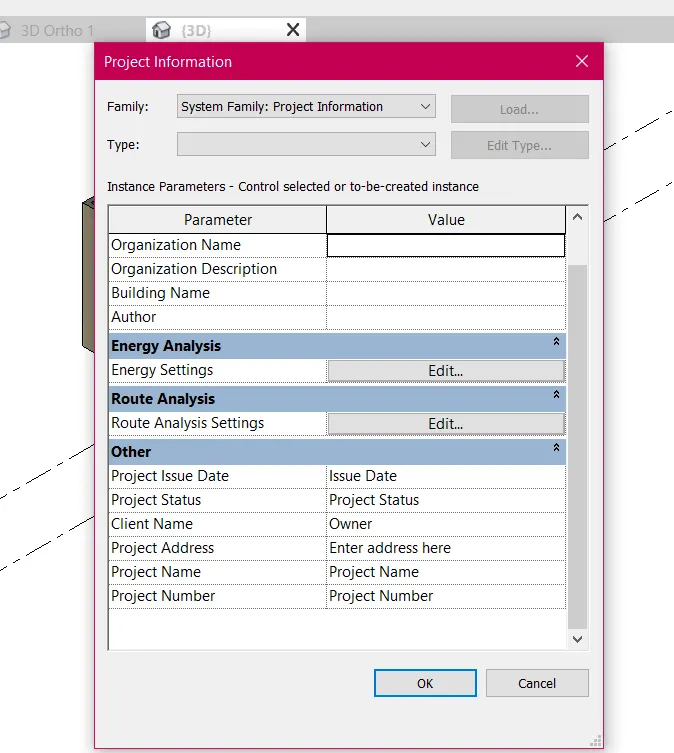
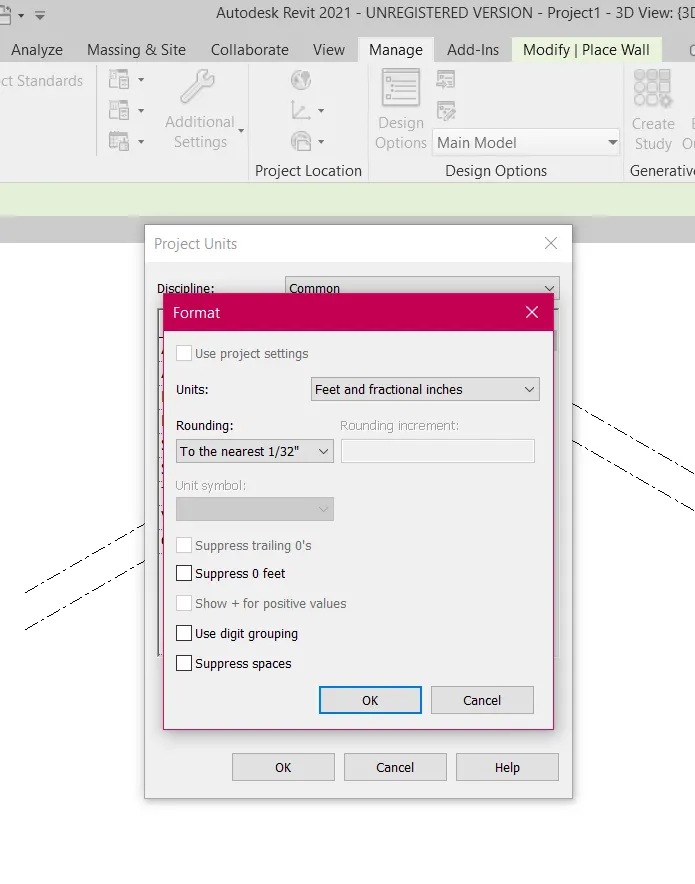
4) Understand the concept of Levels and Grids. Follow the naming and conventions. Create the following Levels: ( Convert to metric equivalents if metric is your units)
Ground Floor @ 0’
First Floor @ 10’
Second Floor @ 20’
Roof @ 30’
Ans:-
- Open revit
- Select the imperial architectural template
- Draw a rectangle wall
- Select the view option and select section and draw the section
- select the section and then go to architectural and select levels
- Select he level and give the name and distance of the levels
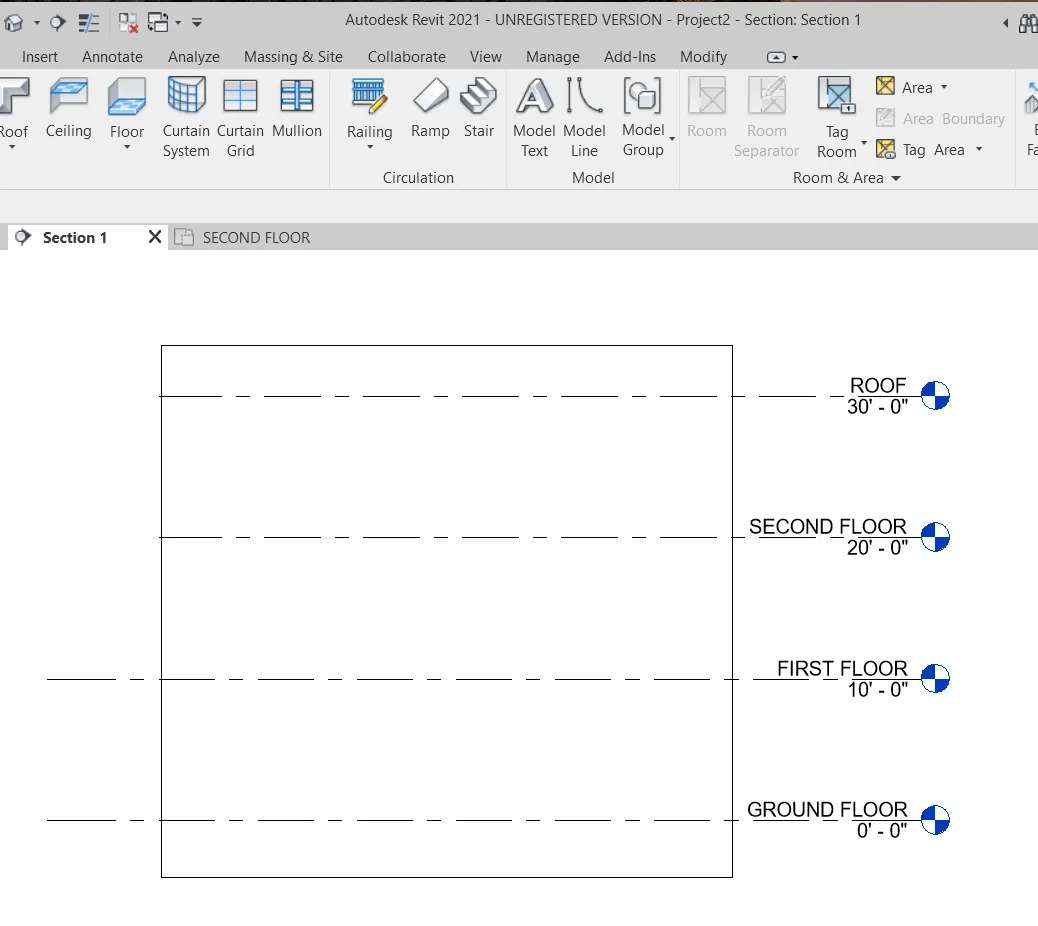
- Go to the architectural option and select the grid and draw the grids
- Specify the distance and name of the longitudnal grid and latitudnal grids
- Grids are made
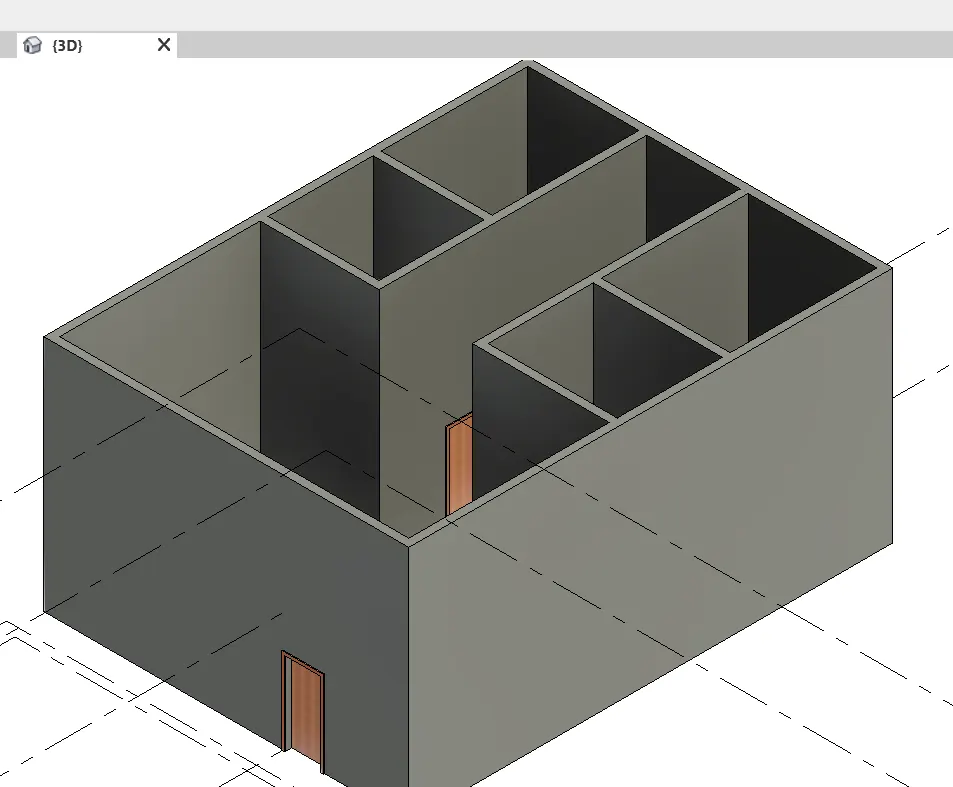
5) 3D modelling of residential unit – From looking at your house / or a place you aspire. Create a conceptual layout of the residential unit. You can measure using a tape or
you can access your residential plan to create a similar layout.
Ans:-
Aim:- Create the layout of a residential building
Commands Used:-
walls
Procedure:-
open the revit
select the architectural template and imperial system
select the walls under architectural
draw the walls
Result:-
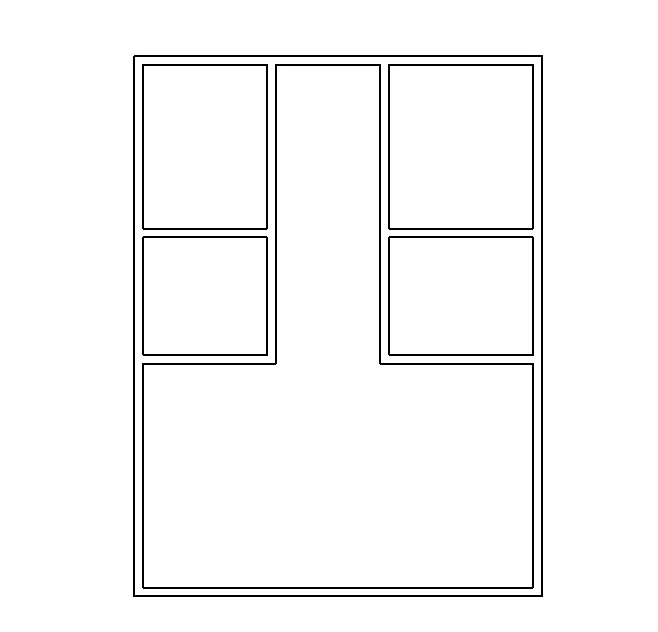
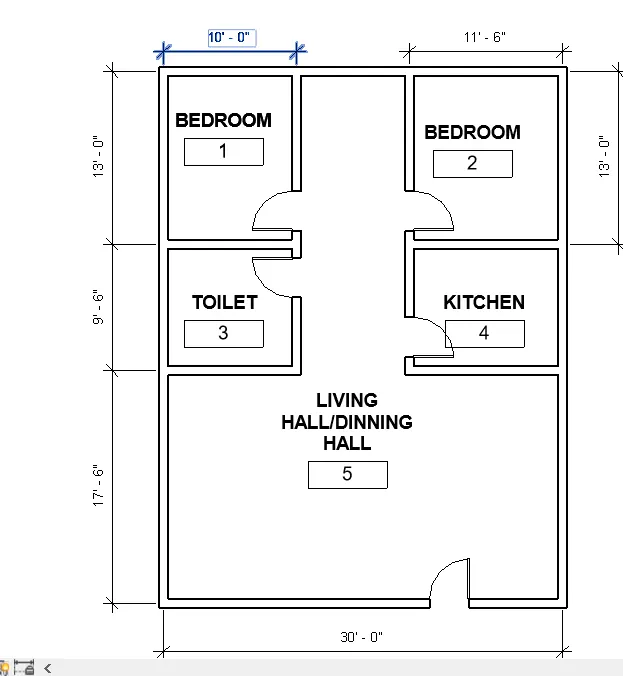
6) In the layout created draft the level of details you are planning to include – Dimensions of room, components you plan to add in the residential unit.
Aim:- Show the dimension of the rooms and the components
Commands Used:-
walls
dimension (aligned)
Rooms
Tag Rooms
Procedure:-
Open the revit
open the file where layout is made
select doors in the ribbon command
and place the doors at the points whereever required
Select the dimension and do the dimension of the rooms
Select room command and place the room at every room
Select tag room and do the tagging
7) Identify the residential model elements such as Door, Windows, Tables, Chair, Couch, Bed, Lamps from the library and insert them to the model . Save the project for use
for Assignment 3