Week -2
Challenge01:
- Opening a new blank model.
- Adding all required blocks as per the given block diagram.
- To provide input we are using a Signal builder block as the switch is closed for 2 seconds and then released.
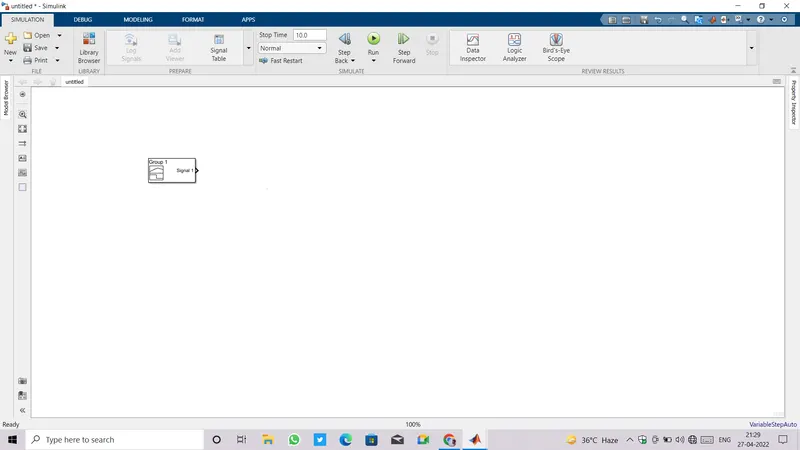
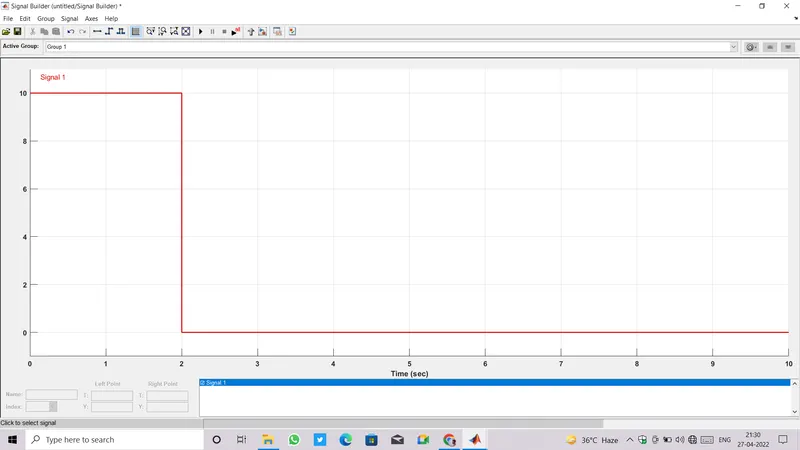
- Customizing signal which is only active for 2 secs and has zero value afterwards.
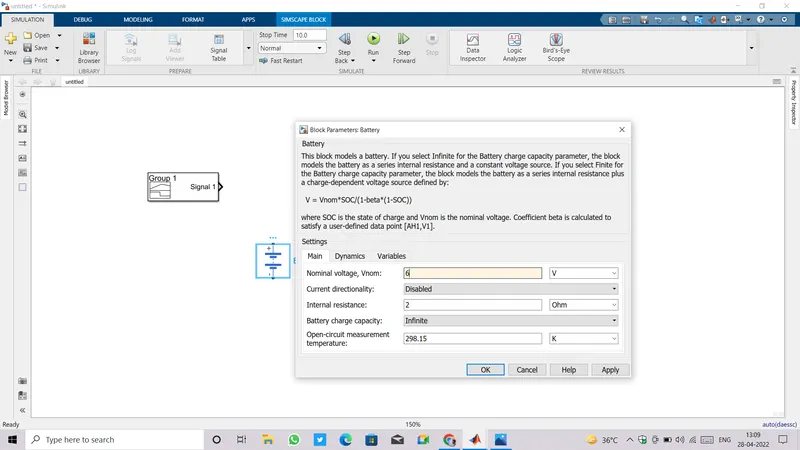
- Now adding a battery and configuring its parameters.
- Adding a switch from electrical fundamental library set .Do not forget to set an appropriate threshold value to it,here threshold value is set to zero.
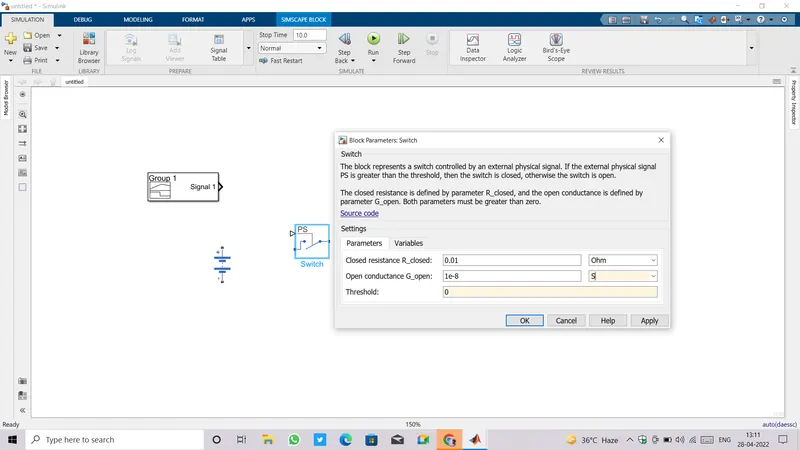
- Add a solenoid block and make the connections.
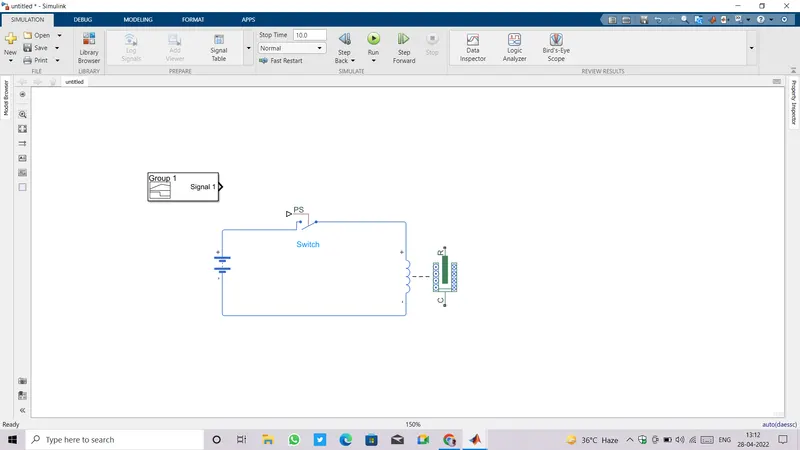
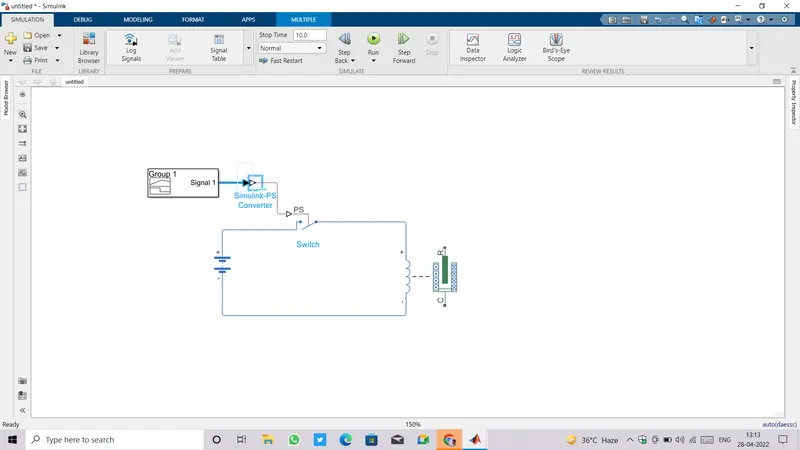
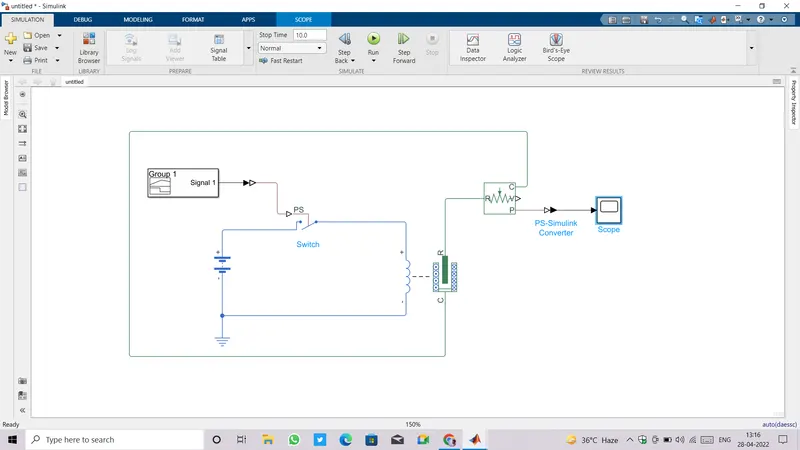
- We can not connect simulink library blocks directly with the simscape blocks and vice versa, for that purpose we need to connect either ps to simulink converter or simulink to ps converter in between.
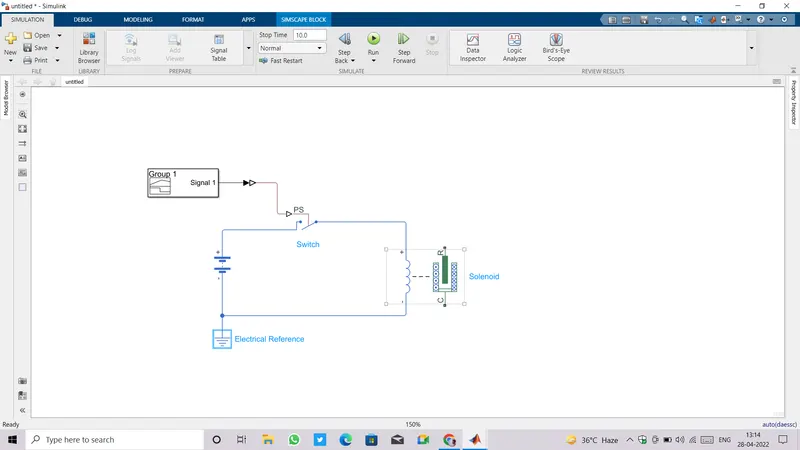
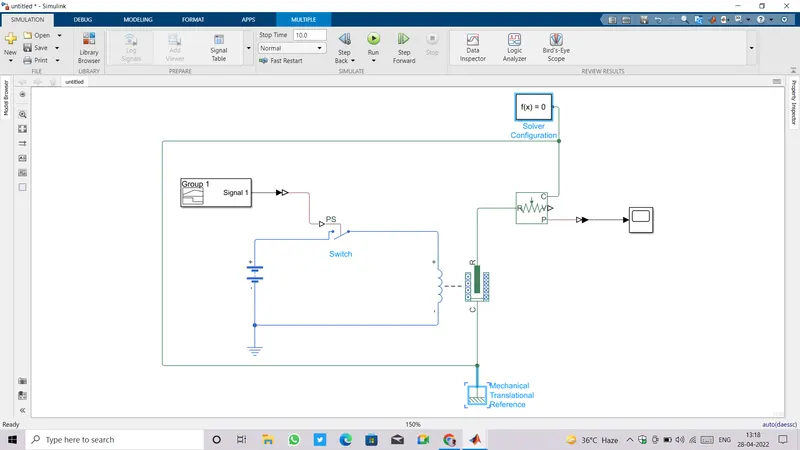
- A reference block is also connected according to the type of system block, for electrical ,mechanical and thermal system a reference must be connected to them.
- To record the position of plunger we are connecting an ideal traslational motion sensor at the mechanical part of solenoid.
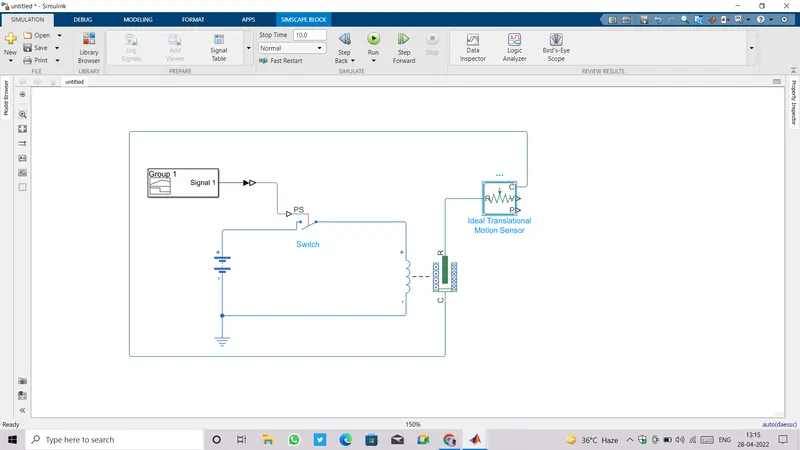
- To observe the position of plunger we need to connect a scope at the P port of motion sensor by ps to simulink converter.
- We also need to connect a solver configuration because matlab do backend operations on mathematical expressions.
- Mechanical reference is connected for mechanical system blocks.
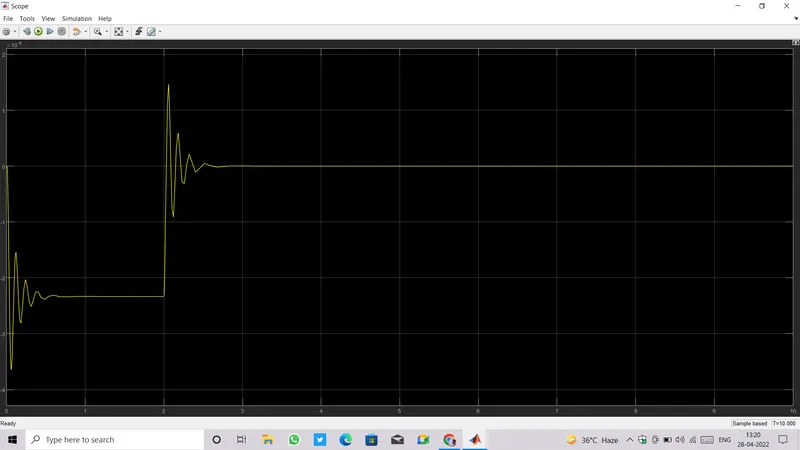
- Double click on scope block to see the variation in position of plunger with time.
Challenge02:
- Opening a blank model.
- To provide input to the system we are going to use a signal builder block.
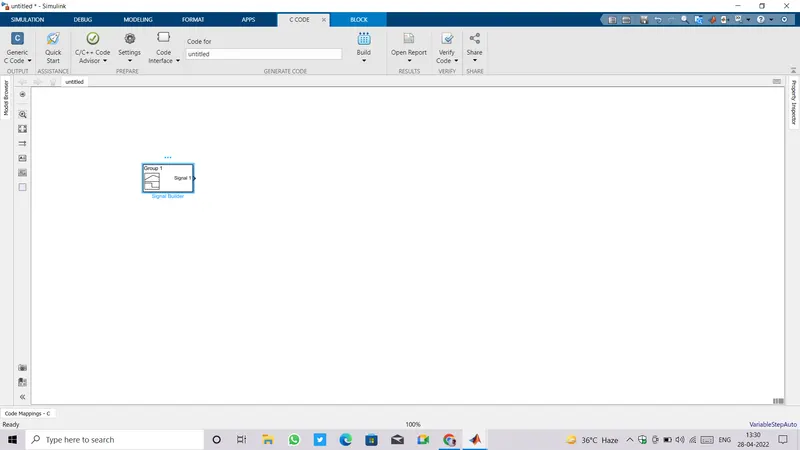
- Double click on signal builder block and customize input temperature as given,
Temperature source: 20 °C from 0 to 10 seconds, 27 °C from 10 to 30 seconds, 23 °C from 30 to 50 seconds
Fan conditions: ON if the temperature above 25 °C, OFF otherwise.
-
Rather providing temperature in degree celcius we will convert it to kelvin and make the input signal.
Temperature source: 293.15 k from 0 to 10 seconds, 300.15 k from 10 to 30 seconds, 296.15 k from 30 to 50 seconds
Fan conditions: ON if the temperature above 25 °C, OFF otherwise.
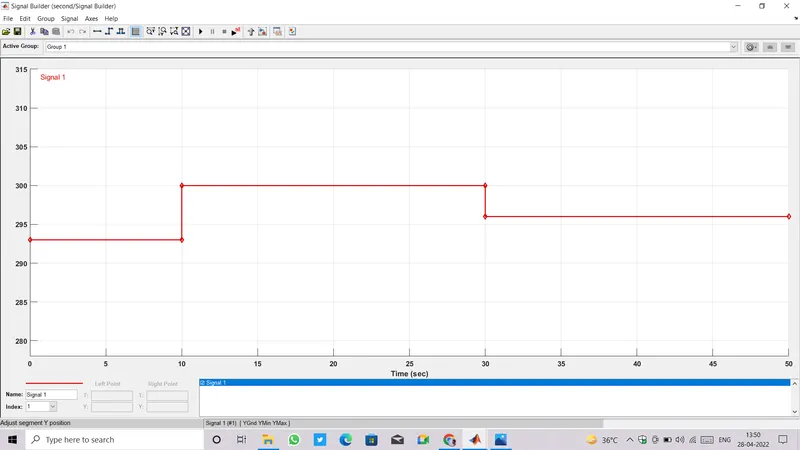
-
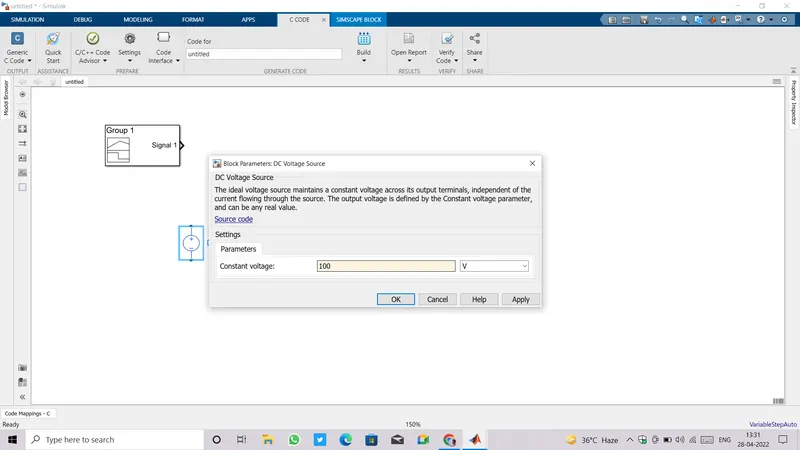
We are using a DC Motor as a cooling fan here, so adding a dc voltage source required to run motor.
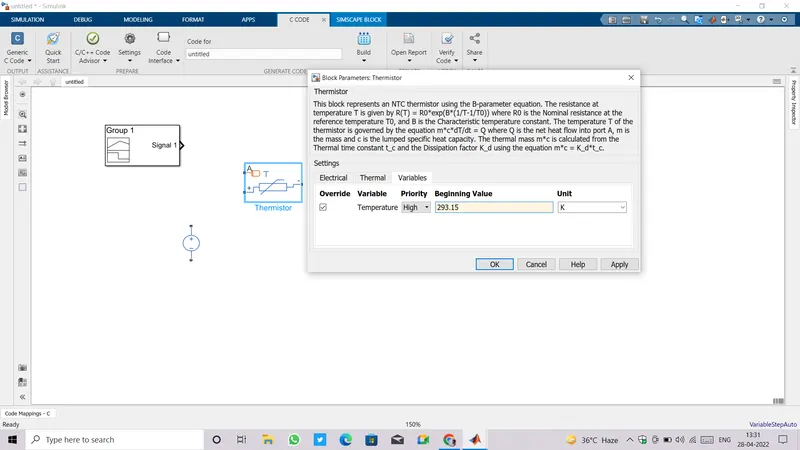
- Next adding and configuring a thermistor block for sensing the heater temperature.
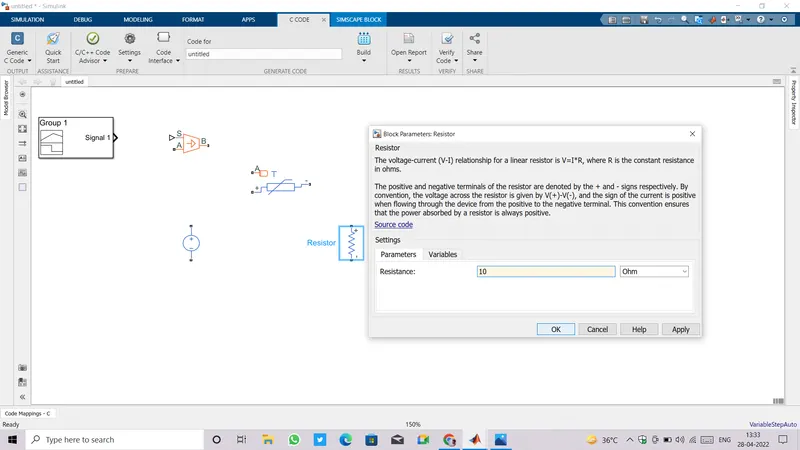
- Add a resistor and set resistance value to 10 ohm.
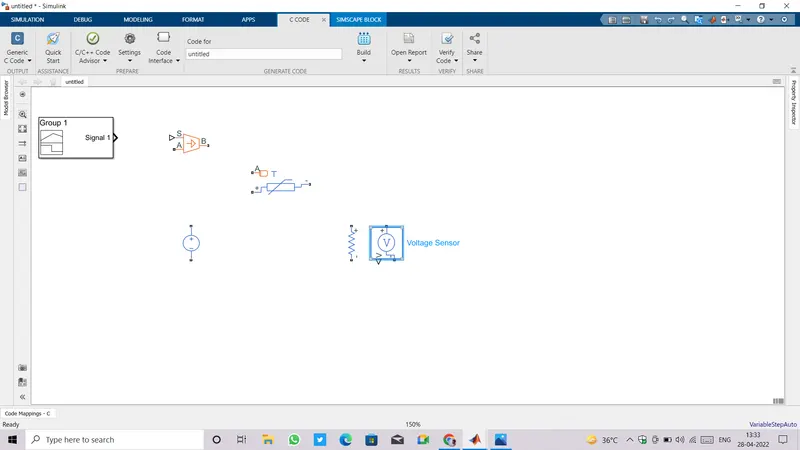
- Add a voltage sensor to measure the voltage drop across the resistor.
- Make connection of all the electrical elements as shown below.
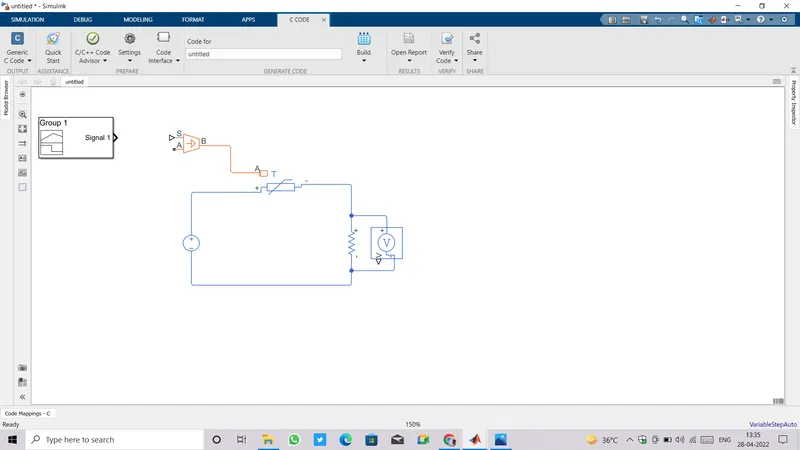
- Thermistor is a combination of electrical and thermal system so we can not give the input to themistor directly from a signal builder block.
- We have added a Controlled temperature source which can be connected directly to the input of thermistor.
- And input signal from signal builder can be given to controlled temperature source with the help of simulink ps converter.
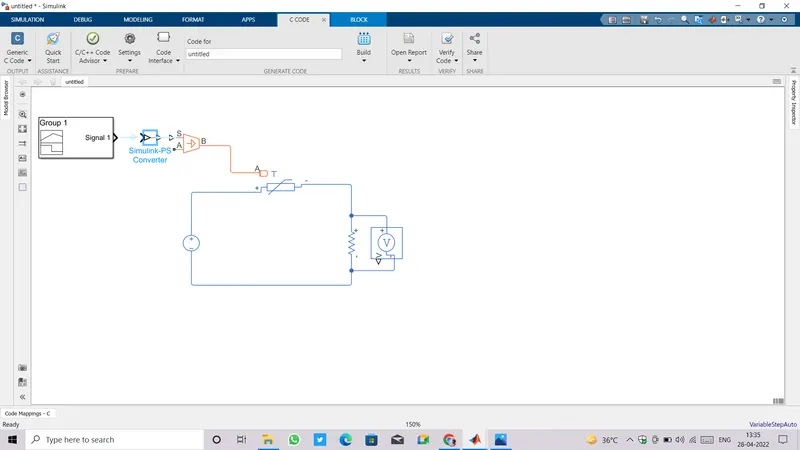
- A thermal reference is connected at the A terminal of controlled temperature source.
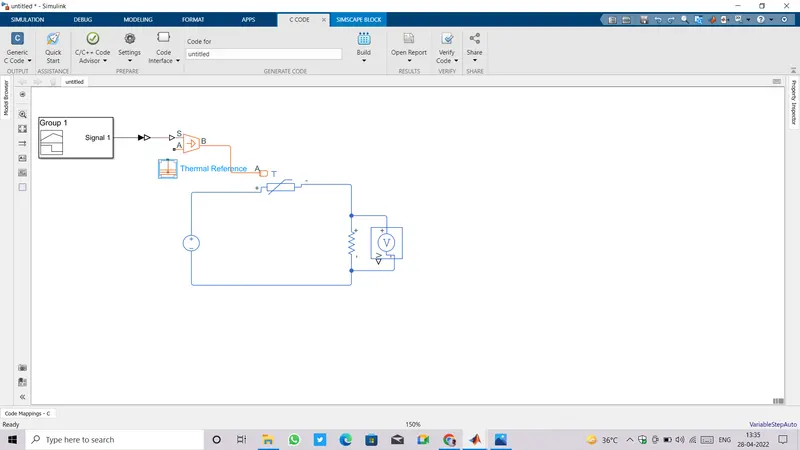
- Similarly an electrical reference needs to be connected in electrical circuit.
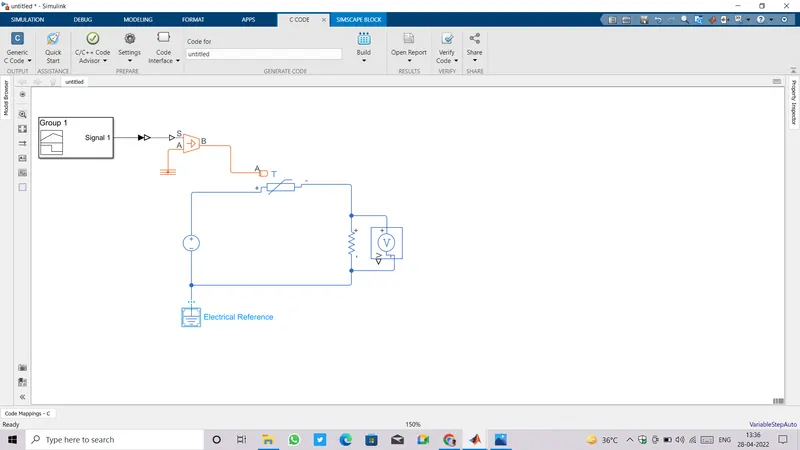
- Circuitary for sensing the temperature of a heater has made successfully.
- Now it's a time to create a control circuit for cooling fan.
- For that purpose we need to connect some blocks like an electric switch, a dc motor and a dc voltage source.
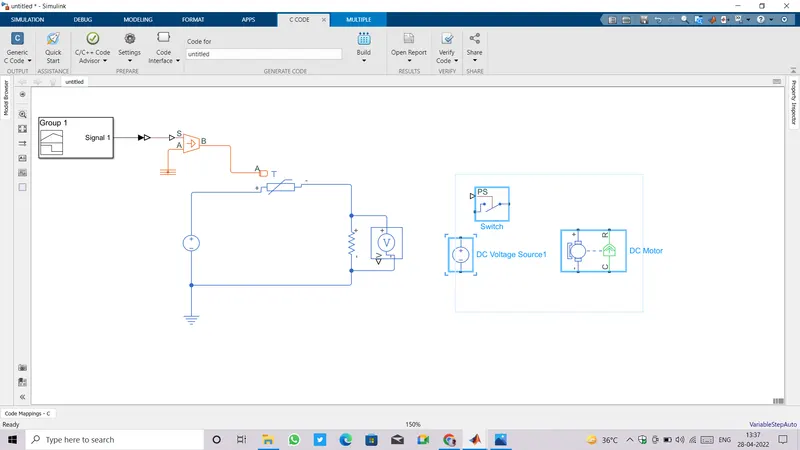
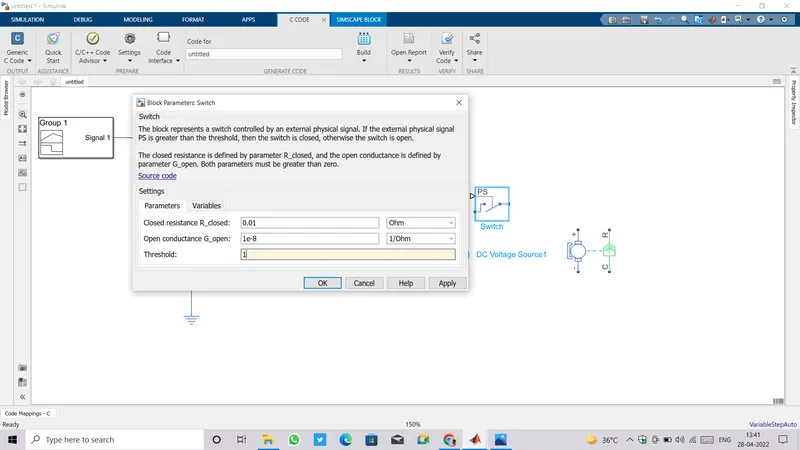
- Open switch parameters and set threshold value to '1'.
- Open parameters of dc motor goto mechanical and set daming value to '1'.
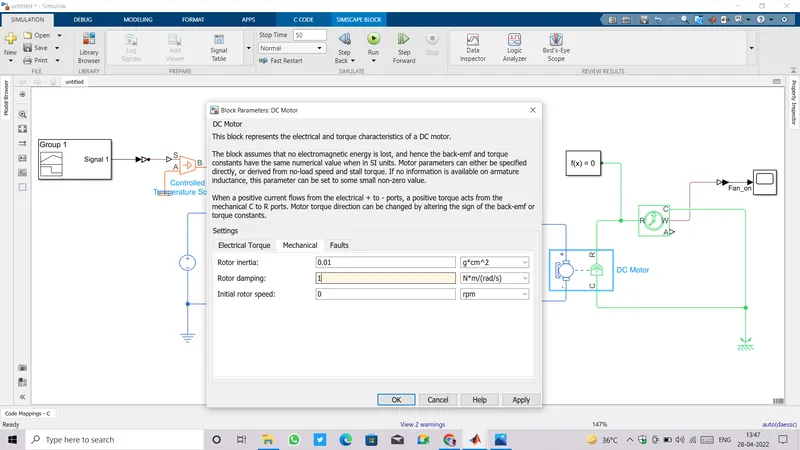
- Make appropriate connections as shown below.
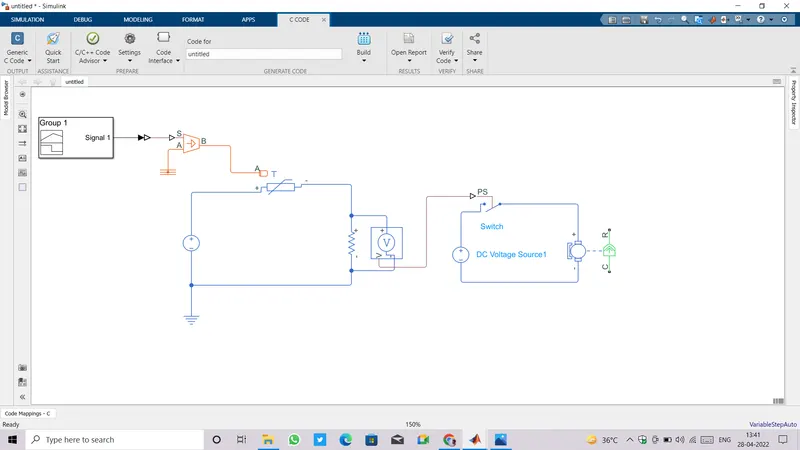
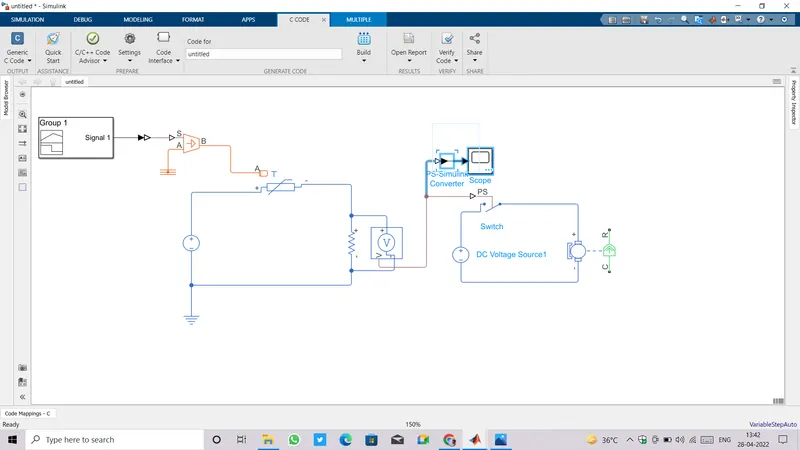
- Now add a scope to see the voltage drop acroos resistor.
- DC Motor is an electromechanical device, to record the roatational motion of dc motor we need to connect an ideal rotational motion sensor at the mechanical part of the block.
- Also a mechnical rotationalreference needs to be connect.
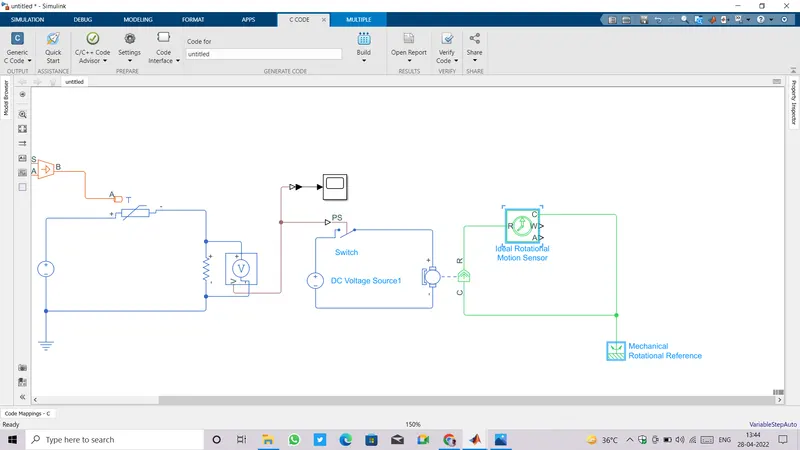
- Add a scope block at the 'W' port of motion sensor to observe the speed of dc motor.
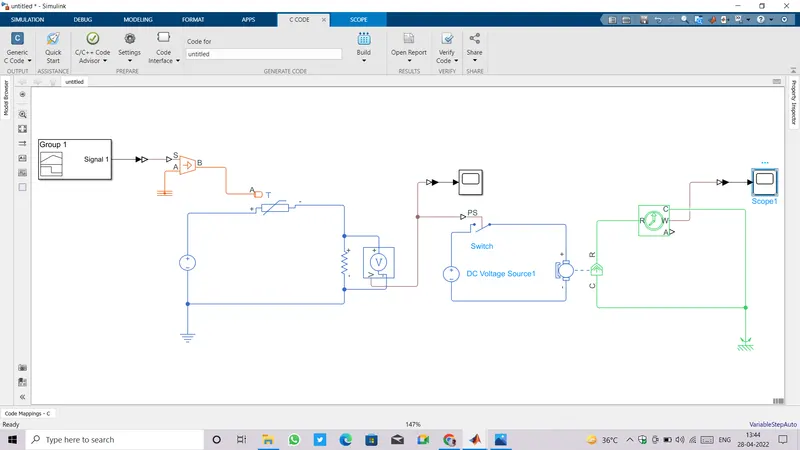
- Connect one solver configuration anywhere with phyisical circuit block.
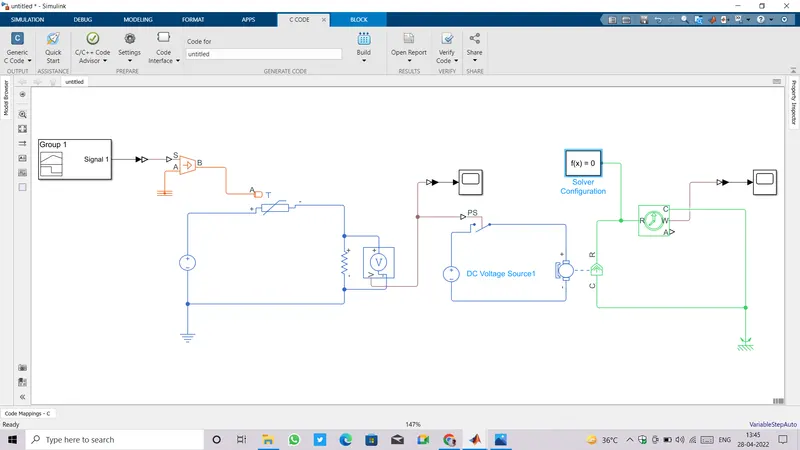
- Run the simulation for 50 secs and open both the scope to see plots.
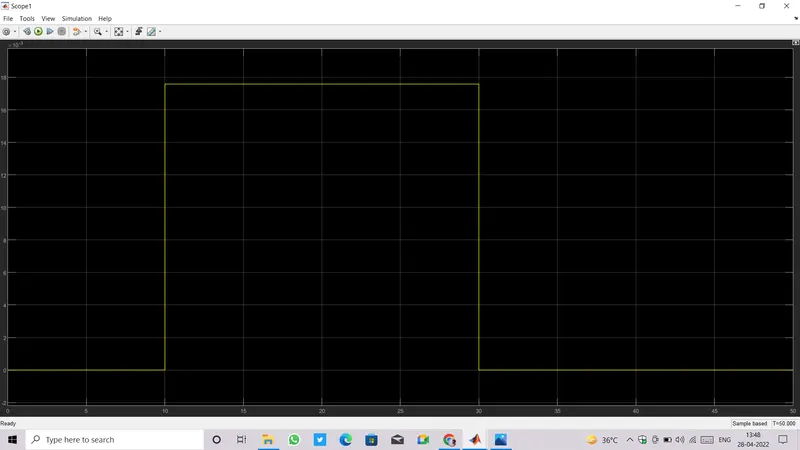
- Plot from Voltage sensor:
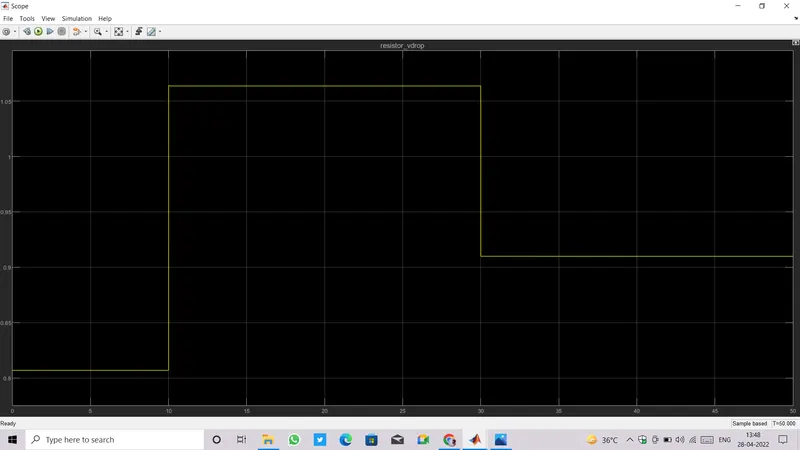
- Second scope is showing the speed of motor when it was in on state(from 10 to 30 secs when the temperature was greater than 25 degree celcius)