Code for 2R Robotic Arm using MATLAB
Objective
- To write a program to simulate the forward kinematics of a 2R Robotic arm
- To create a video/animation of the plot result.
Theory
- A robotic arm is a mechanical arm with 2 links that move at various angles in order to satisfy the commands of the user.
- The links of such an arm are connected with joints allowing either linear or rotational motions.
- For this challenge, we consider a 2R Robotic arm. The 2R means an arm with 2 rotations. ie, it has 2 links that work over a two-dimensional plane.
- Also, both links are restricted to a 90`degree` of rotation with reference to the axis.
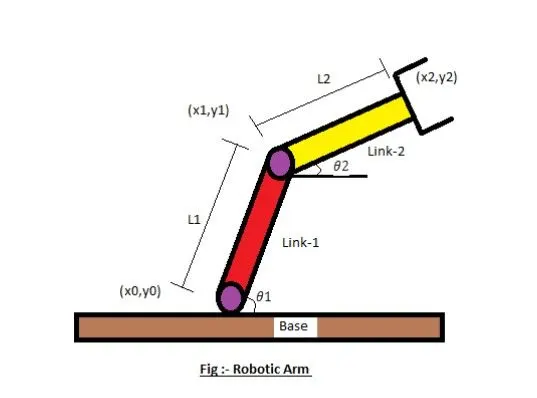
- Let, L1 & L2 be the lengths of link-1 & link-2 Respectively.
- Let, theta1 be the angle formed by link-1 with horizontal.
- Let, theta2 be the angle formed by link-2 with horizontal.
- Let, the starting and end co-ordinates of link-1 be (x0, y0) and (x1, y1)
- Let, the starting and end co-ordinates of link-2 be (x1, y1) and (x2, y2)
Code explanation
- The program is executed using the program language Matlab(trial version).
- The program is started by adding comments to explain the program
- The commands close all, clear all, and clc are used.
- the input variables are added and defined like L1 and L2.
- values are provided for theta1 and theta 2 using linspace command for theta=0 to 90 degrees for 10 values.
- using the 'for' command for adding the values for the desired variable
- using the 'for' command again to add movement to the 2nd arm.
- providing the equation for defining the co-ordinates for x,x2,y1,y2.
- plotting all the coordinate values.
- Use the pause command to slow down the video/plot to make the movements more understandable.
- ending the 'for' loop twice.
- using the movie commands to combine all the figures saved to make an animation movie.
- using the video writer command to name the file being saved.
- saving the movie file in a .avi format.
Matlab code
% formula for forward kinematics of a robotic arm manipulator

close all
clear all
clc

%inputs
l1=1
l2=0.5
ct=1

theta1= linspace(0,90,10);
theta2= linspace(0,90,10);

for i=1:length(theta1)
    THETA1=theta1(i);
    for j=1:length(theta2)
        THETA2=theta2(j);
        x0 = 0;
        y0 = 0;

        x1=l1*cosd(THETA1);
        y1=l1*sind(THETA1);

        x2=x1 + l2*cosd(THETA2);
        y2=y1 + l2*sind(THETA2);

        %plotting
        plot([x0 x1],[y0 y1],[x1 x2], [y1 y2],'linewidth',3);
        axis([-0.1 1.5 0 1.5]);
        pause(0.03)
        M(ct)= getframe(gcf);
        ct= ct+1;
    end
end
movie(M)
videofile=VideoWriter('forward_kinematics.avi','uncompressed AVI');
open(videofile);
writeVideo(videofile,M);
close(videofile)
Errors, command window and workspace.
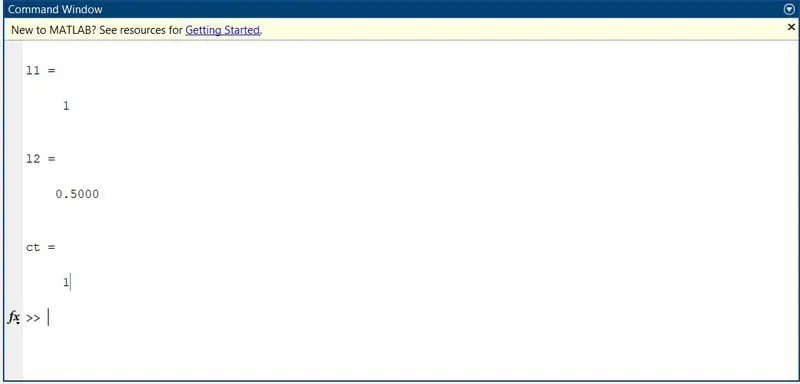
- No errors were found in the command window.
- Use of the semi-colon(;) in the code results in fewer outputs in the command window.
Results
- Thus the simulation for 2R Robotic arm was coded using Matlab and also a movie/animation was obtained from the plots.
Below is the link for the given program output animation posted and uploaded on youtube