Week 2- 2R Robotic Arm Challenge
%Simulation of the forward kinematics of a 2R Robotic Arm

clear all
close all
clc

%length of arms 1 and 2
l1=1;
l2=.5;
%theta range 0 to 90
theta1= linspace(0,90,20);
theta2= linspace(0,90,20);

ct=1;

%nested for loop for getting different values for x1,y,x2,y2

for i= 1:length(theta1)
    T1=theta1(i);
    for j =1:length(theta2)
    T2=theta2(j);

    %the arm is fixed at origin point(0,0)

    x0=0;
    y0=0;

    % x1,y1 are found out using trignometric relations
x1=l1*cosd(T1);
y1=l1*sind(T1);
    %x2,y2 are found by addition & trignometric relations
x2 = x1+ l2*cosd(T2);
y2 = y1+ l2*sind(T2);

%plotting


plot([x0,x1],[y0,y1],[x1 x2],[y1,y2],'linewidth',3);

axis([0 1.5 0 1.5])

title('Movement of Robotic arm','Color','r')

pause(0.007)
M(ct)=getframe(gcf);
ct=ct+1;

    end

end

%Video creation & saving as external avi file
movie(M)
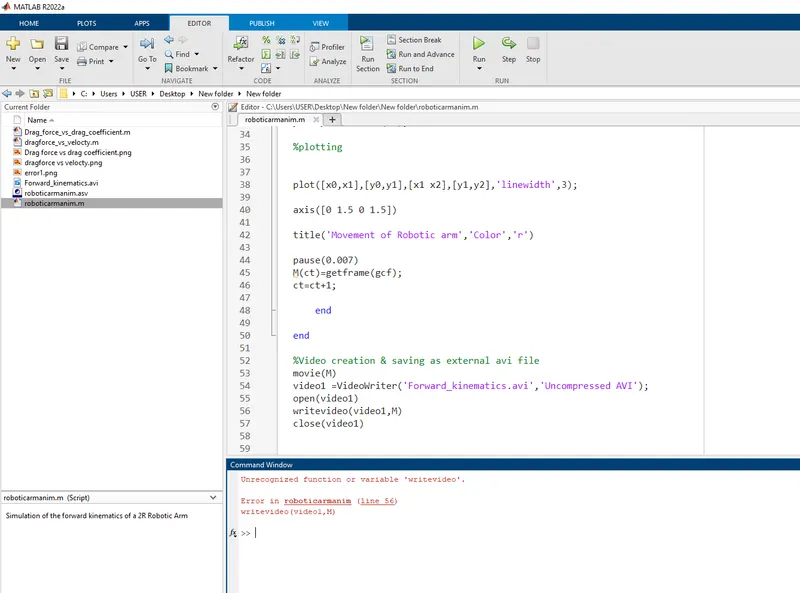
video1 =VideoWriter('Forward_kinematics.avi','Uncompressed AVI');
open(video1)
writeVideo(video1,M)
close(video1)
Output Video
https://drive.google.com/file/d/1lTwyA7ir041kijIu4RqYRWo7XzGgC8DF/view?usp=sharing
Step-wise explanation of code.
length of the arms ar fixed values 1 , 0.5. the angle varies between 0 and 90. a linspace command is given to save theta as an array of 20 values within 0 and 90.An indexing is given by defining a counter variable ct.
A nested for loop is defined written for getting all the 20 different theta values into arrays
the arm is fixed at origin hence x0=0,y0=0.
the x1,y1 are found out using trignometric relations and x2,y2 are found by addition & trignometric relations.
next is the plotting part both lines are defined in the same plot() command as 2D arrays.
an axis is given using axis() code. A pause code is given for more smoother animation.
M array is defined and the inexing value is added +1
getframe is used to capture the figures as frames and gcf refers to the currentfigure handle in MATLAB where it captures an in turn give the current figure to capture it as a frame for movie creation
the frames are assigned to M array.and movie(M) command is used to play the movie frames in array M once.video is saved to the video1 using VideoWriter and given name Forward_kinematics.avi in the file format Uncompressed AVI
the video is opened using open() command and it's saved to harddisk using writevideo()command at the end video is closed using close()
Errors faced
-giving values in wrong order in linspace command.
-instead of giving for j =1:length(theta2), I put for j =i:length(theta2) and resulted in the second arm not getting all the values between 0 & 90.
-wrongly put x2,y2 formula
x2 = x1* l2*cosd(T2);
y2 = y1* l2*sind(T2);
-instead of
x2 = x1+ l2*cosd(T2);
y2 = y1+ l2*sind(T2);
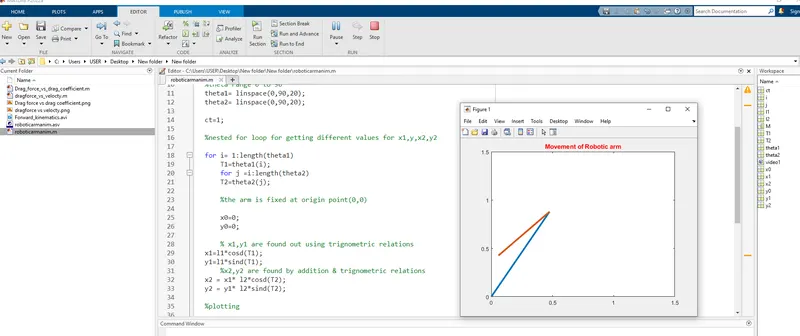
-i closed the output multiple times before completing animation and wonderd where my video file has gone. Later unerstood it will be creater only after completly playing the video
wrote wirtevideo instead of writeVideo (lowercase-uppercase)