Week 2- 2R Robotic Arm Challenge
1. Aim
- Program in Matlab to simulate the forward kinematics of a 2R
- The main goal is to make an animated simulation video of link operation from different angles
2. Governing equations
- The main governing equations used in the program are the values of coordinates of links. i.e
x0 = 0
y0 = 0
x1 = l1*cosd(THETA1)
y1 = l1*sind(THETA1)
x2 = x1+l2*cosd(THETA2)
y2 = y1+l2*sind(THETA2)
- The specified values are
- x0,y0,x1,y1,x2,y2 = Different ccordinates
- l1 = Link 1
- l2 = Link 2
- THETA1 = Angle between base and link1
- THETA2 = Angle between link1 and link2
3. Objective of Challange
- The main goal is to make an animated simulation video of link operation from different angles using MATLAB
4. Error During the program
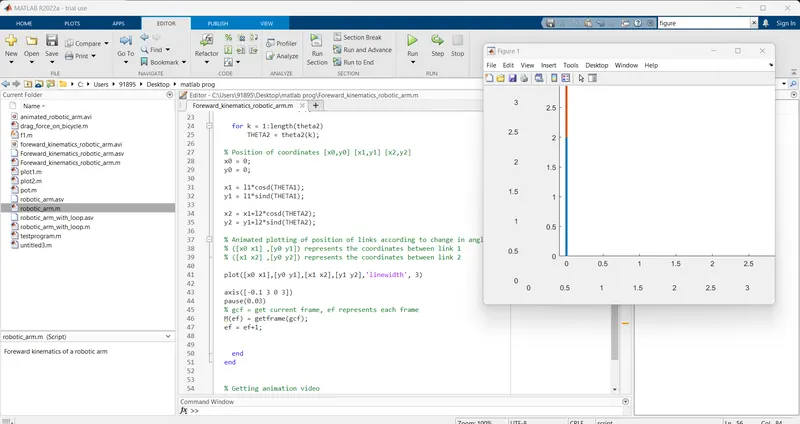
- First error I faced during programming is that I forgot to put the -(end) command during the for loop command.
- Second error during Plotting is that I have mistaken the coordinates of links so my graph doesn't appear correctly
5. Step taken to remove error
- I added the (end) command for the first error
- I correct the coordinates by observing the free-hand diagram for the second error .
both errors are attached below
6. Program in Matlab to simulate the forward kinematics of a 2R Robotic Arm are as follow .
close all
clear
clc

%foreward kinematics in robotic arm with loop and animated movie

%inputs
%link l1 length in meter
l1 = 2;
%link l2 length in meter
l2 = 1;

% Value of angle between link1 and link2
theta1 = linspace(0,90,10);
theta2 = linspace(0,90,10);

% Value of ef(each frame)
ef = 1;

% for loop operation
for i = 1:length(theta1)
THETA1 = theta1(i);
for k = 1:length(theta2)
THETA2 = theta2(k);

% Position of coordinates [x0,y0] [x1,y1] [x2,y2]

x0 = 0;
y0 = 0;
x1 = l1*cosd(THETA1);
y1 = l1*sind(THETA1);
x2 = x1+l2*cosd(THETA2);
y2 = y1+l2*sind(THETA2);

% Animated plotting of position of links according to change in angles
% ([x0 x1] ,[y0 y1]) represents the coordinates between link 1
% ([x1 x2] ,[y0 y2]) represents the coordinates between link 2

plot([x0 x1],[y0 y1],[x1 x2],[y1 y2],'linewidth', 3)
axis([-0.1 3 0 3])
pause(0.03)

% gcf = get current frame, ef represents each frame
M(ef) = getframe(gcf);
ef = ef+1;
end
end

% Getting animation video
movie(M)
videofile = VideoWriter("foreward_kinematics_robotic_arm.avi", 'Uncompressed AVI');
open(videofile)
writeVideo(videofile,M)
close(videofile)
Explanation of different commands
pause - pause command is used to make the interval of specified time during loop operation
linspace - This command is used to specify the value of 0-90 degrees of angle with 10 interval
videofile - This command is used to make a video file
- output of the code