Week 2- 2R Robotic Arm Challenge
Question:Write a program in MATLAB to simulate the forward kinematics of a 2R Robot arm and show in the animation vedio.
FORWARD KINEMATICS:
- Forward kinematics refers to the use of the kinematic equations of a robot to compute the position of the end-effector from specified values for the joint parameters.
2R ROBOTIC ARM:
- A robotic arm is a robot manipulator, usually programable similar to humman arm, robotic arms are machines that are programmed to exicute a specific task or job quickly for better eficitively and extremely getting output with a good accurate.
- A 2R Robotic arm has 2links and 2joints each having one degree of freedom. A robotic joint provides relative motion between two links of the robot, each joint or axis provides a certain degree of freedom of motion.
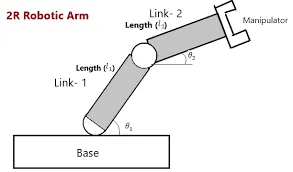
Program 1: To understand the working mecanism of the robot arm links 1&2 and verify the formula and exicute the code.
COMMAND USED:
Plotting command:
- Liine function is used to plot the coordiinates x and y and links 1 and 2 we used two different colors to identify easly where link 1 will be indicated with color Blue and for the 2 link we use Red color to identiify.
MATLAB CODE:
% Forward kinematics of a 2R robotic arm manipulator
clear all
close all
clc

% Inputs
length1=0.5;
length2=0.5;
theta1=linspace(0, 90, 10);
theta2=linspace(0, 90, 10);
ct = 1;

for i = 1:length(theta1)
    THETA1 = theta1(i);
      for j = 1:length(theta2)
        THETA2 = theta2(j);

x0=0;
y0=0;

x1=length1*cosd(THETA1);
y1=length1*sind(THETA1);
x2=x1+length2*cosd(THETA2);
y2=y1+length2*sind(THETA2);

%Plotting
%for first link
plot([x0 x1],[y0 y1],[x1 x2],[y1 y2],'linewidth',3)
axis([0 2 0 2])
pause(0.01)
M(ct)=getframe(gcf);
ct = ct+1;

      end
end
movie(M)
videofile=VideoWriter('arm.avi','Uncompressed AVI');
open(videofile)
writeVideo(videofile,M)
close(videofile)
OUT PUT:
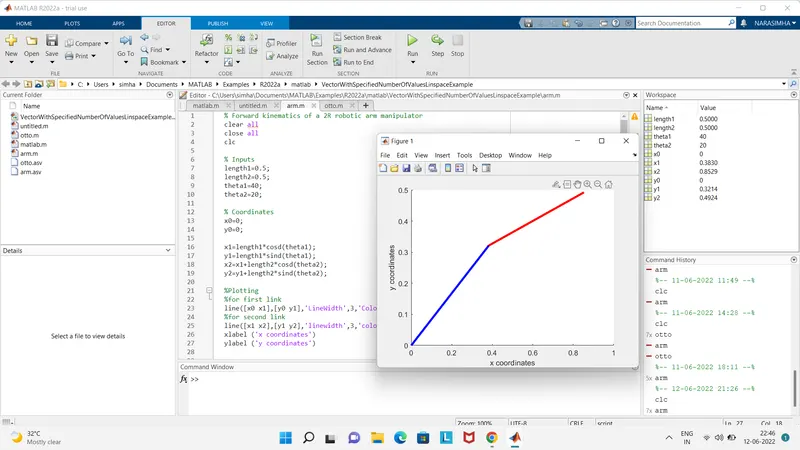
Plots out put :
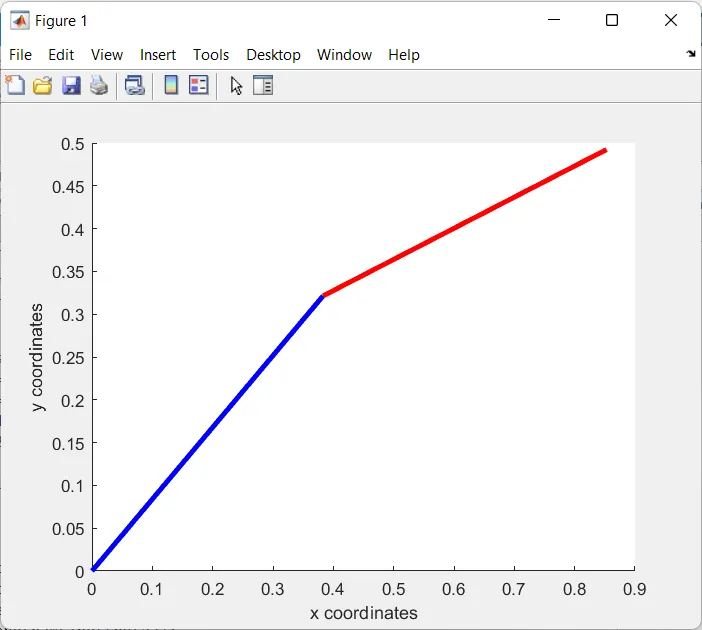
- The above fig shows the output of the 2R Robotic arm with the given values.
https://drive.google.com/file/d/1IuR1sdLGfQgSNy-FuVzIT93t9BpTh_Kc/view?usp=sharing
STEP WISE CODE EXPLANATION:
- First we want to make the command window editor window should be clear.
- pre_define the length of the link 1 and link 2 in the meters.
- Create two arrays of an angles (01 and 02) from 0 to 90 degress with 10 angles each using the linspace command.
- Pre_define the origin commands (x0 y0) = 0,0.
- initiate the countor ct=1.
- Now we use forloops to initate the length of the matrix ffrom 1 to 10 with different variables of values for each axis.
- After giving the forlops we want to make (x0 y0) should be 0.
- Now calculate the links L1 and L2 with the theta values and calculate each coordinate x1 y1 and x2 y2.
- intiate the i from 1 to 10 length of the matrix. So the values will be change from 1 to 10 for every loop iteration.
- now repeat the same process for the value of j.
- Now plot the values into graph by inputing all the coordinates (x0 x1),(y0 y1),(x1 x2),(y1 y2).in this way all the plots will be appear on the graph easily and creating multiple plots.
- Set the axis of the plot.
- Set the time between the plots by using pause command.
- Now feed the frame obtained into an array using the command M(ct) = getframe(gcf)
- Now close the loops with the help of end command
- End loops
- intialize writing the movie from set of arrays to movie M
- The movie(M) command will intiate the writing process from M
- Now set the format videofile to be converted videowriter
- Open video file
- write the vedio file with ()
- Finally close the viideo file.
CONCLUSION OF THE PROGRAM:
- Finally we made an animation video and we plot the values of the program with 10 variables of x and y coordinate, and we get the animation vedio.