Week 2- 2R Robotic Arm Challenge
Objective :- A program in matlab to Simulate the forward kinematic of a 2R Robotic arm with animation using
matlab.
Theory : -
ROBOTICS :- Robotic is an interdisciplinary sector of science and engineering dedicated to the design,construction and use of mechanical robots.
ROBOT :- A robot is the product of robotics field, where programmable machines are built that
can be assit humans action.
KINEMATIC ROBOT ARM :- Kinematics is the science of motion. In a two joint robotic arm,given
the angle of the joints,the kinematics equation give the location of the arm.
Matlab code :-
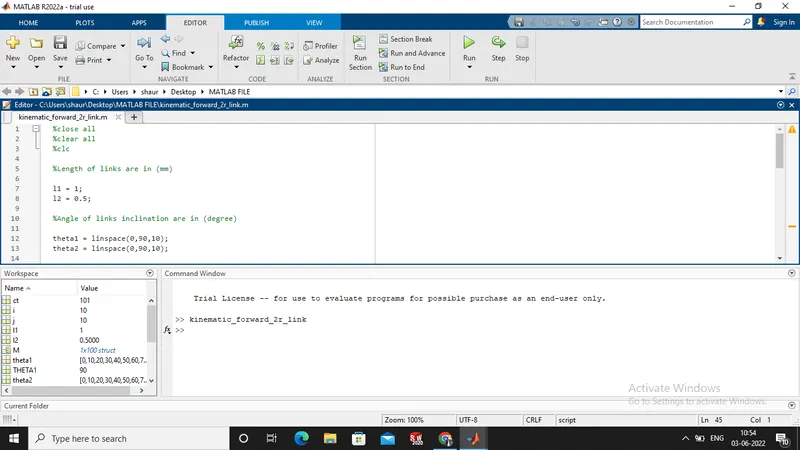
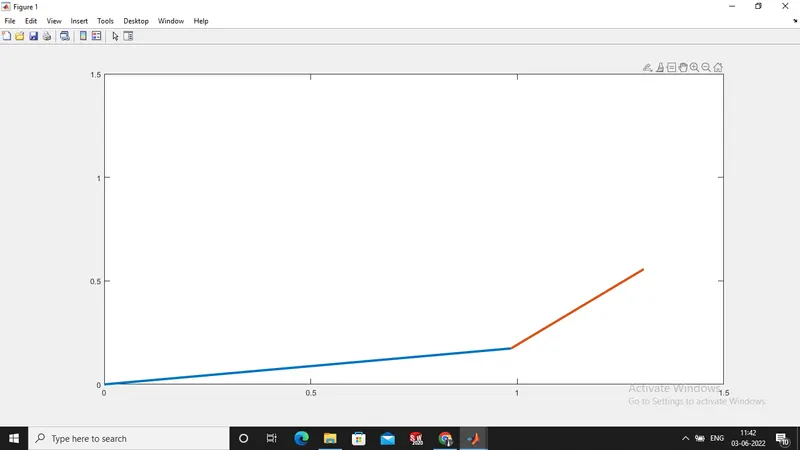
Explanation of the matlab code :-
- First of all giving the links value are in (mm) as :- l1 = 1 , l2 = 0.5 .
- After then giving the angle values are in (degree),for forward kinematic of links we giving the values of theta1 and theta2 multiple times by the using of linspace command as shown in below:-
theta1 = linspace(0,90,10)
theta2 = linspace(0,90,10)
- Then our next step is using counter command.
- Using for loop find the co-ordinates of link1 and link2.
- Using plot cammand creating a plot for link1 and link2.
- At the end create a animation movie using movie(m) command.
Result :- The simulation of the forward kinematics 2R robotic arm is completly simulate by the using of matlab and animation video are done by movie(m) command.
Errors faced while programming : -
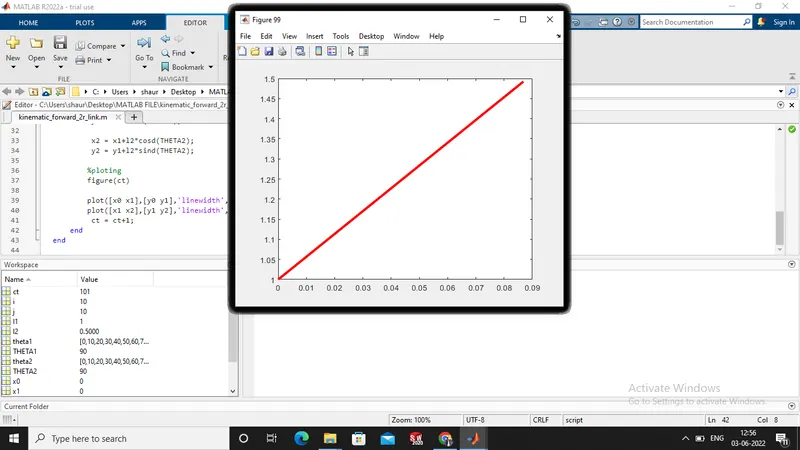
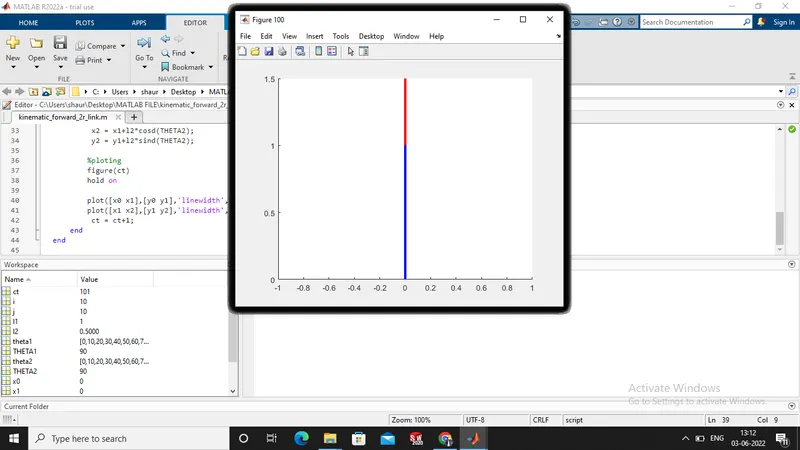
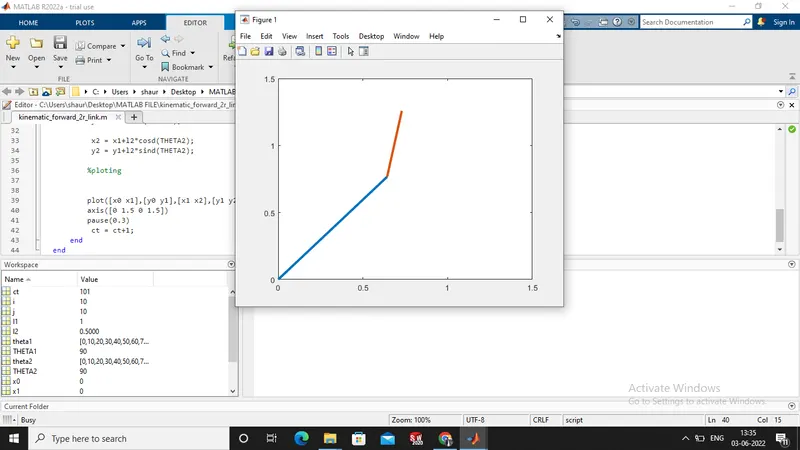
- During the plotting there is overwritten the links and shows one color.
Screen shot of error :-
Solution : -
BY using hold on command the error ca be solved.
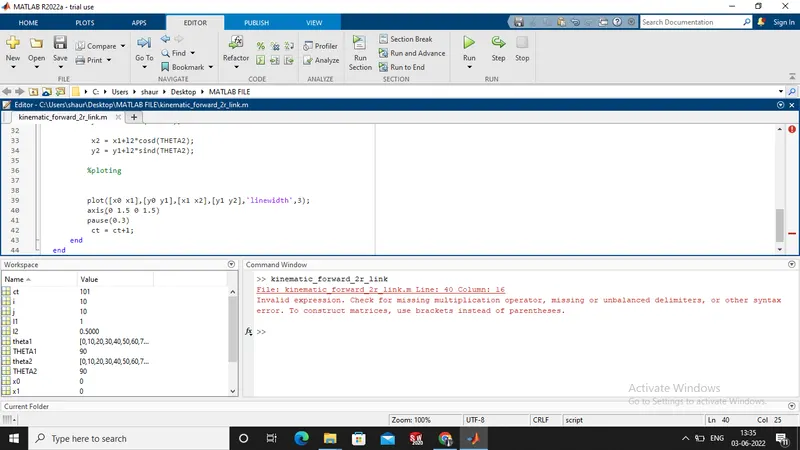
- By mistake of without using of brackets within parentheses are given error.
Screen shot of error :-
Solution :-
By using brackets within parentheses .
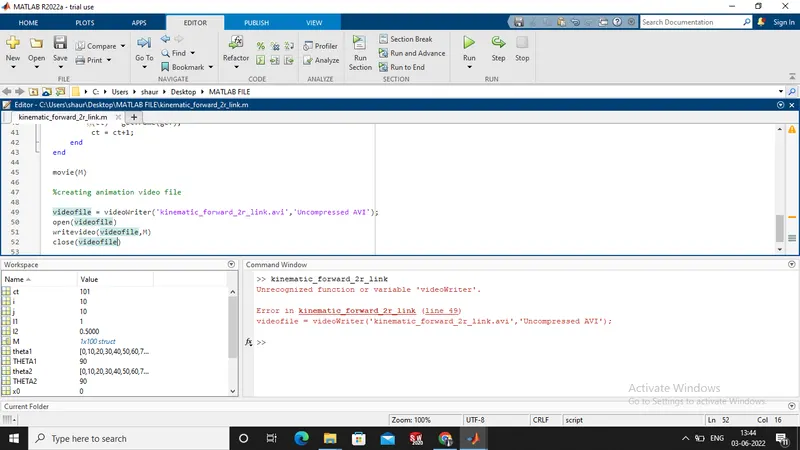
- Error are shows when create animation file from type writevideo instead of WriteVideo.
Screen shot of error :-
you tube link are given below :-