Week 2- 2R Robotic Arm Challenge
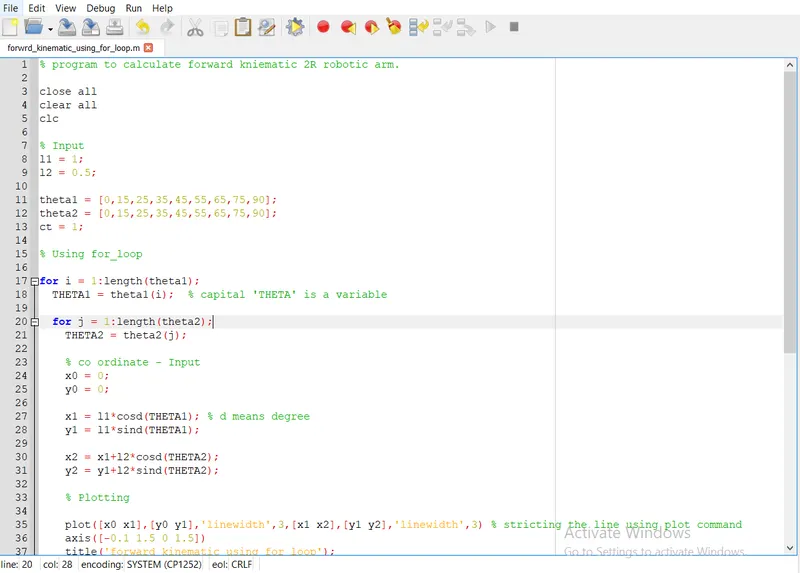
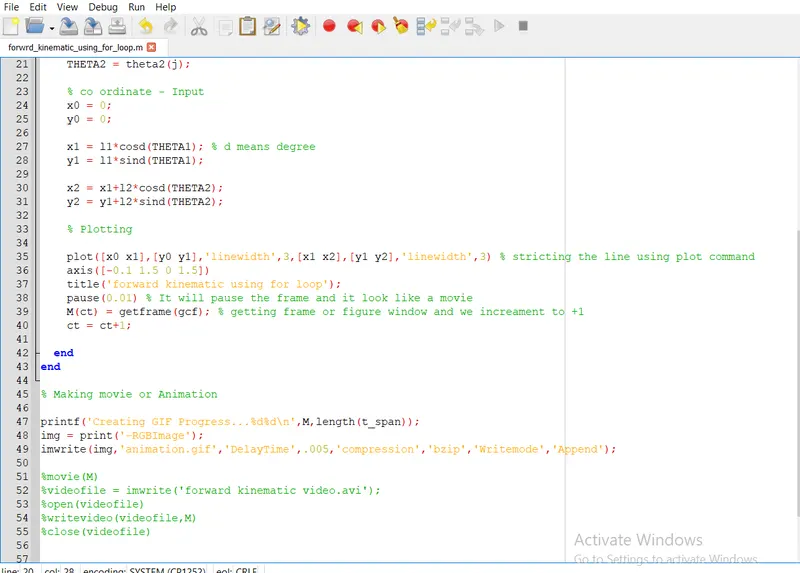
Write a program in Matlab to simulate the forward kinematics of a 2R Robotic Arm :
Hereby I have attached the code so Refer above snap.
Step by Step Explanation :
1) Clear all & Close all & clc :- These are very initial code. It will close all previous result or error. Inorder to avoid error we are using it.
2) Input - l1=1; l2=0.5; it means we are asgining the valve to variable like 'l1','l2'
3) theta1 , theta2 & ct are also similary to above point number 2.
4) For loop:- its means set of number we want to execute we have to use for loop command.
For example:
for i = 1:length(theta1);
THETA1 = theta1(i); % capital 'THETA' is a variablePLotting
for j = 1:length(theta2);
THETA2 = theta2(j);
Basicaly for loop start with 'for' and end with 'end'. As per above for loop command. i = 1:Length(theta1) which means 1 to length of number we are asgining to variable i. In otherword we are having set of number like more than 100 number we need to go for ' loop' command. so that it will execute each and every time , it will store into variable. And it will jump to next line.
THETA1=theta1(i); which means already set of numbers we are stored that number it will execute with theta1 and asigned to capital THETA1. Captial THETA 1 is a variable.
5) Co ordinate Input :- x=0 & y=0 it also simialry to point number 2
6) x1 = l1*cosd(THETA1); % d means degree
y1 = l1*sind(THETA1);
# it also similary to point number 2. If you have noticed that we are using 'cosd' it means we want the degree. Or else matlab will calculate as a radian. In order to avoid that we are using degree.
7) Plotting :- plot([x0 x1],[y0 y1],'linewidth',3,[x1 x2],[y1 y2],'linewidth',3)
# it means plotting two line with single command. Matlab will automatically assign the different color of both the line.
# linewidth means line will be thinner like 3.
8) axis([-0.1 1.5 0 1.5]) we are assigning the axis to plot.
9) title('forward kinematic using for loop'); In figure window we will the graph.While seeing the graph title also appear in window.
10) pause(0.01) its means it will pause the line plot and will show in single plot figure window.
11) M(ct) = getframe(gcf) 'getframe' is a command. And (gcf) means getting figure window (result).
ct = ct+1;
# its means getting frame or figure window and we increament into +1
12) Movie(M) is a command to make a annimated plot.
13) videofile = imwrite('forward kinematic video.avi') its means imwrite is a command. write a movie and stored into videofile. And file formate will be avi.
14) open(videofile)
writevideo(videofile,M)
close(videofile)
# its means open video file and then write the file and close the file.
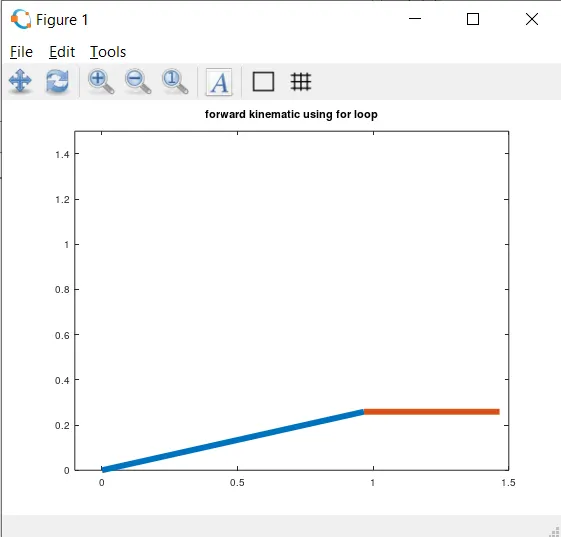
15) Bellow snap shot is the one of the frame result.
Error which I have faced and step has taken:
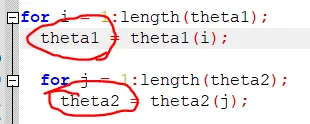
1) Capital THETA1 is a variable. But i have assign into small letter theta. If ou see line number 17 we have both the capital & small letter theta. Refer bellow snap shot. In command window THETA is undefined.
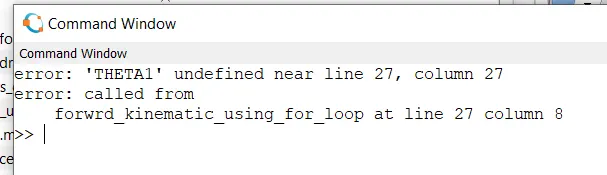
2) In line number 35 iam using plot command. But periously i have used line command both are simlary we are using plot command because its more efficient while compare to line command.
3) In line number 38 pause command we are using. if not we will not get the desire result. it will come single frame line window result. I have attached the error message for your refference.
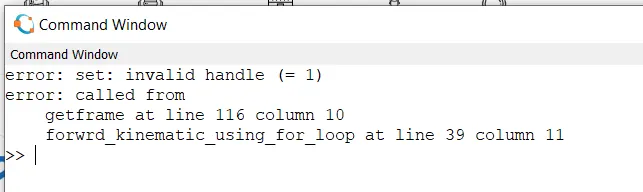
4) In Line number 51 we have using movie(M) command. But I made a mistake of 'movie(m)' small letter m i have used.
5) In line number 27 'cosd' I forgot add 'd'. Matlab will assign the valve as a radian. In order to avoid that use cosd.