Week 2- 2R Robotic Arm Challenge using MATLAB.
AIM:
Write a program in MATLAB to simulate the forward kinematics of the 2R Robotic Arm.
CONCEPT:
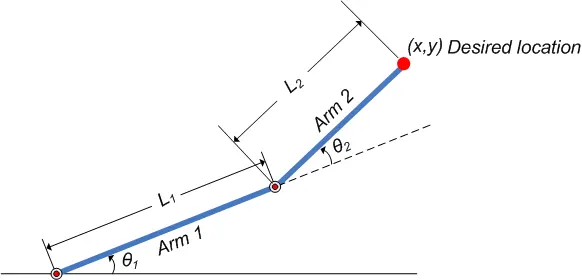
A robot arm is a known, manipulator. It is composed of a set of joints separated in space by
the arm links. The joints are where the motion in the arm occurs. In basic, a robot arm
consists of the parts: base, joints, links, and a grapper. The base is the basic part over the
arm, It may be fixed or active. The joint is flexible and joins two separated links. The link
is fixed and supports the grapper. The last part is a grapper. The grapper is used to hold and move the objects. The figure shows these parts.
PROCEDURE:
% A MATLAB Program for Forward Kinematic of a 2R robotic arm manipulator

clear all
close all
clc

%INPUTS

l1 = 1.1;
l2 = 0.6;

theta1 = linspace(0,90,10);
theta2 = linspace(0,90,10);
ct=1;
for i = 1:length(theta1)
    THETA1 = theta1(i);
    for j = 1:length(theta2)
        THETA2 = theta2(j);
        x0 = 0;
        y0 = 0;

        x1 = l1*cosd(THETA1);
        y1 = l1*sind(THETA1);

        x2 = x1 + l2*cosd(THETA2);
        y2 = y1 + l2*sind(THETA2);

        %Plotting


        plot([x0 x1],[y0 y1],[x1 x2],[y1 y2],'linewidth',3)
        title('ROBOTIC ARM MANIPULATOR')
        legend('LINK','LINK2')
        axis([-0.1 2 0 1.5])
        pause(0.05)
        M(ct) = getframe(gcf);
        ct=ct+1;
      end
end
movie(M)
videofile = VideoWriter('forward_kinematics.avi','Uncompressed AVI');
open(videofile)
writeVideo(videofile,M)
close(videofile)
CODE EXPLANATION:
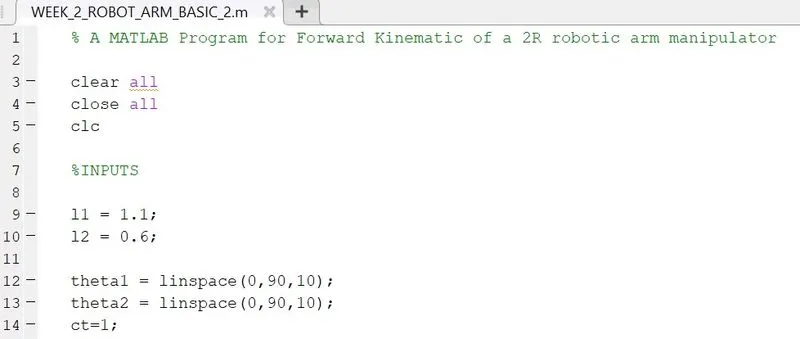
Line 1,7 - Using the Percent command add comments in code.
clear all - To clear all the variables from the current workspace.
clc - Clear all the texts from the command window.
close all - Close all figures whose handles are visible.
Line 09 to 14 - Defining the user-defined inputs.
l1 & l2 - Length of Link 1 and length of Link 2.
linspace - The linspace function generates linearly spaced vectors.
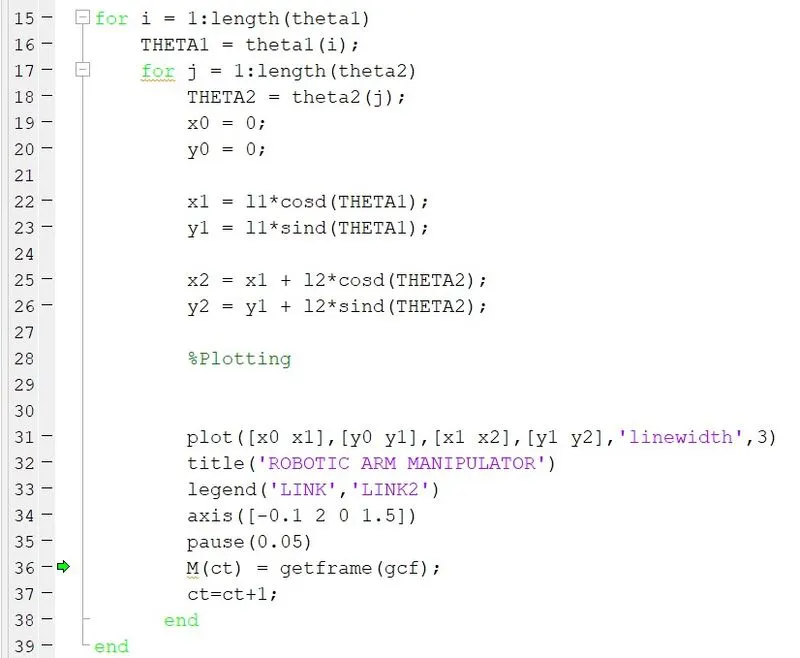
Line 15 to 39 - using For Loop. (Start to end)
Line 16 to 18 - Assign theta(1,2) values.
Line 19 to 20 - Assign values x0 and y0 as 0. (Fixed at Base)
Line 22 to 26 - Calculate values of x1, x2, y1and y2.
Line 31 to 34 - Plotting Graph using values calculated before and giving axis values to the plot.
Line 35 to 36 - The pause command was used to stop Matlab code temporarily(0.05s), M command was given to capture the frames every time the FOR Loop runs.
Line 37 to 39 - The counter variable is added with +1 increment to help increment the frames every time the FOR Loop runs, Loop end here.
plot - This command is used to Plot Graph.
Linewidth - The line width command is given to the width of the line which is going to be plotted on a graph.
title - For giving title to the graph.
legend - It is used for indication of the line.
axis - For assigning axis to the plot.
pause - Command stops MATLAB execution temporarily.
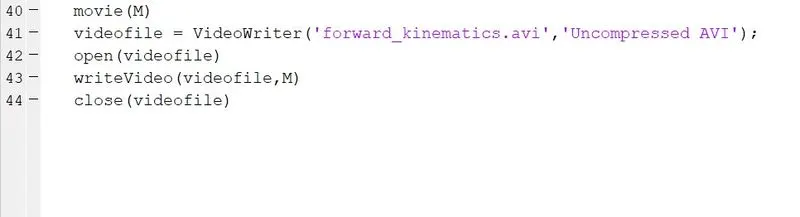
movie - Command used to make a movie.
videofile - main video file stores here.
close - Close command closes the file in the end.
.avi - Extension in which the video file gets saved.
VIDEO LINK:
https://drive.google.com/file/d/16M7r3ZyHvWcfCzuoeg2qt2k7oE9Dk1X_/view?usp=sharing
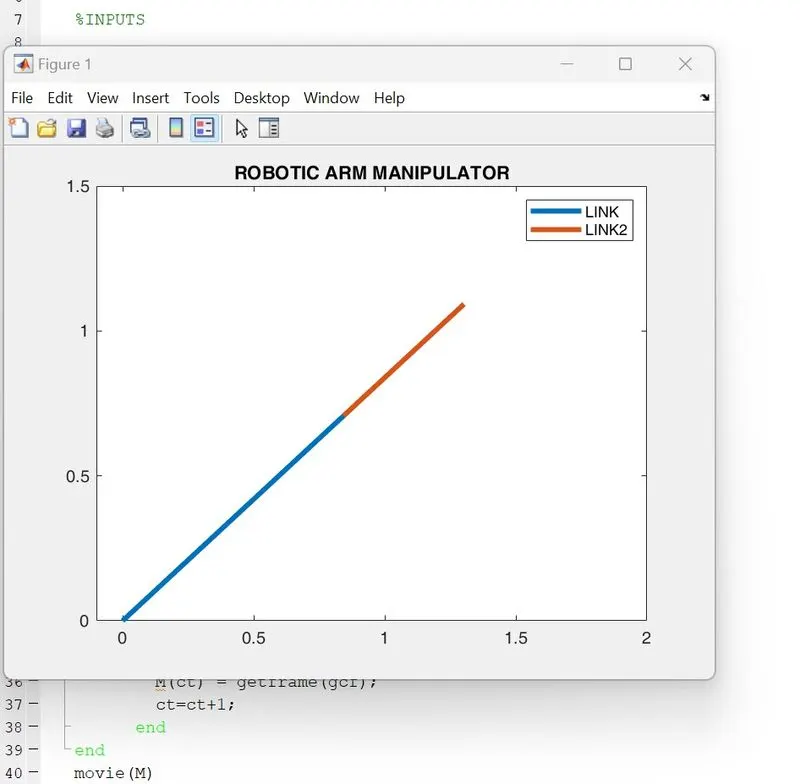
RESULTS:
ERRORS WHILE PROGRAMMING:
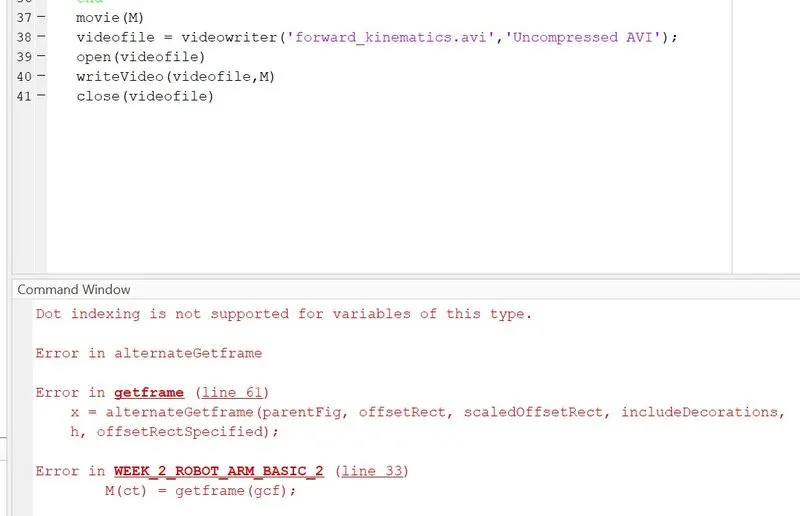
Made Typing Error in code - 1. In M counter line. (Line 33)
2. forgot to capitalize VideoWriter.(Line 38)