Week 2- 2R Robotic Arm Challenge
Aim : To simulate the forward kinematics of a 2R robotic arm by using MATLAB.
Theory : Robotic arms are like a human arms and we can rotate these arms by providing a joints to the arms. Arms are also called as links and we can use as many as links we want by using joints.
But we are using only only 2 links in this project, and these links can be rotated at any degrees by giving 'theta' values.
Code explanation :
- we start the program by using clear all, close all, clc commands.
- we use the inputs as links lengths as l1=1 and l2=0.5 or we can use different lengths according to our work.
- we give theta1 and theta2 as angle values.
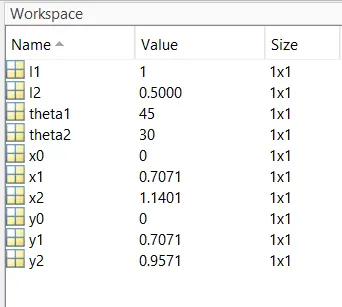
- we use the co-ordinates as x0 y0 as 0 because it is a fixed position.
- x1 is equal to l1*cosd(theta1) and y is equal to l1*sind(theta1).
- x2 is equal to x1+l2*cosd(theta2) and y2 is equal to y1+l2*sind(theta2).
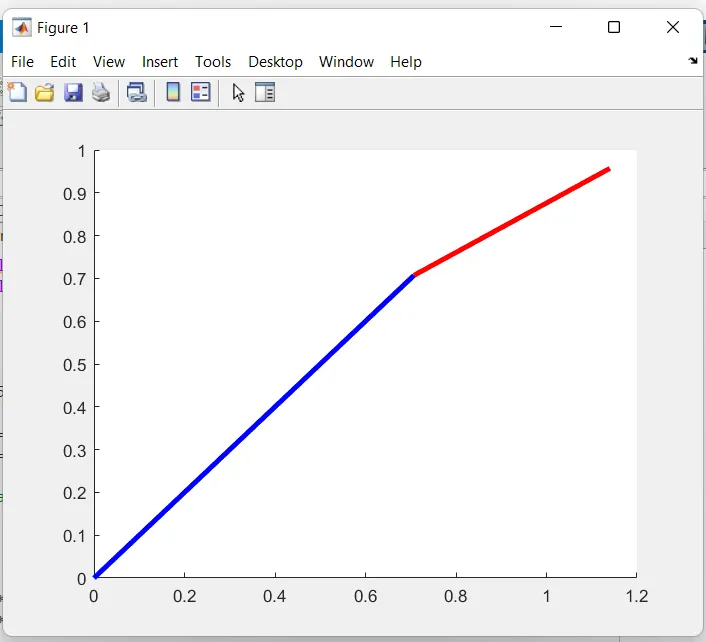
- after completion of program we plot the graph
Code 1:
% forward kinematics of a 2d robotic arm manipulator

clear all
close all
clc

%inputs
l1 = 1;
l2 = 0.5;

theta1 = 45;
theta2 = 30;

%cordinates

x0 = 0;
y0 = 0;

x1 = l1*cosd(theta1);
y1 = l1*sind(theta1);

x2 = x1 + l2*cosd(theta2);
y2 = y1 + l2*sind(theta2);

%plotting

line([x0 x1],[y0 y1],'linewidth',3,'color','b')
line([x1 x2],[y1 y2],'linewidth',3,'color','r')
Result :
Plot :
Errors :
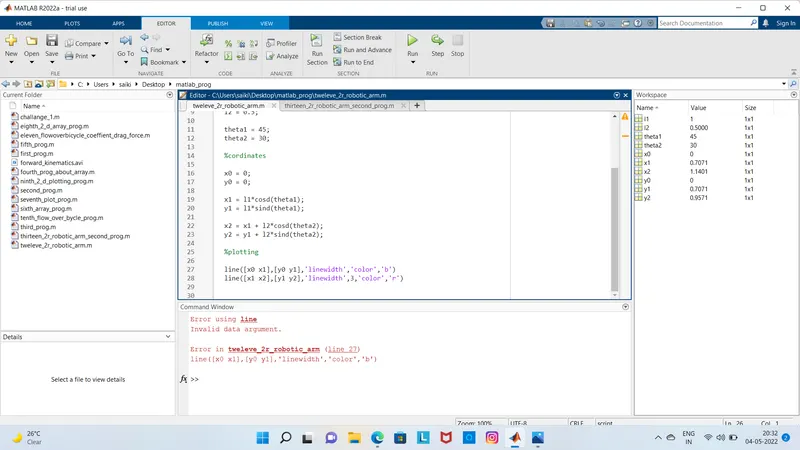
- The error can be elimated by by giving the value of linewidth value as 3 in the (line 27)
Next program is about to get robotic arm video or animation :
Code explanation :
- we write the program by using cler all, close all, clc commands.
- we use the inputs as links as l1 = 1 and l2 = 0.5 or we can use different lengths according to our work.
- we give theta1 and theta2 values and we use linspace command for both the theta values from (0 to 90 degrees).
- we use the co-ordinates as x0 y0 as 0 because it is a fixed position.
- x1 is equal to l1*cosd(THETA1) and y1 is equal to l1*sind(THETA1).
- x2 is equal to x1+l2*cosd(THETA2) and y2 is equal to y1+l2*sind(THETA2).
- we use plot command to plot the graph.
- movie(M) command is to make the plot as video.
- we write command as videofile=videowriter('saved file name','uncompressed AVI')
- open(videofile) is to open the video file which we had saved.
- and finally we close the video file.
code 2:
clear all
close all
clc

%inputs
l1 = 1;
l2 = 0.5;
theta1 = linspace(0,90,10);
theta2 = linspace(0,90,10);

ct=1
for i = 1:length(theta1)
    THETA1 = theta1(i);
    for j = 1:length(theta2)
        THETA2 = theta2(j);
        x0 = 0;
        y0 = 0;

        x1 = l1*cosd(THETA1);
        y1 = l1*sind(THETA1);

        x2 = x1 + l2*cosd(THETA2);
        y2 = y1 + l2*sind(THETA2);

        %plotting

        plot([x0 x1],[y0 y1],[x1 x2],[y1 y2],'linewidth',3)
        axis([-0.1 1.5 0 1.5])
        pause(0.03)
        M(ct) = getframe(gcf);
        ct = ct+1;
  end
end

movie(M)
videofile = VideoWriter('forward_kinematics.avi','Uncompressed AVI');
open(videofile)
writeVideo(videofile,M);
close(videofile)
Animation Video :
Result:
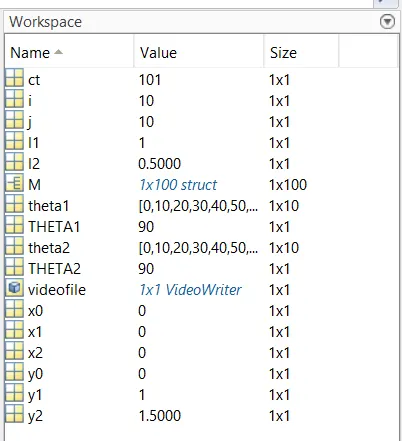
Errors :
1.
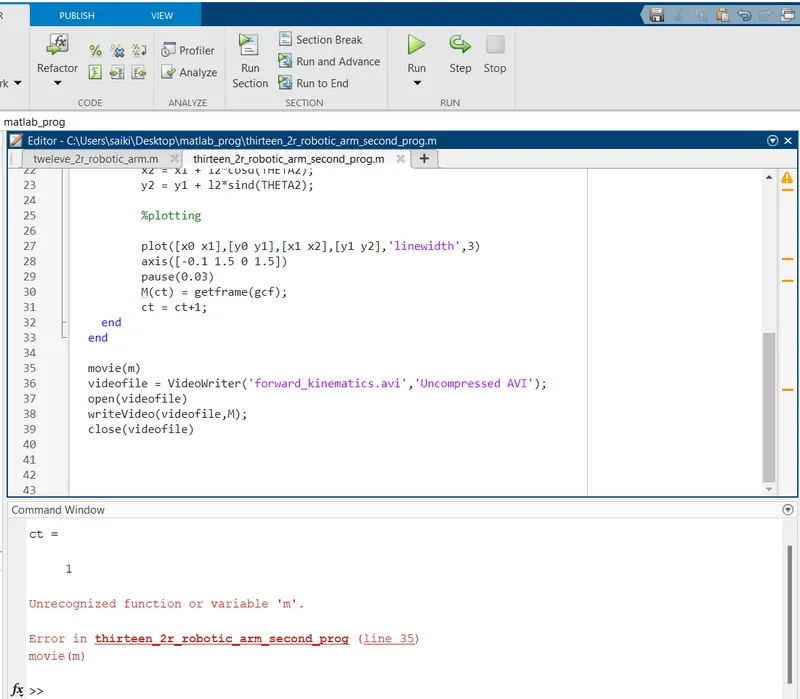
Solution: The error can be eliminated by replacing the value of 'm' with capital 'M' in the line 35.
2.
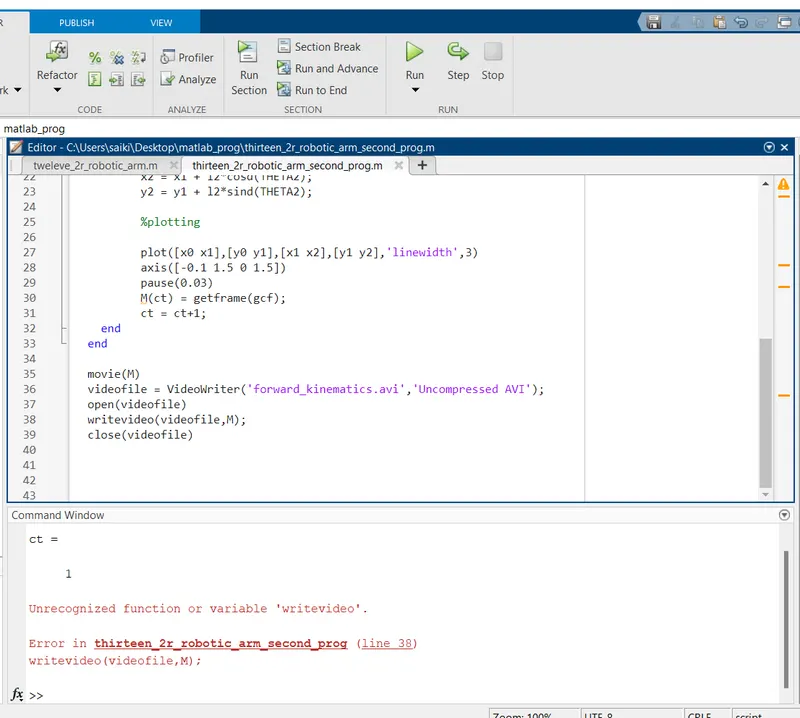
Solution: The error can be solved by replacing the the value with "writeVideo" in the line38.