Week 2- 2R Robotic Arm Challenge
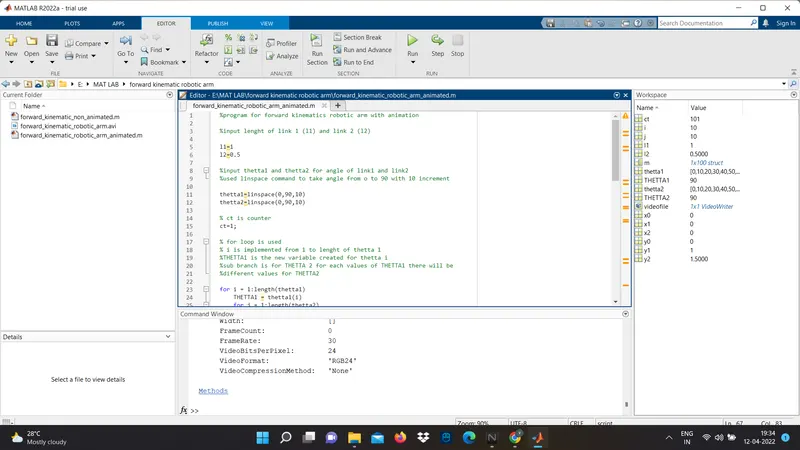
%program for forward kinematics robotic arm with animation
%input lenght of link 1 (l1) and link 2 (l2)
l1=1
l2=0.5
%input thetta1 and thetta2 for angle of link1 and link2
%used linspace command to take angle from o to 90 with 10 increment
thetta1=linspace(0,90,10)
thetta2=linspace(0,90,10)
% ct is counter
ct=1;
% for loop is used
% i is implemented from 1 to lenght of thetta 1
%THETTA1 is the new variable created for thetta i
%sub branch is for THETTA 2 for each values of THETTA1 there will be
%different values for THETTA2
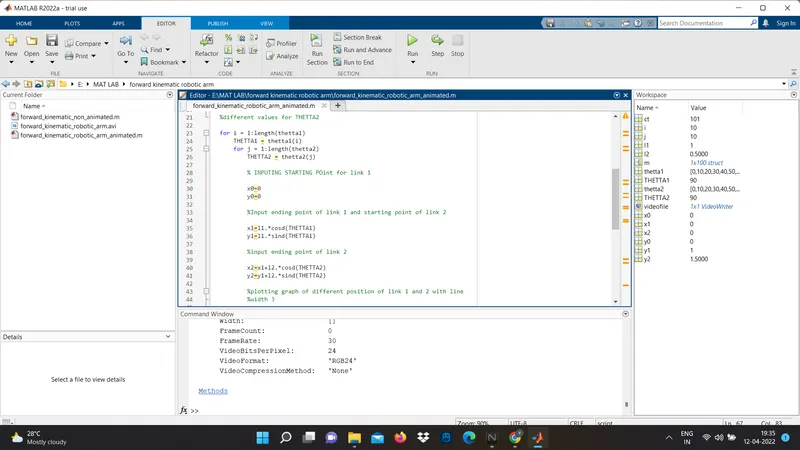
for i = 1:length(thetta1)
THETTA1 = thetta1(i)
for j = 1:length(thetta2)
THETTA2 = thetta2(j)
% INPUTING STARTING POint for link 1
x0=0
y0=0
%Input ending point of link 1 and starting point of link 2
x1=l1.*cosd(THETTA1)
y1=l1.*sind(THETTA1)
%input ending point of link 2
x2=x1+l2.*cosd(THETTA2)
y2=y1+l2.*sind(THETTA2)
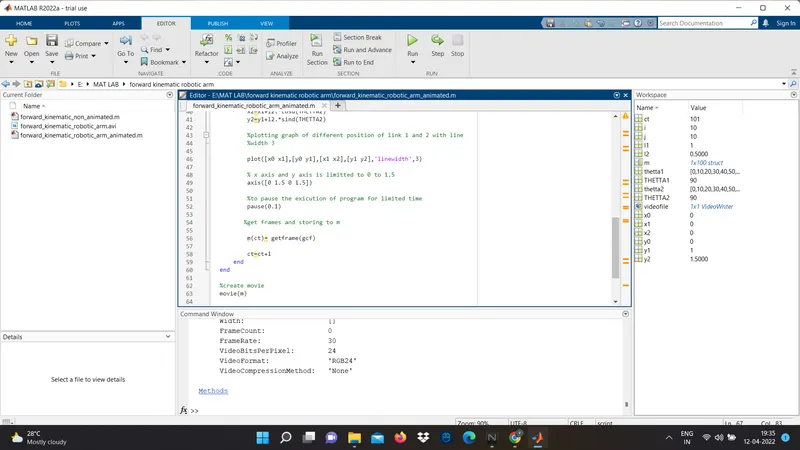
%plot command is used for plotting graph of different position of link 1 and 2 with line
% linewidth command is used for width of line which is 3
plot([x0 x1],[y0 y1],[x1 x2],[y1 y2],'linewidth',3)
% x axis and y axis is limitted to 0 to 1.5
axis([0 1.5 0 1.5])
%pause command is used to pause the exicution of program for limited time
pause(0.1)
%get frames and storing to m
m(ct)= getframe(gcf)
ct=ct+1
end
end
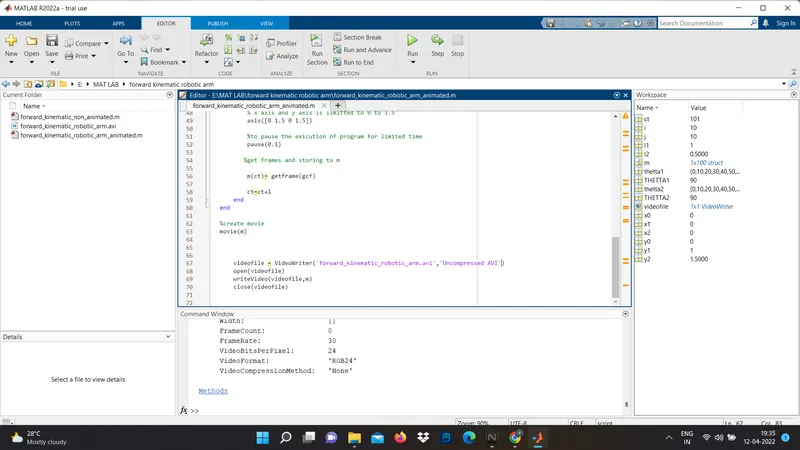
%create movie
movie(m)
% creating file name and profile
videofile = VideoWriter('forward_kinematic_robotic_arm.avi','Uncompressed AVI')
open(videofile)
writeVideo(videofile,m)
close(videofile)