Week 2- 2R Robotic Arm Challenge
AIM:
Write a program in Matlab to simulate the forward kinematics of a 2R Robotic Arm.
OBJECTIVE:
- Write a program in Matlab to simulate the forward kinematics of a 2R Robotic Arm.
- Plot the path of the movement of the robotic arm.
- Animate the plots obtained for the movement of the robotic arm.
THEORY:
A 2R robot is a mechanical arm that consists of two linkages and a manipulator connected by joints, by controlling the position of joints it's possible to manipulate the robotic arm to do useful work.
in order to control the motion of the manipulator, it is necessary to define its position using the two basic elements, joints, and links.
Each joint has one degree of freedom and may involve either linear or rotational movement between the adjacent links and the links are assumed to be rigid structures that connect the joints.
By assuming a link of length L1 hinged on the X-axis(base) at point(0,0) & makes an angle θ1 with the x-axis and a link of length L2 hinged to the link L1 making an angle θ2 with the x-axis.
then coordinate (x1,y1) and (x2,y2) can be calculated
- x1=L1cos(θ1).
- y1=L2sin(θ1).
- x2=x1+L2cos(θ2).
- y2=y1+L2sin(θ2).
Therefore with known values of L1 and L2, substituting varying values for θ1 and θ2 we can obtain values of (x1,y1) and (x2,y2) and plot a line L1 with coordinates (x0,y0) and (x1,y1), plot a line L2 with coordinates (x1,y1) and (x2,y2) and simulate a motion for a robotic arm.
CALCULATIONS:
Let
- L1-1m.
- L2-0.5m.
- θ1=45.
- θ2=30.
- (x0,y0)=(0,0).
then
x1=L1cos(θ1)
=1*cos(45)
=0.7071
y1=L2sin(θ1)
=1*sin(45)
=0.7071
x2=x1+L2cos(θ2)
=0.7071 +0.5*cos(30)
=1.1401
y2=y1+L2sin(θ2)
=0.7071+0.5*sin(30)
=0.9571
Hence coordinates for (x1,y1) and (x2,y2) are obtained as (0.7071,0.7071) and (1.1401,0.9571) respectively .
CODE:
%forward kinematics of a 2R robotics arm
clear all
close all
clc

%inputs
l1=1;                                                                %length of arm 1
l2=.5;                                                               %length of arm 2
t1=linspace(1,90,10);                                                %angle of arm 1 W.R.T the ground
t2=linspace(1,90,30);                                                %angle of arm 2 W.R.T the ground
n=1;

%calculation
for i=1:length(t1)
    T1=t1(i);
    for j=1:length(t2)
        T2=t2(j);
        x0=0;                                                        % x co-ordinate of joint of arm 1
        y0=0;                                                        % y co-ordinate of joint of arm 1
        x1=l1*cosd(T1);                                              % x co-ordinate of joint of arm 2
        y1=l1*sind(T1);                                              % y co-ordinate of joint of arm 2
        x2= x1+l2*cosd(T2);                                          % x co-ordinate of manipulator
        y2= y1+l2*sind(T2);                                          % y co-ordinate of manipulator
        plot([x0 x1],[y0 y1],[x1 x2],[y1 y2],'LineWidth',2);
        axis([-.5 2 0 2]);
        pause(0.03);
        M(n)=getframe(gcf);
        n=n+1;
    end
end

%video creation
movie(M);
Videofile=VideoWriter('forward_kinematics.avi','uncompressed AVI');  %creates videofile
open(Videofile);                                                     %opens file
writeVideo(Videofile,M);                                             %writes captured frames to file
close(Videofile);                                                    %closes file
OUTPUT SAMPLE:
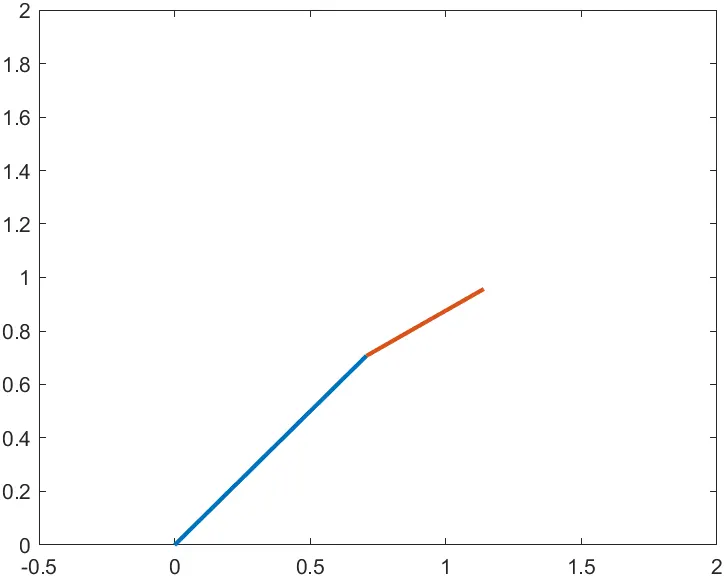
the above graph shows the output when
l1=1m
l2=.5m
t1=45
t2=30
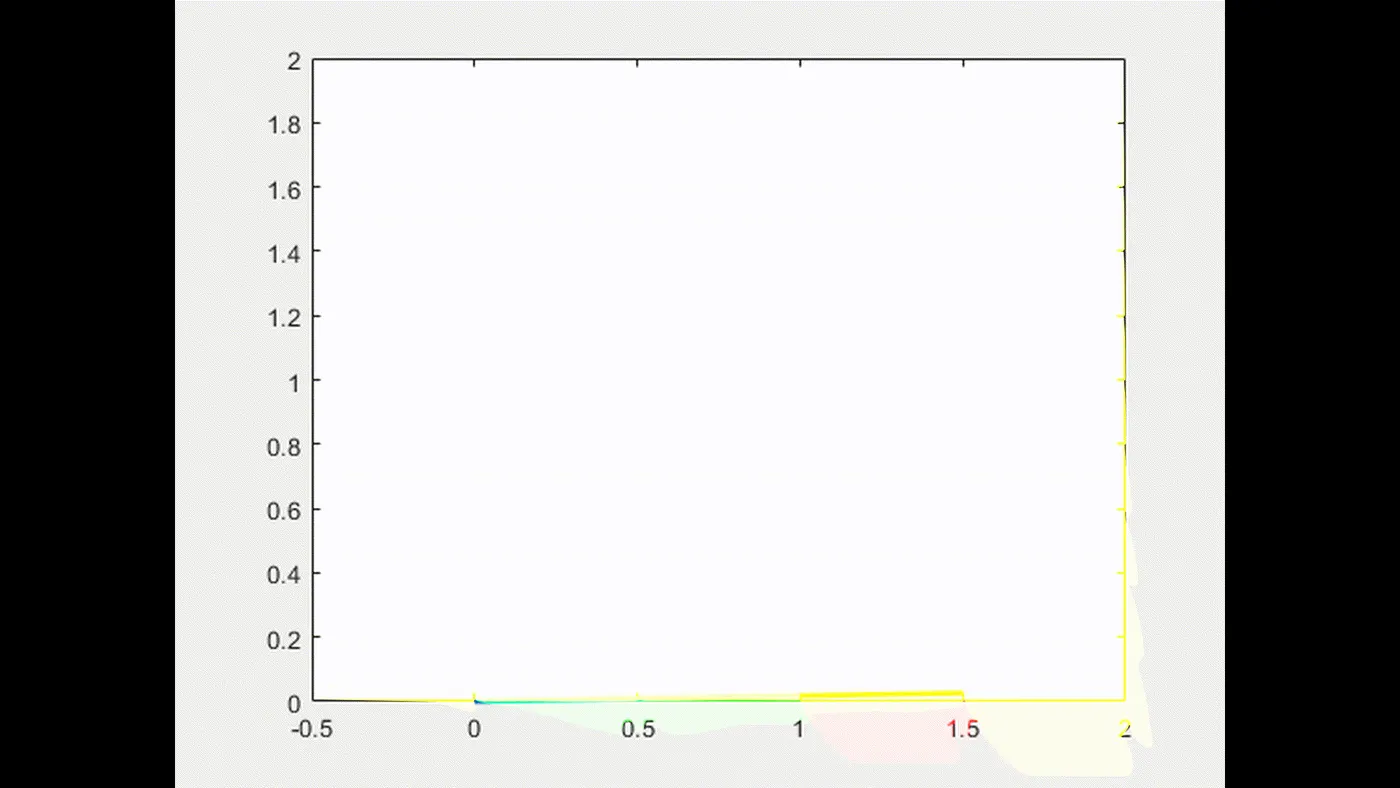
output video:
EXPLANATION:
At first, we need to initialize the variables for which we have assumed them to be as known values.
the input values are:-
l1=1; - as length of arm L1 in meters.
l2=.5; - as length of arm L2 in meters.
t1=linspace(1,90,10); - an array used to store values of the angle of arm L1 with respect to the ground,
linspace is used so that the angle(t1) varies from 1 to 90 and is divided into 10 separate values.
t2=linspace(1,90,30); - an array used to store values of the angle of arm L2 with respect to the ground,
linspace is used so that the angle(t1) varies from 1 to 90 and is divided into 30 separate values.
n=1; - a counter used along with an array to store captured frames of the plot to generate an animation.
As there are multiple values for the angle t1 and t2 a for loop is used to calculate the values of (x1,y1) and (x2,y2) coordinates for multiple instances and in order to make an animation getframe() function is used to capture each plot as a frame.
CODE for "for loop" along with "getframe()":-
for i=1:length(t1)
T1=t1(I);
for j=1:length(t2)
T2=t2(j);
x0=0; x co-ordinate of joint of arm 1
y0=0; % y co-ordinate of joint of arm 1
x1=l1*cosd(T1); x co-ordinate of joint of arm 2
y1=l1*sind(T1); y co-ordinate of joint of arm 2
x2= x1+l2*cosd(T2); x co-ordinate of manipulator
y2= y1+l2*sind(T2); y co-ordinate of manipulator
plot([x0 x1],[y0 y1],[x1 x2],[y1 y2],'LineWidth',2);
axis([-.5 2 0 2]);
pause(0.03);
M(n)=getframe(gcf);
n=n+1;
end
end
In order to create an animation of the graphs being plotted MATLAB function movie() is used, by capturing each plot as a frame and stored into a variable 'M' and combined to make an animation of the plots.
CODE for video creation:-
movie(M);
Videofile=VideoWriter('forward_kinematics.avi','uncompressed AVI'); %creates videofile
open(Videofile); %opens file
writeVideo(Videofile,M); %writes captured frames to file
close(Videofile); %closes file
ERRORS AND ISSUES FACED:
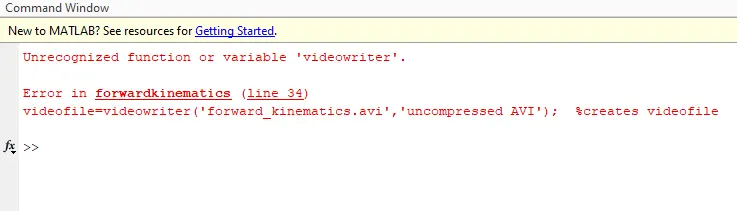
- function to create video file requires 'v' & 'w' in uppercase.
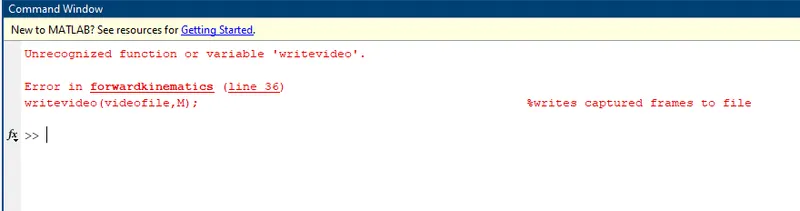
- function to write video file requires 'v' in uppercase.
RESULT:
Thus the forward kinematics of a 2R robot is simulated using MATLAB and the commands are explained using examples and a graph showing arm movement is plotted.