Week 2- 2R Robotic Arm Challenge
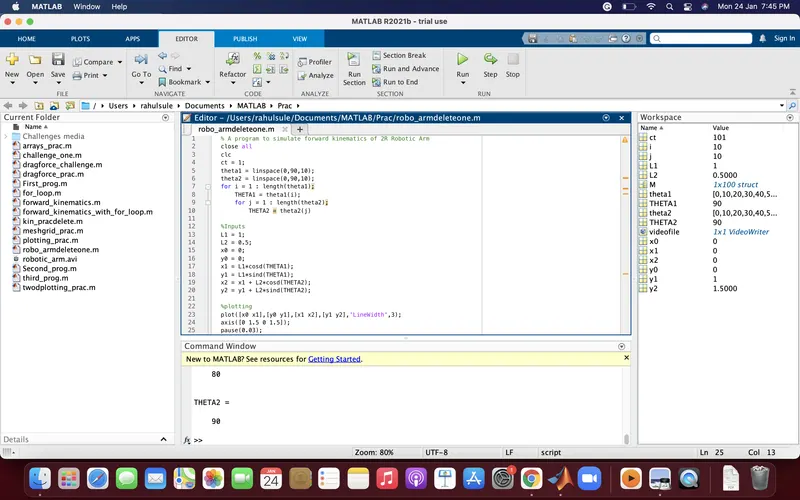
% A program to simulate forward kinematics of 2R Robotic Arm
close all
clc
ct = 1;
theta1 = linspace(0,90,10);
theta2 = linspace(0,90,10);
for i = 1 : length(theta1);
    THETA1 = theta1(i);
    for j = 1 : length(theta2);
        THETA2 = theta2(j)

%Inputs
L1 = 1;
L2 = 0.5;
x0 = 0;
y0 = 0;
x1 = L1*cosd(THETA1);
y1 = L1*sind(THETA1);
x2 = x1 + L2*cosd(THETA2);
y2 = y1 + L2*sind(THETA2);

%plotting
plot([x0 x1],[y0 y1],[x1 x2],[y1 y2],'LineWidth',3);
axis([0 1.5 0 1.5]);
pause(0.03);
M(ct) = getframe(gcf);
ct = ct+1;
    end
end
movie(M)
videofile = VideoWriter('robotic_arm.avi','Uncompressed AVI');
open(videofile);
writeVideo(videofile,M);
close(videofile);
GOAL - TO CREATE AN GRAPHICAL ANIMATION OF 2R ROBOTIC ARM
EXPLANATION & REPORT -
ct = counter (number of frames )
linspace(0,90,10) - 10 values of theta1 with linear spacing
i = 1:length(theta1) - i is equal to 1 is to length of theta1 i.e 10 (1 : 10)
L1 - length of the first arm which is attached to pivot whose x and y coordinates are (x0y0) (x1y1)
L2 - length of the second arm which is attached to the endpoint of the L1 and x and y coordinates are (x1y1) (x2y2)
THETA1 - angle made by L1 w.r.t x-axis
THETA2 - angle made by L2 w.r.t x-axis of the endpoint of L1
x1 y1 x2 y2 are captured with the help of trigonometric equations
plot - plotting x and y values of link one and to with the help of plot command
LineWidth - it manages the width of the lines which are shown in the figure window graph
axis - it is used to mention extreme left-right and extreme upper and lower values of x and y-axis
pause - Intervals execution of animation for mentioned seconds before continuing
M(ct) - movie of the counter where ct represent all frames that are save in an array called M
getframe(gcf) - get current figure
end - end command terminates loop which is used in the program
movie(M) - play movie frames
VideoFile - creates video file of all frames
'robotic_arm.avi' - name of the video file which is created and in uncompressed AVI format. If we do not mention 'UNCOMPRESSED AVI' then the file will be created of smaller size.
WriteVideo(VideoFile,M) - after the opening of videofile we can write frames that we already captured
ERRORS -
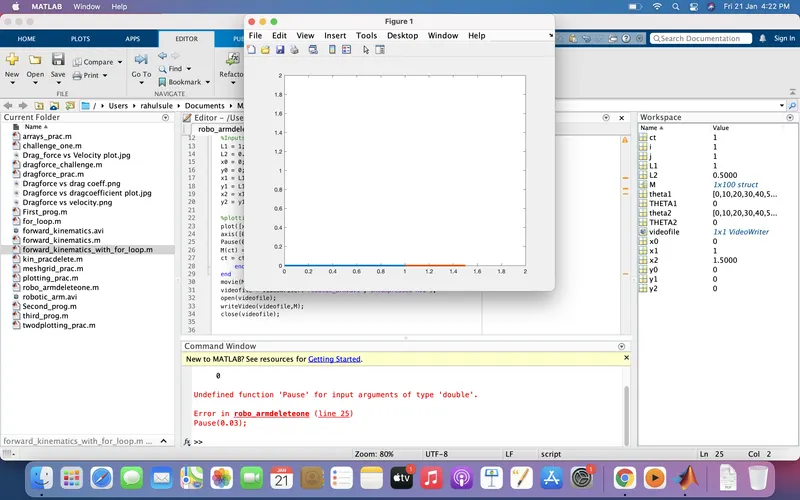
1) error in pause command bi mistakenly used capital P instead of using small
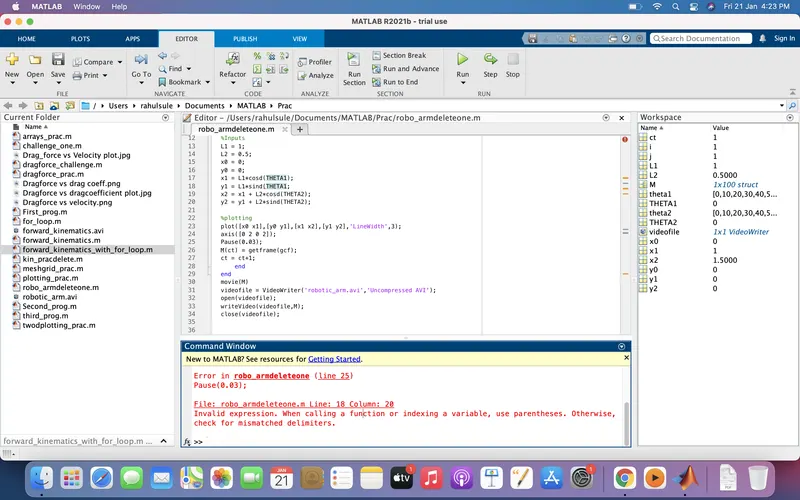
2) forgot to close the bracket in line 18 - by closing bracket error solved
SCREENSHOT OF OUTPUT -