Week 2- 2R Robotic Arm Challenge
Aim : To simulate and animate of forward kinematic of 2R robotic arm movement using matlab
Objective : simulate and animate of forward kinematic of 2R robotic arm movement using matlab
Theory : we are going to use the basic arms of the robot to do that we are dealing with the linkage known as Forward kinematics of a 2R Robotic arm A robotic arm, sometimes referred to as an industrial robot, is often described as a 'mechanical' arm. It is a device that operates in a similar way to a human arm, with a number of joints that either move along an axis or can rotate in certain directions.
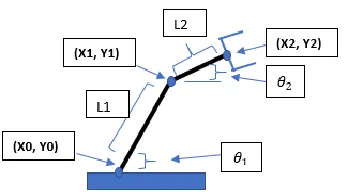
2r robotic arm
Equation used
- The coordinates at the base of the robotic arm.
x0= 0
y0= 0
- The coordinates at the point R of the robotic arm.
x1 = (links)*cos(`theta1`)
y1 = (links)*sin(`theta1`)
- The coordinates at the point R of the robotic arm.
x2= x1+l2*cos(`theta1`)
y2= y1+l2*sin(`theta1`)
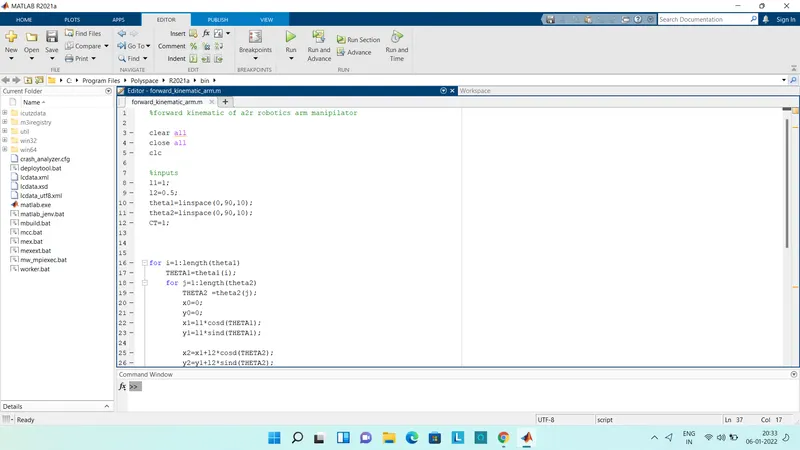
Code used in matlab
%forward kinematic of a 2r robotics arm manipilator
clear all
close all
clc
%inputs
l1=1;
l2=0.5;
theta1=linspace(0,90,10);
theta2=linspace(0,90,10);
CT=1;
for i=1:length(theta1)
THETA1=theta1(i);
for j=1:length(theta2)
THETA2 =theta2(j);
x0=0;
y0=0;
x1=l1*cosd(THETA1);
y1=l1*sind(THETA1);
x2=x1+l2*cosd(THETA2);
y2=y1+l2*sind(THETA2);
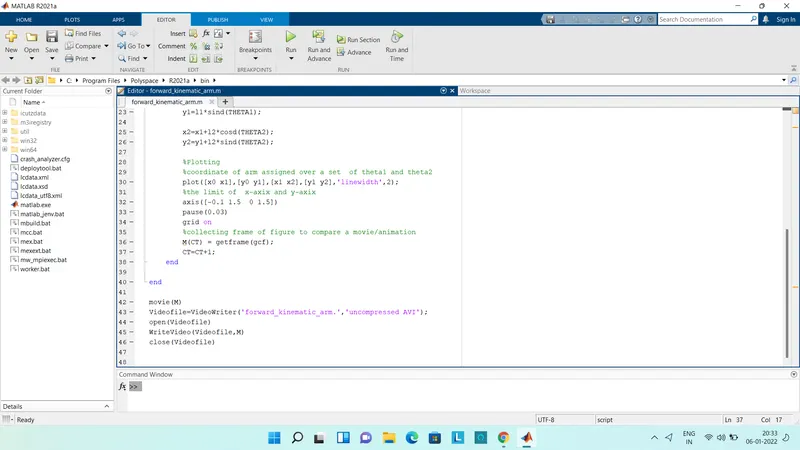
%Plotting
%coordinate of arm assigned over a set of theta1 and theta2
plot([x0 x1],[y0 y1],[x1 x2],[y1 y2],'linewidth',2);
%the limit of x-axix and y-axix
axis([-0.1 1.5 0 1.5])
pause(0.03)
grid on
%collecting frame of figure to compare a movie/animation
M(CT) = getframe(gcf);
CT=CT+1;
end
end
movie(M)
Videofile=VideoWriter('forward_kinematic_arm.','uncompressed AVI');
open(Videofile)
WriteVideo(Videofile,M)
close(Videofile)
Explanation of code
- as usual clear all ,close all,clc basic step used matlab.
- intially we need to specify the lenths(l1 and l2)
- we need to set value of theta1,theta2 assigned with linspace of 2
- defining the coodinates value to movement as mention above
- plotting all figure are assigned to m,one at a time need specify the ct value with respect to loop
- lastly we need to mention the movie command to all plotted into an animation video formate using the file AVI .
Result : the following animation of the 2r robotics arm movement
https://www.youtube.com/watch?v=2VMzCAdGvMohttps