Week 2- 2R Robotic Arm Challenge
Objective- To write a program in Matlab to simulate the forward kinematics of a 2R Robotic Arm
Report
1. Program to get the basic plot using singular values of thetas (test program)
% A program to plot a singular position of a robotic arm
clear all
clc
close all

% Adding the dimensions of the link
% Length of 2 links
link1= 1
link2= .75

% Angle of inclination of the links
theta1= 45
theta2= 30

% Coordinates of the links

% Starting coordinates of the link1
x0=0
y0=0

% Ending coordinates of link 1
% Starting coordinates of link 2
x1= link1*cosd(theta1)
y1= link1*sind(theta1)

% Ending coordinates of link 2
x2= x1+link2*cosd(theta2)
y2= y1+link2*sind(theta2)

% Plotting

% Plotting of link1
line([x0,x1],[y0,y1],'linewidth',2)

% Plotting of link2
line([x1,x2],[y1,y2],'linewidth',2,'color','r')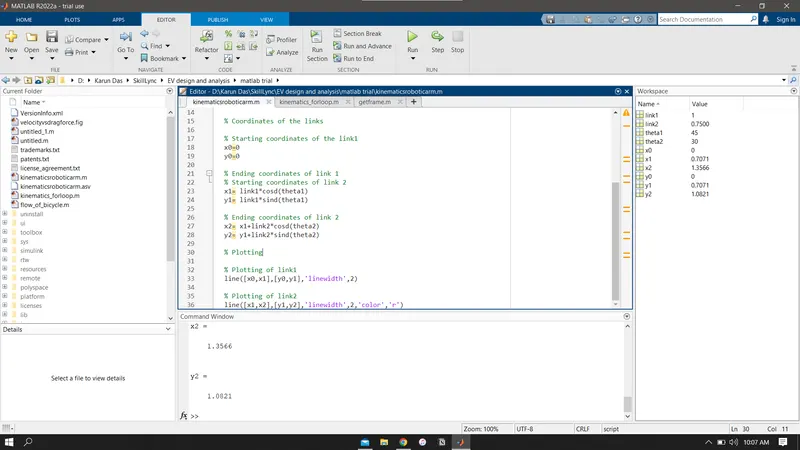
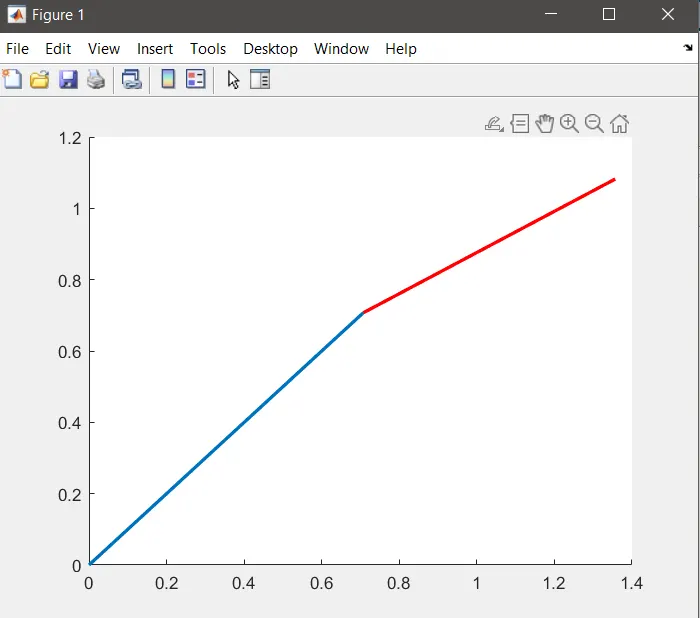
Stepwise explanation of the code
- We assume the length of Link 1 and Link 2 as 1 and .75
- We add singular values of theta for basic plotting
- In order to plot we add the starting and ending plots of the links
- starting points of link1 being (0,0)
- ending points of link 1 and starting points of link 2 being ( Length of link 1* cos(theta1), Length of link 1 *sin(theta 1))
- ending points of link 2 being ( L1cos(theta1)+L2cos(theta2),L1sin(theta2)+L2sin(theta2) )
- plotting the link1 with line width 2, and mentioning the starting and ending points
- plotting the link2 with line width 2 and color red, mentioning the starting and ending points
Errors obtained
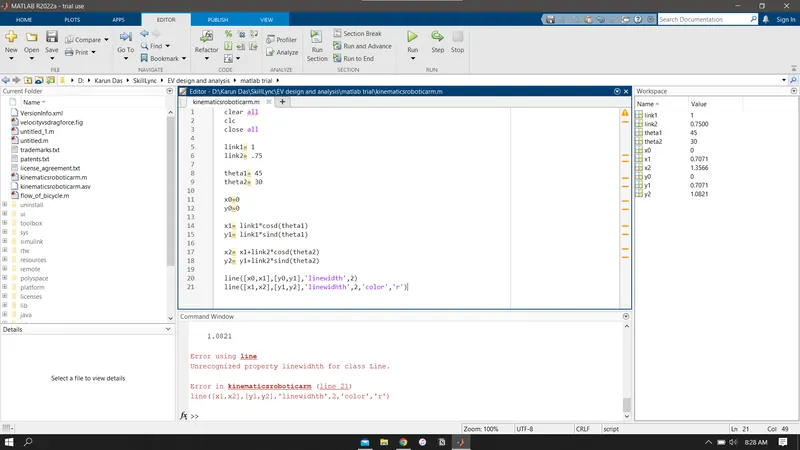
mispelled the keyword linewidth, so I renamed it with the correct spelling, the error got resolved
Simulation Program (continuation, with plot 1 as base)
To get a continious plot with various positions of the two links with varying theta values to get a movement simulation, we add for loop. That is, to get the simulation of the kinematics of the robotic arm( our objective), we start another program
Code :
% A program to simulate the forward kinematics of a 2R Robotic Arm
clear all
close all
clc

% Adding the dimensions of the link
% Length of 2 links
link1= 1;
link2= .75;

% Angle of inclination of the links- continous values
theta1= linspace(0,90,20);
theta2= linspace(0,90,20);

% Adding for loop
% Counter is added for the for loop
a=1;
% For loop is initiated
for i= 1:length(theta1)
    % varying values of theta 1 is added to THETA1
    THETA1=theta1(i);
    % link 2 for loop is embedded inside link 1 for loop
    for j=1:length(theta2)
        THETA2=theta2(j);
        % Coordinates of the links
        % Starting coordinates of the link1
        x0=0;
        y0=0

        % Ending coordinates of link 1
        % Starting coordinates of link 2
        x1= link1*cosd(THETA1);
        y1= link1*sind(THETA1);

        % Ending coordinates of link 2
        x2= x1+link2*cosd(THETA2);
        y2= y1+link2*sind(THETA2);

        % plotting the graph
        plot([x0 x1],[y0 y1],[x1 x2],[y1 y2],'linewidth',2)
        % axis to plot the graph
        axis([0 2 0 2])
        pause(0.03)
        % to the get the frames
        M(a) = getframe(gcf);
        % counter increment
        a=a+1;
    end
end
% commands for saving the movie file
movie(M)
videofile=VideoWriter('kinematicsrobot.avi','Uncompressed AVI');
open(videofile)
writeVideo(videofile,M)
close(videofile)
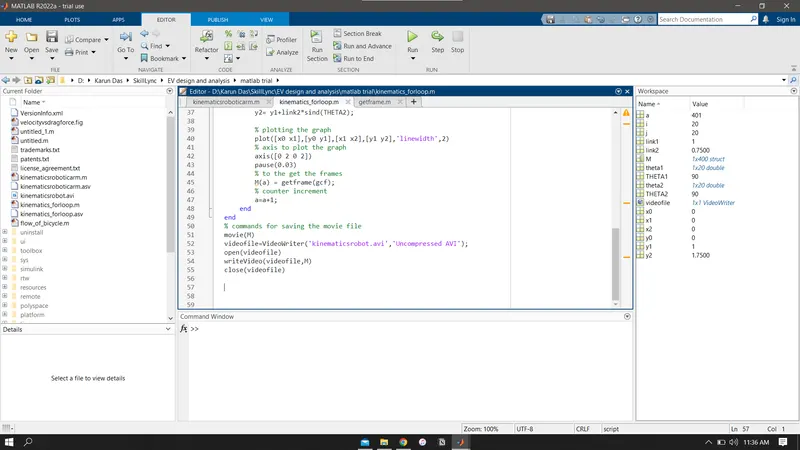
Errors generated during the compilation of the program
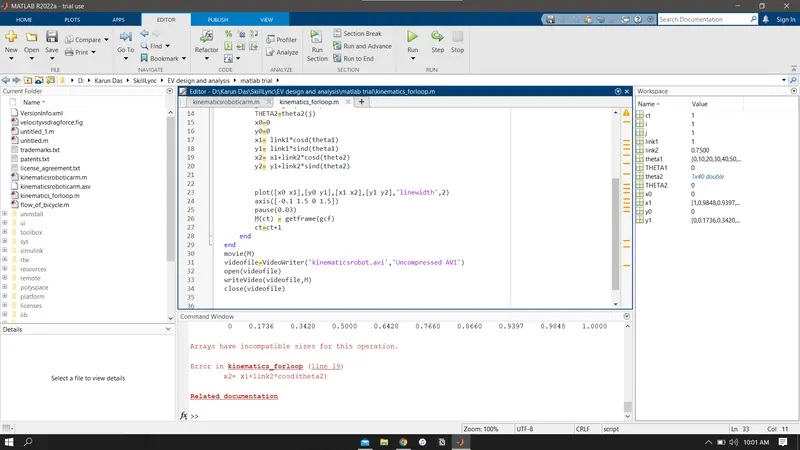
Error occured because I cancelled the plot file midway, and since the video file was being saved, it showed various error
how i resolved?
I waited till the whole simulation of done running.
Result
The resulting simulation file is added as a google drive file
https://drive.google.com/file/d/15OIwKOjaqxlRes7vwRgUe1fbYkPQz6Xi/view?usp=sharing