Week -2
Simulink model of Doorbell using solenoid block
Objective :
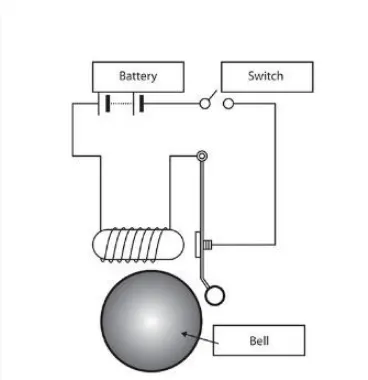
In the above arrangement, when the switch is closed the electromagnet receives electrical power from the battery and pulls the metal arm to hit the bell producing sound. From this scenario to create a situation where the switch is closed for 2 seconds and then released. And to observe the physical movement of the plunger.
Procedure :
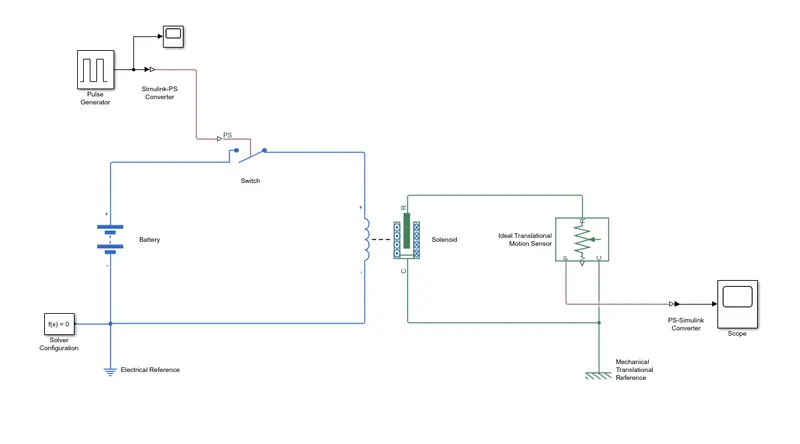
1. The solenoid block is connected across the battery through the switch. The battery provides the required voltage source to the circuit. The solenoid is a device which converts the electrical energy into a linear mechanical motion.
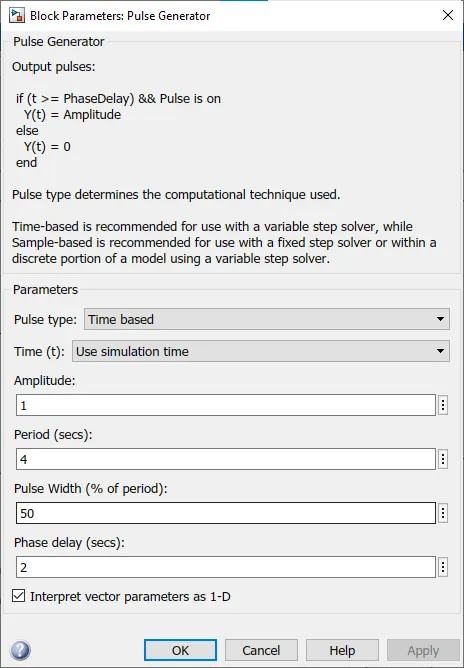
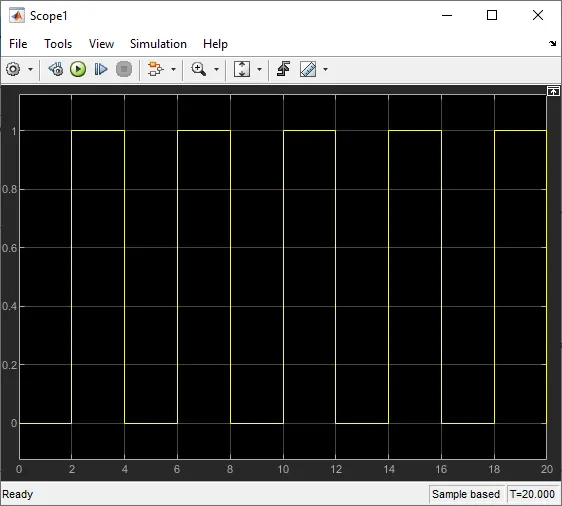
2. The physical signal to the switch is obtained from a pulse generator by adding a Simulink-PS convertor in between them. The pulse generated has the time period of 4 seconds with a pulse width of 50% of the period. The phase delay is given as 2 seconds.
Input :
3. The primary electrical circuit is connected to the electrical reference.
4. On the other side, To sense the movement of the core of the solenoid, an ideal force sensor is used.
5. The core end of the solenoid block is connected to the force sensor and the other end is connected to sensor reference through the translational reference.
6. The output from the force sensor is converted into using PS-Simulink convertor and the outputs are displayed on display and plotted in a scope.
7. In this simulation, the run time is given as 20 seconds.
Simulink model :
Output :
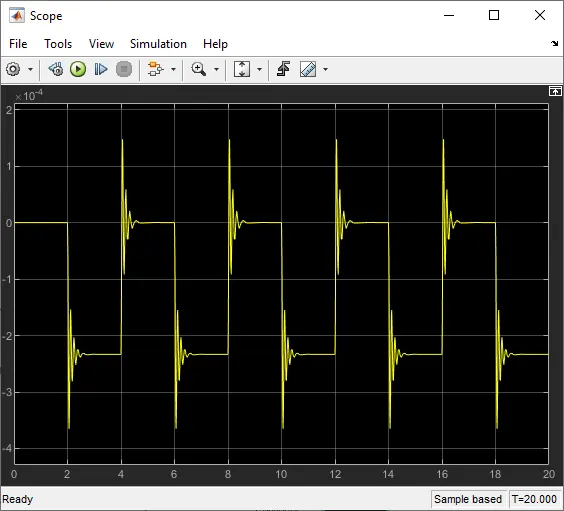
From the output, it has been observed that, for every 2 seconds, there is a change in the graphs. This means that the core of the solenoid is operated to move in and out for every 2 seconds of interval.
Thermistor to sense the temperature of a heater & turn on or turn off the fan
Objective :
Use a thermistor to sense the temperature of a heater & turn on or turn off the fan as per the below conditions:
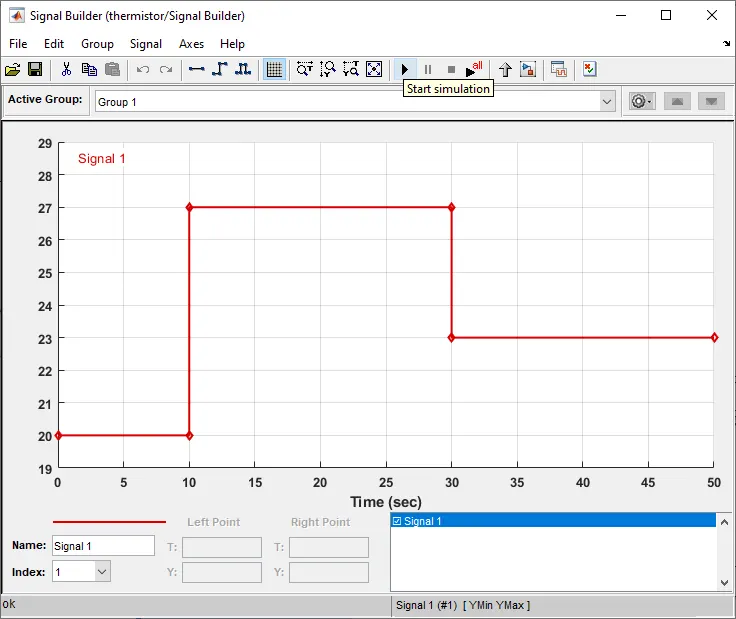
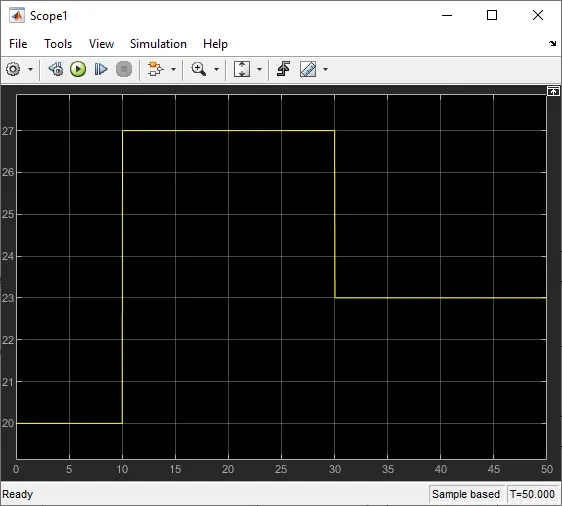
Temperature source: 20 °C from 0 to 10 seconds, 27 °C from 10 to 30 seconds, 23 °C from 30 to 50 seconds
Fan conditions: ON if the temperature above 25 °C, OFF otherwise
Procedure :
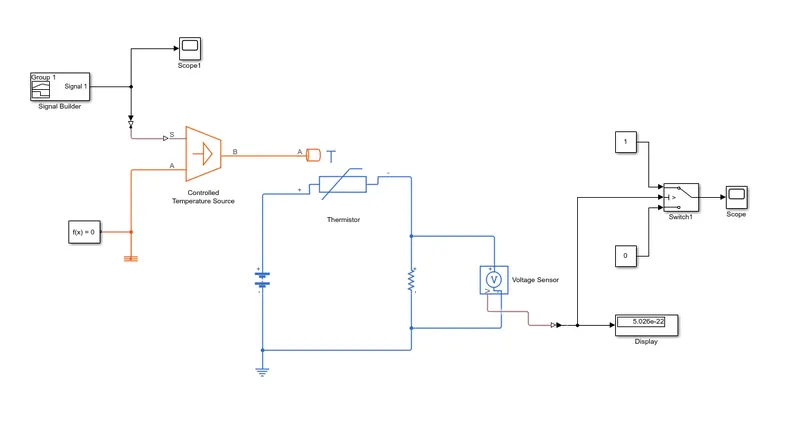
1. A thermistor is added into the space. The temperature input required for the thermistor is obtained with the help of controlled temperature source.
2. The signal to the temperature source are generated using the signal builder with a Simulink-PS convertor in between them.
3. The conditions set in the signal builder are, the total run time is 50 seconds, i.e, the x-axis time divisions are taken as 50. The temperature is 20 degrees between the time range of 0-10 seconds, 27 degrees between the time 10-30 seconds and 23 degrees between 30-50 seconds.
Inputs :
4. The thermal system is connected to the thermal reference. A solver configuration is also added.
5. The thermistor is connected across the battery through a resistor. A voltmeter is connected in parallel to the resistor to measure the output voltage from the thermistor.
6. The electrical circuit is connected to the electrical reference.
7. The output from the voltage sensor is connected to the switch through an PS-Simulink convertor.
8. The switch operates in the values between 0 and 1 with two constant blocks.
9. The output of the switch is connected to a scope.
10. Initially, the simulation is done, the output voltage displayed is taken as threshold value in the switch. Then again, simulation is run for 50 seconds.
Simulink Model :
output :
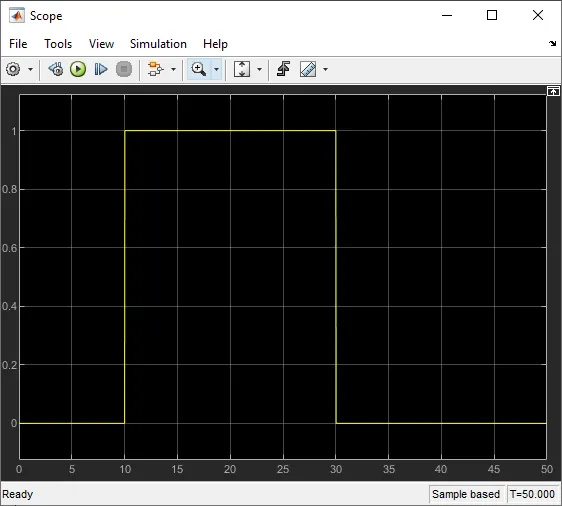
From the output graph, we have observed that, if the temperature exceeds the 27 degrees, the switch is turned on. Means when we connect the fan to the switch, it will run when temperature exceeds 27 degrees.
Conclusion :
The Simulink model for the doorbell is created using solenoid and the movement of the core of the solenoid is studied.
The Simulation for fan control using thermistor is executed and results are plotted on the graph.
Hence, the Simulink models are created for the both the cases and the results are analyzed.